Comprehensive Quality Assurance: The Evolution of Web and Desktop Application Testing Checklists

Global Software Quality Standard Reaches a Milestone as QA Professionals Embrace Reusable Test Frameworks
In the fast-paced landscape of modern software engineering, the demand for flawless digital experiences has never been higher. Whether deploying frequent agile iterations or managing large-scale enterprise deployments, quality assurance (QA) teams face mounting pressure to ensure stability, security, and seamless user interaction. Acknowledging this industry-wide challenge, senior quality engineering experts have released an extensive, standardized repository of over 180 practical test case examples and component-specific checklists. Designed for both web-based and desktop applications, this comprehensive resource aims to streamline the testing lifecycle, minimize oversight, and elevate software reliability across diverse technological ecosystems.
The Strategic Importance of Standardized Testing Checklists
The journey toward robust software reliability begins long before a single line of code is deployed to production. Historically, writing test cases from scratch for every new version or update has proven to be a significant bottleneck for development teams, consuming valuable time and financial resources.
Industry analysts and veteran QA engineers emphasize that implementing a standardized testing checklist offers several critical strategic advantages:
- Accelerated Test Creation: By maintaining a centralized repository of reusable test scenarios, QA teams can rapidly draft and adapt test cases for new application versions without starting from a blank slate.
- Resource Optimization: Reusing validated test frameworks drastically reduces the overhead costs associated with writing repetitive test scripts.
- Enhanced Defect Prevention: Familiarity with a robust checklist allows developers to anticipate common pitfalls, enabling them to catch and resolve standard interface and logic bugs during the initial development phase.
- Guaranteed Test Coverage: Systematic checklists ensure that critical validation pathways—such as security protocols, boundary value limits, and data integrity checks—are never overlooked, even under tight project deadlines.
Chronology and Collaborative Development of the QA Framework
The creation of this definitive testing framework reflects years of collaborative industry experience. Recognizing that agile development cycles frequently lead to fragmented testing practices, testing authorities sought to unify best practices into a single, cohesive guide.
- Phase I: Conceptualization and Core Scenarios (Early Development): The foundation of the framework was established by consolidating general usability, navigation, and interface rules that apply uniformly across nearly all software applications.
- Phase II: Specialized Component Integration: Recognizing that applications are built from modular components, QA architects expanded the framework to include granular testing protocols for individual UI elements, including text boxes, drop-down menus, checkboxes, and data grids.
- Phase III: Advanced Security and Performance Integration: As cyber threats evolved, subsequent iterations of the framework incorporated rigorous database integrity checks, penetration testing methodologies, and performance metrics under varying load conditions.
- Phase IV: Practical Tooling and Accessibility: To maximize utility, the entire collection of test scenarios was formatted into ready-to-execute Microsoft Excel templates, allowing agile teams to track pass/fail execution statuses directly within their daily workflows.
Core Pillars of the Testing Framework
To achieve comprehensive test coverage, the testing methodology is categorized into five distinct technical domains, supplemented by specialized component checklists.
1. General Test Scenarios
General scenarios form the baseline of application behavior, ensuring fundamental rules of interaction are respected:

- Input Validation: Mandatory fields must be clearly marked with an asterisk (*), and any input exceeding defined maximum length limits must be systematically rejected.
- Error Handling: Validation alerts must utilize consistent styling (e.g., standardized red text) and appear in the correct layout position, while positive confirmations use contrasting color schemes (e.g., green).
- System Interactivity: Features like the "Reset" button must successfully revert all form fields to their default states, and rapid double-submissions must be programmatically prevented to avoid duplicate database entries.
2. GUI and Usability Test Scenarios
User interface (UI) consistency directly impacts user adoption and satisfaction:
- Visual Alignment: All text boxes, radio buttons, and drop-down menus must align properly with adequate spacing between rows and columns.
- Keyboard Navigation: Full operational accessibility must be maintained via standard keyboard shortcuts, including proper
TabandShift+Tabsequencing. - State Management: Disabled fields must be visually grayed out and rendered completely inaccessible to user focus, while loading states must display appropriate visual indicators (such as an hourglass or spinner) during background processing.
3. Database Testing Test Scenarios
Data persistence and structural integrity are vital for enterprise applications:
- Constraint Enforcement: Primary keys, foreign keys, and null-value constraints must be strictly enforced at the database schema level.
- Transaction Management: Complete ACID compliance must be verified; data should only be committed upon successful operation completion and fully rolled back in the event of transaction failures.
- Audit Trails: Database triggers and system logs must accurately capture administrative and operational metadata, such as creation timestamps and modifier identifiers.
4. Performance Testing Scenarios
System responsiveness under varying workloads is measured through rigorous benchmarking:
- Load and Stress Testing: Applications are evaluated for acceptable page load times under slow network conditions, as well as light, normal, and heavy concurrent user loads.
- Resource Utilization: Monitoring CPU and memory consumption during peak operational windows helps identify potential memory leaks or inefficient database query execution times.
5. Security Testing Protocols
In an era of sophisticated cyber threats, security validations are non-negotiable:
- Vulnerability Mitigation: Frameworks mandate rigorous testing against SQL injection, cross-site scripting (XSS), and brute-force attacks.
- Session Management: Cookies and session tokens must be transmitted strictly over encrypted channels (HTTPS) and properly terminated upon user logout or session timeout.
- Data Masking: Sensitive information—including user passwords and financial details—must remain masked during data entry and excluded from auto-complete browser functionalities.
Component-Specific Testing Checklists
Beyond macro-level system evaluations, the framework provides granular test execution checklists for the most common user interface components found in modern applications:
- Forms and Screens: Validates overall layout design, field naming conventions, default cursor placement, and pre/post-data entry states.
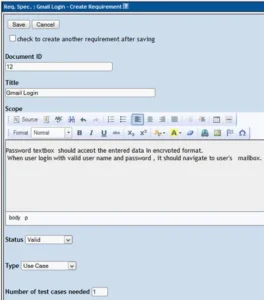
- Textbox Fields: Implements Boundary Value Analysis (BVA) and Equivalence Class Partitioning (ECP) to test limits, special characters, numerical inputs, and error messaging.
- Drop-Down Lists and List-boxes: Verifies default headers, data sorting order, selection/deselection behavior, and subsequent field reflections.
- Checkboxes and Radio Buttons: Confirms proper default selections, mutual exclusivity rules for radio groups, and multi-selection logic for checkboxes.
- Date Fields: Tests default date displays, custom calendar navigation, manual text box entry, and format uniformity.
- Action Buttons (Save, Cancel, Delete): Validates transactional outcomes, confirmation dialogue prompts, dependency checks, and cancellation behaviors.
- Data Grids: Assesses pagination controls, column sorting functionality, dynamic reporting metrics, and edit-link navigations.
Implications for the Software Industry
The widespread adoption of standardized testing checklists carries profound implications for software development agencies, enterprise IT departments, and independent quality assurance professionals.
By eliminating the ambiguity traditionally associated with writing test scripts, organizations can significantly reduce time-to-market without compromising product quality. Furthermore, the availability of ready-to-execute templates bridges the communication gap between product owners, developers, and QA engineers. As software ecosystems continue to grow in complexity—incorporating artificial intelligence, cloud-native architectures, and multi-device responsiveness—grounding quality assurance in structured, repeatable methodologies remains the bedrock of digital trust and operational excellence.