The Silent Trap: Why Your Modal Teardown is Hurting Your Users
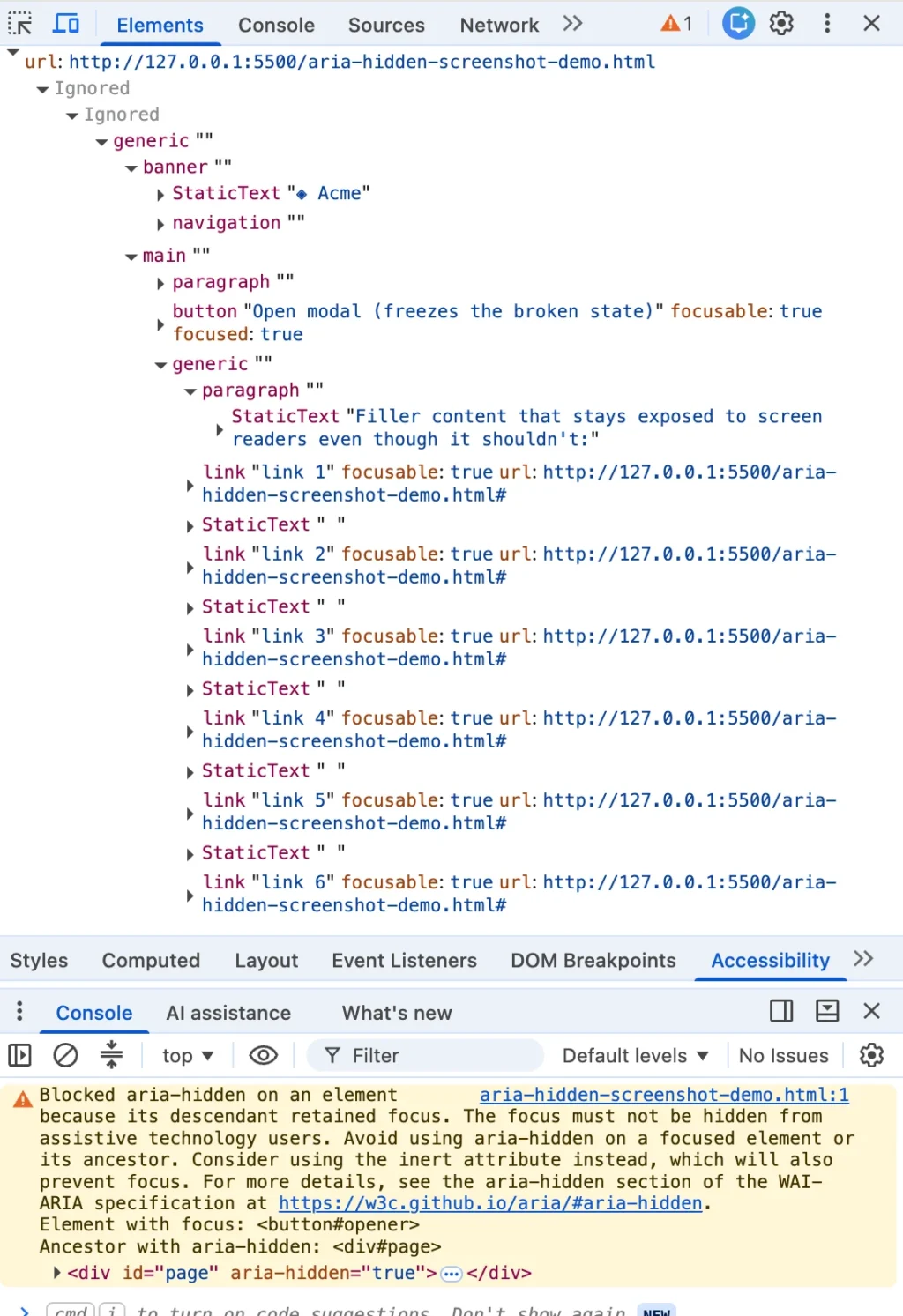
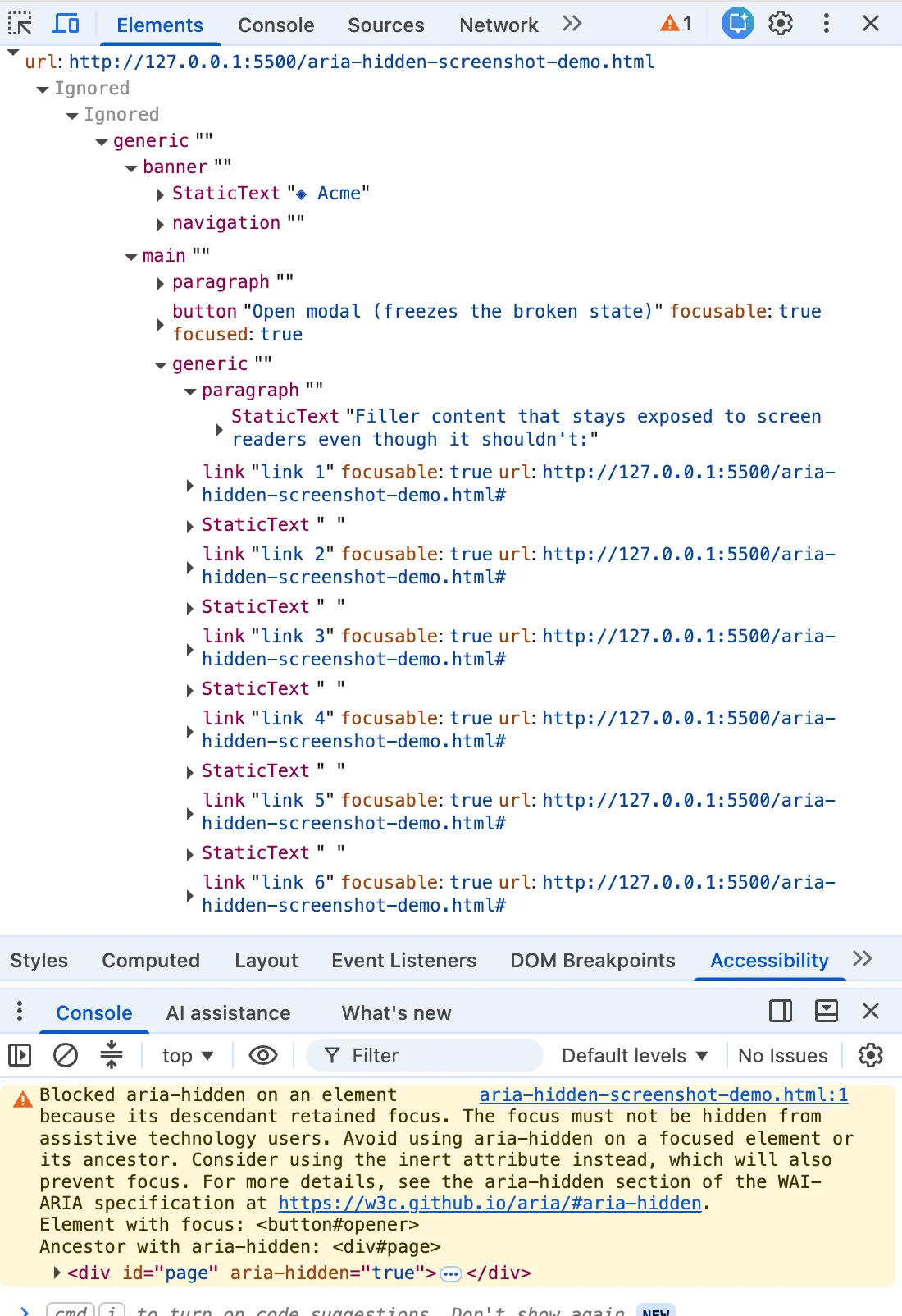
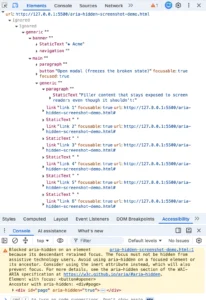
If you are a web developer, you have likely seen it: a console warning, painted in that specific shade of "angry mustard," appearing the moment you close a modal or dialog. You highlight the message, paste it into a search engine, and find yourself in a sea of results spanning Angular, Bootstrap, Ionic, and phpMyAdmin.
The top-ranking solutions are almost always the same: a blur() one-liner, a setTimeout shim, or a hack to strip the aria-hidden attribute. They all work in the sense that they silence the console. But in doing so, they often commit a silent, structural act of violence against the very users the browser is trying to protect.
The warning is not a browser glitch. It is a report of an "accessibility hole." When you hide a modal, you are supposed to be returning the user to the main page. Instead, because of flawed execution, you are often dropping them into a void where screen readers go silent, keyboard focus vanishes, and the user is forced to re-navigate the entire page from the very top.
The Anatomy of the Error: Ghost Focus
To understand the problem, we must look at the disconnect between two parallel systems: the DOM and the Accessibility Tree.
When you toggle aria-hidden="true" on a container, you are telling screen readers, "Do not look in here." However, aria-hidden does not change the browser’s internal focus order. If you close a modal but leave the "close" button focused while the modal’s wrapper is hidden, you create a state known as Ghost Focus.
The browser’s accessibility tree now contains an element that is "focused" but supposedly "hidden." When a screen reader encounters this, it often defaults to silence. The user presses a key, the focus moves, but the screen reader provides no feedback. The user is left wondering if the application has crashed, if their assistive technology has failed, or if they have made a mistake.
Chronology of the Console War
This issue is not new, but it has become significantly more visible recently.
- Pre-2020: The behavior was inconsistent across browsers. Developers relied on "best-effort" teardown code, which often failed silently.
- Early 2020: The W3C ARIA Working Group began discussing the need for browsers to expose focusable nodes inside
aria-hiddenregions to prevent the "total silence" experience for users. - Summer 2024 (Chrome 127+): A wave of console warnings began appearing in major UI libraries like MUI, Ant Design, and Flowbite. This was the first "loud" phase of the issue, flagging nodes that "just received focus" while inside a hidden region.
- Late 2024 (Chrome 131+): A second, more aggressive wave of warnings appeared, specifically targeting "retained focus" on close. This was the moment the developer community hit a tipping point, flooding GitHub repositories with bug reports.
The browsers were not changing their rules; they were simply turning up the volume on existing ones. By making the warning "loud," Chrome ensured that developers could no longer treat accessibility as a secondary concern to be patched after the release.
The Four Ways You Get Here
Not every "broken" modal is broken for the same reason. Developers usually fall into one of four traps:

- The Close-Time Race: You click "Close," and the CSS fade-out begins. The modal wrapper is marked hidden, but the "close" button is still focused. The code that moves focus back to the trigger button is waiting for the animation to finish, leaving the browser to warn you about the "retained focus."
- The Open-Time Inversion: You open a modal and hide the background. However, the button the user just clicked is still holding focus before the modal has fully initialized. You have hidden a region that the focus has not yet escaped.
- The Composition Turf War: This occurs when a component (like a
selectdropdown) is nested inside adialog. Both components believe they are the "top layer" and attempt to hide the rest of the page, causing a fight over accessibility attributes that leads to a frozen interface—a problem that has become fatal under React 19. - The Passive Exit: A user simply switches browser tabs or hits
Alt+Tabwhile a modal is open. The focus bookkeeping breaks because the browser window has lost focus entirely, leaving your teardown logic in a state of flux.
Why Every "Popular" Fix Makes It Worse
If you search for these warnings, you will find a common refrain: "Just add element.blur()."
Calling blur() without immediately moving focus elsewhere is the digital equivalent of dropping a passenger off in the middle of a highway. The focus resets to the <body> element. For a mouse user, this is invisible. For a screen reader user, it is a disaster. The screen reader loses its place, and the user must press Tab repeatedly to navigate from the very top of the page header to get back to their original context. This is a direct violation of WCAG 2.4.3 (Focus Order).
Other common hacks, like setTimeout delays, are "flaky." They work on fast machines but fail under CPU load or on low-end devices, leading to intermittent, impossible-to-reproduce bugs.
The Teardown Contract: A Better Way
The real solution is not a hack; it is a change in the order of operations. To handle a modal teardown correctly, follow this four-step contract:
- Un-inert the background: If you marked the background
inert(which you should), you must lift that status before you try to move focus.inertblocks focus, so a focus call to an element inside aninertcontainer will silently fail. - Move focus immediately: Restore focus to the trigger button before you commit any state changes that hide or inert the modal.
- Inert the dying shell: Once focus is safe, mark the modal itself as
inert. This removes it from the accessibility tree and prevents any further interaction while the exit animation plays. - Unmount: Finally, remove the modal from the DOM once the animation ends.
Implications for the Ecosystem
The move toward native <dialog> elements is the ultimate long-term solution. When you use the browser’s native showModal() method, the browser handles the "top layer" and the focus management automatically. The "focus dance" disappears because the browser controls the orchestration of the accessibility tree.
However, for developers working within massive legacy design systems, migration is not always possible this quarter. For those teams, the "Four-Step Contract" remains the standard.
Conclusion: The Warning is Your Architecture
When you see that angry mustard console warning, resist the urge to silence it. It is not a suggestion—it is a diagnostic report. It is the browser telling you exactly what your code is doing to the most vulnerable users of your application.
We often treat console warnings as noise to be cleared for the sake of a clean CI/CD pipeline. But in this case, the warning is the only voice in your stack speaking for the user. By treating these warnings as architectural flaws rather than stylistic nits, we can build a web that is truly inclusive. The goal is not a clean console; the goal is a user experience that, for everyone, is boring, predictable, and functional.