AWS Redefines Application Management: Introducing Elastic Beanstalk Cluster Mode with Amazon EKS
Fifteen years after its initial debut in 2011, Amazon Web Services (AWS) has radically modernized one of its most enduring developer services. AWS Elastic Beanstalk, long trusted by startups and global enterprises alike to shoulder the burden of deployment and infrastructure provisioning, has undergone a sweeping architectural overhaul.
Today, AWS announced the next major evolution of the service: Elastic Beanstalk Cluster Mode. This new, fully managed deployment tier leverages the power of Amazon Elastic Kubernetes Service (Amazon EKS) to allow development teams to run portfolio-wide application architectures with unified operational baselines, dramatically cutting costs while eliminating infrastructural complexity.
Main Facts: What is Elastic Beanstalk Cluster Mode?
Elastic Beanstalk Cluster Mode is a brand-new deployment architecture that allows engineering organizations to bring their existing applications—whether packaged as raw source code, Dockerfiles, or standard container images—and have AWS assume total operational responsibility for their lifecycle.
Key attributes of the new Cluster Mode include:
- Shared Infrastructure via Amazon EKS: Instead of operating every application in an isolated silo, multiple applications and microservices can now safely share a single underlying EKS-powered infrastructure foundation.
- Cost Efficiency: As an organization’s portfolio scales from ten applications to a hundred, resource pooling drives down the per-application cost without imposing additional operational overhead.
- Lifecycle Automation: AWS continuously deploys, scales, patches, monitors, and upgrades workloads for the lifetime of the application.
- Seamless Coexistence: Elastic Beanstalk Standard Mode (powered by Amazon EC2) remains fully supported. Standard and Cluster Mode environments can run side by side within the same application, enabling smooth, risk-mitigated migrations.
- Pricing Model: There is no additional platform charge for Cluster Mode. Customers pay strictly for the underlying AWS resources consumed, including the EKS control plane fee, EKS Auto Mode compute, Amazon ECR storage, and Amazon CloudWatch telemetry. (Note: Cluster Mode is not eligible for the AWS Free Tier).
Chronology: Fifteen Years of Simplifying the Cloud
To understand the weight of today’s announcement, it is helpful to trace the trajectory of AWS Elastic Beanstalk and how modern containerization shaped its recent reinvention.
2011: The Inception of Platform-as-a-Service on AWS
When AWS first launched Elastic Beanstalk, its primary value proposition was simplicity. Developers writing applications in Java, .NET, Python, Node.js, PHP, Ruby, and Go could upload their code without needing to manually configure Elastic Compute Cloud (EC2) instances, Elastic Load Balancers, or Auto Scaling groups. Beanstalk abstracted the underlying plumbing, letting engineering teams concentrate entirely on writing business logic.
2016–2025: Maturing the Operational Engine
Over the years, the service quietly underpinned millions of production environments. However, as cloud-native patterns shifted toward containers and microservices, AWS began quietly modernizing the operational engine beneath Beanstalk to prepare for a container-first future.
Early 2026: A Wave of Modernization
AWS rolled out a series of foundational updates to ready the service for enterprise-grade container workflows:
- April 2026: Introduction of AI-powered environment analysis to automatically diagnose runtime health issues and suggest targeted fixes.
- February 2026: Launch of an official GitHub Action, allowing development teams to deploy straight from existing CI/CD pipelines via concise YAML configurations.
- Under-the-Hood Upgrades: AWS completely rebuilt the infrastructure foundation to introduce OpenTelemetry-based observability, traffic-splitting deployments with automated rollbacks, event-driven autoscaling, secret management via AWS Secrets Manager, and HTTPS by default through AWS Certificate Manager.
Today: The Cluster Mode Era
With the infrastructure fully modernized and infused with intelligent diagnostics, AWS has officially launched Cluster Mode, bridging the simplicity of Platform-as-a-Service (PaaS) with the raw orchestration power of Kubernetes.
Supporting Data: Technical Implementation & Workflow
Cluster Mode is engineered to accommodate modern microservice architectures with minimal friction. Engineering teams can interact with the new tier through the AWS Management Console, the AWS Command Line Interface (CLI), the dedicated EB CLI, or standard AWS SDKs.

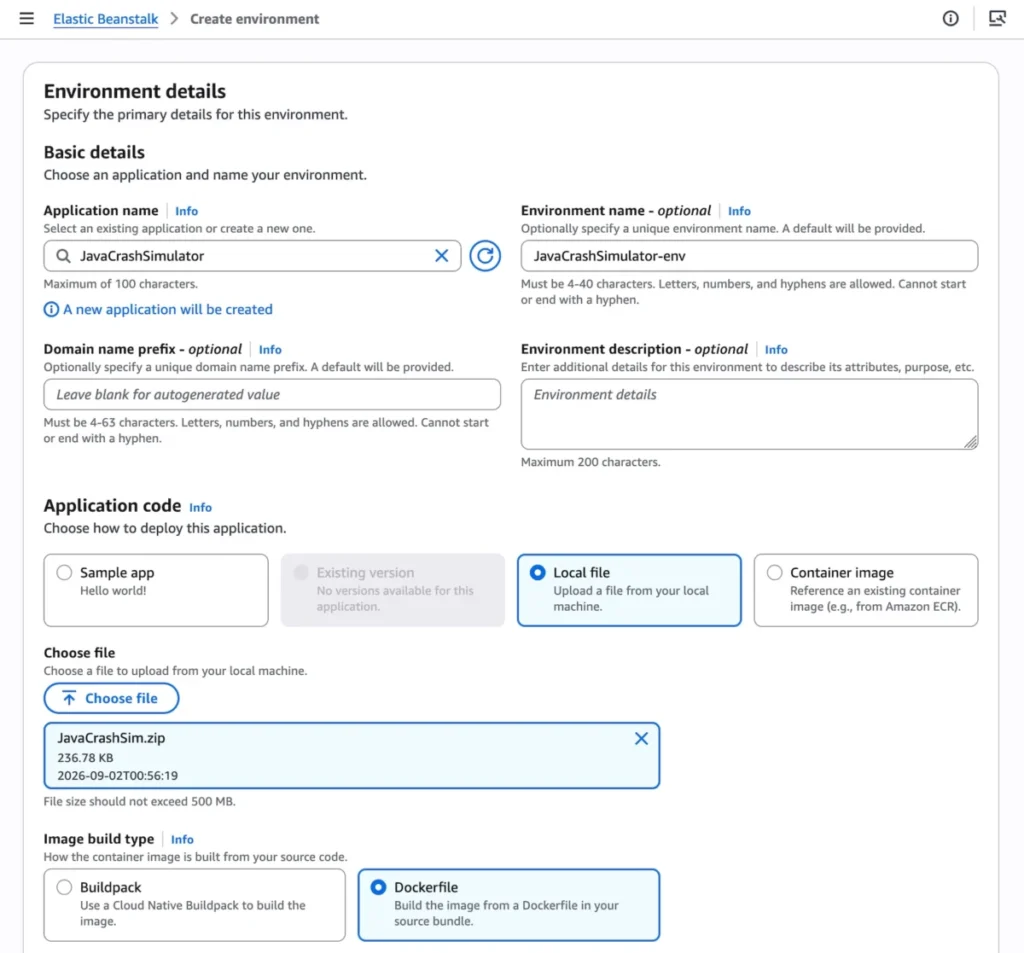
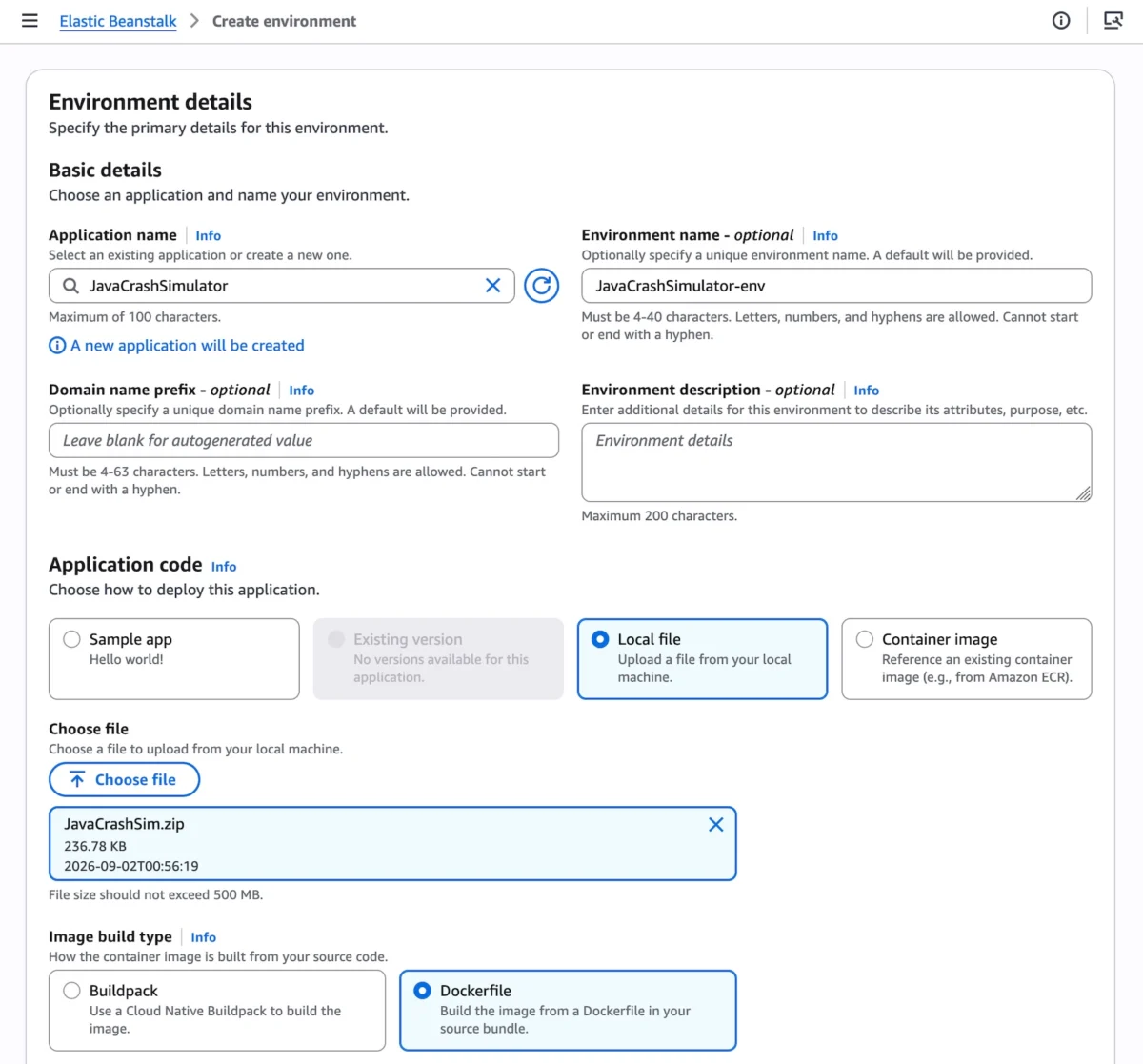
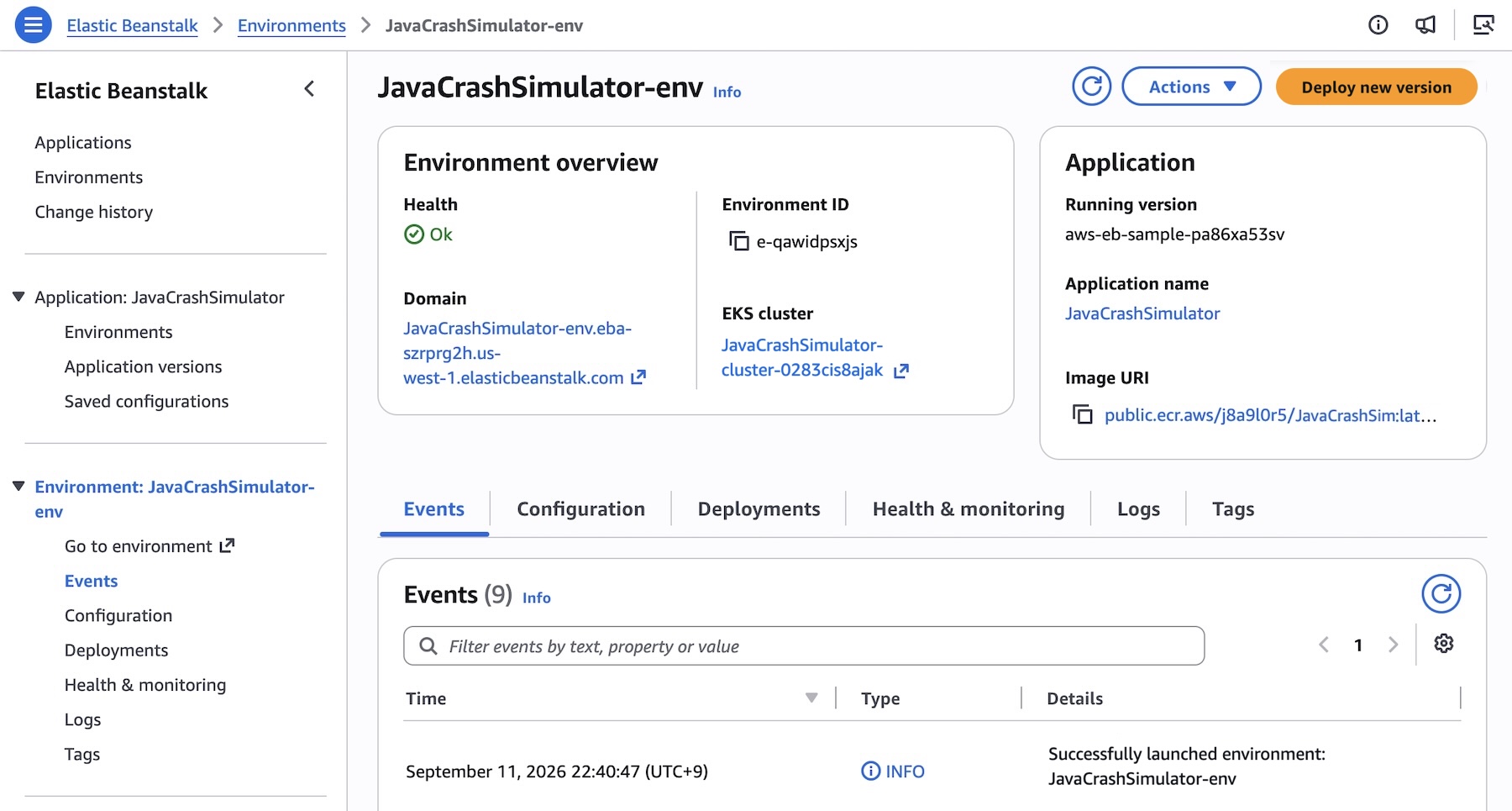
1. Console Provisioning
To initiate a Cluster Mode environment via the web console:
- Navigate to the Elastic Beanstalk console.
- Create a new environment and select Cluster under the Deployment type settings.
- Provide your application package via local files, custom Dockerfiles, or direct container images.
- Click Create.
Note: The first deployment within a specific set of subnets triggers the provisioning of a shared EKS cluster, which takes approximately ten minutes. Subsequent application deployments happen significantly faster by leveraging the pre-existing EKS foundation.
2. Programmatic Deployment via AWS CLI
Organizations managing complex microservice portfolios often lean on automation scripts. Below is an example of how developers can register multiple microservice images to Amazon Elastic Container Registry (ECR) and manage them as application versions under Elastic Beanstalk:
# Registering container versions for a multi-service application
IMAGES=(
    "frontend-v1|public.ecr.aws/my-microservices/frontend:v1"
    "cartservice-v1|public.ecr.aws/my-microservices/cart:v1"
    "paymentservice-v1|public.ecr.aws/my-microservices/payment:v1"
    "shippingservice-v1|public.ecr.aws/my-microservices/shippings:v1"
)

APP_NAME="my-microservice"

for entry in "$IMAGES[@]"; do
    IFS='|' read -r label uri <<< "$entry"
    aws elasticbeanstalk create-application-version
        --application-name "$APP_NAME"
        --version-label "$label"
        --image-configuration Source="Uri=$uri"
        --region "us-west-2"
    echo "Successfully registered version: $label"
done
3. Configuring Microservice Constraints
Developers can customize resource allocation, networking, and autoscaling parameters for individual services using JSON configuration templates. For instance, the public-facing frontend service requires an internet-facing Application Load Balancer (ALB) and explicit health-check routing:
[
    "Namespace": "aws:elasticbeanstalk:eks", "OptionName": "cluster-role", "Value": "arn:aws:iam::0123456789012:role/EKSClusterRole",
    "Namespace": "aws:elasticbeanstalk:eks", "OptionName": "node-role", "Value": "arn:aws:iam::0123456789012:role/EKSNodeRole",
    "Namespace": "aws:elasticbeanstalk:eks:environment", "OptionName": "observability-role", "Value": "arn:aws:iam::0123456789012:role/ObservabilityRole",
    "Namespace": "aws:elasticbeanstalk:eks:environment", "OptionName": "subnets", "Value": "subnet-abc1,subnet-abc2,subnet-abc3",
    "Namespace": "aws:elasticbeanstalk:eks:environment:autoscaling", "OptionName": "min-replica", "Value": "1",
    "Namespace": "aws:elasticbeanstalk:eks:environment:autoscaling", "OptionName": "max-replica", "Value": "5",
    "Namespace": "aws:elasticbeanstalk:eks:environment", "OptionName": "cpu", "Value": "0.5",
    "Namespace": "aws:elasticbeanstalk:eks:environment", "OptionName": "memory", "Value": "256Mi",
    "Namespace": "aws:elasticbeanstalk:eks:environment", "OptionName": "memory-limit", "Value": "512Mi",
    "Namespace": "aws:elasticbeanstalk:eks:environment", "OptionName": "service-port", "Value": "8080",
    "Namespace": "aws:elasticbeanstalk:eks:alb", "OptionName": "scheme", "Value": "internet-facing",
    "Namespace": "aws:elasticbeanstalk:eks:alb", "OptionName": "healthcheck-path", "Value": "/_healthz"
]
Deploying the service environment is then executed with a single command:

aws elasticbeanstalk create-environment
    --application-name my-microservice
    --environment-name frontend
    --version-label frontend-v1
    --tier Name=Cluster,Type=EKS
    --option-settings file:///tmp/frontend-options.json
    --region "us-west-2"
Official Responses and Perspectives
Speaking on the launch, AWS Principal Developer Advocate Channy Yun emphasized the enduring philosophy of the service:
"You bring your application. AWS runs it. Elastic Beanstalk takes full operational responsibility for your production environments for the life of the application. Whether you run ten applications or a hundred, you manage them through one cohesive experience, maintaining identical operational guarantees across every stack."
AWS leadership has also highlighted that Cluster Mode was deliberately designed to remove the historical friction of Kubernetes adoption. While enterprise teams recognize the power of Amazon EKS, the raw YAML configurations, Helm charts, and cluster lifecycle maintenance often divert engineering talent away from core product features. Cluster Mode effectively wraps EKS inside Beanstalk’s familiar, automated workflow—giving teams the power of Kubernetes without the steep operational tax.
Furthermore, AWS has integrated cutting-edge AI assistant workflows into the launch. Developers seeking API references, regional availability data, or troubleshooting guides can utilize the newly released AWS MCP Server and associated plugins directly within their preferred AI-assisted development tools.
Implications: What This Means for Developers and Enterprises
The release of Elastic Beanstalk Cluster Mode carries profound strategic implications for software engineering organizations:

1. Democratization of Kubernetes
Many small-to-medium engineering teams have hesitated to adopt Kubernetes due to the specialized staffing required to run clusters securely. By abstracting EKS behind Beanstalk’s automated control plane, organizations of all sizes can now deploy containerized microservices onto industry-standard orchestration infrastructure without hiring dedicated platform engineers.
2. Streamlined Portfolio Economics
As companies grow, application sprawl often leads to resource fragmentation—where dozens of single-purpose environments idle on dedicated virtual machines, running up unnecessary cloud bills. Cluster Mode’s resource-sharing model allows high-density packing of microservices onto shared EKS worker nodes, dramatically improving compute utilization and lowering overall cloud expenditures.
3. Risk-Free Modernization Paths
Because Elastic Beanstalk Standard (EC2-backed) and Cluster Mode (EKS-backed) environments can operate side by side within the same parent application, enterprises are not subjected to painful "big-bang" migrations. Teams can run rigorous compatibility validation checks and migrate workloads piece by piece at their own operational cadence.
Availability and Getting Started
AWS Elastic Beanstalk Cluster Mode is generally available starting today across all AWS Regions where Elastic Beanstalk is currently supported.
To explore regional footprints, roadmap projections, and documentation, developers can reference the AWS Capabilities by Region portal or check the official Elastic Beanstalk Cluster Mode Documentation.
Engineering teams are encouraged to test out the new deployment tier directly via the AWS Elastic Beanstalk Console and share community feedback through AWS re:Post or standard AWS Support channels.