The Future of Mobile Engineering: Android CLI 1.0 and the New Era of Agentic Development
The landscape of mobile application development is undergoing a tectonic shift. As the complexity of modern Android apps grows, the demand for more intelligent, automated, and context-aware development workflows has never been higher. At Google I/O ’26, the Android team unveiled a pivotal advancement in this domain: the official 1.0 stable release of the Android CLI (Command Line Interface). This launch marks more than just a software update; it represents a strategic commitment to "agentic development"—a paradigm where AI agents act as sophisticated partners, working alongside developers to build, test, and maintain high-quality Android applications.
Main Facts: The Power of Android CLI 1.0
The Android CLI is designed to be the connective tissue between the modern AI agent—whether it be Google’s Antigravity, Anthropic’s Claude Code, or OpenAI’s Codex—and the deep, specialized environment of Android Studio. By providing a standardized, lightweight interface, the Android CLI allows these agents to perform complex tasks, query codebase information, and trigger IDE-level actions without requiring constant manual intervention from the developer.
Key features of the 1.0 release include:
- Deep IDE Integration: Through the new
android studiocommand suite, agents can now tap into the powerful static analysis engine, refactoring tools, and dependency management systems inherent to Android Studio. - Agentic "Journeys": A revolutionary capability that allows agents to execute natural language descriptions of user experiences, enabling automated testing and data collection across critical app flows.
- Expanded Skill Libraries: An open-source, modular library of "skills" that developers can inject into their agents to teach them specific Android best practices and operational patterns.
- Universal Accessibility: Support for major package managers (apt-get, winget, and homebrew), ensuring that the tool is available regardless of the developer’s operating system or preference.
Chronology: From Concept to Stable Release
The journey toward Android CLI 1.0 has been a methodical progression driven by the rapid evolution of Large Language Models (LLMs).
.png)
- Initial Research (Early 2025): The Android team began identifying the friction points where AI-assisted coding failed: lack of project context, inability to run local builds, and the "black box" nature of AI code generation.
- The Beta Phase: Throughout late 2025, experimental builds were released to a select group of developers. During this time, the team focused on creating a bridge between the terminal—where most AI agents live—and the GUI-heavy environment of Android Studio.
- Google I/O ’26 Announcement: The unveiling of version 1.0 signaled the transition from an experimental utility to a foundational piece of the Android developer toolkit.
- Post-Launch Integration: With the release, the team immediately pushed support for the "Android Studio Quail" preview, allowing for real-time synchronization between agent-driven terminal commands and the IDE’s visual feedback systems.
Supporting Data and Technical Architecture
The efficacy of the Android CLI lies in its ability to bridge the gap between "shallow" AI coding (which often lacks context) and "deep" IDE intelligence. Android Studio carries over a decade of domain expertise, handling complex dependency trees and rendering layouts that a simple text-based AI might struggle to visualize.
By running android studio check, developers can establish a handshake between their terminal and the active project. Once connected, the agent gains a direct line to the project’s heartbeat. For instance, the command $ android studio find-declaration HotelDetailScreen allows the agent to immediately resolve symbol locations, a task that would otherwise require significant "hallucination-prone" guesswork.
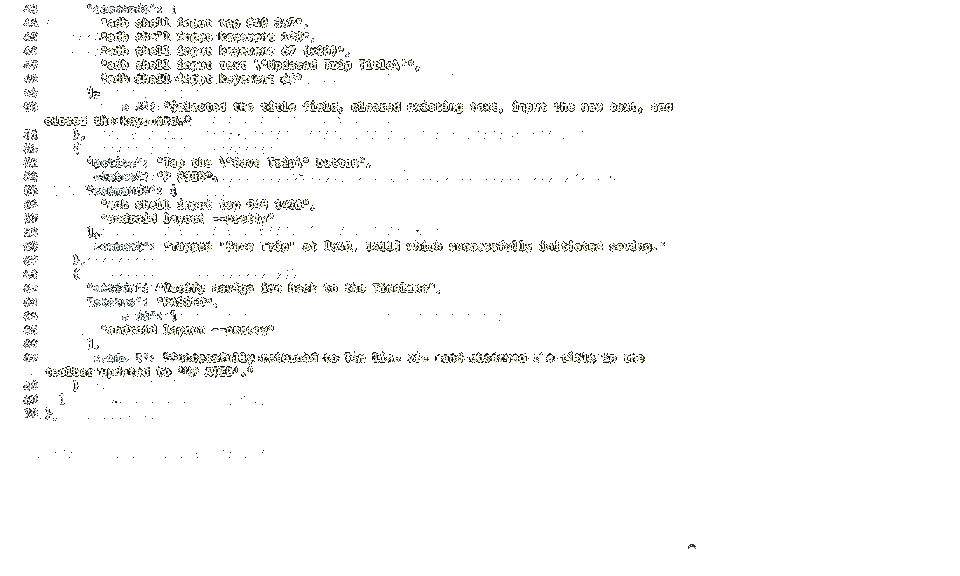
Furthermore, the integration with "Journeys" represents a significant leap in QA automation. By translating natural language instructions into a series of automated interactions, the CLI can mimic a real user navigating an app. This allows for:
- Automated Regression Testing: Quickly verifying that a new UI update hasn’t broken a core user flow.
- Performance Benchmarking: Capturing data as the agent traverses the app, providing insights into load times and memory usage.
Official Responses: The Philosophy of "Everywhere" Development
Google’s messaging surrounding this release emphasizes a platform-agnostic approach. While Google Antigravity 2.0 serves as the flagship, the Android CLI is explicitly built to support a wide ecosystem of third-party agents.
.png)
"Our mission remains the same: to ensure that high-quality Android development is possible everywhere," stated the Android engineering team during their I/O keynote. By providing the tools for agents to build alongside the developer, Google is shifting the definition of the "IDE." It is no longer just a window for writing code; it is an orchestration layer for human-AI collaboration.
The decision to make the CLI available via common package managers—winget install -e --id Google.AndroidCLI—is a deliberate effort to lower the barrier to entry. By moving the installation to a user-local directory, the team has also mitigated common permissions issues that historically plagued command-line tools on Windows and macOS.
Implications: How This Changes Your Workflow
The introduction of the Android CLI 1.0 fundamentally alters the daily rhythm of an Android developer. Here is how the transition is expected to unfold:
1. Enhanced Code Precision
Previously, an AI agent might suggest a code change based on outdated training data. With the new CLI, the agent is "context-aware." Because it can invoke Android Studio’s static analysis tools, the suggestions it provides are validated against the actual project structure, reducing the frequency of build-time errors.
.png)
2. The End of "Context Switching"
Developers often waste hours context-switching between their IDE and their terminal. With the ability to perform refactoring, file navigation, and project analysis from the command line, developers can stay in their "flow state" longer. When the agent needs the power of the GUI (such as checking a Compose Preview), it can programmatically open the necessary window in Android Studio.
3. Modular "Skill" Acquisition
The ability to add skills—such as specific library integrations or compliance checks—via android skills add --skill=<skill-name> allows teams to standardize their coding practices. A team lead can define a set of mandatory skills that every developer’s agent must possess, ensuring that the entire organization adheres to the same architectural standards.
4. A New Approach to QA
The "Journeys" feature turns QA into an iterative, conversational process. Instead of writing complex UI test scripts from scratch, developers can simply describe a feature flow, and the agent will generate and execute the necessary test code. This is expected to drastically shorten the feedback loop for new features.
Looking Ahead: The Future of Android Engineering
As we look past the 1.0 release, it is clear that the Android ecosystem is moving toward a future where the developer is an "architect of agents." The role of the human engineer will shift from writing boilerplate code to defining high-level intents and validating the output of highly capable, context-aware AI systems.

The Android CLI 1.0 is the foundational step in this evolution. By democratizing access to the deepest parts of Android Studio and creating a common language for agents, Google has provided the infrastructure for a more productive, efficient, and creative development cycle.
For those looking to adopt these new tools, the transition begins with a simple update. By running android update and initializing the environment with android init, developers can immediately begin exploring the potential of this new agentic stack. The future of mobile development is not about replacing the developer; it is about providing the developer with an army of specialized, highly efficient tools to build the next generation of mobile experiences. Whether you are a solo indie developer or part of a large-scale enterprise, the tools are now in your hands to build faster, test smarter, and push the boundaries of what is possible on the Android platform.