The State of the Web: CSS Evolution, Dialog Refinements, and the Highlights of CSS Day 2026
The web development landscape is currently undergoing a period of rapid, functional evolution. As we move through the second half of 2026, the CSS specification is expanding in ways that prioritize developer ergonomics, cleaner syntax, and more intuitive control over layout and state. From the highly anticipated arrival of @function to the subtle but impactful quality-of-life improvements for the native <dialog> element, this edition of What’s !important examines the shifts defining our industry today.
Main Facts: The New Frontier of CSS
The core of recent web platform updates revolves around making CSS more programmatic and less repetitive.
The Rise of @function
Perhaps the most significant milestone for 2026 is the introduction of the @function at-rule. For years, CSS developers have relied on preprocessors like Sass to handle custom logic. With native @function support, the browser is finally absorbing these capabilities. Jane Ori’s recent deep dive into the fundamentals of these functions has clarified how they bridge the gap between static styling and dynamic logic, making them one of the most vital additions to the CSS Baseline this year.
The alpha() Function: Streamlining Color Manipulation
In a surprising move, the alpha() function has emerged as a powerhouse for color management. By allowing developers to modify the alpha channel of a color variable without needing to know the underlying format—be it OKLCH, RGB, or HSL—this function solves the "monotony problem." It enables developers to store color values as simple numeric channels in CSS variables and apply transparency on the fly, significantly reducing the verbosity of color declarations.
Chronology: A Week of Web Advancements
The past seven days have been particularly dense with technical announcements and community gatherings.
- June 3, 2026: Una Kravets sparks a conversation on Bluesky regarding the
<dialog>element, highlighting how the newclosedbyattribute andoverscroll-behaviorcan eliminate common UX friction points. - June 11–12, 2026: CSS Day 2026 convenes in Amsterdam. The two-day event focuses on the future of styling, bringing together browser engine engineers and front-end architects.
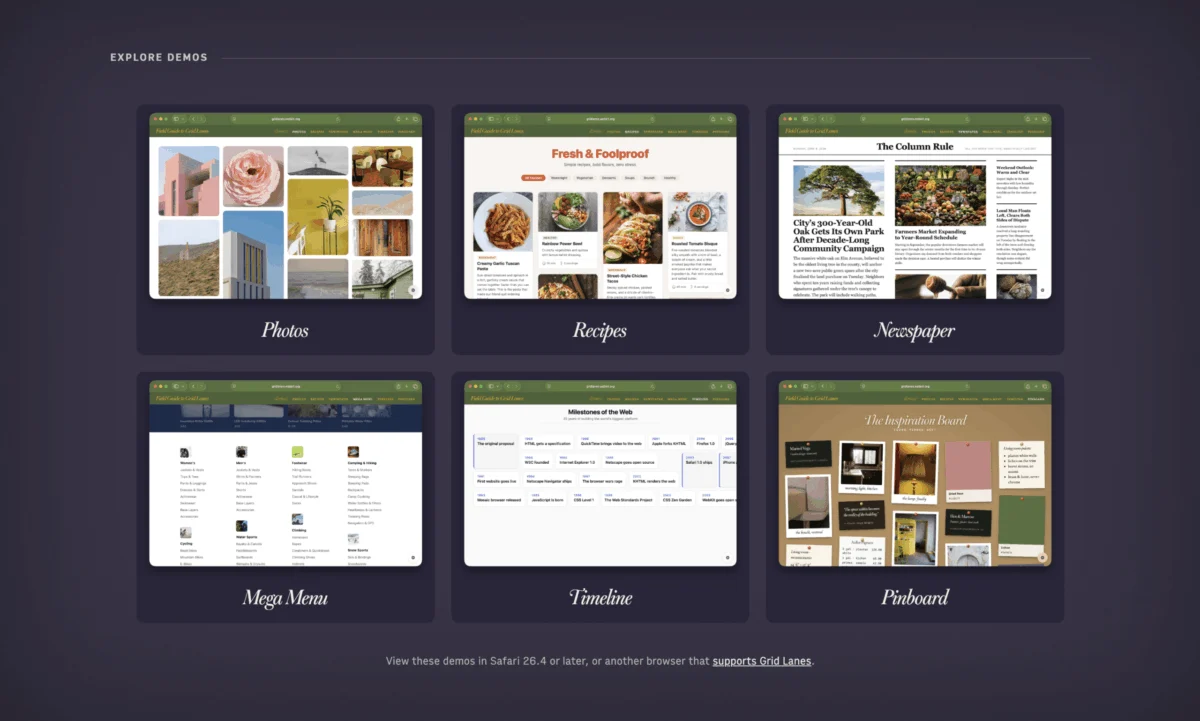
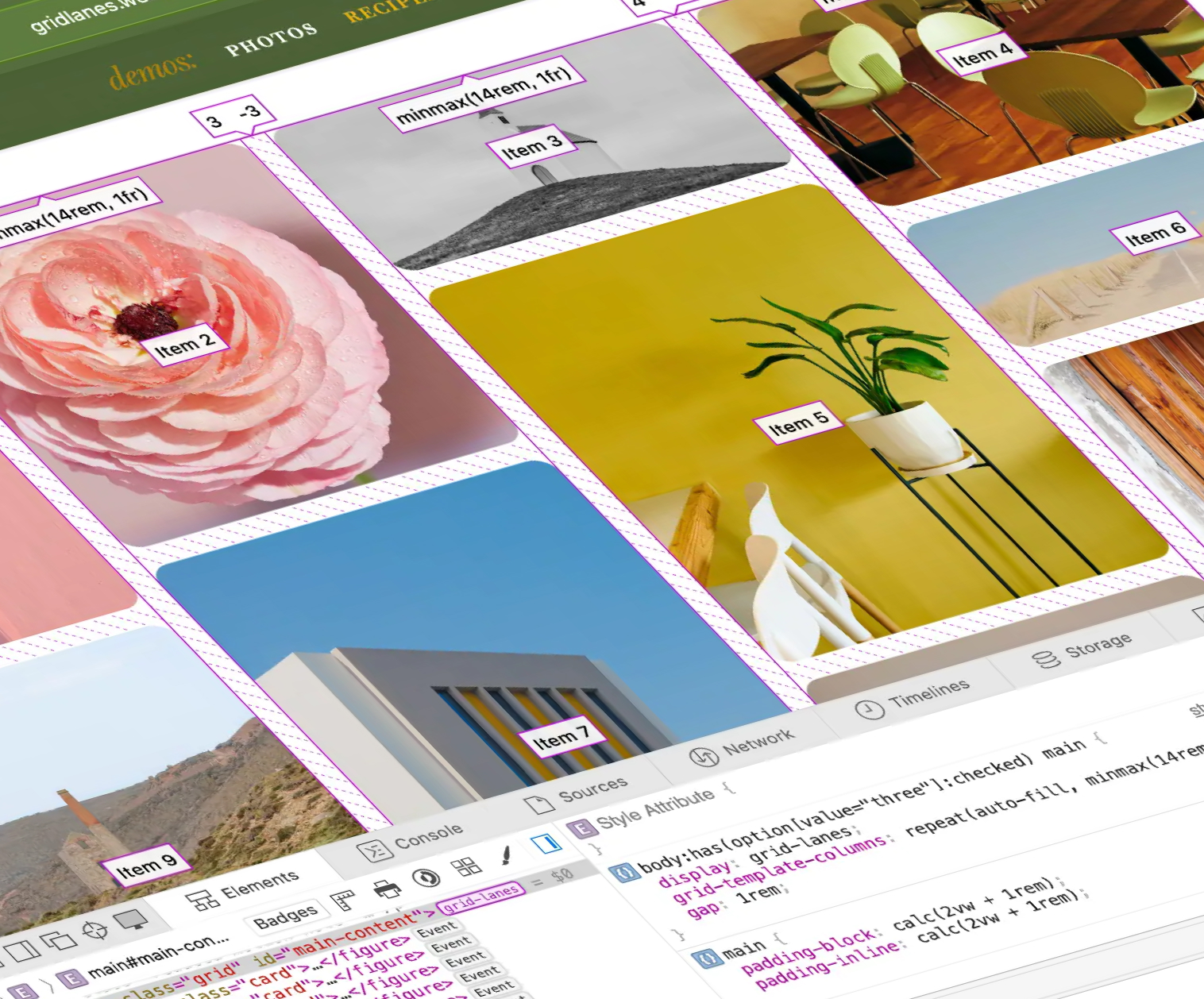
- Mid-June 2026: WebKit officially launches the Field Guide to Grid Lanes, providing a comprehensive resource for developers looking to master modern grid-based layouts.
- Ongoing: The rise of CSS-centric gamification, exemplified by the growing popularity of Sunkanmi Fafowora’s "CSS Wordle," which has become a staple for developers testing their knowledge of properties and values.
Supporting Data: Why Modern CSS Matters
The shift toward these new features is driven by a need for better maintainability. Consider the current state of color management. Previously, storing a color meant defining it as a full string:
--color: oklch(0.65 0.23 230);
This forced developers to write redundant code when applying different opacities. With the alpha() function, the storage becomes abstract:
--color: 0.65 0.23 230;
This shift is not merely aesthetic; it is a fundamental improvement in the "developer experience" (DX). By separating the raw data from the implementation, teams can maintain design systems that are significantly lighter and more flexible.
Similarly, the Field Guide to Grid Lanes provides the necessary pedagogical framework for developers to adopt more complex layouts. By offering real-world examples—such as timelines, newspaper-style grids, and mega-menus—the guide serves as a bridge between theoretical documentation and practical, production-ready code.
Official Responses and Expert Insights
The industry reaction to these updates has been overwhelmingly positive, particularly regarding the <dialog> element.
Solving Dialog Friction
The <dialog> element has long been a source of frustration for developers, specifically regarding scroll behavior and the "light dismiss" functionality. Una Kravets’ advocacy for closedby="any" and overscroll-behavior: contain addresses the "jumpy" layout shifts that occur when a scrollbar disappears or reappears during a modal interaction.
Chris Coyier’s recent work on animating dialogs reinforces this sentiment. While many developers know how to show a dialog, the how-to-animate portion often requires complex @starting-style logic that is prone to error. The consensus among experts is clear: the platform is finally reaching a level of maturity where common UI patterns no longer require heavy JavaScript dependencies.

The CSS Day 2026 Retrospective
CSS Day 2026 served as the primary venue for discussing these advancements. Though no formal livestream was provided, the discourse on social platforms like Bluesky has been robust. Speakers focused on the "invisible" work—the browser engine updates that make these features possible. The absence of "flamethrowers" (a nod to previous, more chaotic years) was noted, though the community’s penchant for technical humor remained, with various references to the perennial challenge of rendering games like DOOM within CSS.
Implications: The Future of Front-End Development
What do these changes mean for the average developer?
1. The Decline of "CSS-in-JS" Logic
As native functions and advanced color math become standard, the justification for relying on massive JavaScript libraries to handle layout and styling logic diminishes. When CSS can compute values and manage state, the performance overhead of the browser decreases, leading to faster paint times and a more responsive user experience.
2. Standardizing Design Systems
The ability to use alpha() and more robust grid structures means that design systems can be built directly into the browser’s native language. This reduces the "translation layer" between design files (like Figma) and the code, ensuring that the visual intent is preserved more accurately.
3. A Shift in Learning Curves
Features like @function are objectively complex. The current effort by figures like Jane Ori and Declan Chidlow to provide "baby-step" documentation is crucial. If the CSS community fails to document these features with the same intensity that they develop them, we risk a widening gap between browser capabilities and the average developer’s proficiency.
4. Accessibility and UX
Improvements to the <dialog> element are a win for accessibility. By standardizing how modals close and how they handle overflow, the web becomes a more predictable environment. When the platform provides these features natively, it reduces the likelihood of developers creating "home-grown" solutions that often break screen readers or keyboard navigation.

Conclusion: Staying Sharp
The current state of CSS is one of synthesis. We are no longer just adding new properties; we are refining the way we structure and maintain entire design systems. Whether it is through mastering the new Field Guide to Grid Lanes, experimenting with the alpha() function to clean up your color variables, or finally tackling the nuances of <dialog> animations, there has never been a better time to refine your front-end stack.
As we look toward the remainder of the year, the focus will likely remain on stability and performance. For those who want to keep their skills sharp, I highly recommend engaging with the community on platforms like Bluesky and, of course, indulging in a round of CSS Wordle. It is a humble reminder that, despite the complexity of modern layout engines, the heart of our work lies in the simple, elegant application of rules to pixels.
Until the next update, keep your styles clean, your functions efficient, and your layouts responsive. The web is moving fast—ensure your foundation is built to handle the pace.