Strengthening the Arch Linux Ecosystem: How Yay v13 is Addressing the AUR Security Crisis

The Arch User Repository (AUR) has long been the crown jewel of the Arch Linux ecosystem—a massive, community-driven collection of software that makes almost any application available to users with a simple command. However, this accessibility has historically come with a significant trade-off: security. Recent months have seen the AUR face its most challenging period to date, with over 1,500 packages compromised across three distinct waves of sophisticated malware attacks.
In response to this instability, the developers of yay, the most widely used AUR helper, have unveiled a landmark update. Version 13.0.0 represents a paradigm shift in how users interact with community packages, introducing proactive security signals and a powerful new Lua-based scripting engine to automate defensive measures.
The Chronology of a Crisis: The AUR Under Siege
To understand the necessity of yay v13, one must first understand the climate of the past year. The AUR operates on a "trust-but-verify" model, where maintainers upload PKGBUILD scripts that are executed on the user’s machine. Because the barrier to entry for uploading a package is minimal, malicious actors found an opportunity to exploit the system.
The Three Waves of Compromise
- The Initial Infiltration: The first wave targeted popular niche utilities, embedding obfuscated shell scripts within the installation process that harvested SSH keys and browser credentials.
- The Escalation: The second wave utilized typosquatting and "dependency confusion," where malicious packages were disguised as legitimate updates for common development tools.
- The Systemic Threat: The third, and most damaging, wave involved the compromise of legitimate maintainer accounts. By gaining access to trusted accounts, attackers were able to inject malicious code into long-standing, "trusted" packages, effectively bypassing the natural skepticism of the user base.
These events forced the Arch Linux community to confront the inherent risks of a decentralized repository. While Arch developers eventually mitigated the specific threats, the trust deficit remained. Users were left wondering: How can I verify the safety of a package without manually auditing every line of code?
Key Features of Yay v13: A New Defensive Layer
The release of yay v13 directly addresses the need for transparency and automation. By integrating these tools at the helper level, the maintainers are empowering users to make informed decisions before a single byte of code is executed on their hardware.

1. PKGBUILD Timestamps: The Visibility Metric
The most immediate change users will notice is the inclusion of "last-modified" timestamps for PKGBUILD files. Visible directly in search results, the yogurt prompt, and the upgrade menu, these timestamps indicate how recently the build script was altered.
As Jo Guerreiro, the maintainer of yay, has emphasized, this is a signal, not a verdict. "A package updated yesterday isn’t inherently malicious, and a package untouched for three years isn’t inherently secure," Guerreiro noted. Instead, the timestamp acts as a heuristic. If a package that has been dormant for years suddenly receives an update, it serves as a red flag, prompting the user to perform a more rigorous manual inspection of the PKGBUILD before proceeding.
2. Lua-Based Hooks: Programmable Security
Perhaps the most ambitious addition to v13 is the support for Lua-based hooks. By allowing users to script yay‘s behavior, the developers have effectively turned the AUR helper into an extensible security platform.
Users can create an initialization file at ~/.config/yay/init.lua to define custom logic. This system is designed to sit above the standard config.json file, allowing for granular overrides and sophisticated workflow automation. The implications for security are profound, as users can now programmatically inspect packages based on specific criteria before installation.
Supporting Data: The Power of Workflow Automation
The introduction of specific hook points—UpgradeSelect, AURPreInstall, and AURPostDownload—allows for a tiered defense-in-depth strategy:

- UpgradeSelect: This hook triggers during the
yay -Syuprocess. It allows users to script automatic exclusions for packages that have not been updated by their maintainers in an unreasonable timeframe, or to flag specific packages for manual review. - AURPreInstall: This is arguably the most critical defensive measure. It triggers immediately after the
PKGBUILDis fetched but before any compilation begins. This allows for an automated "linting" process where a user’s script could scan for common malicious patterns—such as network calls to unknown IPs or base64-encoded strings—before the system is ever touched. - AURPostDownload: Once
makepkg --verifysourcefinishes, this hook allows the user to compare the downloaded files against thePKGBUILDmetadata. This prevents "man-in-the-middle" style attacks where a package might be modified after the source has been fetched.
Official Perspectives: Balancing Convenience and Security
The Arch Linux philosophy has always been centered on user control. By providing these tools, the yay maintainers are not suggesting that the AUR can be fully "automated" into safety, but rather that the burden of vigilance can be shared between the user and the software.
Jo Guerreiro’s approach reflects a pragmatic understanding of the Arch ecosystem. By keeping the Lua integration optional—if the init.lua file is missing, the system remains in its default state—the maintainers have ensured that the update does not introduce new attack surfaces for casual users while providing a powerful sandbox for power users and security-conscious system administrators.
Broader Implications for the Linux Community
The challenges faced by the AUR are not unique to Arch Linux; they are representative of the broader risks inherent in any open-source supply chain. The "Arch way" of dealing with this, however, is distinct. Rather than centralizing control and imposing a walled-garden approach, the community has chosen to provide better tooling to verify decentralized contributions.
The Future of AUR Security
The success of yay v13 will likely hinge on the community’s willingness to share their Lua scripts. As developers write and publish their own security-focused hooks—such as scripts that automatically check for known CVEs or cross-reference package signatures against trusted keys—the AUR could become significantly more resilient.
This shift marks a maturation of the AUR ecosystem. For years, the repository has relied on the social contract of trust. Moving forward, it is clear that the community is embracing a technical solution to verify that trust.
How to Get Started with Yay v13
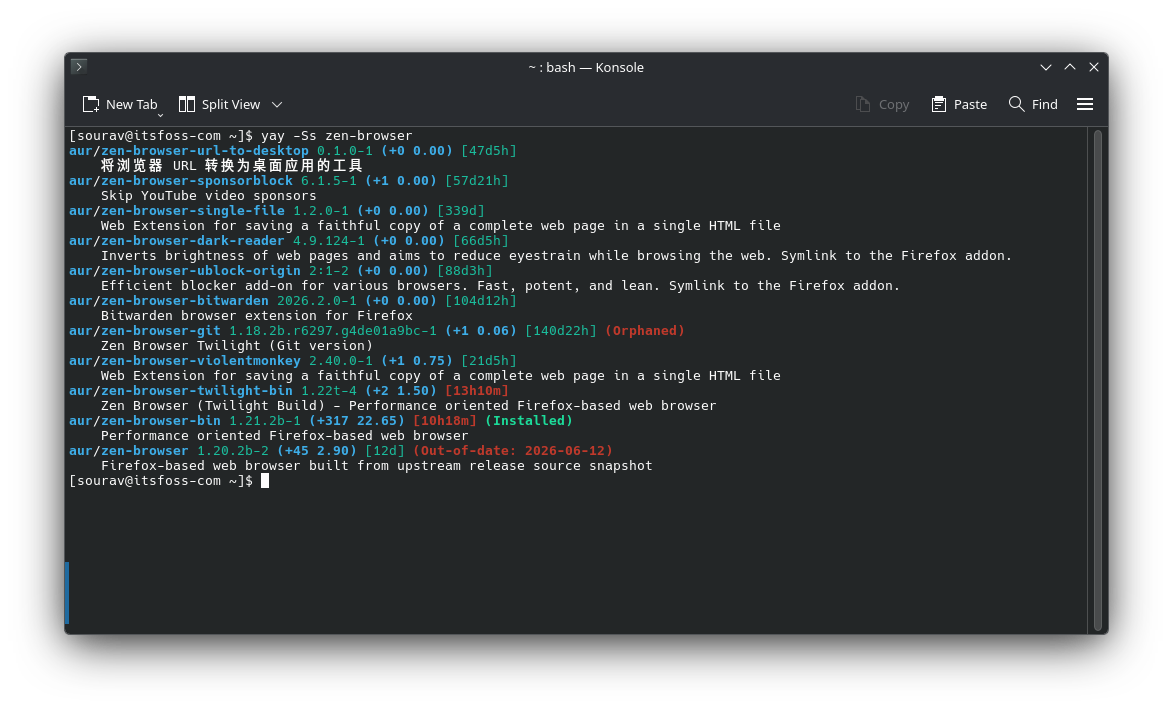
For users ready to take advantage of these new features, the upgrade process remains consistent with standard Arch maintenance. To install or update to the latest version, users should utilize the following commands:
# Clone the latest version from the AUR
git clone https://aur.archlinux.org/yay.git

# Navigate to the directory
cd yay

# Build and install using the standard makepkg utility
makepkg -si
Once installed, users are encouraged to explore the official yay documentation to understand the full capabilities of the Lua scripting engine. By proactively configuring ~/.config/yay/init.lua, users can take immediate control over their installation flow, ensuring that their systems remain secure in an increasingly complex threat landscape.
Conclusion
The vulnerabilities exposed in the AUR were a wake-up call for the entire Linux community. In the face of adversity, the developers of yay have responded not with restrictions, but with empowerment. By providing the tools to analyze, audit, and automate the package installation process, v13 transforms the AUR from a potential liability into a robust, programmable environment. As Arch Linux continues to evolve, these security-first improvements ensure that the platform remains the premier choice for users who demand both the latest software and the autonomy to manage it on their own terms.