Bridging the Gap: Mastering Physics Through KDE Step’s Virtual Laboratory
Open-source software has long functioned as the invisible backbone of modern scientific discovery. From the high-performance computing clusters powering CERN’s Large Hadron Collider to the complex algorithms used in climate modeling, the collaborative, transparent nature of open-source code has provided the framework for humanity’s most significant technological leaps.
Yet, the value of open source is not confined to the professional research lab. At the educational level, it acts as a democratizing force, providing students and educators with powerful tools that were once the exclusive domain of expensive, proprietary simulation suites. Standing at the forefront of this educational movement is KDE Step, a robust, interactive physics simulator that transforms abstract equations into vivid, real-time visualizations.
The Foundation of KDE Step: A User-Centric Design
KDE Step is built upon the familiar, modular KDE design kit, offering an interface that balances professional-grade complexity with intuitive usability. Upon opening the application, users are greeted by a well-organized workspace: the left-hand panel hosts an array of physical objects—particles, springs, fields, and constraints—while the right-hand panel provides granular control over the attributes of those objects, alongside a history panel that tracks every modification.
This layout is deliberate, designed to facilitate a "learning-by-doing" pedagogy. By placing the simulation control buttons—including play, pause, and step-by-step playback—at the top, the developers have ensured that users can focus on the interplay of variables rather than struggling with software navigation. For students grappling with the unintuitive nature of classical mechanics, this visual feedback loop is invaluable, turning the "black box" of theoretical physics into a transparent, observable process.

Chronology of Conceptual Learning: From Simple Motion to Complex Systems
The utility of KDE Step is best understood through its ability to handle diverse physics domains in a logical, progressive order.
Simple Harmonic Motion: The Theoretical Gateway
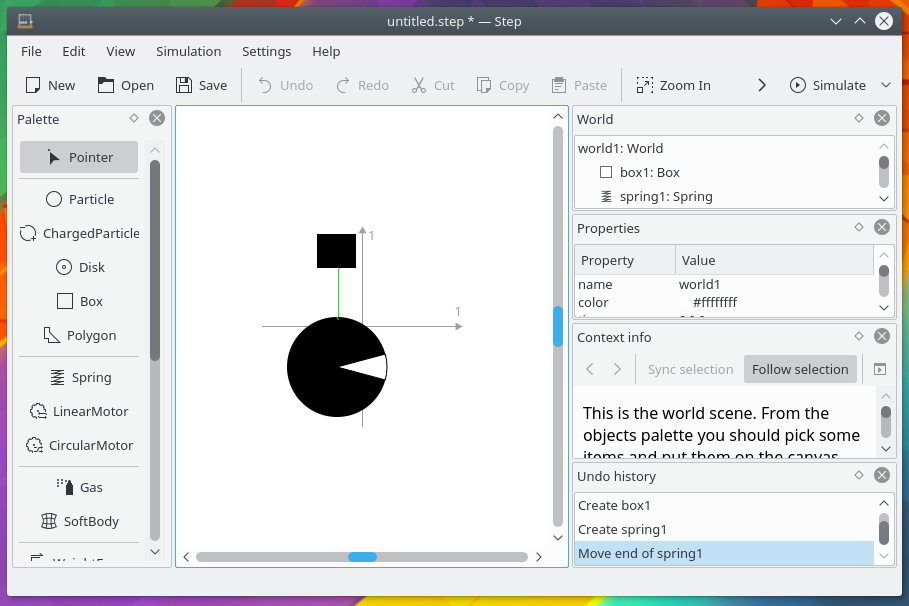
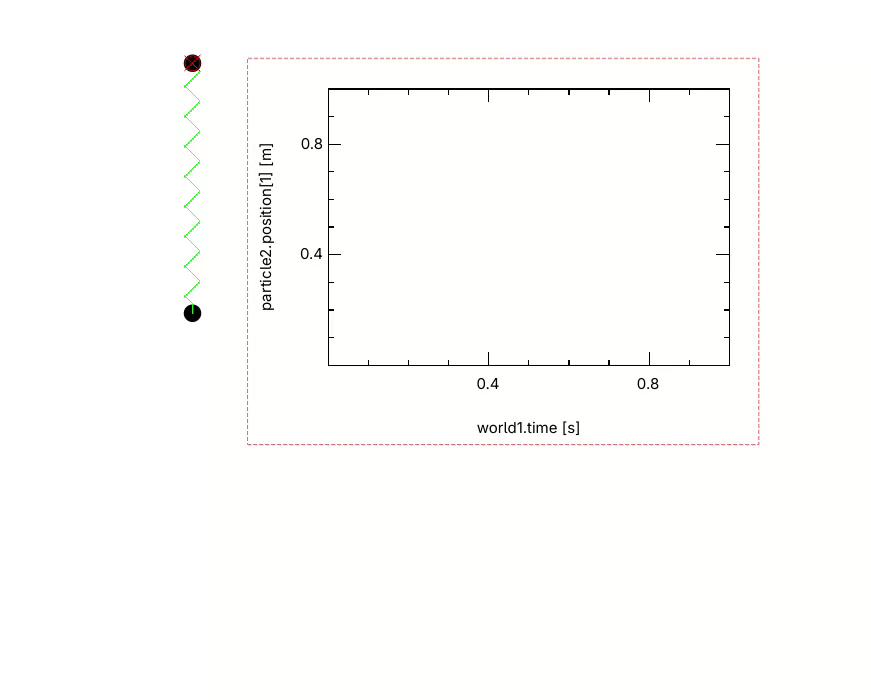
Physicist Sidney Coleman famously remarked that the career of a young theorist consists of "treating the harmonic oscillator in ever-increasing levels of abstraction." KDE Step honors this tradition by providing a sandbox for harmonic motion. By utilizing particles, springs, weight fields, and anchors, users can construct oscillators that behave exactly as textbook problems dictate. The ability to anchor an object and observe its oscillation—and then plot those movements on an integrated graph utility—allows students to visualize kinetic and potential energy fluctuations in real-time.
The Dynamics of Soft Bodies
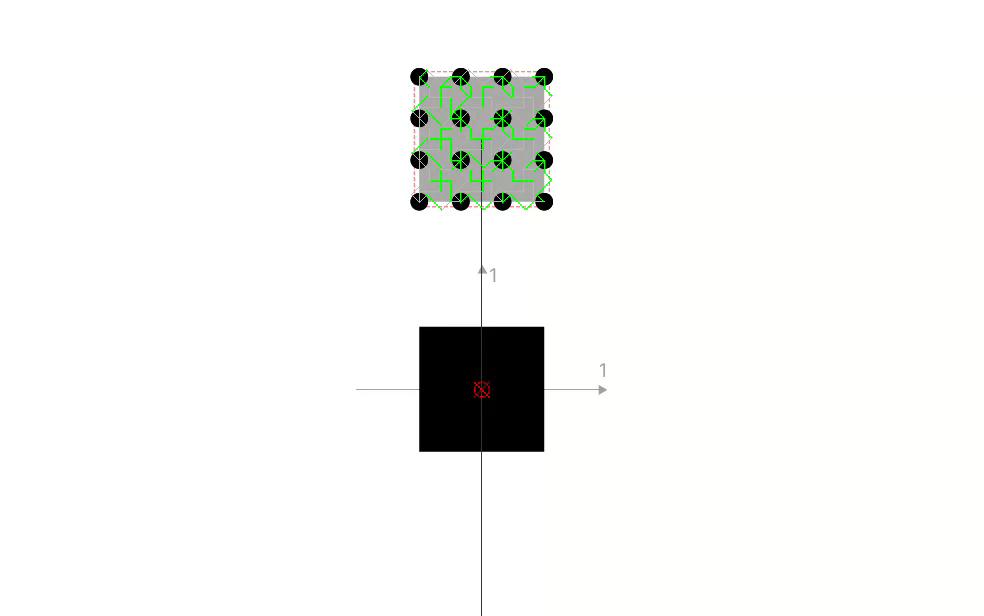
Moving beyond rigid particles, Step introduces "soft bodies." These objects are simulated as a network of particles interconnected by springs, allowing for the deformation of shapes under external force. This introduces students to the complexities of material science and continuum mechanics, demonstrating that even in a digital environment, an object’s behavior is the sum of its individual parts and the forces acting upon them.
Celestial Mechanics and Orbit Simulation
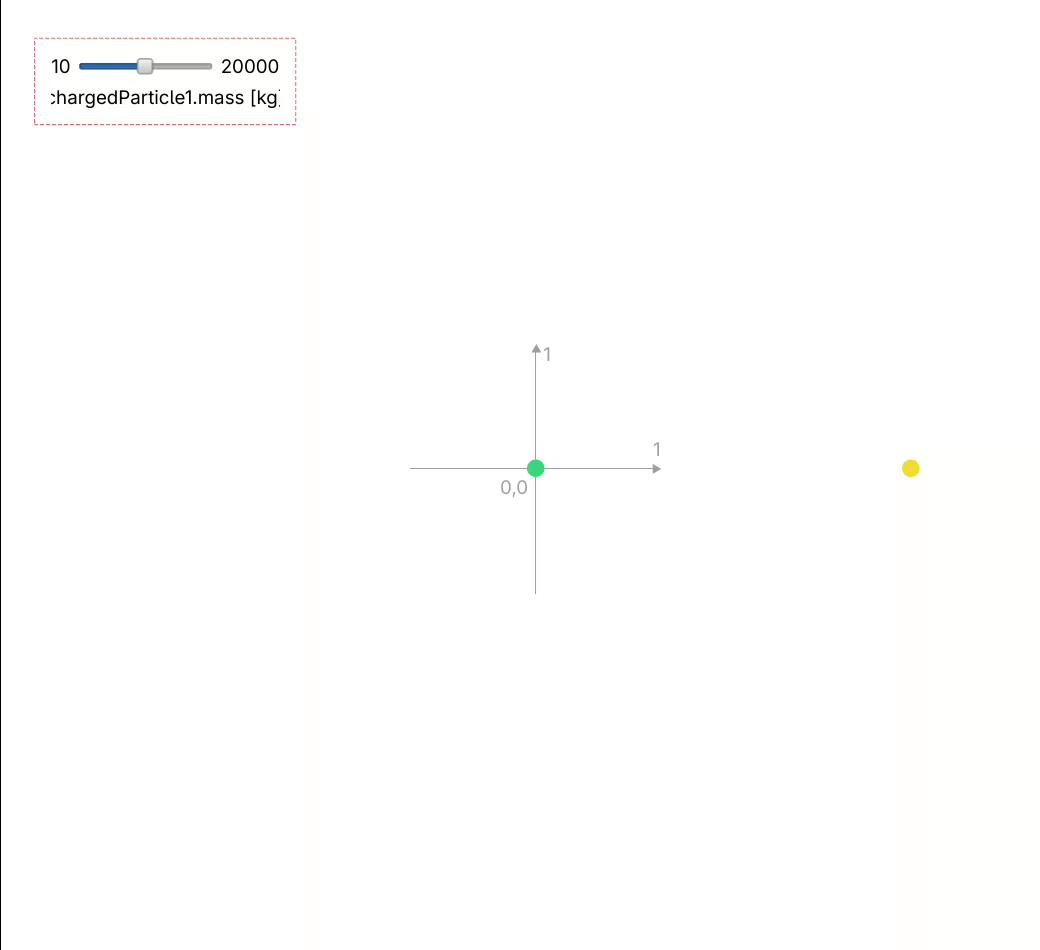
One of the most compelling features of Step is its gravitation simulation. By implementing a universal gravitational field, users can manipulate the gravitational constant—a feat impossible in the physical world. By introducing a central mass and a revolving particle, students can witness the inverse-square law in action. Through the use of a "controller" object, users can adjust the mass of the central body during the simulation, immediately demonstrating how gravitational influence dictates orbital velocity and distance.
The Compound Pendulum
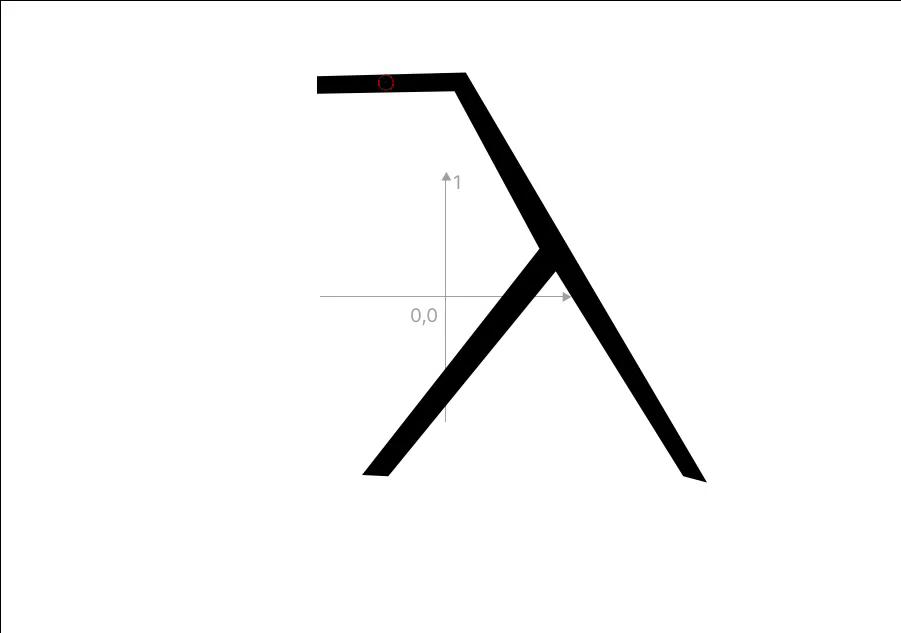
The software also excels at visualizing the "compound pendulum," where mass is distributed across a geometric shape rather than concentrated in a point. Using the polygon tool and a simple "pin" constraint, users can create complex pendulums, such as a lambda-shaped object, to observe how mass distribution affects rotational inertia and period. This is a notorious stumbling block for undergraduate students, yet it becomes remarkably clear when seen swinging on screen.
Supporting Data and Pedagogical Implications
The pedagogical power of KDE Step lies in its ability to force students to confront the "ideal" vs. the "real."
Bridging Linear and Angular Parallels
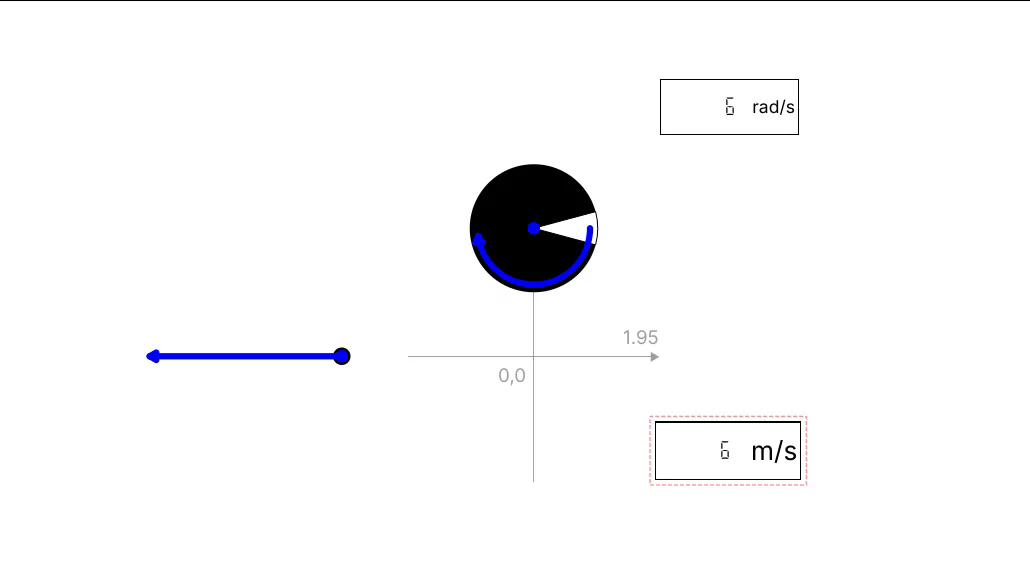
A recurring challenge in physics education is the translation between linear and angular motion. Students often memorize two sets of equations without realizing they are essentially the same. Step bridges this gap by allowing users to set up a particle and a disk with identical values for mass/inertia, velocity/angular velocity, and acceleration/angular acceleration. By applying a linear motor to one and a circular motor (torque) to the other, the software displays the parallels in real-time. This visual synthesis helps students internalize the concept that rotational motion is simply linear motion mapped onto a different geometry.
Stability and Equilibrium
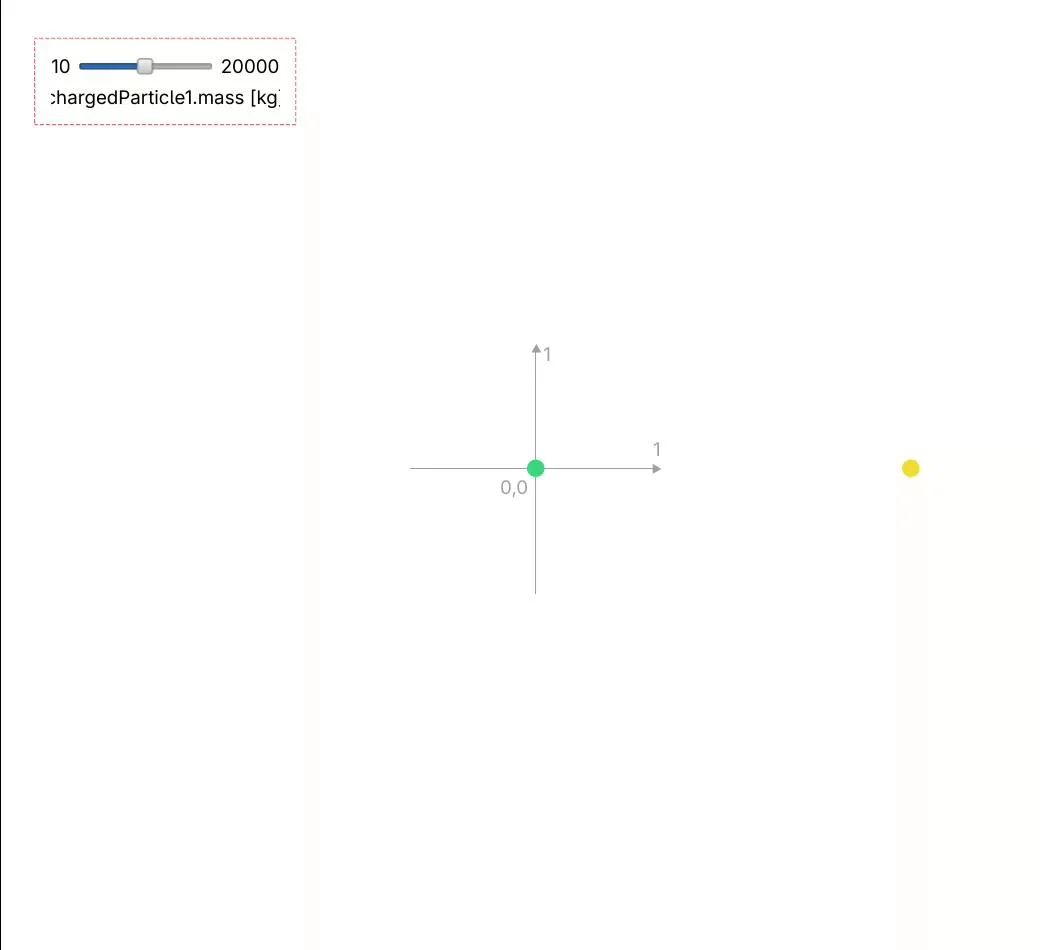
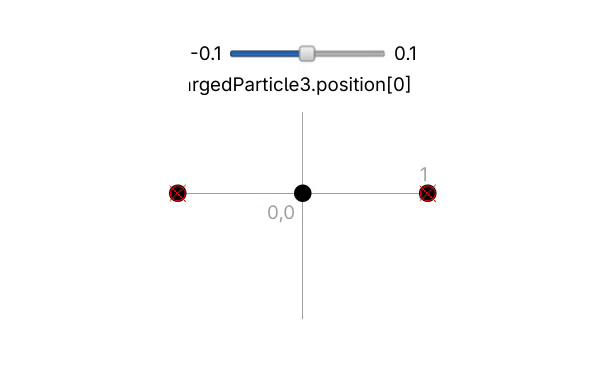
In electrostatics, the concept of equilibrium can be abstract. By placing a charge between two others, students can observe stable equilibrium—where the system returns to its state after a perturbation—or unstable equilibrium—where the system spirals into chaos. This is achieved by utilizing the "Coulomb field" utility. The simulation demonstrates that equilibrium is not just a static state, but a dynamic balance of forces that is highly sensitive to the initial conditions of the system.
Constraints and Thermodynamic Limits
The application also introduces the concept of constraints, such as massless sticks. However, users must be careful; the software’s simulation of these constraints can be sensitive. If a configuration is not precise, a "stick" might behave more like a spring, highlighting the importance of understanding the limitations of numerical modeling.
Similarly, the "Perfect Gas" simulation allows for the manipulation of temperature, concentration, and mean velocity based on the kinetic theory of gases. While highly effective, the software reinforces the "ideal" nature of these models by preventing gas particles from interacting with complex solid obstacles, reminding students that scientific models are always approximations defined by specific boundary conditions.
Official and Developer Perspective: Known Limitations
The development community behind KDE Step is transparent about the tool’s boundaries. As noted by experienced users and developers, the software is designed for an elementary to intermediate undergraduate level. It is not intended to replace high-end computational fluid dynamics (CFD) software or professional-grade finite element analysis (FEA) tools.
The software has "breaking points"—scenarios where the numerical integration fails. For instance, assigning a mass of zero to a particle in a collision-heavy simulation will cause the canvas to crash or disappear. These limitations are not design flaws so much as they are an accurate reflection of the mathematical limits of classical physics. When a mass is zero, the equations of motion involve division by zero, leading to undefined results. In this way, the software teaches a valuable lesson: if the physics is undefined, the simulation cannot proceed.
Implications for Future STEM Education
The integration of tools like KDE Step into educational curricula has profound implications for how we teach science.
- Exploratory Learning: Students are no longer limited to the results of a laboratory experiment that may be flawed due to human error or equipment failure. They can test "what if" scenarios that are physically impossible, such as disabling friction or altering the fundamental gravitational constant.
- Visualization of Abstract Concepts: For students who struggle with mathematical formalism, seeing the "equation" move in real-time acts as a bridge to comprehension.
- Open Science Advocacy: By using an open-source tool, students learn that the software they use is not a black-box product of a corporation, but a collaborative project that they themselves could one day contribute to or improve.
As we look toward the future of STEM education, the focus must remain on tools that empower students to take control of their learning. KDE Step is more than just an app; it is a virtual laboratory where curiosity is the only prerequisite. Whether you are an educator looking to liven up a lecture on mechanics or a student struggling to visualize the nuances of electrostatics, Step offers a path to clarity.
For those interested in exploring further, integrating KDE Step into a Linux-based educational environment—such as the various distros specifically curated for schools—can provide a comprehensive, cost-free, and powerful suite of tools that mirror the actual workflow of scientists and engineers worldwide. In the world of physics, seeing is believing—and with KDE Step, seeing is understanding.