Engineering the Future of Interaction: Building Autonomous Agentic Workflows in Android
By: Android Developer Relations Team
As the paradigm of mobile computing shifts from static, menu-driven interfaces to fluid, intent-based interactions, the role of the mobile application is undergoing a radical transformation. In our ongoing series, "Build Intelligent Android Apps," we have explored how developers can transition from traditional app structures to personalized, agentic experiences. Following our recent deep dive into AppFunctions—which bridge the gap between AI and system-level capabilities—we now turn our attention to the next frontier: autonomous in-app agentic workflows running in the cloud.
For developers, the challenge has always been balancing user experience with technical complexity. How do you handle a multi-step task—such as planning an entire holiday, coordinating flights, securing hotel reservations, and managing museum tickets—without forcing the user to endure a fragile, long-running device session? Today, we explore how to leverage cloud-hosted agents to solve these orchestration challenges.
The Core Challenge: Beyond the Device Session
In a traditional mobile environment, complex, multi-step workflows are prone to failure. If a user is in the middle of a complex booking flow and the app is backgrounded, closed, or loses network connectivity, the progress is often lost. Furthermore, managing sensitive API credentials and coordinating multiple service calls directly on a mobile device introduces significant security and architectural overhead.
By shifting these "heavy-lift" processes to a custom, self-hosted backend, developers can create a robust, resilient system. In this model, the backend executes booking agents in the background, maintaining state and context. The Android app acts as the interface—a window into the session—visualizing progress and prompting the user for input only when critical decisions are required.

The Advantages of Cloud-Hosted Agentic Backends
- State Persistence: Cloud agents maintain the session state independently of the mobile app’s lifecycle.
- Reduced Client Complexity: The Android app no longer needs to manage complex orchestration logic; it simply renders the state provided by the backend.
- Enhanced Security: Sensitive API keys and authentication tokens for external services (like airline booking APIs) stay securely on the server.
- Improved Performance: Offloading resource-intensive reasoning and orchestration tasks saves battery and bandwidth on the user’s device.
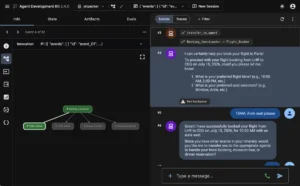
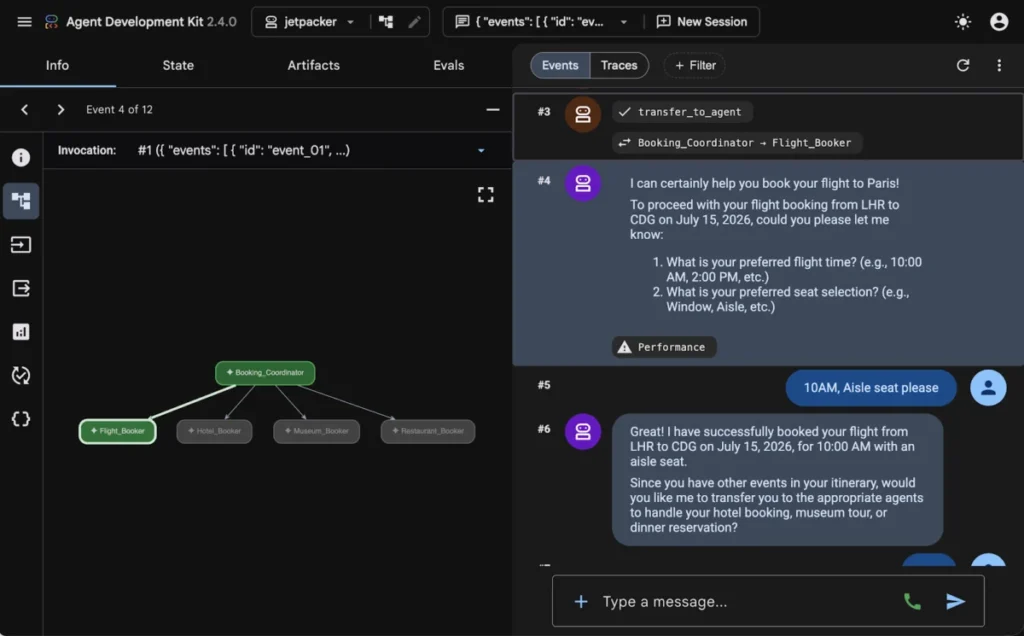
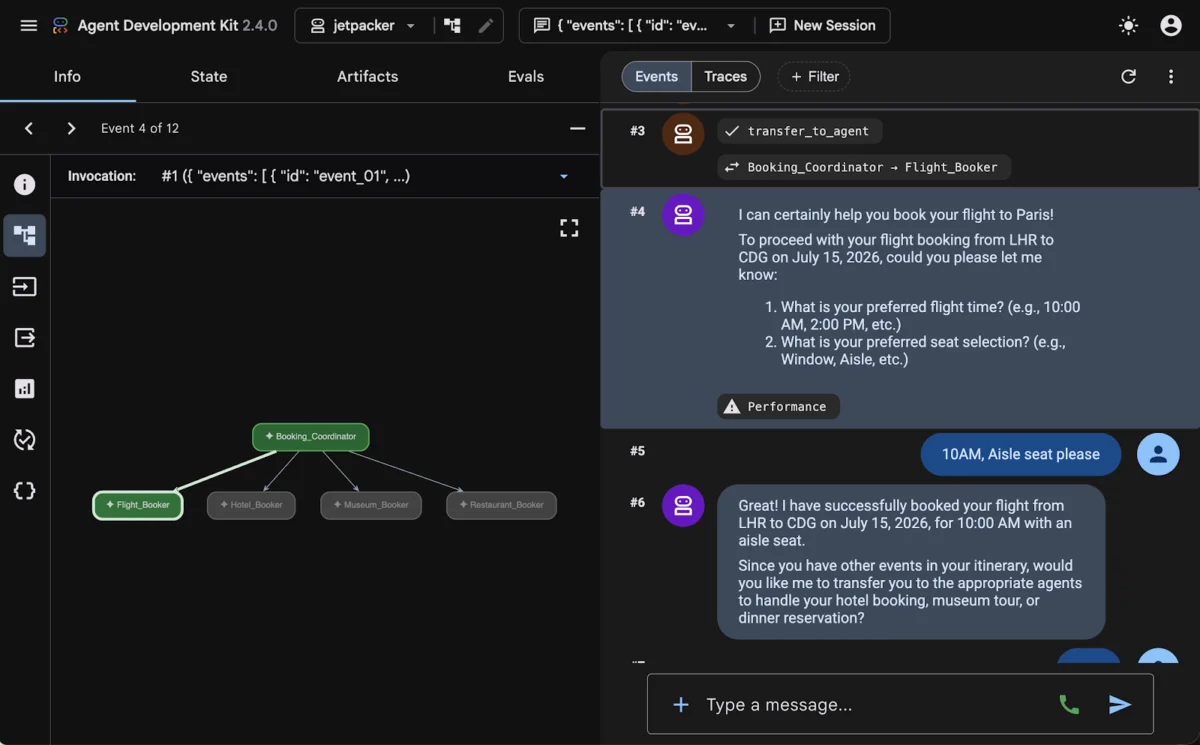
To demonstrate these principles, we have introduced a Booking Assistant into our open-source reference project, Jetpacker. This assistant coordinates disparate services into a unified, agentic experience, using the Agent Development Kit (ADK) and standardized protocols to communicate with Jetpack Compose.
Orchestrating Complexity with the Agent Development Kit (ADK)
Manually coding the orchestration of a multi-agent system often leads to "spaghetti" code—complex REST endpoints, brittle web sockets, and difficult-to-maintain state machines. The Agent Development Kit (ADK) provides a structured, developer-friendly way to define agents and equip them with Python-based "function tools."
The Anatomy of an Agent
Using the ADK, you can define specialized agents with specific instructions and tools. For instance, a "Flight Booker" agent can be constrained to flight-related queries, while a "Restaurant Concierge" manages dining. The ADK framework handles the heavy lifting: tracking the conversation context, routing messages, and executing tools when the LLM requests them.
# Defining a specialized booking agent with ADK
flight_agent = Agent(
    name="Flight Booker",
    model="gemini-3.1-flash-lite",
    instruction="Help the user search for flights and book a reservation.",
    tools=[
        FunctionTool(search_flights),
        FunctionTool(reserve_flight, require_confirmation=True)
    ]
)
By using the InMemoryRunner, developers can test and iterate on agent logic in a sandbox environment before deploying it to production. This modular approach allows for "subagents" to be triggered by a "coordinator agent," creating a scalable hierarchy for complex tasks like travel planning.
Standardizing Communication: The AG-UI Protocol
To make these backend agents "talk" to an Android interface, we require a standardized language. Enter AG-UI (Agent-User Interface protocol). AG-UI functions as a bidirectional transport layer that standardizes how agents and UI clients exchange information.

Why AG-UI?
Traditional chat interfaces often rely on custom JSON payloads that are difficult to parse and even harder to maintain. AG-UI simplifies this by defining standardized message types for lifecycle events, text messages, and tool calls.
On the Android side, the Kotlin SDK listens to a stream of Server-Sent Events (SSE). It maps these payloads to type-safe client events, allowing the BookingAssistantViewModel to react intuitively to the agent’s progress. Whether the agent is beginning a search, requesting a confirmation, or reporting a booking failure, the UI can update in real-time, providing a polished and responsive user experience.
Dynamic UI Generation: The A2UI Protocol
Perhaps the most significant innovation in this architecture is the A2UI (Agent-to-User Interface) protocol. Traditionally, if a developer wanted to change the layout of a screen, they would need to push an app update via the Google Play Store. A2UI changes this by allowing agents to describe the UI components they wish to render on the client dynamically.
Decoupling Logic from Layout
With A2UI, the server sends a JSON payload specifying the component layout and properties, rather than just raw data. The client maintains a "catalog" of supported UI components—such as option pickers, seat selection grids, or booking status cards.
This creates a powerful decoupling:

- The Server controls what is shown and when.
- The Client controls how it is shown, ensuring the UI remains consistent with the app’s overall Material 3 design system.
The A2uiSchemaManager is the bridge here. By compiling JSON schemas and layout instructions into the agent’s system prompt, the LLM is "grounded." It learns the exact structure required to generate valid A2UI payloads, ensuring that the components it requests are always compatible with the client-side catalog.
Native Implementation with Jetpack Compose
To render these A2UI components on Android, we have developed the Jetpack Compose A2UI Renderer library. This library bridges the gap between raw JSON payloads and native Android widgets.
Registering Custom Components
Developers can register their own custom components in a catalog, or leverage the material3-a2ui library for pre-built Material 3 components. The process is straightforward:
- Define the Catalog: Map specific JSON identifiers to Jetpack Compose functions.
- Process Messages: Use the
A2uiMessageProcessorwithin your ViewModel to handle incoming agent updates. - Render Surfaces: Use the
A2uiSurfacecomposable, which automatically handles animations, loading states, and error recovery.
This approach ensures that even when the agent is driving the interface, the app feels like a high-quality, native Android application, complete with the fluid transitions and accessibility features users expect.
Implications for the Future of App Development
The shift toward agentic workflows represents a fundamental change in how software is architected. By offloading orchestration to the cloud and using protocols like AG-UI and A2UI, developers can build apps that are:

- Adaptive: Interfaces can evolve based on the user’s specific needs in the moment.
- Resilient: Multi-step processes are managed by the server, protecting the user from session loss.
- Maintainable: Changes to the booking flow can often be handled via the backend agent, reducing the need for constant app binary updates.
As we continue to build out the Jetpacker sample, we invite the community to explore the source code on GitHub. The integration of agentic workflows is not just about adding a chatbot; it is about creating an intelligence-driven experience that can act on behalf of the user, safely and reliably.
Series Recap
This post marks the conclusion of our series on building intelligent Android apps. We have journeyed from the basics of on-device inference with Gemini Nano to the sophisticated world of cloud-hybrid agentic orchestration.
- Part 1: Introduction to the Jetpacker app and high-level architecture.
- Part 2: On-device intelligence, privacy-first features, and ML Kit’s GenAI APIs.
- Part 3: Hybrid and cloud reasoning, grounding LLMs with Google Maps and real-world data.
- Part 4: System integration using AppFunctions to bridge apps and the OS.
- Part 5 (This post): In-app agentic workflows and dynamic UI rendering with A2UI.
We encourage you to experiment with these tools and protocols. The future of mobile interaction is autonomous, agentic, and deeply integrated. We look forward to seeing what you build.
For further updates on Android development, stay connected with the team via our YouTube channel and LinkedIn showcase page.
Copyright 2026 Google LLC.
SPDX-License-Identifier: Apache-2.0