Streamlining Game Distribution: itch.io Brings ‘Butler’ to the Desktop App with New GUI Integration
In a significant move to lower the barrier for independent developers, itch.io has officially integrated its command-line tool, butler, directly into the itch.io desktop application. This update, arriving with version v26.12.0, replaces the need for terminal-based interactions with a user-friendly Graphical User Interface (GUI), fundamentally changing how developers manage, upload, and distribute their digital projects.
For years, butler has been the industry standard for itch.io creators, known for its efficiency in handling large game files through delta-patching. However, its reliance on a command-line interface (CLI) served as a technical gatekeeper. By bringing this power into a visual dashboard, itch.io is effectively democratizing the professional distribution pipeline for its vast community of indie creators.
The Technical Evolution: From Terminal to Taskbar
Understanding the Power of Butler
To appreciate the significance of this update, one must understand the technology it replaces. butler is not a simple file uploader; it is an intelligent synchronization engine. When a developer pushes a build to a specific "channel"—such as windows-beta or macos-preview—the tool performs a deep analysis of the project directory.
Unlike traditional FTP or browser-based uploads, which require re-uploading an entire project folder whenever a minor tweak is made, butler utilizes binary-level delta patching. During the first upload, the full project is sent to the itch.io servers. For every subsequent update, butler compares the new files against the previous version, calculating the exact differences (the "delta"). It then uploads only the modified, added, or deleted data.
For the end-user, this manifests as significantly faster download speeds and reduced bandwidth consumption. For the developer, it means shorter iteration cycles. Until now, however, this efficiency was reserved for those comfortable with syntax, flags, and terminal windows.
A New Chapter: The GUI Revolution
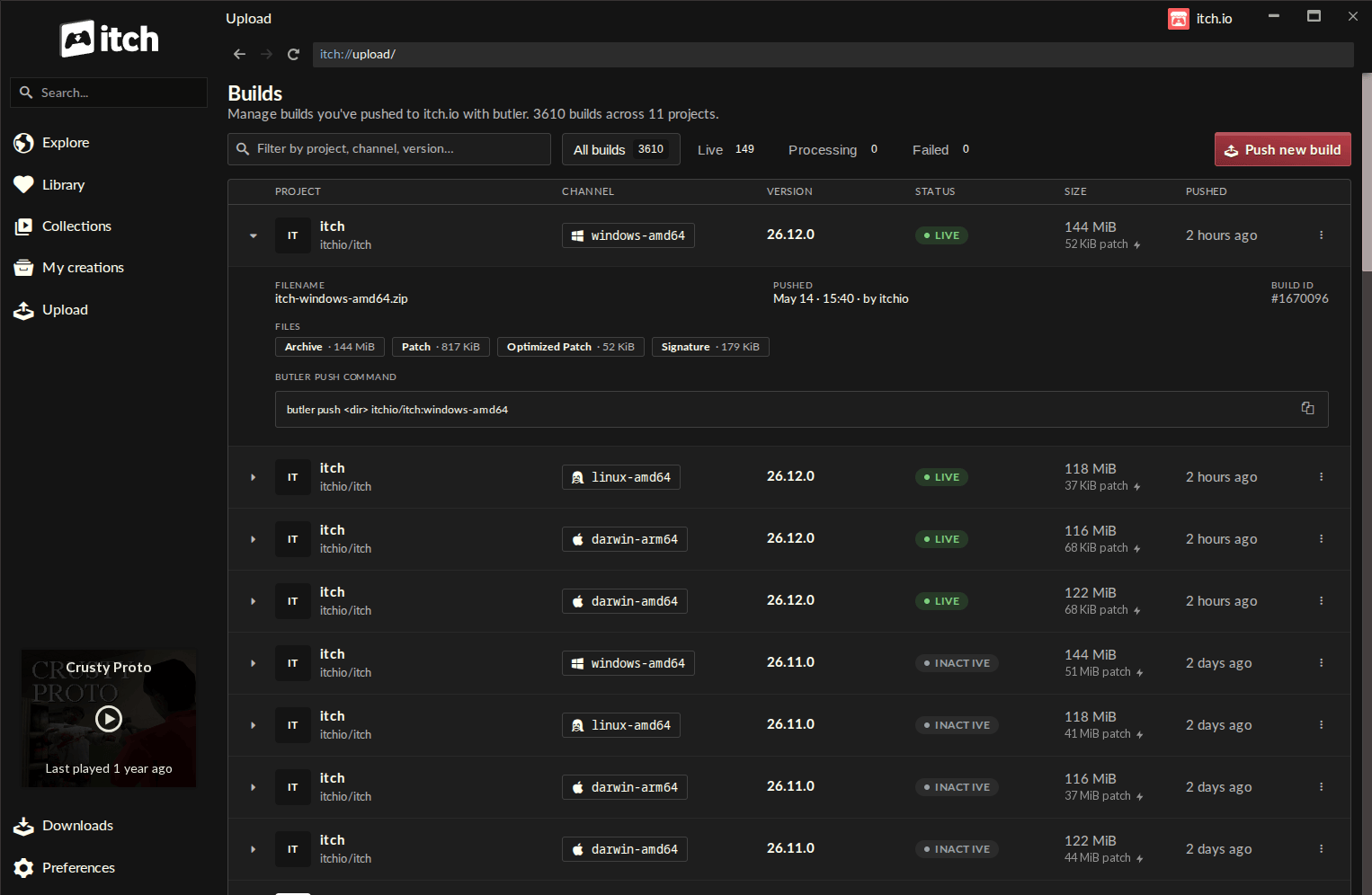
The new "Upload" section in the itch.io app sidebar is the culmination of years of developer feedback. By centralizing the butler workflow, the app now provides a "Builds" page that acts as a comprehensive command center. Developers can view their entire project history—channel names, version numbers, upload status, and file sizes—at a glance.
The process is now intuitive:
- Select: Choose a project and a target channel.
- Input: Drag and drop the game folder or
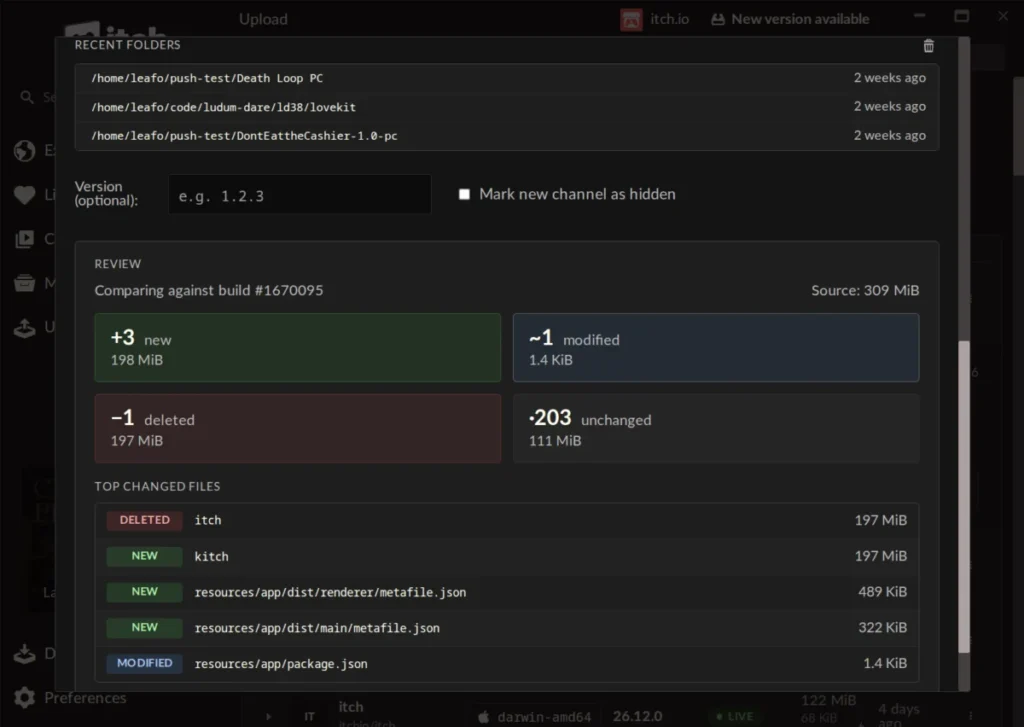
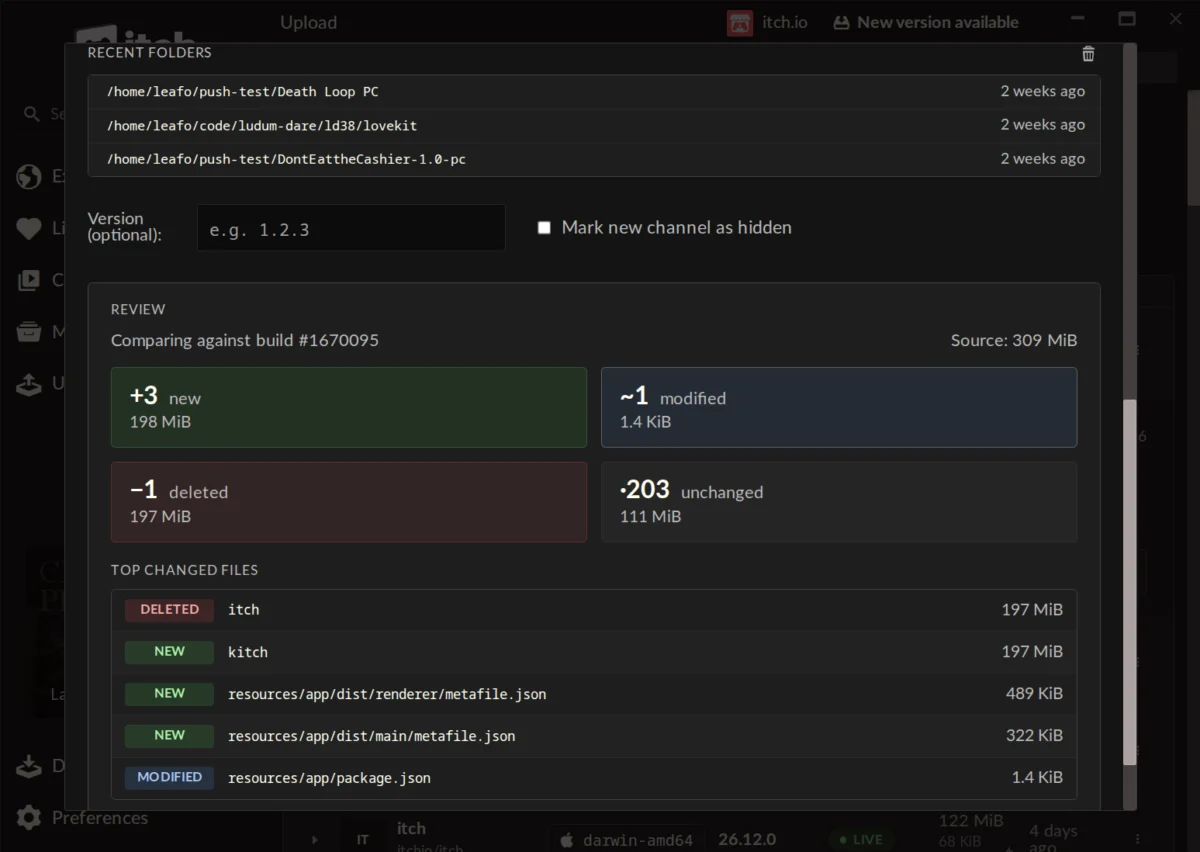
.zipfile. - Analyze: Utilize the built-in "Compare" feature to see exactly which files have been modified, added, or removed before a single byte is uploaded.
- Execute: Push the update with the click of a button.
Chronology of Development
The transition from a purely CLI-based tool to a fully integrated application feature follows a clear trajectory of platform maturity:
- The CLI Era (Pre-2024): butler established itself as the backbone of itch.io’s infrastructure. While efficient, it remained an "advanced user" tool, often cited by newcomers as a point of frustration due to its "fragile" nature and steep learning curve.
- Beta Integration (Early 2024): Developers began requesting a visual interface that could mitigate the risks of command-line errors. The itch.io engineering team began prototyping a way to wrap the butler binary inside the Electron-based desktop app.
- The Launch of
v26.12.0(Current): With the release of this milestone version, the "Upload" tab was officially introduced. The application now manages the butler versioning internally, ensuring developers are always using the most stable and optimized version without needing to manually update their local installations.
Supporting Data and User Impact
The impact of this integration is best measured by the community’s reception. Early testing shows that developers who previously relied on manual browser uploads—a process prone to time-outs and connection issues—are moving toward the new butler workflow in high numbers.
Efficiency Gains
- Bandwidth Reduction: By automating delta patches, developers report an average reduction in upload times of 70% to 90% for subsequent game patches.
- Version Management: The ability to label channels (e.g.,
linux-arm64) directly in the app reduces the likelihood of "channel drift," where developers accidentally overwrite stable builds with experimental ones. - Profile Management: Because the itch.io app supports multi-profile logins, developers working on collaborative projects or managing multiple publisher accounts can switch between credentials seamlessly, a task that was notoriously difficult using the CLI.
Official Responses and Developer Insights
The itch.io team has been active in the forums, addressing questions regarding the scope and limitations of the new tool. A common query from the community involves the transition of legacy games.
One user asked: "Is there a way to convert an existing game that wasn’t originally uploaded with butler to the new butler system?"
The response from leafo, the founder of itch.io, was candid: "Unfortunately, it’s not possible right now, as a butler push needs additional metadata alongside the file that’s computed when you’re uploading. This could be something we add in the future but no immediate plans at the moment."
This highlights the technical divide between traditional file hosting and the butler ecosystem. The metadata required for binary patching is intrinsic to the butler handshake, meaning existing projects must essentially be "re-launched" via the app to enjoy these benefits. Despite this, the consensus among power users, such as those commenting on the community boards, is that the trade-off is well worth the long-term gains in stability and ease of use.
Implications for the Indie Ecosystem
The integration of butler into the itch.io app has broader implications for the indie game industry.
Lowering the Barrier to Professionalism
For solo developers or small teams, the gap between "hobbyist" and "professional" is often defined by the complexity of the deployment pipeline. By removing the need for terminal literacy, itch.io is allowing creators to focus on game design rather than deployment logistics. This brings the quality-of-life features usually reserved for massive AAA studios—such as automated CI/CD-like workflows—to the smallest indie projects.
Stability and Trust
The "Compare" step, which allows developers to preview their changes before pushing, is perhaps the most critical addition. In the past, a mistyped command in the terminal could lead to a corrupted build. The GUI’s visual feedback loop acts as a safety net, allowing users to catch mistakes—such as including temporary assets or missing folders—before they reach the end user. This fosters greater trust between developers and players, as the frequency of "broken" updates is statistically likely to decrease.
Future Outlook
While the current iteration focuses on project uploads, the success of this GUI integration suggests that more administrative tasks may follow. The ability to manage project metadata, store page settings, and community moderation tools from within the app would be the natural next step in consolidating the developer experience.
Conclusion
The arrival of butler in the itch.io desktop app is more than just a software update; it is a signal of the platform’s commitment to developer-centric design. By prioritizing the accessibility of high-performance distribution tools, itch.io has reaffirmed its position as the premier platform for independent creators.
For developers who have been intimidated by the terminal, now is the time to migrate their workflows. With the app handling the heavy lifting of versioning, compression, and patching, the friction of game development is lower than ever. As the platform continues to evolve, the gap between the complex needs of modern game distribution and the ease of a simple, visual interface will continue to close, ensuring that the next generation of indie games reaches players faster, cleaner, and with more reliability than ever before.
Developers are encouraged to check their itch.io app settings to ensure they are on v26.12.0 or higher. For those who still prefer the granular control of the command line, the legacy butler documentation remains fully supported, ensuring that the platform remains as flexible as it is accessible.