Mastering Automation: How Apple Intelligence is Revolutionizing the macOS Shortcuts Experience
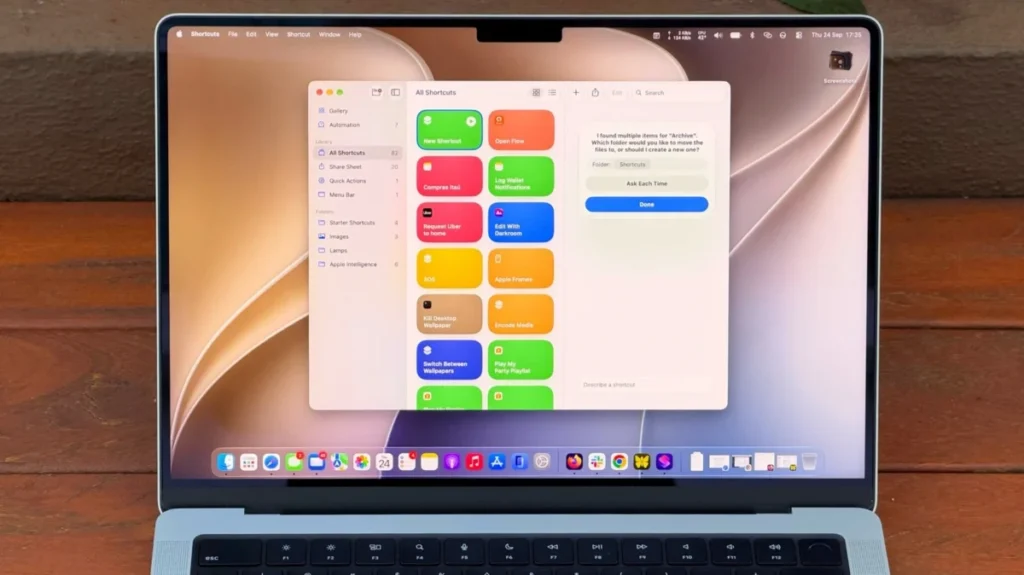
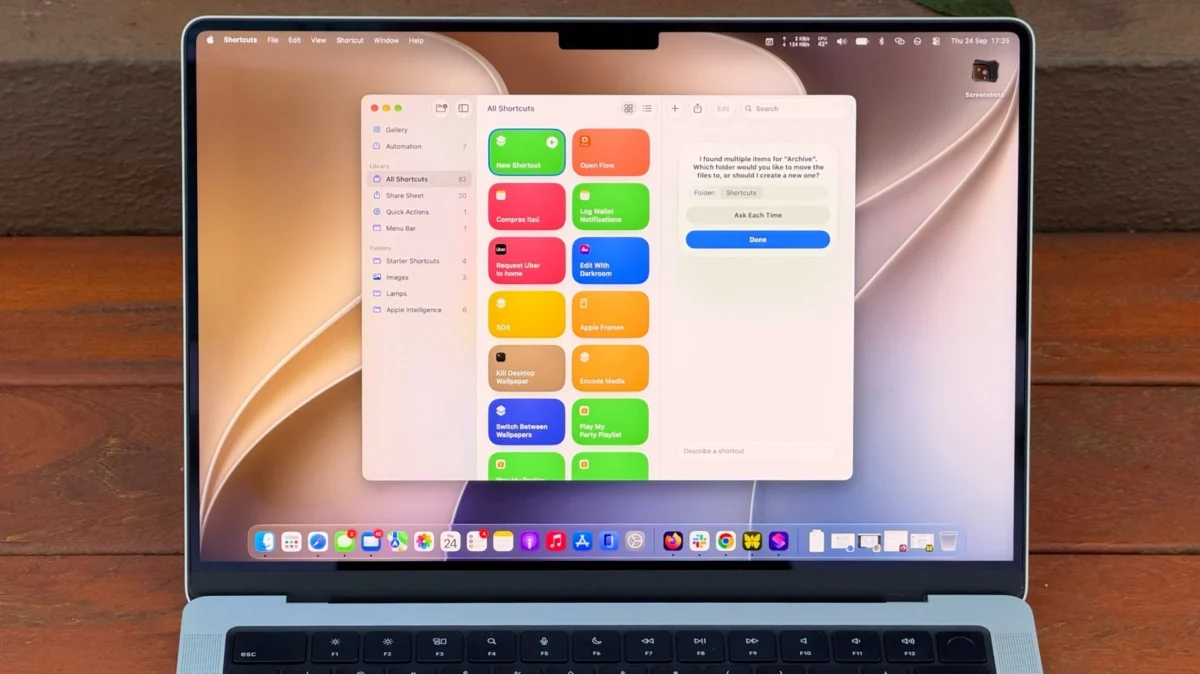
For years, the Shortcuts app on macOS has existed as a powerful, albeit intimidating, digital workshop. Since its debut in macOS Monterey, it has offered the promise of endless productivity through automation—the ability to stitch together complex, multi-step tasks into a single click. Yet, for many Mac users, the steep learning curve served as an impenetrable barrier. Navigating the logic-heavy interface of “if-this-then-that” programming felt like a chore rather than a convenience.
However, the landscape of personal computing has shifted fundamentally with the arrival of macOS 27 “Golden Gate.” By integrating Apple Intelligence directly into the Shortcuts framework, Apple has effectively democratized automation, transforming it from a hobby for power users into an intuitive, conversational experience for everyone.
The Evolution of Automation: From Manual Scripts to AI-Driven Logic
A Brief Chronology of macOS Shortcuts
- macOS Monterey (2021): Shortcuts replaces the legacy Automator tool, bringing iOS-style task automation to the Mac desktop.
- macOS Ventura & Sonoma: Apple refined the interface and expanded support for third-party app actions, but the core interaction remained manual, requiring users to drag and drop logic blocks.
- macOS 27 “Golden Gate” (Present): The introduction of “Describe a Shortcut” marks the transition from manual scripting to intent-based automation. By leveraging large language models, Apple now allows the system to interpret natural language requests and build the logic structures automatically.
The transition to AI-assisted automation is not merely a feature update; it is a paradigm shift. Historically, if a user wanted to automate their workflow, they needed a fundamental understanding of variables, triggers, and action sequences. Today, the system acts as a translator, turning human intent into machine-executable code.
The Mechanics of "Describe a Shortcut"
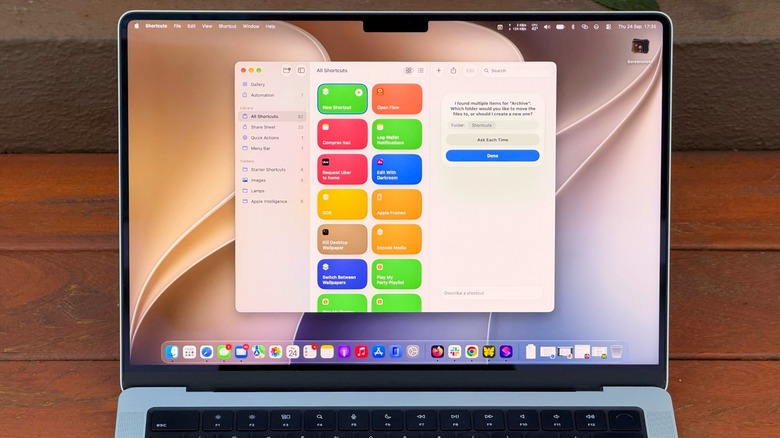
The core innovation in macOS 27 is the new natural language processing (NLP) engine embedded within the Shortcuts app. When a user clicks the "Plus" button, they are no longer met with a blank canvas of daunting parameters. Instead, they are greeted by an input field that invites them to "Describe the shortcut you want to create."
Providing Context: The Key to Success
While the AI is remarkably capable, it is not telepathic. The efficacy of a generated shortcut is directly proportional to the specificity of the user’s prompt.
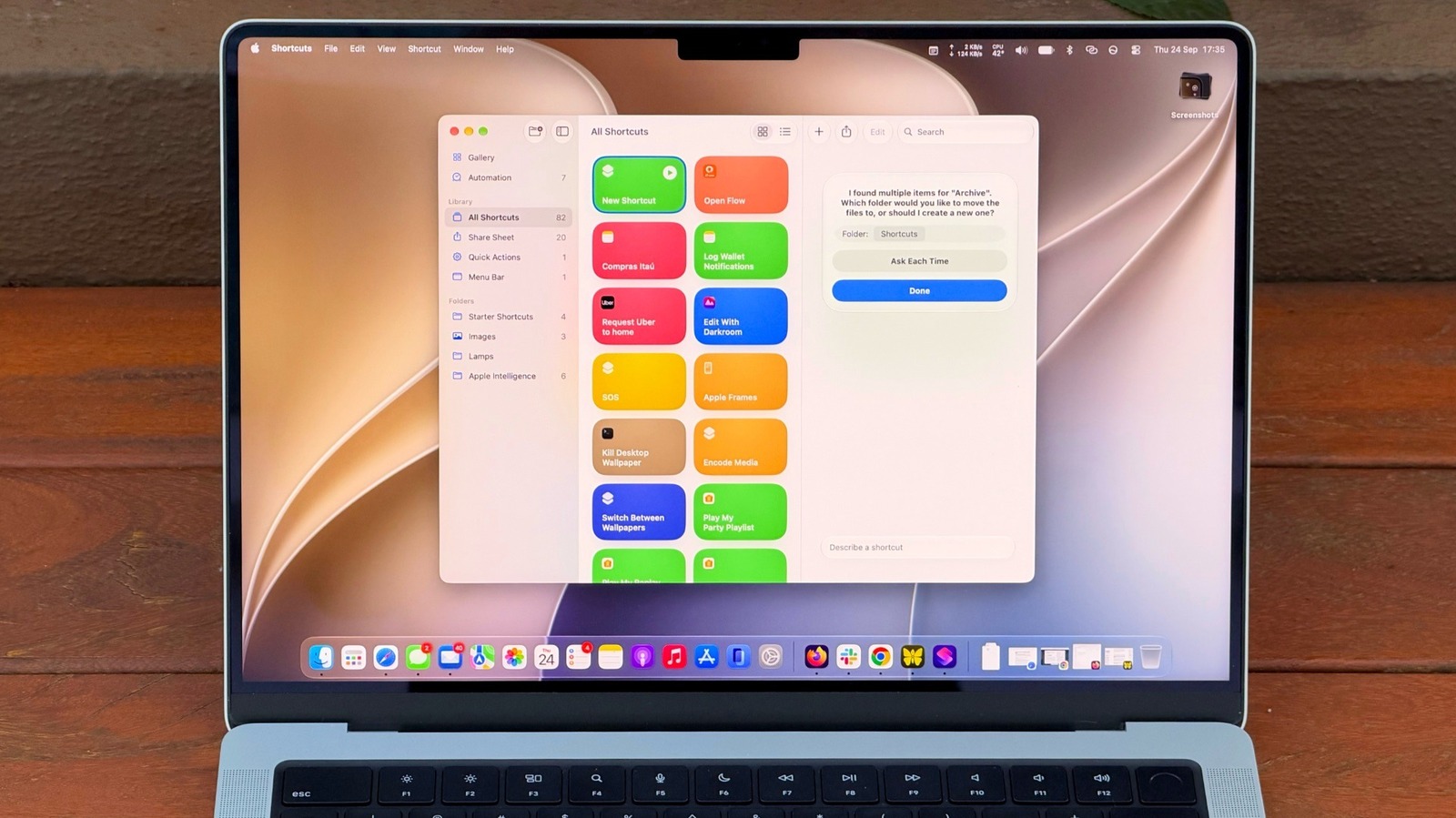
- The Vague Prompt: "Clean up my files." The AI may struggle to determine which files, where they are located, or what "clean up" implies.
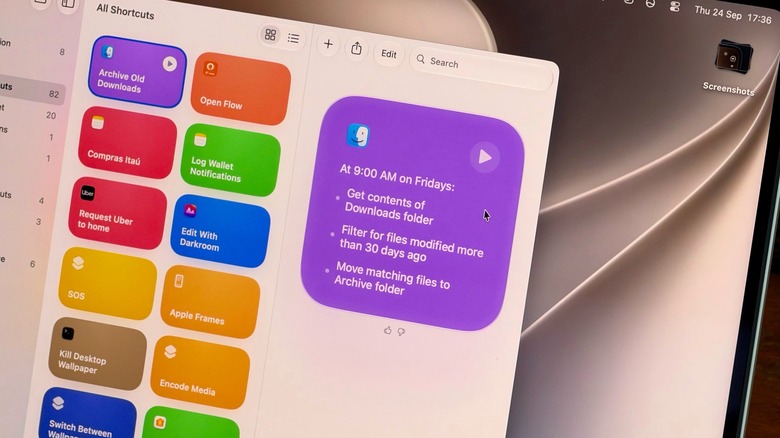
- The Detailed Prompt: "Every Friday at 5:00 PM, scan the Downloads folder. Move any file older than 30 days that is not a PDF or a spreadsheet into a folder named ‘Monthly Archive’ on my Desktop."
This specificity allows the underlying Apple Intelligence models to map the user’s request to the correct file system APIs and scheduling triggers. When the AI constructs the logic, it generates a series of steps that the user can audit, modify, or approve. This transparency ensures that even when the AI does the heavy lifting, the user remains the architect of their own digital environment.
Practical Applications for the Modern Professional
The utility of these AI-powered shortcuts extends far beyond mere file management. The integration allows for sophisticated workflows that were previously reserved for scripts written in Python or AppleScript.
1. Advanced Information Summarization
One of the most potent use cases involves the intersection of Apple Intelligence and data processing. A user can create a shortcut that takes the contents of their current clipboard—such as a dense 3,000-word industry report—and executes a multi-stage process:
- Extract: Pulls the text from the clipboard.
- Synthesize: Uses Apple Intelligence to summarize the content into three actionable bullet points.
- Archive: Automatically creates a new document in the Notes app with the title "Summary: [Date]" and saves the text.
2. Contextual Task Management
Shortcuts can now hook into the OS-wide Apple Intelligence layer to pull context from other apps. A shortcut could theoretically scan an email thread, identify a date mentioned in the text, and prompt the user to create a calendar event, pre-filled with the location and time extracted from the email body.
Accessibility and Integration: Making Shortcuts Ubiquitous
One of the primary reasons users abandoned Shortcuts in the past was that they simply forgot they existed. To solve this, Apple has significantly lowered the friction involved in triggering these automated tasks.
Pinning and Keyboard Shortcuts
Users can now assign custom keyboard combinations to any shortcut. For example, triggering a "Focus Mode" shortcut—which silences notifications, opens your work-related apps, and plays a specific focus playlist—can be reduced to a single keystroke (e.g., Option + Command + F).
Furthermore, the integration with the macOS Control Center is seamless. By editing the Control Center layout, users can add a "Shortcuts" widget, providing a visual menu of their most-used automations. This brings the functionality to the very top of the desktop, ensuring that the tool is never more than a click away.
Implications of Apple Intelligence in the Workflow
The shift toward AI-assisted automation is not without its caveats. As with all generative AI, the results can occasionally be unpredictable. Apple notes that while the "Describe a Shortcut" feature is robust, complex multi-app interactions may require human review.
Hardware Requirements
It is critical to note that this leap forward is restricted by hardware architecture. The sophisticated models required to run these AI features locally on the device demand the efficiency and power of the M-series chips. Consequently, Intel-based Macs are unsupported. This creates a distinct divide in the Apple ecosystem, effectively incentivizing users to upgrade to Apple Silicon to remain competitive in their personal productivity.
Ethical and Technical Limitations
Apple has implemented guardrails to manage the compute resources required for these tasks. Users may encounter "rate limits" when requesting highly complex, multi-layered automations, as the local AI model prioritizes system stability. Furthermore, users should exercise caution when granting shortcuts permission to access sensitive data, such as calendar entries or private messages. While Apple’s privacy-first approach remains central, the power of these automations necessitates a higher degree of user vigilance.
The Future of the Desktop Environment
The integration of Apple Intelligence into the Shortcuts app is a clear signal of Apple’s long-term vision for the Mac. The company is moving toward a "proactive" OS, where the computer anticipates the user’s needs rather than waiting for explicit commands.
The combination of the Visual Intelligence tool—invoked by Shift + Command + Space—and the revamped Shortcuts app creates a powerful synergy. A user can now look at an email, press a button to have the system analyze its content, and then run a shortcut to act upon that analysis.
As we look toward the future of macOS, the barrier between "using an app" and "automating a task" is rapidly dissolving. For those willing to learn the language of natural prompts, the Mac is no longer just a tool for processing information; it is becoming a partner in executing the labor of the digital age. By leveraging these new tools, users can reclaim hours of their work week, effectively delegating the repetitive, mundane aspects of their digital lives to the machine, and leaving more time for the creative and cognitive work that requires the human touch.