Navigating React 19: A Pragmatic Production Guide to Actions, the use() Hook, and Ecosystem Readiness
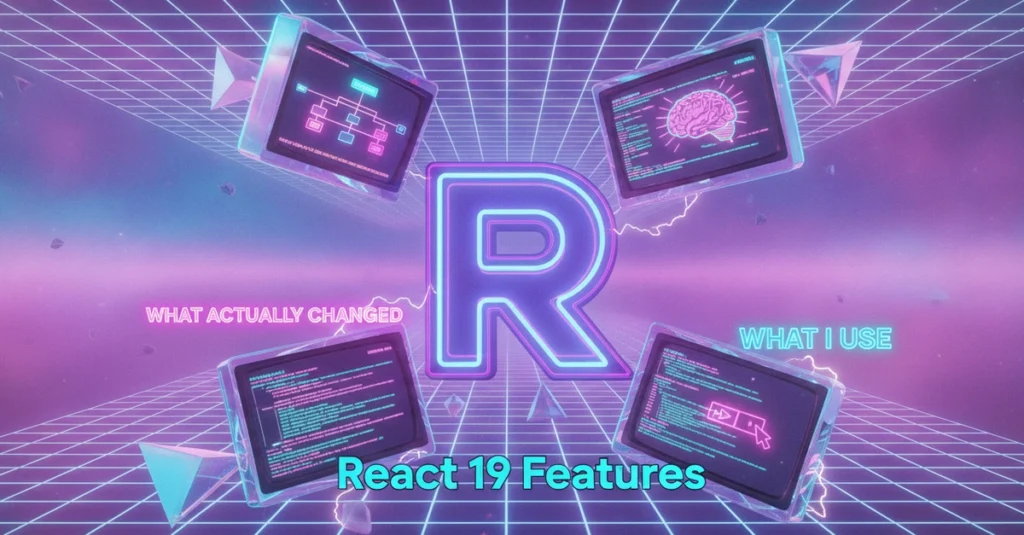
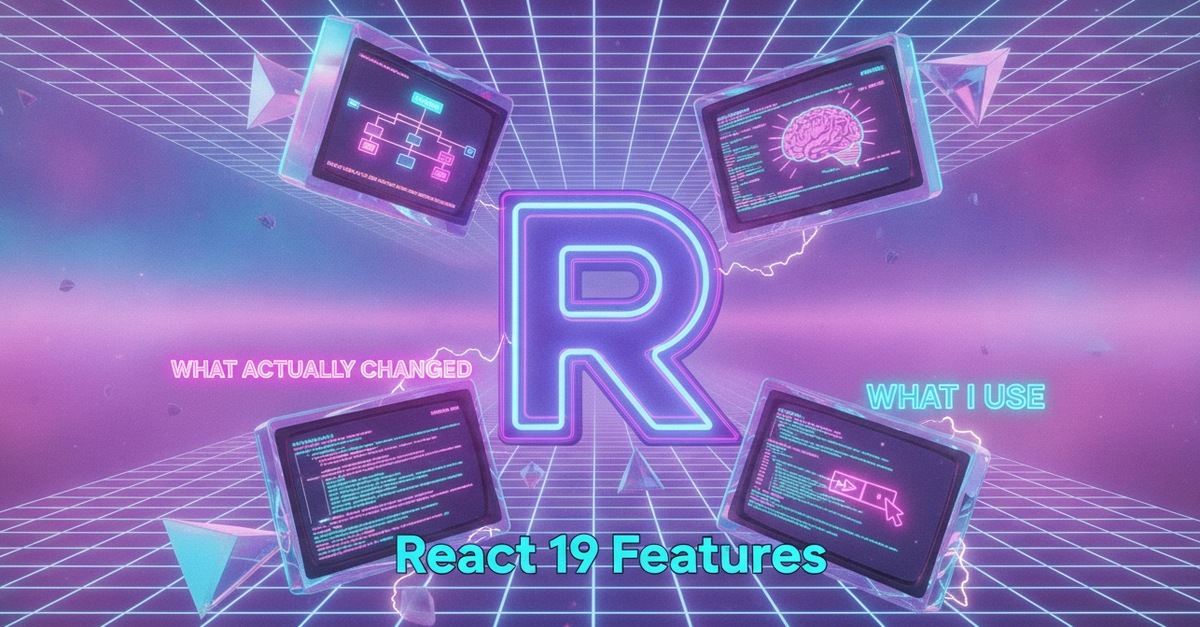
The release of React 19 marked a major milestone in the library’s history, introducing a suite of features designed to streamline data mutations, simplify asynchronous state, and optimize user experience. However, its arrival was accompanied by a wave of developer hype on social media, where technical influencers often treated every new hook and experimental API as an immediate development mandate.
In production environments, from complex client-facing enterprise platforms to highly optimized personal portfolios, a more measured approach is required. Rather than initiating a complete codebase rewrite, pragmatic engineering teams are adopting a highly selective migration strategy: integrating features that directly resolve legacy bugs and user experience (UX) jank, while deferring experimental or ecosystem-dependent capabilities until downstream tooling fully matures.
This comprehensive guide analyzes the core changes in React 19, details the technical mechanics of its most impactful APIs, evaluates the current state of ecosystem readiness, and outlines a low-risk roadmap for production adoption.
Main Facts: What Actually Changed in React 19
React 19 does not fundamentally alter the component model, but it dramatically refines how developers handle async data flow, form states, and DOM interactions. At its core, the release focuses on unifying client and server execution patterns.
The New Architecture at a Glance
- The Actions Model: React 19 natively integrates async operations into the component lifecycle. It introduces the concept of "Actions"—functions that automatically manage pending states, error handling, and optimistic updates during data mutations.
- The
use()Hook: A new API capable of reading promises and context directly within render. Unlike standard hooks,use()can be called conditionally and inside loops, shifting the paradigm away from boilerplate-heavyuseEffectdata fetching. - Optimistic UI: Through the
useOptimistichook, React 19 provides a declarative mechanism to instantly update the user interface during async transitions, with built-in automatic rollback functionality if the underlying operation fails. - Boilerplate Reduction: Legacy pain points, such as the verbose
forwardRefAPI for passing refs to child components, have been deprecated in favor of treatingrefas a standard prop. - Hydration and Error Reporting: Hydration mismatch errors—long a source of frustration in Server-Side Rendered (SSR) applications—now output highly detailed diffs pinpointing the exact DOM discrepancy.
- The React Compiler (Separate): While often discussed alongside React 19, the React Compiler (formerly "React Forget") remains a separate, opt-in build-time tool. It is not a prerequisite for upgrading to the React 19 runtime.
Chronology: The Road to React 19
Understanding the architectural shift of React 19 requires looking at the historical trajectory of React’s state and side-effect management over the past decade.
[2013: Class Components] ──> [2019: React 16.8 (Hooks)] ──> [2022: React 18 (Concurrent/RSC)] ──> [2024+: React 19 (Actions/Unified Async)]- The Class Component Era (2013–2019): State was tied to class instances, and side effects were managed via imperative lifecycle methods (
componentDidMount,componentDidUpdate). Asynchrony was handled manually, often leading to race conditions and unmounted-component state updates. - The Hooks Revolution (2019): React 16.8 introduced functional components with hooks (
useState,useEffect). While it solved code sharing, it pushed developers toward imperative side-effect synchronization. Over-reliance onuseEffectbecame the leading cause of infinite render loops, stale closures, and inconsistent UI states. - Concurrent Rendering and Server Components (2022): React 18 laid the groundwork for modern architecture by introducing Concurrent Mode, Suspense, and React Server Components (RSC) in frameworks like Next.js. However, client-side mutations and loading states still required significant manual wiring.
- The React 19 Paradigm (Present): React 19 bridges the gap between client interactivity and server-side data fetching. By stabilizing the Actions model, the framework shifts data mutations from imperative, state-heavy implementations to declarative, transition-aware executions.
Supporting Data: Hook Reference and Code Implementations
For engineering teams planning their migration, the table below provides a quick-reference guide to the primary React 19 APIs, their execution environments, and their readiness for production deployment.
React 19 API Reference Table
| API / Feature | Purpose | Execution Environment | Production Recommendation |
|---|---|---|---|
useOptimistic |
Renders immediate UI state during mutations; handles automatic rollback on failure. | Client | Highly Recommended for latency-sensitive UI elements. |
use() |
Resolves promises and context inline; suspends rendering until resolved. | Both (requires Suspense) | Recommended when paired with Server Component promises. |
useActionState |
Manages state, errors, and pending flags for form actions. | Client | Recommended for form-heavy applications; replaces manual state wrappers. |
useFormStatus |
Accesses pending status of a parent form from nested child components. | Client | Recommended to avoid prop-drilling pending states to button elements. |
| Ref as Prop | Eliminates forwardRef boilerplate; allows direct passing of refs. |
Both | Gradual Adoption on new components; migrate legacy code on touch. |
| Document Metadata | Native support for <title>, <meta>, and <link> tags in components. |
Client / Server | Deferred if using framework-level metadata engines (e.g., Next.js). |
Technical Deep Dive: Declarative Optimistic UI
Optimistic updates are critical for maintaining high perceived performance, particularly on high-latency mobile networks. Historically, implementing optimistic states required verbose boilerplate, manual rollback states, and complex error boundaries.
The Legacy Approach (Pre-React 19)
In previous versions, developers had to manage the optimistic value, the actual value, and the rollback state manually, exposing the application to potential synchronization bugs:
// BEFORE: Manual optimistic state with potential synchronization bugs
import  useState  from "react";
import  updateQuantity  from "./actions";

type Item =  id: string; qty: number ;

export function LegacyCartLine( item :  item: Item )
  const [qty, setQty] = useState(item.qty);
  const [isPending, setPending] = useState(false);

  async function handleIncrement()
    const previousQty = qty;
    const nextQty = qty + 1;

    // Optimistically update UI
    setQty(nextQty);
    setPending(true);

    try
      await updateQuantity(item.id, nextQty);
     catch (error)
      // Manual rollback path: easy to omit or mismanage in complex UIs
      setQty(previousQty);
      console.error("Failed to update quantity", error);
     finally
      setPending(false);


  return (
    <div>
      <button onClick=handleIncrement disabled=isPending>+</button>
      <span>qty</span>
    </div>
  );
The React 19 Approach
React 19 simplifies this flow by combining useOptimistic with the transition lifecycle. When an async operation is executed within a transition, React tracks the operation. If it fails, the state is automatically rolled back to the source of truth without manual developer intervention.
"use client";

import  useOptimistic, useTransition  from "react";
import  updateQuantity  from "./actions";

type Item =  id: string; qty: number ;

export function CartLine( item :  item: Item )
  // useOptimistic takes the base state and a reducer function
  const [optimisticQty, setOptimisticQty] = useOptimistic(
    item.qty,
    (state, nextValue: number) => nextValue
  );
  const [isPending, startTransition] = useTransition();

  function changeQty(next: number)
    // Transitions are required for useOptimistic to auto-rollback
    startTransition(async () =>
      setOptimisticQty(next);
      try
        await updateQuantity(item.id, next);
       catch (error)
        // React automatically rolls back optimisticQty to item.qty on rejection
        console.error("Mutation failed, rolling back", error);

    );


  return (
    <div className="flex items-center gap-2">
      <button
        onClick=() => changeQty(optimisticQty + 1)
        disabled=isPending
        className="px-2 py-1 border rounded disabled:opacity-50"
      >
        +
      </button>
      <span className=isPending ? "text-gray-400" : "text-black">
        optimisticQty
      </span>
    </div>
  );
Technical Deep Dive: Streamlining Data Fetching with use()
The use() API changes how client components consume asynchronous data. Instead of wrapping fetch operations in a useEffect hook with manual loading states, developers can pass a promise directly to use().
// Client Component
"use client";

import  use, Suspense  from "react";

type Product =  id: string; name: string; price: number ;

function ProductList( productsPromise :  productsPromise: Promise<Product[]> )
  // use() suspends this component until the promise resolves
  const products = use(productsPromise);

  return (
    <ul className="space-y-2">
      products.map((product) => (
        <li key=product.id className="p-4 border rounded shadow-sm">
          product.name - $product.price
        </li>
      ))
    </ul>
  );


// Parent Server Component
import  getProducts  from "@/lib/api"; // Server-side database call

export default function CatalogPage()
  // Initiate the fetch on the server, but do not await it here.
  // This streams the promise to the client.
  const productsPromise = getProducts();

  return (
    <main className="p-6">
      <h1 className="text-2xl font-bold mb-4">Product Catalog</h1>
      <Suspense fallback=<div className="animate-pulse">Loading catalog...</div>>
        <ProductList productsPromise=productsPromise />
      </Suspense>
    </main>
  );
Technical Deep Dive: Form Actions and Pending States
Forms have historically required extensive boilerplate to track submission states, capture error messages, and handle payload serialization. React 19’s useActionState (previously named useFormState in experimental releases) natively manages these requirements.
"use client";

import  useActionState  from "react";
import  subscribeNewsletter  from "./actions"; // Server Action

type FormState =
  success: boolean;
  message: string;
;

const initialState: FormState =
  success: false,
  message: "",
;

export function NewsletterForm()
  // useActionState handles the action trigger, returned state, and pending flag
  const [state, formAction, isPending] = useActionState(
    subscribeNewsletter,
    initialState
  );

  return (
    <form action=formAction className="flex flex-col gap-3 max-w-sm">
      <label htmlFor="email" className="text-sm font-medium">
        Subscribe to our Newsletter
      </label>
      <div className="flex gap-2">
        <input
          id="email"
          name="email"
          type="email"
          required
          placeholder="[email protected]"
          className="px-3 py-2 border rounded text-sm w-full"
        />
        <button
          type="submit"
          disabled=isPending
          className="px-4 py-2 bg-blue-600 text-white rounded text-sm disabled:bg-blue-300"
        >
          isPending ? "Submitting..." : "Subscribe"
        </button>
      </div>
      state.message && (
        <p className=`text-sm $state.success ? "text-green-600" : "text-red-600"`>
          state.message
        </p>
      )
    </form>
  );
Official Responses and Ecosystem Alignment
The release of React 19 prompted immediate responses and integration efforts from major framework maintainers, library authors, and the broader open-source community.
Framework Integration: The Vercel and Next.js Stance
Vercel closely aligned the release of Next.js 15 with React 19, pinning its compatibility architecture to the new React APIs. The Next.js core team heavily advocated for the transition to React 19 Actions, highlighting that Server Actions combined with client-side Actions provide a cohesive RPC (Remote Procedure Call) model without the need for manual API route creation.
However, they also noted that developers should maintain clear boundaries between Server and Client Components. Mixing actions across these boundaries without understanding serialization limits can lead to unexpected runtime errors.
The Library Ecosystem Lag
While major frameworks were quick to adopt React 19, the wider open-source library ecosystem experienced initial friction:
- TypeScript Typings: The release introduced breaking changes in
@types/react. This caused compile-time errors in projects using strict typing configurations, particularly when third-party libraries relied on older React type definitions. - Component Libraries: Popular UI foundations (such as older versions of Radix UI, Headless UI, and various charting engines) faced compatibility challenges regarding the deprecation of
forwardRefand changes in concurrent rendering lifecycles. - The Resolution: Library maintainers released rapid patch updates throughout late 2024 and early 2025. Engineering teams are advised to verify dependency compatibility matrices or pin compatible peer-dependency versions before executing a full workspace upgrade.
Implications: Strategic Recommendations for Production Teams
Migrating to React 19 should not be treated as an all-or-nothing engineering effort. A phased, risk-mitigated adoption plan allows teams to capture immediate performance wins while avoiding ecosystem instability.
[Phase 1: Hydration & Core Typings] ──> [Phase 2: High-Value Hooks (useOptimistic)] ──> [Phase 3: Refactoring (forwardRef)] ──> [Phase 4: Compiler Evaluation]1. What to Adopt Immediately
useOptimisticfor Latency-Sensitive Interactions: Implement this in high-traffic user interfaces—such as e-commerce shopping carts, bookmarking buttons, and task boards—where network latency degrades the user experience.- Form Actions (
useActionStateanduseFormStatus): Replace custom state-tracking boilerplate in marketing, login, and simple configuration forms. This reduces component code size and simplifies error handling. - Hydration Error Resolution: Take advantage of React 19’s improved hydration logs to identify and resolve existing SSR mismatches. These mismatches often point to underlying layout layout shifts or incorrect client-only imports.
2. What to Defer or Adopt Gradually
- The React Compiler (Forget): Defer full-scale activation of the compiler in production. While promising, the compiler’s automated memoization should be enabled incrementally—route by route or folder by folder—only after stable integration guides are verified within your specific meta-framework stack.
- Legacy Code Refactoring (
forwardRef): Do not rewrite working, battle-tested components solely to eliminateforwardRef. Instead, mandate the cleaner ref-as-prop pattern for all newly authored components, and migrate legacy components only when they require functional updates. - Document Metadata: If your application is built on top of Next.js or Remix, continue utilizing the framework’s built-in metadata engines (e.g.,
generateMetadatain Next.js). These framework-native implementations are highly optimized for SEO, edge rendering, and streaming contexts.
3. Engineering Workflows and AI-Assisted Migration
When upgrading legacy components, modern development workflows increasingly leverage AI assistance (such as Cursor paired with Claude models). While AI can rapidly convert old component structures to use React 19 patterns—such as refactoring standard fetching to the use() hook or updating form layouts to utilize Actions—engineers must treat AI-generated code as a draft.
Always cross-reference AI-generated code with the official React 19 migration guide, write robust integration tests around form submissions, and profile rendering paths to ensure that automated refactorings do not inadvertently introduce stale closures or unnecessary re-renders.
Summary: The Single Takeaway
React 19 is an evolutionary, rather than revolutionary, upgrade. It provides powerful primitives to solve complex UX challenges, but it does not demand a complete architectural rewrite. By adopting features selectively—prioritizing Actions and optimistic UI where they solve tangible user-facing problems—engineering teams can deliver faster, more stable applications while keeping maintenance overhead to a minimum.