The Evolution of Motion: Chrome 146 Introduces Scroll-Triggered Animations
In a significant leap forward for web design, Google has officially integrated scroll-triggered animations into the Chrome browser with the release of Chrome 146. This development marks the first time a major browser engine has natively implemented a feature that bridges the gap between passive document scrolling and interactive, state-aware visual feedback. While developers have long relied on JavaScript-heavy solutions like the Intersection Observer API to trigger animations based on viewport visibility, Chrome 146 introduces a performant, CSS-native approach to these interactions.
This evolution is not merely a convenience; it represents a fundamental shift in how developers handle element transitions. By decoupling the trigger mechanism from the animation logic, Chrome allows for cleaner, more modular code that aligns with modern design system requirements.
Main Facts: What Are Scroll-Triggered Animations?
At its core, a scroll-triggered animation is a CSS sequence that plays for a fixed duration only after a specific scroll threshold is crossed. This is distinct from the existing scroll-driven animation model.
In a scroll-driven paradigm—often implemented using animation-timeline: scroll()—the animation’s progress is strictly locked to the scrollbar’s position. If the user scrolls slowly, the animation moves slowly; if they stop scrolling, the animation freezes. Conversely, scroll-triggered animations operate on a "fire-and-forget" or "state-aware" logic. Once the trigger condition (e.g., an element entering the viewport) is met, the animation runs to completion based on its predefined duration (e.g., 300ms), regardless of how quickly the user continues to scroll.
Key Technical Distinctions
- Trigger vs. Drive: Scroll-driven animations are synchronized with scroll progression; scroll-triggered animations are synchronized with a scroll event.
- Performance: By moving this logic into the browser engine rather than the main JavaScript thread, developers can expect smoother, jank-free animations, even on lower-end hardware.
- Control Mechanisms: Through new properties like
timeline-triggerandanimation-trigger, developers can specify exactly when an animation should play, pause, reverse, or reset based on the user’s viewport interaction.
Chronology: The Path to Chrome 146
The journey toward native scroll-triggered animations has been years in the making, reflecting the W3C’s broader push to bring complex motion design into the CSS specification.
- Pre-2024: Developers relied exclusively on JavaScript
IntersectionObserverto track element visibility, manually toggling CSS classes to trigger animations. This often resulted in layout thrashing and high CPU usage. - Early 2025: The CSS Working Group began drafting the Animation Triggers specification, aiming to standardize how animations respond to scroll-based view transitions.
- Mid-2025: Experimental flags were introduced in Chrome Canary, allowing early adopters to test the
timeline-triggerproperty. - April 2026 (Current): Chrome 146 is released, marking the first stable browser implementation of the specification. This release includes support for advanced features like
play-forwards,play-backwards, and theplay-oncelogic, which allows developers to lock animations so they do not repeat unnecessarily.
Supporting Data: Mastering the Mechanics
To implement these animations, developers must navigate a new set of CSS properties. The implementation process is broken down into three distinct layers: the animation definition, the trigger condition, and the trigger action.
The CSS Foundation
The animation definition remains standard CSS @keyframes:
@keyframes fade-bg-in
  to  background: currentColor;
The Trigger Conditions
The timeline-trigger property determines when the animation starts. Using the view() function, developers can target specific entry and exit points. For example:
timeline-trigger: --trigger view() entry 100% exit 0%;
This ensures the animation triggers only when the bottom edge of the element fully enters the viewport and ceases when the top edge exits the scrollport.
Animation Actions
The true power lies in animation-trigger, which dictates the behavior of the animation once the threshold is crossed. Key actions include:
play-forwards: Plays the animation from 0% to 100%.play-backwards: Plays the animation from 100% to 0% when the element leaves the view, allowing for smooth exit transitions.play-once: A "lock-in" method that ensures an animation runs only once, preserving the final state without restarting on subsequent scrolls.
Official Responses and Industry Outlook
The reception among web standards advocates has been cautiously optimistic. While the functionality is undeniably powerful, some critics point to the complexity of the syntax.
"We are seeing a move toward a more declarative web," says a spokesperson for the Chrome engineering team. "By providing native support for these complex triggers, we are effectively deprecating a large category of JavaScript boilerplate code, which directly benefits the end user in terms of battery life and page responsiveness."
However, not everyone is convinced that the API is ready for widespread adoption. Some lead front-end developers have expressed concerns regarding the "steep learning curve" associated with managing multiple animation triggers and timeline ranges. The consensus is that while this is a superior architectural choice for complex applications, it may be "over-engineered" for simple marketing sites.
Implications: The Future of Web Interactivity
The arrival of Chrome 146 creates several long-term implications for the digital landscape.
1. The Death of Scroll-Jacking JavaScript
For years, "scroll-jacking" and complex scroll-based animations were synonymous with heavy, performance-draining JavaScript libraries. With native CSS triggers, the need for these libraries is diminishing. This will likely lead to faster-loading pages and a more consistent experience across different device types.
2. Design System Scalability
Because these triggers use decoupled longhand properties, they are inherently more modular. A design system team can create a library of "activation classes" that can be applied to any element, ensuring that motion design remains consistent across a site without duplicating code.
3. Challenges in Cross-Browser Consistency
The current reality is that this is a Chrome-first feature. As with many new CSS specifications, developers face the "interoperability gap." Until Safari and Firefox implement the Animation Triggers spec, developers must continue to use feature queries (@supports) or provide graceful fallbacks. Relying heavily on timeline-trigger today may result in broken or static interfaces for non-Chrome users.
4. Advanced Staggering and Synchronization
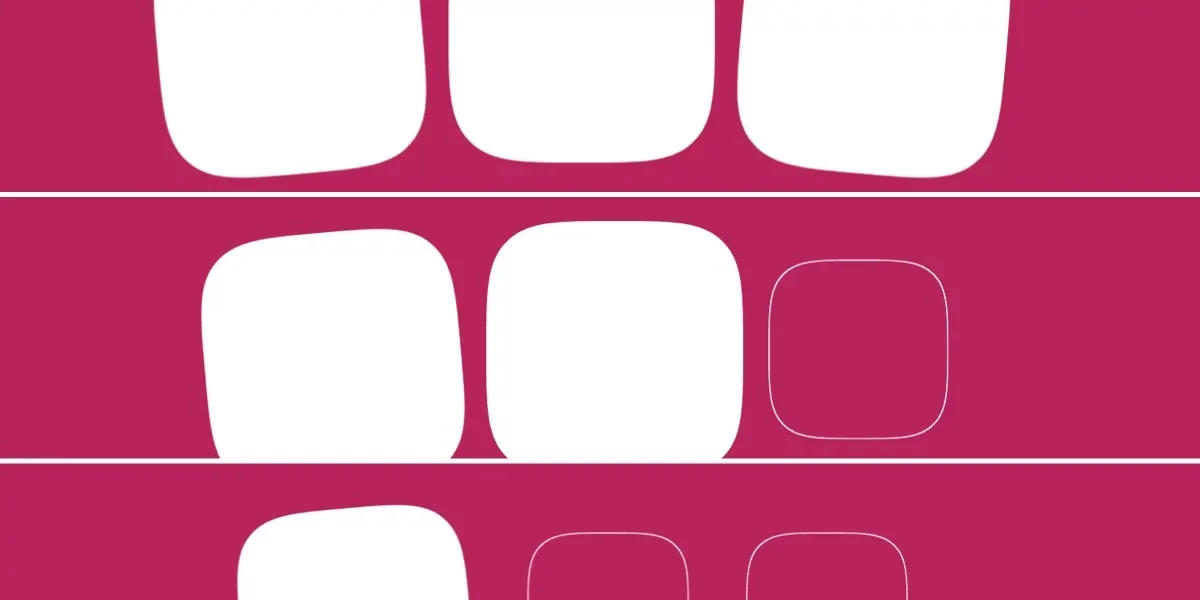
One of the most exciting implications is the ability to use CSS functions like sibling-count() and sibling-index() to orchestrate complex, staggered animations without writing a single line of JavaScript. As shown in recent demos, creating a ripple effect or a sequential entrance for a gallery of images is now a matter of declaring a stagger-interval variable—a task that previously required managing complex animation delays in a script.
Final Thoughts: A Measured Approach
Chrome 146 has undoubtedly opened a new frontier in web design. The ability to define complex, scroll-aware animations in pure CSS is a milestone that marks the maturity of the browser as a platform for rich, application-like experiences.
However, developers should exercise caution. The interplay between animation-fill-mode, animation-trigger actions, and timeline ranges creates a surface area for bugs that can be difficult to debug. For the immediate future, these tools are best suited for high-impact, controlled UI components rather than site-wide animations.
As the specification evolves and cross-browser support improves, scroll-triggered animations will likely become a standard tool in the professional web designer’s arsenal. For now, the community is encouraged to experiment, test the limits of the new API, and help shape the standards that will define the next generation of the interactive web.