Streamlining Development: itch.io Integrates Butler Into Desktop App with New GUI
The landscape of independent game development is constantly shifting, and with it, the tools developers rely on to deliver their creations to players. In a significant move to lower the barrier to entry for creators, itch.io has officially integrated its powerful command-line tool, butler, directly into the itch.io desktop application. This update, arriving with version 26.12.0, transforms a previously technical, terminal-based process into a streamlined graphical user interface (GUI), marking a major milestone in the platform’s commitment to developer accessibility.
Main Facts: Bringing Power to the Masses
For years, butler has been the backbone of the itch.io distribution ecosystem. It is a sophisticated command-line interface (CLI) designed to push game builds to specific project "channels"—such as windows-beta, linux-arm64, or macos-preview. Unlike traditional browser-based uploads, which require re-uploading an entire project folder for every minor tweak, butler utilizes advanced delta-patching technology.
By comparing the current project files against the most recent build, butler ensures that only the modified data is transmitted to itch.io’s servers. This not only significantly reduces bandwidth consumption for developers but also provides a superior experience for players, who only need to download small, incremental patches rather than entire multi-gigabyte installations.
Until this week, leveraging these benefits required developers to be comfortable with terminal commands, syntax, and directory navigation. The new "Upload" section within the itch.io app eliminates these requirements entirely, bringing the efficiency of butler to a wider audience of developers who may not have technical backgrounds or simply prefer a visual workflow.
Chronology: The Evolution of Distribution
The journey of butler from a niche, power-user tool to an integrated app feature is a testament to itch.io’s iterative development philosophy.
- The CLI Era: butler was originally established as a standalone utility, providing a robust, scriptable method for developers to automate their deployment pipelines. It quickly became the industry standard for itch.io creators, particularly those managing frequent updates or cross-platform releases.
- The Demand for Accessibility: As the itch.io community expanded to include more hobbyists, visual artists, and designers, the friction caused by the terminal became a recurring point of feedback. While powerful, the CLI was often described as "fiddly" or "fragile" by newer users.
- The Development Phase: Behind the scenes, the itch.io team spent months porting the core logic of butler into the application’s framework. The goal was not just to replicate the command-line experience, but to enhance it with features that only a GUI could provide, such as visual change logs and progress monitoring.
- The Launch (v26.12.0): With the latest update, the "Upload" tab now appears in the application sidebar, granting users immediate access to a comprehensive "Builds" dashboard.
Supporting Data: Why Delta-Patching Matters
The efficiency gains provided by butler are not merely aesthetic; they represent a fundamental shift in how digital assets are managed.
When a developer pushes a build via butler, the process follows a strict protocol:
- Initial Push: The first deployment sends the entirety of the project directory to establish a baseline.
- Comparison: Every subsequent push triggers a deep file-system scan. The tool calculates checksums for every file, identifying what has been added, removed, or modified.
- Delta Compression: Only the changed data is sent.
- Server-Side Optimization: Once received, the itch.io servers automatically re-compress and optimize the patch, ensuring the smallest possible file size for the end-user.
For a 10GB game that receives a 50MB balance patch, this technology reduces the time to deploy and download from minutes or hours to mere seconds. By automating this within the app, itch.io is effectively reducing the "cost" of updating a game—encouraging more frequent patches, better stability, and a more responsive development cycle.
User Interface and Workflow Enhancements
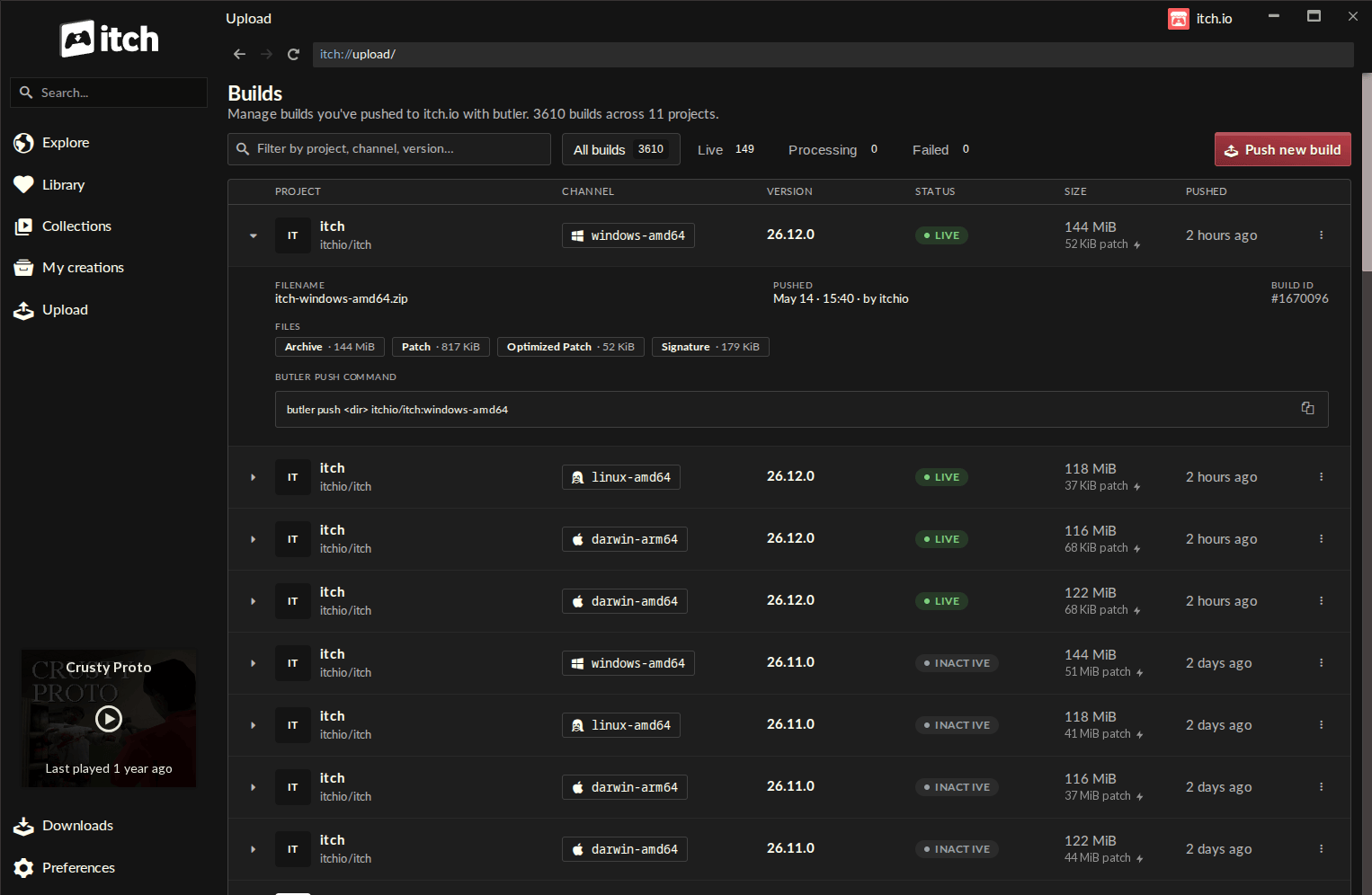
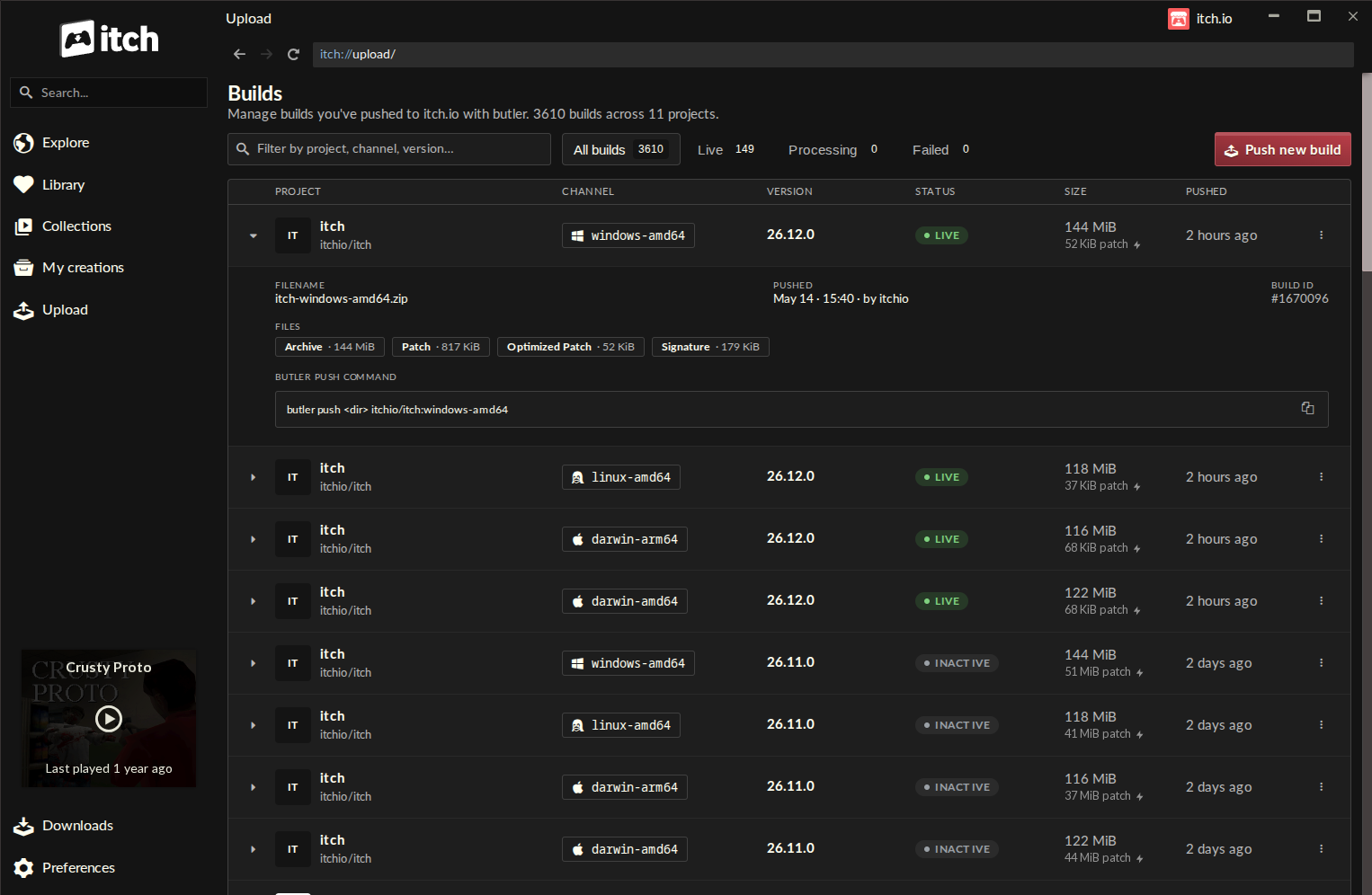
The new "Builds" page is the central hub for this feature. It provides a clean, tabular view of every build associated with a developer’s account. Each entry displays:
- Project Name: Clearly identifying which game is being updated.
- Channel: Distinguishing between experimental, stable, or platform-specific builds.
- Version History: Keeping track of iteration numbers.
- File Size and Status: Providing transparency into the health of each deployment.
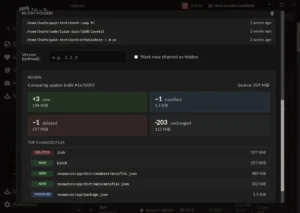
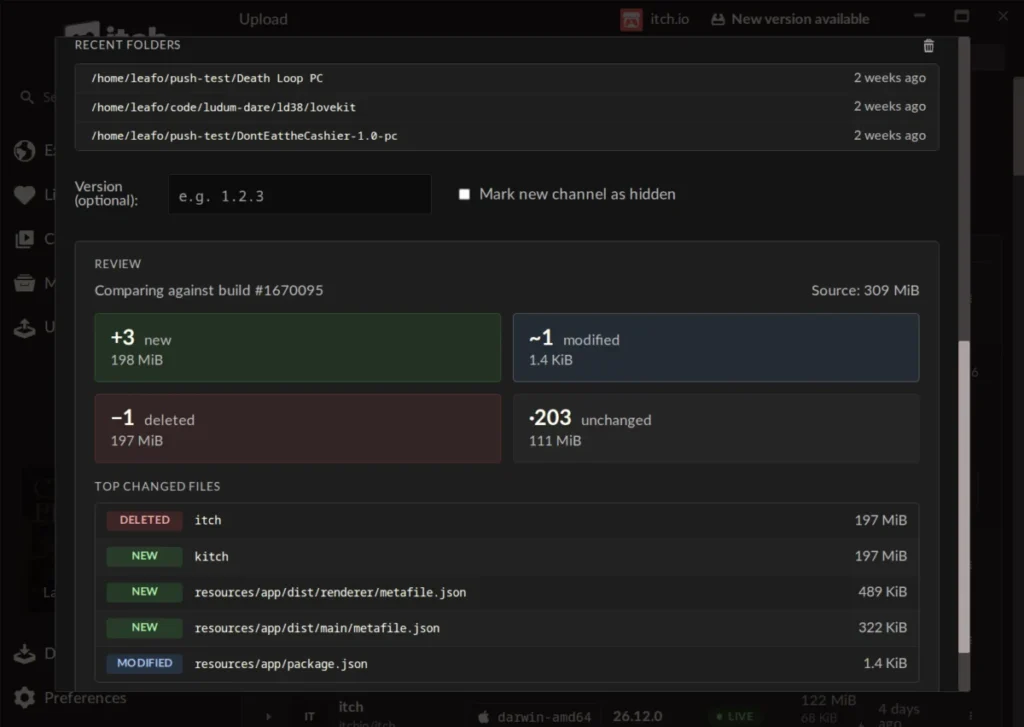
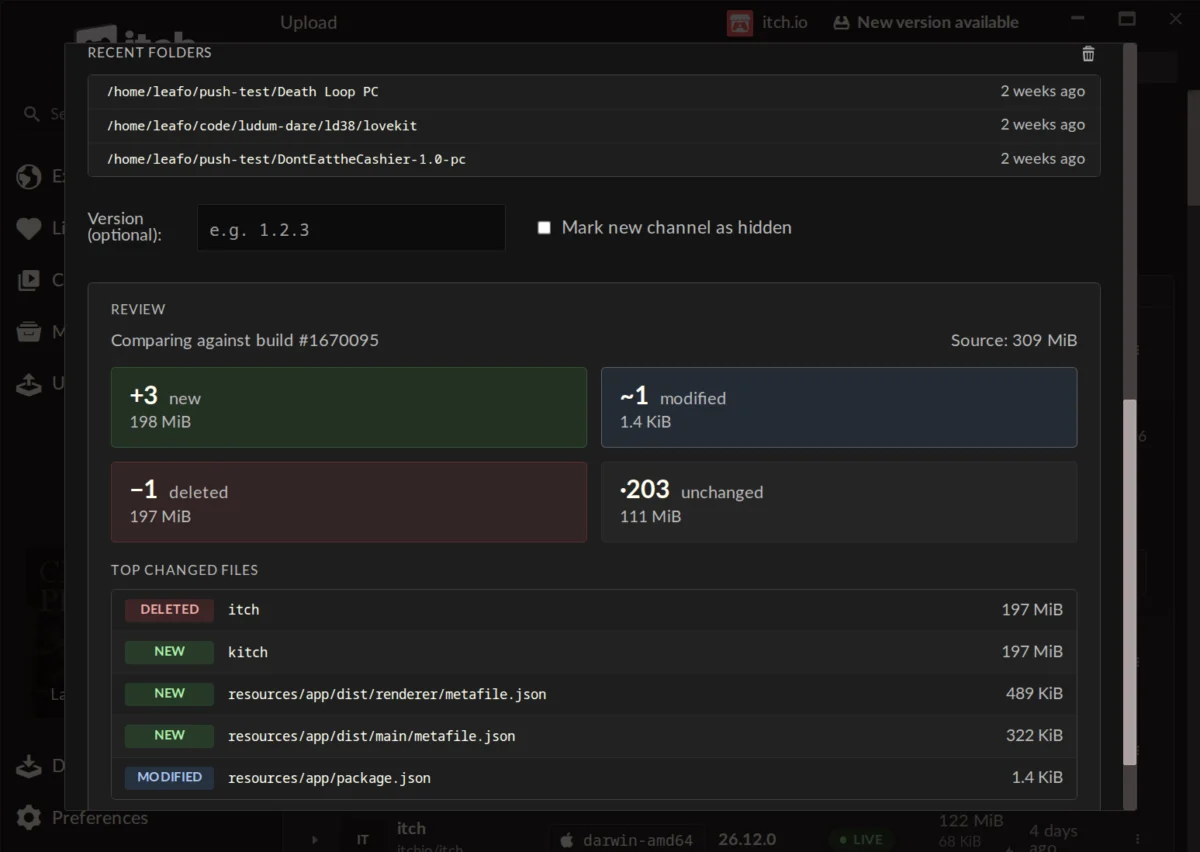
Perhaps the most impactful feature for the user experience is the "Preview" functionality. Before an upload begins, the app calculates the differences between the local files and the remote server. It provides a detailed breakdown:
- The number of new, modified, and deleted files.
- The total size of the patch before it is uploaded.
- A list of the largest files affected by the update.
This "safety check" allows developers to spot potential errors—such as accidentally including large, temporary cache files—before they waste bandwidth or push a corrupted build. Furthermore, because the app handles authentication automatically, developers managing multiple accounts can switch profiles seamlessly without re-entering API keys or login credentials.
Official Responses and Community Feedback
The reaction from the developer community has been largely enthusiastic. In the official announcement thread, users noted that the integration of the "Compare" step effectively prevents user error. One developer remarked, "The self-enforcing nature of the Compare step means I almost literally can’t mess it up, even as a noob to the app."
However, the update also sparked a discussion regarding legacy projects. When asked if existing games not originally uploaded via butler could be converted to the system, lead developer leafo clarified the technical limitations:
"Unfortunately it’s not possible right now, as a butler push needs additional metadata alongside the file that’s computed when you’re uploading. This could be something we add in the future but no immediate plans at the moment."
While this disappointment was noted, the overall sentiment remains positive. The ability to manage software distribution without leaving the desktop environment has prompted some developers to state they are now considering moving their entire distribution workflow to the itch.io platform.
Implications for the Future of Indie Gaming
The integration of butler into the itch.io app has several long-term implications for the indie game industry:
1. Lowering the Technical Ceiling
By removing the "terminal barrier," itch.io is democratizing professional-grade deployment tools. This allows creative teams—who may lack a dedicated DevOps engineer—to push updates with the same speed and reliability as major studios.
2. Increased Frequency of Updates
When updating is easy, it happens more often. By reducing the time and friction associated with pushing a new build, developers are more likely to push hotfixes, minor balance tweaks, and community-requested features in real-time, leading to a more "living" game environment.
3. Standardization of Distribution
The success of this feature reinforces itch.io’s position as a developer-first platform. By providing a unified experience that handles everything from initial development builds to final deployment, itch.io creates a "sticky" ecosystem where developers are incentivized to keep their projects on the platform for the duration of the product’s lifecycle.
4. The Potential for Future Automation
With the GUI-based butler now firmly in place, the path is clear for further automation. Future updates could theoretically include automated build triggers, continuous integration (CI) hooks, or even deeper integration with game engines like Unity or Godot, allowing for "one-click" publishing directly from the game engine’s own export settings.
Conclusion
The addition of butler to the itch.io app is a prime example of thoughtful platform engineering. It takes a proven, high-performance technology and makes it accessible, safe, and intuitive. For the independent developer, this is more than just a new tab in an application; it is a fundamental improvement to the speed and quality of their workflow.
As the industry continues to value rapid iteration and community-driven development, tools like this will prove vital. By ensuring that the path from a local folder to a player’s hard drive is as short and frictionless as possible, itch.io continues to empower the next generation of game creators. Whether you are a veteran developer or a first-time game maker, the latest update is a significant step toward a more efficient, more capable, and more accessible future for indie gaming.