Bridging the Digital-Analogue Divide: How to Read Analogue Sensors on a Raspberry Pi Using Python and GPIO Zero
Main Facts
The Raspberry Pi has long reigned as the undisputed king of single-board computing, celebrated for its versatility, affordability, and extensive GPIO (General Purpose Input/Output) header. However, for all its digital computing might, the native Raspberry Pi architecture has a notable blind spot: its GPIO pins are strictly digital. They understand binary states—on or off, high or low, 3.3V or 0V.
For hobbyists, engineers, and educators working with the physical world, this presents a fundamental challenge. The real world is rarely binary; it is smooth, continuous, and analogue. Temperature, light levels, sound waves, and rotational positions all fluctuate across a continuous spectrum.
To solve this, a recent tutorial featured in Raspberry Pi Press’s newly updated book, Simple Electronics with GPIO Zero (2nd Edition), provides a definitive masterclass on bridging this gap. By utilizing an Analogue-to-Digital Converter (ADC) chip—specifically the industry-standard MCP3008—makers can bypass clumsy workarounds and unlock precise, real-time analogue readings. Combined with Python and the intuitive gpiozero library, this setup empowers users to transform simple hardware components into dynamic, interactive projects, ranging from variable LED brightness controllers to fully functional, hardware-controlled internet radios.
Chronology
Step 1: Enabling SPI Communication on the Raspberry Pi
Before any hardware dialogue can occur between an ADC chip and a Raspberry Pi, the system must be configured to communicate via the Serial Peripheral Interface (SPI) protocol.
While the gpiozero library handles much of the heavy lifting out of the box, makers are advised to ensure the Python spidev package is fully integrated into their system architecture. Opening a terminal window and executing:
$ sudo apt install python3-spidevensures the underlying libraries are present. Following this, full SPI support must be enabled through the Raspberry Pi’s system preferences—either via the desktop graphical user interface by navigating through the Control Centre to the Interfaces section, or via the command-line utility by running sudo raspi-config, selecting Interface Options, enabling SPI, and subsequently rebooting the hardware.
Step 2: Wiring the MCP3008 Analogue-to-Digital Converter
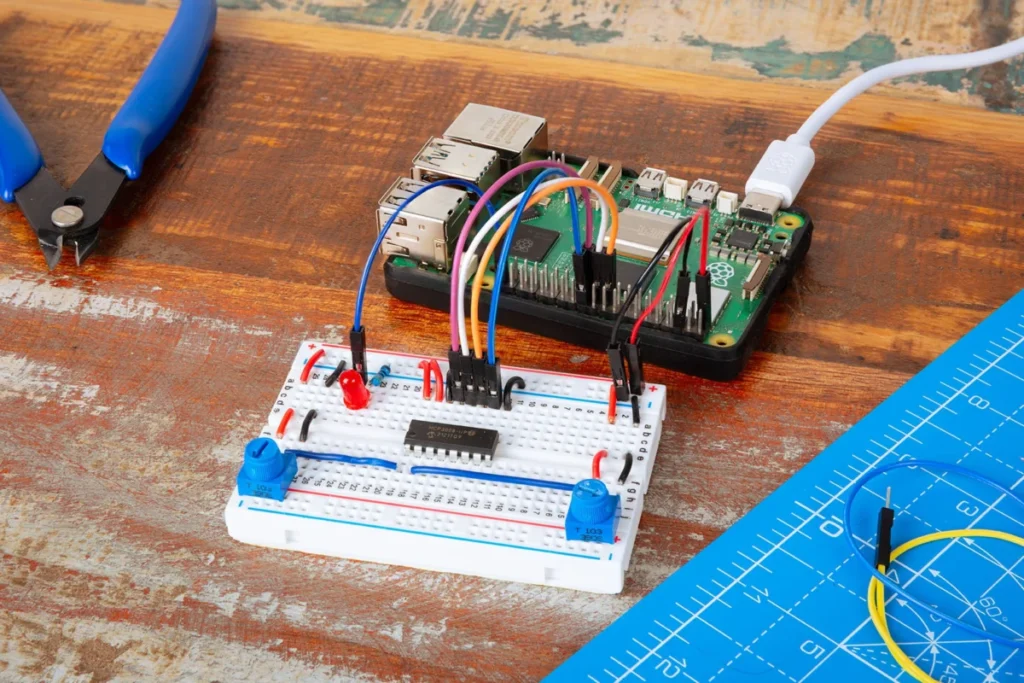
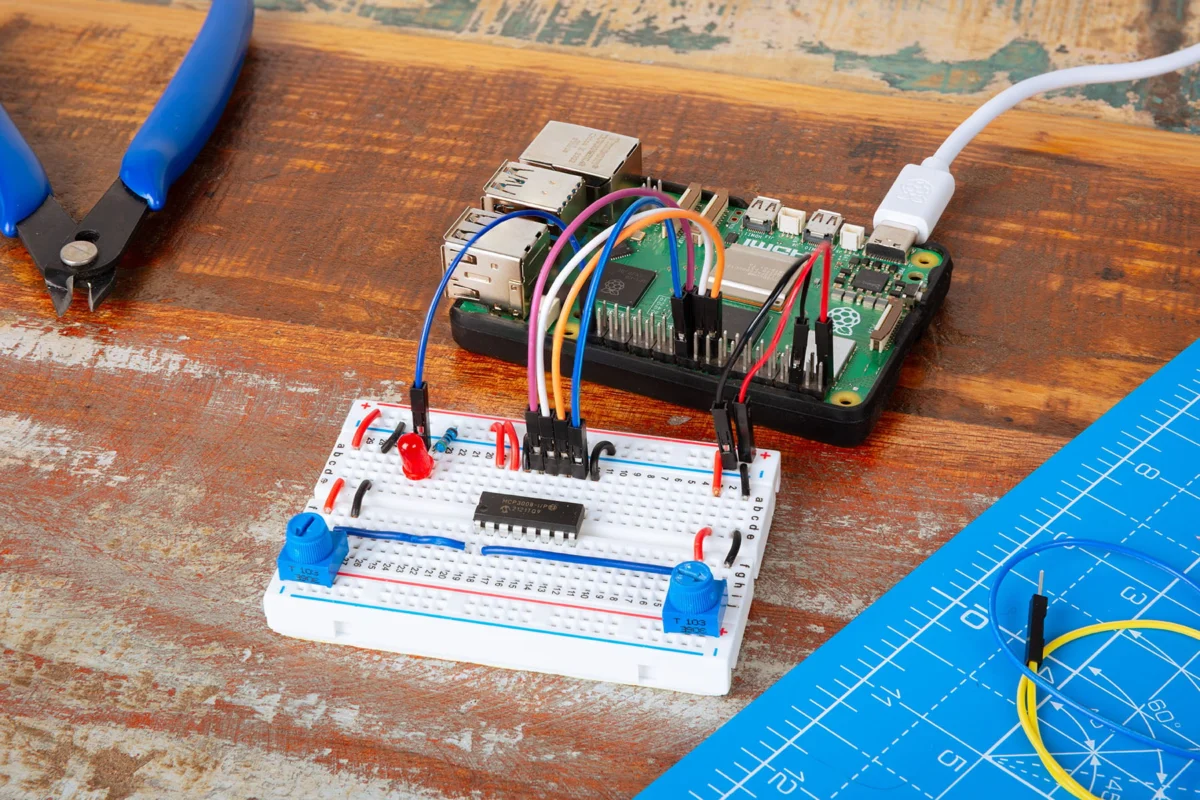
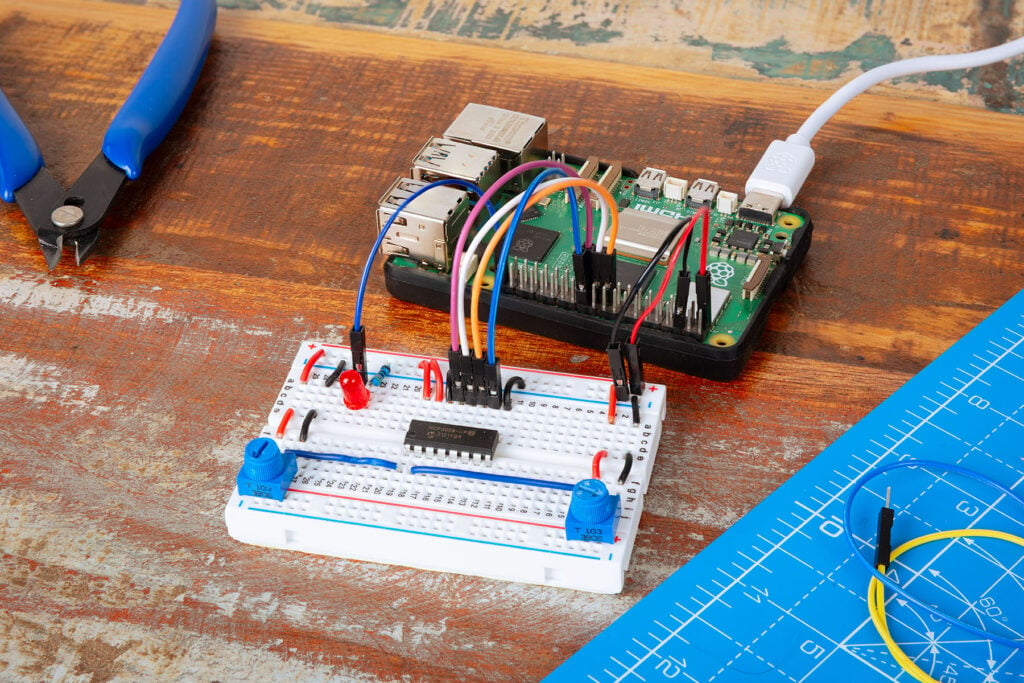
With the software infrastructure primed, attention turns to the physical breadboard. Because working with live circuits carries inherent risks, the Raspberry Pi must be completely powered down before assembly begins.
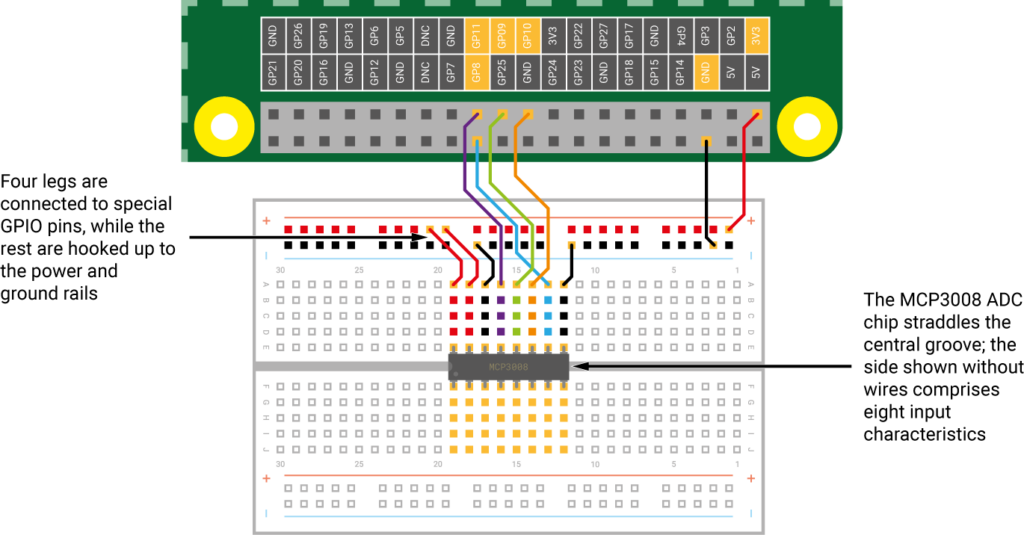
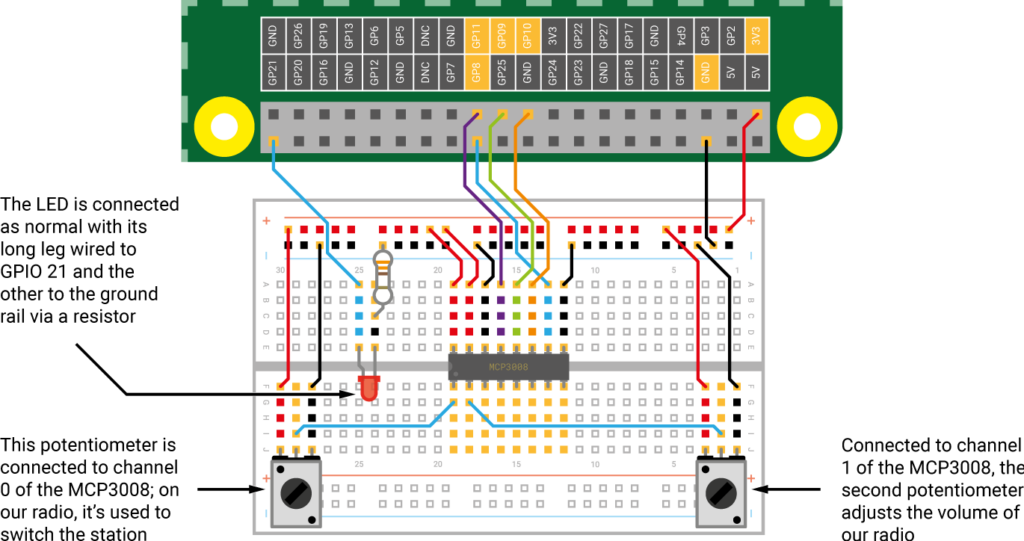
The MCP3008 chip is seated securely across the central divider of a standard breadboard. Wiring requires meticulous placement:
- Two jumper wires bridge the chip to the positive power rail (tied to a 3.3V pin).
- Two additional wires link to the negative ground rail.
- The four middle pins of the ADC connect directly to the Raspberry Pi’s hardware SPI pins: GPIO 8 (CE0), GPIO 10 (MOSI), GPIO 9 (MISO), and GPIO 11 (SCLK).
Step 3: Reading the Analogue Signal in Python
Once the MCP3008 is integrated, its eight distinct input channels (numbered 0 through 7) become available for analogue sensors. Inserting a rotary potentiometer—a variable resistor that alters voltage dynamically from 0V to 3.3V as its knob is turned—provides the first test case. By routing the potentiometer’s middle wiper leg to Channel 0 of the MCP3008, makers can write a lightweight Python script to read live values:
from gpiozero import MCP3008

pot = MCP3008(channel=0)

while True:
    print(pot.value)
Running this script in an infinite while loop outputs real-time values ranging between 0 and 1, reflecting the physical rotation of the knob on screen.
Step 4: Controlling Hardware Outputs (PWM LEDs)
Moving from data observation to physical actuation, the project integrates a Pulse-Width Modulation (PWM) LED connected to GPIO 21. Utilizing GPIO Zero’s unique "source and values" architecture, the output of the potentiometer can be directly paired to the input of the LED without manual polling loops:
from gpiozero import MCP3008, PWMLED
from signal import pause

pot = MCP3008(0)
led = PWMLED(21)

led.source = pot.values
pause()
By turning the potentiometer knob, users dynamically modulate the brightness of the LED in real time.
Step 5: Scaling Complexity with Dual Potentiometers
To demonstrate multi-sensor capabilities, a second potentiometer is introduced and wired into Channel 1 of the MCP3008. By updating the Python logic, developers can capture inputs from both dials simultaneously—mapping one to control an LED’s blink rate and the other to adjust its off-time interval:
from gpiozero import MCP3008, PWMLED

pot1 = MCP3008(0)
pot2 = MCP3008(1)
led = PWMLED(21)

while True:
    print(pot1.value, pot2.value)
    led.blink(on_time=pot1.value, off_time=pot2.value, n=1, background=False)
Step 6: Constructing an Internet Radio
The culmination of this hardware-software pipeline is a practical consumer-grade application: an internet radio receiver powered by physical dials. After installing the VLC media player backend via the terminal (sudo apt install vlc), makers write a comprehensive script that merges the dual-potentiometer hardware with audio streaming URLs (such as SomaFM streams).
Utilizing the Popen process handler and the wpctl command-line utility for WirePlumber/PipeWire audio session management, the system splits responsibilities:
- Potentiometer 1 (Channel 0): Evaluates threshold values to dynamically switch between different internet radio station streams, terminating the active
Popenstream and spawning a new one only when the dial crosses a station threshold. - Potentiometer 2 (Channel 1): Maps continuous rotational changes to real-time system volume adjustments.
Supporting Data
The integration of external ADC chips like the MCP3008 addresses historical performance constraints inherent to amateur electronics platforms:
- Resolution: While software capacitor-charging "tricks" (such as those explored in Raspberry Pi Official Magazine #167) can approximate analogue readings, they suffer from latency, environmental noise, and low precision. The MCP3008 provides a 10-bit resolution analogue-to-digital conversion, translating voltage inputs into 1,024 discrete steps ($2^10$).
- Channels: The MCP3008 provides eight independent input channels, allowing a single SPI bus connection to monitor up to eight simultaneous analogue sensors (e.g., temperature probes, light-dependent resistors, flex sensors, and joysticks).
- Software Ecosystem: The
gpiozerolibrary abstracts away the complex underlying bit-shifting and SPI communication protocols, reducing what used to require dozens of lines of low-level C or Python code down to a single-line instantiation:pot = MCP3008(0). - Resource Efficiency: By leveraging event-driven paradigms and source-value mapping (
led.source = pot.values), CPU utilization remains minimal, leaving ample processing headroom on the Raspberry Pi for concurrent tasks like audio decoding and network streaming.
Official Responses
Editors behind Raspberry Pi Press emphasize that making physical computing accessible is the central ethos of the newly revised Simple Electronics with GPIO Zero (2nd Edition).
According to official editorial commentary from the Raspberry Pi documentation team, the barrier to entry for hardware projects has traditionally been steep, often forcing beginners to grapple with complex electrical engineering theory before achieving satisfying results. By updating tutorials to feature modern libraries, streamlined components like the MCP3008, and robust software patterns, the publication aims to empower a new generation of makers.
"The goal of GPIO Zero has always been to make hardware feel as approachable and intuitive as software development in Python," notes the Raspberry Pi Press team. "By providing native abstractions for hardware devices like the MCP3008, we remove the friction of reading analogue sensors, allowing creators to focus on building meaningful, functional projects—whether that is a simple learning circuit with an LED or a sophisticated, physical internet radio."
Implications
The democratization of analogue sensing through standardized hardware and high-level libraries carries profound implications for education, prototyping, and the Internet of Things (IoT) landscape.
Educational Impact in STEM
In educational environments, time is often the scarcest resource. Students bogged down by debugging low-level communication protocols or calculating RC time constants for makeshift analogue workarounds frequently lose interest before realizing their creative visions. By abstracting the MCP3008 through clean Python classes, educators can pivot classroom objectives away from syntax troubleshooting and toward systems thinking, computational logic, and physical design.
Rapid Prototyping for Engineers
For professional engineers and startup founders, the Raspberry Pi has increasingly become a viable platform for rapid proof-of-concept development. The ability to seamlessly hook up industrial-style sensors via an inexpensive ADC chip—and interface them instantly with modern audio engines like PipeWire, media players like VLC, and web APIs—shortens the product development lifecycle. Prototyping an interactive smart-home appliance, an ambient environmental monitor, or a custom control interface no longer requires designing custom printed circuit boards (PCBs) from scratch for initial testing phases.
The Future of Maker Culture
As microcontrollers and single-board computers continue to converge in capability, projects like the GPIO Zero internet radio highlight the blurring lines between software and hardware. Makers are no longer limited to blinking lights on a breadboard; they can construct fully realized consumer electronics devices using readily available components, open-source code, and standard Linux distributions.
Ultimately, mastering the analogue-to-digital divide ensures that the physical world remains fully accessible to the digital mind, opening up infinite possibilities for innovation at the desktop workbench.