Microsoft Takes WSL to the Next Level: WSL Containers Reach General Availability
In a landmark development for cross-platform software engineering, Microsoft has officially transitioned WSL Containers (WSLC) out of public preview and into general availability. This milestone, announced through a comprehensive two-part technical blog series, marks a significant evolution in the Windows Subsystem for Linux (WSL). By integrating container orchestration directly into the WSL architecture, Microsoft is effectively blurring the lines between Windows-native development and Linux-based deployment environments.
For developers, system administrators, and enterprise IT teams, this update represents more than just a new feature set; it signifies a fundamental shift in how Linux containers are managed, secured, and executed within the Windows ecosystem.
The Core Transformation: What is WSLC?
To understand the weight of this announcement, one must first appreciate the foundation upon which it is built. Since the inception of WSL 2, Microsoft has provided a robust way to run a genuine Linux kernel within a managed, lightweight virtual machine. This architecture allowed developers to leverage the full power of the Linux ecosystem—tools, distributions, and shell workflows—directly on their Windows machines without the overhead of dual-booting or traditional, heavy hypervisors.
WSL Containers (WSLC) acts as an extension of this environment. It provides a dedicated, high-performance layer for creating, managing, and orchestrating Linux containers. Unlike previous iterations, where container workflows on Windows often required third-party tools or complex Docker-in-Docker configurations, WSLC integrates natively.
Architectural Efficiency
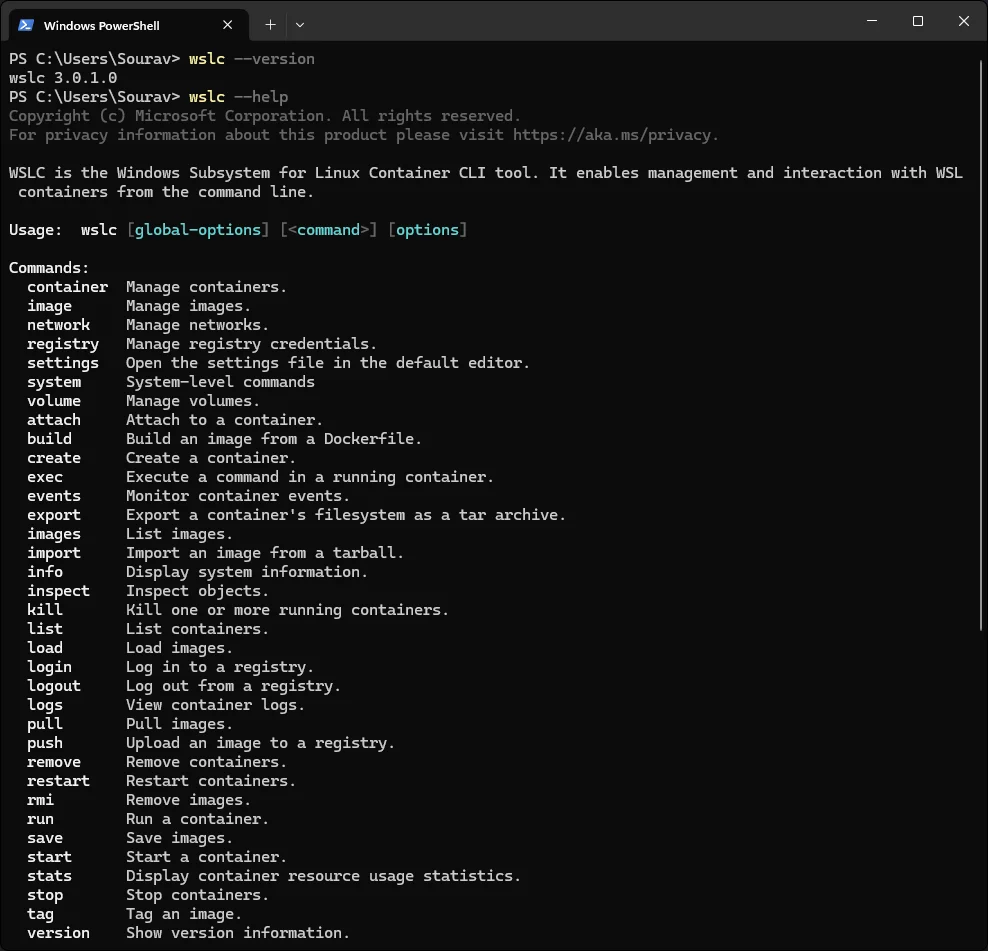
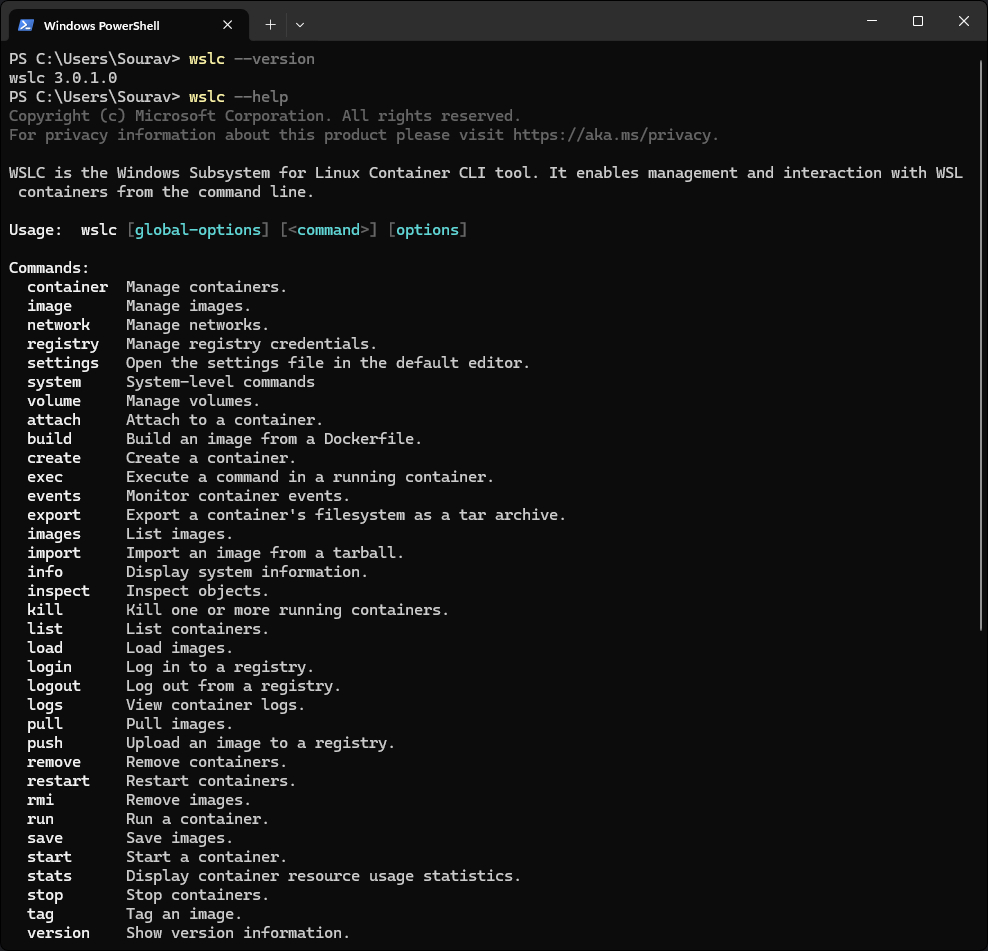
At the heart of the new release is the wslc.exe utility—a specialized command-line interface designed to streamline Linux container workflows. For those accustomed to established industry syntax, the tool also includes a built-in alias, container.exe.

Crucially, Microsoft has decoupled container operations from the primary WSL service. By routing operations through a dedicated child process, wslcsession.exe, which runs under the user’s specific account, Microsoft has achieved a higher level of isolation. This design ensures that containerized processes operate in a less privileged state than the main WSL service, significantly hardening the system against potential cross-container exploits.
Chronology of the Release: From Beta to Production
The journey to general availability for WSLC has been marked by a rigorous testing phase, focused on refining the networking stack and security integration.
- Initial Concept and Development: Microsoft’s engineering teams focused on addressing the primary friction point for WSL users: networking and persistent storage overhead.
- Public Preview Launch: The preview phase allowed the open-source community and enterprise partners to test the
wslcarchitecture. Feedback during this period led to the refinement of the Windows API, allowing developers to programmatically spin up containers directly from native C# or C++ applications. - Networking Overhaul: During the preview, the networking model underwent a total redesign, culminating in the "Consommé" model, which resolved long-standing issues with VPNs and firewall traversal.
- General Availability (September 2026): With the release of WSL 3.0.1, Microsoft officially declared the platform stable for enterprise production environments, signaling that the architecture is now fully supported and ready for critical workflows.
Technical Deep Dive: Consommé Networking
One of the most significant pain points in containerization is networking—specifically, how to make containers accessible to the host and external networks without creating security vulnerabilities.
Microsoft’s new Consommé networking model is a game-changer. In this architecture, container traffic is encapsulated as Ethernet frames as it exits the Linux virtual machine. These frames are then intercepted by a Windows process running under the user’s context. This process assumes responsibility for DNS resolution, routing, and port mapping.
Because this management occurs at the Windows process level, container traffic behaves like any other local network traffic. This allows containers to seamlessly traverse corporate VPNs and adhere to local firewall rules, effectively solving the "isolated island" problem that previously hindered Linux container adoption on corporate-managed Windows machines.

Implications for the Enterprise
While individual developers benefit from the convenience of native containerization, the enterprise implications are arguably more profound. Microsoft has clearly tailored this release to meet the strict security and compliance standards of large organizations.
Intune Integration
The introduction of specific Microsoft Intune settings for WSLC gives IT administrators granular control over their fleet.
- Feature Flagging: Admins can now enable or disable the WSLC feature entirely via policy, ensuring that containerized development is restricted to authorized departments.
- Registry Allow-Listing: Perhaps most importantly, organizations can define a list of approved container registries. This prevents developers from pulling unverified, potentially malicious images, creating a "walled garden" that satisfies security audits.
Enhanced Security with Microsoft Defender
Security observability is often the Achilles’ heel of container environments. To combat this, Microsoft has extended the Defender for Endpoint WSL plugin. The plugin can now pull granular telemetry—including process creation, file system changes, and network activity—directly from inside the WSLC environment and map it back to the Windows host. For security operations centers (SOCs), this means that a threat originating within a container can be traced, contained, and remediated with the same visibility as a native Windows process.
Supporting Data: Managing the Workflow
With the transition to GA, Microsoft has standardized the command set for managing the container lifecycle. The following table summarizes the primary commands available in the new 3.0.1 release:
| Command | Functionality |
|---|---|
wslc container restart |
Quickly cycles a container instance without re-initializing the host. |
wslc container cp |
Facilitates file transfer using tar archives for efficiency. |
wslc system info |
Provides a comprehensive health check of the WSLC environment. |
wslc network connect/disconnect |
Allows for dynamic network topology adjustments for containers. |
wslc network create |
Supports advanced driver options for custom network configurations. |
These commands are complemented by a robust Windows API, enabling developers to build sophisticated management dashboards or automated deployment pipelines that interact directly with the underlying Linux container runtime.
Official Perspective and Future Outlook
In their official documentation and architectural deep-dive, Microsoft’s engineering team emphasized that WSLC is not intended to replace Docker Desktop or Kubernetes in all scenarios. Rather, it is designed to provide a "native" experience for those who prefer the speed and integration of the WSL ecosystem.
By offloading the complexity of container management to the kernel level and ensuring that every container session is isolated via the wslcsession.exe architecture, Microsoft has created a platform that is as performant as it is secure.
The transition to general availability also highlights Microsoft’s ongoing commitment to open-source software. By keeping the development active on GitHub and encouraging community feedback, they are ensuring that the tool evolves in lockstep with the needs of the modern DevOps landscape.
Conclusion
The release of WSLC in WSL 3.0.1 marks a turning point in the "Windows as a Development Platform" narrative. By closing the gap between Linux-based containerization and the Windows desktop environment, Microsoft has effectively eliminated the need for developers to compromise between their preferred OS and the requirements of their tech stack.
Whether it is the new Consommé networking model, the enterprise-grade controls provided via Intune, or the enhanced visibility offered by Defender, every aspect of this release suggests that Microsoft is taking the Linux developer experience seriously. As we look toward the future, the integration of containerized Linux workloads into the Windows core will likely become the standard, further cementing the role of WSL as the premier environment for cross-platform development.
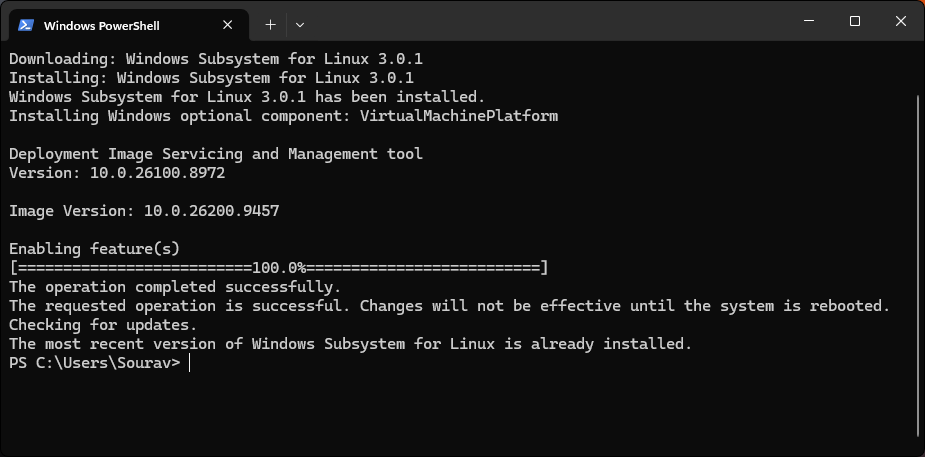
For those looking to get started, the path is straightforward: ensure your environment is updated by running wsl --update in your terminal. With the 3.0.1 update applied, the full power of native Linux containers is just a command away.
For the full changelog, technical documentation, and access to the open-source repository, visit the official WSL GitHub page.