Future-Proofing Your Storage: An In-Depth Review of the ORICO X50 Thunderbolt 5 SSD Enclosure
In the rapidly evolving landscape of high-speed data transfer, the arrival of Thunderbolt 5 marks a significant leap forward. While most users are still comfortably settled within the boundaries of Thunderbolt 4 or USB4, hardware manufacturers are already pushing the envelope to support the next generation of connectivity. Enter the ORICO X50, an aluminum-clad SSD enclosure that promises to unlock the blistering speeds of Thunderbolt 5, theoretically offering bandwidth up to 80Gbps.
Having recently explored the TerraMaster D1 SSD Plus—a reliable, budget-conscious choice for repurposing NVMe drives—I was eager to see how the ORICO X50 stacked up. Does this premium-priced enclosure offer enough utility for the current Linux user, or is it a solution in search of a problem?
Main Facts: The Promise of Thunderbolt 5
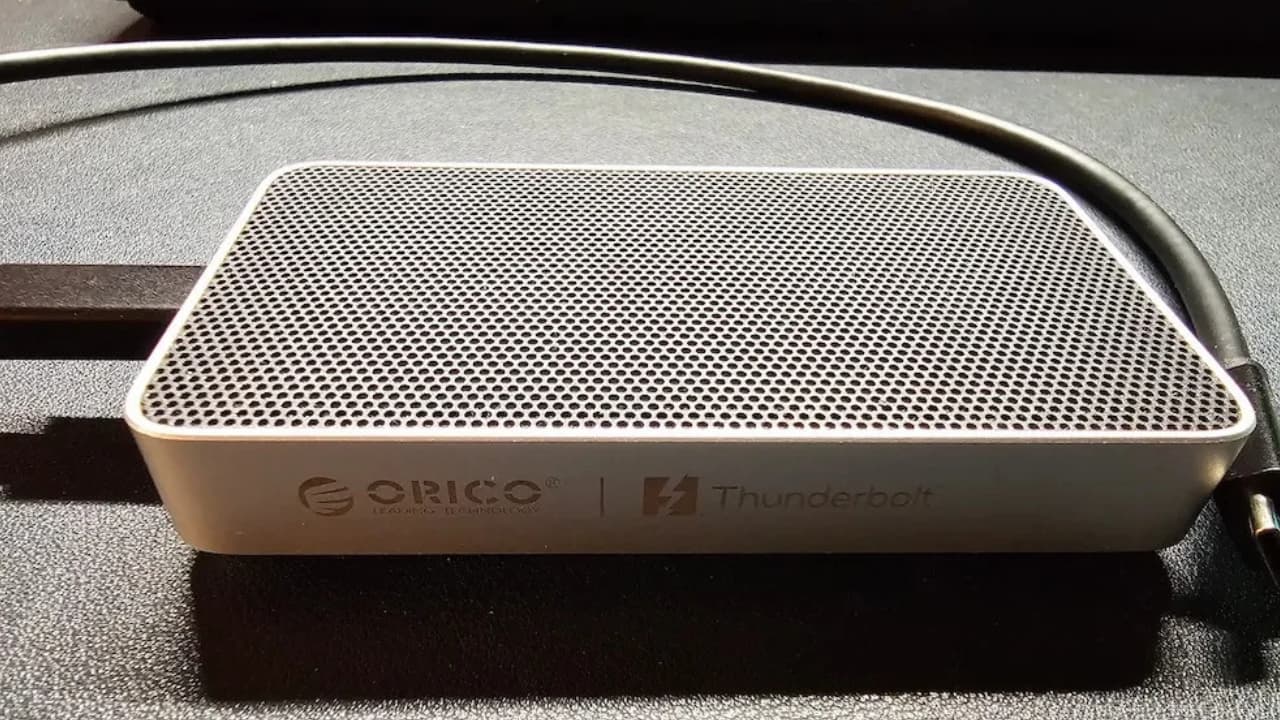
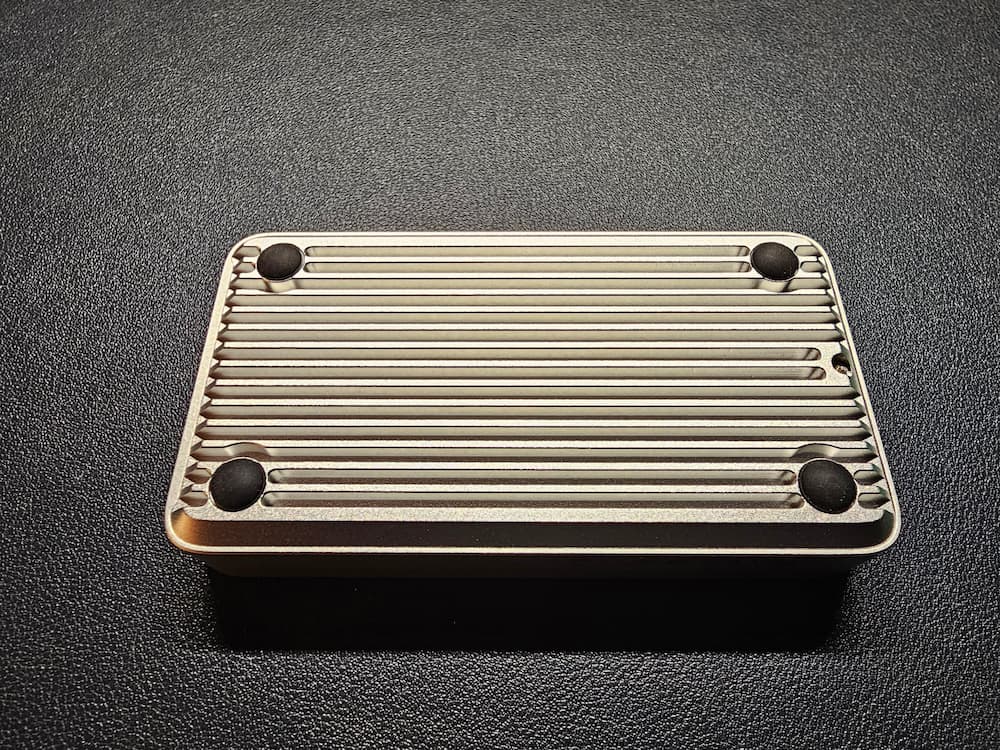
The ORICO X50 is designed for the performance enthusiast. At its core, the device is an M.2 NVMe enclosure that utilizes the Thunderbolt 5 interface to achieve speeds of up to 6000 MB/s read and 5800 MB/s write. It is built from a sleek, fanless aluminum unibody, utilizing micro-fins to manage the significant thermal output associated with high-speed PCIe Gen4 and Gen5 drives.
Key technical specifications include:

- Interface: Thunderbolt 5 (80Gbps), with full backward compatibility for Thunderbolt 4, Thunderbolt 3, and USB4.
- Form Factor: Dedicated 2280 NVMe support; notably, it does not support 2230 or 2242 drives, nor does it support legacy SATA M.2 drives.
- Cooling Architecture: Passive cooling via aluminum fins and provided thermal interface materials.
- Compatibility: Native support for Windows, macOS, and Linux, with the device presenting itself as a direct PCIe-tunneled NVMe drive to the operating system.
Priced at $269.99 for the diskless version, the X50 is positioned as a premium product. It is intended for power users who already possess high-performance PCIe Gen4 or Gen5 SSDs and require external storage that can keep pace with internal drive performance.
Chronology: The Testing Process
To provide a comprehensive review, I subjected the ORICO X50 to a rigorous testing regimen using a modern Linux environment. My testbed consisted of an ASUS Zenbook S14 running Ubuntu 26.04 on Linux Kernel 7.0.
The Setup Phase
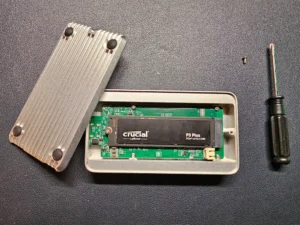
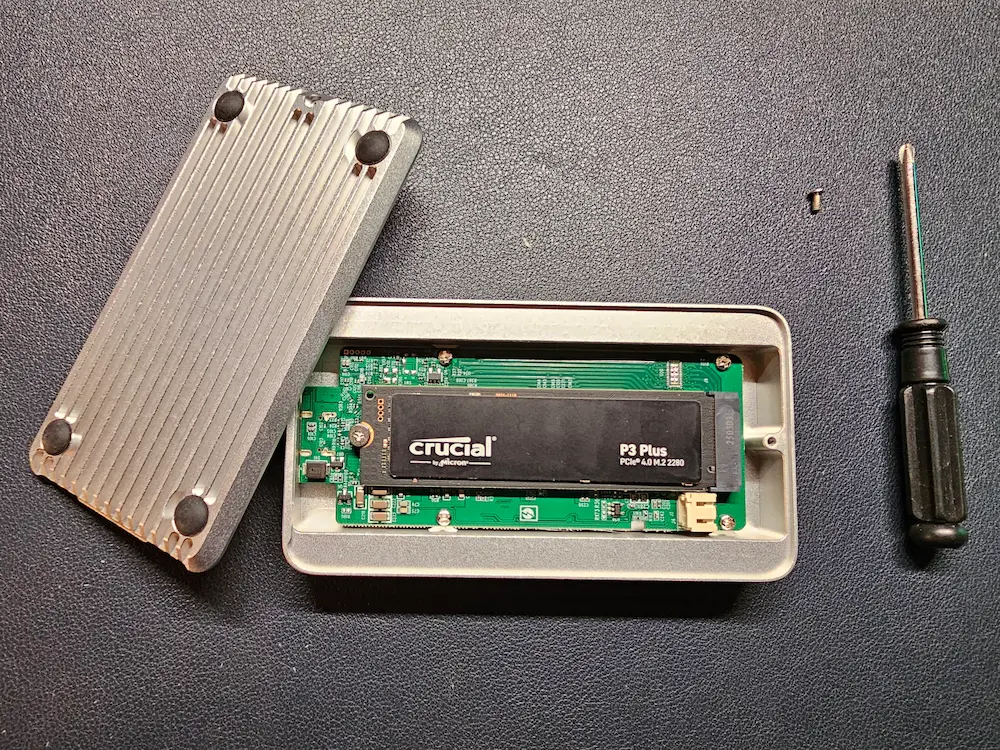
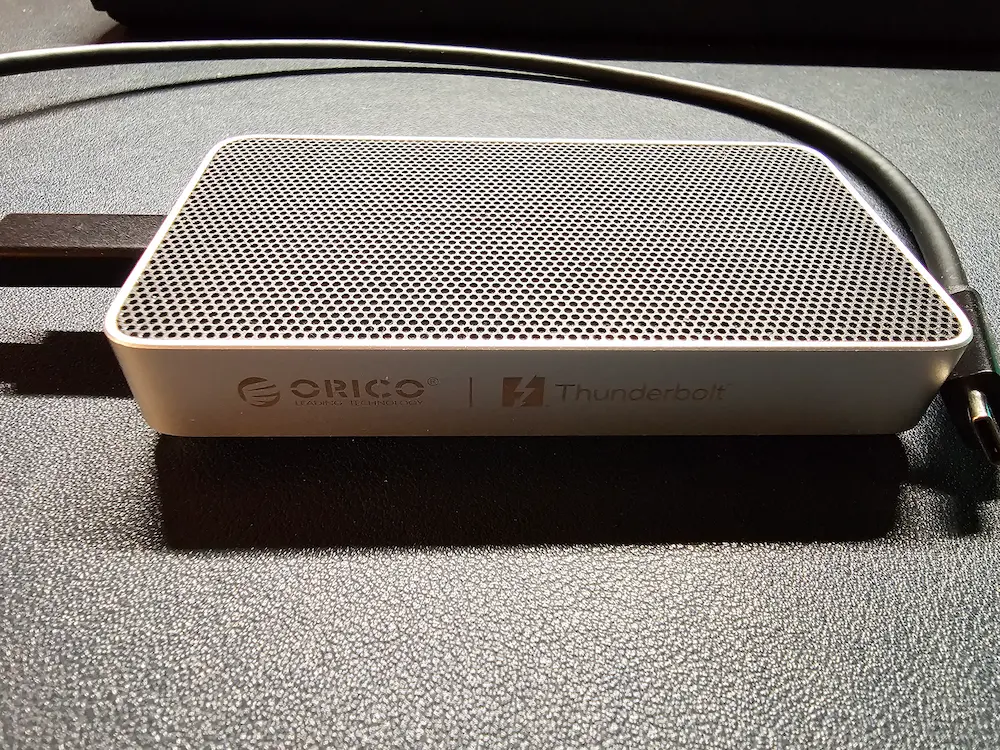
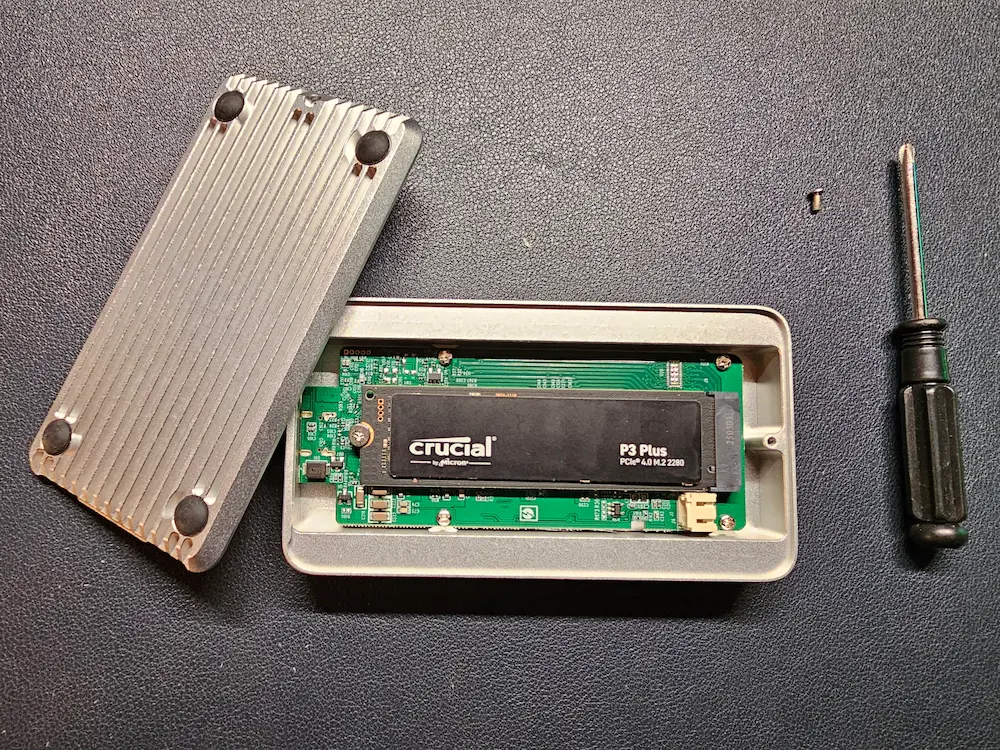
Upon unboxing, the device makes a strong impression. It is significantly slimmer than many competitors, making it an ideal companion for the modern laptop bag. The installation process was straightforward, though it requires the user to apply thermal paste manually—a step that emphasizes the professional, DIY nature of the product. It is critical to note that drives with pre-attached bulky heatsinks (such as the Samsung 9100 Pro Heatsink edition) will not fit.
The Integration Phase
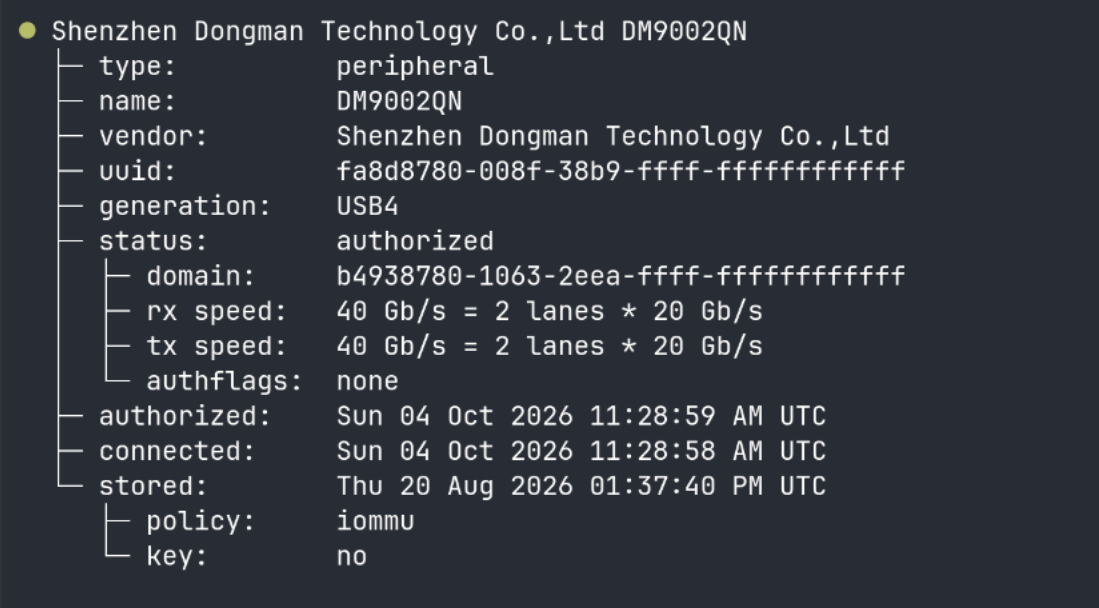
When plugged into the Thunderbolt 4 port of my Zenbook, the drive was recognized instantaneously. Using the boltctl utility, the system authorized the device automatically. An interesting observation was the hardware identification: the device reports as "DM9002QN" from Shenzhen Dongman Technology, rather than carrying the ORICO brand name in the firmware—a common occurrence in the ODM-heavy storage market. Because the X50 tunnels PCIe over the Thunderbolt protocol, the Linux kernel treats it as a native NVMe device (/dev/nvme1n1), granting the user direct access to SMART data without needing to navigate the complexities of USB-to-NVMe bridge flags.
Supporting Data: Benchmarking and Thermal Performance
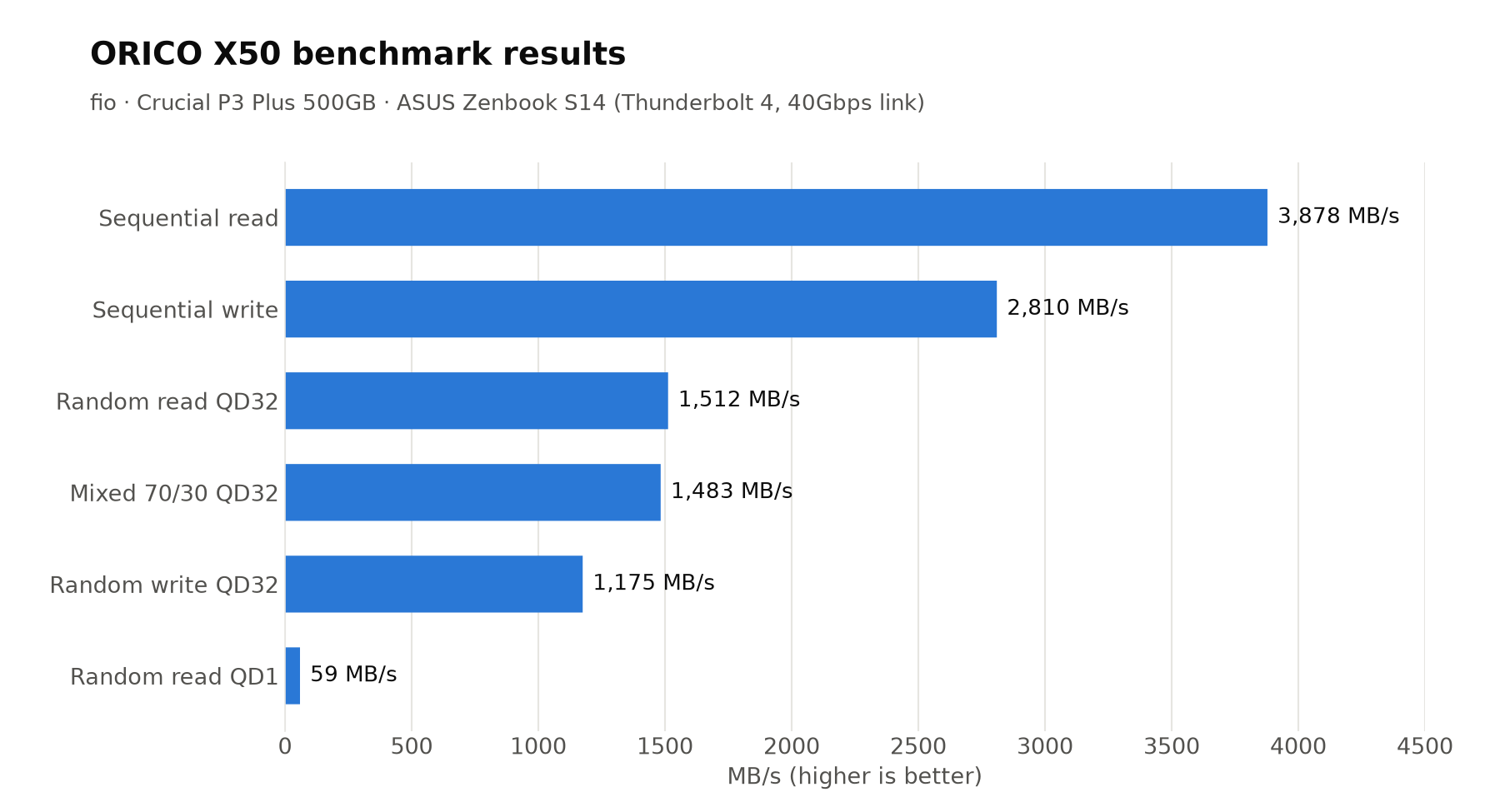
The performance metrics were captured using fio to simulate both sequential and random I/O workloads. It is important to emphasize that my test machine was limited by a 40Gbps Thunderbolt 4 connection, effectively capping the theoretical 80Gbps potential of the X50.
Performance Results (40Gbps Host Link)
- Sequential Read: 3878 MB/s
- Sequential Write: 2810 MB/s
- Random Read (QD32): 1512 MB/s (369K IOPS)
- Random Write (QD32): 1175 MB/s (287K IOPS)
- 10GB Single File Copy: 11.8 seconds
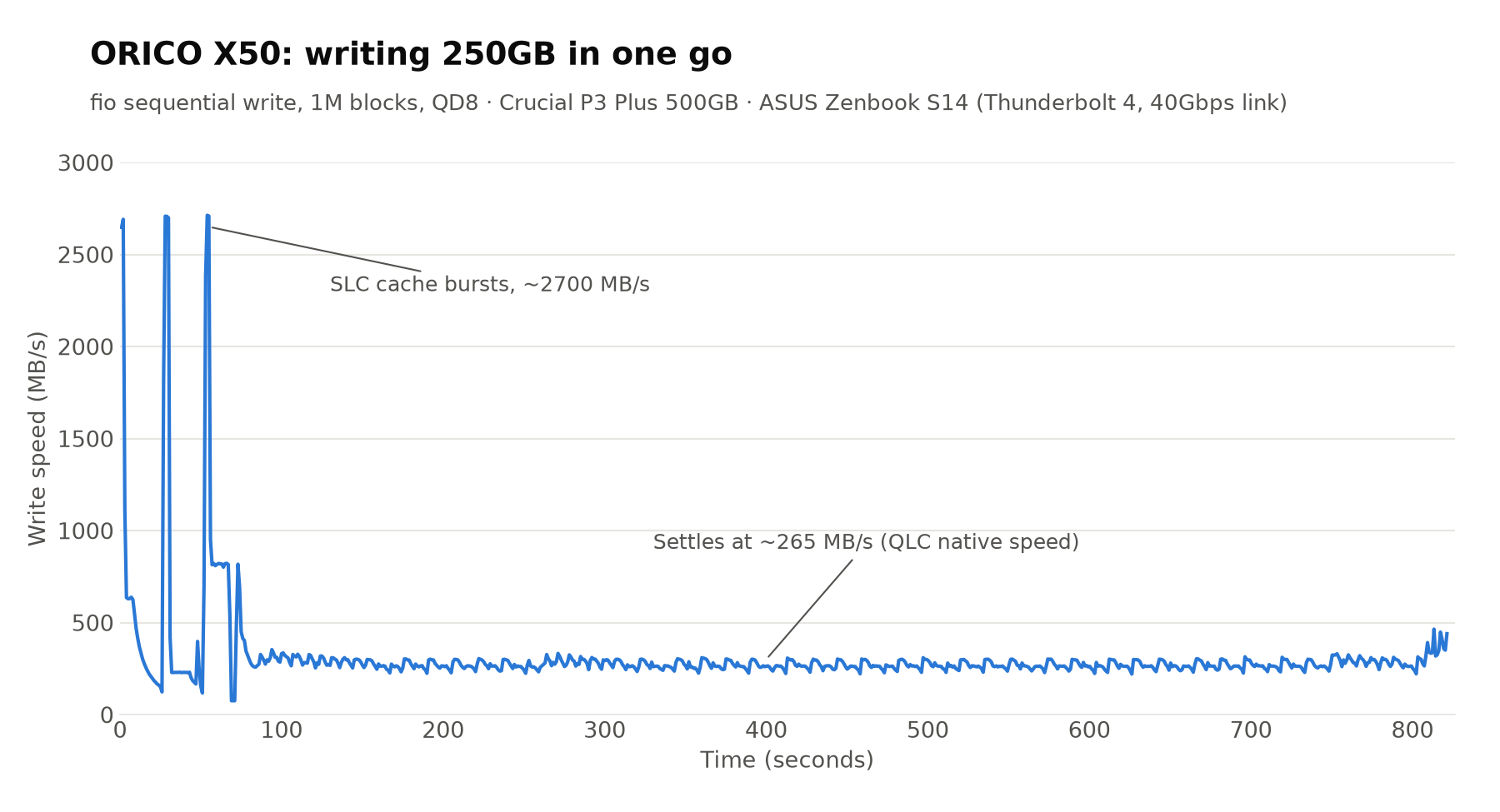
The sequential read speeds hit the ceiling of what the 40Gbps link can sustain, effectively confirming that the enclosure itself is not the bottleneck. The write speeds, while impressive, fluctuated based on the internal SLC cache of the test drive (a Crucial P3 Plus 500GB).
Thermal Sustainability
Thermal management is the Achilles’ heel of high-speed external storage. To test this, I initiated a sustained 250GB write operation. The drive maintained a temperature between 58°C and 68°C. Throughout the 13-minute duration, there were no aggressive thermal throttling events. The passive cooling design, relying on the aluminum unibody as a giant heat sink, proved highly effective.
Official Responses and Industry Context
While ORICO did not provide a specific comment on the device’s ODM origins, their inclusion of an 80Gbps-certified USB-C cable in the box is a notable "official" stance on quality control. Many manufacturers include generic cables that fail to meet the bandwidth requirements of Thunderbolt 5, leading to unstable connections or reduced speeds. By bundling a high-spec cable, ORICO acknowledges that the end-to-end signal path is the most critical factor in achieving advertised performance.
Furthermore, the industry at large is currently grappling with the transition to PCIe Gen5. The ORICO X50 sits at the intersection of this transition. While standard USB4 enclosures (such as the TerraMaster D1) are sufficient for most, the X50 represents a "future-proof" investment. The decision to omit active cooling (fans) in favor of a larger, finned aluminum chassis is a design choice that prioritizes silence and durability over the minor thermal gains a small, noisy fan might provide.
Implications: Is the X50 Right for You?
The ORICO X50 is a device of trade-offs. Its strengths lie in its build quality, the silent passive cooling, and the seamless integration with Linux, which allows for advanced drive health monitoring. For a power user, the ability to view SMART logs directly is a significant advantage over cheaper, bridge-based USB enclosures.
The "Compatibility" Caveat
The most significant implication for potential buyers is the lack of versatility. By strictly supporting 2280 NVMe drives, the X50 excludes the growing market of 2230 drives used in handheld gaming PCs (like the Steam Deck or ROG Ally). Additionally, the lack of SATA support means that if you have an older M.2 drive, you are out of luck.
The Value Proposition
Comparing the X50 to the TerraMaster D1 SSD Plus reveals the true nature of this purchase. On a 40Gbps connection, the performance difference is negligible for the average user. The premium price of the ORICO X50 is not paying for current performance; it is paying for the capability to handle future Thunderbolt 5 hardware.
Final Verdict:
If you currently own a Thunderbolt 5-capable machine, or if you are planning an upgrade in the next 12 to 18 months, the ORICO X50 is a sophisticated, reliable piece of hardware that will serve you well. It is an investment in bandwidth headroom. However, for those on legacy hardware or those who prioritize budget and compatibility over raw future-proof speed, a more standard USB4 enclosure remains the more logical choice.
The ORICO X50 is, at its heart, a specialized tool for a specific type of user: one who demands the best that modern connectivity has to offer, and who values the "Linux-native" experience of direct NVMe access. For them, the $269.99 entry fee is a small price to pay for such high-performance utility.