Breaking the Tether: Android Studio’s ADB Wi-Fi 2.0 Revolutionizes Wireless Debugging


By Tech Editorial Desk
In the fast-paced world of mobile application development, the ability to iterate quickly is the difference between a successful product launch and a missed opportunity. For years, Android developers have relied on the Android Debug Bridge (ADB) to bridge the gap between their development machines and their test devices. While wired connections have historically been the gold standard for stability, they are cumbersome, prone to hardware wear, and restrictive for developers testing mobile-specific scenarios.
The Android Studio team—led by Product Manager Steven Jenkins and engineers Sherif Eid and Fabien Sanglard—has officially unveiled ADB Wi-Fi 2.0. This major overhaul promises to eliminate the friction that has plagued wireless debugging for the better part of a decade. By reimagining the entire stack, Google aims to make wireless development not just an alternative, but the preferred method for the modern Android developer.
Main Facts: The Core of the Upgrade
The primary objective behind ADB Wi-Fi 2.0 was to resolve the persistent "usability gaps" identified through years of developer feedback. Users often reported unstable connections, slow pairing processes, and a lack of transparency when a device dropped from the network.
ADB Wi-Fi 2.0 is not merely a software patch; it is a foundational reconstruction. The update targets the three pillars of the Android debugging architecture:

- The ADB Server: The central controller on the development machine.
- The
adbdDaemon: The background process running on the target Android device. - Android Studio Integration: The user interface layer that developers interact with during the build and deploy cycle.
By modernizing these components, Google has introduced a new server stack capable of smarter network handling. This allows the system to intelligently manage connection persistence, minimize latency, and recover from network interruptions without requiring manual intervention from the developer.
Chronology: From USB-C Cables to Seamless Air-Gapped Debugging
The journey to ADB Wi-Fi 2.0 reflects the broader evolution of the Android ecosystem.
- The Early Days (The "USB-Only" Era): In the early years of Android development, debugging was strictly a wired affair. This ensured high-speed data transfer but tethered developers to their workstations.
- The First Iteration: Years later, Google introduced basic Wi-Fi debugging via command-line tools. While revolutionary, it was notoriously difficult to set up, requiring manual port forwarding and IP address configuration—a process that deterred many developers.
- The Integration Phase: With the introduction of Android Studio’s "Pair using QR Code" feature, the barrier to entry was lowered. However, reliability remained a concern. If the local network fluctuated, the connection would often hang, forcing a restart of the server.
- The 2.0 Milestone: Recognizing these limitations, the Android Studio team initiated a project to replace the aging, legacy networking logic. Through rigorous stress testing and beta feedback, the 2.0 stack was developed to handle the complexities of modern, crowded office Wi-Fi environments.
Supporting Data: Quantifiable Gains in Developer Productivity
The metrics shared by the Android team regarding ADB Wi-Fi 2.0 are compelling. In a professional environment where seconds lost in a build-deploy-test cycle aggregate into hours of lost productivity over a week, these improvements represent a significant shift.
- Connection Success Rate: The team reports a 32% improvement in auto-connection success rates. This means that when a developer walks into the office and opens their project, the IDE is far more likely to detect and connect to their test devices automatically.
- Latency Reduction: For 90% of connections, speeds have increased by 66%. This reduction in latency is particularly noticeable when pushing large APKs or performing live debugging with heavy data payloads.
These figures were derived from extensive telemetry and field testing, ensuring that the performance gains are not just theoretical, but visible in real-world, high-traffic network environments.
Official Perspectives: The Engineers’ Vision
In the announcement, Steven Jenkins and his team emphasized that this update was a direct response to community demand. "We listened to the feedback," the team stated, noting that developers consistently requested a "set it and forget it" experience.

Fabien Sanglard, a Staff Software Engineer on the project, highlighted the technical challenges of the rewrite. "The challenge wasn’t just to make it faster; it was to make it resilient," Sanglard explained. "Networks are inherently unreliable. A good debugging tool must assume that packets will be dropped and that the signal might degrade. Our new stack treats connection loss as an expected event rather than a fatal error, allowing for seamless reconnection."
The team also emphasized the importance of cross-device compatibility. Whether a developer is working on a wearable device, a high-resolution TV app, or a standard smartphone, the 2.0 stack provides a unified interface.
Implications: A New Era for Android Development
The implications of this update extend beyond simple convenience.
1. Enhanced Hardware Longevity
Repeatedly plugging and unplugging USB-C cables leads to hardware fatigue on both the development machine and the test device. By moving to a robust wireless protocol, companies can significantly extend the lifespan of their device test farms.
2. Streamlining Specialized Testing
For developers working on foldable devices, dual-screen apps, or augmented reality (AR) experiences, the physical constraints of a USB cable can be a major hindrance. Being able to move, rotate, and interact with a device without being restricted by a cable tether allows for more natural user interface testing.

3. The Future of Wearable and TV Development
Wear OS and Android TV devices have historically been the most difficult to debug via traditional wired methods due to limited port access or specialized adapters. ADB Wi-Fi 2.0 makes these platforms first-class citizens in the debugging workflow, potentially accelerating the pace of app innovation for these form factors.
4. Setting the Stage for Remote Work
As development teams become increasingly distributed, the ability to rely on high-performance wireless infrastructure becomes essential. While ADB Wi-Fi 2.0 is primarily designed for local networks, the increased stability creates a foundation for more advanced remote debugging capabilities in the future.
Getting Started: Implementation for Developers
To leverage these improvements, developers must ensure their environment is up to date. The process remains intuitive:
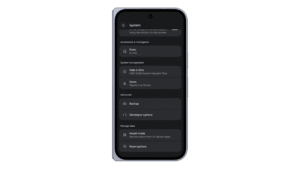
- Enable Developer Options: Navigate to the device settings and enable "Developer Options" and "Wireless Debugging."
- Pairing: Utilize the QR code or the six-digit pairing code provided by the device.
- Connection: Once the devices are on the same network, the new server stack will handle the discovery and handshake automatically.
For those looking to integrate this into a CI/CD pipeline or a larger test farm, the official Android developer documentation provides comprehensive guides on handling advanced configurations and troubleshooting common network limitations.
Conclusion: Community and Continued Iteration
The release of ADB Wi-Fi 2.0 is not the end of the road, but rather a new benchmark. The Android team has invited the community to report bugs and participate in ongoing discussions via their official channels on X (formerly Twitter), YouTube, and LinkedIn.

As Android development continues to evolve toward more complex, multi-device experiences, the underlying infrastructure must remain invisible and reliable. With this 2.0 update, Google has successfully moved the "tethered" paradigm into the past, empowering developers to focus on what truly matters: building great apps.
As we look toward future iterations, it is clear that the focus on "Fast and Reliable" is more than just a marketing slogan; it is the core philosophy driving the next generation of the Android toolchain. Whether you are an independent developer working on a side project or part of a large enterprise team, these improvements ensure that your development environment is ready for the challenges of tomorrow.