Level Up Your Workbench: The ESP32-S3 Retro-Arcade Matrix Clock Blends Nostalgia with Modern PC Telemetry
By Tech & Hardware Desk
Published: October 2023 / Updated for Maker Community
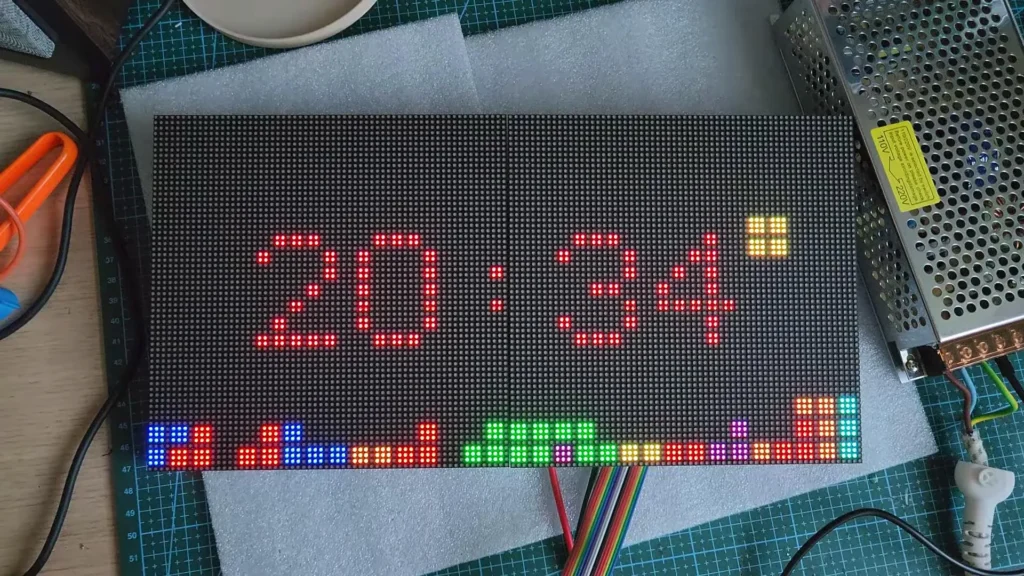
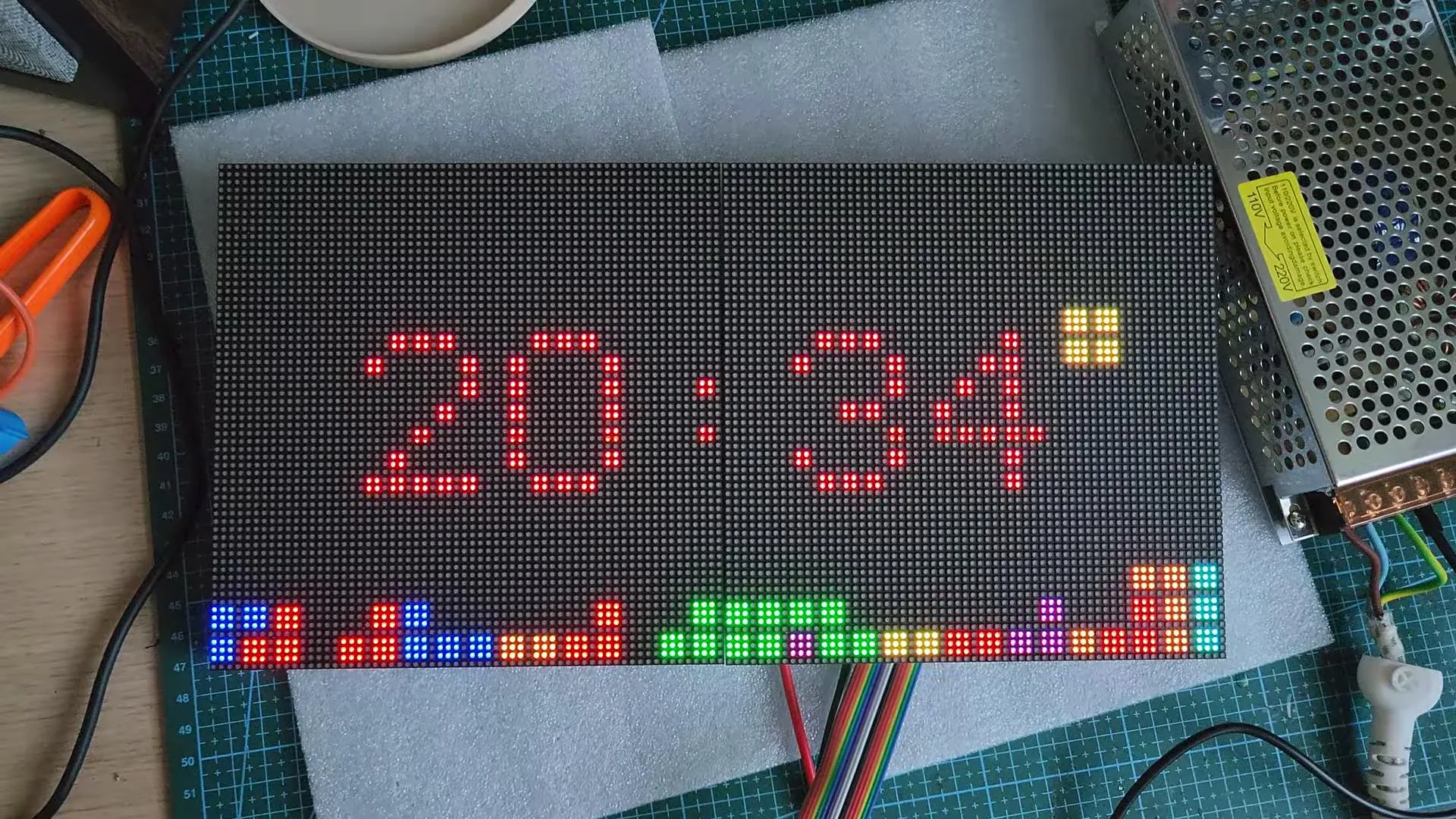
In an era dominated by sleek, minimalist, and often uninspired desk accessories, a new open-source hardware project is injecting vibrant 1980s arcade nostalgia directly into the modern workspace. Developed by maker and software enthusiast Keralots, the Animated Pixel Clock is far more than a simple time-telling device. Built around a high-resolution 128×64 RGB LED matrix and powered by a robust ESP32-S3 microcontroller, this desktop gadget serves as a dynamic chameleon. It effortlessly cycles through fourteen meticulously animated classic video game clock faces, displays up-to-the-minute weather forecasts without requiring cumbersome API keys, and even tracks real-time PC performance metrics via a local companion application.
For retro-gaming enthusiasts, software tinkerers, and PC power users alike, this project represents the sweet spot of modern microcontroller capabilities meeting golden-age pixel art. With a fully accessible browser-based configuration portal, zero-recompilation firmware management, and support for custom user-uploaded GIFs, the Animated Pixel Clock is rapidly becoming one of the most talked-about DIY desktop builds in the maker community.
Main Facts: What is the Animated Pixel Clock?
At its core, Keralots’ creation is a high-density, customizable desktop dashboard designed to sit proudly on a workbench, gaming rig setup, or developer station. Rather than relying on traditional LCD or OLED screens, the project leverages industrial-grade LED matrix technology to deliver punchy colors, deep blacks, and authentic pixelated charm.
The hardware foundation centers on two Waveshare P2.5 64×64 HUB75E panels featuring a fine 2.5mm pixel pitch. These panels are daisy-chained together to form a seamless 128×64 pixel canvas. Driving this high-density display is an ESP32-S3-WROOM-1 (N16R8) development board equipped with a generous 8MB of PSRAM and 16MB of flash storage. This significant memory allocation is critical, providing ample headroom to store complex firmware, multiple system fonts, weather icons, and a rolling cache of custom animated graphics.
Unlike many rigid microcontroller projects that require users to dive into the Arduino IDE or ESP-IDF toolchain every time they want to change a setting, the Animated Pixel Clock features an intuitive, built-in web interface. Accessible directly via a local browser over Wi-Fi, the portal allows users to configure clock styles, tweak per-element color palettes, adjust display brightness with automated night-dimming schedules, set time zones with automatic Daylight Saving Time (DST) adjustments, and perform Over-The-Air (OTA) firmware updates.
+-------------------------------------------------------+
|                 ESP32-S3 Microcontroller              |
|        (8MB PSRAM, 16MB Flash, Wi-Fi Enabled)         |
+---------------------------+---------------------------+
                            |
            +---------------+---------------+
            |                               |
            v                               v
+-----------------------+       +-----------------------+
| Waveshare P2.5 Panels |       |   Local Companion     |
|  (128x64 HUB75E RGB)  |       |  App (Win/Linux UDP)  |
+-----------------------+       +-----------------------+
Chronology: From Concept to Open-Source Reality
The journey of the Animated Pixel Clock followed a path typical of advanced community-driven hardware projects, moving from individual frustration with existing limited clocks to a fully fleshed-out, polished ecosystem.
- Phase 1: Hardware Selection and Panel Integration. Early experimentation focused on finding an LED matrix balance that avoided the blocky, low-resolution look of P4 or P5 panels while remaining affordable and easy to drive. The choice ultimately fell on the Waveshare P2.5 64×64 panels utilizing the FM6126A driver chip. Because the FM6126A requires specific initialization sequences at startup to function correctly—a notorious hurdle for many beginners—Keralots embedded automatic driver initialization directly into the core firmware, sparing builders hours of debugging frustration.
- Phase 2: Memory Optimization and Animation Engine. With the hardware stable, the next hurdle was animation storage. Standard GIFs are notoriously heavy for microcontrollers. Keralots developed a specialized command-line conversion utility (
tools/gif2pca.py, built with Python’s Pillow library) to transcode standard GIFs into a proprietary.pcaformat. This brought file sizes down to manageable levels (under 1.5MiB for up to 360 frames), ensuring smooth playback without bottlenecking the ESP32-S3’s processing loops. - Phase 3: Software Ecosystem and Telemetry Integration. Moving beyond standalone timekeeping, the project expanded to act as an external hardware monitor. By establishing a local UDP listening port (port 4210), the clock gained the ability to ingest real-time hardware telemetry streamed from a companion app running on Windows or Linux host machines.
- Phase 4: Open-Source Release and Documentation. The final phase involved publishing the entire codebase, wiring diagrams, utility scripts, and documentation to a public GitHub repository, inviting the global maker community to replicate, modify, and expand upon the project.
Supporting Data: Specifications and Hardware Architecture
Building an RGB LED matrix clock of this caliber requires careful attention to power delivery, data transfer rates, and thermal management. Because 128×64 pixels driven at high refresh rates can draw substantial current when displaying bright white or vibrant multi-color graphics, component selection is vital.
Hardware Bill of Materials & Specifications
| Component | Specification / Model | Purpose in Build |
|---|---|---|
| Microcontroller | ESP32-S3-WROOM-1 (N16R8) | Central processing, Wi-Fi connectivity, web server, and frame buffering. |
| Display Panels | 2x Waveshare P2.5 64×64 HUB75E | Visual output canvas (total 128×64 resolution, 1/32 scan rate). |
| Power Supply | Dedicated 10A 5V Switching PSU | Delivers stable current to prevent voltage sagging during bright scenes. |
| Filtering Capacitor | 2200µF, 25V Electrolytic | Smooths out electrical noise and current spikes on the 5V power bus. |
| Power Connectors | USB-C Breakout & XT60 Panel Feed | Ensures clean, secure, and easily serviceable internal power routing. |
Power Consumption and Electrical Realities
Power management is one of the most critical aspects of large-scale LED matrix projects. Driving hundreds of individual RGB LEDs at maximum brightness can easily overwhelm standard USB ports. To ensure safety and stability, Keralots’ design relies on a dedicated 10-ampere 5-volt power supply.
In everyday operation, the clock hovers around an estimated 10 watts of power consumption under typical mixed workloads. However, when displaying solid white backgrounds at maximum brightness, measured consumption can spike under 30 watts. To counteract voltage drops and flickering caused by sudden current draws, a 2200µF, 25V capacitor is integrated directly onto the power bus. The inclusion of an XT60 panel feed and a USB-C power breakout keeps internal wiring exceptionally tidy, professional, and safe from accidental short circuits.
Storage Constraints and Animation Limits
Memory management on microcontrollers always involves trade-offs. The ESP32-S3’s 4MB of available flash storage allocated for user data provides roughly 128KiB of dedicated space for animations. On a completely fresh, unpopulated device, this translates to storage capacity for roughly 23 individual animation frames in native format.
For users wishing to push the limits, the system accepts GIF inputs up to 8MiB in size, which are then compressed via the aforementioned Python utility into .pca files capped at 1.5MiB (supporting up to 360 frames). This intelligent pipeline ensures that even elaborate, multi-second looping animations run fluidly without triggering out-of-memory exceptions on the microcontroller.
Official Responses and Community Reception
The release of the Animated Pixel Clock repository on GitHub has generated substantial enthusiasm within the open-source hardware and maker communities. While corporate manufacturers continue to push sterile, minimalist smart displays locked behind proprietary cloud ecosystems, community responses highlight a deep hunger for customizable, local-first hardware.
In repository discussions and maker forums, early adopters have praised the project’s adherence to a "no API key required" philosophy. By integrating with Open-Meteo for weather data—which updates seamlessly every 10 minutes without forcing users to register accounts, input credit cards, or generate developer tokens—the project champions user privacy and long-term maintainability. If a commercial weather API changes its terms of service or shuts down, Open-Meteo’s free, open infrastructure ensures the clock’s weather widget remains functional indefinitely.
Furthermore, community feedback has heavily commended the decision to implement a native web server directly on the ESP32-S3. Reviewers note that eliminating the need to re-flash firmware via a physical USB cable just to change a color theme or adjust a timezone lowers the barrier to entry significantly, making the device approachable even for makers who are less comfortable with traditional programming environments.
Implications: The Rise of Local-First Desktop Telemetry
The popularity of projects like Keralots’ Animated Pixel Clock points toward a broader, highly encouraging trend in personal computing and maker culture: the resurgence of local-first hardware.
For years, desktop peripherals have increasingly relied on cloud-connected companion software running heavy background services, requiring constant internet access, user telemetry tracking, and active server support from manufacturers. If a company goes out of business or deprecates an app, expensive hardware frequently turns into electronic waste.
By contrast, the Animated Pixel Clock operates entirely within the local network environment. Whether it is pulling weather data from an open-source meteorological endpoint, hosting its own lightweight configuration webpage over local Wi-Fi, or listening for hardware telemetry packets streamed locally via UDP from a Windows or Linux PC, the device is completely self-contained.
The PC Monitoring Paradigm
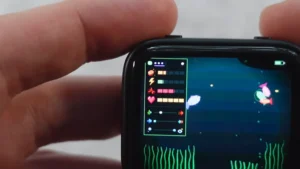
The integration of PC monitoring mode illustrates this local-first philosophy perfectly. Through a lightweight companion application running on the host machine, the clock can display up to 20 distinct system metrics spanning CPU utilization, GPU temperatures, RAM consumption, and network throughput. The default update interval of 3 seconds provides responsive feedback without flooding network traffic or consuming noticeable host CPU resources.
Crucially, the system features fail-safe logic: if the host PC goes offline, enters sleep mode, or shuts down entirely, the clock does not crash or display an error code. Instead, it gracefully reverts to its primary function as a standalone retro-arcade timepiece.
A Blueprint for Future Maker Projects
As microcontrollers like the ESP32-S3 become more powerful—packing generous PSRAM, high clock speeds, and integrated Wi-Fi/Bluetooth into inexpensive packages—we can expect to see an explosion of similar retro-modern hybrid devices. They satisfy a psychological need for tactile, nostalgic aesthetics while delivering genuinely useful, modern functionality.
For builders looking to embark on their own weekend electronics project, Keralots’ repository provides a masterclass in clean documentation, thoughtful component selection, and robust software design. Whether it graces the desk of a software engineer tracking compilation loads, a hardcore gamer monitoring GPU thermal limits, or simply a fan of 1980s pixel art wanting to know what time it is, the Animated Pixel Clock proves that the best way to honor the past is to build it better for the future.
To explore the source code, download the firmware, access the wiring diagrams, or utilize the GIF conversion utilities, visit the official Keralots Animated Pixel Clock GitHub Repository.