Building a Better Boo: How to Animate a Halloween Skeleton with a Raspberry Pi Pico
LONDON — As October nights draw in and the veil between the realms of the living and the mechanical grows thin, makers around the globe are reaching for their microcontrollers. Eschewing supernatural occurrences in favor of silicon-based ingenuity, the maker community has found a new way to give Halloween a high-tech helping hand.
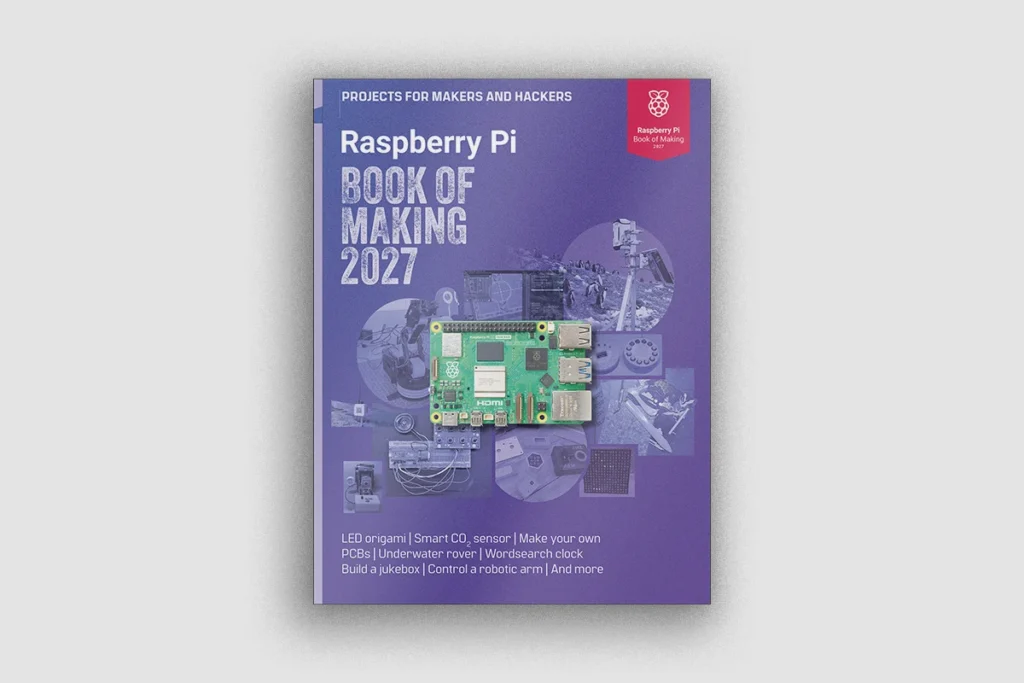
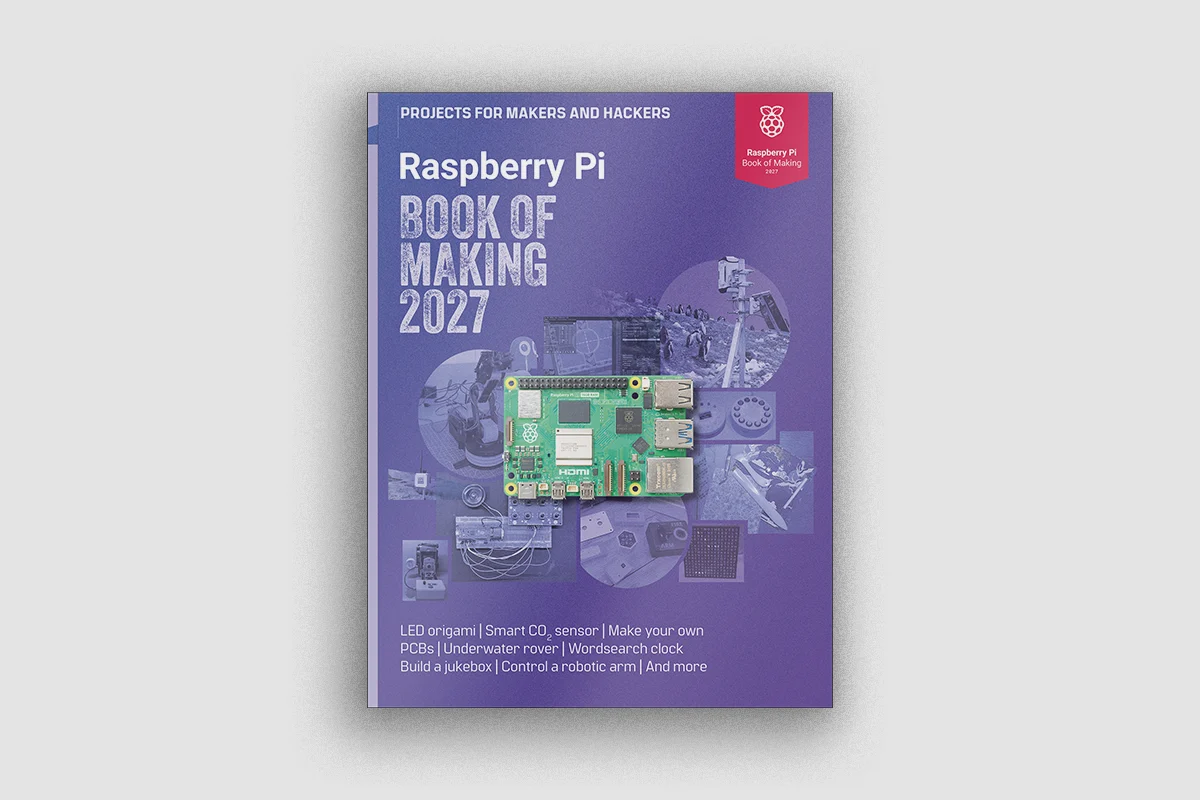
Pulled straight from the newly released Raspberry Pi Book of Making 2027, a standout project details how to transform an inexpensive, plastic glow-in-the-dark skeleton into an interactive, motion-activated animatronic prop. Powered by a $4 Raspberry Pi Pico and a quartet of hobby servos, this project offers an accessible entry point into hardware hacking, combining basic woodworking, electronics, and MicroPython programming.
This project serves as a showcase for the types of inventive, practical, and delightfully spooky DIY electronics featured in Raspberry Pi Press’s latest annual compilation.
Main Facts: The Anatomy of a Low-Cost Haunt
The core of this automated Halloween build relies on surprisingly modest components. Rather than investing in heavy, anatomically intricate 3D skeleton models that resist simple mechanical actuation, the project specifies a basic, two-dimensional 90-centimeter glow-in-the-dark skeleton—typically available online for around £3. Because a 2D skeleton features joints that operate strictly within a single plane, it is significantly easier to motorize.

The build utilizes the following key ingredients:
- The Controller: A Raspberry Pi Pico (or Pico W, though wireless capabilities are optional for this offline build).
- Motion Actuation: Four 9g micro-servos, tasked with driving the hip and shoulder joints while leaving the elbows and knees to flail naturally.
- Proximity Detection: A Sharp GP2Y0A02YK analog distance sensor to detect unsuspecting trick-or-treaters.
- Illumination: Two 12mm WS2811 RGB LED nodes, configured to cast an ominous red glow from the skeleton’s eye sockets.
- The Backbone: A sturdy wooden backing board (OSB or plywood) measuring at least 45 × 21 cm, painted matte black to disappear into the dark autumn night.
Totaling just a few dollars in active hardware components, the build punches well above its weight class, offering an interactive spectacle that reacts dynamically to human presence.
Chronology: Step-by-Step Construction
For makers looking to replicate the build ahead of the holiday rush, the construction process follows a logical path from physical modification to digital logic.
Phase 1: Structural Preparation
The build begins by unhinging the plastic limbs from the skeleton’s main body. Because the original plastic is flimsy and prone to twisting rather than clean rotation, the servos are mounted directly to the limbs close to the joints, rather than using external linkages like traditional puppetry strings.
A wooden backboard is cut to size and painted black. Holes are drilled to accommodate the 12mm eye LEDs, clearance paths for servo wiring, and mounting points. The skeleton itself is secured to the board using its original joint holes, creating a rigid platform that prevents erratic shifting during operation.
Phase 2: Electronic Wiring and Zeroing
Before permanently attaching the limbs to the servo motors, the servos must be "zeroed" to a known physical state. Because hobby servos generally operate within a 180-degree range, failing to set their home positions beforehand can result in hyper-extended or misaligned limbs.
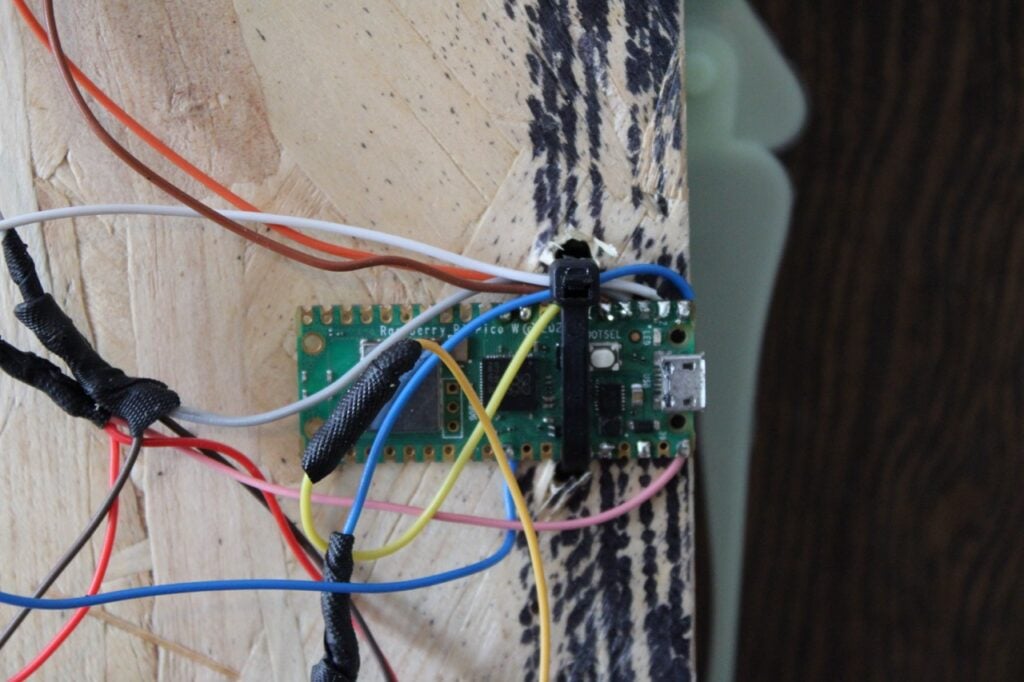
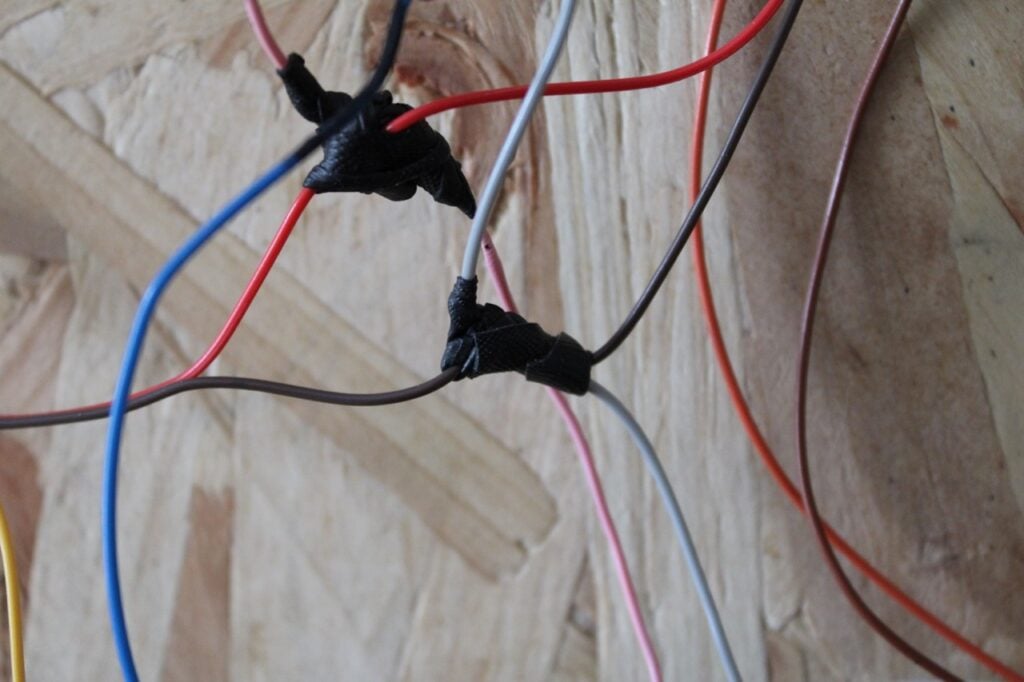
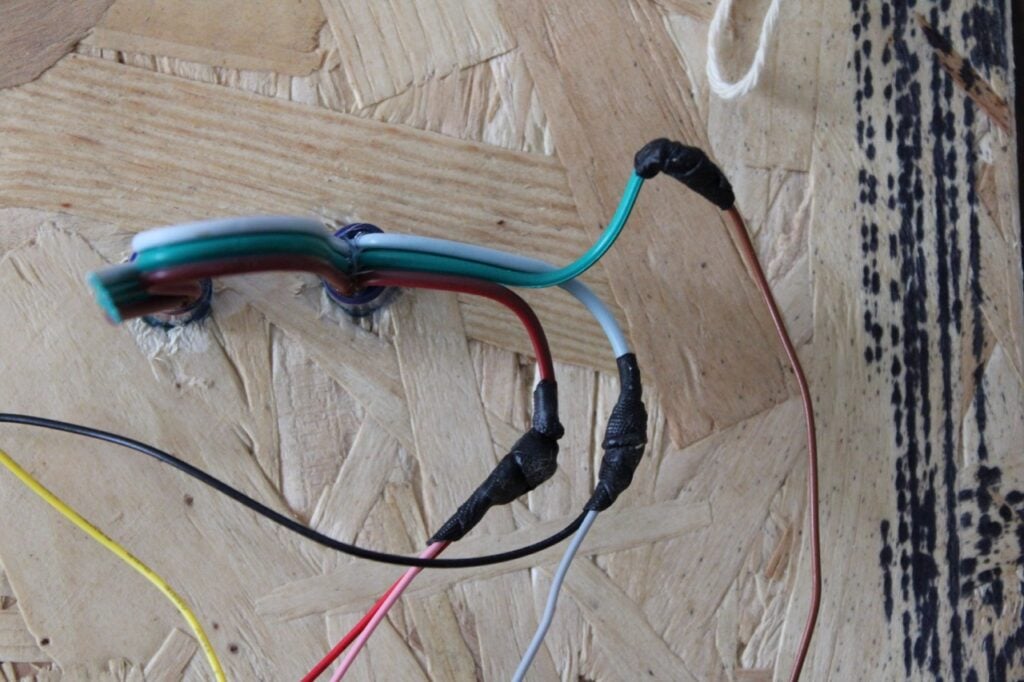
Makers wire the four servos in parallel to shared power, ground, and data connections, utilizing a soldered four-way junction. The distance sensor and NeoPixel eye LEDs are tied into the system’s 5V VBUS power rail.
Phase 3: Flashing the Code
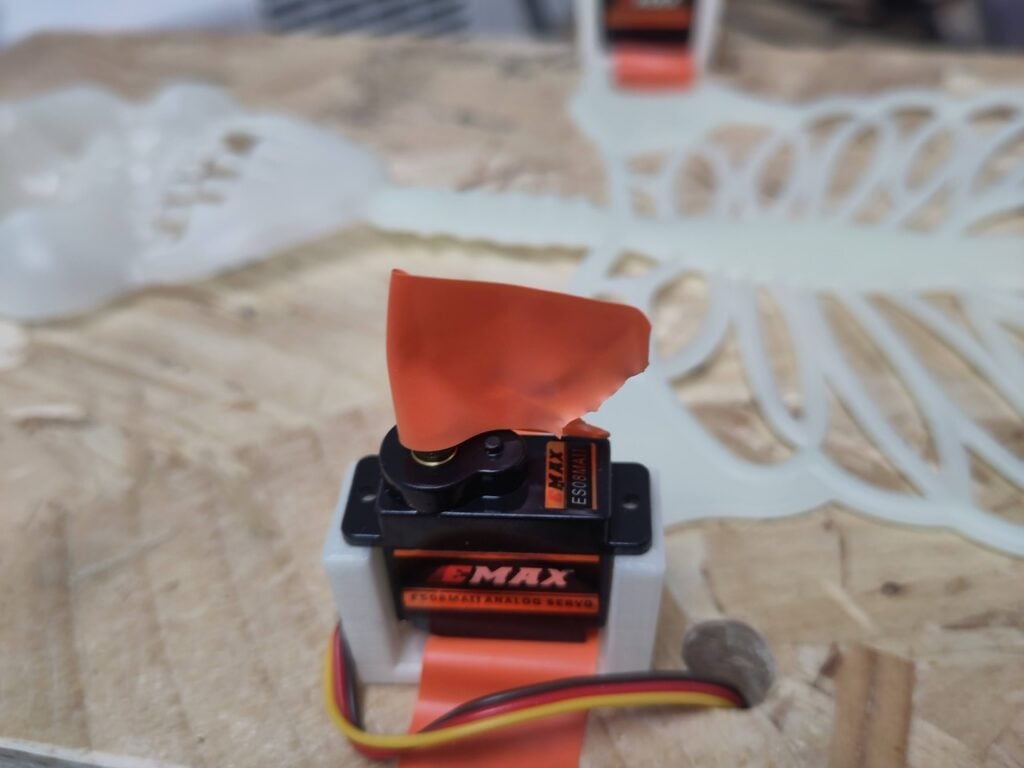
Using the Thonny IDE, developers install MicroPython onto the Raspberry Pi Pico, alongside a dedicated servo control library. A preliminary test script uses temporary electrical-tape "flags" attached to the servo shafts to verify movement ranges between "up" (90 degrees) and "down" (0 or 180 degrees). Once verified, the physical skeleton limbs are locked into place to match the calibrated servo angles.
Phase 4: Integration and Deployment
The final script integrates the distance sensor’s analog readings with the servo choreography and LED outputs. When an object—or an enthusiastic trick-or-treater—crosses a designated distance threshold, the Pico triggers the eye LEDs to flare up and commands the servos to cycle through a menacing dance routine.
Supporting Data & Technical Specifications
When designing low-voltage holiday props powered via standard USB supplies, power management is a critical consideration. The choice of 9g servos is deliberate; larger motors demand higher current draws that can easily brown out a standard microcontroller setup.

- Current Limitations: The single VBUS pin on the Raspberry Pi Pico powers four 9g servos, one analog distance sensor, and two WS2811 LEDs. Makers wishing to expand the lighting array—such as adding thunder-simulating flash LEDs—are strongly advised to introduce an external 2A power supply to avoid voltage sags.
- Sensor Range: The Sharp GP2Y0A02YK distance sensor outputs an analog voltage corresponding to objects up to 1.5 meters away. In the MicroPython script, distance is evaluated using a 16-bit unsigned integer threshold (
distance.read_u16() > 10000). Depending on whether the prop is mounted in an open porch or a narrow corridor, this threshold must be tuned to prevent false triggers from opposing walls.
Official Responses and Community Impact
Projects like the Pico-powered skeleton underscore Raspberry Pi’s ongoing transition from purely educational computing boards to versatile physical computing platforms for makers of all skill levels.
In the editorial introduction to the Raspberry Pi Book of Making 2027, the publication’s editors emphasize the community-driven nature of the annual collection: "Each month in Raspberry Pi Official Magazine, we strive to bring you an eclectic mix of DIY electronics, 3D prints, microcontrollers, sensors, motors, and other fun things to do with Raspberry Pi. This year, we’ve once again taken a selection of our favourite builds and gathered them in one place."

Hardware enthusiasts have praised the project for its low barrier to entry. By utilizing ubiquitous components—many of which can be sourced from online marketplaces for mere pocket change—the project democratizes animatronics, shifting the art form away from expensive industrial automation kits and into the realm of accessible weekend hacking.
Implications: The Democratization of Animatronics
The intersection of cheap microcontrollers like the $4 Raspberry Pi Pico and affordable sensors has profound implications for hobbyist prop-building. Historically, sophisticated animatronics required specialized programmable logic controllers (PLCs), expensive servo controllers, or complex DMX lighting rigs typically reserved for professional theater productions and theme parks.

By lowering the financial and technical threshold required to build reactive, sensor-driven installations, projects of this nature encourage computational thinking through creative output. Children and adult hobbyists alike learn core programming concepts—such as conditional logic, analog-to-digital conversion, and pulse-width modulation—not through abstract terminal windows, but through tangible, real-world interactions like making a plastic skeleton dance.
As Halloween approaches, automated displays powered by microcontrollers are set to become increasingly sophisticated. Whether deployed on a suburban front porch or showcased in a classroom maker space, these low-cost builds prove that you don’t need Hollywood budgets to conjure a bit of technical magic—just a bit of code, a handful of wires, and an inquisitive maker spirit.

Availability
The Raspberry Pi Book of Making 2027—containing the full skeleton animation guide alongside dozens of other community projects—is available now. Raspberry Pi Press has launched the book at an introductory price of £9.99 (down from £14), with physical copies available via the official Raspberry Pi store and major online booksellers including Amazon US and UK. Digital editions (PDF and ePUB) are also accessible through the revamped Raspberry Pi bookshelf application.