AWS Redefines Application Management: The Evolution of Elastic Beanstalk and the Launch of Cluster Mode
Fifteen years after its initial debut in 2011, Amazon Web Services (AWS) has radically transformed its flagship application deployment platform. AWS Elastic Beanstalk—long trusted by developers launching full-stack applications in Java, .NET, Python, Node.js, PHP, Ruby, and Go—has undergone a massive architectural overhaul. Moving far beyond its original mandate as a simple provisioning tool, the modern Elastic Beanstalk now assumes total operational responsibility for production environments throughout their lifecycle.
Today, AWS is taking this evolution to its next logical frontier by announcing the general availability of Cluster Mode. Designed specifically for engineering organizations managing sprawling portfolios of microservices, Cluster Mode leverages the robust foundation of Amazon Elastic Kubernetes Service (Amazon EKS) to offer a unified, cost-effective, and fully managed operational baseline.
Main Facts: What is Elastic Beanstalk Cluster Mode?
At its core, Elastic Beanstalk Cluster Mode is a brand-new deployment tier that abstracts away the operational friction of managing containerized applications at scale.
- The Core Value Proposition: Organizations supply their source code, Dockerfiles, or pre-built container images. AWS handles everything else—continuously deploying, scaling, patching, monitoring, and upgrading workloads for the life of the application.
- Shared Infrastructure Architecture: Unlike legacy paradigms where every application runs in an isolated infrastructure silo, Cluster Mode allows multiple applications to share a unified resource pool powered by Amazon EKS. This design significantly decreases per-application costs as portfolios scale, all without adding operational overhead.
- Unified Control: Whether a team manages ten applications or a hundred, they are all governed through a single, consistent management experience with uniform operational guarantees across every stack.
- Pricing Model: There is no additional service fee for Elastic Beanstalk Cluster Mode. Users pay strictly for the underlying AWS resources consumed, including the EKS control plane fee, EKS Auto Mode compute, Amazon Elastic Container Registry (ECR) storage, and Amazon CloudWatch telemetry. (Note: Cluster Mode is not eligible for the AWS Free Tier.)
Chronology: From Simple PaaS to AI-Powered Kubernetes Management
To understand the significance of Cluster Mode, it is helpful to trace the trajectory of AWS Elastic Beanstalk over the past decade and a half.
2011: The Inception
AWS launched Elastic Beanstalk to solve a fundamental developer pain point: the friction of provisioning and managing infrastructure (like EC2 instances and Elastic Load Balancers) manually. By letting developers upload code and letting the service manage the underlying provisioning, Beanstalk became a cornerstone Platform-as-a-Service (PaaS) offering.
2026: The Modern Reinvention Engine
Recognizing that modern application architectures require advanced observability, automation, and security, AWS spent the past several years aggressively modernizing the underlying engine of Elastic Beanstalk:

- February 2026: AWS introduced an official GitHub Action, allowing engineering teams to trigger production-grade deployments directly from existing CI/CD pipelines via simple YAML configurations.
- April 2026: The introduction of AI-powered environment analysis brought intelligent health diagnostics and automated fix recommendations directly to the console.
- Mid-2026: The infrastructure foundation was completely rebuilt to natively support OpenTelemetry-based observability, traffic-splitting deployments with automated rollbacks, event-driven autoscaling, centralized secrets management via AWS Secrets Manager, and HTTPS by default through AWS Certificate Manager.
- Today: The release of Cluster Mode seamlessly bridges traditional Beanstalk simplicity with enterprise-grade Kubernetes orchestration.
Supporting Data and Technical Implementation
Transitioning to Cluster Mode does not require throwing away existing workflows. AWS has engineered the platform to support multiple deployment inputs and management interfaces, including the AWS Management Console, the AWS Command Line Interface (CLI), the dedicated EB CLI, and standard AWS SDKs.
Getting Started via the AWS Console
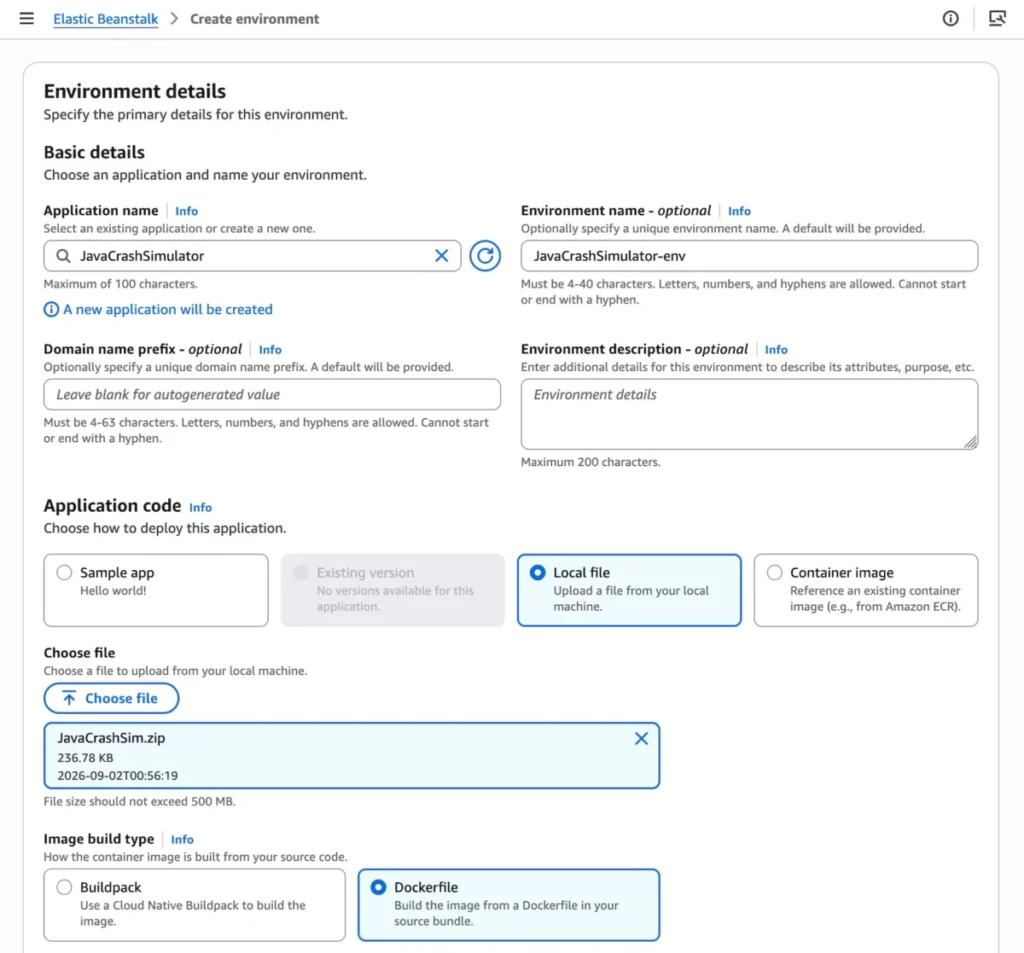
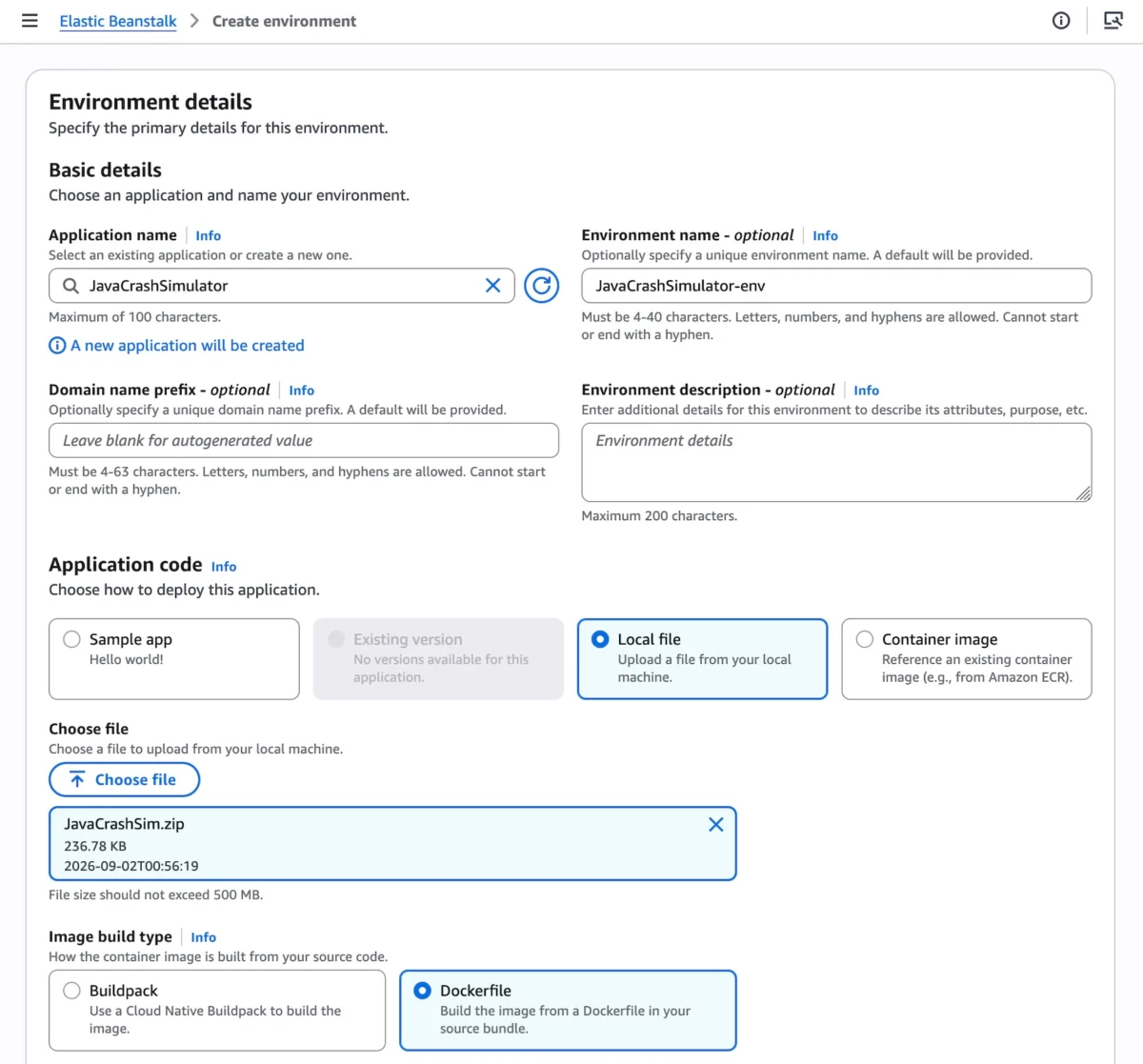
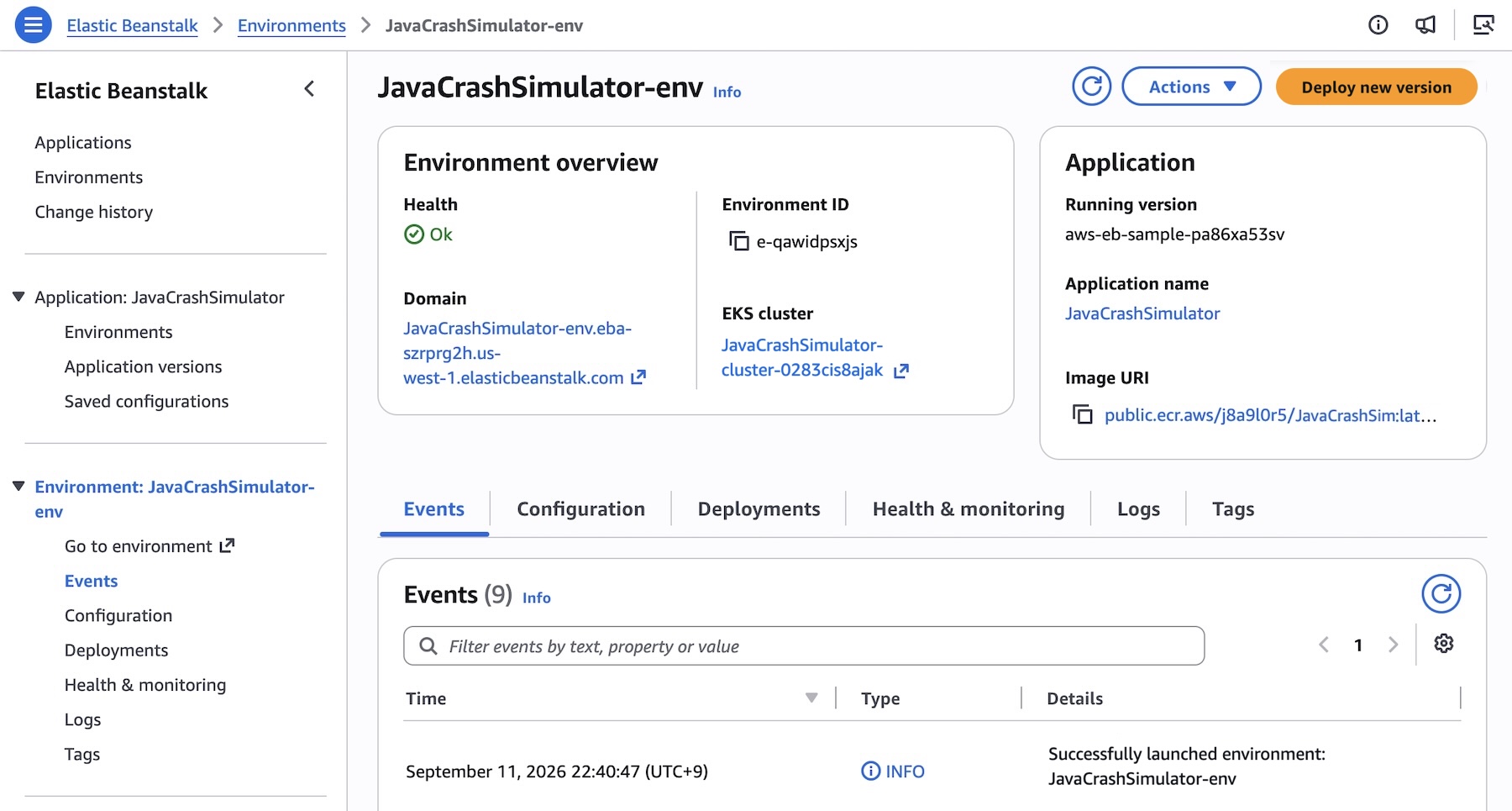
Developers navigating to the Elastic Beanstalk console can initiate a Cluster Mode deployment by creating a new environment and selecting Cluster under the Deployment type dropdown menu. Users can then supply their application artifacts via local source code files, custom Dockerfiles, or direct pointers to container images.
While the initial creation of an underlying EKS cluster for a new set of subnets takes approximately ten minutes, subsequent deployments happen rapidly by reusing the established cluster architecture.

Programmatic Deployment via AWS CLI
For organizations embracing Infrastructure-as-Code and automated pipelines, deploying complex microservice architectures can be executed programmatically. Below is an example of how engineering teams can register multiple microservice images into Amazon ECR and map them to Elastic Beanstalk application versions:
# Registering microservice images into Elastic Beanstalk application versions
APP_NAME="my-microservice"

IMAGES=(
    "frontend-v1|public.ecr.aws/my-microservices/frontend:v1"
    "cartservice-v1|public.ecr.aws/my-microservices/cart:v1"
    "paymentservice-v1|public.ecr.aws/my-microservices/payment:v1"
    "shippingservice-v1|public.ecr.aws/my-microservices/shipping:v1"
)

for entry in "$IMAGES[@]"; do
    IFS='|' read -r label uri <<< "$entry"
    aws elasticbeanstalk create-application-version
        --application-name "$APP_NAME"
        --version-label "$label"
        --image-configuration Source="Uri=$uri"
        --region "us-west-2"
    echo "Registered: $label"
done
Following version registration, teams can define specific networking, scaling, and compute parameters using JSON configuration files. For instance, a frontend service requiring an internet-facing Application Load Balancer (ALB) and explicit health-check routing can be configured with options such as:
[
    "Namespace": "aws:elasticbeanstalk:eks", "OptionName": "cluster-role", "Value": "arn:aws:iam::0123456789012:role/ClusterRole",
    "Namespace": "aws:elasticbeanstalk:eks", "OptionName": "node-role", "Value": "arn:aws:iam::0123456789012:role/NodeRole",
    "Namespace": "aws:elasticbeanstalk:eks:environment", "OptionName": "observability-role", "Value": "arn:aws:iam::0123456789012:role/ObsRole",
    "Namespace": "aws:elasticbeanstalk:eks:environment", "OptionName": "subnets", "Value": "subnet-1,subnet-2,subnet-3",
    "Namespace": "aws:elasticbeanstalk:eks:environment:autoscaling", "OptionName": "min-replica", "Value": "1",
    "Namespace": "aws:elasticbeanstalk:eks:environment:autoscaling", "OptionName": "max-replica", "Value": "2",
    "Namespace": "aws:elasticbeanstalk:eks:environment", "OptionName": "cpu", "Value": "0.5",
    "Namespace": "aws:elasticbeanstalk:eks:environment", "OptionName": "memory", "Value": "256Mi",
    "Namespace": "aws:elasticbeanstalk:eks:environment", "OptionName": "memory-limit", "Value": "512Mi",
    "Namespace": "aws:elasticbeanstalk:eks:environment", "OptionName": "service-port", "Value": "8080",
    "Namespace": "aws:elasticbeanstalk:eks:alb", "OptionName": "scheme", "Value": "internet-facing",
    "Namespace": "aws:elasticbeanstalk:eks:alb", "OptionName": "healthcheck-path", "Value": "/_healthz"
]
Executing the deployment via the CLI completes the provisioning loop:

aws elasticbeanstalk create-environment
    --application-name my-microservice
    --environment-name frontend
    --version-label frontend-v1
    --tier Name=Cluster,Type=EKS
    --option-settings file:///tmp/frontend-options.json
Coexistence: Standard Mode and Cluster Mode
AWS recognizes that large enterprises cannot—and should not—be forced into a disruptive "big bang" migration strategy. Consequently, Elastic Beanstalk Standard Mode (powered by Amazon Elastic Compute Cloud / EC2) remains fully supported.
Standard and Cluster Mode environments can run side-by-side within the exact same Elastic Beanstalk application. This architecture enables engineering groups to migrate individual environments at their own pace. Automated validation checks run prior to any modifications to ensure complete compatibility, guaranteeing that no workload is forcibly transitioned.
Standard Mode continues to serve as an ideal deployment model for monolithic applications or workloads tightly coupled to dedicated EC2 instances, while Cluster Mode provides the ultimate solution for containerized microservice architectures.
Implications for Enterprise Architecture and Developer Productivity
The launch of Cluster Mode carries profound implications for cloud architects, DevOps teams, and software engineers:
- Eradication of Operational Toil: By shifting lifetime management—including patching, autoscaling, and security baselines—to AWS, engineering organizations can redirect engineering hours away from infrastructure maintenance and toward writing core business logic.
- Democratization of Kubernetes: While Amazon EKS is the gold standard for container orchestration, managing Kubernetes clusters, ingress controllers, and networking policies typically demands specialized platform engineering expertise. Cluster Mode successfully abstracts this complexity, allowing standard application developers to leverage the power of Kubernetes without needing to master raw
kubectladministration. - Optimized Resource Economics: Running dozens of isolated microservices often leads to resource fragmentation and wasted compute capacity. By pooling multiple applications onto a shared EKS baseline, enterprises achieve higher cluster utilization density, directly driving down cloud infrastructure expenditures.
- AI-Driven Reliability: Coupled with the recently introduced AI-powered environment analysis tools, teams gain unprecedented visibility into system health, minimizing mean time to resolution (MTTR) when production anomalies arise.
Availability and Getting Started
AWS Elastic Beanstalk Cluster Mode is generally available starting today across all AWS Regions where Elastic Beanstalk is currently supported. Developers looking up regional capability roadmaps can consult the AWS Capabilities by Region directory. Furthermore, engineering teams can leverage the AWS MCP Server and associated plugins with their preferred AI coding tools to query APIs, search documentation, and troubleshoot deployments seamlessly.
AWS invites developers to test Cluster Mode directly within the Elastic Beanstalk Console. Feedback and community discussions can be directed to the AWS re:Post for Elastic Beanstalk community or through standard AWS Support channels.