Beyond the Browser: Unlocking the Hidden Power of Mozilla Firefox
For millions of users worldwide, Mozilla Firefox serves as the primary gateway to the digital world. While many treat it as a straightforward tool for navigating websites, the open-source powerhouse is, in reality, a sophisticated productivity suite disguised as a web browser. Beneath its familiar interface lies an expansive array of native features that eliminate the need for third-party extensions, external software, or constant tab-switching.

This report explores the architectural evolution of Firefox, highlighting the advanced capabilities that have transformed it from a simple renderer into a robust, all-in-one workstation for the modern power user.

The Evolution of Functionality: A Chronological Overview
Firefox’s journey has been defined by a shift from being a "lean" browser to becoming a "utility-rich" environment. In the early 2010s, the focus was almost entirely on page rendering speed and security. However, as web applications grew more complex, the Mozilla development team pivoted toward integrating "browser-native" solutions.
- The Early Foundation: Firefox established itself through its plugin architecture, allowing users to customize their experience.
- The Quantum Shift (2017): The overhaul of the browser engine introduced massive performance gains, setting the stage for the heavy-duty features we see today.
- The Productivity Era (2023–Present): Recent versions have introduced deep integration for PDF editing, AI-assisted workflows, and advanced window management, marking a shift toward replacing external desktop tools with browser-based alternatives.
Power User Features: Efficiency at Your Fingertips
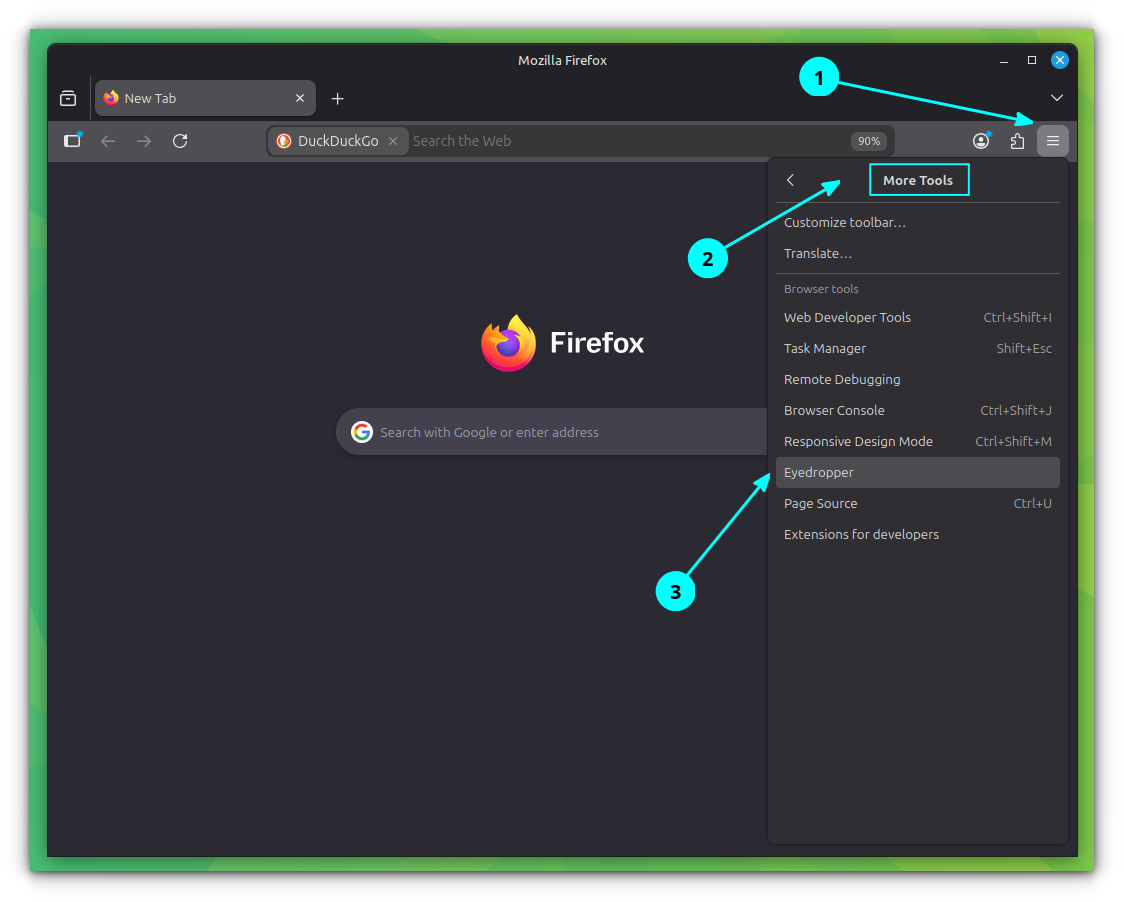
To harness the full potential of Firefox, users must look beyond the standard navigation bar. Many of these features are hidden within the "Customize Toolbar" menu (accessible via Menu > More Tools > Customize Toolbar), allowing for a personalized dashboard.
Tab Split View and Advanced Window Management
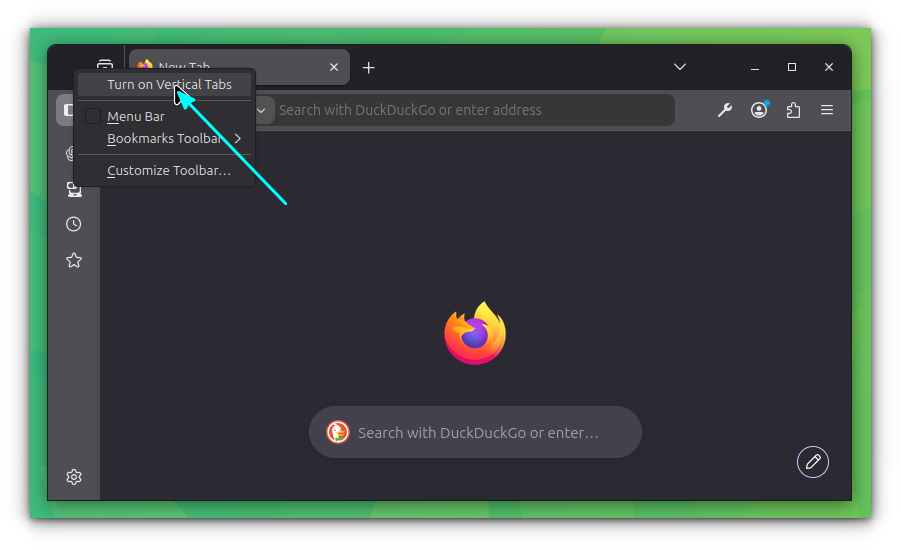
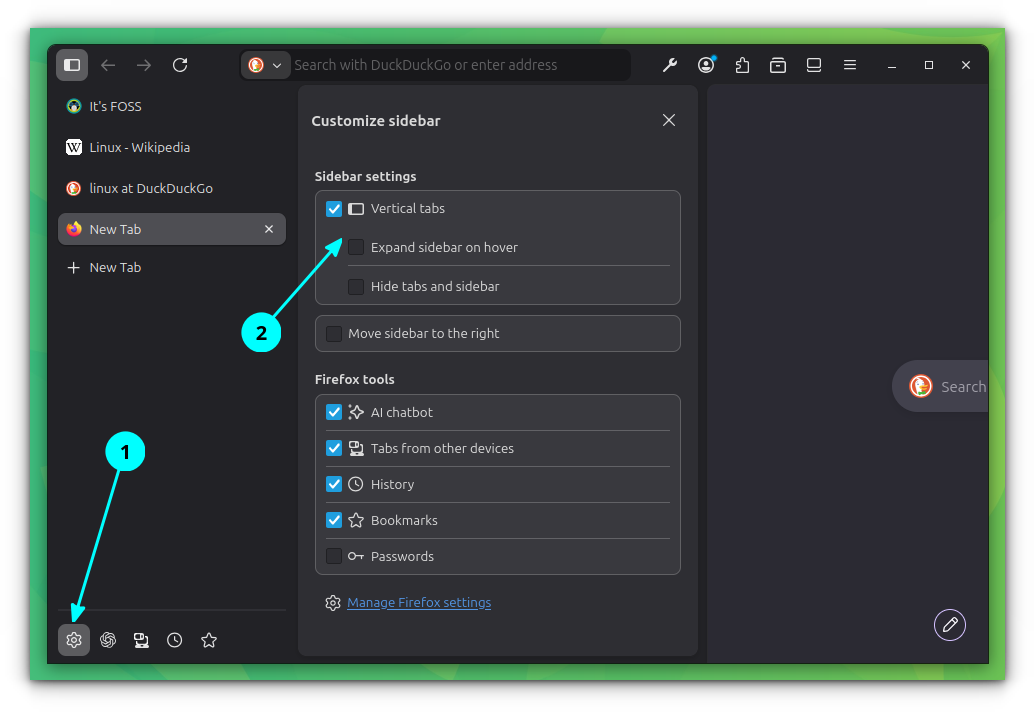
Modern ultrawide monitor users often struggle with window management. Firefox has addressed this with its Split View feature. By holding the CTRL key and selecting two tab titles, users can right-click to trigger "Open in Split View." This enables side-by-side comparison without the overhead of OS-level window snapping. Furthermore, the introduction of the Vertical Sidebar—enabled by right-clicking the tab bar—allows users to manage dozens of open projects without the "cramped" feeling of horizontal tabs.
The Integrated PDF Suite
The days of downloading external PDF editors are largely over for Firefox users. The built-in PDF viewer has evolved into a comprehensive editor, supporting:
- Annotation: Highlights, hand-drawings, and text insertion.
- Document Integrity: Users can sign PDFs directly within the interface.
- Merging Capabilities: By navigating to the "Pages" view, users can append additional documents by clicking the "Plus" icon, allowing for seamless file consolidation without compromising privacy by uploading documents to third-party "PDF Merge" websites.
Supporting Data: AI Integration and Localized Processing
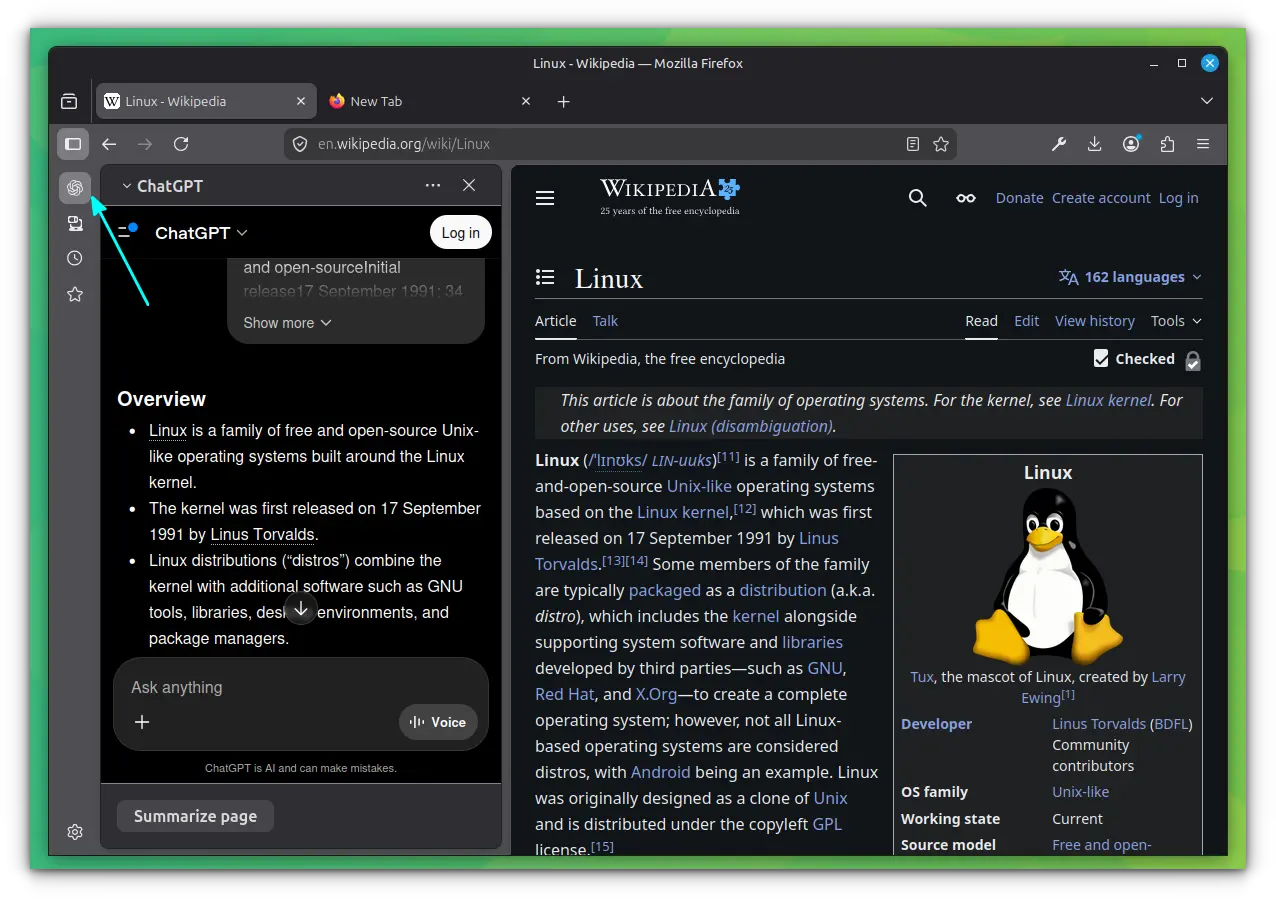
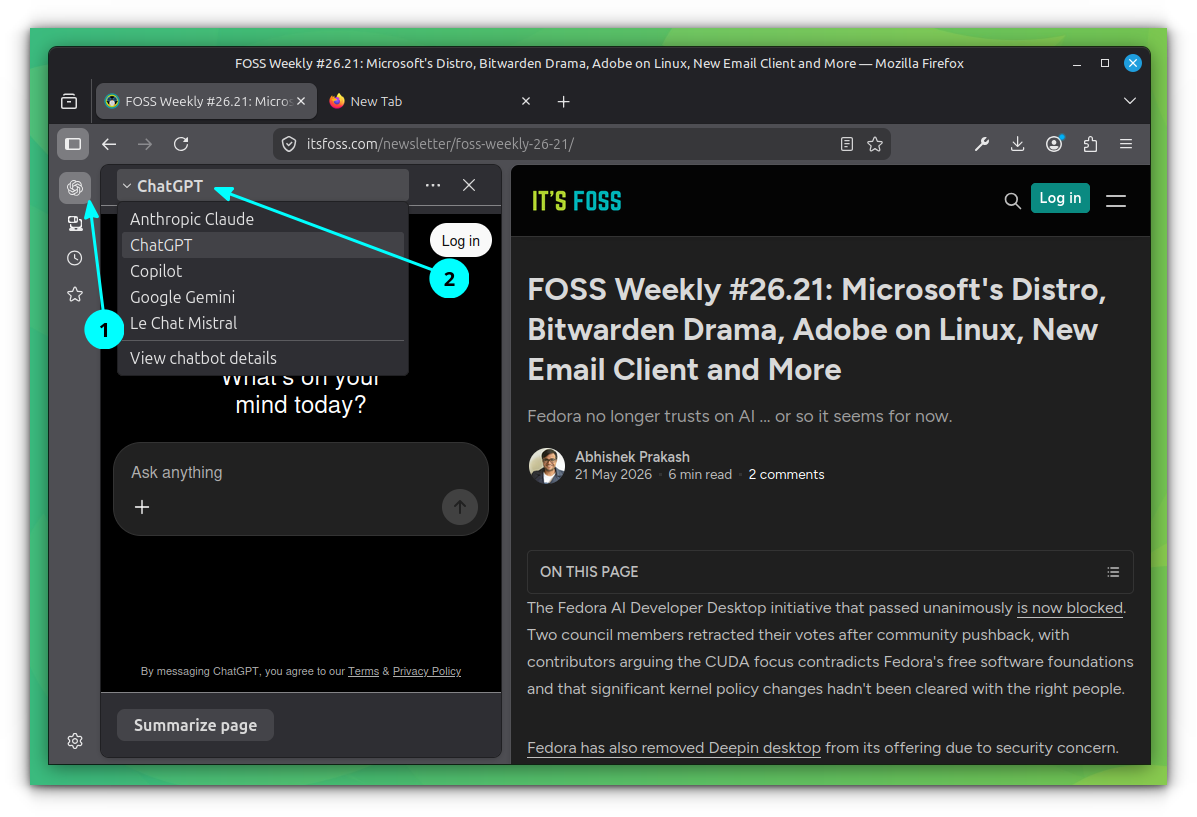
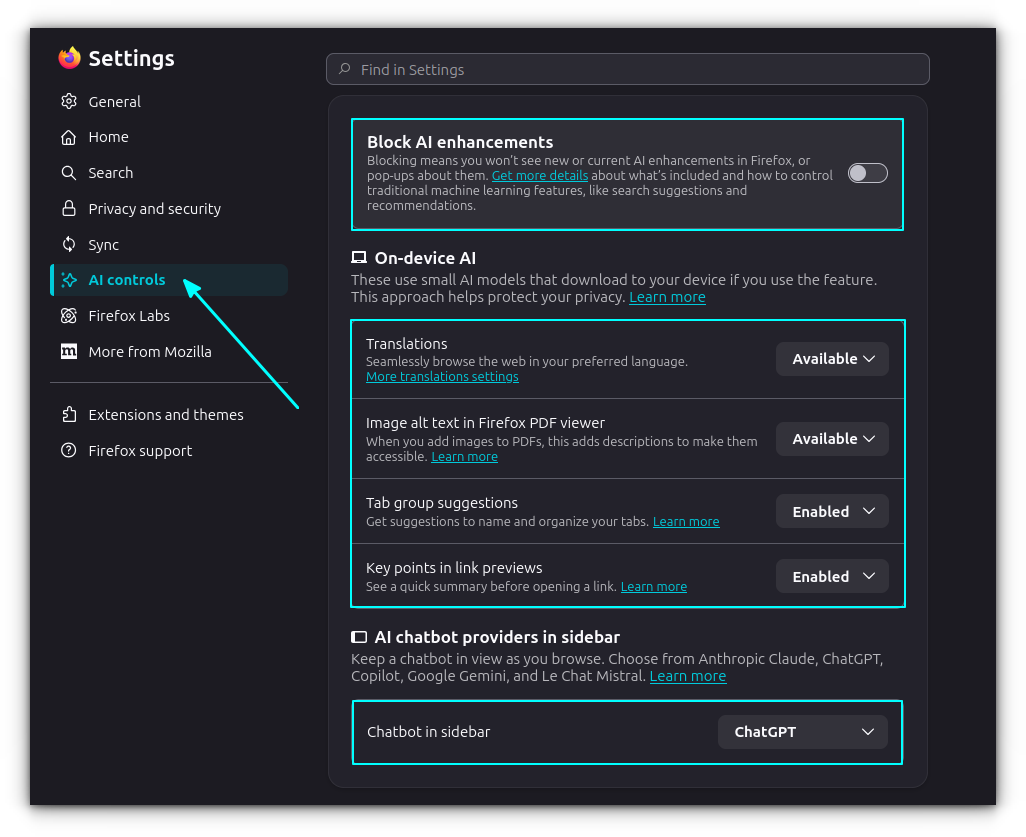
Mozilla has taken a distinct path regarding Artificial Intelligence. Rather than forcing a singular, proprietary model upon its user base, Firefox emphasizes AI flexibility.
Localized Link Previews
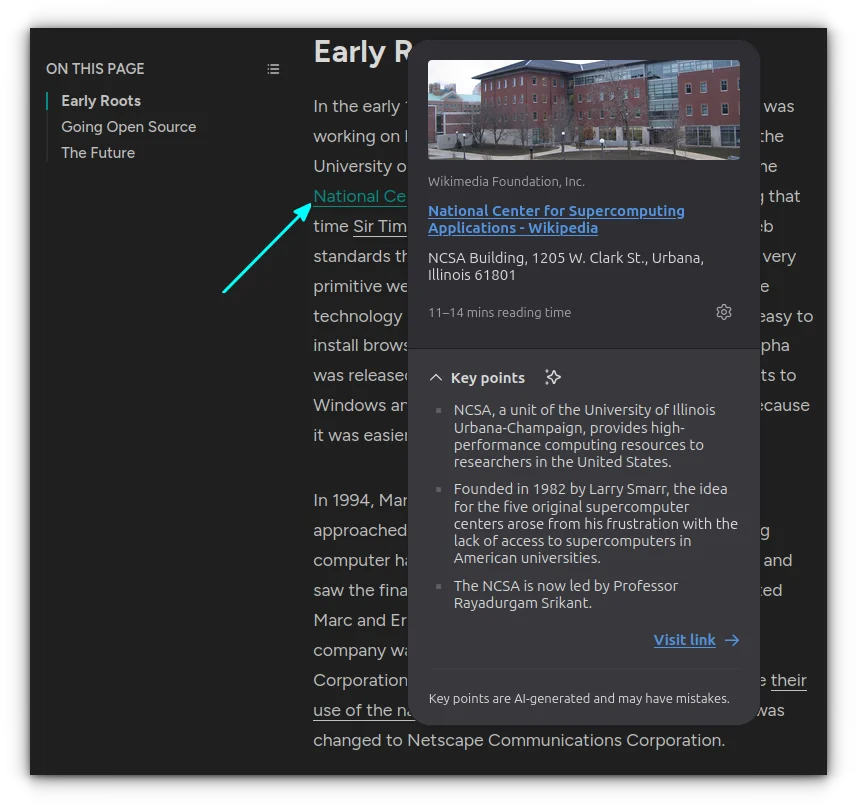
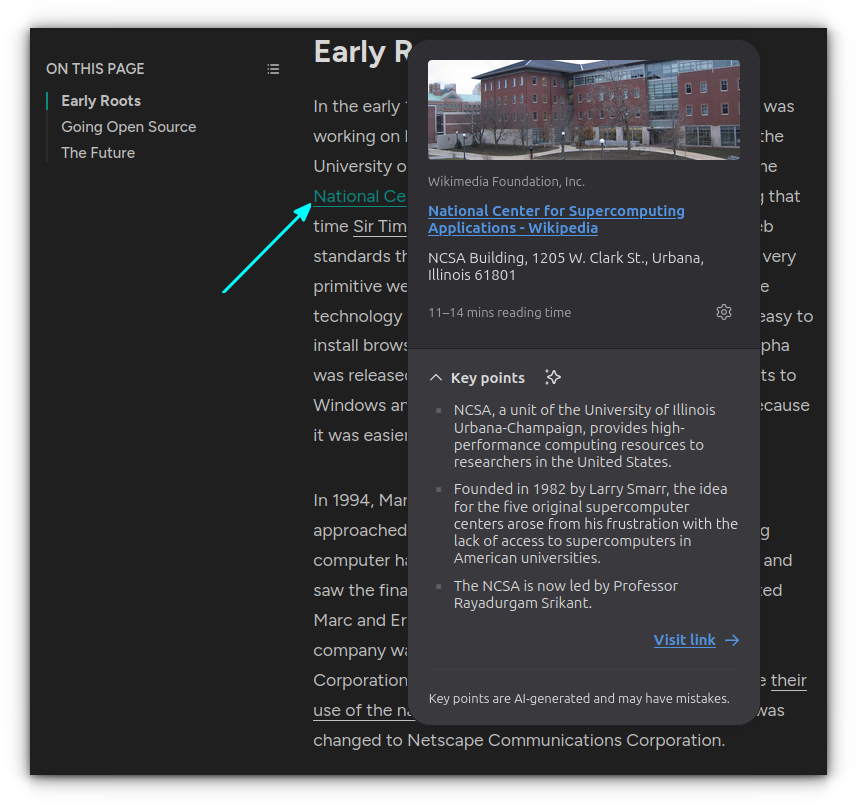
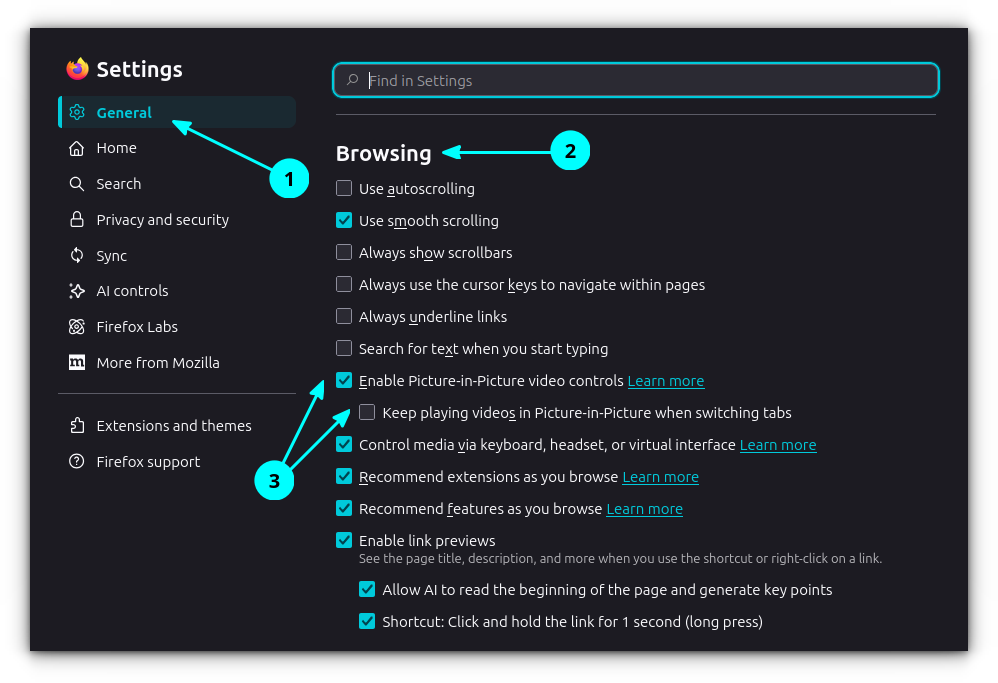
One of the most resource-intensive yet helpful additions is the AI-driven link preview. By enabling this in General Settings, users can hover over links to generate summaries and key points. Crucially, Firefox utilizes small, local machine learning models. While this results in a higher memory footprint, it ensures that user data remains private, never leaving the local device to be processed in the cloud.
Intelligent Tab Grouping
Managing "tab bloat" is a common productivity hurdle. Firefox’s AI-powered grouping allows users to right-click a tab and select "Suggest more of my tabs." The browser then analyzes the content of all open windows, identifying thematic relationships and grouping them into labeled, color-coded categories. This automated organization significantly reduces cognitive load for researchers and power users.
Official Responses and Philosophical Stance
Mozilla’s decision to integrate these features into the core browser—rather than relying on the "extension ecosystem"—is rooted in their philosophy of user autonomy and security.
In internal documentation and public developer forums, Mozilla engineers have noted that "browser-native features provide a consistent performance baseline." By avoiding third-party extensions for common tasks like taking screenshots or editing PDFs, users are shielded from potential data scraping and performance bottlenecks associated with unvetted code. This approach has positioned Firefox as the "privacy-first" choice for users who require enterprise-grade tools without the privacy trade-offs common in Chromium-based browsers.
Implications for Workflow and Privacy
The implications of these tools are significant for both individual users and the broader software market.
The Death of the "Single-Task" Browser
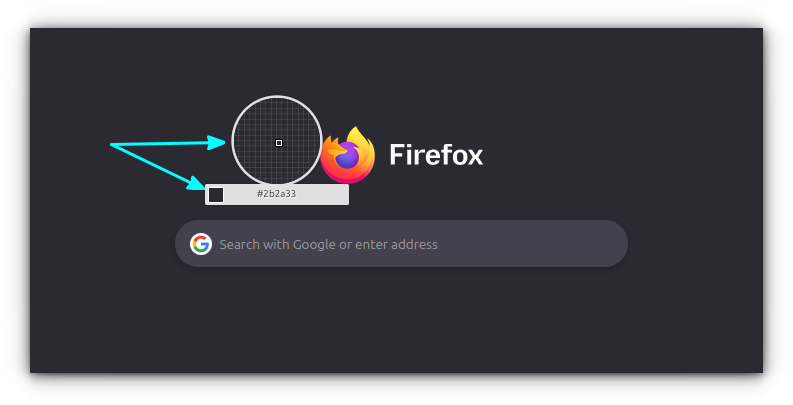
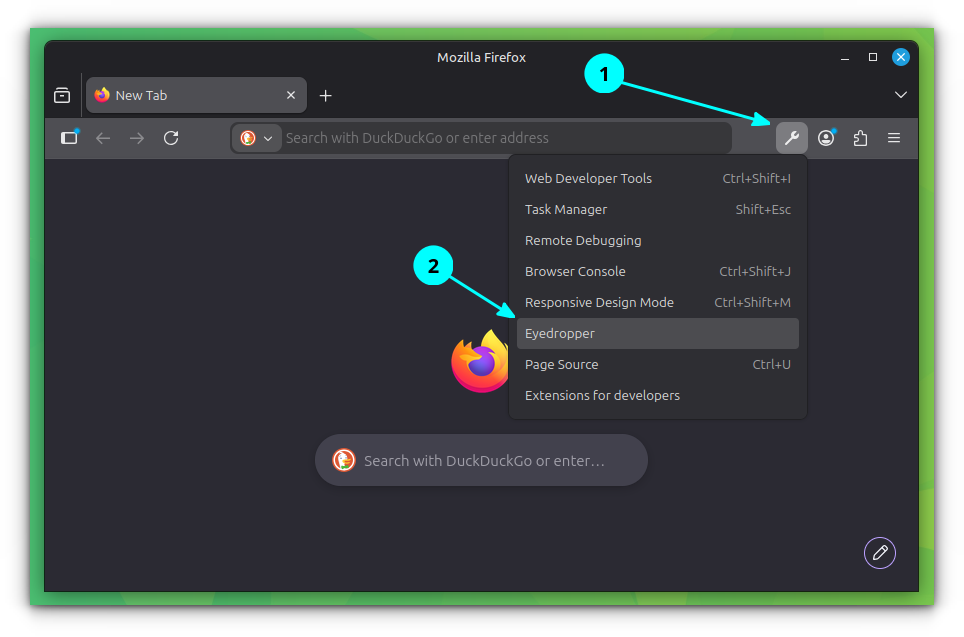
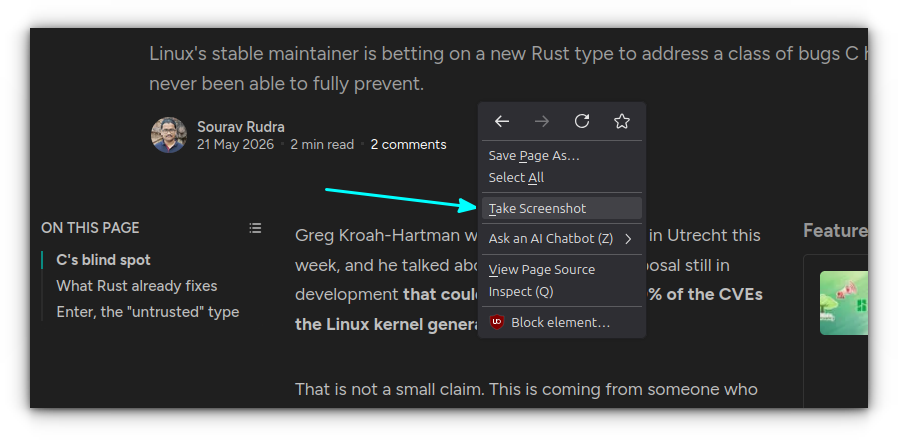
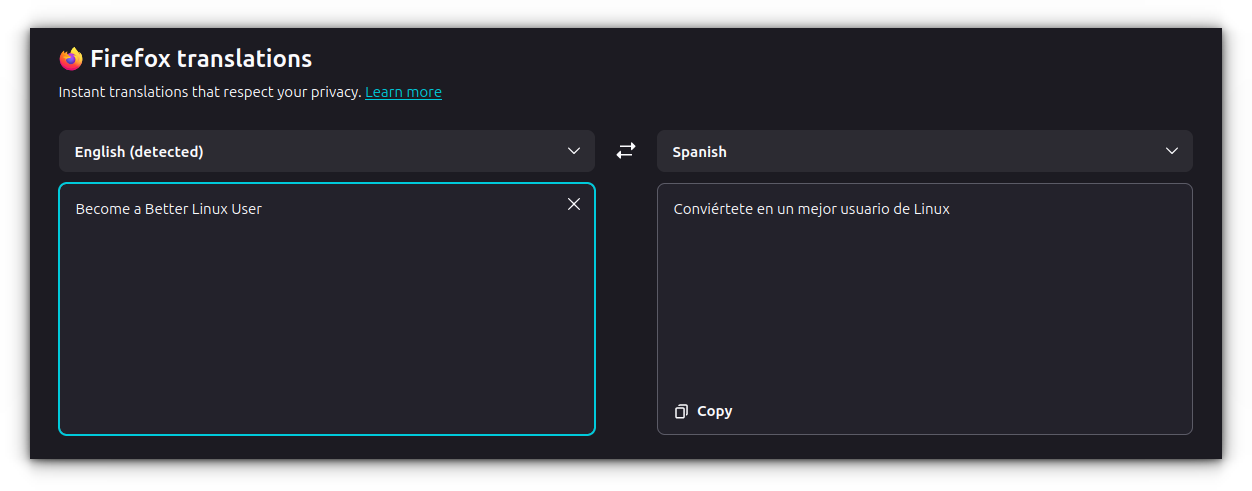
By integrating tools like the Color Picker, Full-Page Screenshot tool, and Real-time Translation, Firefox is effectively reducing the "context-switching" cost of digital work. Instead of leaving the browser to open a graphics editor or a translation app, users stay within their flow state.
Privacy and Data Control
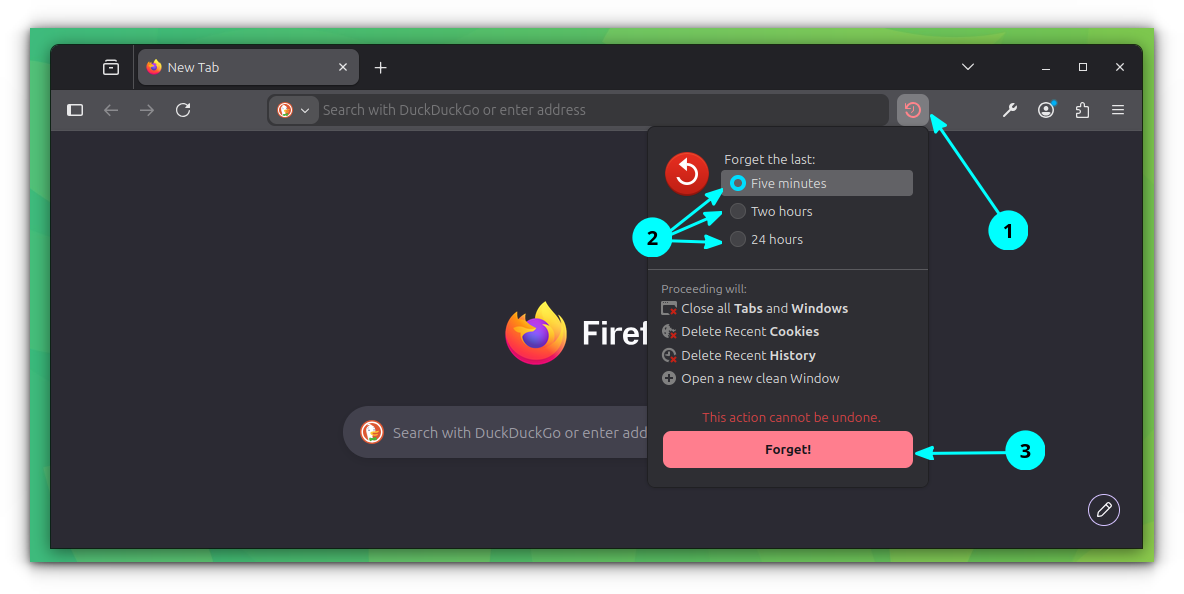
The "Quick Forget" feature represents a bold step in digital hygiene. By allowing users to wipe their history for specific time intervals (e.g., the last five minutes or two hours) directly from a toolbar button, Mozilla is prioritizing the user’s right to "digital amnesia." This is a stark contrast to advertising-driven browsers that rely on tracking user history to fuel revenue models.
Technical Appendix: Customization and Experimental Modes
For those looking to push the boundaries, Firefox offers two "hidden" interfaces:
about:config: This is the heart of Firefox’s experimental engine. Users can modify deep-level UI settings, such aswidget.gtk.rounded-bottom-corners.enabledto match specific desktop environments like GNOME. Note: Caution is advised, as these settings can impact system stability.about:keyboard: A dedicated experimental page for remapping shortcuts. This allows users to create a bespoke navigation experience, tailoring the browser’s response to their specific muscle memory.- Firefox Labs: Located within the main settings menu, this portal provides early access to features like Tab Notes and Task-based widgets, allowing the community to test and provide feedback on upcoming stable releases.
Conclusion: A New Standard for Browsing
Mozilla Firefox has evolved into a sophisticated digital ecosystem. Whether it is the ability to listen to long-form articles via the "Read Aloud" feature in Reading Mode, or the efficiency of the Task Manager (accessible via Shift + Esc) to isolate memory-hungry processes, the browser is designed for those who view the web as a workspace rather than just a destination.
As the digital landscape becomes increasingly cluttered with tracking scripts and intrusive ads, Firefox’s commitment to providing "all-in-one" native tools serves as a blueprint for the future of ethical, efficient, and user-centric software. By mastering these lesser-known features, users do not just browse the web—they command it.