Brave Browser 1.92 Brings Native Container Isolation: A Deep Dive into the Future of Browser Privacy

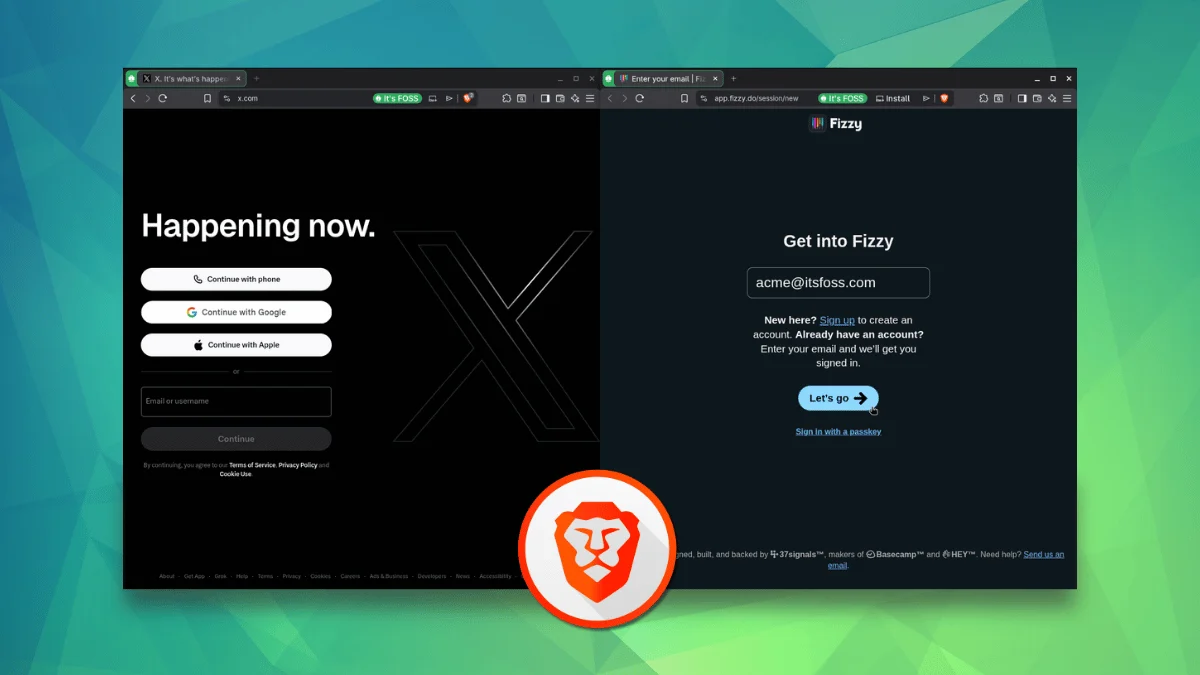
The landscape of web privacy has undergone a significant shift with the release of Brave Browser 1.92. Long considered the "gold standard" for users seeking an alternative to Google Chrome that retains Chromium compatibility, Brave has finally introduced a feature that many power users have been clamoring for: Native Container Isolation.
For years, users of Mozilla Firefox have enjoyed the luxury of "Multi-Account Containers," a feature that essentially sandbox-isolates browsing sessions. With version 1.92, Brave has brought this functionality into the Chromium ecosystem, marking a milestone for users on Linux, Windows, and macOS who require strict data compartmentalization without the need for third-party extensions.
The Core Concept: What Are Containers?
At its most fundamental level, a "container" in a web browser is a logical sandbox that separates cookies, local site data, and cache from the rest of the browser’s environment.
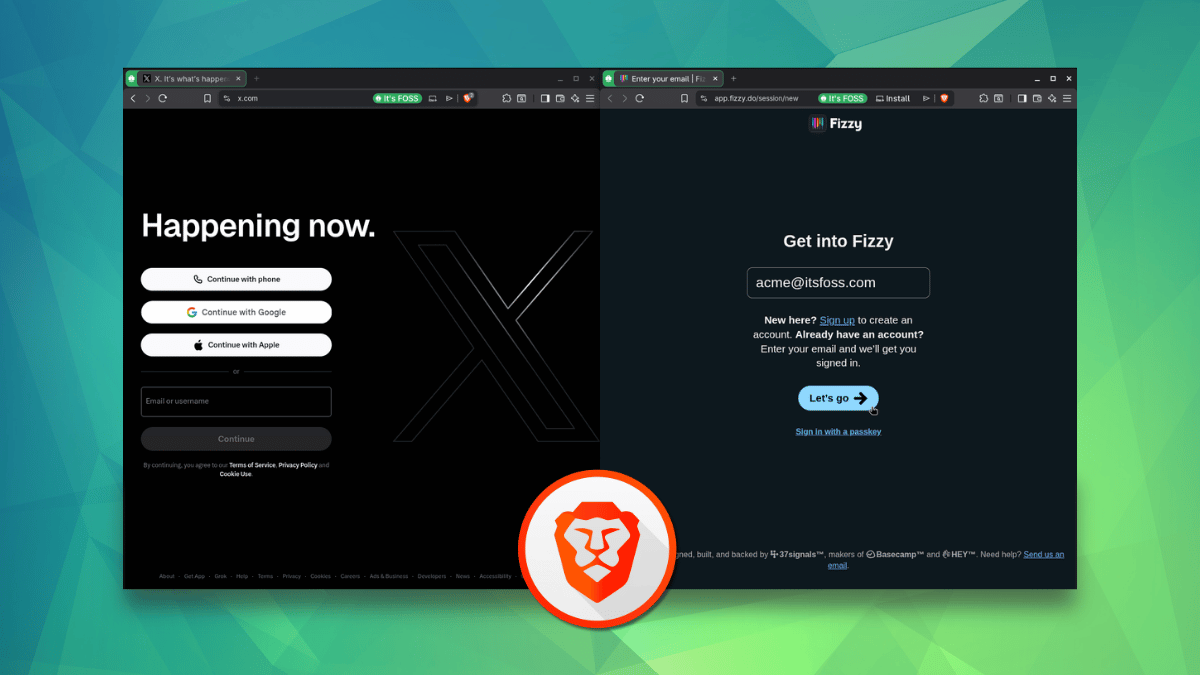
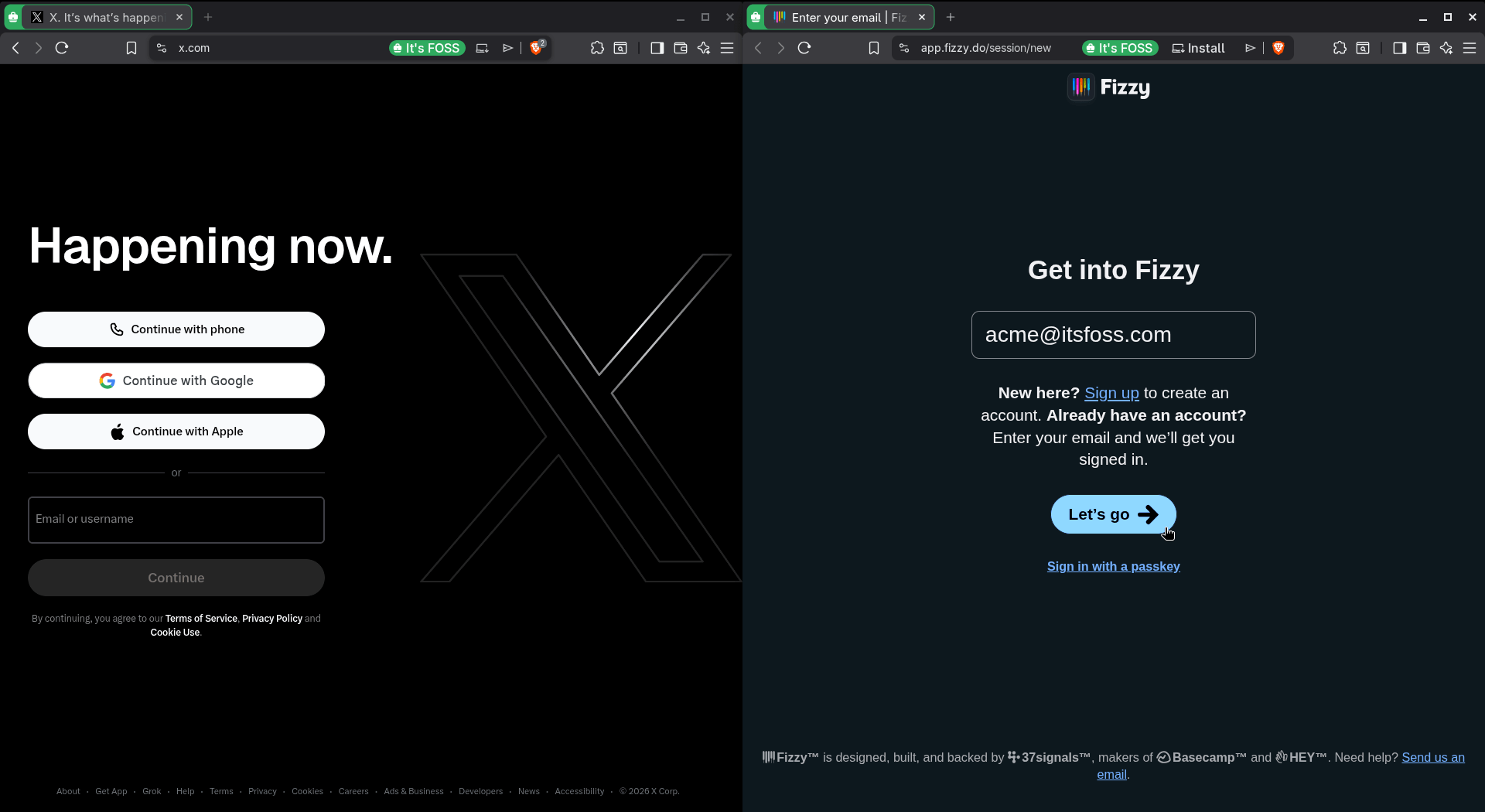
In a standard browsing session, if you log into a social media site and then navigate to a news portal, trackers often use cross-site scripting and shared cookies to "follow" you across the web. While Brave’s legendary shield-based tracking protection has always mitigated much of this, Containers take it a step further. By placing your "Work" activities in one container and your "Personal" or "Social" browsing in another, you ensure that the data stored by a website in one container is completely invisible and inaccessible to any other container.
Even if you visit the same website in two different containers, they operate as if they are running in two completely separate, "clean" browser instances. This is the ultimate tool for users who maintain multiple identities, juggle professional and personal accounts, or simply wish to prevent tech giants from building a unified profile of their online behavior.
A Chronology of the Container Paradigm
To understand why this launch is significant, we must look at the history of the concept. The roots of browser-based containerization trace back to 2015, when Mozilla published a seminal conceptual document via its "Contextual Identity Project."

The Mozilla Influence
Mozilla’s original pitch was visionary: provide users with a way to compartmentalize their digital life. They envisioned an architecture where the browser could handle "identities"—such as banking, social, or shopping—as distinct, isolated environments. This eventually materialized into the built-in Container feature in Firefox, later bolstered by the popular "Multi-Account Containers" extension. This extension added site-specific auto-assignment and, crucially, cross-device syncing, making it a favorite among privacy enthusiasts.
The Chromium Shift
While Chromium-based browsers (including Chrome, Edge, and Brave) have traditionally relied on "Profiles" to achieve separation, Profiles are heavy-handed. Switching between profiles usually requires opening an entirely new browser window, which breaks the flow of a single, unified workflow.
Brave’s implementation is different. It keeps everything within the same browser instance, allowing users to switch between "Personal," "Work," "Social," and "School" environments with a simple click or via specific tab management. By integrating this directly into the engine, Brave avoids the potential security vulnerabilities and performance overhead associated with third-party extensions.
Deep Dive: Features and Functionality
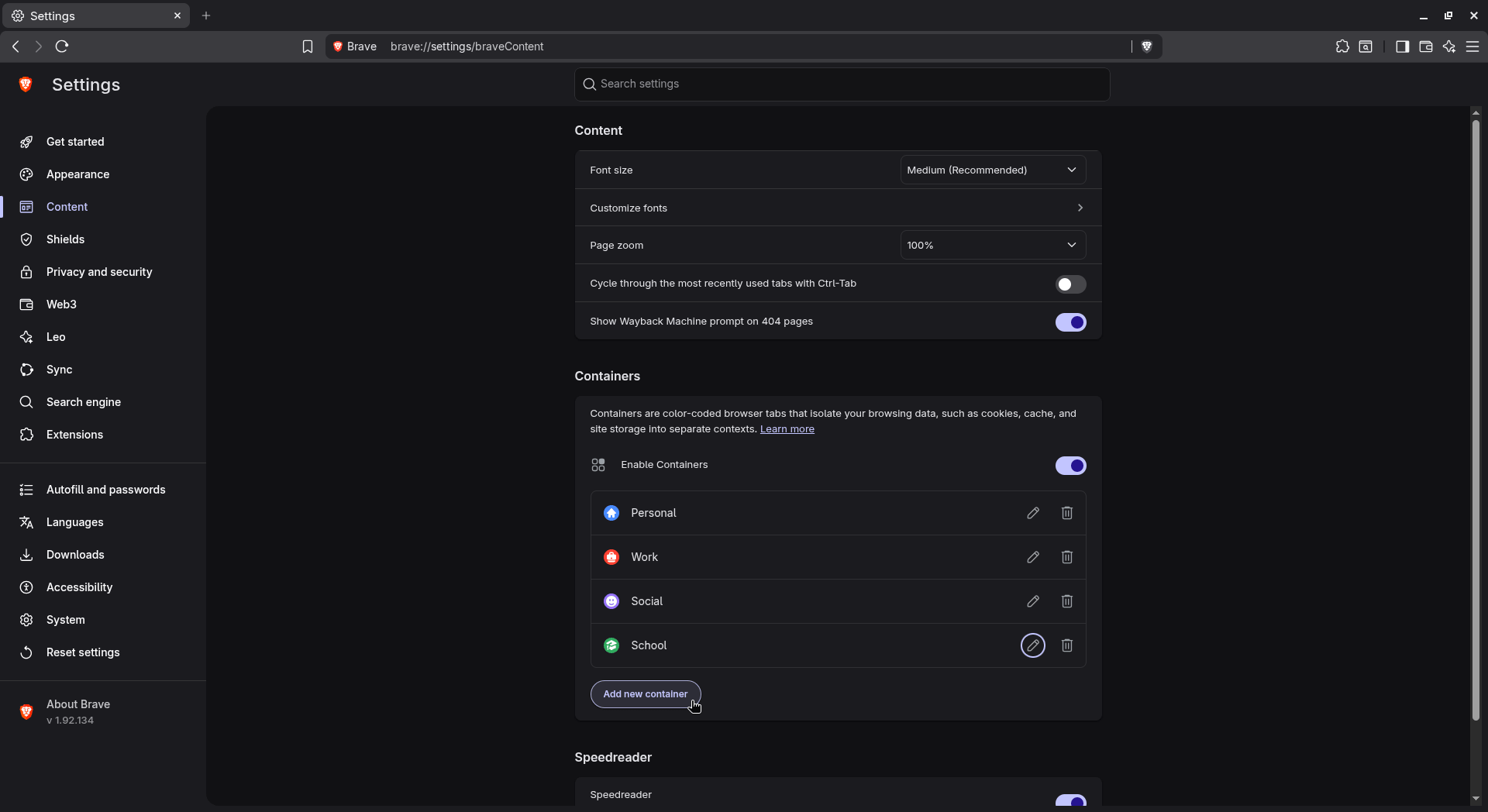
Brave has not just ported the concept; they have refined it. Upon installing version 1.92, users will find a pre-configured suite of containers.
The Default Categories
Out of the box, Brave provides four distinct categories:
- Personal: For general browsing, shopping, and entertainment.
- Work: Designed to hold professional email, project management tools, and business applications.
- Social: Dedicated to keeping your social media footprint from leaking into your other browsing activities.
- School: A focused environment for research and academic portals.
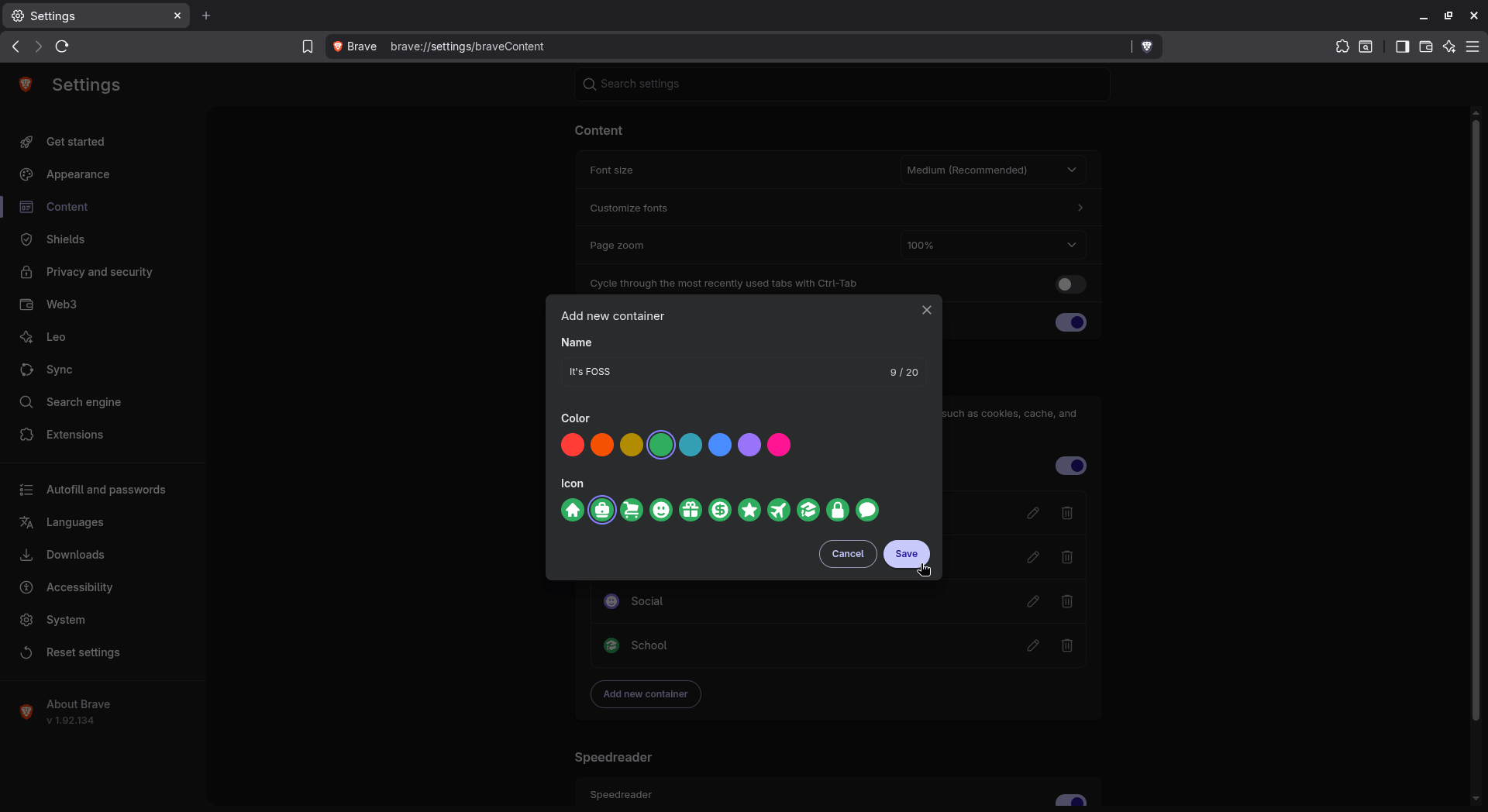
These categories are fully customizable. Users can rename them, assign distinct colors for quick visual identification, and select unique icons to differentiate them at a glance.
The Innovation: Temporary Containers
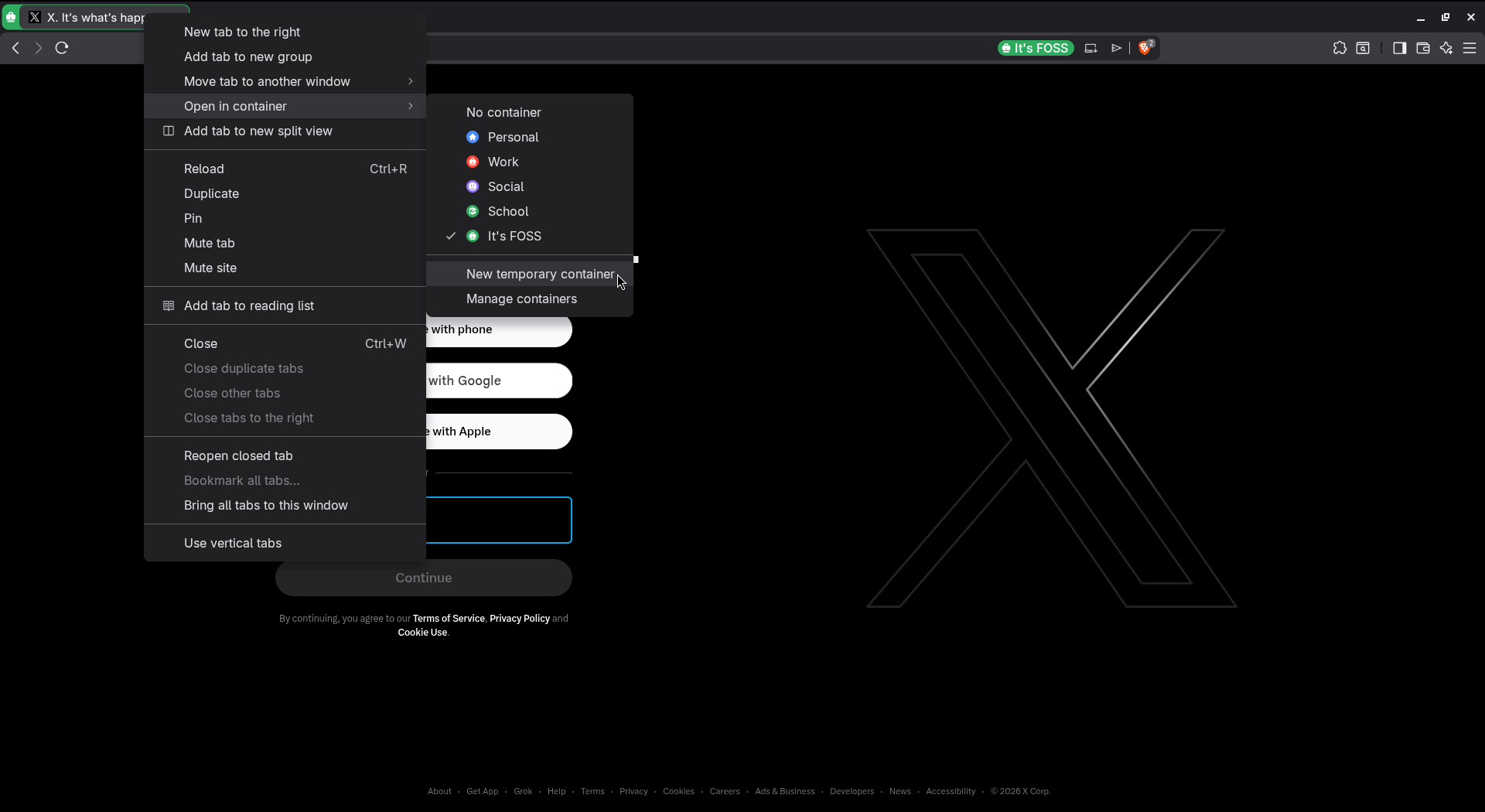
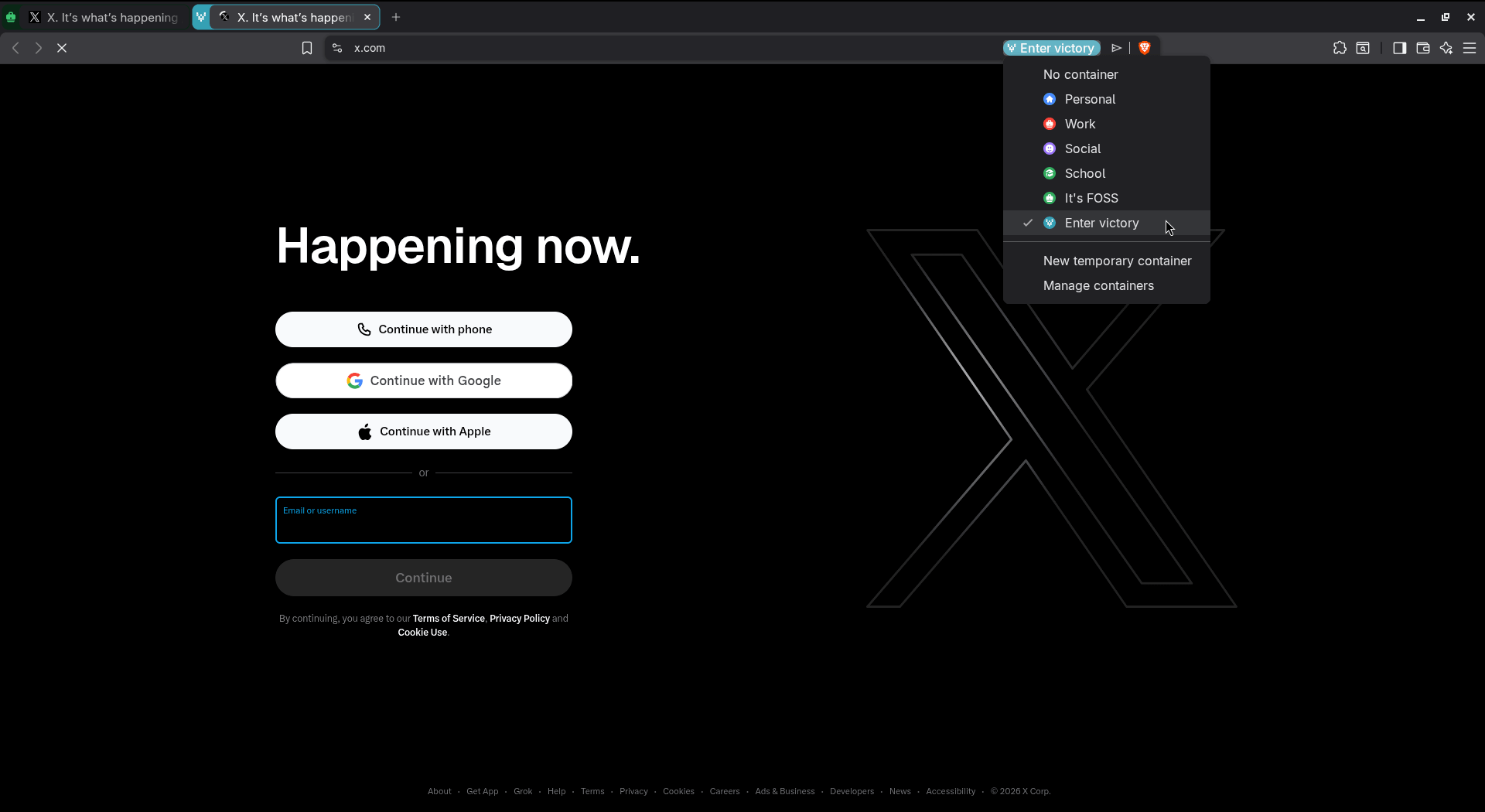
Perhaps the most impressive addition is the "Temporary Container" feature. Accessed via a quick right-click menu, this allows a user to spin up a sandbox on the fly. As the name implies, these are ephemeral—once you close the tab, the container and all associated data vanish.
This is a boon for "one-off" tasks. For instance, if you need to log into a client’s portal for five minutes, you can do so in a temporary container. You don’t have to worry about clearing your history later or accidentally staying logged in; the browser handles the "self-destruct" sequence for you. The implementation is seamless, with the browser automatically assigning a random, evocative name—such as "Enter victory" or "Silent breeze"—to each temporary instance.
Technical Implications: Why This Matters
The implications of this update for the broader web ecosystem are profound. By bringing containerization to the Chromium platform, Brave is effectively pressuring other Chromium-based browsers—including Google Chrome and Microsoft Edge—to address the privacy concerns that Containers solve.
Privacy vs. Convenience
The primary tension in modern web design is between convenience (the "Single Sign-On" convenience of Google or Microsoft) and privacy (the ability to remain anonymous). Containers offer a "middle way." They allow for the convenience of being logged into multiple accounts simultaneously while ensuring that no single entity can track your movement across those identities.
Performance and Resource Management
One common fear with advanced privacy features is "browser bloat." However, by baking this into the core of Brave 1.92, the developers have ensured that the memory overhead is minimal. Unlike launching multiple Profiles, which requires the browser to spawn entirely new processes, Containers leverage the existing process model in a more efficient, compartmentalized way. This makes the feature accessible even on lower-end hardware, including the various Linux distributions where Brave has gained a massive following.
Getting Started: Enabling the Feature
Because this feature is being rolled out gradually to ensure stability, not every user will see the option in their settings immediately. If you are eager to take control of your digital identity, you can force-enable the feature using the following steps:
- Update Your Browser: Ensure you are running at least version 1.92.
- Access Experimental Flags: Open a new tab and navigate to
brave://flags. - Search for Containers: Use the search bar to look for the "Containers" flag.
- Activate: Select "Enabled" from the dropdown menu and relaunch the browser.
- Final Configuration: Navigate to
Settings > Content > Containersto manage your categories and preferences.
This process is uniform across all supported platforms, including the privacy-centric Brave Origin build for Linux, which remains a cornerstone of the project’s commitment to open-source accessibility.
Official Stance and Future Outlook
While Brave has not yet released a detailed whitepaper on the long-term roadmap for Containers, the move is widely viewed as a signal that the company is doubling down on its commitment to being the most "privacy-respecting" browser in the market.
In early communications, the development team highlighted that this is merely the first iteration. Future updates are expected to include more granular control over cookie policies within specific containers, as well as the ability to force specific domains to always open in a specific container (e.g., forcing all Google-related traffic into a dedicated "Search" container).
Conclusion: A New Standard for the Browser
The introduction of native containers in Brave 1.92 is more than just a feature update; it is an acknowledgment that the modern user needs more control over their digital existence. By empowering users to isolate their workflows, Brave is helping to dismantle the "one-size-fits-all" tracking model that has defined the web for the last decade.
As the browser continues to iterate on this feature, it is likely that Containers will move from being a "power-user" tool to a standard component of the web experience. For those who value their privacy, their sanity, and their organizational efficiency, Brave 1.92 is an essential upgrade. Whether you are managing multiple professional identities, preventing trackers from building a profile on your browsing habits, or simply wanting to keep your school work separate from your personal life, the new Container system offers a robust, elegant, and—most importantly—native solution.
In a world where our browser is our primary interface with the digital world, the ability to curate and isolate that experience is not just a luxury; it is a necessity. With this release, Brave has once again proven that it is listening to its community, providing the tools necessary to navigate an increasingly complex and tracked internet with confidence.