Bridging the Gap: How itch.io’s New GUI Integration is Revolutionizing Game Distribution
The landscape of indie game development has long been defined by the tension between creative freedom and technical maintenance. For years, itch.io has served as the primary sanctuary for independent developers, offering a platform that prizes accessibility and experimentation. However, the technical infrastructure required to maintain a living game—specifically the process of pushing updates—has historically favored those comfortable with command-line interfaces.
This week, itch.io announced a significant paradigm shift. With the latest update to the itch.io desktop application, the platform has officially integrated "Butler," its proprietary deployment tool, directly into a user-friendly Graphical User Interface (GUI). This development marks a pivotal moment in the platform’s history, effectively democratizing the power of delta-patching and streamlined version control for developers of all skill levels.
The Technical Backbone: Understanding Butler
To appreciate the significance of this update, one must understand the technology it leverages. Butler is not merely an upload tool; it is a sophisticated deployment engine designed to optimize the delivery of software. Unlike traditional browser-based uploads, which require developers to manually package and upload entire game builds every time a minor bug is fixed, Butler operates on the principle of "delta-patching."
When a developer uses Butler to push a build, the system performs a comparative analysis between the current local files and the previous version hosted on itch.io’s servers. It then calculates the precise differences—the "delta"—and uploads only those modified, added, or deleted segments. For the end-user, this means that updating a game is no longer a laborious process of downloading a massive, multi-gigabyte file. Instead, the itch.io app performs a surgical update, downloading only the necessary patches. This efficiency saves bandwidth for the developer, reduces server load for the platform, and creates a seamless, frictionless experience for the player.
Previously, this power was gated behind the terminal. Developers had to navigate command-line prompts, manage API keys, and manually execute scripts. While powerful, this barrier to entry excluded a vast segment of the community—artists, designers, and hobbyists who preferred an intuitive interface over a command prompt.
Chronology of an Evolution
The road to this GUI integration has been paved by years of user feedback and iterative platform development.
- The Early Days: Butler was introduced as a command-line interface (CLI) to provide a robust solution for developers to manage their project channels (e.g.,
windows-beta,linux-arm64). It immediately set a standard for speed and reliability, but was criticized for its steep learning curve. - The Rise of the App: The itch.io desktop app was launched to simplify the consumption of games, allowing users to manage their libraries, receive automatic updates, and launch titles with ease. However, the creation side of the app remained relatively stagnant compared to the web dashboard.
- The Integration Phase: In recent months, the itch.io development team focused on bridge-building—connecting the backend capabilities of Butler with the frontend accessibility of the desktop app.
- The Launch: With the release of version
v26.12.0of the app, the "Upload" tab was officially debuted. This launch represents the culmination of a long-standing initiative to unify the development and management experience under one roof.
A New Workflow: The "Builds" Page
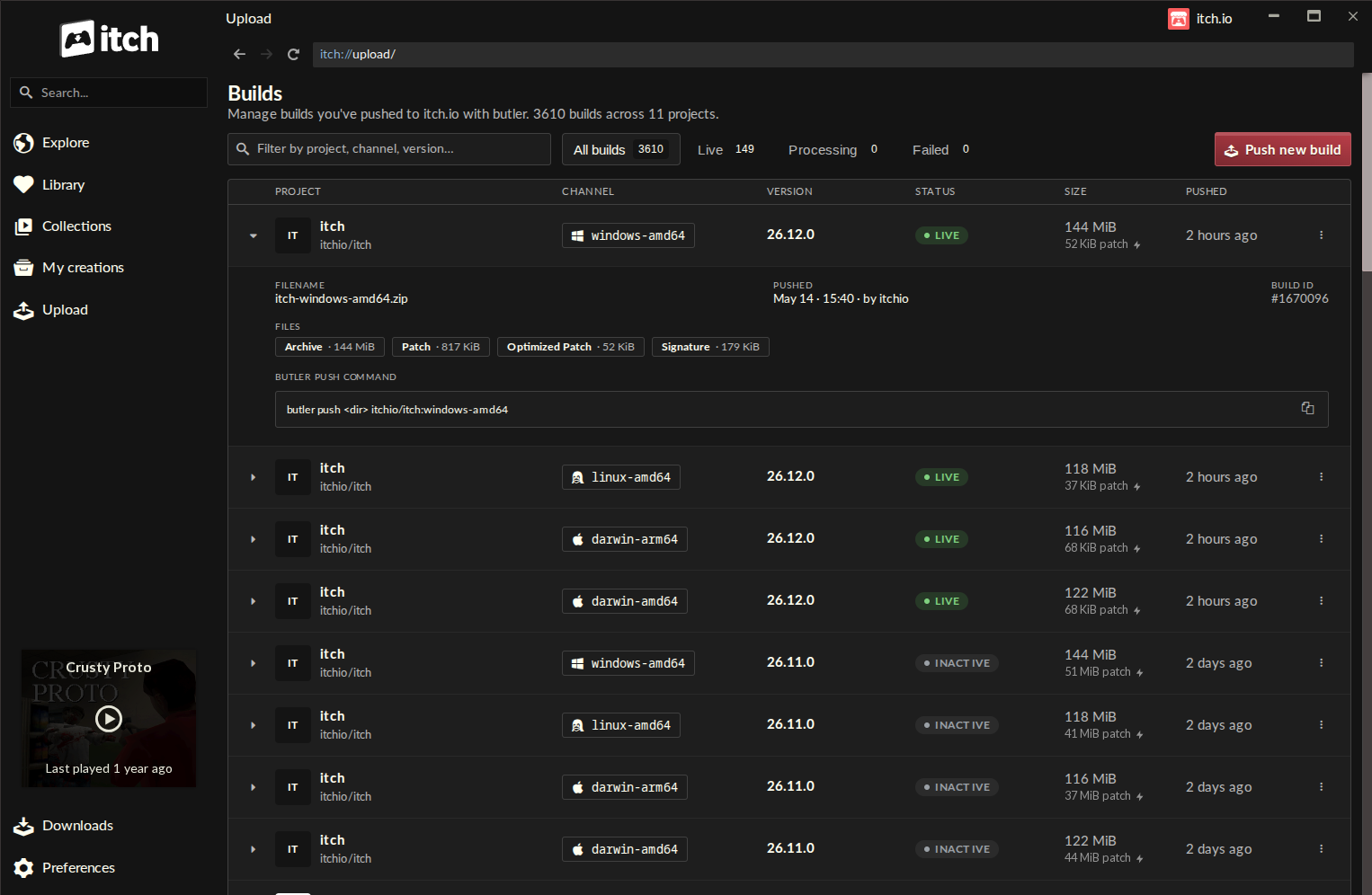
The cornerstone of this update is the new "Builds" page, located conveniently in the app’s sidebar. This centralized dashboard offers a birds-eye view of every build associated with a developer’s account.
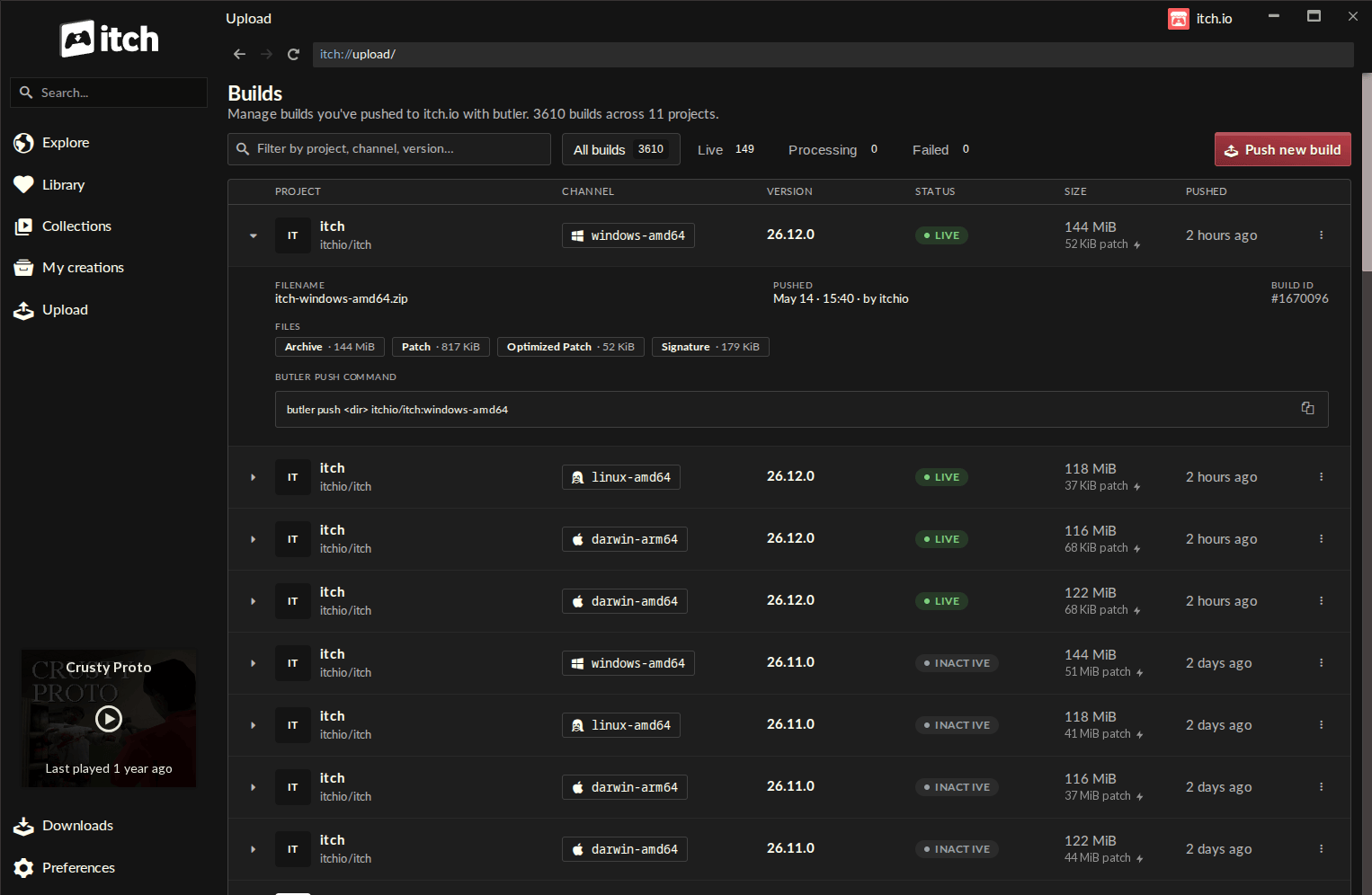
Key Features of the New Interface:
- Comprehensive Inventory: Each row on the Builds page provides metadata including the project name, the specific channel, the current version, the status of the build, the file size, and the timestamp of the last push.
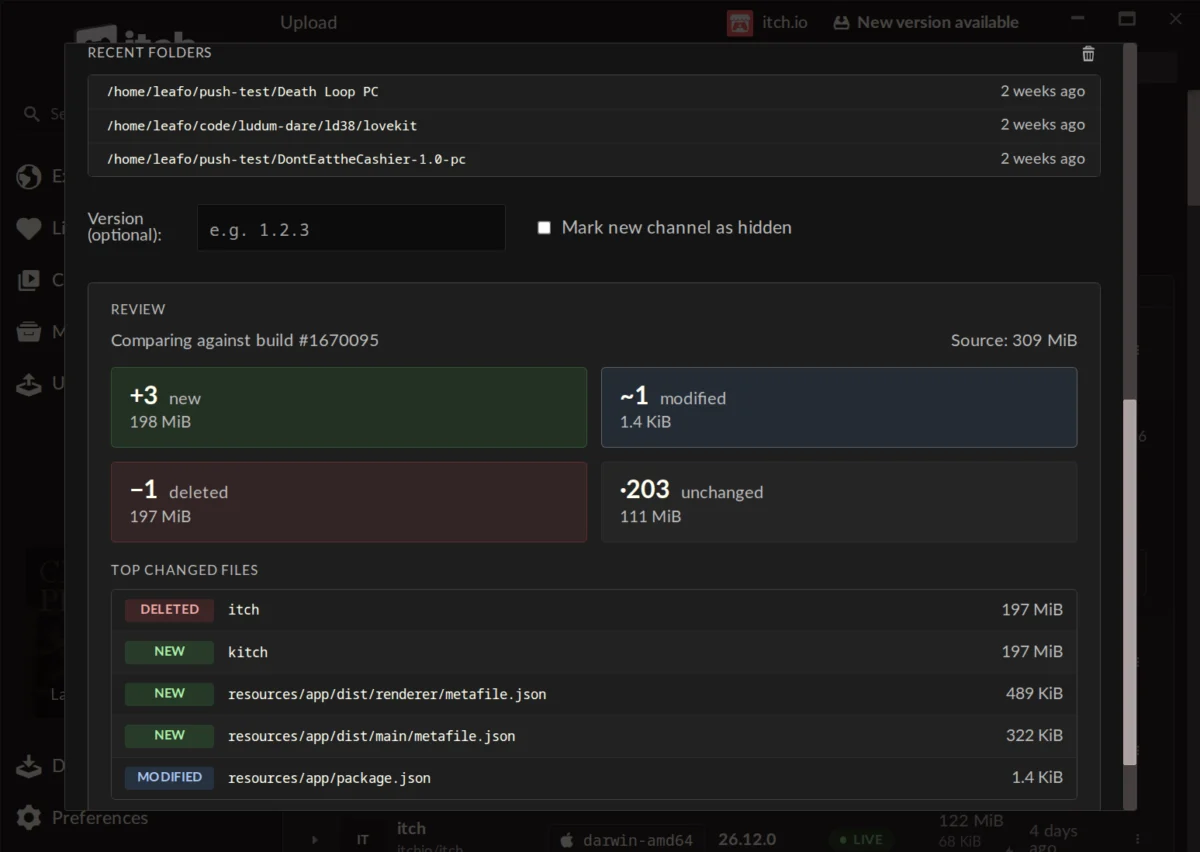
- The Push Dialog: The "Push new build" button opens an intuitive dialog box. Developers can drag and drop folders or ZIP files directly into the window. The app even remembers recent folder locations, drastically reducing the "click-cost" of daily updates.
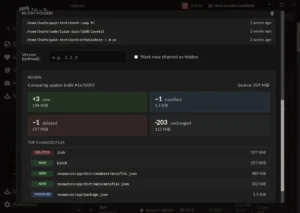
- The Preview Functionality: Perhaps the most vital addition is the "Compare" feature. Before committing to an upload, the GUI generates a granular breakdown of changes. Developers can see exactly which files are new, modified, or deleted, along with their sizes. This serves as a vital "sanity check," preventing accidental uploads of unnecessary data or misconfigured build folders.
Furthermore, the app manages the lifecycle of the Butler tool itself. Because the app automatically updates the Butler binary internally, developers no longer need to worry about version compatibility or manual maintenance of their command-line dependencies.
Official Responses and Community Reception
The reception to the update has been overwhelmingly positive, though it has sparked important conversations regarding the future of the platform.
Developer Sentiment
Early adopters have praised the speed and stability of the new system. "The self-enforcing nature of the Compare step means I almost literally can’t mess it up," noted one developer in the community forums. Many users who previously found the command-line approach "fragile" have noted that the GUI provides a necessary layer of visual confirmation that makes the process feel professional and secure.
Addressing the "Legacy" Problem
A recurring question during the rollout has been whether legacy projects—those uploaded via traditional browser methods—can be converted to the Butler system. In a candid response, itch.io lead developer leafo clarified the technical constraints: "Unfortunately, it’s not possible right now, as a butler push needs additional metadata alongside the file that’s computed when you’re uploading."
While this is a point of friction for long-time users, the response from the staff indicates that while no immediate migration path exists, it remains a topic for potential future consideration.
Broader Platform Critiques
The rollout has also served as a focal point for general user feedback. Some developers took the opportunity to point out that while the update is a significant win for deployment, other long-standing requests—such as the ability to exclude specific tags from search results—remain unaddressed. This illustrates a common reality for platform developers: even when releasing a major, requested feature, the community’s demand for holistic platform improvement remains insatiable.
Implications for the Future of Indie Distribution
The integration of Butler into the itch.io app has profound implications for the ecosystem.
1. Lowering the Barrier to Quality
By making it easier to push small, frequent updates, itch.io is encouraging a "continuous deployment" culture. Developers are now more likely to push hotfixes as soon as they are ready, rather than waiting to bundle them into a single, larger update. This results in a higher quality of life for the players.
2. Increased Professionalization
Indie gaming is moving toward a service-based model where the "launch" is only the beginning. Tools like this GUI-based Butler integration provide the infrastructure necessary for solo developers to maintain their titles with the same professional rigor as large studios.
3. Cross-Platform Parity
Because the app handles the complexity of OS-specific channels, it becomes trivial for a developer to manage builds for Windows, macOS, and Linux simultaneously. By reducing the friction involved in cross-platform support, itch.io is effectively fostering a more inclusive gaming landscape.
Conclusion
The move to bring Butler into the itch.io app is a masterclass in how to evolve a platform without alienating power users. By wrapping the raw power of the command line in a thoughtful, informative, and safe GUI, the team at itch.io has empowered a new generation of creators.
For those who have previously been intimidated by the technical hurdles of game distribution, the barrier has been lowered. For the platform itself, this update cements its status as not just a storefront, but a comprehensive suite of tools for the modern independent developer. As the industry continues to value agility and rapid iteration, tools like this will prove to be the difference between a game that stagnates and a game that thrives.
The update is now live for all users running version v26.12.0 or higher of the itch.io application. As the platform looks to the future, this integration serves as a reminder that the best technical solutions are those that don’t just solve a problem, but elevate the process of creation itself.