The Future of Package Management: Why CachyOS Swapped Octopi for Shelly
The landscape of Arch Linux-based distributions is notoriously competitive, with many projects struggling to differentiate themselves beyond aesthetic tweaks. CachyOS, however, has carved out a distinct identity by focusing on aggressive performance optimization, kernel tuning, and cutting-edge software delivery. In its latest development cycle, the distribution has made a significant architectural shift: replacing the long-standing Octopi package manager with the modern, feature-rich Shelly. This change represents more than just a visual refresh; it signals a shift toward a more unified, cross-format management experience for Linux users.
The Evolution of CachyOS Package Management
CachyOS has gained mass popularity among power users who demand the absolute peak of performance from their hardware. By offering custom-compiled kernels and specialized repositories, the distribution has found a niche that values speed above all else. Historically, CachyOS relied on Octopi, a Qt-based front-end for Pacman. While functional, Octopi began to show its age, offering a dated user interface and limited scope that failed to keep pace with the modern "universal package" era.
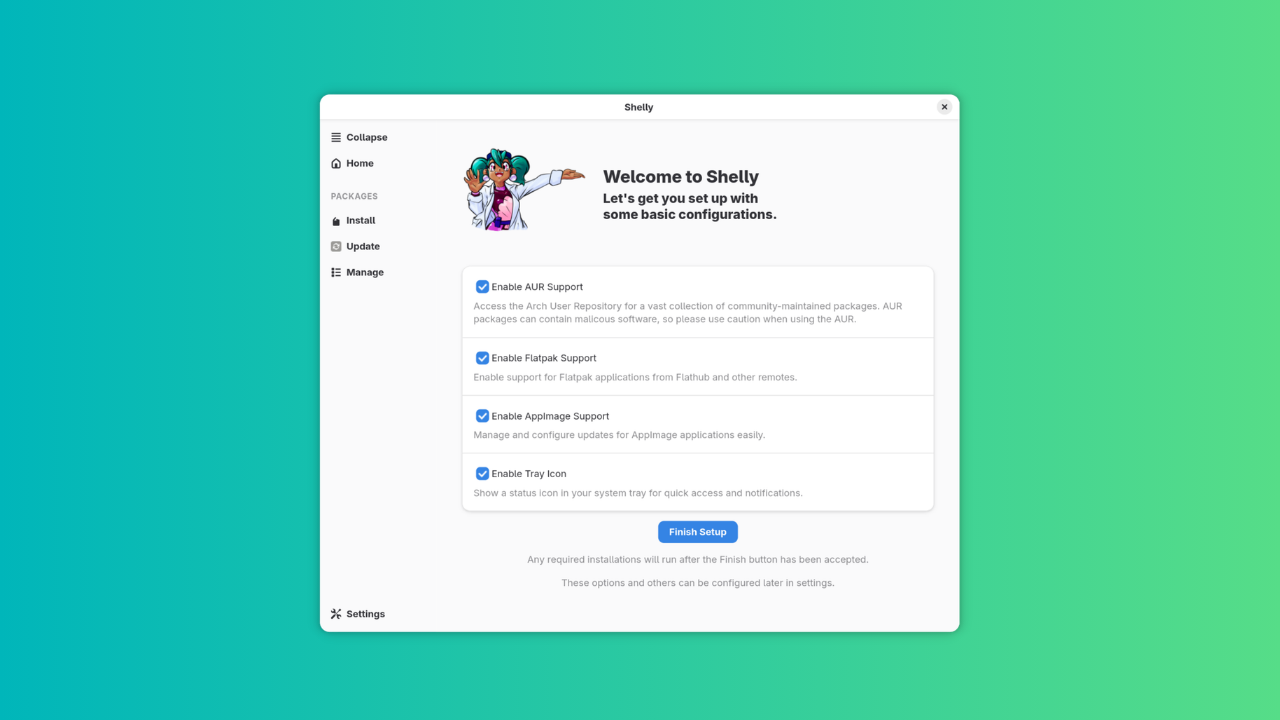
The decision to transition to Shelly—a sophisticated, multi-source package management utility—marks a departure from the traditional, minimalist approach. Shelly brings a cohesive, one-stop solution that bridges the gap between official distribution repositories, the Arch User Repository (AUR), Flatpak, and AppImage. This transition is not merely cosmetic; it is an attempt to streamline the user experience for both newcomers to the Arch ecosystem and seasoned veterans who prefer a centralized hub for all their software needs.
Shelly: A Deep Dive into Functionality
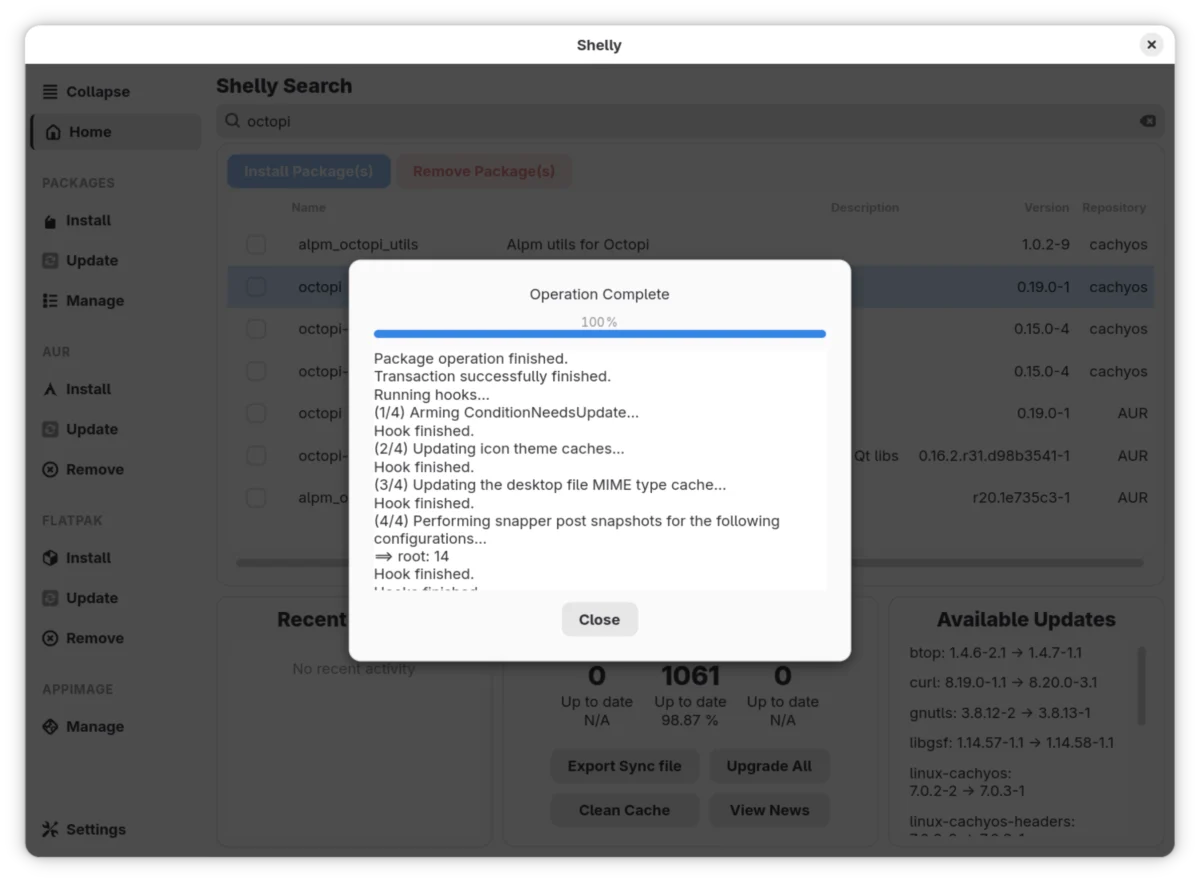
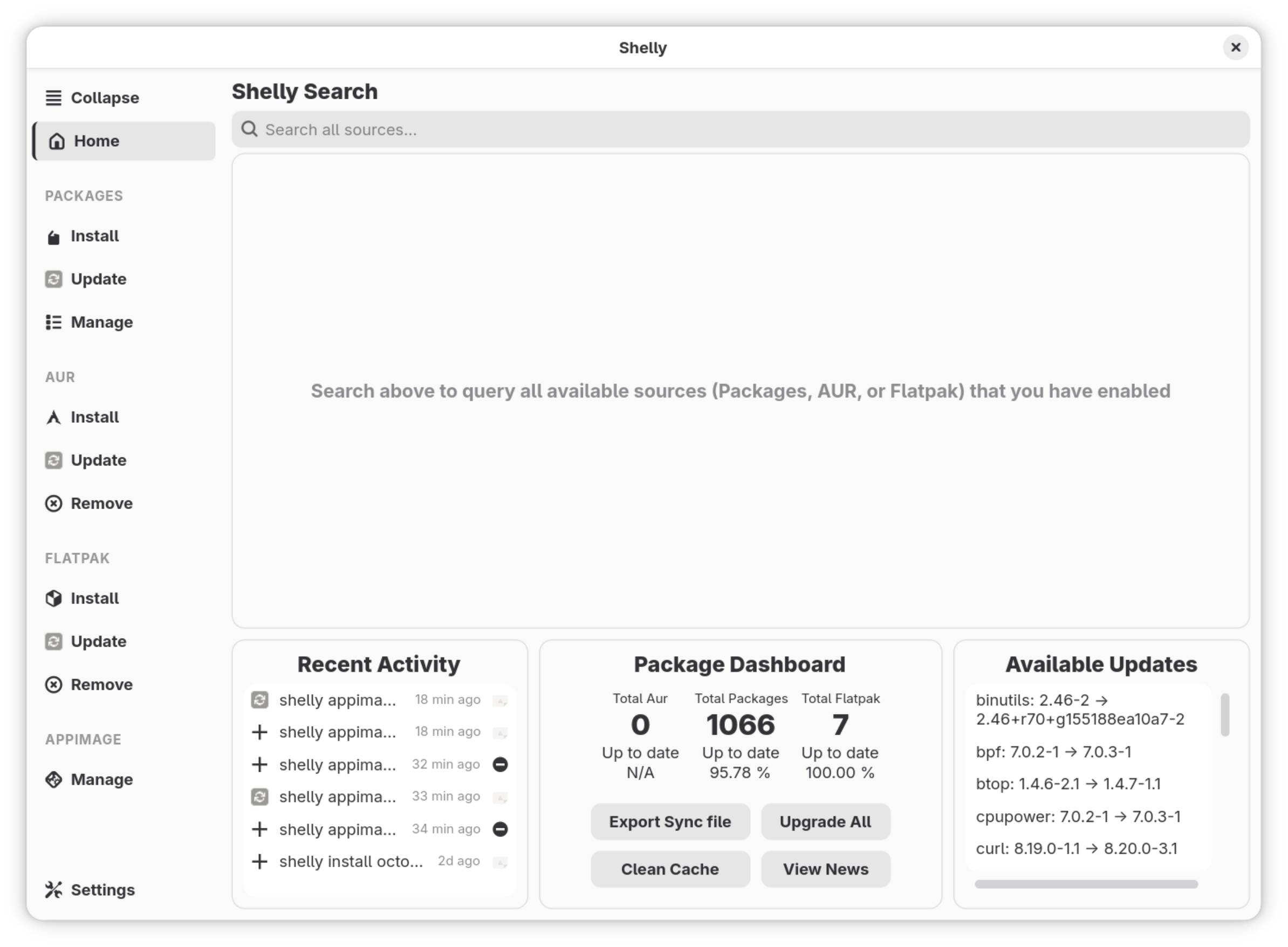
Shelly distinguishes itself through a design philosophy that prioritizes discoverability and system health. Upon opening the application, users are greeted with a dashboard that provides an immediate, high-level overview of the system’s status. This includes real-time analytics on package counts (segmented by source), update availability percentages, and a summary of recent repository activity.
The Unified Search Experience
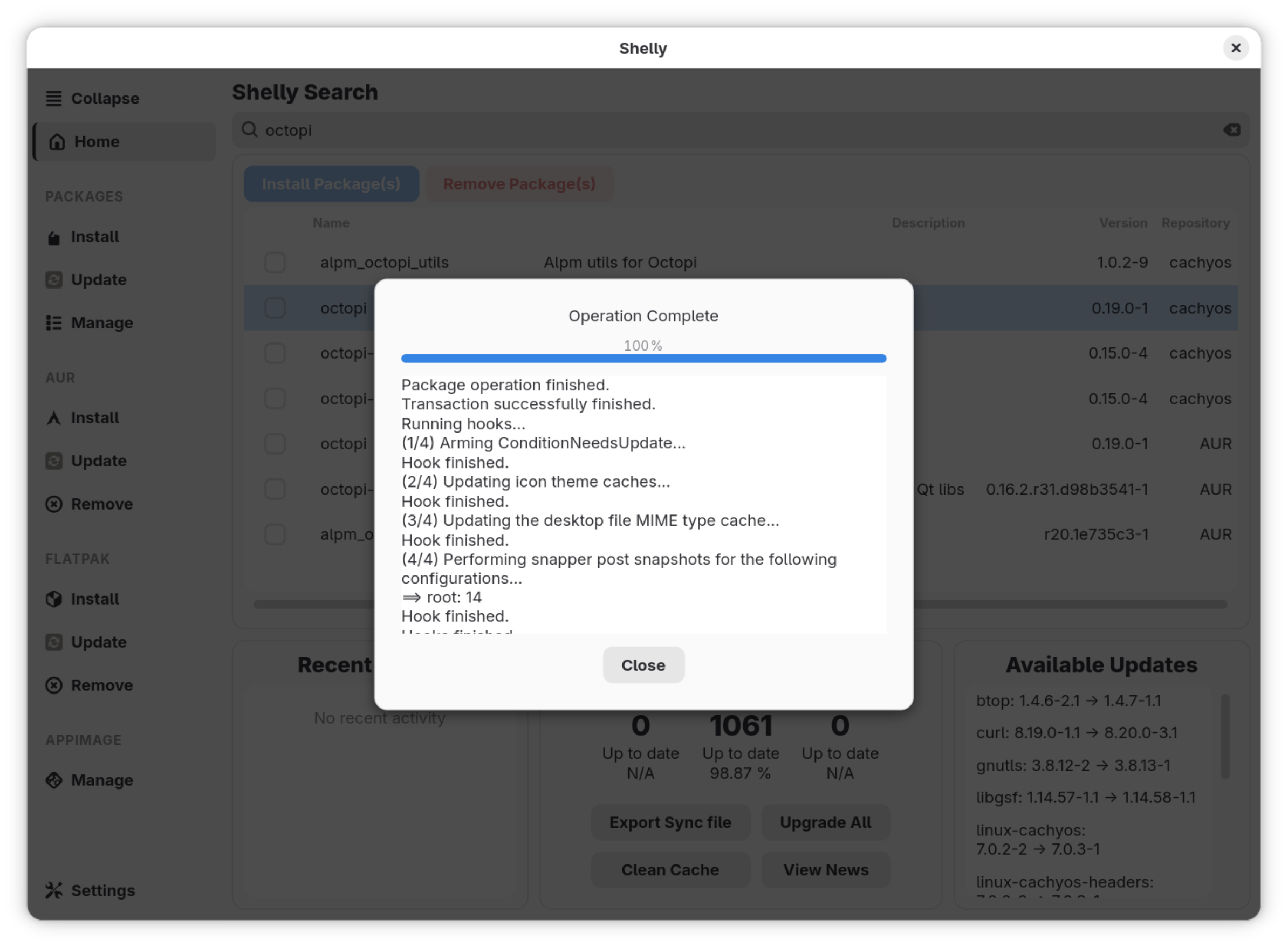
One of the most significant upgrades provided by Shelly is its centralized search engine. Unlike legacy tools that require users to toggle between different views or tabs to find a package, Shelly’s search bar queries official repositories, the AUR, and Flathub simultaneously.
To maintain clarity, the application implements a logical hierarchy: results from the core CachyOS repositories take precedence, followed by the AUR, and finally Flatpaks. This tiered approach ensures that users prioritize stable, distribution-verified packages while still having easy access to community-maintained and containerized software. By tabulating these sources on the left-hand sidebar, Shelly allows for granular control, letting users filter their management tasks without leaving the primary window.

Advanced Configuration and System Health
Shelly offers a surprisingly robust settings menu that caters to power users without overwhelming the interface. Key features include:
- Workflow Optimization: Users can enable a "No Confirm" mode to bypass standard installation prompts, significantly speeding up bulk operations.
- Download Management: The ability to tune parallel download limits ensures that the application doesn’t saturate a user’s network connection during heavy update cycles.
- System Maintenance: The "Purify Packages" utility is a standout feature, designed to scan for and remove corrupted packages that might otherwise cause dependency hell or system instability.
Technical Limitations and Real-World Performance
While Shelly excels in managing traditional packages and Flatpaks, it is not without its growing pains. During extensive testing, the application performed admirably with repository and AUR management, proving to be stable and fast. However, its handling of AppImage integration remains somewhat inconsistent.
In practical tests involving popular applications like balenaEtcher and Raspberry Pi Imager, the results were mixed. While the latter integrated seamlessly into the system menu, the former failed to register correctly, indicating that Shelly’s backend for AppImage handling still requires further refinement. Additionally, users on GNOME-based installations may encounter minor UI friction, specifically regarding the application’s inability to automatically inherit system-wide dark mode settings. As the project matures, these rough edges will likely be smoothed out via community-led patches.
Comparative Analysis: Shelly vs. Octopi vs. Pamac
To understand the weight of this decision, one must compare Shelly against the industry stalwarts: Octopi and Pamac.
- Vs. Octopi: Octopi has been the workhorse of the Qt-based Arch world for years, but its UI is undeniably stagnant. It lacks native Flatpak support and offers a fragmented experience for managing multiple sources. Shelly effectively renders Octopi obsolete by providing a cleaner, more responsive, and more feature-dense environment.
- Vs. Pamac: Manjaro’s Pamac is perhaps the gold standard for GUI package management on Arch-based systems. It is highly polished and supports nearly all major formats. Shelly, however, feels more at home in the CachyOS ecosystem. While Pamac is excellent, Shelly provides a more modern aesthetic that aligns with the "high-performance" ethos of CachyOS. Shelly’s interface feels "native" to the modern desktop, whereas Pamac can sometimes feel like a port from a different era of GTK development.
Implications for the CachyOS Ecosystem
The migration to Shelly is a calculated risk. By choosing a newer, more ambitious tool, CachyOS is signaling to its user base that it intends to remain at the forefront of the desktop experience. This move simplifies the "onboarding" process for users who might otherwise be intimidated by the command-line interface of pacman or the complexity of manual AUR management.
Furthermore, by standardizing on a manager that handles Flatpaks and AppImages out of the box, CachyOS is acknowledging the changing nature of Linux software distribution. As more proprietary and complex software moves toward containerized formats, a package manager that ignores these formats is increasingly viewed as incomplete.
Clarifications and Future Outlook
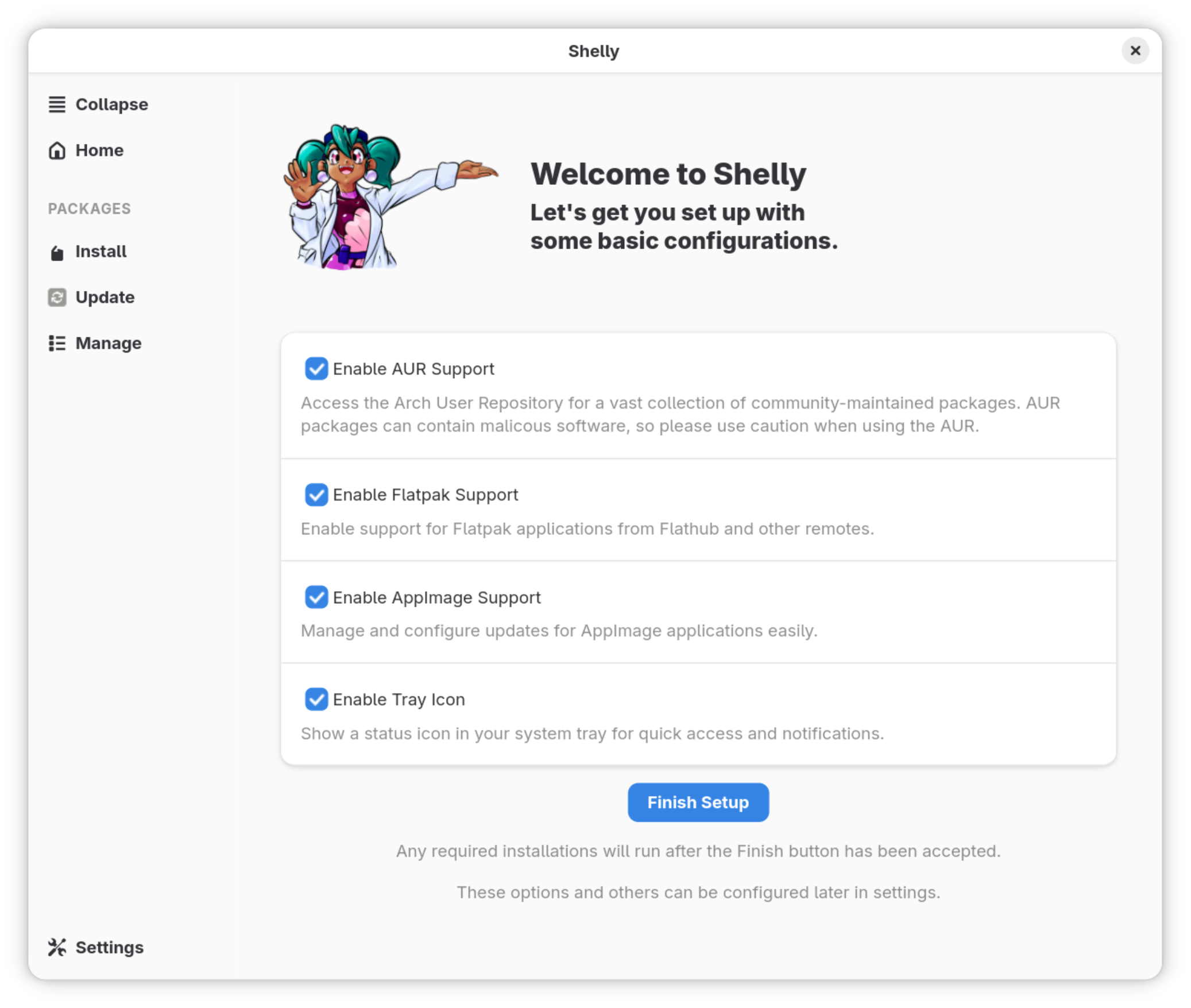
It is important to correct earlier misconceptions that circulated in the Linux community regarding the origins of Shelly. Contrary to initial reports, Shelly is not a Rust-based tool, nor was it developed internally by the CachyOS team. It is an independent project that the CachyOS developers have wisely chosen to integrate as their default.
The move to Shelly is a positive development for CachyOS. It provides a more intuitive, modern, and comprehensive way to manage software, which is exactly what a performance-focused distribution needs to remain accessible. While there are minor bugs to iron out—specifically regarding AppImage integration and theme consistency—the foundation is solid.
As the Linux desktop continues to evolve, the tools we use to manage our software must do the same. Shelly represents the next logical step in this evolution, turning package management from a chore into a seamless, unified experience. Whether you are a newcomer to CachyOS or a veteran user, this change is a clear indicator that the distribution is maturing in all the right ways.
For those who have yet to test the waters of CachyOS, the addition of Shelly serves as a compelling reason to explore what is arguably one of the most exciting developments in the Arch Linux space today. We invite the community to share their experiences with the new manager and continue the dialogue on how we can further refine the Linux desktop experience.