Breaking the Barrier: Mirko Brombin’s Breakthrough in Running Microsoft 365 on Linux
For decades, the “Office Gap” has remained one of the most formidable hurdles for Linux adoption. While the open-source community has provided robust alternatives like LibreOffice, OnlyOffice, and Google Workspace, the corporate world’s deep-seated reliance on the Microsoft 365 ecosystem has kept many professional users tethered to Windows or macOS. However, a recent development by Mirko Brombin, the creator of the popular Linux application management tool Bottles, may have just shifted the paradigm.
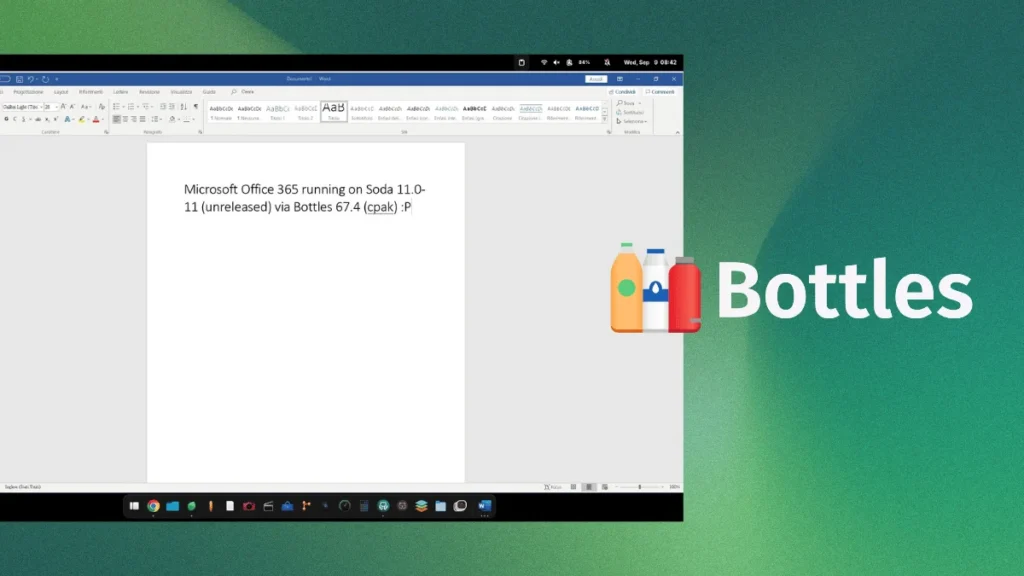
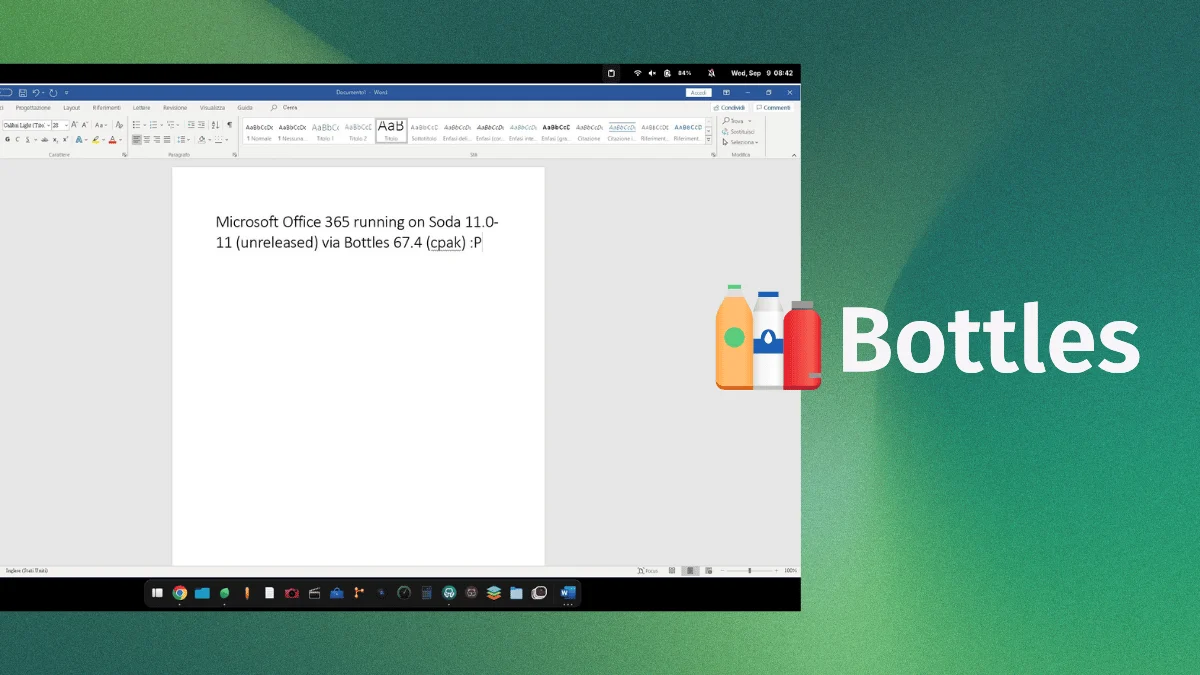
In a series of technical demonstrations posted to social media, Brombin revealed a functional, albeit experimental, installation of Microsoft 365 running natively on a Linux environment. By leveraging an unreleased version of the Soda runner and the latest iterations of Bottles, Brombin has successfully navigated the labyrinthine authentication and execution protocols that have historically thwarted Wine-based attempts to run modern Microsoft Office.
The Technical Foundation: How It Works
To understand the magnitude of this achievement, one must first understand the architecture of modern Windows applications. Microsoft 365 is not a simple legacy executable; it is a highly integrated suite that relies on deep hooks into the Windows operating system, complex modern authentication (OAuth/2FA), and persistent background services like OneDrive.
The Role of Bottles and Soda
Brombin’s breakthrough centers on Bottles, a project designed to manage Windows prefixes on Linux with a user-friendly interface. While Bottles provides the environment, the heavy lifting of translation is handled by Soda.
Soda is a specialized, Wine-based runner optimized for the nuances of modern Windows applications. Unlike standard Wine, which often struggles with the telemetry and identity-management components of modern MS Office, the unreleased version of Soda utilized by Brombin has apparently implemented specific compatibility shims that satisfy the suite’s requirements.

The Execution Process
According to the logs provided by Brombin, the process involves:
- Prefix Configuration: Utilizing a Windows 10/11 compatibility mode within a clean Wine prefix.
- Credential Handshake: Successfully navigating Microsoft’s two-factor authentication (2FA) protocols, which previously served as a "kill switch" for non-native clients.
- License Verification: The suite correctly identifies the user’s subscription status, allowing the applications to move beyond "trial" or "read-only" modes.
- Integration: Beyond simple text editing in Microsoft Word, the environment successfully hooked into OneDrive, allowing for cloud synchronization of documents.
Chronology of the Breakthrough
The road to this moment has been paved with years of failed attempts and "almost-there" compatibility reports.
- Pre-2024: Various community projects attempted to force-install Office 365 via Wine, typically ending in "Installer success, execution failure" loops.
- Late 2025: The development of Soda as a specialized runner began, focusing on the specific bottlenecks (pun intended) identified in standard Wine development.
- September 2026: Mirko Brombin publicly shared logs and visual evidence of a stable Microsoft 365 environment running on a Linux desktop.
- The Current State: As of late September 2026, the build remains in an internal/developer state. The specific components required to replicate this (the unreleased Soda 11.0-11) are not yet available to the public.
Supporting Data and Performance Metrics
Perhaps most surprising is the efficiency of the implementation. Historically, running a heavy Windows suite through an emulation layer resulted in massive memory overhead and significant CPU spikes.
Brombin’s testing reports a memory footprint of less than 500MB for the office suite while active. This is remarkably lightweight compared to the resource usage of the same suite running on native Windows 11, where background telemetry and service management often push memory usage significantly higher.
Compatibility Limitations
It is critical to note that this is not a "plug-and-play" experience for the average user yet.

- Installer Constraints: Brombin is using Build 2608 (20326.20144), which is identified as the final build of Office 365 compatible with older Windows 10/11 installation parameters. Future updates from Microsoft that change the underlying installer architecture may break this compatibility instantly.
- Feature Parity: While Word is functional, the full extent of the suite—including advanced features in Excel (like complex VBA macros) and Outlook’s Exchange integration—remains subject to further testing.
The "Office Gap": Why This Matters
The implications of this work extend far beyond the convenience of individual users. The "Office Gap" is a primary reason why many IT departments refuse to consider Linux as a viable workstation replacement.
The CrossOver Benchmark
For context, CodeWeavers—the company behind CrossOver, the most prominent commercial implementation of Wine—has spent years attempting to stabilize Office 365. Their current database status for Office 365 remains, “Installs, Will Not Run.” If an independent developer like Brombin can achieve what a dedicated commercial entity has struggled with for years, it suggests that the "secret sauce" lies in the specific handling of the modern Microsoft authentication stack.
Potential for Upstream Contribution
One of the most promising aspects of this development is the nature of the ecosystem. Because Soda is based on Wine, any patch or "fix" developed by Brombin to solve the Microsoft 365 compatibility issue can, in theory, be pushed upstream to the Wine project itself.
If this happens, it wouldn’t just be Bottles users who benefit; the fix would propagate to CrossOver, Lutris, and even the default Wine installations on major distributions like Fedora and Ubuntu. This would essentially democratize the fix, making it a standard feature of the Linux kernel ecosystem rather than a niche application trick.
Implications for the Future of Desktop Linux
If this technology matures, it removes the last major excuse for keeping a Windows partition on a Linux machine.

Enterprise Adoption
For enterprise users, the ability to run Microsoft 365 natively on Linux would be a game-changer. It would allow companies to maintain their existing Microsoft licensing and workflows while benefiting from the security, stability, and customization of the Linux desktop.
The "Cat and Mouse" Game
However, there is a caveat: Microsoft. The Redmond giant has historically shown little interest in supporting Linux, and in some instances, has actively patched its software to prevent it from running in Wine environments. If Microsoft decides that the "Wine hole" is becoming a threat to their Windows platform, they could introduce updates that specifically target these compatibility layers, leading to an endless game of cat-and-mouse for developers like Brombin.
Final Thoughts: A Call for Patience
While the temptation to immediately dive into the code and attempt to replicate this on your personal machine is high, the development community urges caution. As of now, the necessary components—specifically the updated Soda runner—are not public.
The community request for an official Microsoft Office installer in Bottles remains open, serving as a reminder that this is still a work in progress. For now, we are witnessing a significant "proof of concept." If the momentum holds, we may be approaching a future where the choice of operating system is finally decoupled from the necessity of using specific productivity suites.
For those eager to follow the progress, monitoring the Bottles GitHub repository and Brombin’s developer logs is the best way to stay informed. For the rest of the Linux community, this serves as a potent reminder that the most persistent barriers in computing are often merely lines of code waiting to be re-written.