Privacy Notes: A New Paradigm in Secure Knowledge Management and Local-First Flexibility
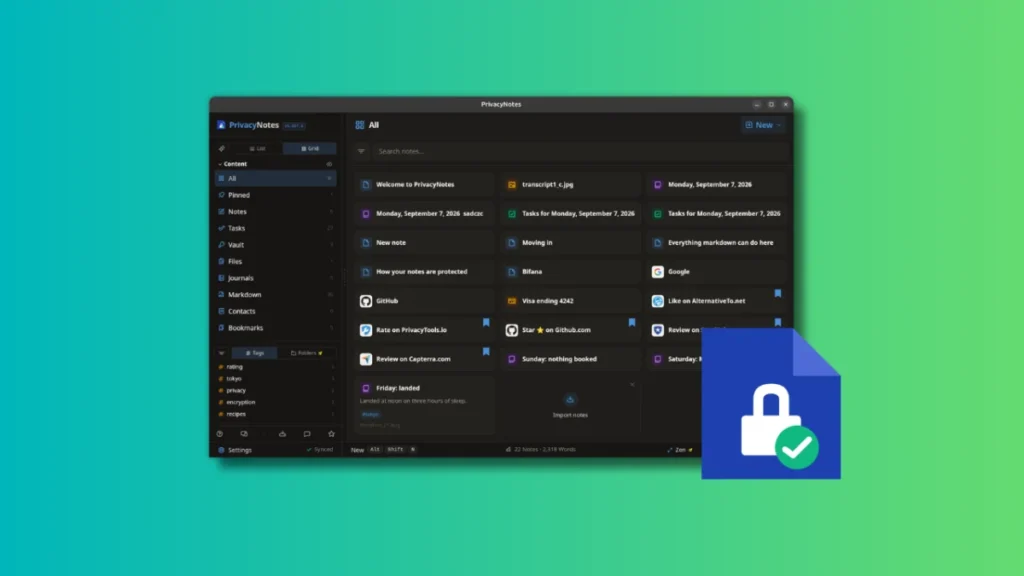
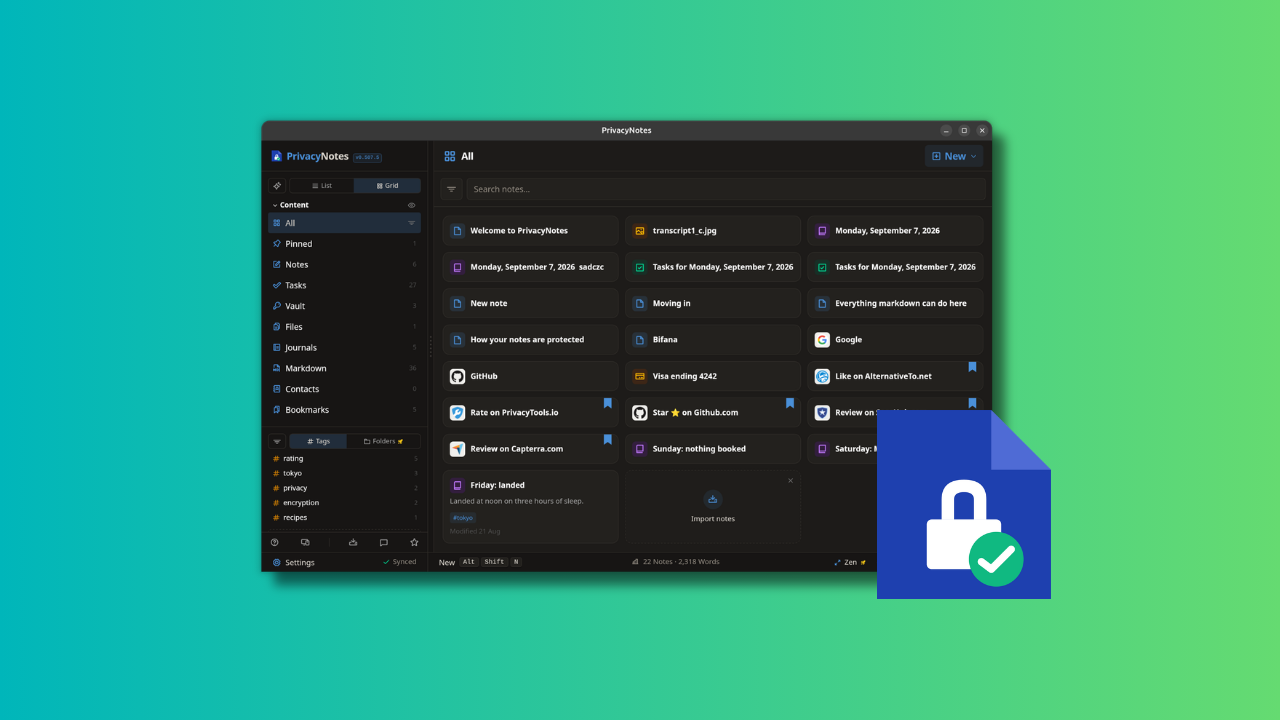
The landscape of note-taking applications on Linux is vast, ranging from local-first powerhouses like Obsidian to cloud-integrated solutions like Joplin. Yet, the eternal struggle between data sovereignty and the convenience of cloud synchronization persists. Enter Privacy Notes, a newcomer to the productivity sphere that attempts to bridge the gap between a robust, Markdown-centric editor and a high-security vault. Developed by Lifetime Labs, the application positions itself as a "one-stop shop" for digital life management, combining encrypted cloud storage with the flexibility of local file editing.
The Core Philosophy: Security by Design
At the heart of Privacy Notes is the promise of zero-knowledge encryption. Unlike mainstream services where the provider may hold the keys to your data, Privacy Notes ensures that every document, image, or password is encrypted directly on the user’s device before it ever touches their servers, which are hosted in Switzerland.
The "zero-knowledge" moniker carries a significant weight: the service provider has no means to decrypt or access your data. This architecture puts the burden of security squarely on the user. If you lose your master passphrase or recovery key, your data is effectively lost to the ether. This is a deliberate design choice, intended to ensure that even in the event of a legal subpoena or a server breach, the user’s private information remains impenetrable.
A Chronology of the Project’s Vision
Lifetime Labs entered the market with a distinct ethos: to provide software as a utility rather than a "service" to be rented. This philosophy is reflected in their pricing model, which eschews the modern trend of indefinite monthly subscriptions in favor of a "lifetime" payment structure.

- Development Initiation: Recognizing the frustration of users forced to choose between the privacy of local files and the convenience of the cloud, Lifetime Labs began building a multi-platform client designed for security-conscious professionals.
- Open Source Commitment: The project launched with its source code fully available on GitHub. This transparency extends to the web, desktop, and mobile clients, as well as the encryption implementation and threat models, allowing the security community to audit the integrity of the application.
- Market Entry: The application recently debuted, offering a tiered model that allows free users to test the waters with 50 MB of encrypted cloud storage, while "early adopters" can secure 500 MB of lifetime encrypted storage for a one-time fee of $48.
- Future-Proofing: As of the current release, the team is actively working on Google Play Store integration to streamline mobile distribution, further widening the accessibility of the platform.
Beyond the Page: Feature Set and Functionality
Privacy Notes is not merely a text editor. It seeks to consolidate several disparate tools—password managers, to-do lists, and knowledge bases—into a single, unified interface.
The Vault: A Password Manager Integrated
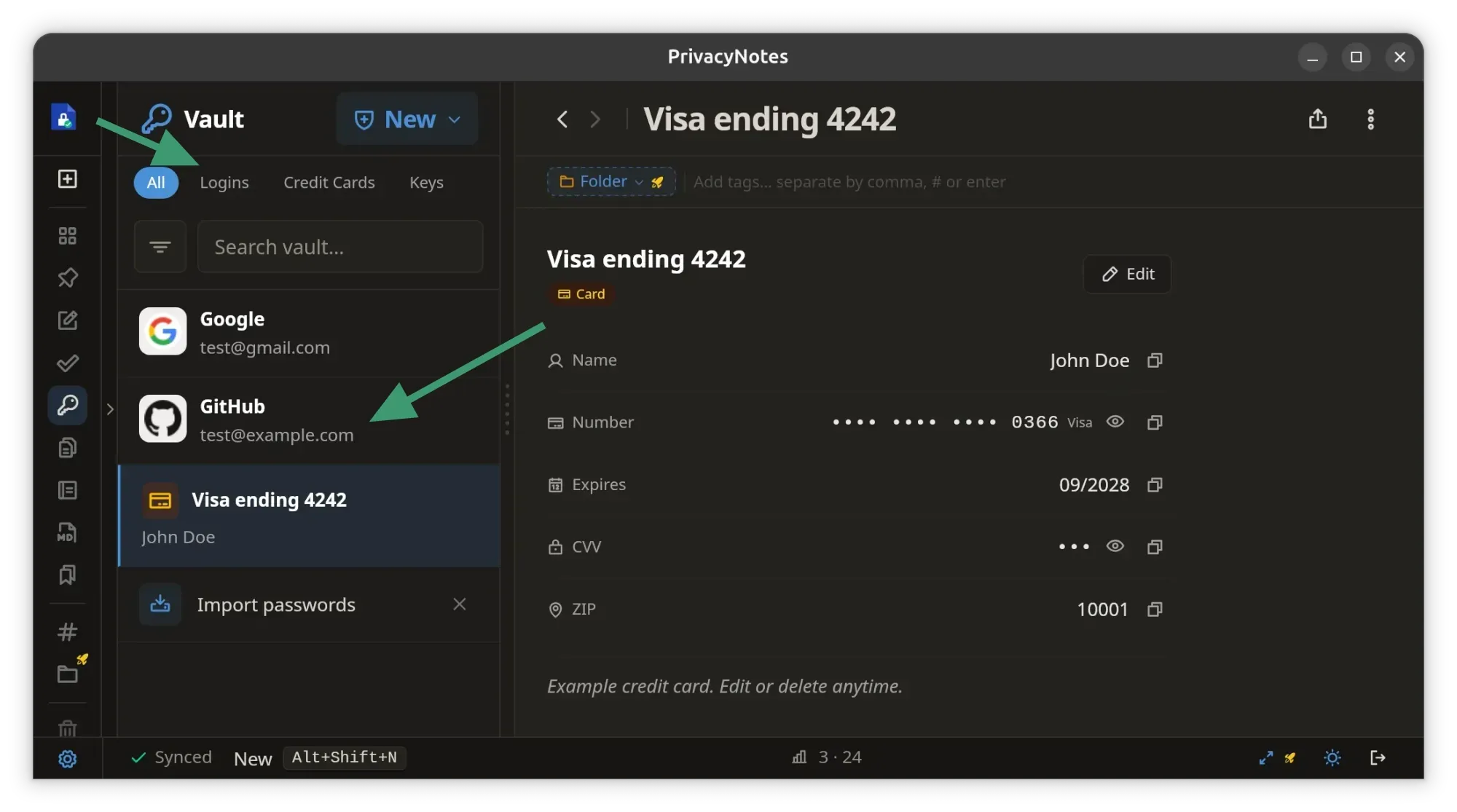
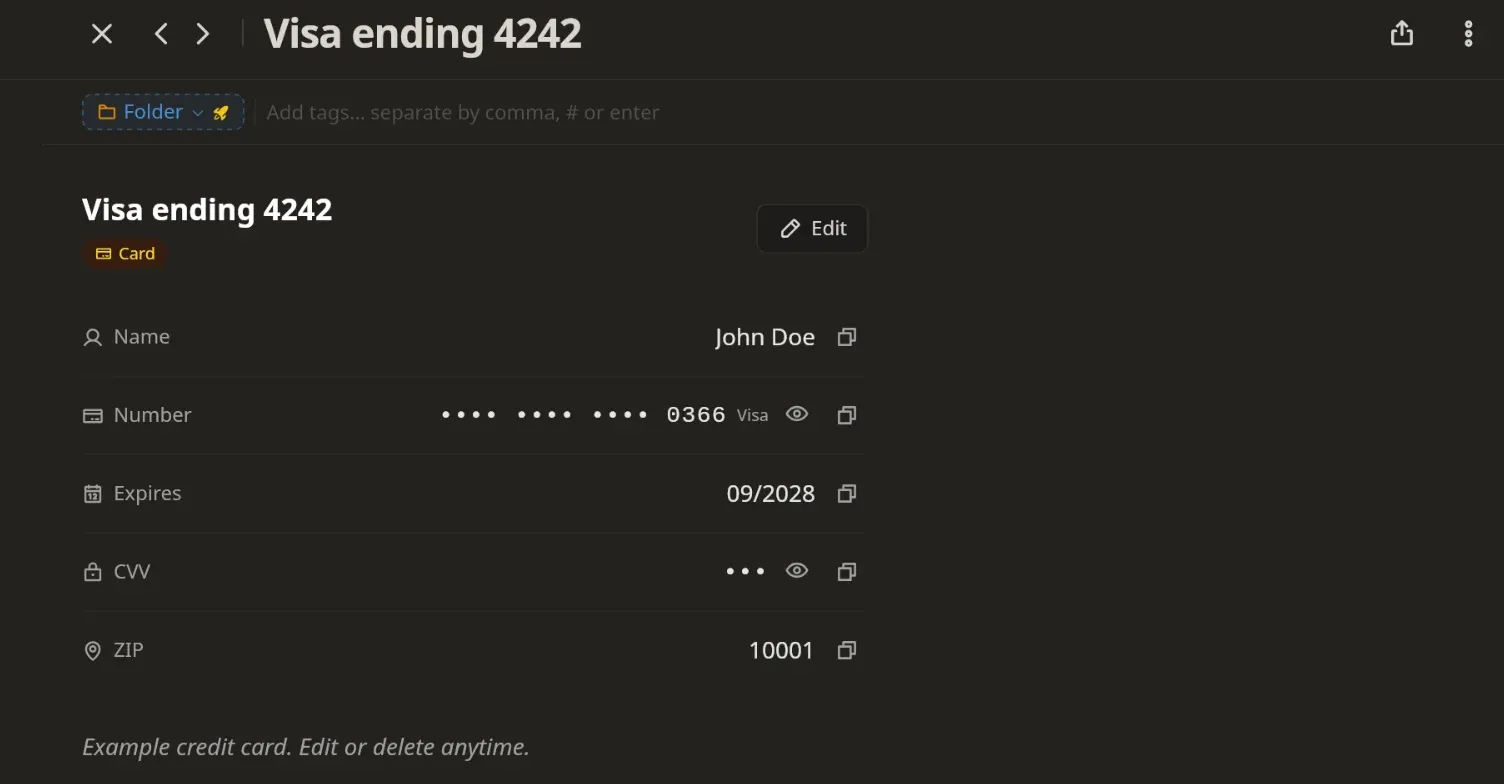
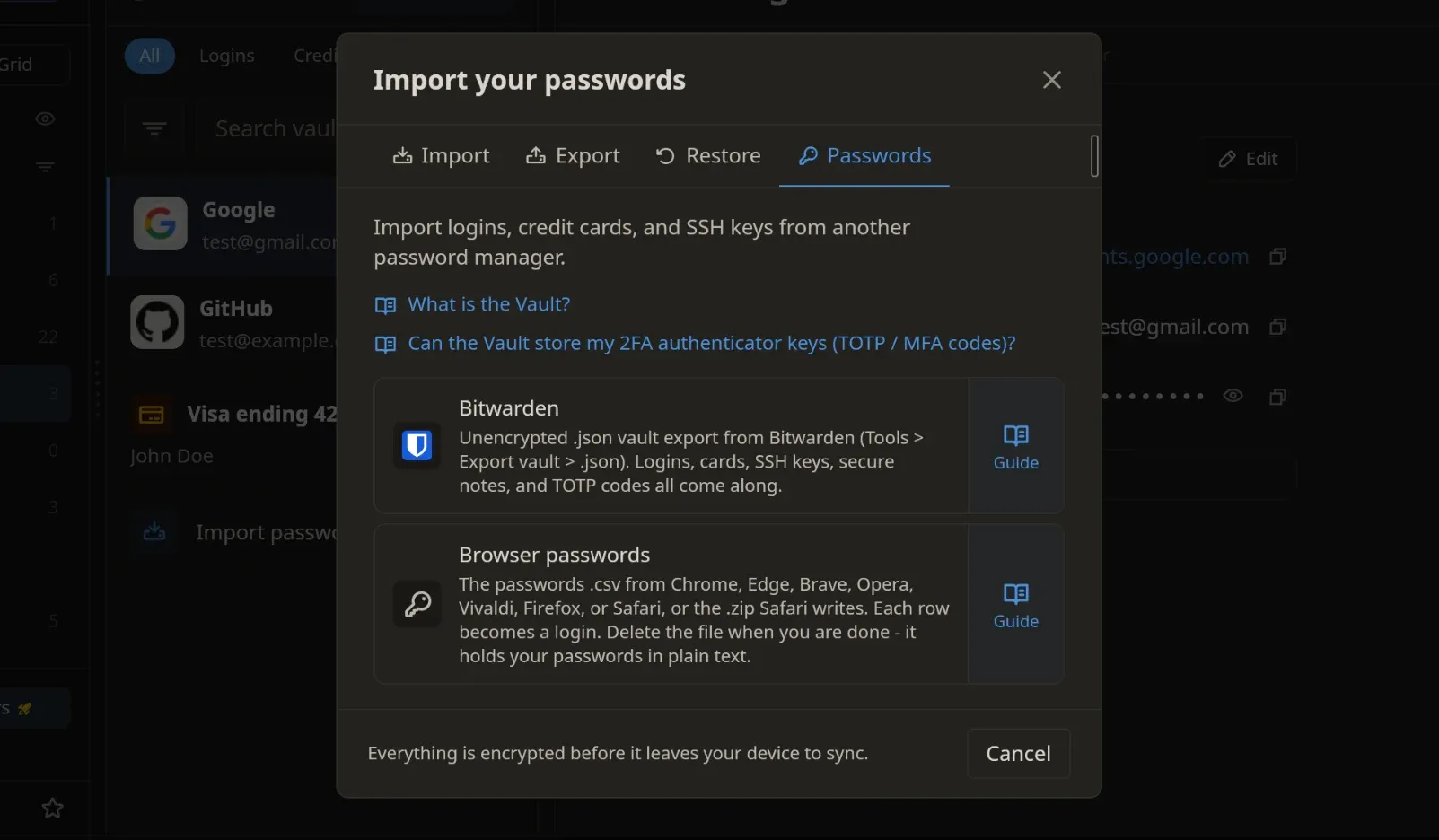
Perhaps the most ambitious feature is the built-in Vault. By providing predefined templates, the app allows users to store sensitive data such as login credentials, credit card details, and SSH or GPG keys directly within the note-taking environment. For those who rely on password managers like Bitwarden or Proton Pass, Privacy Notes offers a compelling alternative for users who prefer to keep their sensitive keys alongside their research or project documentation. It even supports the generation and storage of Ed25519 SSH keys and TOTO 2FA tokens, effectively acting as a portable security hub.
Task Management and Organizational Tools
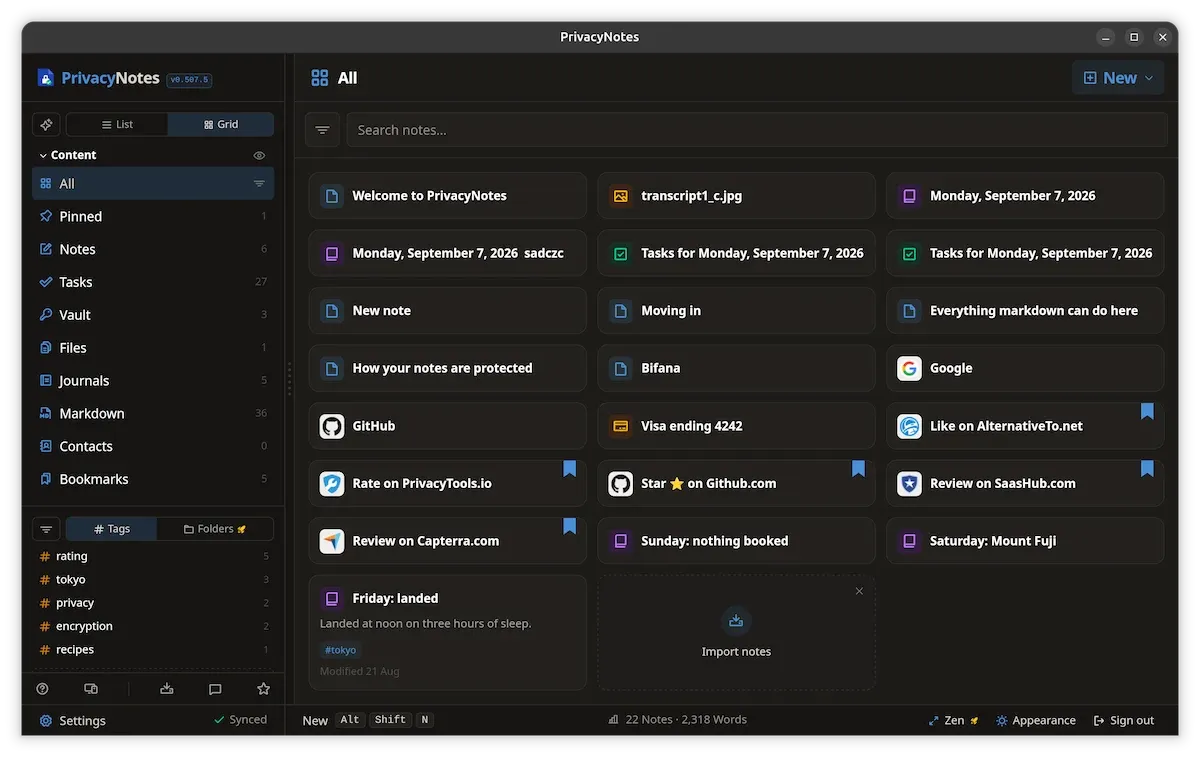
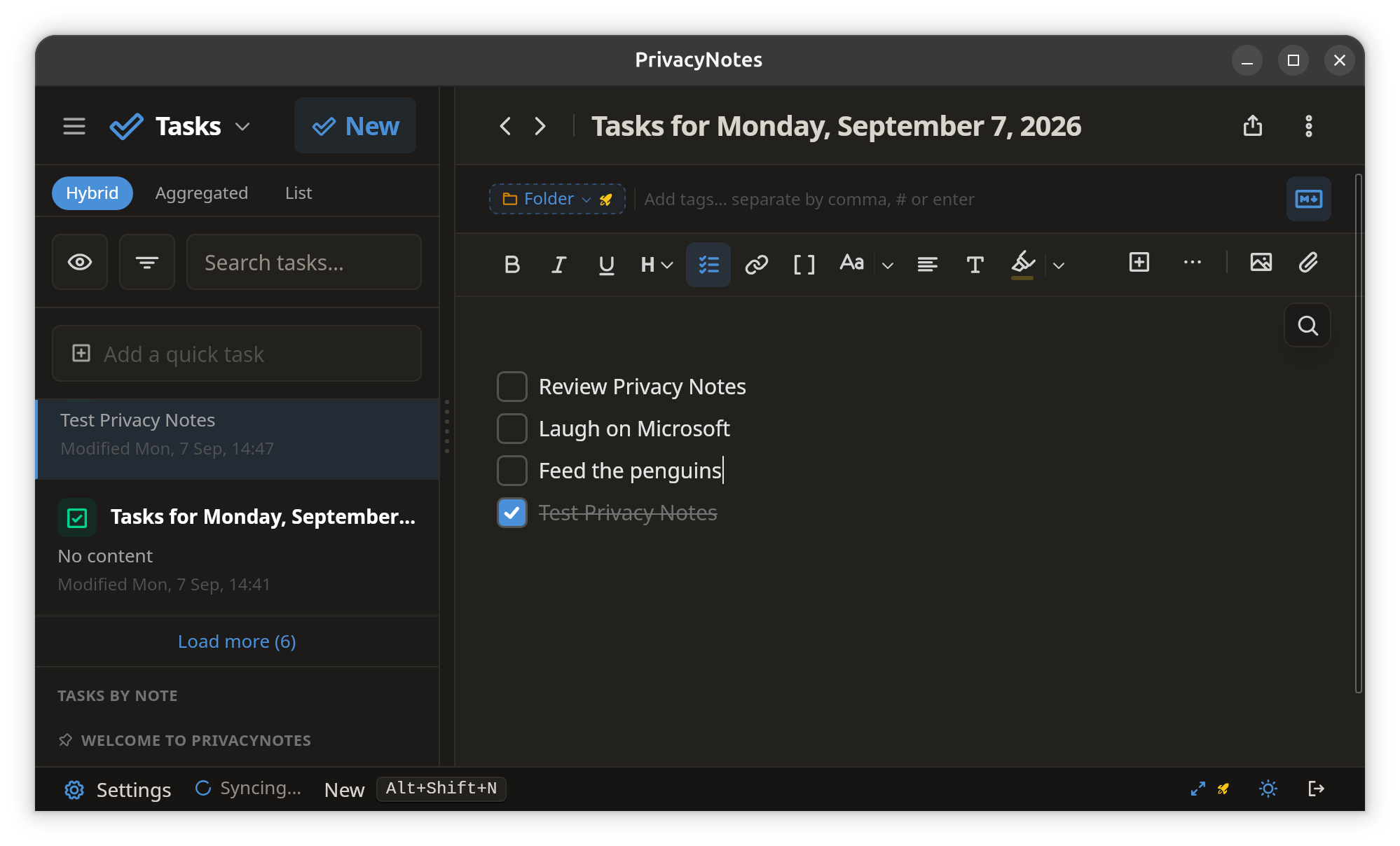
While it lacks the complex Kanban boards found in project management software, Privacy Notes integrates a task-focused view. Users can create checklists within standard notes, and a dedicated "Tasks" view automatically aggregates these items. This prevents actionable to-dos from being lost in the depths of a sprawling digital archive.
Specialized Note Types: Bookmarks and Journals
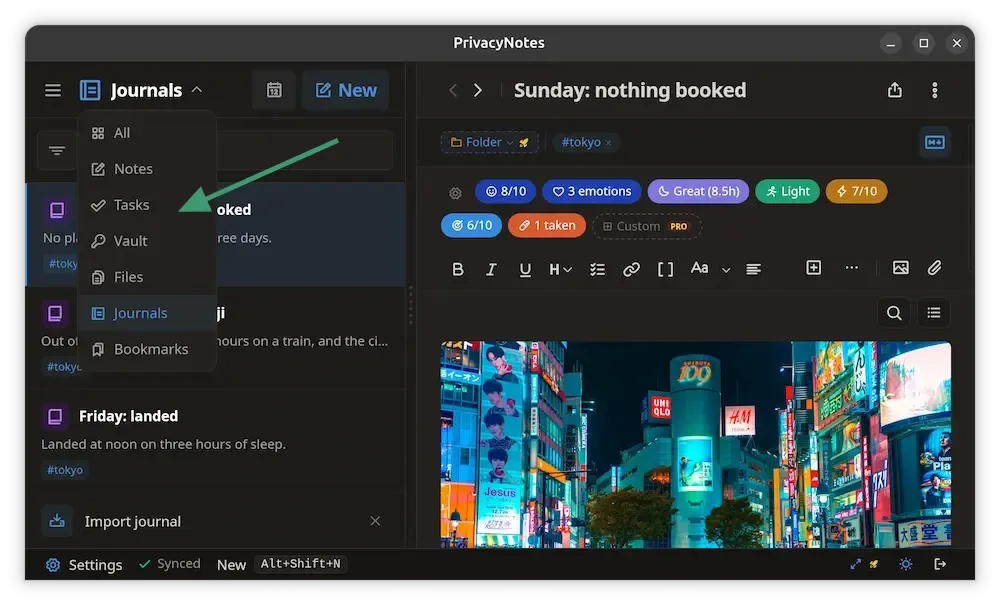
The application categorizes notes into distinct types, including Bookmarks and Journals. The Journal feature is particularly notable, mirroring the daily-entry structure found in popular tools like Logseq or Obsidian. Each day, the app creates a date-stamped entry, encouraging a consistent habit of logging thoughts or events.
The "Burn After Reading" Protocol
In a nod to both high-stakes espionage and the ephemeral nature of modern digital communication, Privacy Notes features a "burn after reading" function for shared links. Users can generate a link to an encrypted file that self-destructs the moment it is opened by the recipient. This is an elegant solution for sharing sensitive information, such as temporary credentials or private documents, without leaving a permanent digital footprint.
Local-First Architecture: Bridging the Divide
One of the most praised aspects of Privacy Notes is its ability to handle local Markdown files. Users can point the application at an existing folder of Markdown files (such as an Obsidian vault or a Git repository) and edit them in place without any proprietary conversion.
This creates a hybrid workflow. Files kept in the local directory remain unencrypted and easily accessible by other tools. However, users can selectively move sensitive notes into the "encrypted cloud" section of the application. This granular control allows users to maintain a lightweight, local-first workflow for general notes while reserving the secure cloud storage for documents that require high-level protection.
Supporting Data and Technical Specifications
- Encryption Standard: Client-side, zero-knowledge encryption ensures data privacy.
- Storage Tiers:
- Free: 50 MB encrypted storage, 2-device sync limit.
- Pro (Lifetime): 500 MB encrypted storage, unlimited device sync, 20-file revision history.
- Extra Storage: Available at $4.80/GB annually for additional cloud requirements.
- Platform Support: Linux (AppImage, .deb), Windows, macOS, iOS, and Android (APK).
- Interoperability: Supports imports from Obsidian, Standard Notes, Evernote, Apple Notes, and Bitwarden.
Implications for User Privacy
The rise of applications like Privacy Notes signals a broader shift in the tech industry. Users are increasingly wary of "Big Tech" data harvesting, especially regarding images and documents stored in mainstream cloud services like Google Drive or OneDrive. By providing a platform where encryption happens on the client side, Lifetime Labs removes the possibility of AI training models scraping user data for advertising or analytics.
However, this convenience comes with a caveat. The responsibility for data backups rests heavily on the user. Because the developers cannot recover lost keys, the "3-2-1" backup strategy—three copies of data, two different media, one off-site—remains essential. Relying solely on the Privacy Notes cloud for critical data without an offline backup is a risk that serious users should mitigate.
Official Stance and Community Feedback
Lifetime Labs has maintained a clear position: they are building software, not a service. Their commitment to a one-time purchase price is designed to appeal to users exhausted by the "subscription fatigue" currently plaguing the productivity market.
Early feedback from the Linux community has been largely positive, particularly regarding the support for ARM64 and x86_64 architectures, making it a viable option for Raspberry Pi users and desktop power users alike. While some have pointed out that the lack of folders in the free tier is a limiting factor, the general consensus is that the value proposition of the lifetime subscription, coupled with the open-source nature of the code, provides a high level of trust and utility.
Conclusion: Is Privacy Notes Right for You?
Privacy Notes is a versatile tool that sits in the "sweet spot" of personal knowledge management. It is not designed to replace heavy-duty cloud storage for massive media files, but it is an exceptional solution for the "digital vault" use case—storing sensitive documents, SSH keys, passwords, and private journals.
For those who already utilize a local Markdown-based workflow, adding Privacy Notes to the toolkit provides a secure, encrypted layer for the most sensitive 5% of their data, without forcing them to abandon their existing organizational systems. As privacy continues to be a paramount concern in the digital age, tools that offer transparency, local-first control, and strong encryption will likely continue to gain traction among privacy-conscious Linux users and professionals alike. Whether you are looking to secure your digital IDs or simply seeking a more private way to manage your daily tasks, Privacy Notes offers a sophisticated, well-thought-out platform that prioritizes the user above all else.