Blazing Fast Bootups: How Raspberry Pi is Tackling Slow Startup Times for Maker Displays
Main Facts
The Raspberry Pi ecosystem has long celebrated hardware customization, DIY cyberdecks, and compact handheld maker devices. However, a persistent friction point for these custom builds has been the sluggishness of the initial boot sequence, particularly when utilizing small SPI (Serial Peripheral Interface) and I2C (Inter-Integrated Circuit) displays as primary screens.
To combat this, Raspberry Pi engineers—bolstered by summer intern Thomas Griffiths—have developed an innovative firmware extension integrated directly into the bootloader. This solution bypasses traditional, bloated boot steps like U-Boot. Instead, it utilizes a lightweight, domain-specific interpreted language to initialize SPI and I2C displays in just a matter of seconds.
Currently available in the firmware beta channel, this tool—referred to as splashasm—allows developers to statically compile images and command sequences directly into the bootloader binary. The result is an instantaneous custom splash screen or hardware initialization routine that appears almost the moment the hardware receives power.
Chronology of Development: From Kickstarter to the Beta Channel
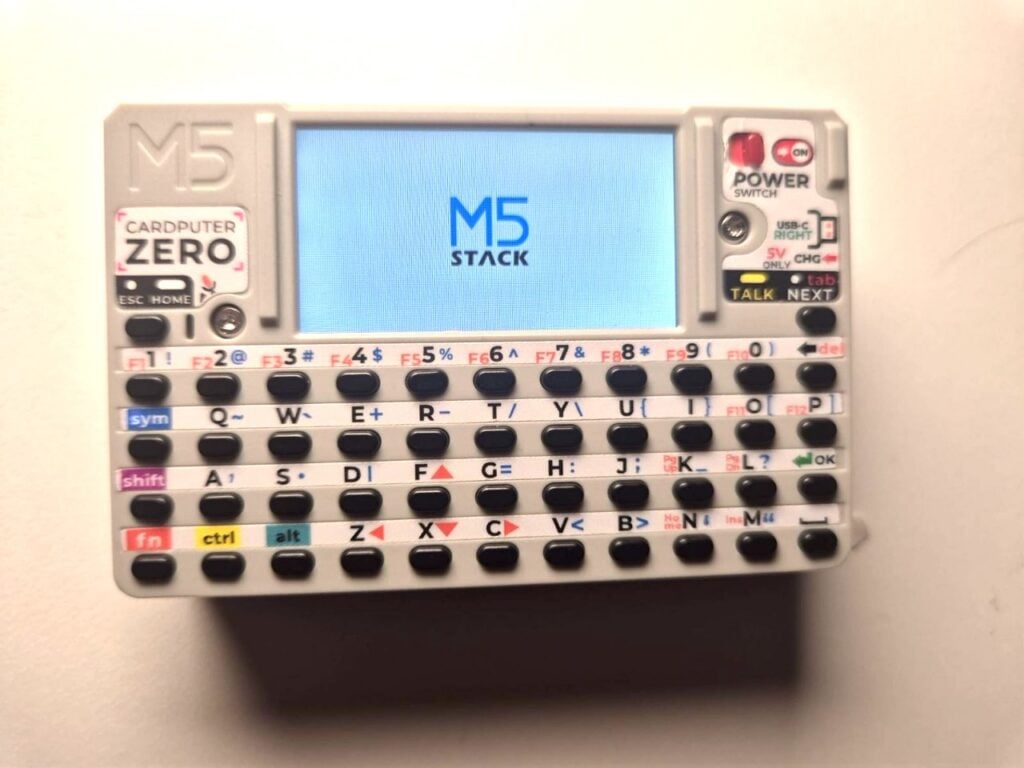
The genesis of this rapid-boot initiative traces back to earlier this year, when hardware manufacturer M5Stack unveiled a tiny, Compute Module 0 (CM0)-based computer via a crowdfunding campaign on Kickstarter.
The M5Stack Challenge
During the development phase of the M5Stack device, engineers set an ambitious goal: to display a custom corporate or product splash screen as early in the boot sequence as humanly possible. On standard Linux distributions running on a Raspberry Pi Compute Module, the operating system kernel and display drivers take several seconds to load. During this interval, the screen remains stubbornly blank, shattering the illusion of a polished consumer product.
Initially, achieving an early splash screen required running U-Boot—an open-source primary boot loader—as an entirely separate, additional boot step. While functional, U-Boot introduced unnecessary complexity, overhead, and configuration hurdles into a hardware stack designed for elegance and simplicity.
The Summer Project
Recognizing that this was a widespread pain point for the broader maker community—especially with the surging popularity of the cyberdeck trend, the Cardputer Zero, and the Hackberry Pi—Raspberry Pi brought in Thomas Griffiths for a summer engineering internship.
Griffiths was tasked with a clear mandate: design a native firmware extension that would allow SPI and I2C-based displays to be configured extremely early in the boot sequence. By moving display initialization from the operating system level directly into the primary bootloader, Griffiths successfully eliminated the need for heavy intermediate boot managers like U-Boot, cutting the time-to-first-image down to a mere couple of seconds.
Supporting Data and Technical Architecture
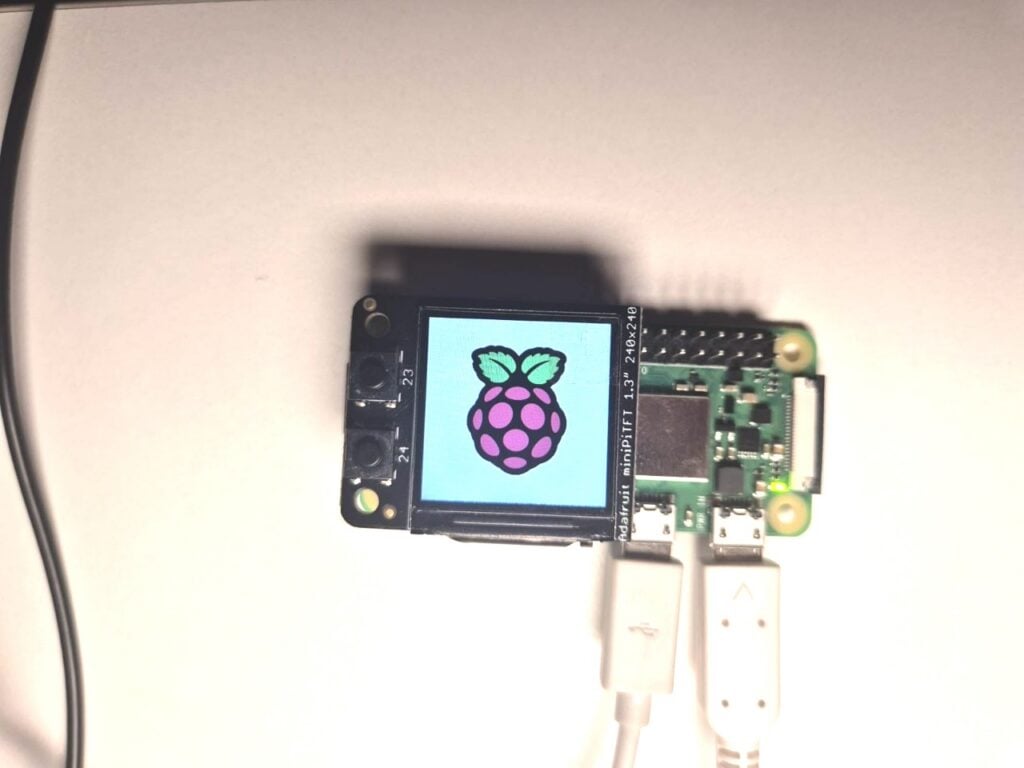
The explosion of compact maker hardware has popularized small peripheral displays driven by controllers such as the ST7789. To configure these screens before the Linux kernel has even loaded, the Raspberry Pi team had to engineer a solution that was simultaneously lightweight, versatile, and memory-efficient.
Inspiration and the "Little Language"
The architecture of the new splash screen utility draws heavy inspiration from Noralf Trønnes’s mipi-dbi language framework. Because many of the displays targeted by makers will ultimately be managed in Linux via Trønnes’s panel driver, maintaining a high degree of syntax and layout compatibility was a paramount design goal.
However, the engineering team took deliberate liberties with the architecture to expand its capabilities. The newly minted "splash language" natively supports I2C protocols alongside SPI, and statically compiles graphics and initialization data directly into the binary file.
Because the language operates fundamentally as a register-dump and command interpreter, its utility extends far beyond mere static images. Makers are free to write arbitrary configuration scripts that execute milliseconds after power-on.
Code in Action: Beyond Standard LCDs
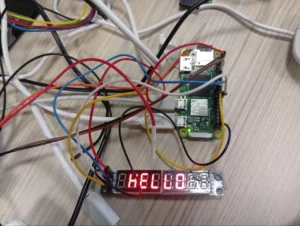
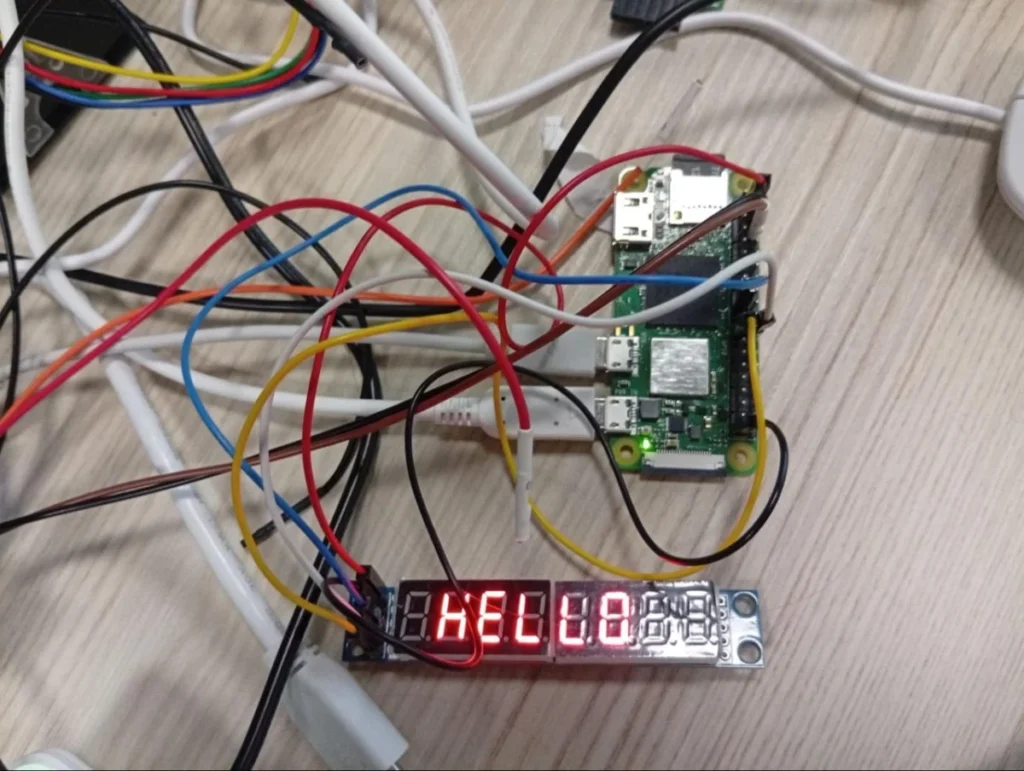
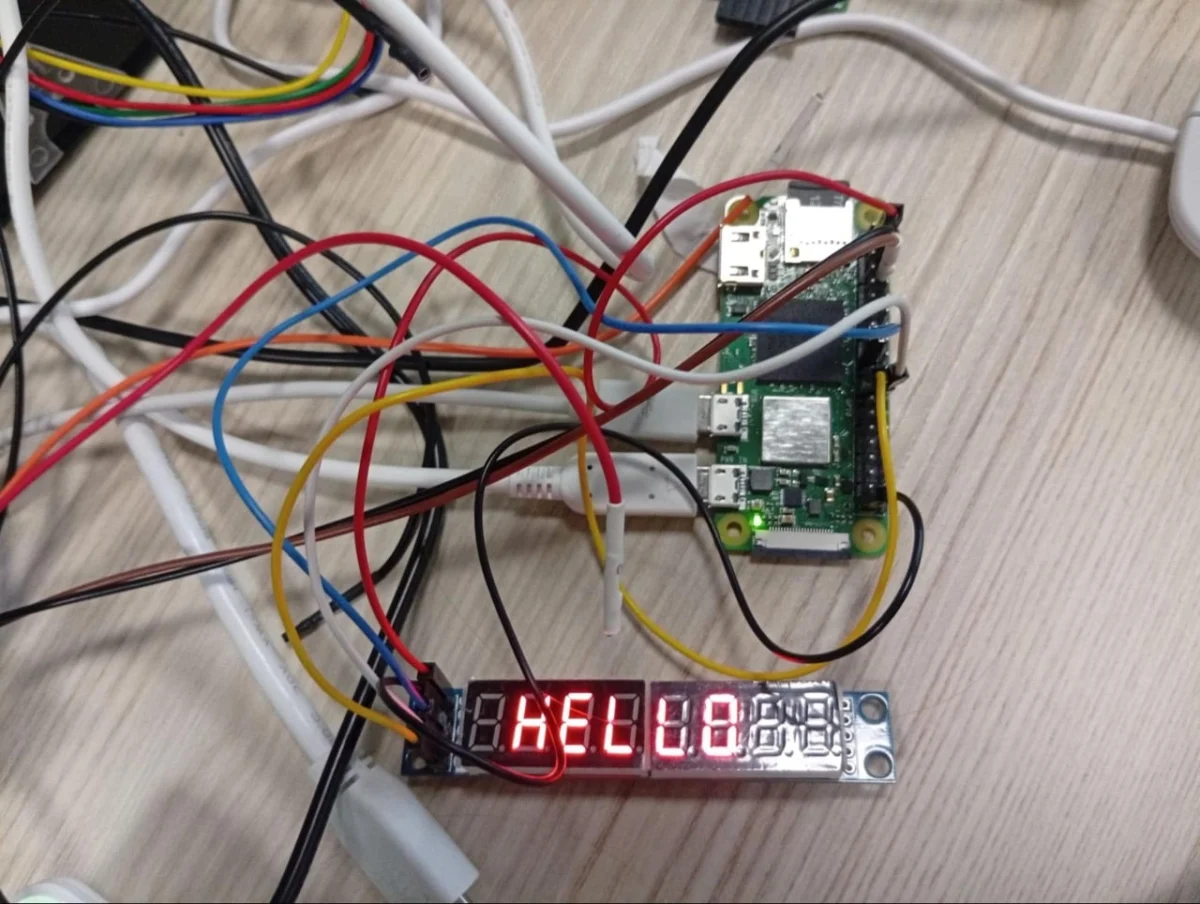
To illustrate the flexibility of the interpreter, consider the following script. Rather than addressing an LCD panel, it targets a basic seven-segment LED display driven over SPI, spelling out the word "HELLO" instantly upon boot:
# Set the output that we are using
define mled spi [copi 10] [cipo 9] [sclk 11] [cs 8] [freq 1000000]

# Setup the screen and set the brightness
mled 0x0c 0x00
mled 0x09 0x00
mled 0x0b 0x07
mled 0x0a 0x08
mled 0x0f 0x00

# Set each character register - shows HELLO
mled 0x01 0x00
mled 0x02 0x00
mled 0x03 0x7e
mled 0x04 0x0e
mled 0x05 0x0e
mled 0x06 0x4f
mled 0x07 0x37
mled 0x08 0x00

# Turn on
mled 0x0c 0x01
Pushing the envelope even further, creative developers have discovered that by manipulating SPI signals—essentially "bit-banging" UART protocols over an oversampled SPI line—the interpreter can drive entirely non-standard peripherals. Demonstrations from the engineering desk have shown a Raspberry Pi successfully commanding a thermal receipt printer to spit out a physical splash screen log instantly during boot.
Official Responses and Implementation Guide
The Raspberry Pi engineering team has officially transitioned the feature into the firmware beta testing phase, inviting community developers, device manufacturers, and hobbyists to test its limits.
How to Access the Beta Firmware
Developers wishing to integrate early splash screens into their current builds can access the feature by following a straightforward configuration process. First, users must execute the configuration utility via the terminal:
sudo raspi-configFrom within the interface, navigate to Advanced Settings, and select Beta Access to opt-in to bleeding-edge firmware updates. Following this change, standard package repositories must be synchronized and upgraded to fetch the latest builds:
sudo apt update
sudo apt full-upgrade
Note: Raspberry Pi strongly recommends ensuring that the host operating system was initially imaged using the most recent base release to guarantee complete dependency and driver alignment.
Compiling and Deploying with splashasm
Once the beta environment is active, generating and deploying a custom boot screen relies on the splashasm utility toolkit.
- Navigate to the official
splashasmdirectory located within theraspberrypi/utilsrepository on GitHub. - Follow the concise documentation provided in the repository to compile your graphical assets or command scripts into a binary file.
- Place the final compiled binary directly into the boot firmware directory on the boot partition.
- Add a linking reference to the binary inside your system’s
config.txtfile.
Because this feature is currently incubating in beta, developer documentation is intentionally streamlined and hosted directly within the Raspberry Pi Utils GitHub Repository.
Implications for the Maker Community and Commercial Products
The introduction of native, bootloader-level display interpretation carries profound implications for both amateur hobbyists and commercial manufacturers leveraging Raspberry Pi Compute Modules.
Elevating the User Experience of DIY Cyberdecks
In recent years, the "cyberdeck" subculture—inspired by cyberpunk literature and retro-futuristic computing aesthetics—has exploded across maker forums. Enthusiasts routinely pack Raspberry Pi boards, mechanical keyboards, custom power management modules, and tiny auxiliary screens into ruggedized, custom-molded enclosures.
Historically, powering on a custom cyberdeck meant staring at a blank, lifeless screen for upwards of 10 to 20 seconds while the Linux kernel booted, initialized USB buses, loaded graphics modules, and finally brought up a display manager. By shrinking the time-to-first-image down to a couple of seconds, the splashasm tool bridges the psychological gap between traditional consumer electronics and DIY hardware. Devices now feel instantly responsive and alive the moment the power switch is flipped.
Streamlining Commercial Deployments
For commercial enterprises and boutique hardware manufacturers—such as M5Stack with their Cardputer Zero—the elimination of U-Boot requirements simplifies the software bill of materials. Maintaining a separate bootloader stage just to display a corporate logo or initialization graphic introduces maintenance overhead, potential security vectors, and longer debug cycles.
By integrating a robust, extensible scripting interpreter directly into the stock Raspberry Pi bootloader firmware, commercial builders can achieve professional-grade boot polish with minimal configuration overhead. As community feedback rolls in during the beta phase, this feature is poised to become a foundational building block for the next generation of small-form-factor Raspberry Pi devices.