Speeding Up the Boot: Raspberry Pi Introduces Native Early Boot Splash Screens for SPI and I2C Displays
Main Facts
The Raspberry Pi ecosystem has experienced a surge in custom handheld maker hardware, cyberdecks, and portable Linux terminals. Devices like the M5Stack Cardputer Zero and the Hackberry Pi have captured the imagination of the maker community, pushing the boundaries of what a compact, low-cost computer can achieve. However, as developers increasingly rely on small SPI (Serial Peripheral Interface) and I2C (Inter-Integrated Circuit) displays as primary user interfaces, a persistent user experience bottleneck has emerged: the painfully blank, uninformative startup sequence.
Historically, rendering a graphic or initialization sequence on these auxiliary displays required loading a heavy Linux display driver late in the operating system’s boot chain. To solve this, summer intern Thomas Griffiths—working alongside the Raspberry Pi engineering team—has spearheaded the development of a lightweight firmware extension. This new tool allows SPI and I2C displays to be initialized and configured almost instantaneously during the earliest stages of the boot sequence. By leveraging a specialized domain-specific language (DSL) interpreted directly within the bootloader, developers can now render custom boot logos, status indicators, or diagnostic messages within mere seconds of powering on the device.
The feature is currently available in the firmware beta channel, marking a significant step forward for developers building turnkey Linux appliances, handheld gaming consoles, and custom cyberdecks on Raspberry Pi hardware.
Chronology of Development: From Kickstarter Ambitions to Bootloader Integration
The M5Stack Catalyst
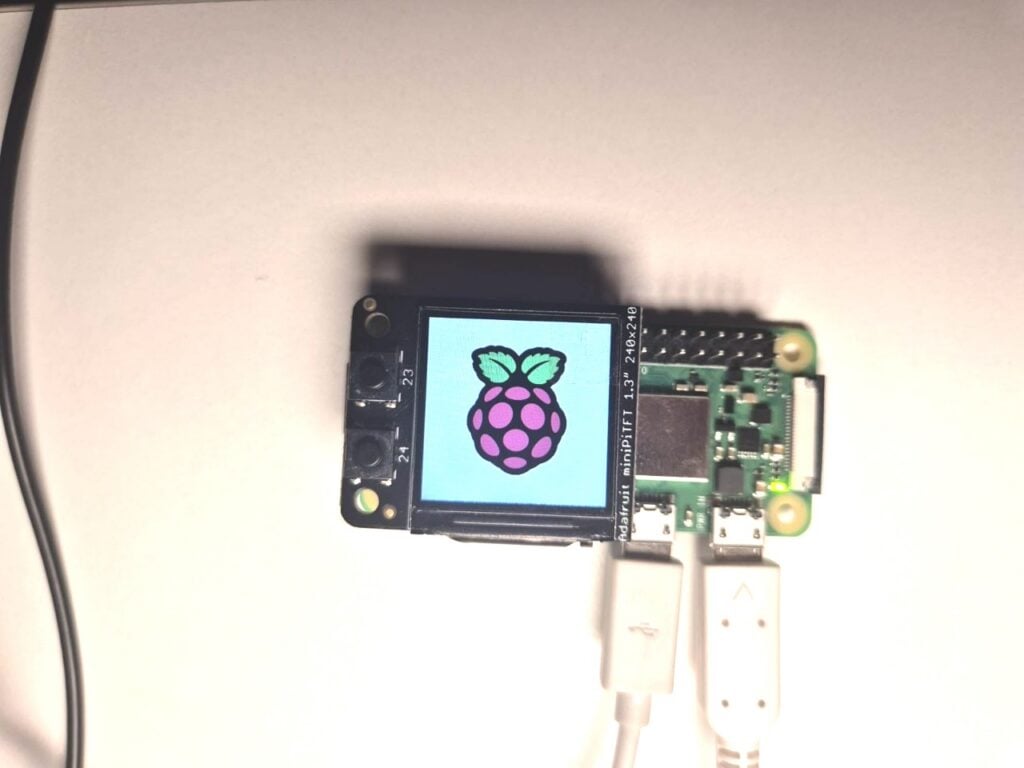
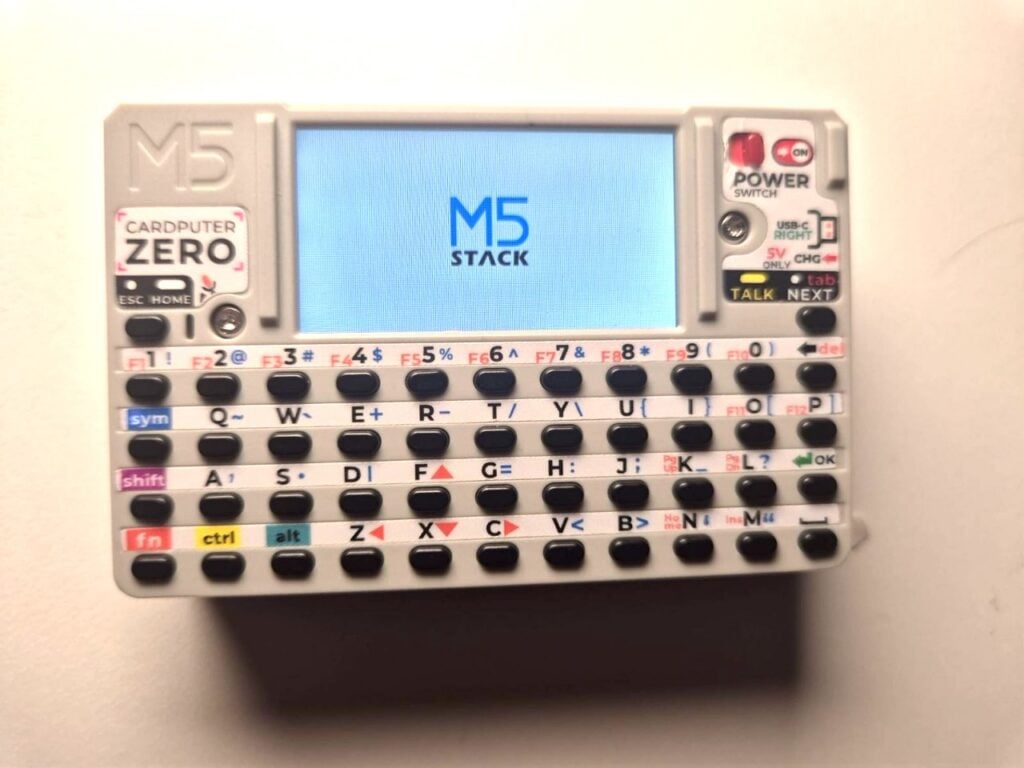
Earlier this year, hardware manufacturer M5Stack launched a Kickstarter campaign for a tiny, Compute Module 0 (CM0)-based computer. One of the core design goals for the project was to display a branded splash screen the exact moment the device gained power, providing an immediate, polished user feedback loop.
However, achieving this sub-two-second visual feedback proved surprisingly difficult. Standard Raspberry Pi boot configurations required loading U-Boot as an entirely separate, additional boot step just to initialize the display interface early. While functional, this workaround added unnecessary complexity and configuration overhead to projects that demanded sleek, appliance-like responsiveness.
Summer Engineering and the "Little Language"
Recognizing that this was a widespread friction point for developers using small-format displays, the Raspberry Pi engineering team brought on Thomas Griffiths for a summer internship to tackle the problem at its root. Rather than relying on heavyweight bootloaders like U-Boot, Griffiths focused on embedding a streamlined interpreter directly into the foundational bootloader firmware.
Taking inspiration from Noralf Trønnes’s established mipi-dbi panel language—which underpins many Linux-kernel display drivers—Griffiths designed a streamlined "little language" tailored specifically for raw register manipulation and hardware configuration. By statically compiling display commands and raw image data directly into a compact binary, the bootloader can talk to SPI and I2C peripherals long before the Linux kernel is even loaded into memory.
Supporting Data, Architecture, and Versatility
The newly introduced splashasm utility operates by parsing a straightforward, human-readable script and compiling it into a binary format that the Raspberry Pi bootloader can execute natively. Because the architecture treats the display interaction as a raw sequence of hardware writes rather than a complex graphical pipeline, its application extends far beyond traditional graphical LCD panels.
Beyond Simple Images: Seven-Segment Displays and Unusual Protocols
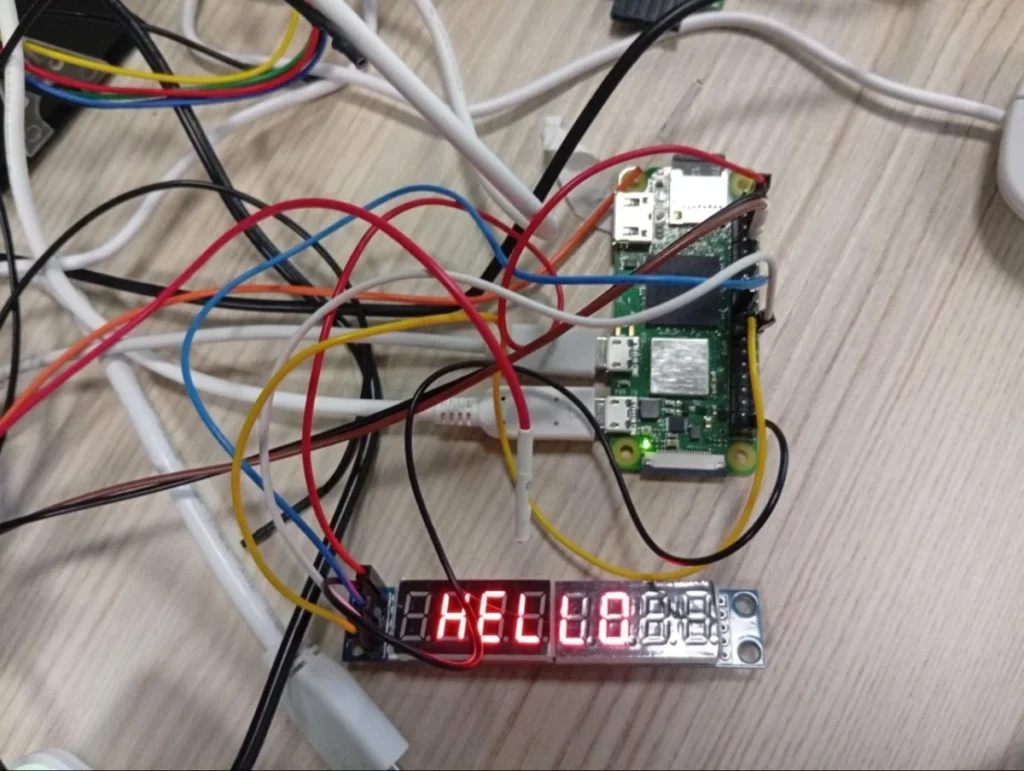
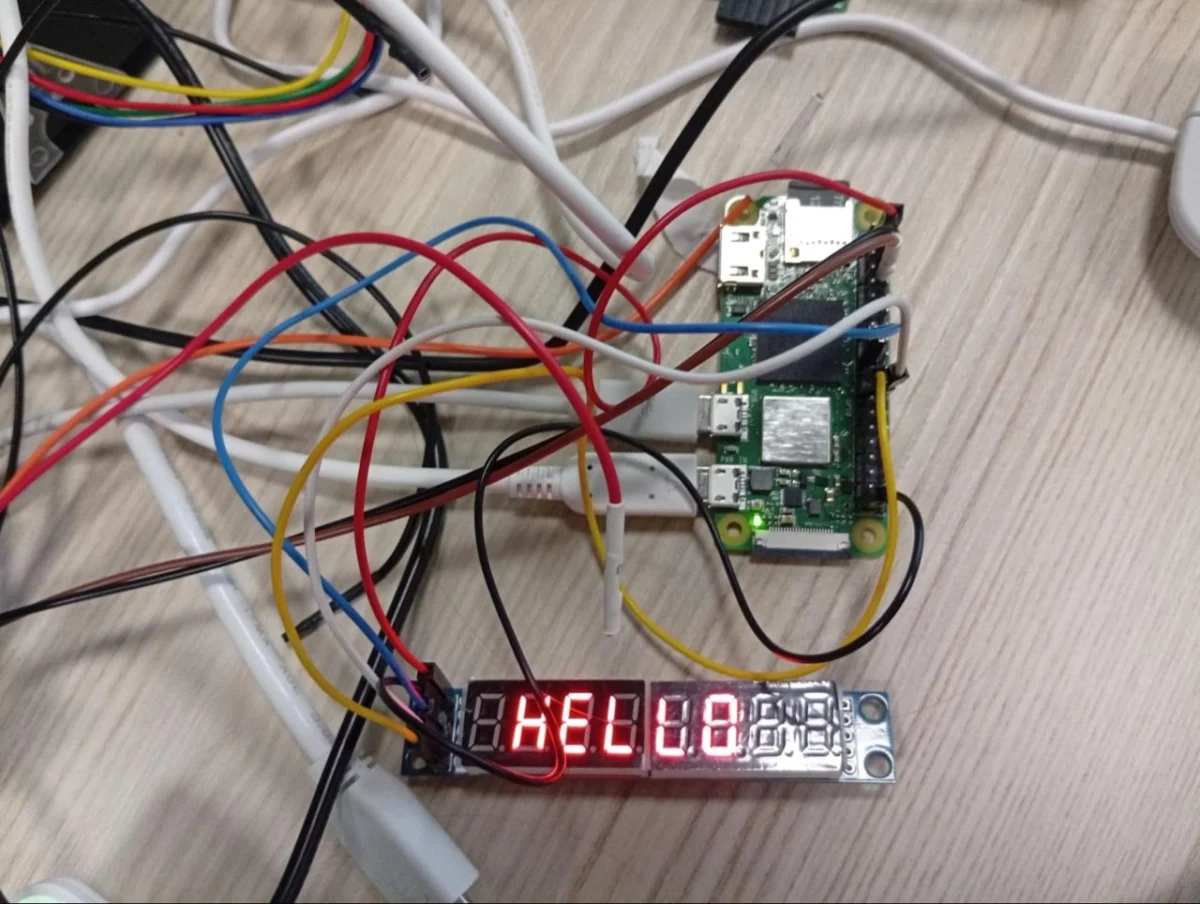
The flexibility of the interpreter means makers are not locked into standard TFT screens. For instance, the same system can be adapted to drive simple alphanumeric hardware components during boot. Consider the following configuration script, which communicates with a MAX7219-driven matrix or seven-segment display to spell out "HELLO" before the operating system even begins initializing:
# Set the output that we are using
define mled spi [copi 10] [cipo 9] [sclk 11] [cs 8] [freq 1000000]

# Setup the screen and set the brightness
mled 0x0c 0x00
mled 0x09 0x00
mled 0x0b 0x07
mled 0x0a 0x08
mled 0x0f 0x00

# Set each character register - shows HELLO
mled 0x01 0x00
mled 0x02 0x00
mled 0x03 0x7e
mled 0x04 0x0e
mled 0x05 0x0e
mled 0x06 0x4f
mled 0x07 0x37
mled 0x08 0x00

# Turn on the display
mled 0x0c 0x01
Pushing the envelope even further, adventurous developers have demonstrated that by creatively bit-banging protocols over oversampled SPI lines, the bootloader language can drive unconventional peripherals. In test environments, engineers successfully utilized SPI lines to bit-bang UART signals, compelling a thermal receipt printer to print out a physical splash screen log at startup.
Compatibility with Existing Toolchains
A major design victory of this implementation is its close architectural alignment with Noralf Trønnes’s mipi-dbi Linux panel language. Because the configuration logic shares syntactic DNA with the drivers that will eventually take over once the Linux kernel boots, developers do not need to learn entirely separate workflows for pre-boot and post-boot states. Once the kernel takes control, the display transitions seamlessly from the static bootloader image to the dynamic operating system desktop or command line.
Official Guidelines: How to Enable the Beta Firmware and Use splashasm
For developers eager to integrate early boot splash screens into their current Raspberry Pi projects, the feature is currently accessible via the firmware beta testing channel.
Step 1: Upgrading to Beta Firmware
To access the necessary firmware binaries, users must update their system configuration. Open a terminal and launch the configuration utility:
sudo raspi-configNavigate to Advanced Settings, select Beta Access, and enable it. Following this, update your package lists and upgrade your system packages to ensure all underlying firmware dependencies are current:
sudo apt update
sudo apt full-upgrade
Note: The Raspberry Pi team strongly recommends utilizing an operating system image built on the most recent software release cycle to prevent driver mismatches.
Step 2: Compiling and Configuring the Splash Binary
Once your system is running the beta firmware, you can construct your custom startup asset using the splashasm utility:
- Navigate to the official Raspberry Pi Utils GitHub repository.
- Locate the
splashasmdirectory, which contains both the compiler utility and documentation. - Follow the repository’s instructions to compile your layout and image assets into the final binary format.
- Place the generated binary file into your boot firmware directory.
- Reference the binary file appropriately within your system’s
config.txtfile.
Because this feature is actively maturing in beta, concise documentation and troubleshooting guides are being maintained directly within the splashasm GitHub folder.
Implications for the Maker and Embedded Communities
The introduction of native, early-boot splash screen support for SPI and I2C displays carries profound implications for hobbyists, educators, and commercial product designers alike.
Bridging the Gap Between Consumer Electronics and Maker Projects
One of the traditional challenges of building custom Linux appliances using single-board computers is the "awkward silence" of the boot phase. Without immediate visual feedback, users are often left wondering whether a device is successfully powering on, frozen, or suffering from a hardware fault. By trimming display initialization down to the first few seconds of boot—matching the instant-on feel of commercial smartphones and embedded consumer electronics—makers can deliver a vastly more polished, professional end-user experience.
Empowering the Cyberdeck and Handheld Movement
As form-factor-conscious projects like the Cardputer Zero and Hackberry Pi gain traction, physical space is at an absolute premium. Designers are ditching traditional desktop monitors and bulk HDMI displays in favor of embedded, low-power TFT panels connected via SPI or I2C busses. Giving these peripheral screens a first-class citizen status inside the bootloader validates the cyberdeck design philosophy, making Raspberry Pi an even more compelling platform for bespoke mobile computing.
As the splashasm tool transitions out of beta and into stable releases, we can expect to see an explosion of creative, brand-customized boot animations and status displays across the global maker community—proving once again that the Raspberry Pi ecosystem thrives at the intersection of powerful hardware and clever, community-driven software engineering.