BentoPDF: Why Your Browser Is the Safest Place for Sensitive Document Processing
In an era where digital transformation has rendered the physical filing cabinet nearly obsolete, the reliance on Portable Document Format (PDF) files has reached an all-time high. From tax returns and medical records to confidential corporate contracts, the PDF is the universal standard for document exchange. However, this convenience comes with a hidden, often overlooked cost: your privacy.
For years, the internet has been saturated with free, web-based PDF converters and editors. These sites offer a frictionless user experience—upload, click, and download. Yet, this process often hides a precarious reality: your sensitive data is being transmitted to third-party servers. Once uploaded, the fate of that data—how it is stored, who can access it, and how long it remains on a server—is often shrouded in opaque privacy policies.
Enter BentoPDF, an open-source, privacy-first toolkit that is fundamentally changing how we interact with digital documents by shifting the processing power from the cloud directly to the user’s browser.
The Hidden Risks of Online PDF Converters
The convenience of online file converters has created a false sense of security. Because these tools are free and accessible, users frequently upload sensitive information without a second thought. However, the FBI has issued formal warnings regarding fraudulent online file conversion services. These malicious entities often act as data harvesters, scraping uploaded files for personally identifiable information (PII), banking credentials, and proprietary corporate secrets.

When a document leaves your local machine, it leaves your control. Even if a service is not intentionally malicious, the risk of data breaches or improper encryption during transit remains a significant threat to personal and organizational security. The necessity for a tool that keeps data within a secure, local environment has never been more pressing.
The Genesis of BentoPDF: A Developer’s Solution
BentoPDF originated as a humble internal utility. Developed by Alam, a software engineer based in India, the tool was initially designed to satisfy a specific need: a reliable, private way to merge and split PDF files without relying on external services.
Realizing that the problem of "privacy-invasive PDF tools" was a universal pain point, Alam took the project from a private script to a public resource. Following a successful introduction to the community via Reddit, the project gained rapid traction. Within weeks, the source code was published on GitHub, inviting transparency and community auditing—a stark contrast to the black-box nature of proprietary online tools.
Technical Architecture: Harnessing the Power of WebAssembly
The core innovation of BentoPDF lies in its use of WebAssembly (Wasm). WebAssembly allows high-performance, complex applications to execute within the sandbox of a web browser at near-native speeds. By leveraging Wasm, BentoPDF processes files locally on the user’s CPU and RAM.
When you use BentoPDF to perform tasks—such as Optical Character Recognition (OCR)—the heavy lifting is done by your computer. For its OCR functionality, BentoPDF utilizes Tesseract.js, a powerful port of the industry-standard Tesseract engine. Because the engine runs locally, your documents are never uploaded to a remote server. This architecture ensures that even in an offline environment, or on a public network, your sensitive information remains private.
Key Features and Privacy Guarantees:
- Zero-Account Requirement: Users do not need to register, provide an email, or create a profile to access tools.
- No Web Tracking: The platform maintains a strict policy against tracking, ensuring that usage habits are not harvested.
- Open Source Transparency: Licensed under the AGPL-3.0, the codebase is fully auditable.
- Dual Licensing: While the tool is free for open-source and individual use, a commercial license is available for $79 for businesses requiring proprietary implementation.
Practical Application: A Hands-On Assessment
To gauge the efficacy of BentoPDF in a real-world environment, we conducted a series of tests using a Chromium-based browser. The interface is intuitive, avoiding the "feature creep" that often plagues professional-grade PDF software.
Precision Text Editing
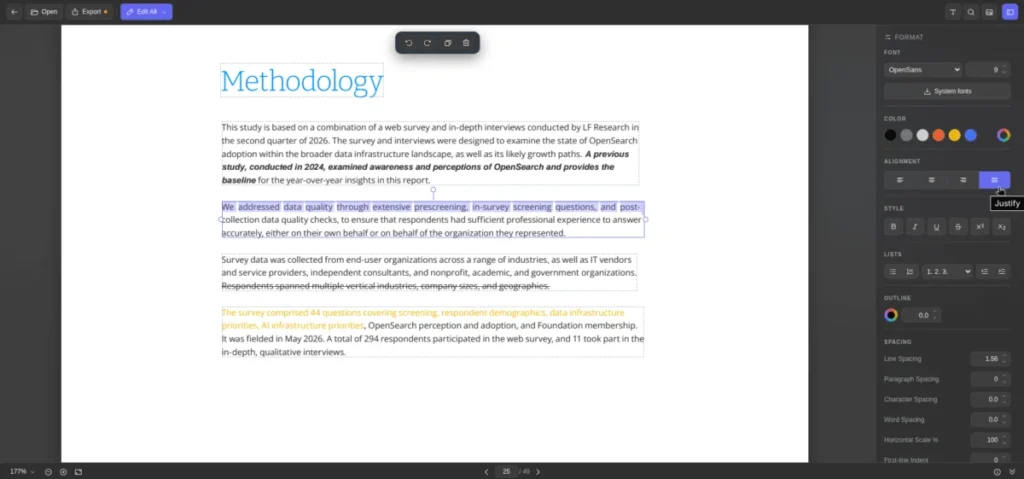
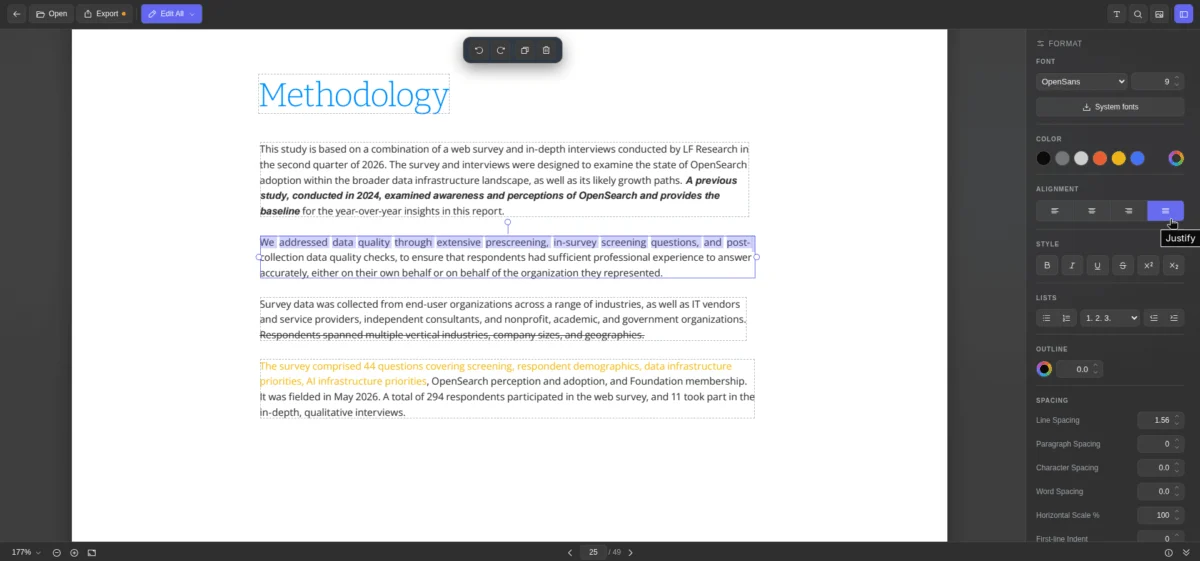
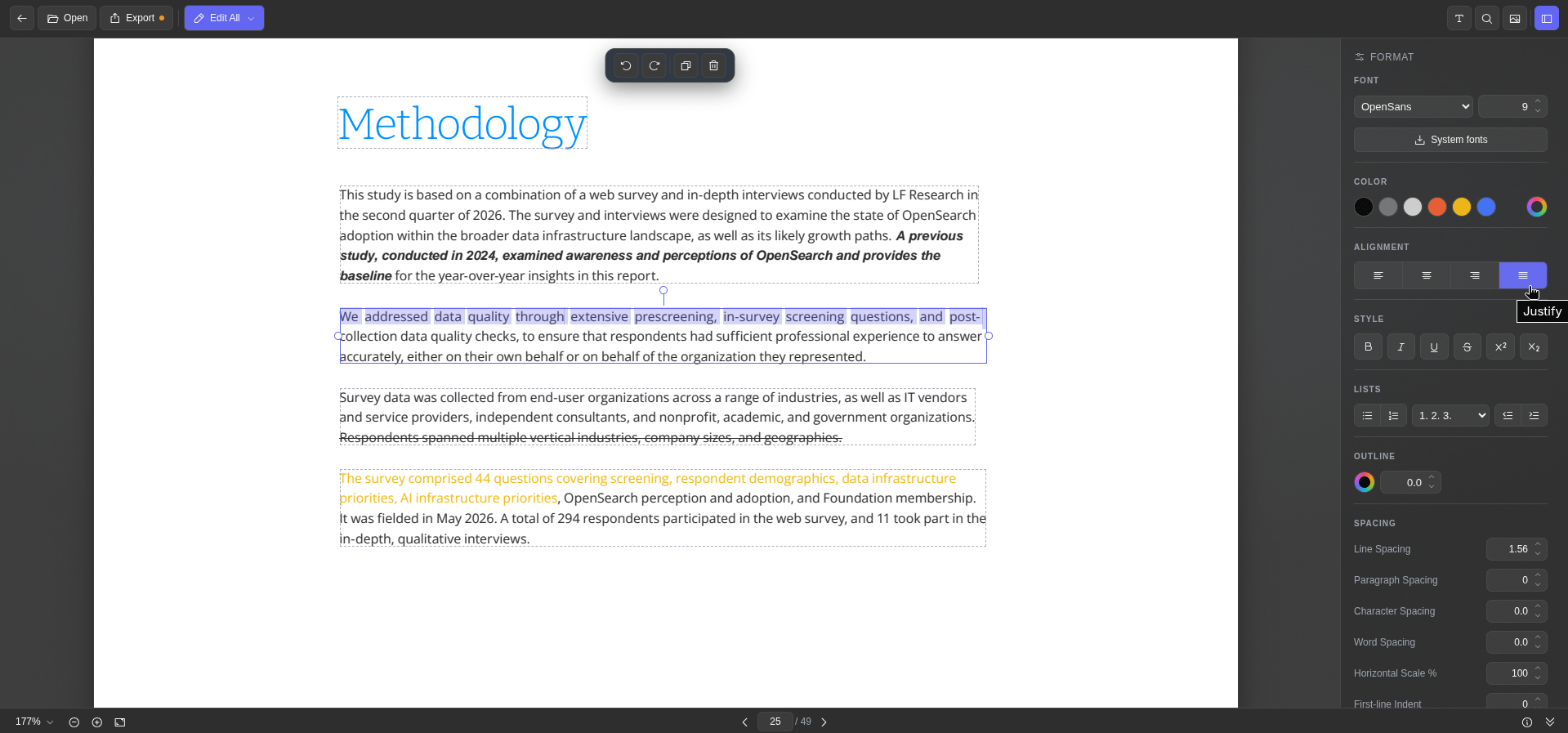
The "Edit PDF Text" module is particularly impressive. Upon loading a document, the tool identifies distinct text blocks, highlighting them with dashed borders. The formatting sidebar provides comprehensive control over typography, including font selection (with the ability to pull from local system fonts), color, alignment, and character spacing. This functionality is ideal for making last-minute corrections to contracts or resumes without needing a full-blown suite like Adobe Acrobat.
Annotation and Watermarking
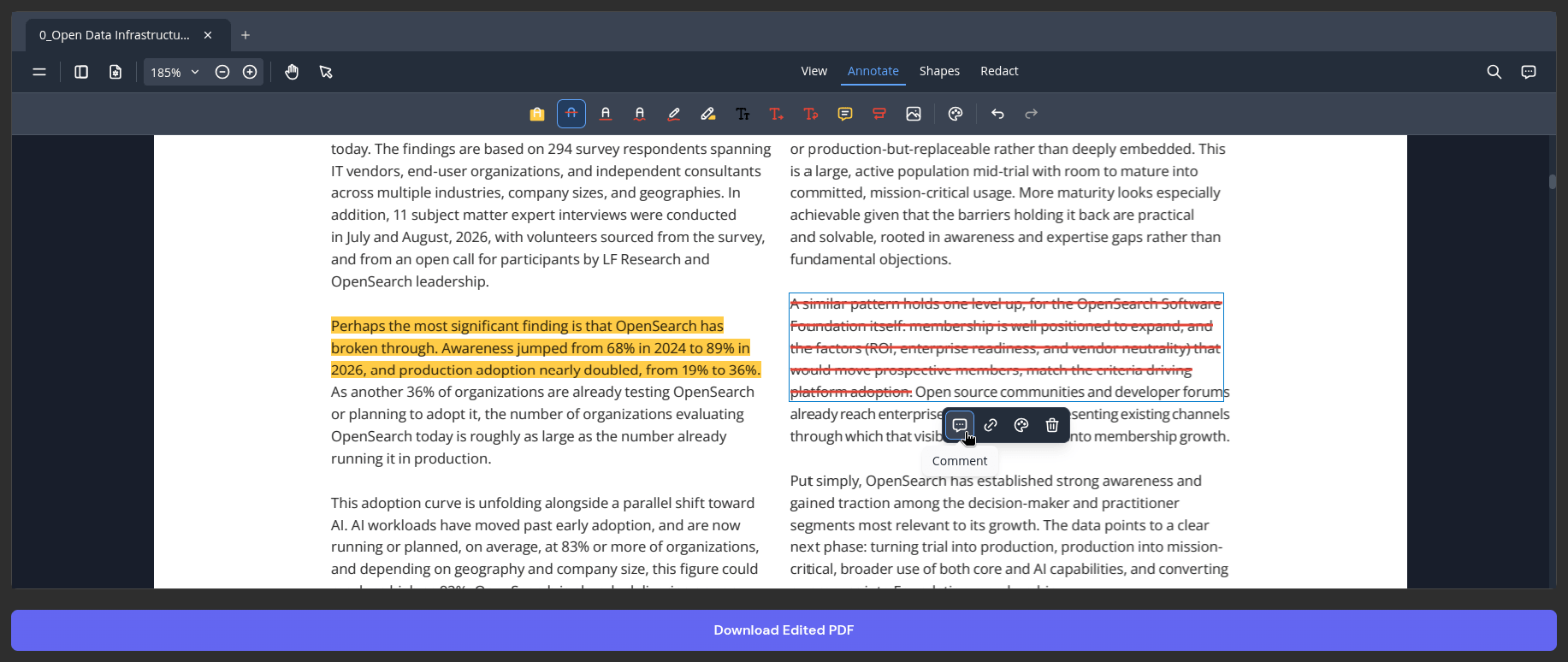
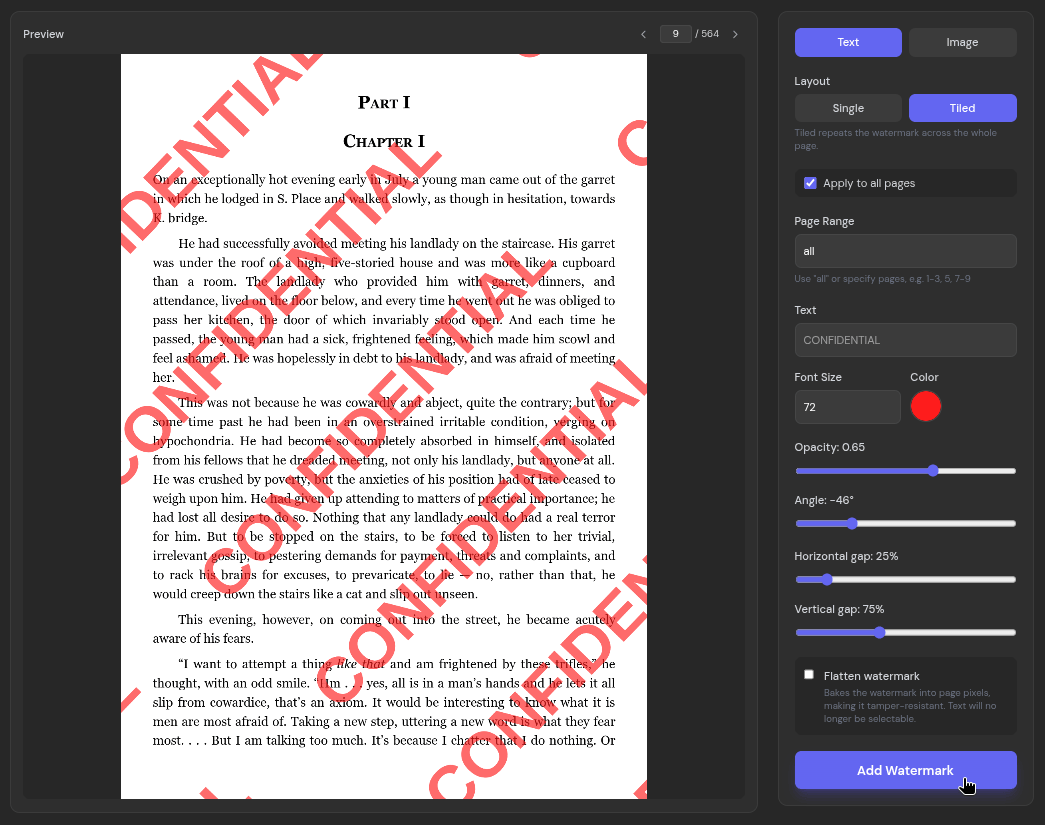
Beyond simple editing, BentoPDF excels in document management. The editor allows for fluid highlighting, text insertion, and comment management. For professionals concerned with document integrity, the "Add Watermark" tool is robust. It supports both text and image watermarks with granular control over opacity, tiling, and specific page selection, making it a perfect tool for protecting intellectual property before sharing drafts.
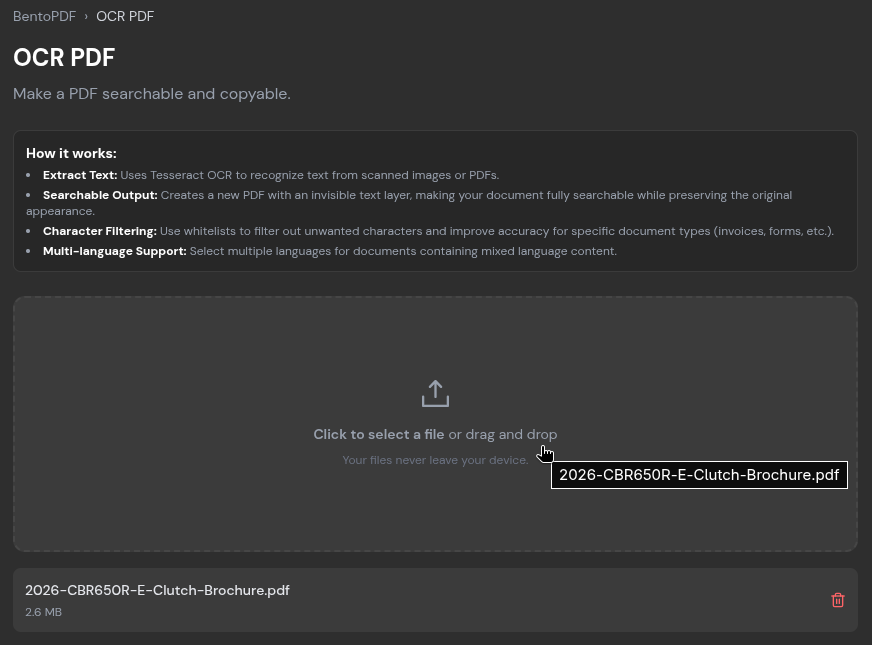
The OCR Breakthrough
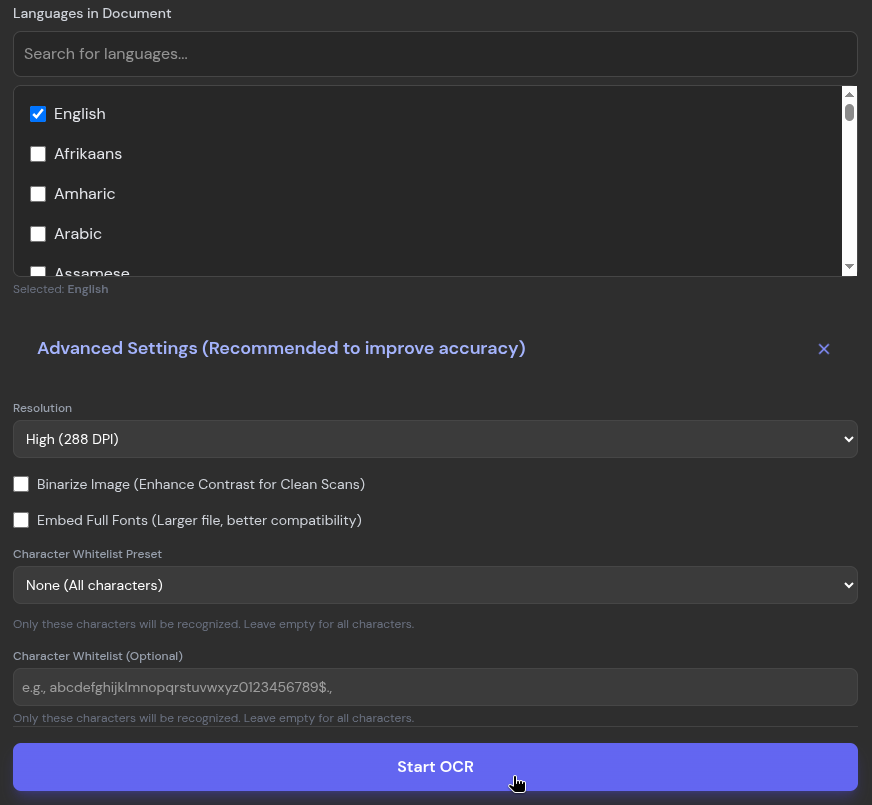
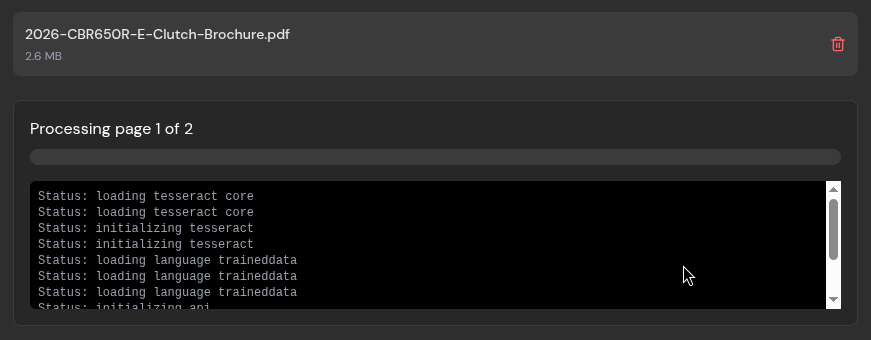
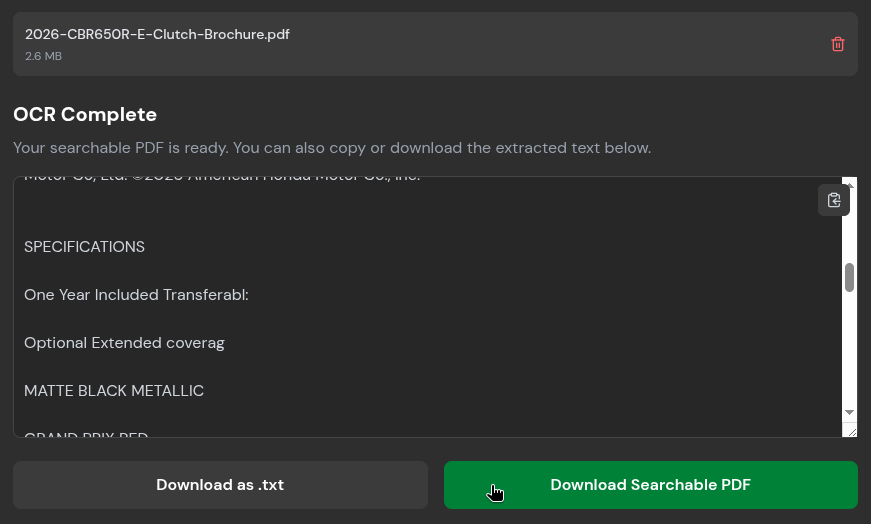
One of the most common hurdles in document management is the "image-only" PDF—files that are essentially photographs of text, rendering them unsearchable. BentoPDF’s OCR tool resolves this by analyzing the image and converting it into machine-readable text. During testing, the tool processed a two-page document with high accuracy, requiring minimal intervention. The ability to export this text directly to .txt or a searchable PDF is a significant time-saver for researchers and administrative professionals.
Supporting Data and Performance Benchmarks
Efficiency is as critical as privacy. We tested the "Compress PDF" feature to see how it manages large files. Sending massive files via email is a common point of friction, as services like Gmail and Proton Mail typically cap attachments at 20–25 MB.
- Initial File Size: 120.4 MB (214-page document).
- Selected Algorithm: "Condense" (Extreme compression level).
- Resulting Size: 28.5 MB.
- Efficiency: A 76.3% reduction in file size.
While the processing time was longer than standard compression, the retention of visual quality was remarkable. The document remained perfectly legible, with only minor pixelation in complex images visible upon extreme zoom.
The Broader Implications for Digital Security
The rise of tools like BentoPDF represents a shift in the philosophy of web development. As users become increasingly aware of the dangers of "data-as-a-service," the demand for client-side processing will continue to grow.
BentoPDF is part of a growing ecosystem of privacy-focused utilities from the same developer, including Hyper Compress (specialized compression) and Kura (conversion to long-term archiving formats like PDF/A). This ecosystem approach suggests a sustainable path forward for open-source development: providing professional-grade tools that prioritize the user’s sovereignty over their data.
Conclusion: A New Standard for PDF Management
BentoPDF is more than just a convenient utility; it is a vital step toward a safer internet. By moving the processing logic to the client-side, it mitigates the risks associated with third-party servers and provides a robust, transparent, and high-performance alternative to traditional online tools.
Whether you are a developer looking for a library to integrate into your own project, or a casual user needing to quickly compress a document without risking your privacy, BentoPDF offers a compelling, reliable, and free solution. In a digital landscape where data is the most valuable commodity, tools that keep your documents on your machine—and out of the cloud—are not just recommended; they are essential.
For those interested in the underlying technology or contributing to the project, the source code is available on the official BentoPDF GitHub repository. With over 100 tools available at your fingertips, it is a project that deserves a place in every digital professional’s bookmark folder.