Revolutionizing Android Development: The Unveiling of ADB Wi-Fi 2.0
In the high-stakes world of mobile application development, time is the most precious currency. For years, the Android Debug Bridge (ADB)—the command-line tool that allows developers to communicate with an emulator instance or connected Android device—has been the backbone of the ecosystem. However, wireless debugging has historically been plagued by intermittent connectivity, latency issues, and cumbersome setup processes. That era is coming to a definitive end with the launch of ADB Wi-Fi 2.0.
Google has officially introduced a complete overhaul of its wireless debugging stack, promising a faster, more robust, and significantly more intuitive experience for developers working across phones, tablets, Wear OS devices, and Android TVs. By rewriting the core architecture from the ground up, the Android team is aiming to remove the friction that has traditionally forced developers to remain tethered to their workstations via USB cables.
The Core Transformation: Engineering a New Stack
The transition to ADB Wi-Fi 2.0 is not merely an incremental update; it is a fundamental architectural shift. To achieve the performance gains required by modern development workflows, Google’s engineers deconstructed the existing stack and rebuilt its three primary pillars: the ADB server, the adbd daemon (the process running on the device), and the Android Studio integration layer.
The ADB Server
The server component acts as the central hub for all debugging traffic. In the previous iteration, the server often struggled with complex network environments, particularly those involving high-latency Wi-Fi or congested enterprise networks. The 2.0 update introduces a more resilient server stack capable of handling packet loss and fluctuating signal strength with greater grace, preventing the "device lost" errors that frequently derailed debugging sessions.
The adbd Daemon
The daemon running on the Android device itself has been optimized for low-power efficiency and faster handshake protocols. By streamlining how the device advertises its presence on a network and how it responds to authentication requests, the team has minimized the time required to establish a secure, stable tunnel between the development machine and the target hardware.
Android Studio Integration
The most visible change for the average developer lies within the IDE. Android Studio now features a tighter, more proactive integration with the wireless debugging stack. By utilizing smarter network discovery protocols, the IDE can now identify, authenticate, and pair with devices with significantly less manual intervention, making the "connect once, debug forever" workflow a reality.
A Chronology of Connectivity: From Cables to Cloud-Ready Debugging
The evolution of Android debugging has followed a trajectory that mirrors the maturation of the mobile industry itself.
- The Early Years (2008–2012): Debugging was strictly a wired affair. The physical USB connection was the only reliable way to push APKs and extract logs, leading to cluttered desks and broken charging ports.
- The Transition (2013–2018): Developers began experimenting with third-party wrappers and manual TCP/IP configuration for ADB. While functional, these methods were often "hacky," requiring terminal commands that were prone to failure and difficult to manage.
- The First Wave of Wireless (2019–2023): Google officially integrated wireless debugging, but it remained a secondary, sometimes unreliable feature. It served well for light tasks but often failed under the stress of heavy profiling or real-time logging.
- The 2.0 Era (2024–Present): With the introduction of the 2.0 stack, wireless debugging has been promoted to a first-class citizen. This release marks the transition from "experimental convenience" to "enterprise-grade tool," designed to handle the rigorous demands of modern, high-performance Android development.
Supporting Data: By the Numbers
The efficacy of the new stack is best illustrated through the metrics released by the Android developer relations team. The shift to 2.0 was driven by data-centric design, focusing on the specific pain points identified by the developer community.
Performance Gains
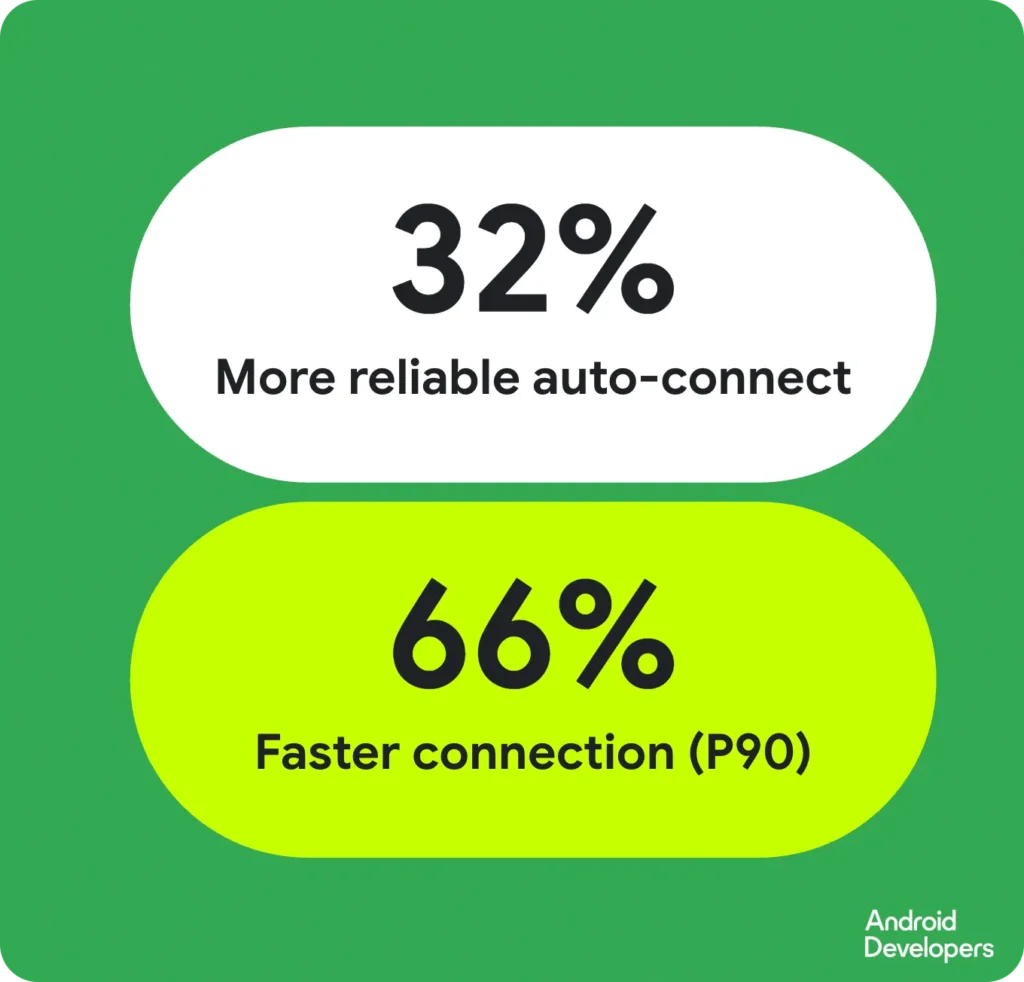
The internal testing and field deployment data for ADB Wi-Fi 2.0 demonstrate a marked improvement in reliability and speed:
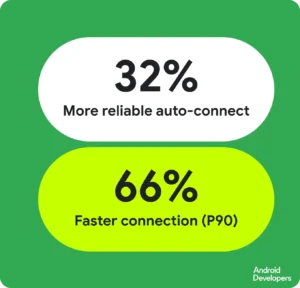
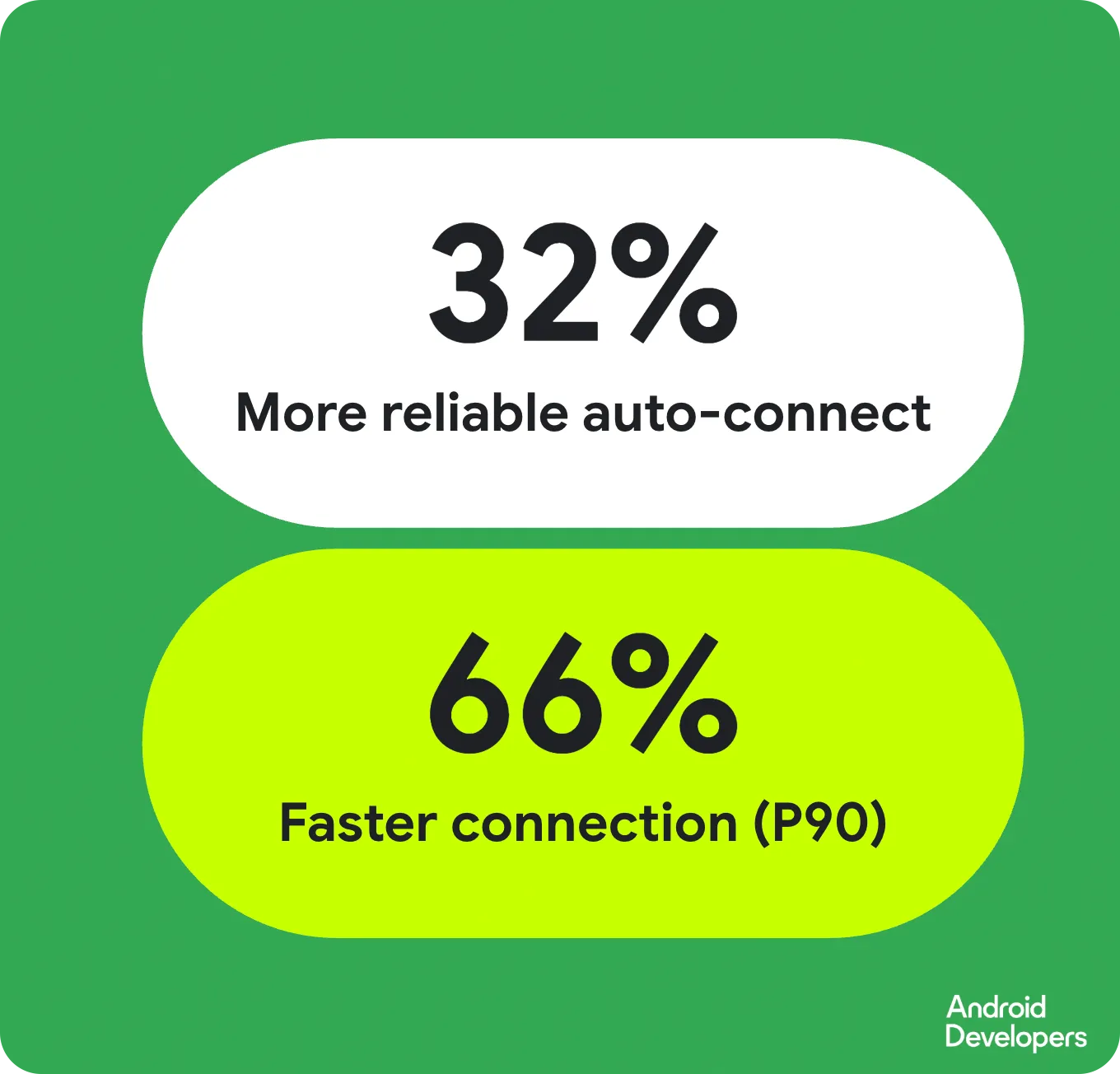
- Auto-connection Success Rate: The frequency at which the system successfully pairs with a device without user intervention has increased by 32%.
- Connection Velocity: For 90% of all connection attempts, the speed at which a secure bridge is established has increased by 66%.
These figures represent a significant reduction in "dead time"—the minutes developers spend troubleshooting their connection rather than writing code. When extrapolated across thousands of global developers, the productivity gains are substantial, effectively reclaiming hours of development time per week.
Official Responses and Developer Feedback
The development of ADB Wi-Fi 2.0 was not conducted in a vacuum. It was a direct response to a massive volume of feedback gathered through the Android Studio issue tracker, community forums, and developer conferences.

"Our goal was to eliminate the ‘cable tax’ that developers pay every time they sit down at their desk," noted a spokesperson from the Android engineering team during the recent Android Makers by droidcon 2026 presentation. "We heard the complaints about dropped connections during heavy profiling sessions and the frustration of constant re-pairing. By focusing on smarter network handling, we’ve made the wireless connection feel as immediate and stable as a direct physical link."
The response from the early adopter community has been overwhelmingly positive. Lead developers from major Android-first firms have highlighted the stability of the 2.0 stack during remote work scenarios, where developers are often working on complex multi-device testing setups that would previously have required a hub of USB cables.
Implications for the Android Ecosystem
The launch of ADB Wi-Fi 2.0 carries significant implications for the future of the Android ecosystem, extending well beyond simple convenience.
Enhanced Testing Environments
With wireless debugging becoming more stable, developers can now set up complex "device farms" or testing racks without the logistical nightmare of cable management. This is particularly transformative for developers working on Wear OS and Android TV, where physical access to ports is often awkward or restricted by the device’s form factor.
The Rise of Remote and Distributed Teams
As remote work continues to be a staple of the software industry, the ability to debug hardware located in an office from a home workstation—or vice-versa—is critical. The improved network handling of the 2.0 stack allows for more reliable connections over VPNs and bridged network configurations, enabling developers to maintain a professional-grade debugging environment regardless of their physical location.
A Signal for Hardware Innovation
By simplifying the software side of the connection, Google is lowering the barrier for manufacturers to create more compact, port-less devices. As the industry moves toward sleeker, fully sealed hardware, the reliance on physical data ports is likely to diminish. ADB Wi-Fi 2.0 provides the necessary software infrastructure to support this transition, ensuring that even as ports disappear, the ability to develop and debug remains uncompromised.
Future-Proofing the Development Workflow
The modular nature of the 2.0 stack suggests that Google is planning for a long-term evolution of the debugging experience. With the foundational rewrite complete, future updates can focus on higher-level features, such as improved security encryption for wireless sessions, multi-device debugging synchronization, and even deeper integration with cloud-based CI/CD pipelines.
Getting Started: A Step-by-Step Transition
For developers eager to leverage these improvements, the setup process has been streamlined to align with the latest versions of Android Studio.
- Preparation: Ensure your development machine is running the latest version of Android Studio and that your target device is updated to the latest available Android API level.
- Pairing: Navigate to the "Device Manager" in Android Studio. Select the "Pair using Wi-Fi" option. A QR code or pairing code will appear.
- Authentication: On your Android device, navigate to the "Wireless Debugging" settings menu. Scan the QR code or enter the pairing code displayed in your IDE.
- Execution: Once paired, the device will persist in your list of available targets. Future connections will be handled automatically, provided both the host machine and the device are on the same network.
For those requiring detailed technical documentation or looking to watch the comprehensive breakdown of the new stack, the official Android developer documentation remains the gold standard. Additionally, the presentation from Android Makers by droidcon 2026 provides an excellent deep-dive into the technical challenges the team overcame during the development cycle.
As the Android ecosystem continues to grow, tools like ADB Wi-Fi 2.0 serve as a reminder that the platform’s strength lies in its developer-first philosophy. By listening to the community and investing in the core architecture of the tools we use every day, Google is ensuring that the path from an idea to a deployed app is smoother, faster, and more reliable than ever before. Developers are encouraged to report any remaining bugs through the official Android Studio bug tracker and join the ongoing conversation on LinkedIn, YouTube, or X.