
Bridging the Gap: How ‘Prop For That’ is Revolutionizing Dynamic CSS
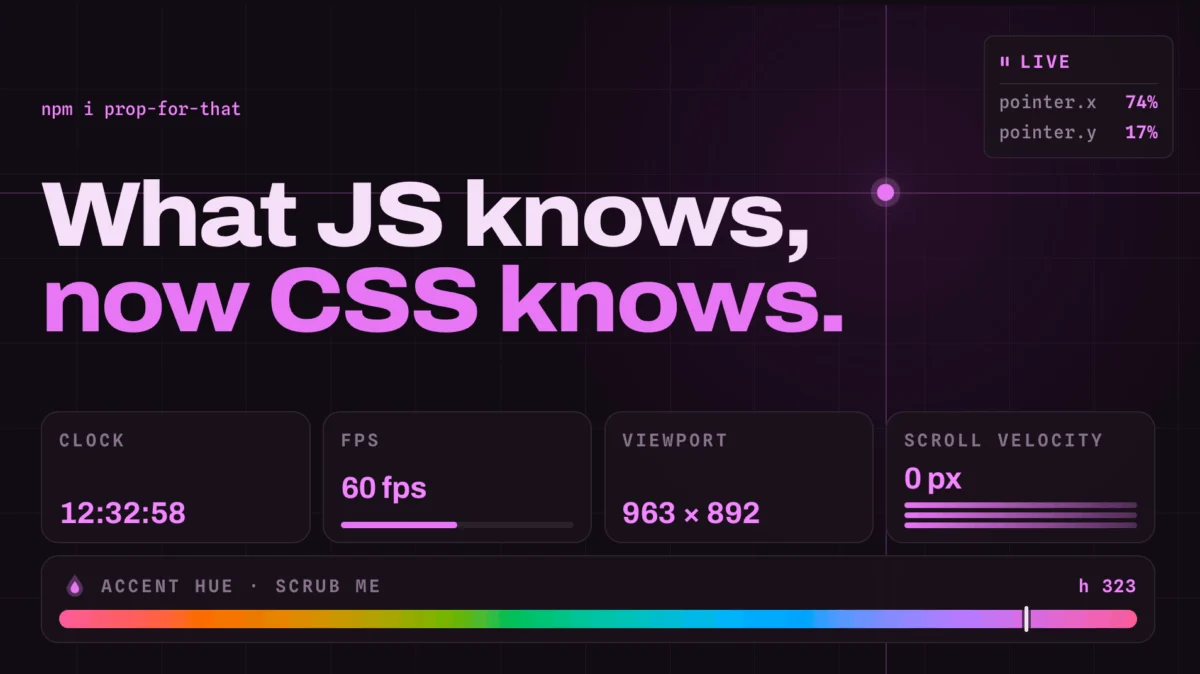
In the ever-evolving landscape of web development, the boundary between the static presentation of CSS and the dynamic logic of JavaScript has long been a source of friction. For years, developers have relied on complex event listeners and imperative DOM manipulation to reflect real-time browser states—such as cursor coordinates, scroll velocity, or temporal data—into their styling layers.
Adam Argyle, a prominent figure in the design systems space and the creator of the popular Open Props library, has introduced a paradigm shift with his latest project: Prop For That. By abstracting the heavy lifting of state observation into a lightweight, declarative library, Argyle is effectively enabling CSS to "see" data that was previously locked behind the JavaScript execution layer.
The Main Facts: A New Interface for Browser State
At its core, Prop For That is an innovative library that bridges the gap between browser-native state and CSS custom properties. While Open Props provided a foundational collection of preconfigured design tokens—standardizing variables for color, shadows, spacing, and typography—Prop For That tackles the challenge of live data.
The library operates on a simple premise: declarative data attributes. By tagging an HTML element with specific data-props identifiers, developers trigger background scripts that monitor browser events. These scripts then map that data directly onto CSS custom properties.
What makes this revolutionary is the elimination of boilerplate code. Historically, if a developer wanted to track a user’s pointer position to manipulate an element’s position, they would need to write a standalone JavaScript function to calculate coordinates, select the target element, and then update its style property on every mousemove event. Prop For That reduces this to a single attribute assignment in HTML and a simple variable reference in CSS.
A Chronology of CSS-JS Interoperability
The journey toward this level of integration has been long, marked by incremental improvements in the browser’s capabilities.
The Era of Imperative Styling (Pre-2015)
In the early days, if you wanted an element to follow the mouse, you were forced to manipulate element.style.left and element.style.top directly. This was not only computationally expensive but also decoupled the styling from the stylesheet, creating a nightmare for maintenance and performance.
The Rise of CSS Custom Properties (2015–2018)
The introduction of CSS variables (Custom Properties) changed everything. Developers could now update a single parent variable, and the browser would handle the cascade. However, the connection to the external environment remained manual. Developers still had to use JavaScript to "push" values into these variables.
The Rise of CSS Tricks and "Prop For That" (2024)
Throughout the years, experts like Chris Coyier documented the growing need for a standardized way to sync JavaScript state with CSS variables. Prop For That represents the culmination of this community desire. It is not a replacement for JavaScript; rather, it is a standardized, reusable interface that handles the repetitive "plumbing" of data synchronization.
Supporting Data: Why This Matters for Performance
One might ask: why not just use JavaScript to do everything? The answer lies in the browser’s rendering pipeline.
When JavaScript manipulates the DOM directly (e.g., changing top or left properties), it often triggers forced synchronous layouts (reflows). By contrast, updating a CSS custom property is generally more efficient, as the browser can optimize how it re-paints affected elements.
Furthermore, Prop For That leverages modern browser APIs that are optimized for performance. By using a central library to handle event listeners, the developer avoids the common trap of "event listener bloat," where multiple disparate scripts compete for the browser’s main thread. The library’s underlying architecture ensures that these values—like cursor position, scroll velocity, or current time—are updated with high fidelity, providing a 60fps experience that feels native to the browser.
Official Responses and Industry Reception
The developer community’s response to Argyle’s release has been largely enthusiastic. Leading front-end engineers have noted that Prop For That solves the "last mile" problem of design systems.
"We have spent years defining design systems for static variables," says one lead UI engineer. "But the web is inherently kinetic. Prop For That provides the bridge we’ve been waiting for to make our components react to the user’s environment without needing to build custom state machines for every button and div."
While some purists argue that adding a library for what can be achieved with a few lines of code is unnecessary, the consensus among design systems architects is that standardization is the real value here. By using a recognized library, teams ensure that their state-tracking implementations are consistent, tested, and accessible.
Technical Implications: How to Implement
The implementation process is designed to be as frictionless as possible. The library functions as a "plug-and-play" utility.
Step 1: Initialization
Include the script in the project. Once active, the library initializes observers that monitor for specific data attributes.
Step 2: Declaration
In your HTML, you define the desired state tracking via the data-props-for attribute:
<div class="tracker" data-props-for="pointer"></div>Step 3: Styling
In your CSS, you consume the generated custom properties as you would any other variable:
.tracker
  transform: translate(
    calc(var(--live-pointer-x) * 1px),
    calc(var(--live-pointer-y) * 1px)
  );
This clean separation of concerns allows designers and developers to maintain a "CSS-first" mindset, even when the underlying functionality is inherently complex.
Future Implications: The Kinetic Web
The introduction of Prop For That hints at a future where the web is much more reactive to user input and environmental variables.
Enhanced Interactivity
We are likely to see a surge in "micro-interactions" that were previously considered too difficult to implement. Subtle parallax effects based on scroll velocity, color-shifting interfaces based on the time of day, and form elements that react to user focus states in real-time will become standard practice.
Lower Barriers to Entry
By democratizing access to these advanced interactions, Argyle is lowering the barrier for junior developers. What once required a deep understanding of browser event loops and requestAnimationFrame optimization is now accessible to anyone who knows how to use a CSS variable.
Integration with Modern Frameworks
While the library currently works as a standalone, its potential for integration with frameworks like React, Vue, or Svelte is immense. Imagine being able to hook these live props directly into a component’s state management, allowing for a seamless flow of data from the hardware (mouse/scroll) to the UI framework and finally to the browser’s rendering engine.
Conclusion: A Shift in Workflow
Adam Argyle’s Prop For That is more than just a library; it is a philosophy. It suggests that the browser’s "hidden" data should be treated as a first-class citizen in the styling layer. By allowing developers to treat cursor position, time, and scroll state as CSS variables, we are effectively moving toward a web that feels more alive, more responsive, and easier to build.
As we look toward the future of CSS, tools like this remind us that the most powerful solutions are often those that hide complexity, allowing developers to focus on the creative aspects of their work. For those interested in the cutting edge of web aesthetics and performance, Prop For That is not just an optional utility—it is a glimpse into how we will be building the web for the next decade.
The demos currently available on the Prop For That documentation site serve as a masterclass in what is possible when design-focused engineering meets robust browser-native logic. Whether it is tracking a pointer or monitoring complex form states, the toolkit provided by Argyle is set to become an essential component in the modern developer’s repertoire.








