Revolutionizing Mobile Development: Google Unveils ADB Wi-Fi 2.0 to Supercharge Wireless Debugging

In the fast-paced world of mobile application development, time is the most precious commodity. For years, Android developers have relied on the Android Debug Bridge (ADB) to bridge the gap between their workstations and testing hardware. While the transition to wireless debugging was a significant milestone, it was often plagued by connectivity instability, slow handshake times, and cumbersome setup procedures.
Recognizing these friction points, the Android Studio team at Google has officially rolled out ADB Wi-Fi 2.0. This major overhaul promises to redefine the development workflow by drastically improving connection reliability and speed. By redesigning the underlying architecture of the ADB server and daemon, Google is addressing the technical debt that hindered previous iterations, marking a new era of seamless, cable-free development.
The Core Transformation: Why ADB Wi-Fi 2.0 Matters
At its heart, the update to ADB Wi-Fi 2.0 is not merely a superficial tweak; it is a fundamental architectural reconstruction. The Android Studio engineering team, led by Steven Jenkins, Sherif Eid, and Fabien Sanglard, opted to overhaul the three critical pillars of the debugging stack: the ADB server, the adbd daemon on the mobile device, and the integration layer within Android Studio itself.
The Technical Evolution
In previous iterations, the connection handshake relied on legacy protocols that were highly sensitive to network fluctuations. If a router experienced a momentary spike in latency or a brief signal drop, the debugging session would frequently disconnect, requiring a manual restart of the server or a physical reconnection of the USB cable.
ADB Wi-Fi 2.0 introduces a modernized server stack that utilizes smarter network handling algorithms. These algorithms are designed to anticipate network instability and manage the handshake process more robustly. By moving away from rigid connection timeouts to a more adaptive state machine, the system can now maintain persistent connections even in suboptimal Wi-Fi environments.

Chronology: From Legacy Cables to Seamless Wireless Integration
To understand the magnitude of this update, one must look at the trajectory of Android development tools.
- The USB Era: For the first decade of Android development, physical USB cables were the industry standard. While reliable, they limited mobility and contributed to significant wear and tear on device charging ports.
- The Advent of Wireless Debugging: The initial release of wireless ADB was a game-changer, allowing developers to roam freely with their test devices. However, the first implementation was essentially a "wrapper" over the existing protocol, which inherited the limitations of the wired architecture.
- The Feedback Loop: Following the release, Google initiated an extensive feedback cycle. Developers consistently highlighted "usability gaps"—specifically, the difficulty of the initial pairing process and the high frequency of dropped connections during intensive debugging sessions.
- The Architecture Overhaul: Over the past 18 months, the Android Studio team focused on a ground-up rewrite of the communication layer. This phase involved deep-level kernel interactions and a complete refactoring of how the adbd daemon reports status to the host machine.
- The Launch of 2.0: With the recent announcement, ADB Wi-Fi 2.0 represents the culmination of this engineering effort, effectively retiring the legacy bottlenecks that defined the previous wireless experience.
Supporting Data: By the Numbers
The efficacy of an engineering update is best measured through empirical data. Google’s internal testing and telemetry from developer previews have yielded impressive results, validating the decision to prioritize an architectural overhaul.
Performance Benchmarks
The improvements brought by the 2.0 update are quantifiable:
- Connection Reliability: The auto-connection success rate has seen a staggering 32% improvement. This metric tracks the ability of the IDE to automatically rediscover and re-establish a link with a previously paired device upon startup.
- Handshake Latency: For 90% of connections, the time taken to establish a functional debugging session has decreased by 66%. What used to take several seconds of "searching" is now nearly instantaneous, allowing developers to jump straight into code deployment.
- Stability Retention: In controlled environments simulating high-interference Wi-Fi, the number of mid-session disconnects dropped by nearly 50%, a direct result of the new, more resilient packet-loss recovery protocols implemented in the server stack.
These metrics underscore the shift from "experimental feature" to "production-grade tool," providing developers with the confidence to move away from physical cables entirely.
Official Perspectives: The Engineering Philosophy
In their official communication, the Android Studio team highlighted that this update was fundamentally a response to the community.

"We listened to the pain points," stated the team in their official blog post. "The goal was not just to make it ‘faster,’ but to make it ‘invisible.’ We want the developer to focus on the code, not on the connection status of their test device."
By engaging with the community through platforms like the Android Makers conference and various developer forums, the team identified that the primary deterrent to wireless debugging was the psychological tax of having to troubleshoot a connection failure. By automating the reconnection logic and stabilizing the handshake, the engineers have effectively removed the "debugging of the debugger" from the daily workflow.
Implications for the Android Developer Ecosystem
The introduction of ADB Wi-Fi 2.0 has far-reaching implications for the industry.
1. Enhanced Hardware Longevity
For companies managing large device labs—where hundreds of phones are tested daily—the reduction in physical port usage is a major operational benefit. USB-C and micro-USB ports are frequent points of failure in high-frequency testing environments. By normalizing wireless workflows, organizations can extend the lifecycle of their testing hardware significantly.
2. Multi-Device and Cross-Platform Testing
ADB Wi-Fi 2.0 is not restricted to smartphones. It has been fully optimized for the broader Android ecosystem, including Wear OS devices, Android TV, and tablets. For developers working on specialized hardware (like smartwatches, where physical ports are often inaccessible or non-existent), this update is essentially mandatory. It removes the need for complex, proprietary cradle adapters, standardizing the testing process across all form factors.

3. Boosting Developer Productivity
In a modern Agile development environment, the "inner loop"—the time from writing code to seeing it run on a device—is the most critical metric. By slashing the connection time by two-thirds, Google has effectively returned thousands of cumulative hours to the developer community. This reduction in overhead allows for more rapid iteration cycles, more frequent testing, and ultimately, a higher quality of final output.
How to Get Started with the New Standard
Transitioning to ADB Wi-Fi 2.0 is designed to be as frictionless as the connection itself. Because the update is integrated directly into the latest versions of Android Studio, developers do not need to install third-party plugins or complex command-line tools.
The Workflow:
- Update Android Studio: Ensure you are running the latest stable version provided by Google.
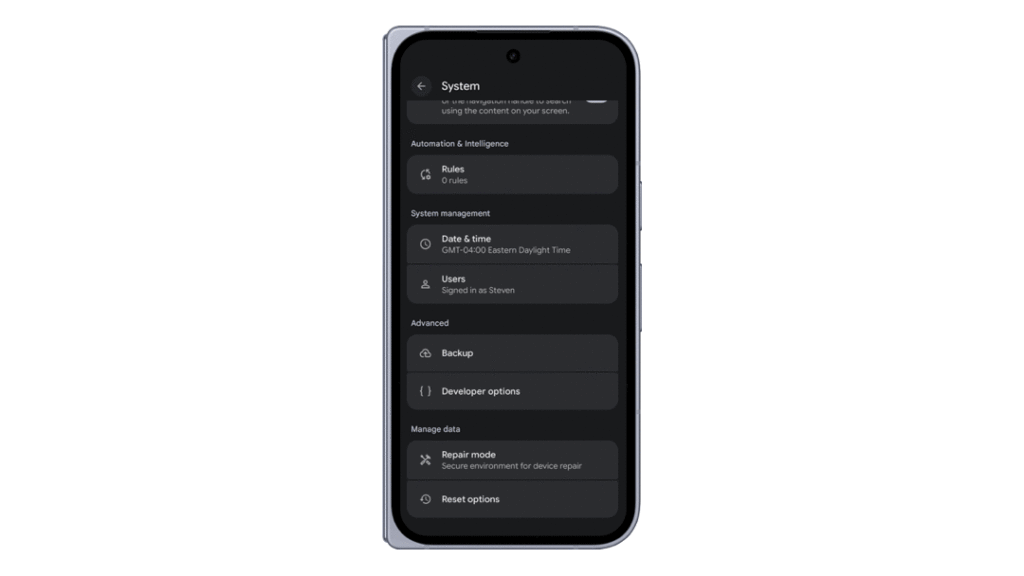
- Enable Developer Options: On your test device (phone, TV, or wearable), ensure "Developer Options" is active and "Wireless Debugging" is toggled to "On."
- Pairing: The new UI within the Android Studio "Device Manager" simplifies the pairing process via a QR code or a simplified pairing key, eliminating the need to manually enter IP addresses or port numbers in the terminal.
- Persistent Connection: Once paired, the device will appear as a persistent target in the device dropdown menu, ready for immediate deployment.
For those encountering niche network configurations or who wish to dive deeper into the technical specifications, the official Android developer documentation provides comprehensive guides. Furthermore, the presentation delivered at the Android Makers by droidcon 2026 offers a deep dive into the underlying protocols, providing a masterclass for those interested in the intricacies of the ADB server architecture.
Looking Ahead: The Future of Android Debugging
The release of ADB Wi-Fi 2.0 serves as a clear signal that Google is committed to polishing the "quality of life" aspects of its development platform. As the Android ecosystem continues to expand into automotive, wearables, and IoT, the ability to maintain robust, wireless communication with hardware will only become more critical.

As the team continues to refine these tools, they have encouraged the community to stay engaged. Whether through the official issue tracker or community channels on LinkedIn, YouTube, and X, the dialogue between the Android Studio engineers and the global developer base remains an essential component of the platform’s success.
In conclusion, ADB Wi-Fi 2.0 is more than just a software update; it is a manifestation of the "developer-first" philosophy. By prioritizing stability, speed, and simplicity, Google has ensured that the Android development experience remains competitive, modern, and—most importantly—unhindered by the limitations of the past. As we move forward, developers can finally leave their USB cables in the drawer, confident that their wireless connection is as reliable as the code they are building.