The Agentic Evolution: Android CLI 1.0 and the Future of AI-Assisted Development
The landscape of mobile application development is undergoing a seismic shift. As artificial intelligence moves from a novelty to a fundamental component of the software development lifecycle (SDLC), Google has moved to formalize this integration. At Google I/O ’26, the company officially announced the stable release of the Android Command-Line Interface (CLI) version 1.0, a suite of tools designed to bridge the gap between high-level AI agents and the granular, complex environment of Android development.
This release represents a strategic pivot: rather than forcing developers into a single, monolithic AI environment, Google is fostering an ecosystem where third-party agents—from Claude Code and OpenAI’s Codex to Google’s own Antigravity—can interact with the Android platform as first-class citizens.
Main Facts: A New Era of Agentic Interoperability
The core philosophy behind Android CLI 1.0 is "development everywhere." Google recognizes that developers have personal preferences regarding the agents they utilize. By providing a stable, standardized interface, the Android CLI allows these agents to perform "heavy lifting" tasks—such as project scaffolding, dependency management, and UI testing—without requiring the developer to manually bridge the gap between the IDE and the command line.
Key milestones of the 1.0 release include:
.png)
- Full Stability: Moving out of beta, the CLI now provides a reliable, versioned API for agents to call.
- Deep IDE Integration: A new
android studiocommand set allows external AI agents to hook directly into the rich analytical engines of Android Studio Quail. - Expanded Distribution: The tool is now natively supported via
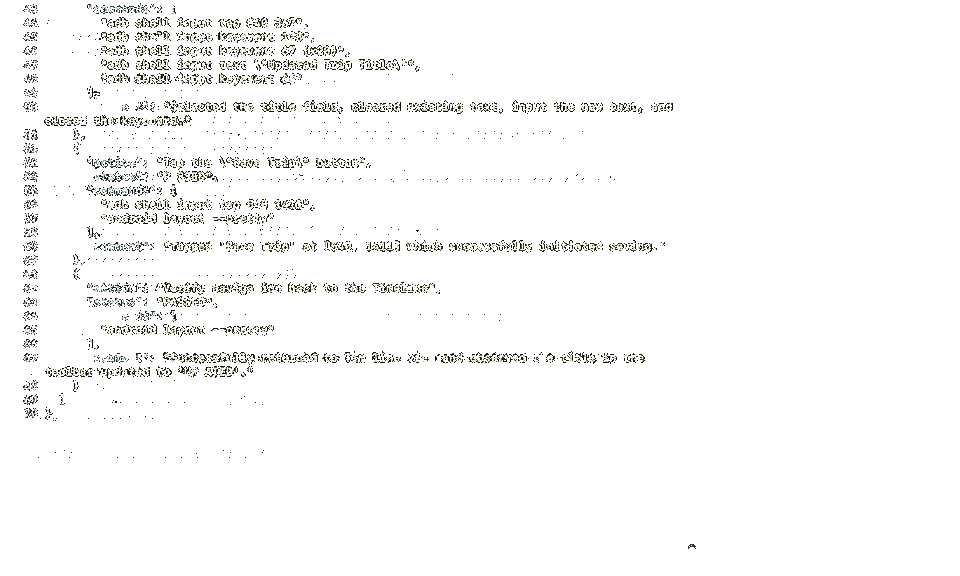
apt-get,winget, andhomebrew, making it accessible across Linux, Windows, and macOS environments. - Support for "Journeys": A new framework that allows agents to execute, test, and validate user-centric app flows through natural language instructions.
Chronology: From Concept to Production-Grade Tooling
The journey to Android CLI 1.0 was not overnight. It began with the recognition that AI models, while excellent at writing snippets of code, often lacked the "contextual awareness" required for large-scale Android projects.
- Pre-2025: Development of early-stage CLI wrappers for internal Google teams.
- Google I/O 2025: Initial concepts of agent-accessible tooling were demoed, focusing on basic project generation.
- Late 2025: The introduction of "Skills" (specialized AI tasks) allowed for modular expansion of the CLI’s capabilities.
- Q1 2026: The Beta phase focused on security and performance, ensuring that agents could interact with local filesystems safely.
- Google I/O 2026: The official launch of 1.0, accompanied by the integration of the Android Studio Quail preview, marking the transition from experimental prototype to enterprise-ready utility.
Supporting Data: Why Specialized Agents Need Android CLI
The challenge with generic LLMs is their lack of deep, domain-specific knowledge. Android development is notoriously complex, involving manifest files, Gradle configurations, XML layouts, and Kotlin/Compose architecture.
Google’s internal benchmarks suggest that agents utilizing the new android studio command-line bridge exhibit a 40% increase in "contextual accuracy" when performing complex refactoring tasks. By offloading static analysis and dependency resolution to the underlying Android Studio engine—while the AI handles the logic—the system achieves a "best of both worlds" architecture.
The "Skills" Library
The Android CLI is not a static tool; it is a gateway to an evolving library of skills. These are essentially optimized prompts and scripts that define how an agent should handle specific Android-related tasks. As of the 1.0 launch, the library includes:
.png)
- Project Initialization: Automated setup of modern architecture patterns.
- Compose Preview Rendering: Allowing agents to generate and verify UI layouts in real-time.
- Migration Helpers: Tools to assist in moving legacy codebases to Jetpack Compose.
- Automated Testing Flows: Executing "Journeys" that simulate real user behavior within a virtual device.
Official Responses and Strategic Vision
During the keynote, the Android Developer Relations team emphasized that this is not about replacing the developer, but rather "augmenting the developer’s intent."
"We want the AI to be an extension of the developer’s hand," said a lead engineer during the I/O breakout session. "By providing a stable 1.0 interface, we are ensuring that the time spent ‘fighting’ the toolchain is reduced. We are giving the agents the same tools that our human engineers use—static analysis, profilers, and device streaming—so they can build with the same level of polish and reliability."
Google’s commitment to an open ecosystem is evidenced by the support for Antigravity 2.0. By allowing developers to install an "Android bundle" within the Antigravity settings, Google is showing that it intends to compete on the quality of its tooling infrastructure rather than by locking developers into a proprietary AI walled garden.
Implications for the Industry: The Shift to "Agentic Development"
The release of Android CLI 1.0 has profound implications for the software industry, particularly for mobile development shops and independent developers.
.png)
1. The Death of Boilerplate
With agents capable of invoking the android command to scaffold projects and handle standard library implementations, the era of "boilerplate coding" is effectively ending. Developers will increasingly spend their time on high-level architectural decisions, system design, and creative product strategy, leaving the repetitive syntax-writing to agents.
2. Democratization of Complex Apps
The barrier to entry for building high-quality Android apps is lowering. By allowing AI agents to handle the "dirty work" of navigating complex Gradle dependencies and maintaining manifest compliance, individuals with strong product ideas but limited specialized Android experience can build sophisticated, production-grade applications.
3. The New Standard for Testing: Journeys
The introduction of "Journeys" is arguably the most disruptive feature of the 1.0 release. By using natural language to describe a user flow (e.g., "The agent should sign up, add an item to the cart, and proceed to checkout"), developers can automate the validation of critical business logic. This shifts testing from a post-development chore to a continuous, AI-driven process that occurs alongside development.
4. Enterprise Productivity
For large organizations, the ability to integrate existing CI/CD pipelines with AI agents via the Android CLI will be a game changer. Developers can now request an agent to "analyze this file for memory leaks" or "refactor this module for better performance," with the agent having the authority to run the same static analysis tools that senior developers use.

Conclusion: How to Get Started
For developers looking to integrate these capabilities into their workflows, the path is straightforward. The first step is to download the 1.0 release and update your environment:
# Example for Homebrew users
brew install android-cli

# Initialize the environment
android init
Once installed, developers are encouraged to explore the android skills command to see the full range of available agentic functions. By combining this with the latest preview of Android Studio, developers can create a loop where the agent is not just a chatbot, but a fully-fledged member of the development team—one that can see, analyze, and manipulate the codebase with precision.
As we look toward the remainder of 2026, the question is no longer whether AI will be a part of the Android development process, but how efficiently developers can harness these new agentic tools. With the Android CLI 1.0, Google has provided the foundation. The next chapter of mobile development will be written not just by code, but by the agents we choose to build alongside.
For further updates and to join the community discussion, visit d.android.com/tools/agents or participate in the ongoing threads on the Android Developers Medium and X channels.