
The Definitive Guide to Linux Backup Solutions: Securing Your Data Across the Spectrum
In the Linux ecosystem, the adage "if you didn’t back it up, it doesn’t exist" is a mantra for every system administrator and power user. While the Linux community offers a robust selection of free and open-source backup tools, the challenge lies not in the availability of software, but in selecting the right architecture for your specific environment. Whether you are a casual desktop user protecting photos or a sysadmin managing a fleet of remote servers, the strategy for data retention must be tailored to the workflow.
This comprehensive guide breaks down the current landscape of Linux backup solutions, analyzing their architecture, ideal use cases, and the underlying philosophy that governs their performance.
The Taxonomy of Linux Backups: Understanding Your Needs
Before diving into specific tools, it is vital to distinguish between backup types. Most enterprise-grade software on Windows focuses on "bare-metal" or full-disk imaging—the ability to restore an entire operating system to a previous state. In the Linux world, such solutions are significantly more complex and less common in the free software space.

Instead, the Linux philosophy heavily favors file-level, snapshot-based backups. This approach is generally faster, more space-efficient due to deduplication, and highly granular. However, it requires a shift in mindset: you are backing up the data that matters, rather than the entire disk structure.
At a Glance: Comparison Matrix
| Tool | Best For | Backup Type | Cloud Support | Licensing |
|---|---|---|---|---|
| Déjà Dup | GNOME Desktop | File-level | Yes (Google/Drive) | FOSS |
| MSP360 Free | Personal Cloud | File-level | Yes (S3, B2) | Personal Use Only |
| Kopia | Professionals | Snapshot | Yes (S3, Azure) | FOSS |
| BorgBackup | Servers/Homelabs | Deduplication | SSH/Local | FOSS |
| Restic | Developers/CLI | Snapshot | Yes (S3, B2) | FOSS |
| UrBackup | Fleet Management | File + Image | No | FOSS |
1. Déjà Dup: The Gold Standard for Desktop Simplicity
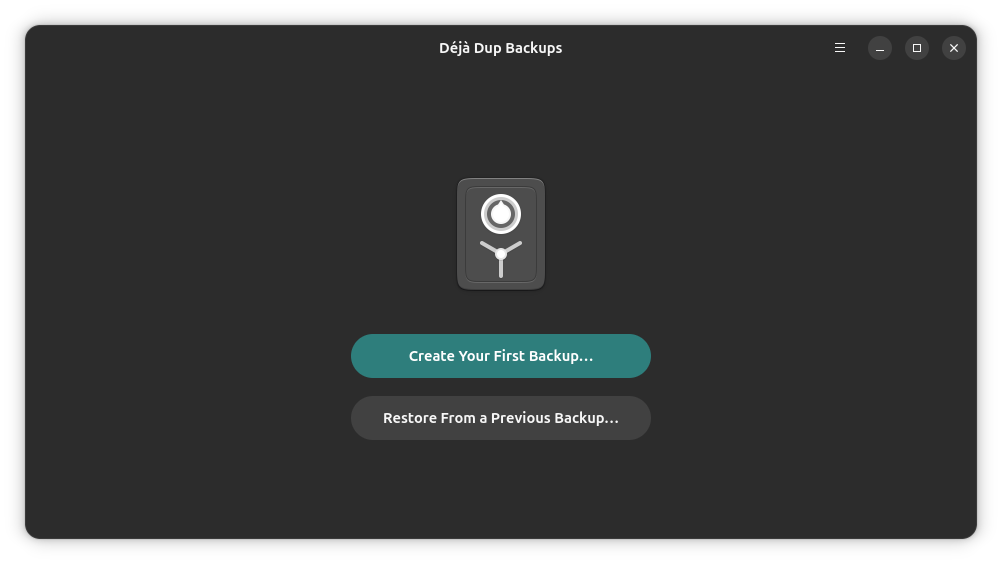
For the average Ubuntu or Fedora user, complexity is the enemy of consistency. Déjà Dup acts as a friendly, intuitive front-end that hides the heavy lifting of the Restic backend.
The Mechanics
By leveraging Restic’s robust architecture, Déjà Dup provides incremental, encrypted backups without requiring the user to touch a terminal. It is seamlessly integrated into GNOME, allowing users to configure schedules and storage locations via a standard settings menu.

Why It Matters
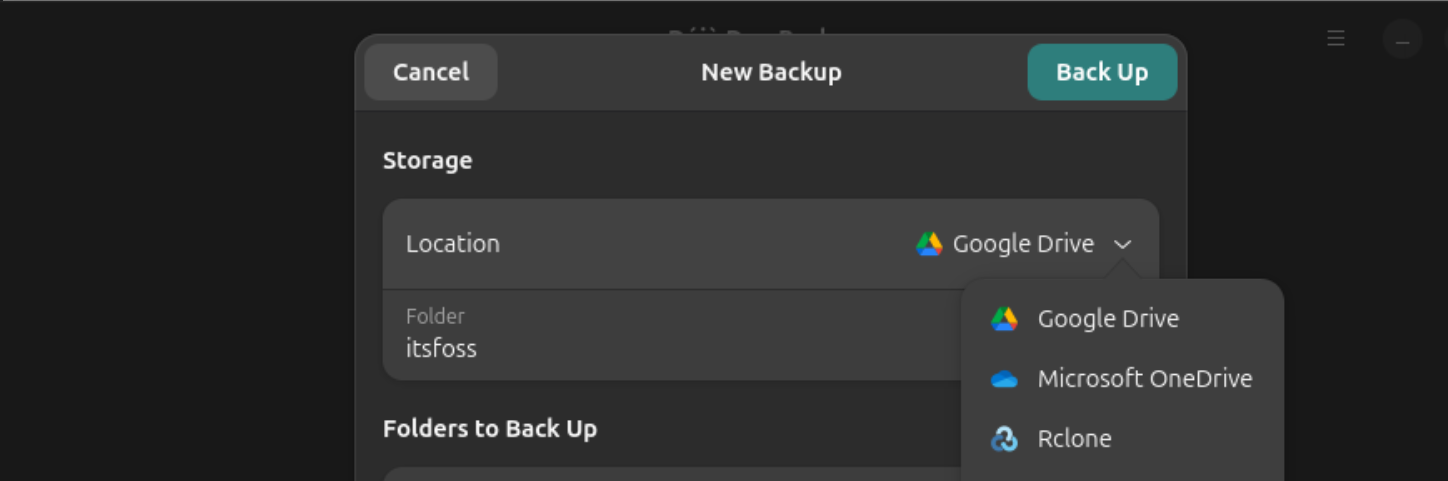
For home users, the "set it and forget it" nature of Déjà Dup is its greatest asset. It supports remote storage via RClone, meaning you can easily point your backups to Google Drive, OneDrive, or a private Nextcloud instance. While it is not designed for full system recovery—for which tools like Timeshift are better suited—it is the ultimate solution for securing personal documents, photos, and configurations.
2. MSP360 Free Backup: A Cloud-First Personal Solution
MSP360 occupies a unique niche. It is one of the few tools that provides a seamless bridge between Linux and commercial cloud storage providers without requiring an expensive subscription.
Supporting Data
The free tier allows for up to 5TB of data, which is generous for most personal use cases. Unlike the other tools on this list, MSP360 is a commercial product with a free tier. While it is highly efficient at pushing data to S3, Wasabi, or Backblaze B2, it lacks the fully open-source pedigree of Restic or Borg.
Implications
Because it relies on cron for scheduling, it is better suited for users comfortable with basic Linux administration. It is an excellent choice for individuals who want a professional-grade cloud workflow for their home machine but don’t want to manage the underlying storage infrastructure manually.
3. Kopia: The Modern Contender for Professionals
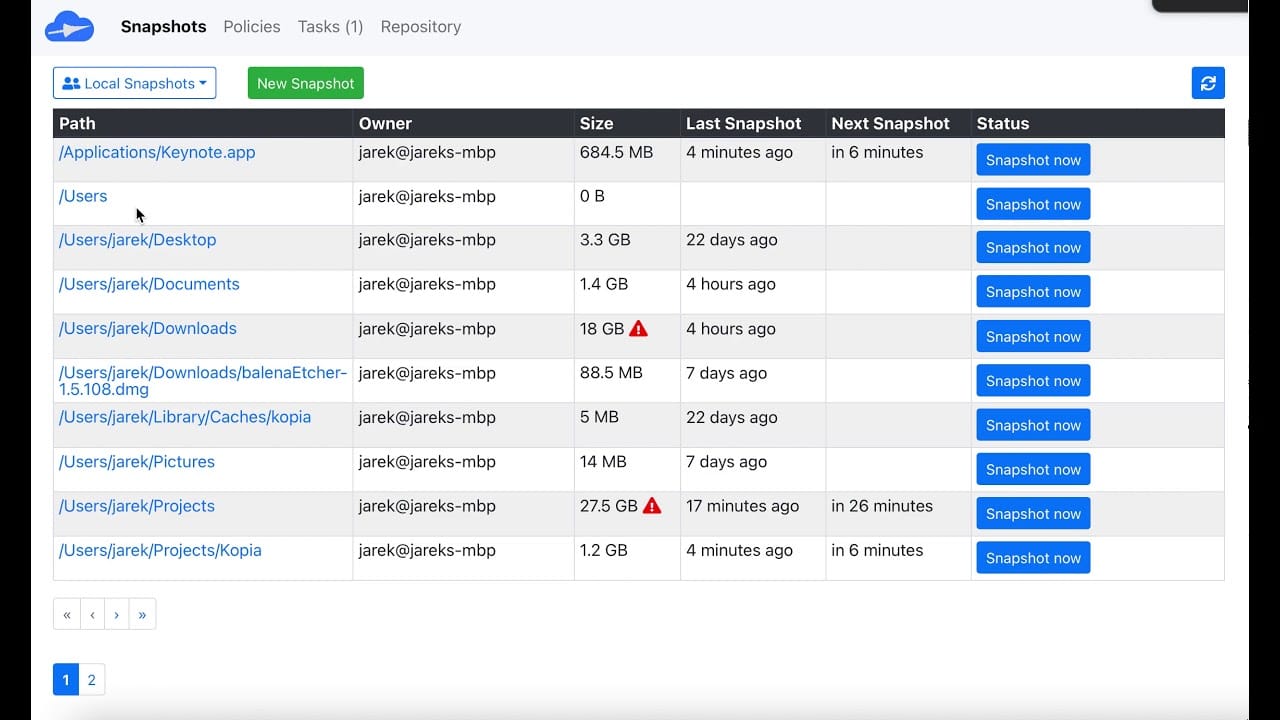
Kopia has rapidly gained traction as a cross-platform, high-performance backup tool that bridges the gap between CLI power and GUI usability.
Professional Utility
Kopia is built with a "repository-first" architecture. It excels at deduplication and compression, making it ideal for users who have large datasets but limited storage bandwidth. Because it supports a wide array of cloud backends—including Azure Blob and Google Cloud Storage—it is a favorite among professional freelancers who need to maintain off-site backups of client data without relying on proprietary, restrictive software.
The Learning Curve
Kopia is not "plug-and-play." Users must understand the concepts of policies and repository maintenance. However, the reward for this effort is a high-performance, encrypted backup stream that is as reliable as it is flexible.
4. BorgBackup: The Sysadmin’s Choice for Servers
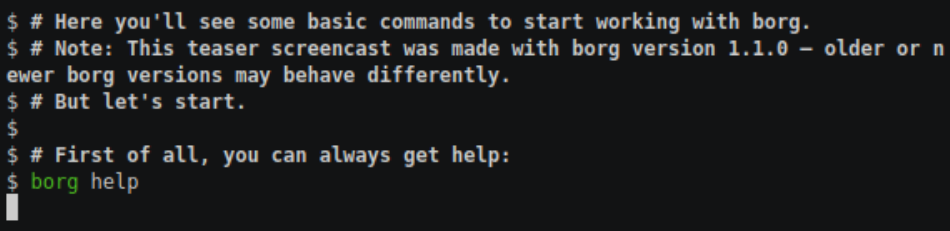
When discussing server-side backups, BorgBackup is frequently the first name mentioned. It is a terminal-native tool designed for efficiency and security.
Architecture and Performance
Borg uses authenticated encryption and built-in deduplication, ensuring that even if you have thousands of files that change only slightly, your backup storage grows minimally. Its most celebrated feature is the ability to mount a backup archive as a filesystem, allowing users to browse and extract specific files using standard file managers.
Chronology of Use
Borg is built for SSH-based workflows. If you manage a fleet of headless servers, you can use Borg to push backups to a central repository. It is the gold standard for those who prioritize stability and performance over graphical interfaces.
5. Restic: Maximum Control, Minimum Hand-Holding
Restic is the engine that powers many other tools, but using it directly offers unparalleled control.
Why Developers Prefer Restic
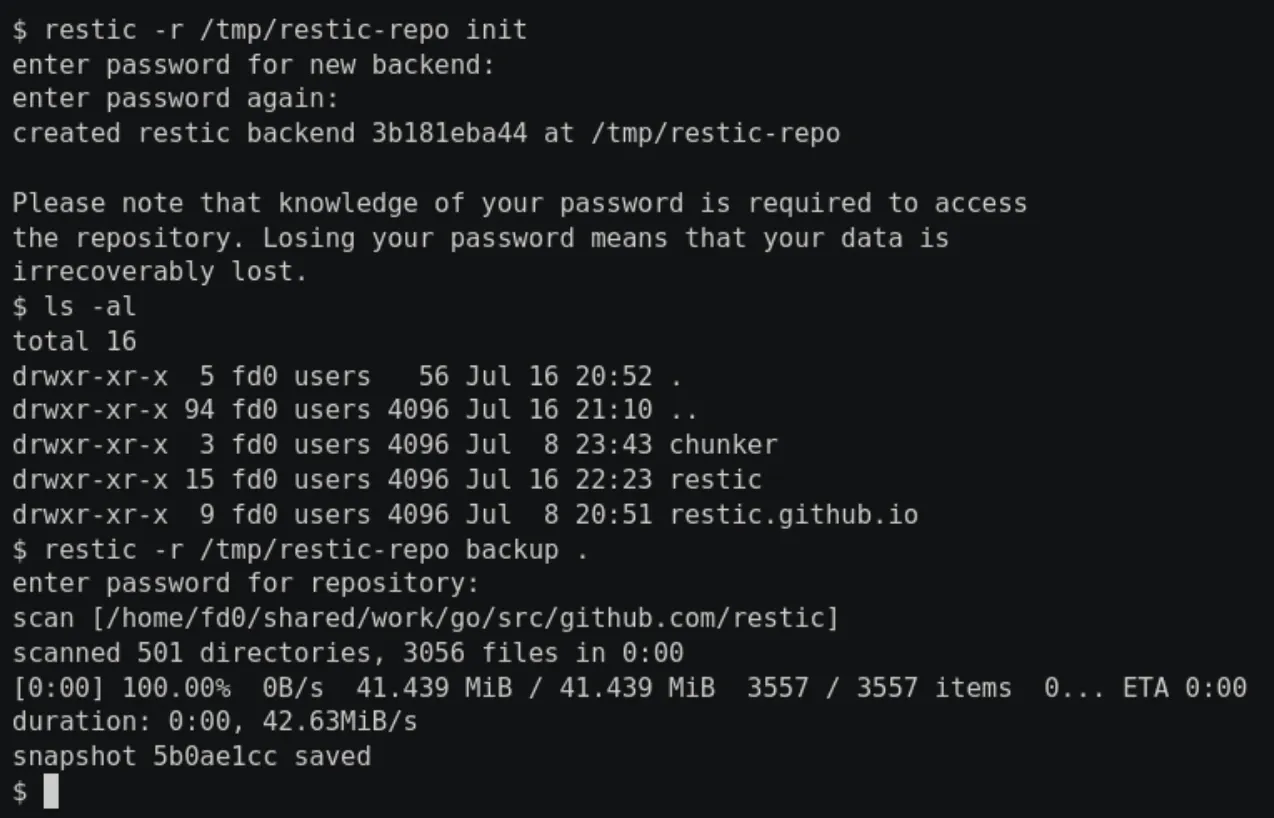
Restic is "opinionated" software. It is fast, efficient, and handles encryption as a first-class citizen. There is no GUI, and no built-in scheduler. Instead, it relies on the Linux way: you write a simple systemd timer or cron job to automate your backups.
Implications
For developers and infrastructure engineers, this is a feature, not a bug. Restic allows for automated, multi-destination backups that are highly resilient. If your backup script fails, you get an exit code. If your data is corrupted, Restic’s internal verification checks will flag it. It is the most "Unix-like" tool on this list.
6. UrBackup: Fleet Management for Small Offices
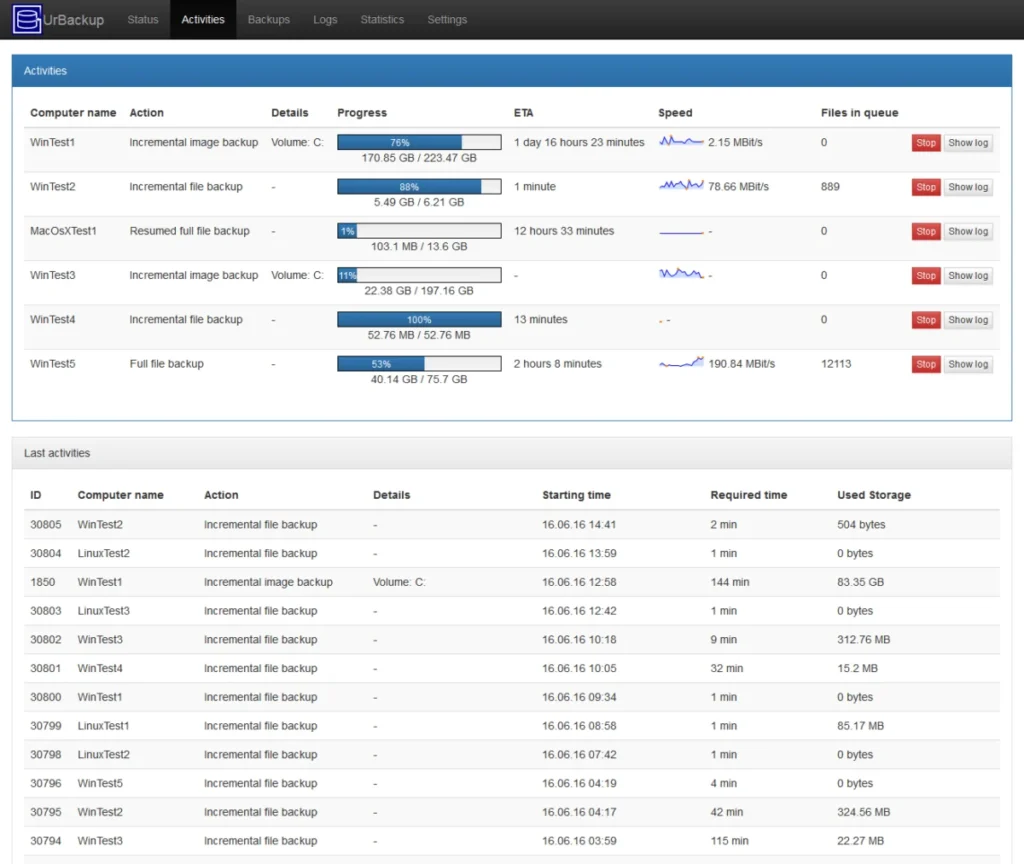
If you are responsible for more than one machine, the tools mentioned above can become cumbersome. UrBackup solves this by introducing a central server-client model.
The Server-Client Philosophy
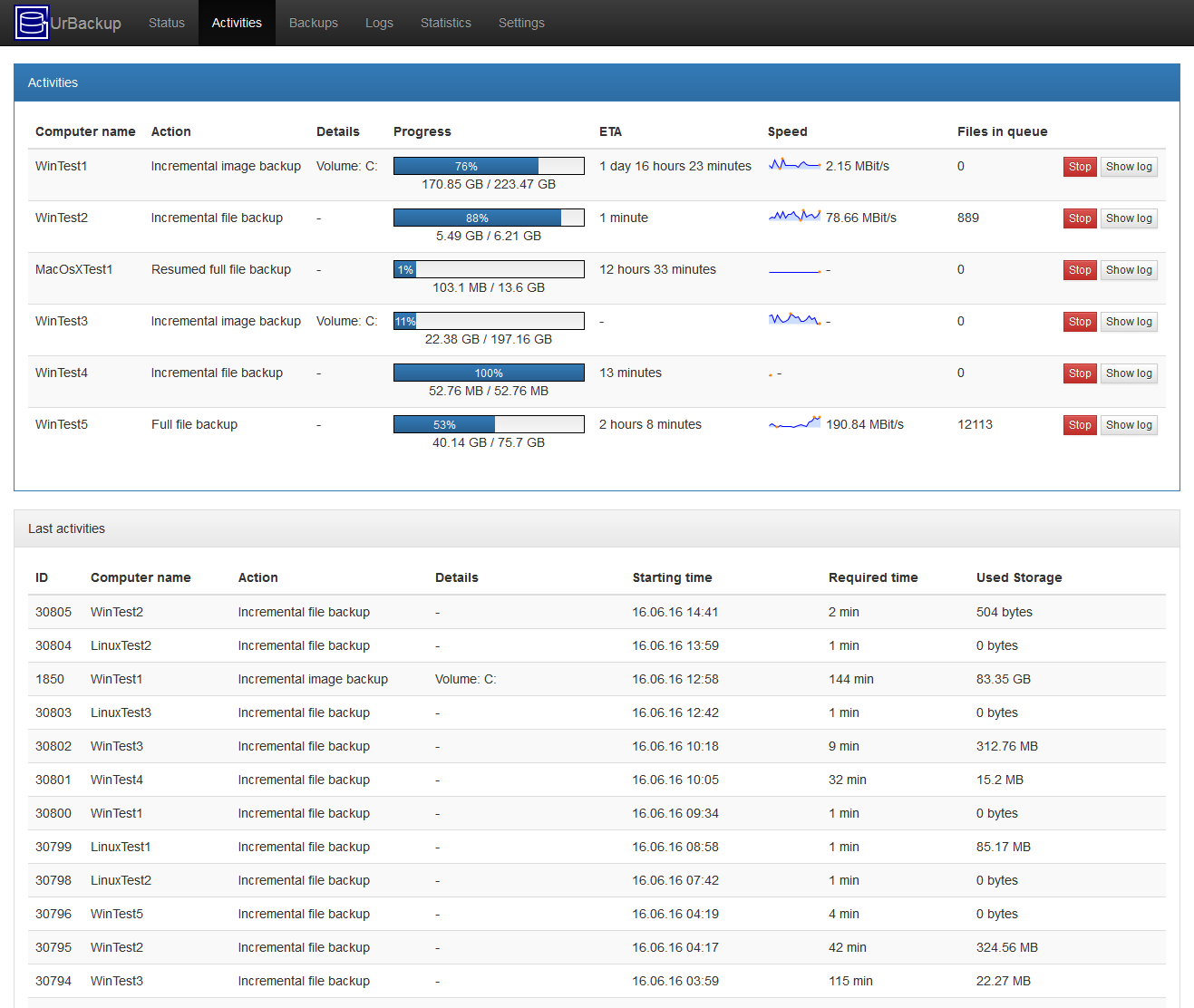
UrBackup runs a server instance on a central machine (a NAS or a dedicated server). You then install a lightweight client on every computer in your network. The server then pulls backups, manages deduplication across all machines, and provides a web-based dashboard to monitor progress and trigger restores.
Strengths and Limitations
While UrBackup is highly effective for file-level backups, its image-based recovery for Linux is still maturing. It is the best choice for small office environments or homelabs where you want a single pane of glass to view the health of all your backups.
Critical Considerations: Backup Strategy
Automation and Scheduling
As noted, there is a divide in the Linux world. Desktop-focused tools (Déjà Dup, Kopia, UrBackup) provide GUI-based scheduling. Server-focused tools (Restic, Borg, MSP360) expect you to use cron or systemd. Before committing to a tool, evaluate your comfort level with Linux task scheduling.
The "Rsync" Fallacy
A common mistake among new Linux users is relying on rsync for backups. While rsync is a brilliant tool for synchronization, it is not a backup tool. It does not provide historical snapshots, meaning that if you accidentally delete a file or suffer from ransomware, rsync will simply propagate that deletion or corruption to your destination. Always use tools that provide point-in-time snapshots.
Multi-Tool Synergy
There is no rule saying you must pick only one. Many professionals utilize a multi-layered approach:
- Local Snapshot: Using a tool like Borg for rapid, local recovery.
- Off-site Cloud: Using Restic or Kopia to push critical data to an encrypted S3 bucket.
- Fleet Monitor: Using UrBackup to ensure that every device in the home or office is reporting a "success" status daily.
Final Thoughts: The Responsibility of Data Integrity
The ecosystem of Linux backup tools is a testament to the versatility of the platform. Whether you require the seamless integration of a GNOME-based utility or the raw, scriptable power of a command-line tool, the technology exists to ensure your data remains untouchable.
The most important takeaway is to test your restores. A backup is not a backup until you have successfully recovered data from it. Take ten minutes this weekend to pick a tool, configure a repository, and perform a dummy restoration. In the event of a system failure, that ten minutes will be the best investment you have ever made.







