The Kubernetes UI Evolution: Transitioning from Kubernetes Dashboard to Headlamp
By Will Case (Headlamp)
June 1, 2026
For nearly a decade, the Kubernetes Dashboard has served as the visual gateway for the cloud-native ecosystem. For thousands of developers, students, and system administrators, it was their first encounter with the complexity of container orchestration. By abstracting the daunting command-line interface into a manageable graphical experience, it fostered confidence and provided an accessible on-ramp into the world of Kubernetes.
However, as of June 2026, the Kubernetes Dashboard project has been officially archived. This transition marks a significant turning point in how teams interact with their clusters. While the project’s legacy remains a cornerstone of the community, the needs of modern infrastructure—characterized by multi-cluster environments, GitOps workflows, and the demand for extensibility—have outpaced the capabilities of the original dashboard.
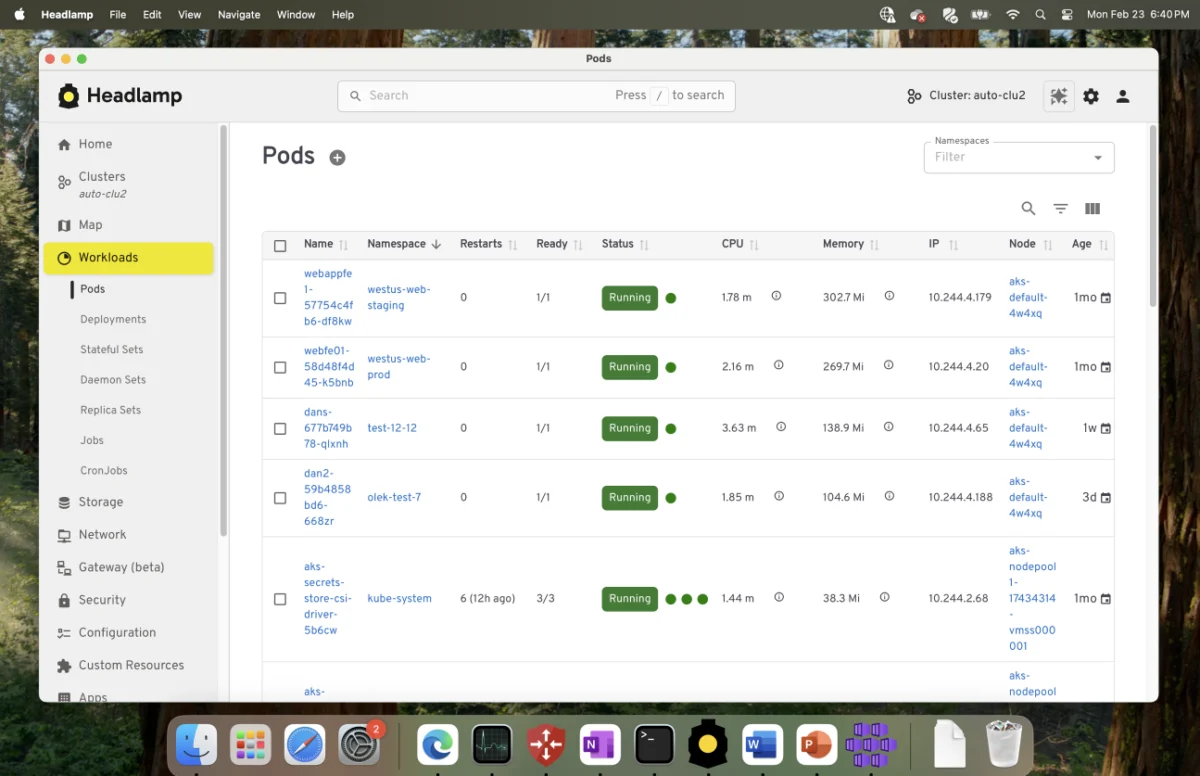
Headlamp, an open-source project designed to carry this mantle forward, offers a modern alternative that retains the clarity of a visual interface while introducing the power required by contemporary DevOps teams. This article explores the implications of this shift, the technical migration path, and why Headlamp represents the next generation of Kubernetes management.
The Chronology of an Ecosystem Shift
The evolution of Kubernetes tooling has moved in tandem with the maturation of the technology itself. In the early days of Kubernetes, the primary challenge was visibility. Users needed a way to verify that their pods were running and that services were properly exposed. The Kubernetes Dashboard was the answer to this initial requirement.
The Era of the Dashboard
The Kubernetes Dashboard project was an official project under the Kubernetes umbrella. It prioritized simplicity and stability. It was the "safe space" for users to learn the mapping between kubectl commands and their visual representation. For years, it provided a consistent experience that minimized the learning curve for newcomers.
The Rise of Modern Complexity
As the ecosystem grew, the "single-cluster" model began to break down. Organizations moved from a single production cluster to complex architectures spanning development, staging, and multiple production regions. Furthermore, the rise of GitOps (led by tools like Flux and ArgoCD) shifted the source of truth from the live cluster state to version-controlled repositories. The legacy Dashboard, while reliable, lacked the native hooks to integrate these new paradigms.
The Handover
With the archival of the Kubernetes Dashboard, the community is moving toward more flexible, extensible, and integrated solutions. Headlamp was developed specifically to address these modern requirements, ensuring that while the tool changes, the user’s ability to manage their workloads remains unimpeded.
Mapping Workflows: Continuity as a Core Principle
The most common concern for teams migrating from the Dashboard is the loss of muscle memory. Headlamp is built on the premise that familiarity breeds productivity. It does not reinvent the Kubernetes workflow; rather, it elevates it.
Seamless Resource Navigation
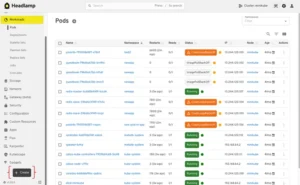
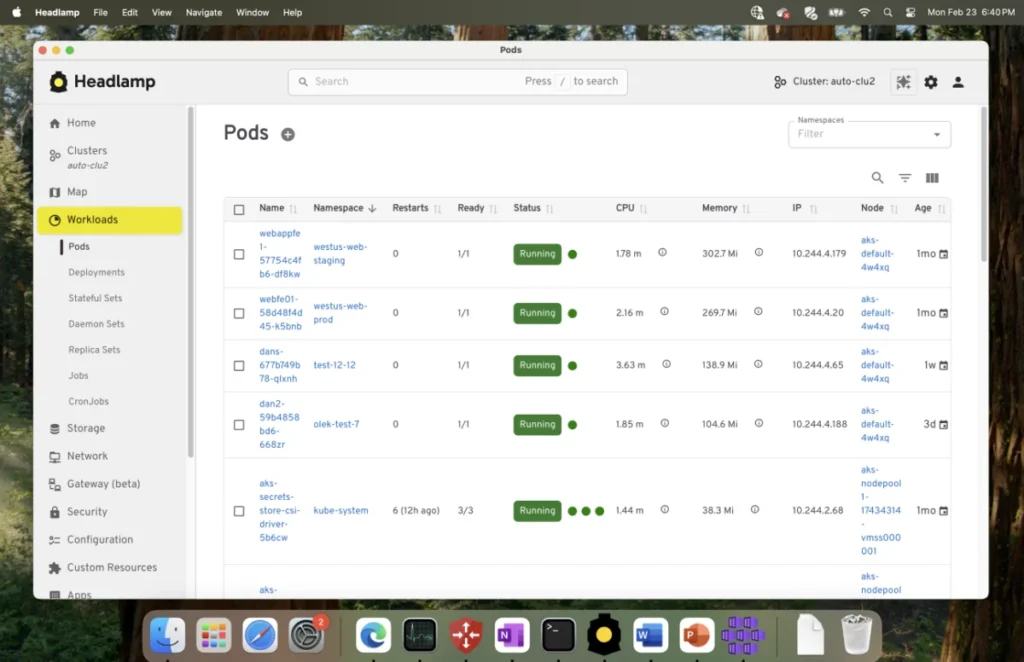
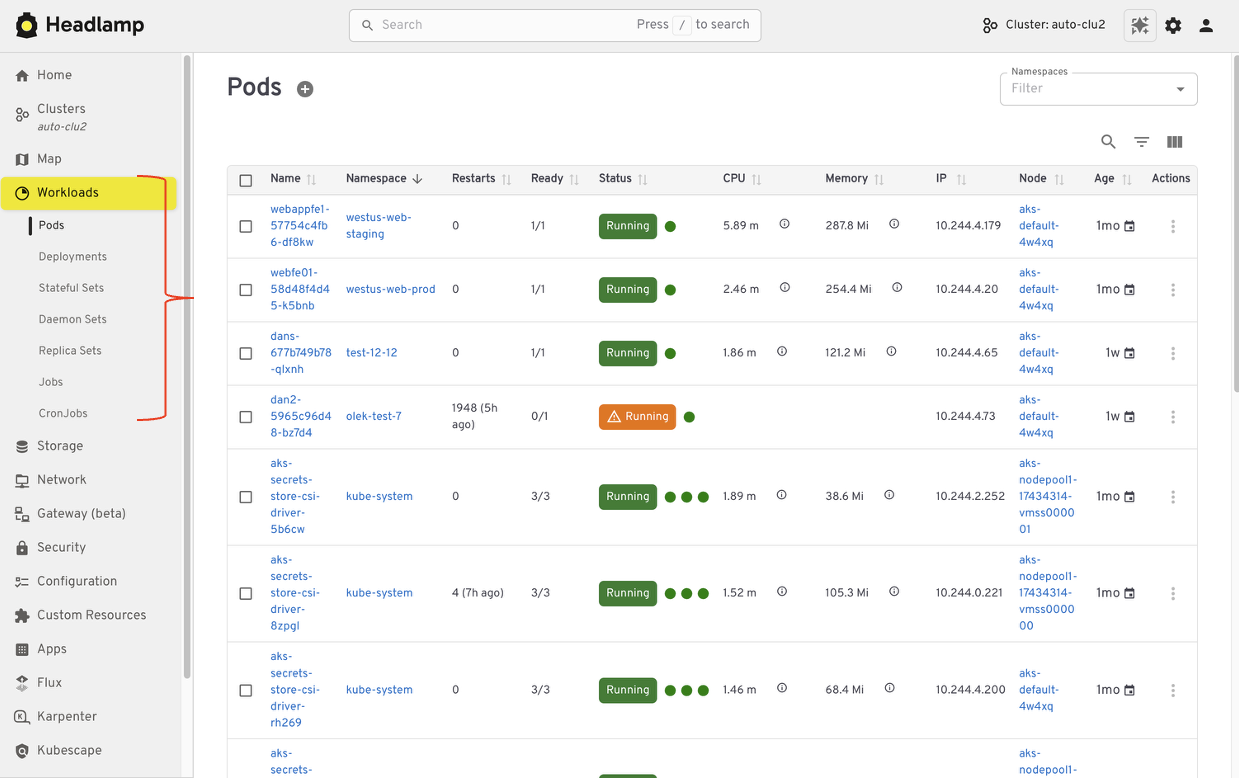
In the legacy Dashboard, users relied on a hierarchical list of namespaces, pods, deployments, and services. Headlamp preserves this exact mental model. Users familiar with the sidebar navigation of the Dashboard will find Headlamp’s layout highly intuitive. Whether you are inspecting a pod’s logs or checking the status of a CronJob, the path to that information remains consistent with what you have come to expect.
RBAC-Compliant Interactions
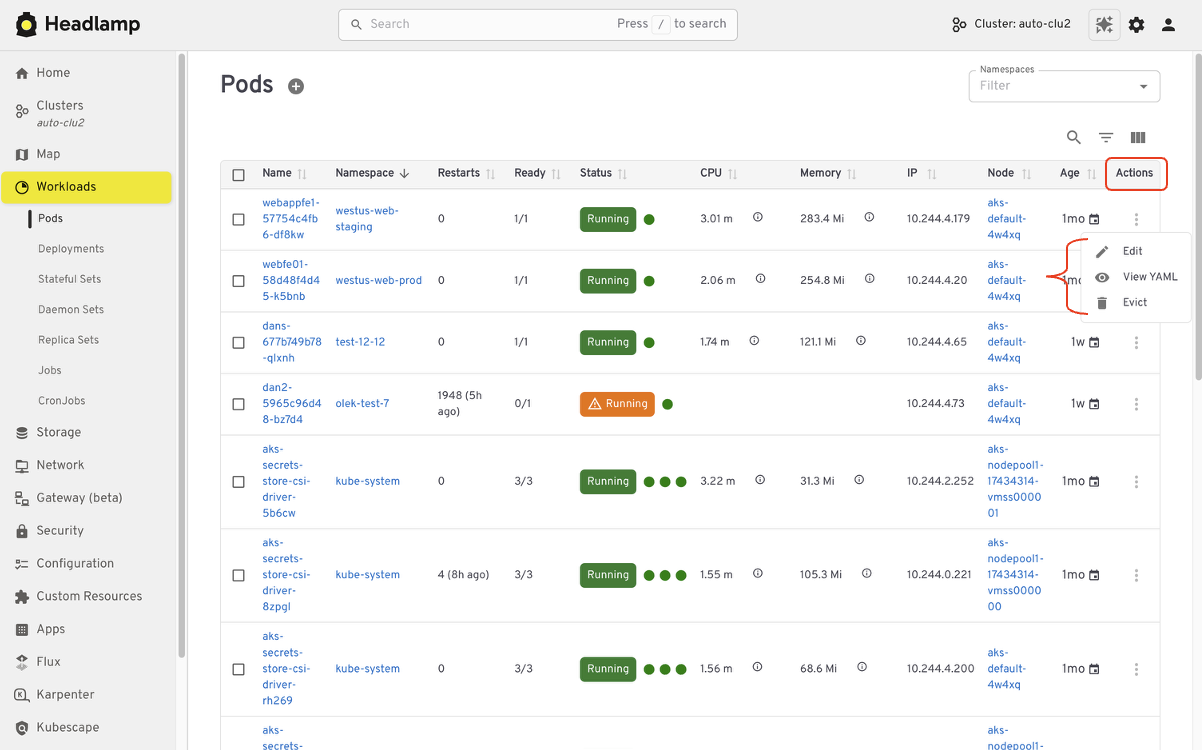
Security is paramount in Kubernetes. The legacy Dashboard relied heavily on standard Kubernetes Role-Based Access Control (RBAC). Headlamp continues this practice by design. Any action you take—deleting a resource, scaling a deployment, or updating a ConfigMap—is validated against your existing service account or kubeconfig permissions. You do not need to overhaul your security policies to adopt Headlamp; it respects the guardrails you have already established.
Visualizing Resource Relationships
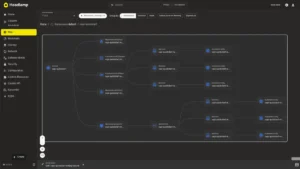
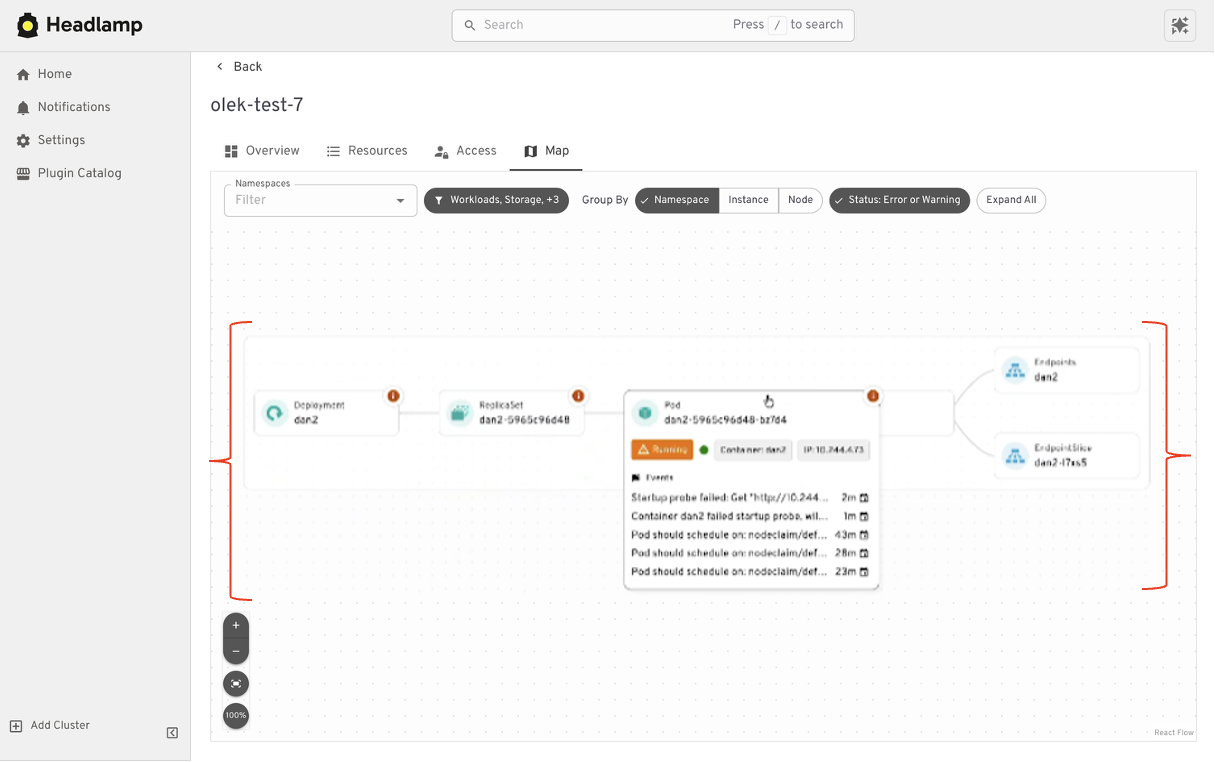
One of the most significant upgrades in the transition is how resources are visualized. While the legacy Dashboard was excellent for list-based views, it struggled to convey the relationships between complex, multi-resource applications. Headlamp introduces improved visual mapping, allowing operators to see the dependency chain between services, ingresses, and underlying workloads. This contextual awareness is a massive time-saver when troubleshooting cascading failures.
Beyond the Legacy: Where Headlamp Breaks New Ground
While Headlamp serves as a spiritual successor to the Dashboard, its feature set is fundamentally different. It is built for the era of multi-cluster, cloud-native orchestration.
The Multi-Cluster Imperative
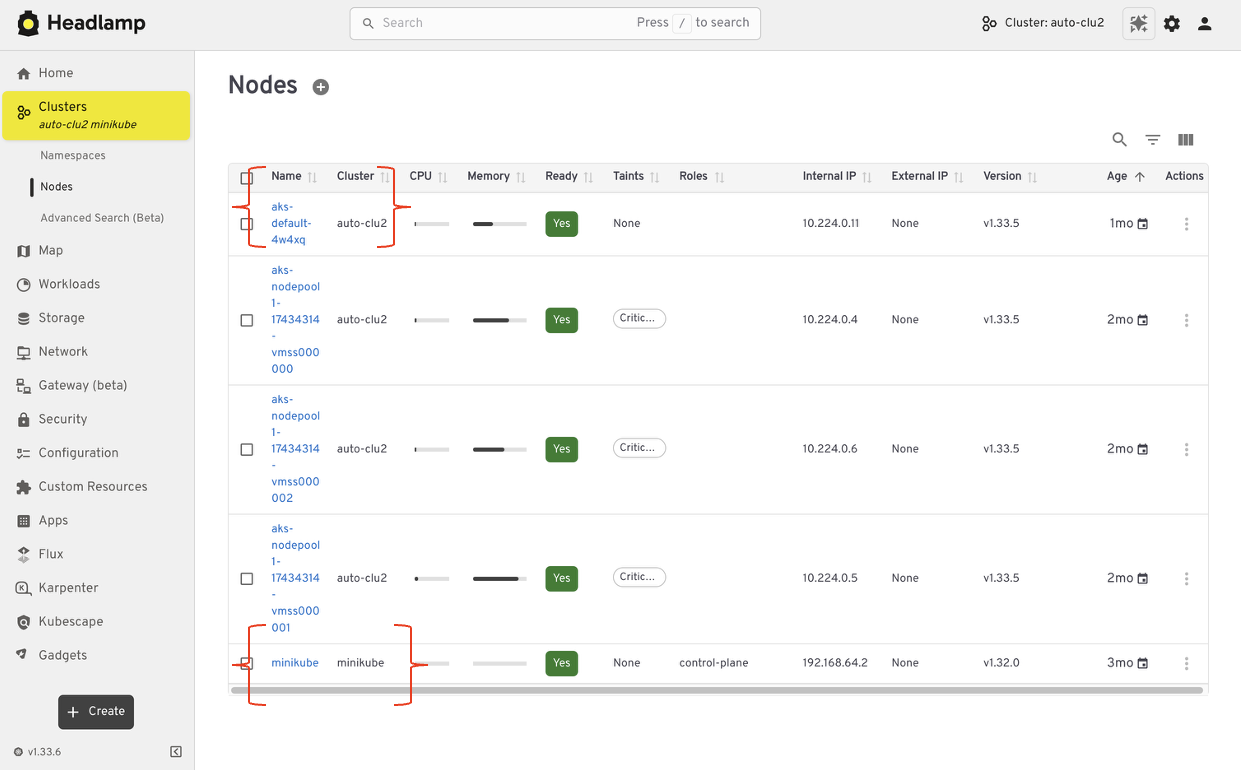
The limitation of the legacy Dashboard was its single-cluster scope. In contrast, Headlamp is designed from the ground up to be multi-cluster. Users can connect to, and seamlessly switch between, multiple clusters within the same browser tab or desktop application window. This eliminates the need for constant context-switching or maintaining multiple browser sessions, significantly reducing the friction involved in managing global infrastructure.
Application-Centric Context with "Projects"
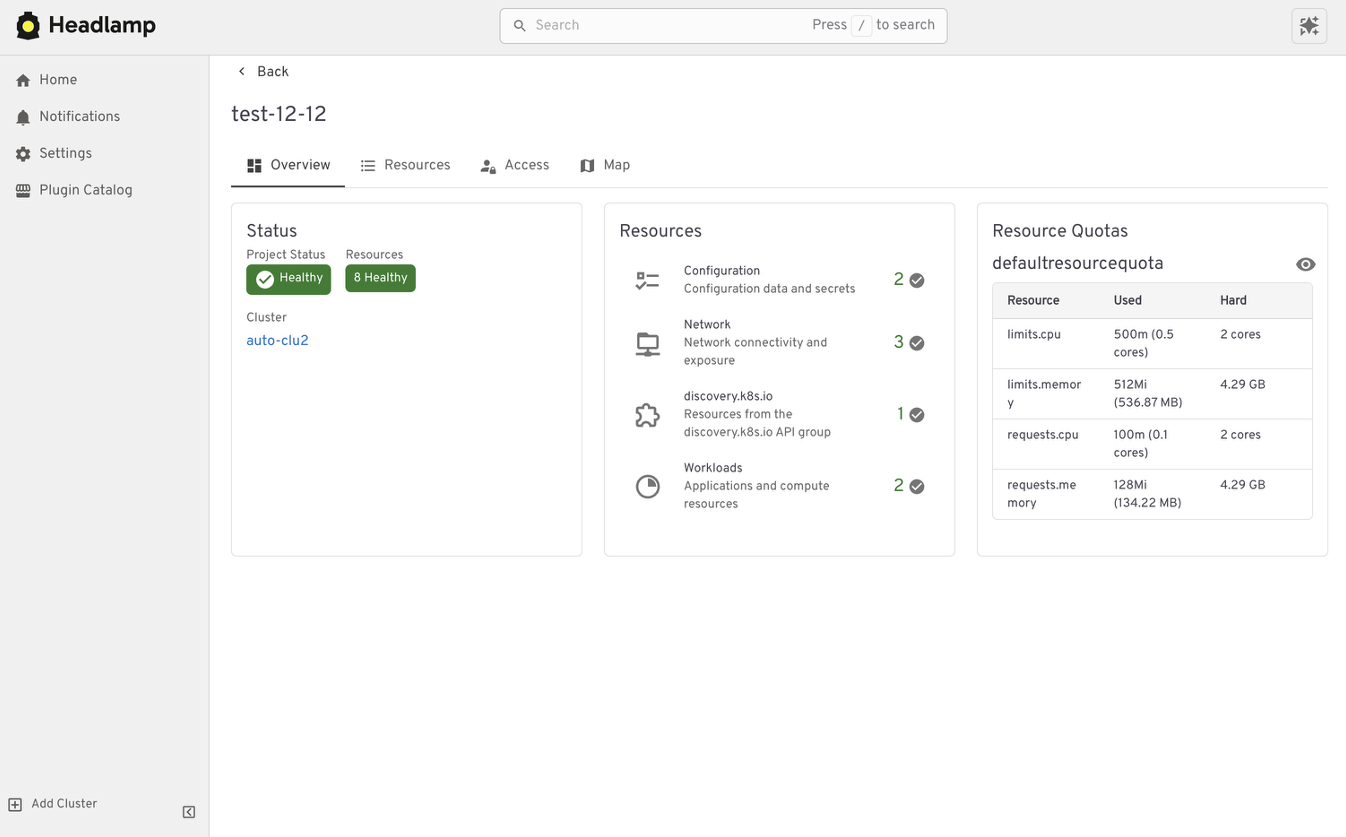
Traditional Kubernetes UIs are resource-centric, focusing on pods and services. Headlamp introduces "Projects," a feature that allows teams to group related resources into an application-focused view. By tagging resources and grouping them logically, developers can view the state of their entire application—including databases, ingresses, and deployments—as a unified entity. This shift from "resource management" to "application management" is a vital improvement for teams looking to reduce cognitive load.
The Power of Extensibility
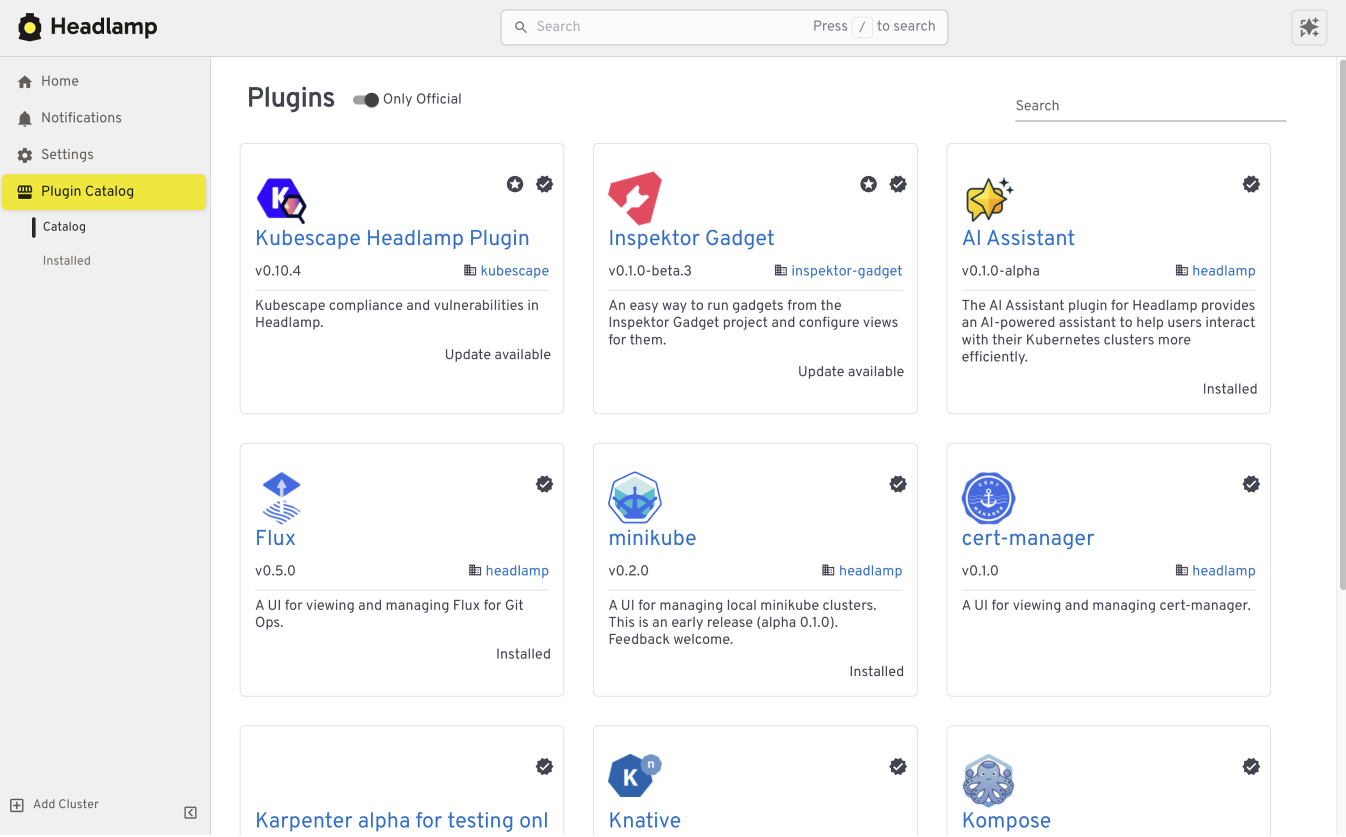
Perhaps the most transformative aspect of Headlamp is its plugin architecture. Unlike the static nature of the legacy Dashboard, Headlamp can be extended to include custom functionality.
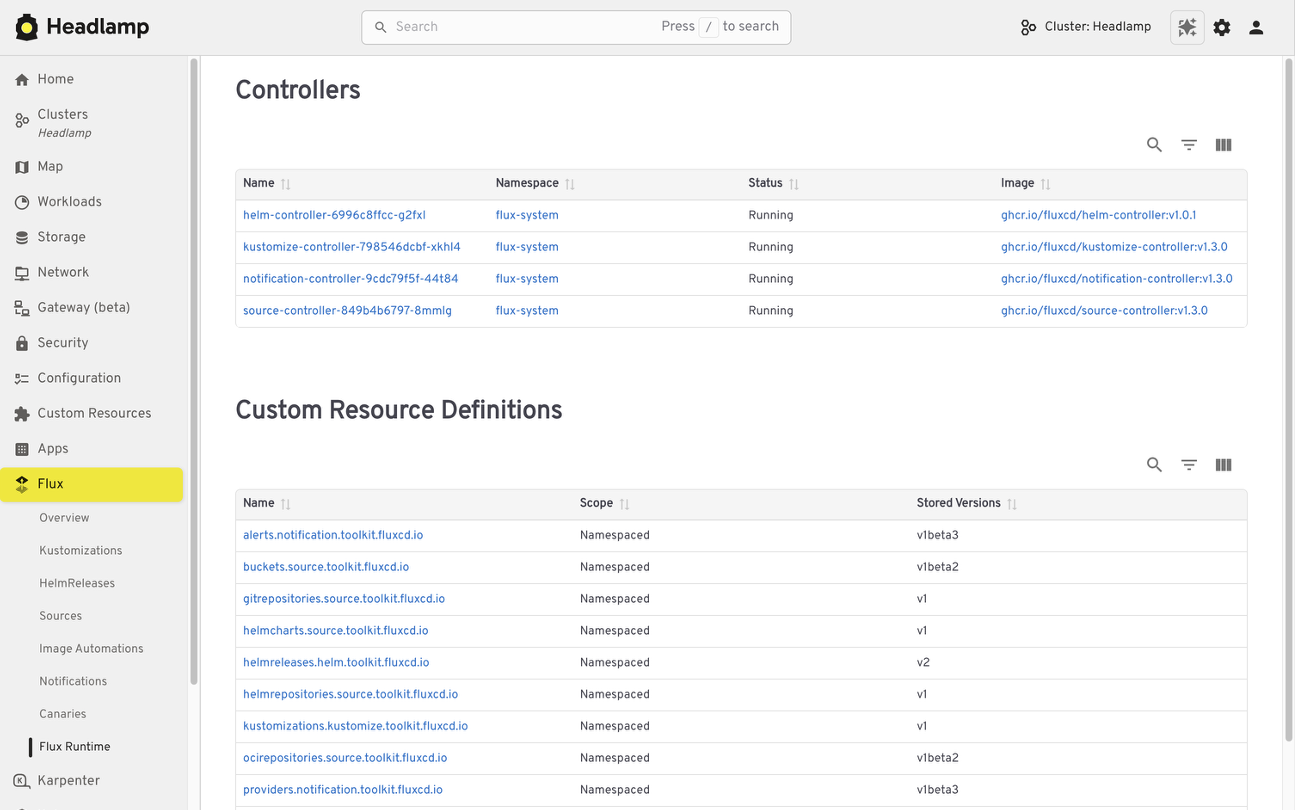
- GitOps Integration: The Flux plugin, for example, allows users to view GitOps status alongside standard resources. You can see not just that a pod is running, but whether it is currently synchronized with its desired state in Git.
- AI-Driven Assistance: Headlamp integrates AI-based assistants that can help diagnose logs, explain error messages, and suggest remediation steps, directly within the UI.
- Custom Tooling: Platform teams can build bespoke plugins to surface internal metrics or compliance reports, effectively turning Headlamp into a custom-tailored internal developer platform (IDP).
Implementation Strategy: Choosing Your Deployment Path
Headlamp offers a unique level of deployment flexibility that the legacy Dashboard could not match.
In-Cluster vs. Desktop
For teams operating in shared environments, running Headlamp as an in-cluster application is the standard approach. It behaves like a traditional web application, authenticated via OIDC or service accounts, providing a shared source of truth for the entire team.
For developers working locally or managing ephemeral clusters, the Headlamp desktop application is a game-changer. It allows you to point to your local kubeconfig file, providing a robust, high-performance UI without requiring any changes to the cluster itself. These two modes can be used concurrently, allowing for a seamless transition from local development to production monitoring.
Implications for the Ecosystem
The archival of the Kubernetes Dashboard and the rise of Headlamp signal a broader trend in the Kubernetes ecosystem: the maturation of the "Developer Experience" (DevEx).
As Kubernetes becomes the substrate of modern infrastructure, the demand for high-quality, extensible user interfaces has shifted from a "nice-to-have" to a mission-critical requirement. Organizations can no longer rely on raw terminal commands for every task. They require tools that provide context, enforce security policies, and integrate with the broader CI/CD pipeline.
By choosing to migrate to Headlamp, organizations are not merely switching software; they are adopting a framework that scales with their complexity. The transition is designed to be low-friction, but the long-term benefits—increased observability, reduced troubleshooting time, and a unified developer portal—are substantial.
Preparing for the Migration
To ensure a smooth transition, we recommend the following steps:
- Audit Current Usage: Catalog which teams use the current Dashboard and for what purposes (e.g., troubleshooting, monitoring, manual scaling).
- Evaluate RBAC: Review your current Kubernetes service accounts and roles to ensure they are compatible with your planned Headlamp deployment mode.
- Pilot Program: Deploy the Headlamp desktop app to a subset of developers to gather feedback on the "Project" view and plugin capabilities.
- Transition Documentation: Update internal playbooks to reflect the new UI, focusing on the added value of the multi-cluster features.
As we bid farewell to the Kubernetes Dashboard, we honor its role in teaching the world how to manage containers. Headlamp is here to build upon that foundation, providing a platform that is ready for the next decade of cloud-native innovation.
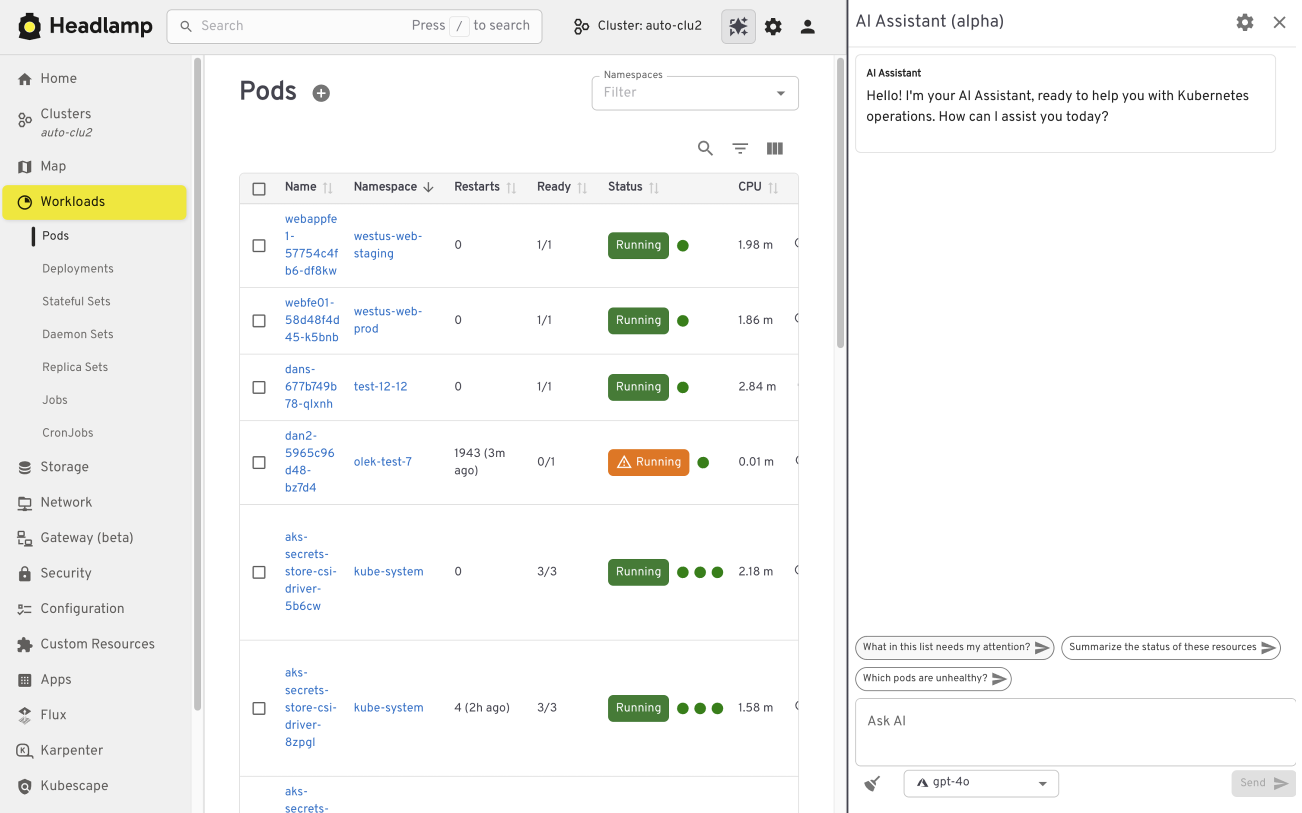
For those ready to get started, comprehensive documentation and installation guides are available at headlamp.dev.