Beyond the Nautilus: Strata File Manager Brings High-Performance Rust Architecture to the Linux Desktop
The Linux ecosystem has long been defined by the principle of choice. Unlike proprietary operating systems that lock users into a singular, monolithic file management experience, Linux offers a modular landscape where the user’s preferred file manager—be it the GNOME-native Nautilus, the feature-rich Dolphin on KDE Plasma, or the lightweight Nemo on Cinnamon—acts as the primary gateway to their digital workspace.
Today, that landscape expands with the arrival of Strata, a high-performance, keyboard-centric file manager built from the ground up in Rust using the GTK4 toolkit. Released under the MIT license, Strata represents a significant shift toward memory-safe, high-velocity development in the Linux desktop space. With over 300,000 lines of code generated in just 45 days, Strata is positioning itself not merely as an alternative, but as a modern evolution of how we interact with our file systems.
The Core Philosophy: Performance and Precision
At its inception, the lead developer, known as Pierre, sought to bridge the gap between the aesthetic requirements of modern Linux distributions—specifically the Omarchy ecosystem and Arch Linux—and the technical demands of power users.
Strata is defined by its "keyboard-first" design philosophy. While traditional file managers rely heavily on mouse-driven point-and-click interactions, Strata integrates a sophisticated command layer that allows for rapid navigation using standard arrow keys or the classic h, j, k, and l keys familiar to any Vim user. This focus on efficiency extends to its search capabilities; a simple Ctrl+K invocation triggers a blazing-fast fuzzy search across the user’s home directory and all mounted drives.
Unlike many search utilities that attempt to index entire document contents, Strata focuses on path and filename matching, ensuring that the interface remains responsive even when scanning thousands of directories.
Chronology of Development: A Rapid Ascent
The trajectory of Strata’s development is a testament to the power of modern community-driven open-source projects.
- Initial Conception: The project began as a specialized tool for the Omarchy distribution, aimed at solving the friction points common in legacy file managers that struggle with massive directory trees.
- The 45-Day Sprint: Within a month and a half, the project witnessed an explosive growth phase. A dedicated group of over 30 contributors mobilized to push over 700 commits, building the foundation of what would eventually become the 1.0 stable release.
- The v1.0 Milestone: Released just hours ago, the stable version marks a transition from a niche internal utility to a general-purpose tool for Arch-based distributions. The release focused on stability, memory efficiency, and the introduction of a robust tab-management system.
This rapid development cycle was facilitated by Rust’s safety guarantees, which allowed the team to implement complex features—such as per-folder state management—without the common memory leaks that plague older, C-based file managers.
Technical Architecture and Feature Set
Strata distinguishes itself through a series of "quality-of-life" features that elevate it above standard desktop utilities.

The Column View Paradigm
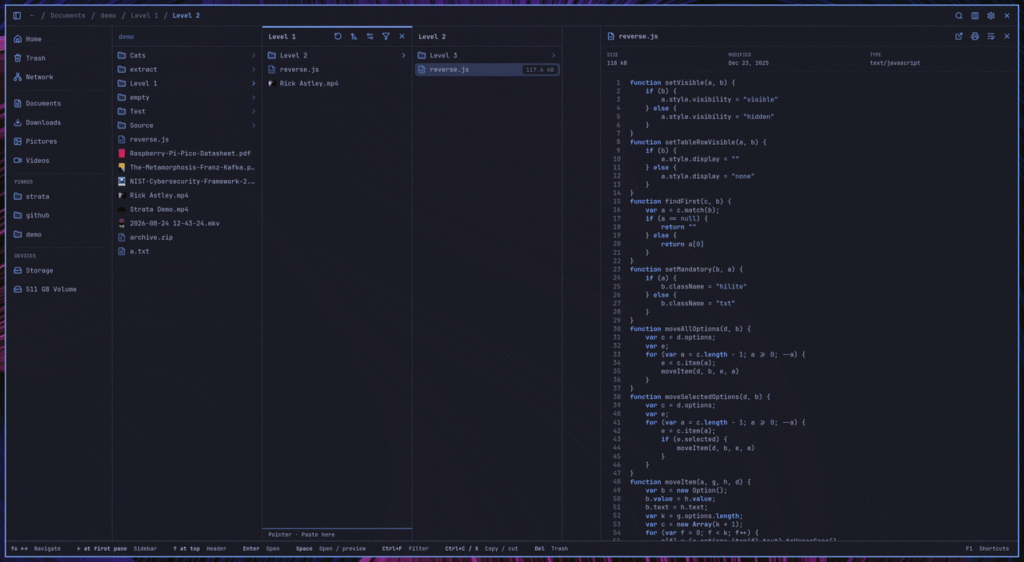
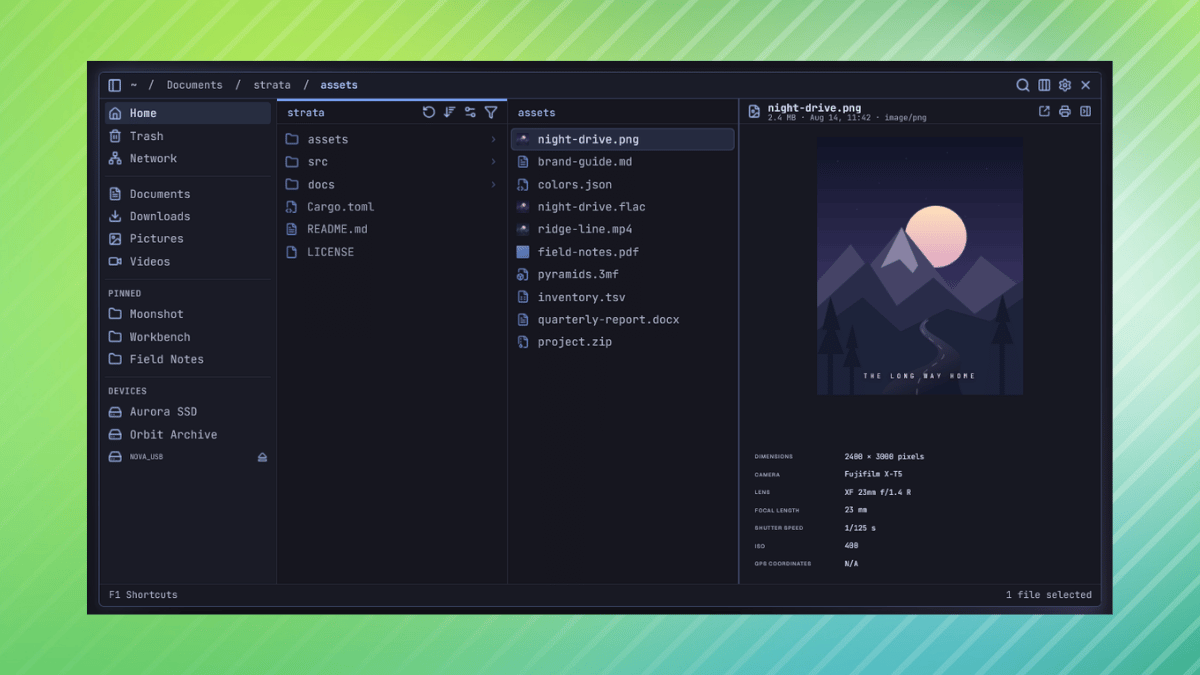
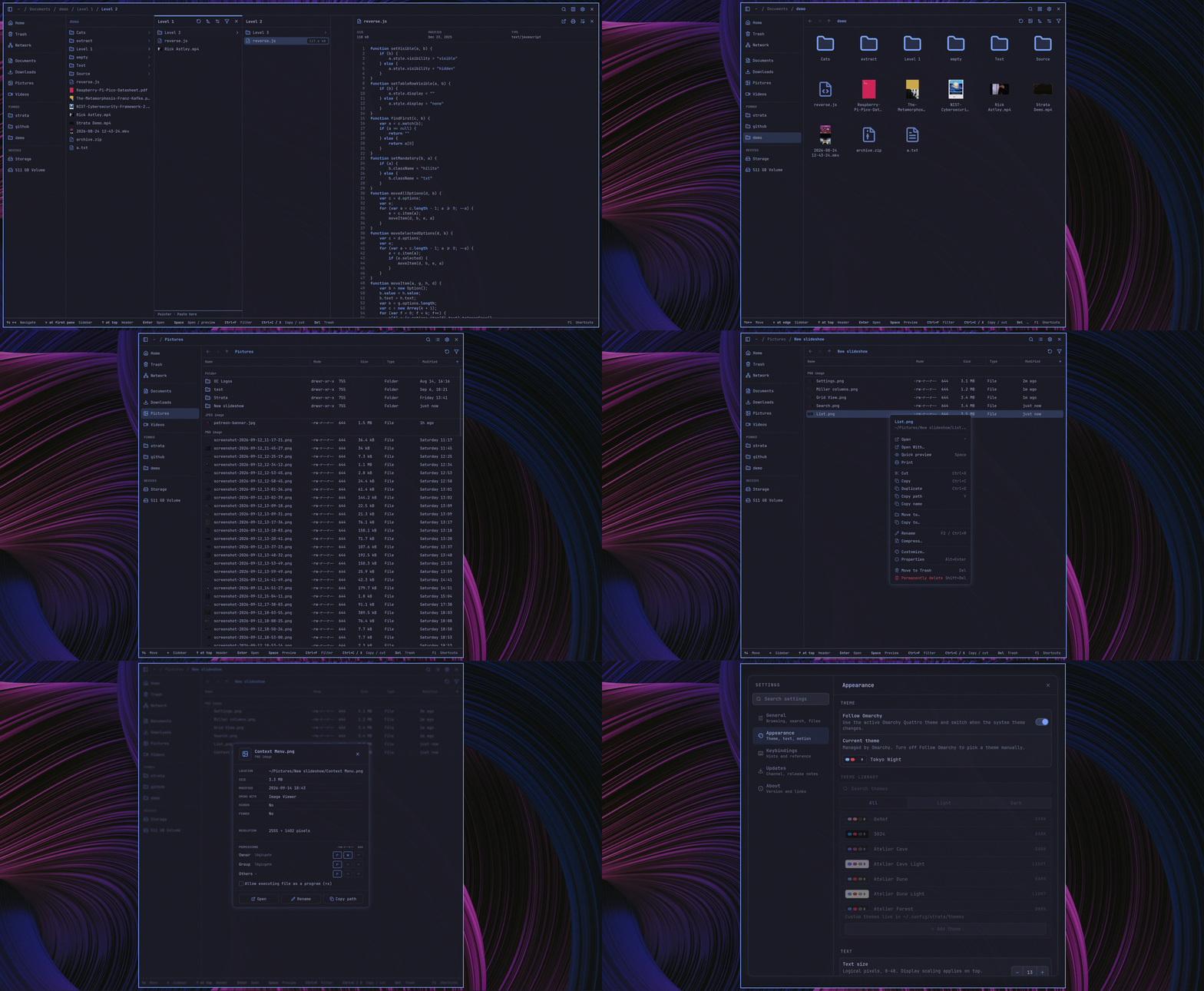
Borrowing from the intuitive column-based navigation popularized by macOS Finder, Strata allows users to open folders in side-by-side panes. As the user drills deeper into a directory structure, each sub-folder appears in a new pane to the right, while the parent directory remains visible. This provides a visual breadcrumb trail that prevents users from becoming "lost" in deep file hierarchies.
Intelligent Per-Folder Persistence
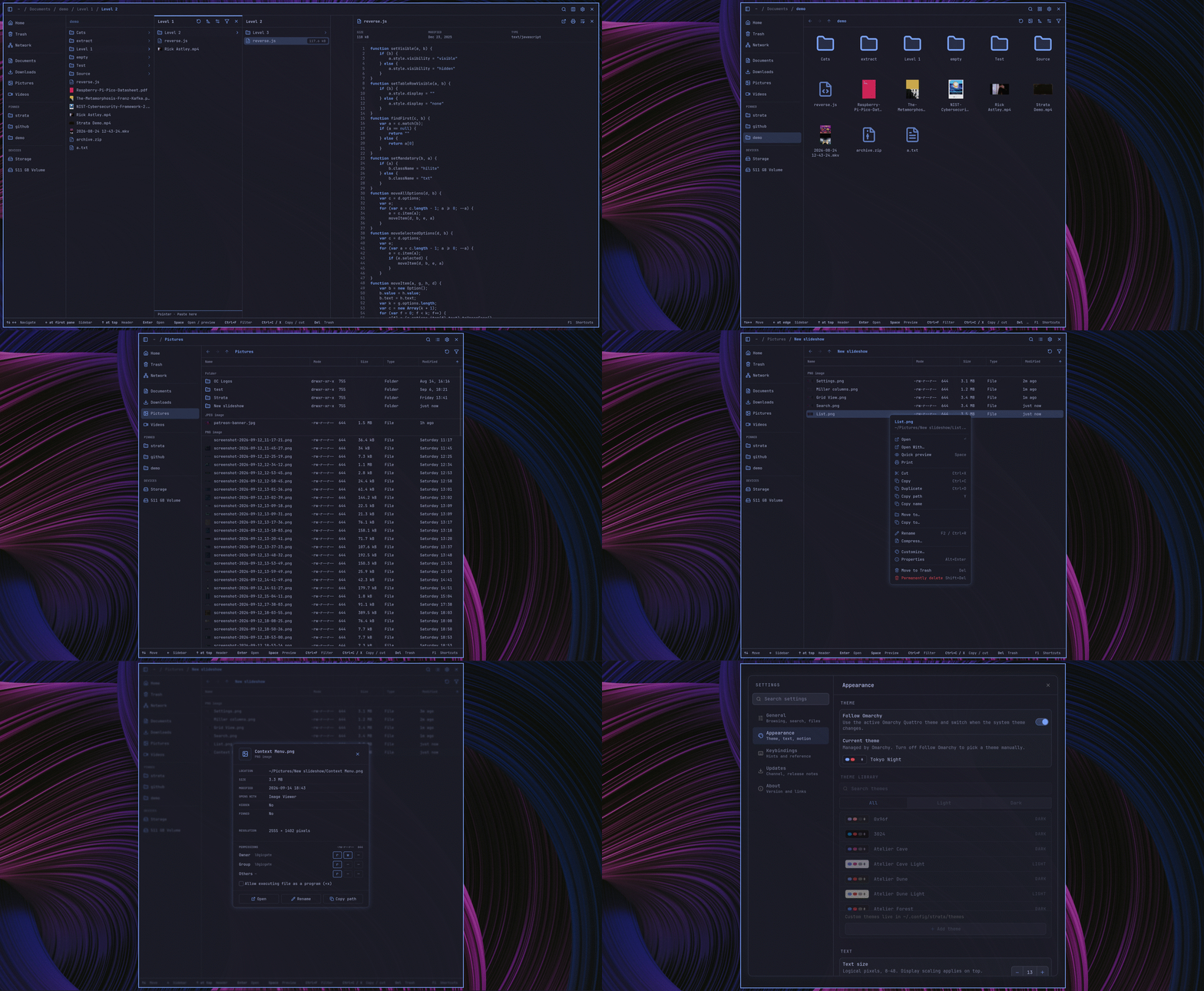
One of the most requested features in modern file management is the ability to remember view states. Strata takes this further by storing sort order, icon size, and display preferences on a per-folder basis. A user can keep a "Photos" directory sorted by date with large thumbnails, while simultaneously keeping a "Projects" directory sorted alphabetically with a list view. Upon closing and reopening the application, these states are preserved exactly as left.
Advanced Previewing and Theming
Pressing the Space key activates an integrated preview panel. This is not limited to simple text or image files; the panel supports:
- Camera RAW formats: Essential for photographers and creative professionals.
- Source Code: Syntax-highlighted previews for developers.
- Multimedia: In-app playback for audio and video files.
- PDF/Document rendering: Quick look-up without opening external applications.
Furthermore, Strata offers a deep level of visual customization. Users can modify the look and feel via TOML-based configuration files, and the application includes a variety of themes that leverage the Catppuccin color palette, ensuring that icon sets and accent colors remain consistent across the user’s workspace.
Installation: A Modern Approach for Modern Systems
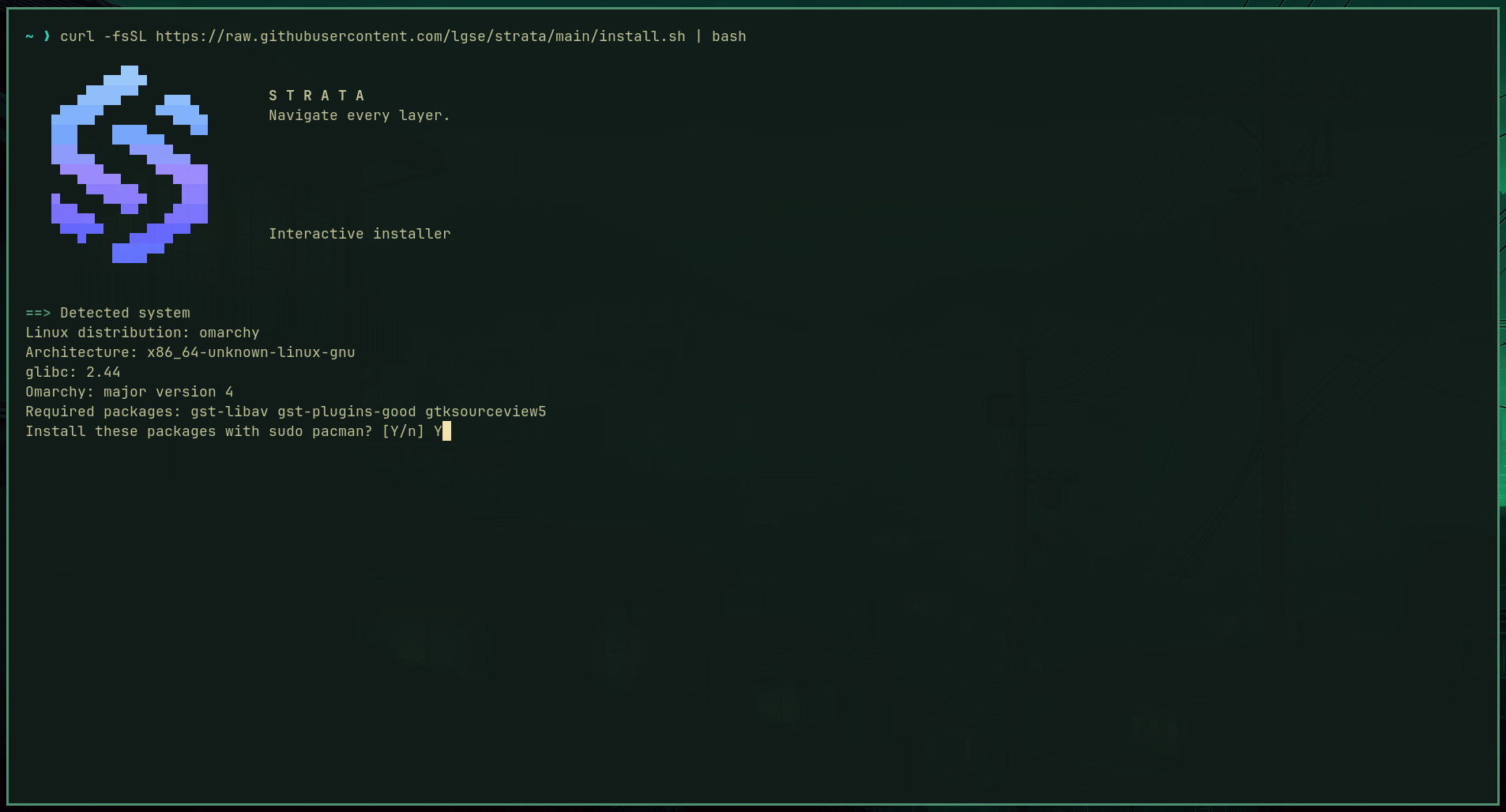
The developers have prioritized ease of deployment for the target demographic. By utilizing a single cURL installation command, users on Omarchy or Arch Linux can pull the latest stable binary directly into their ~/.local/bin directory.
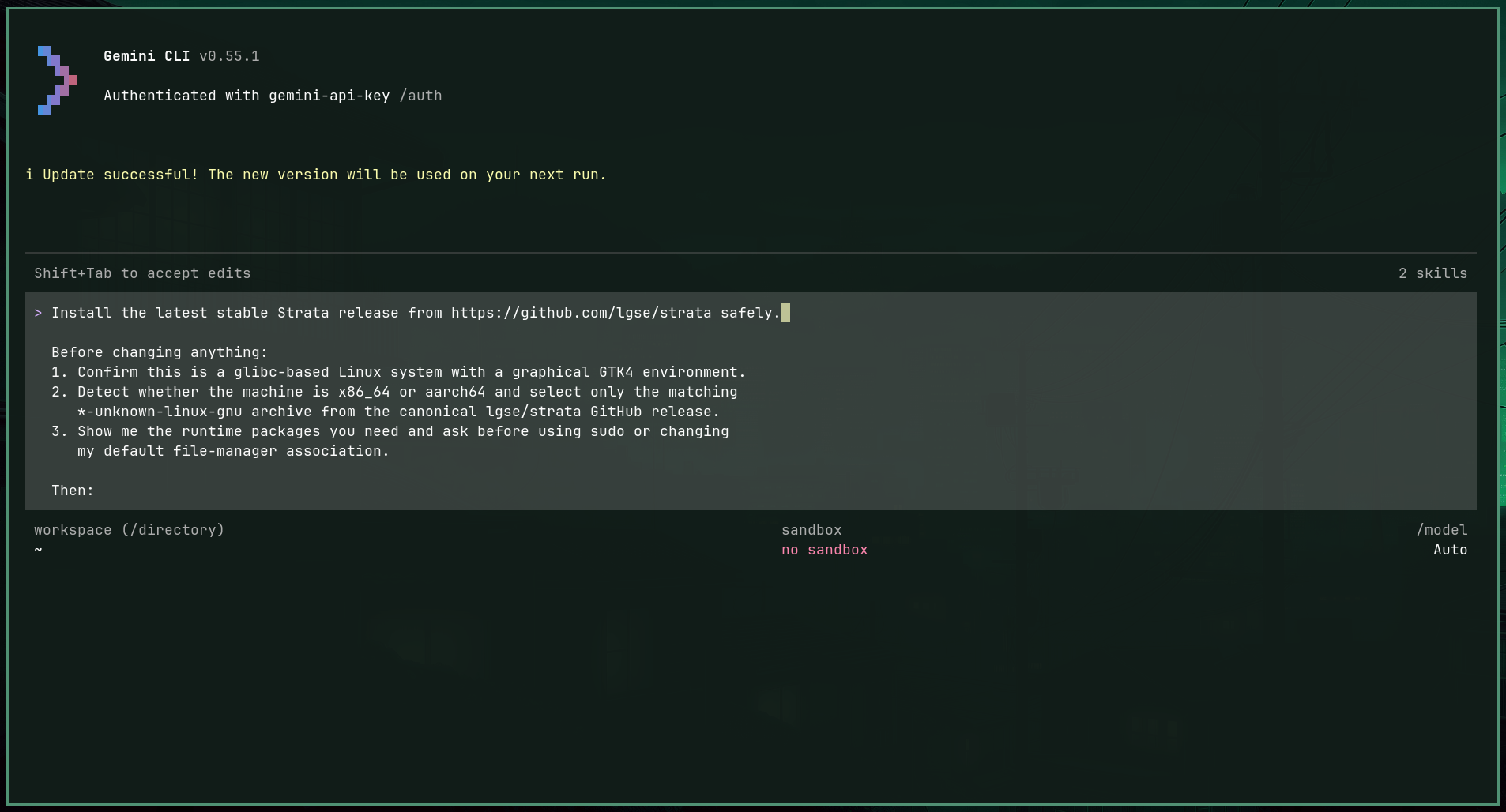
curl -fsSL https://raw.githubusercontent.com/lgse/strata/main/install.sh | bashThe installer is designed to be "system-aware." It automatically detects CPU architecture and glibc versions, ensuring compatibility. For users integrated into the Omarchy AI agent ecosystem, installation can even be prompted via natural language commands, marking a departure from traditional manual package management.
Implications for the Linux Desktop
The rise of Strata signals a broader trend in the Linux community: the move toward specialized, high-performance applications that challenge the status quo.
Breaking the Monolith
For years, the Linux desktop has been dominated by the "bundled" experience—if you used GNOME, you used Nautilus. While this provided consistency, it often hindered innovation. Strata, by operating as a standalone, high-performance entity, proves that users are willing to swap out core components for tools that offer superior workflow integration.
The Rise of Rust in UI
The success of Strata provides further evidence that Rust is becoming the language of choice for performance-critical UI applications. By leveraging GTK4, the team has managed to create an interface that feels "native" to Linux, while maintaining the speed and security benefits that Rust is famous for. This is a significant win for the Linux desktop, which has historically struggled with sluggishness in complex GUI applications.
The Community Effect
With 30 contributors in 45 days, the project highlights the vitality of the Arch Linux and Omarchy communities. This level of engagement suggests that there is a significant demand for tools that prioritize power-user workflows over simplistic, "one-size-fits-all" design.
Future Outlook and Challenges
While the 1.0 release is a landmark achievement, the journey for Strata is just beginning. Challenges remain in expanding compatibility beyond glibc-based systems and ensuring that the rapid pace of development does not compromise the stability that the 1.0 tag promises.
The project leads have hinted at further integrations, including expanded support for cloud-based file systems and more sophisticated AI-driven file organization tools. For now, however, the focus remains on perfecting the core experience: making the act of managing files as seamless, fast, and keyboard-friendly as writing code.
For users tired of the limitations of their current file manager, Strata offers a glimpse into a more efficient future. Whether it will replace Nautilus or Dolphin as the default remains to be seen, but its presence is a clear signal that the Linux desktop is far from stagnant. It is evolving, and it is doing so with remarkable speed.
For those interested in exploring the project, the source code is available on GitHub, and an interactive demo is available on the official project website.