Raspberry Pi Revives Its PC and Mac Desktop Environment with Debian Trixie Release
Main Facts
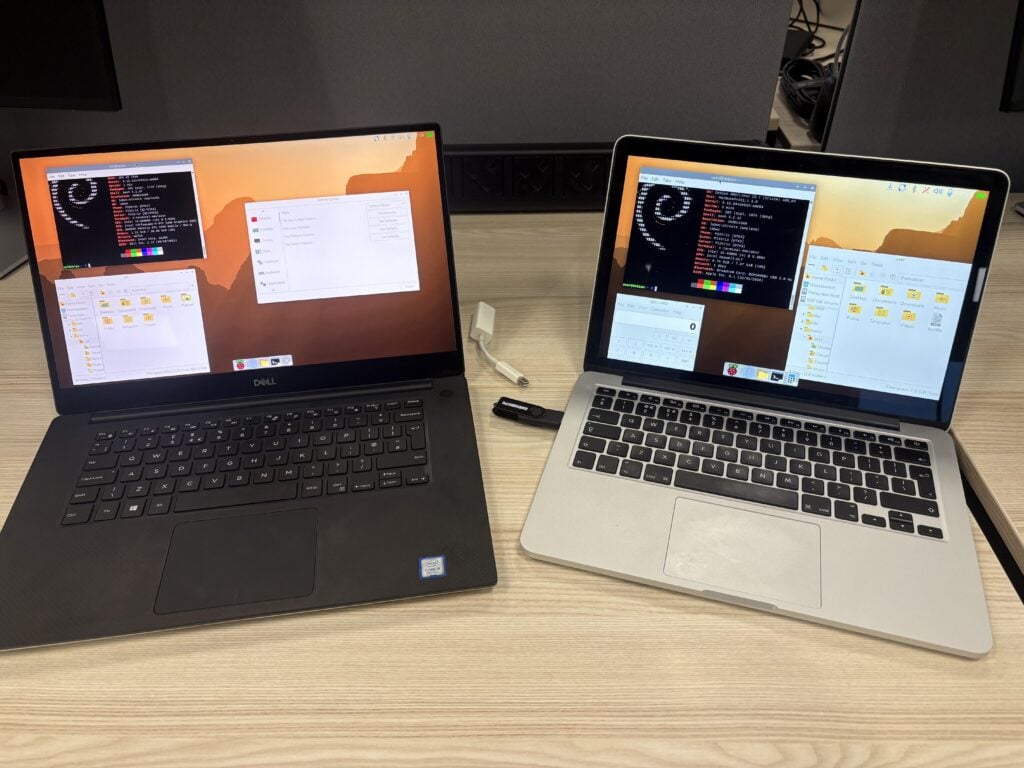
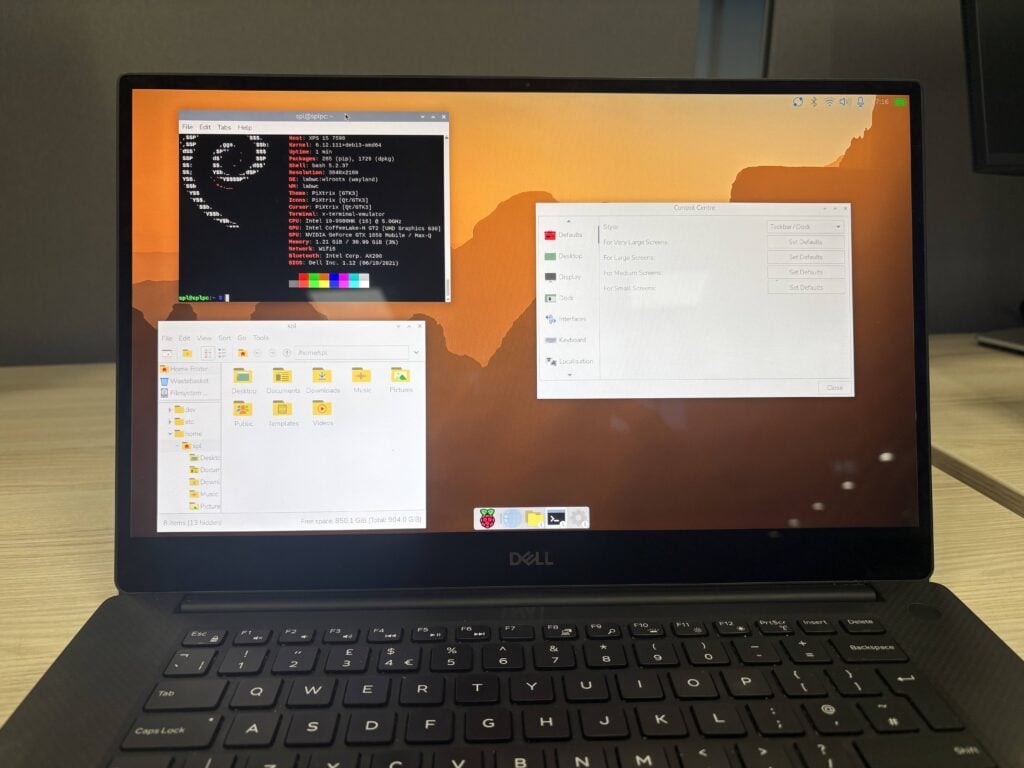
The Raspberry Pi Foundation has officially released its long-awaited, fully updated Debian Trixie with Raspberry Pi Desktop for PC and Mac. Available immediately for download via the official Raspberry Pi website, this new release allows users to transform conventional x86-based personal computers and Intel-powered Macintosh hardware into devices running the distinct, lightweight Raspberry Pi operating system interface.
Significantly, this iteration transitions the project from older 32-bit architectures to a modern 64-bit (amd64) Debian foundation, aligning with broader industry movements away from legacy 32-bit PC support. Alongside the foundational upgrade, the new software brings the complete visual and functional suite of modern Raspberry Pi OS iterations—including the redesigned Control Centre, the customizable taskbar dock, and an integrated Raspberry Pi Connect client.
The software is distributed as a live Debian ISO image. Users can flash the image onto a USB storage drive, boot directly into the environment, and elect to run it with persistence—saving files and configurations directly to the thumb drive—or install it permanently onto a machine’s internal hard drive or solid-state drive (SSD) utilizing the Calamares installer. While standard Intel-based PCs and Macs manufactured within the last fifteen years are fully supported, Apple Silicon hardware remains unsupported due to the current experimental nature of Debian’s ARM architecture support for newer Apple processors.
Chronology: From a Weekend Experiment to a Global Phenomenon
The existence of a Raspberry Pi Desktop for non-Pi hardware is a classic tale of developer curiosity intersecting with executive inspiration. The trajectory of the project spans a decade of unexpected popularity and logistical hurdles:
- 2014–2016 (The Genesis): Developers at the Raspberry Pi Foundation worked on refining the default LXDE desktop environment to give it a signature look and feel. Originally intended to be named "PIXEL" (an acronym for Pi XWindows Environment Lightweight), trademark complications with another major technology corporation forced a pivot. During this period, CEO Eben Upton posed a casual question to the engineering team: “Wouldn’t it be cool if I could run this on my Mac?”
- The Weekend Side Quest (Late 2016): Prompted by that offhand remark, a developer spent a weekend exploring whether the custom desktop environment could be overlaid onto a stock Debian image designed to boot on a Macintosh. By Monday morning, a MacBook was successfully running the complete Raspberry Pi desktop experience entirely from a USB stick.
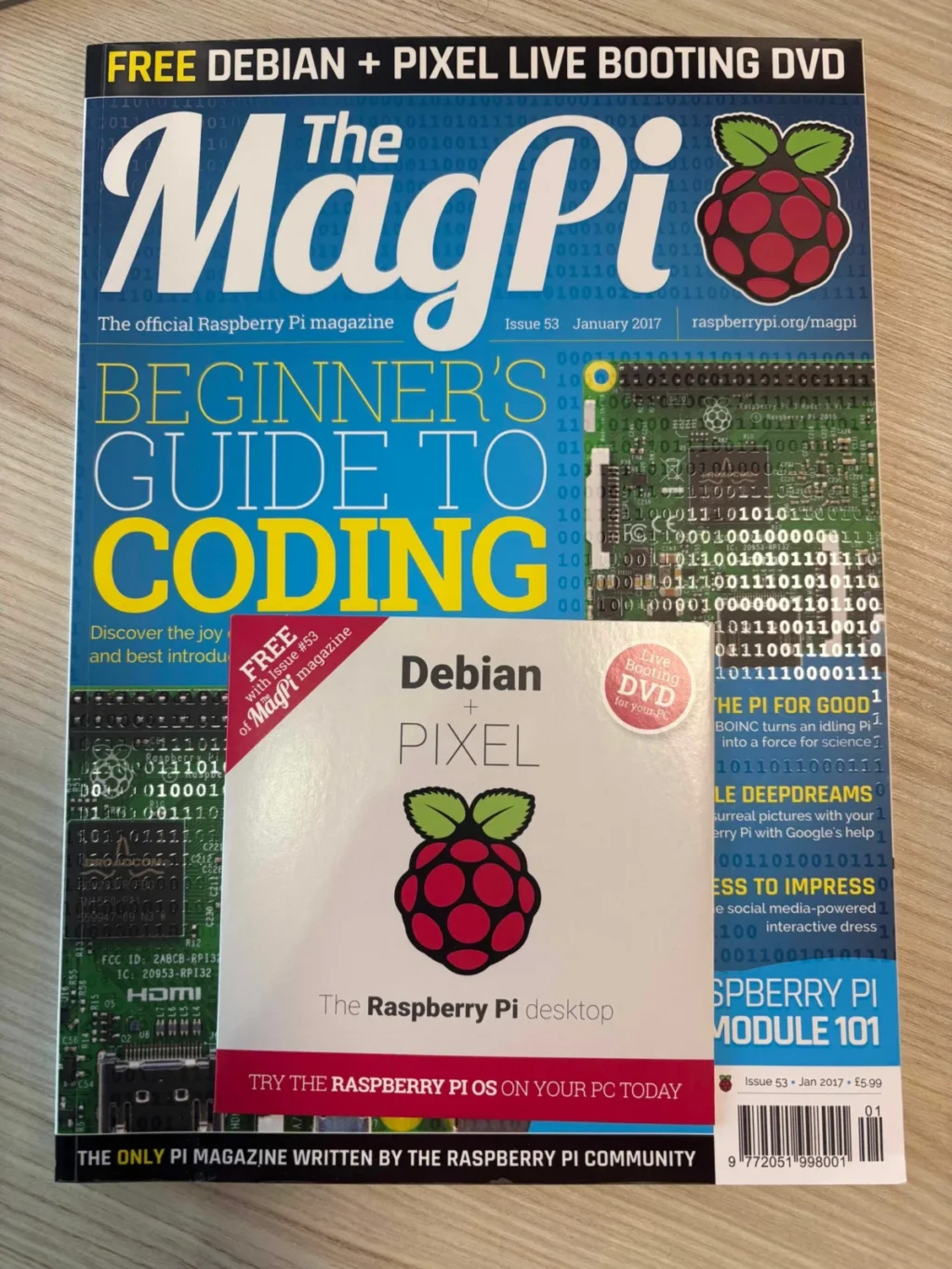
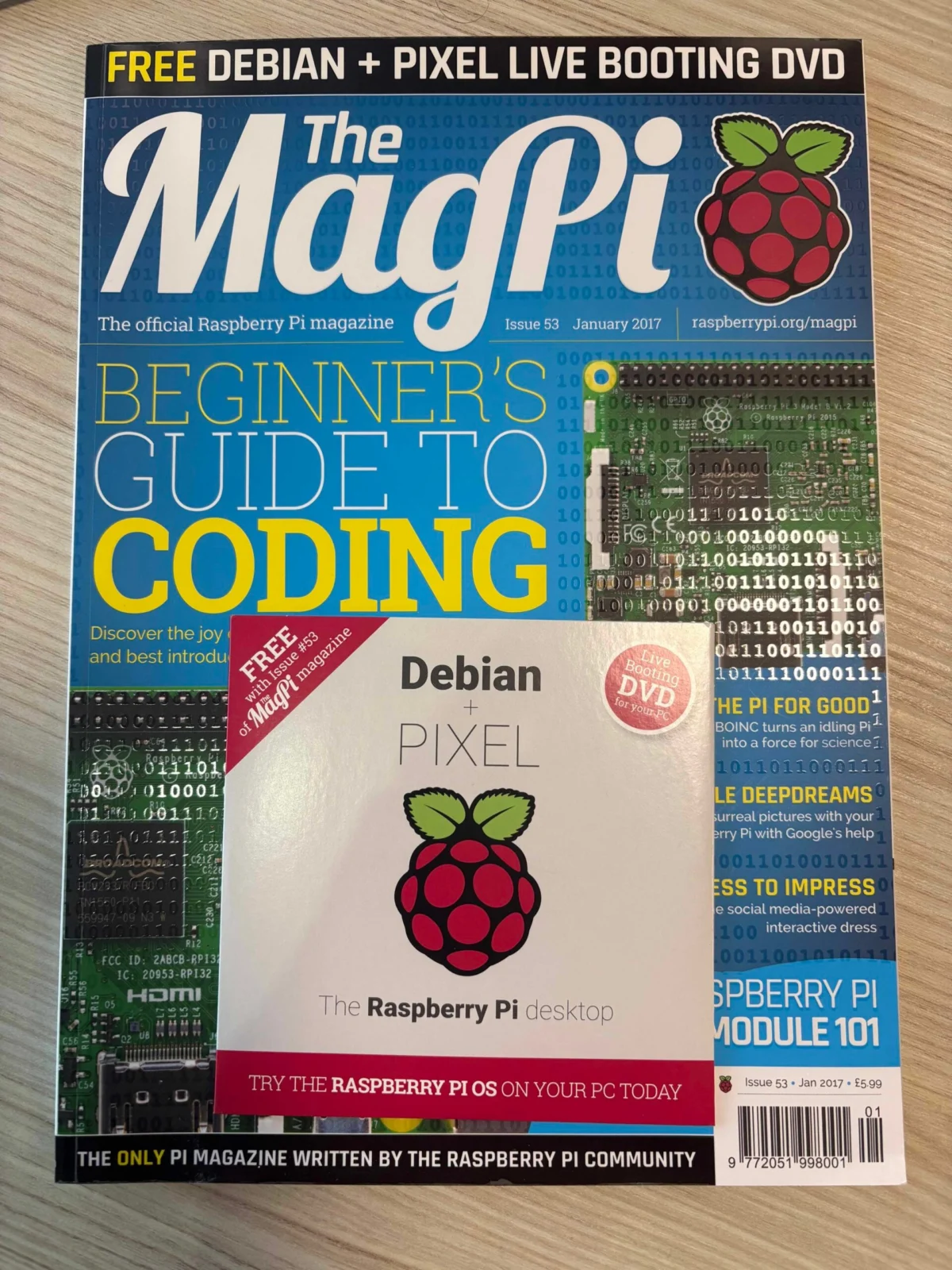
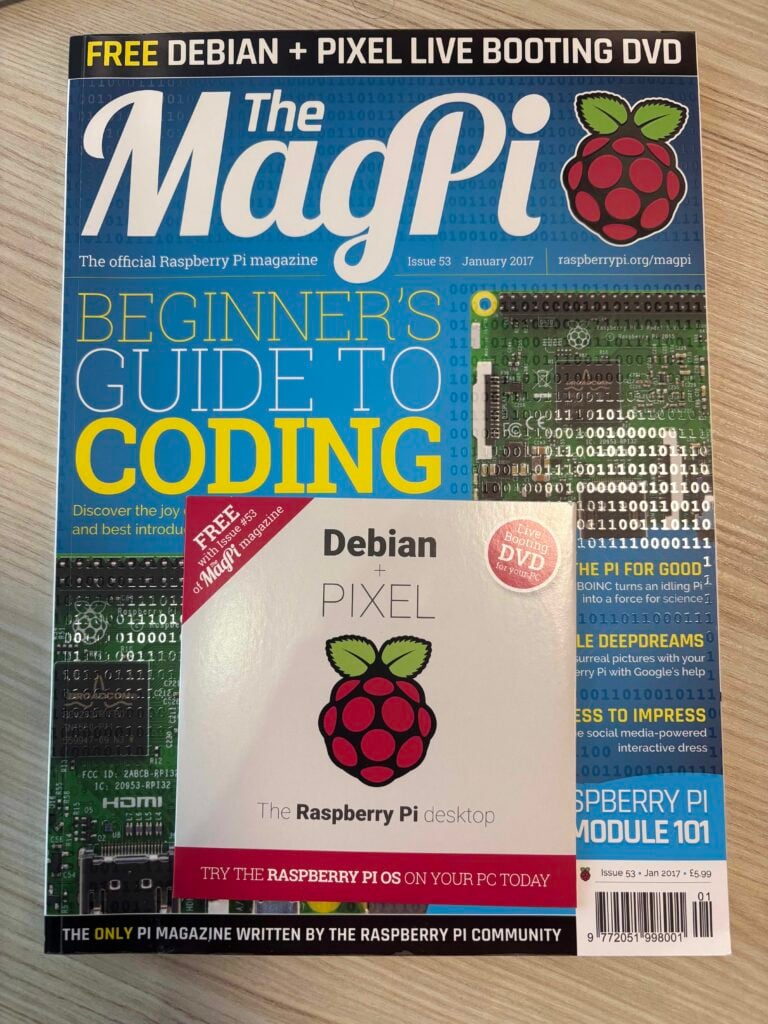
- Christmas 2016 (The MagPi Launch): Recognizing the potential, a small "Skunk Works" team collaborated to polish the prototype. That winter, the experimental operating system made its public debut as a bootable live DVD included on the front cover of The MagPi Magazine (then known as The Official Raspberry Pi Magazine).
- 2017 (The Installable Release): Driven by an overwhelmingly positive public reception, the engineering team expanded the project beyond a read-only live environment. They released the first official, installable version of Debian with the Raspberry Pi Desktop for PC and Mac.
- The Buster and Bullseye Era: As Debian progressed through its major releases, the foundation managed to allocate sparse engineering hours to maintain updates for the Buster and Bullseye iterations. However, competing corporate demands and a lack of dedicated monetization pathways for non-Pi software caused the PC desktop variant to stall.
- The Hiatus: While the Bullseye-based PC desktop remained accessible on the foundation’s servers, no newer versions were released for years. Despite the radio silence, user demand remained exceptionally high, with developers receiving multiple email inquiries every week regarding a potential update.
- Present Day (The Trixie Update): Driven by persistent user requests, the engineering team—led primarily by release engineer Serge—successfully packaged the modern Raspberry Pi desktop environment on top of the contemporary Debian Trixie release, migrating the platform entirely to a 64-bit architecture and introducing native Raspberry Pi Connect support.
Supporting Data and Technical Architecture
The technical underpinnings of the Debian Trixie release reflect a modernizing shift in desktop Linux environments. To evaluate the technical scope of the new release, several architectural factors must be considered:
Architecture and Compatibility Matrix
- Base Distribution: Debian Trixie (testing/stable branch progression).
- Target Architecture: 64-bit x86 (
amd64). 32-bit PC architectures have been completely deprecated in alignment with upstream Debian policies and shrinking hardware prevalence. - Hardware Requirements: Any standard x86-64 PC (Intel or AMD) manufactured within roughly the last 15 years, or any Intel-based Apple Mac. Apple Silicon (M1, M2, M3, M4 chips) is currently excluded due to ongoing, experimental development stages for Debian on those custom ARM SoCs.
- Storage and Execution Methods:
- Live USB with Persistence: Users flash the
.isofile to a USB drive. Upon booting, selecting "run with persistence" ensures that system changes, installed packages, and personal files are preserved across reboots. A reset persistence option is also provided to wipe changes and restore a factory-clean state. - Bare-Metal Installation: Utilizing the integrated Calamares installer, users can wipe an internal drive or dual-boot the Debian-based environment alongside existing operating systems.
- Live USB with Persistence: Users flash the
Integration of Raspberry Pi Connect
A major highlight of the Trixie release is the inclusion of the Raspberry Pi Connect client. This software bridges the ecosystem gap between physical Raspberry Pi single-board computers and repurposed legacy PCs.
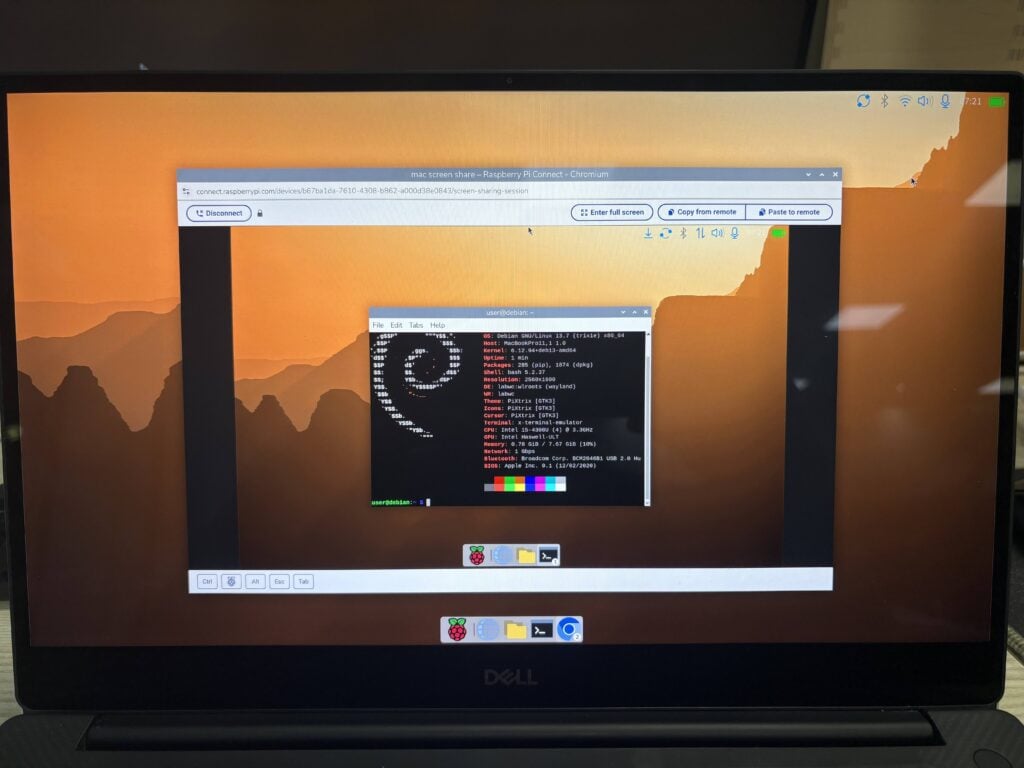
When configuring Raspberry Pi Connect on a PC or Mac running the new desktop, the software requires the user to input a unique device identifier name (whereas native Raspberry Pi hardware relies on built-in, hardware-level unique identifiers). Once registered, the non-Pi machine appears in the centralized user dashboard on the Raspberry Pi Connect web portal. Users can then seamlessly initiate secure remote screen-sharing sessions or open a remote terminal interface from any web browser, mirroring the exact functional behavior experienced when managing fleets of headless or desktop-bound Raspberry Pi units.
Official Perspectives and Internal Challenges
The release of the Debian Trixie desktop environment for PC and Mac sheds light on the unique operational balancing act managed by the Raspberry Pi Foundation. As a commercial enterprise deeply intertwined with an educational charity, the foundation’s primary revenue engine is the sale of physical hardware—microcomputers, accessories, and industrial boards.
The Economic Dilemma
From an engineering standpoint, maintaining a separate operating system branch for third-party hardware presents an inherent economic paradox. The foundation has historically provided its operating system software entirely free of charge, subsidizing software development through the margins of hardware sales. Because a user downloading the Raspberry Pi Desktop for a Dell laptop or an aging MacBook is not purchasing a new Raspberry Pi board, the software project generates no direct hardware revenue.
Consequently, internal engineering resources are prioritized toward core products—the flagship Raspberry Pi hardware lineup and the primary Raspberry Pi OS builds optimized for those custom ARM processors. As internal workloads grew heavier over the years, maintaining the x86 desktop variant inevitably slipped down the priority queue, explaining the multi-year gap between the Bullseye release and the current Trixie rollout.
Overwhelming Community Demand
Despite the lack of active commercial incentives, the user community kept the project alive through sheer volume of interest. The development team noted that receiving two to three emails every single week asking about the status of the PC desktop became a constant reminder of the project’s dedicated user base.
“We’ve continually tried to allocate time to be able to work on this, but it hasn’t been easy,” notes the core development team. The eventual decision to carve out engineering time for the Trixie port was a direct response to this sustained grassroots pressure, alongside the internal desire to unify the user experience across all devices—particularly with the rollout of modern ecosystem tools like Raspberry Pi Connect.
Broader Implications for Tech Enthusiasts and Sustainability
The deployment of Debian Trixie with Raspberry Pi Desktop carries several noteworthy implications for the broader technology landscape, spanning sustainability, software accessibility, and ecosystem integration.
Combating E-Waste and Extending Hardware Lifecycles
One of the most profound impacts of this release is its utility in the fight against electronic waste. Millions of fully functional x86-based laptops and desktops—particularly older Intel Macs and mid-2010s Windows machines—are routinely discarded simply because their hardware specifications can no longer comfortably run bloated modern commercial operating systems like Windows 11 or resource-intensive default macOS configurations.
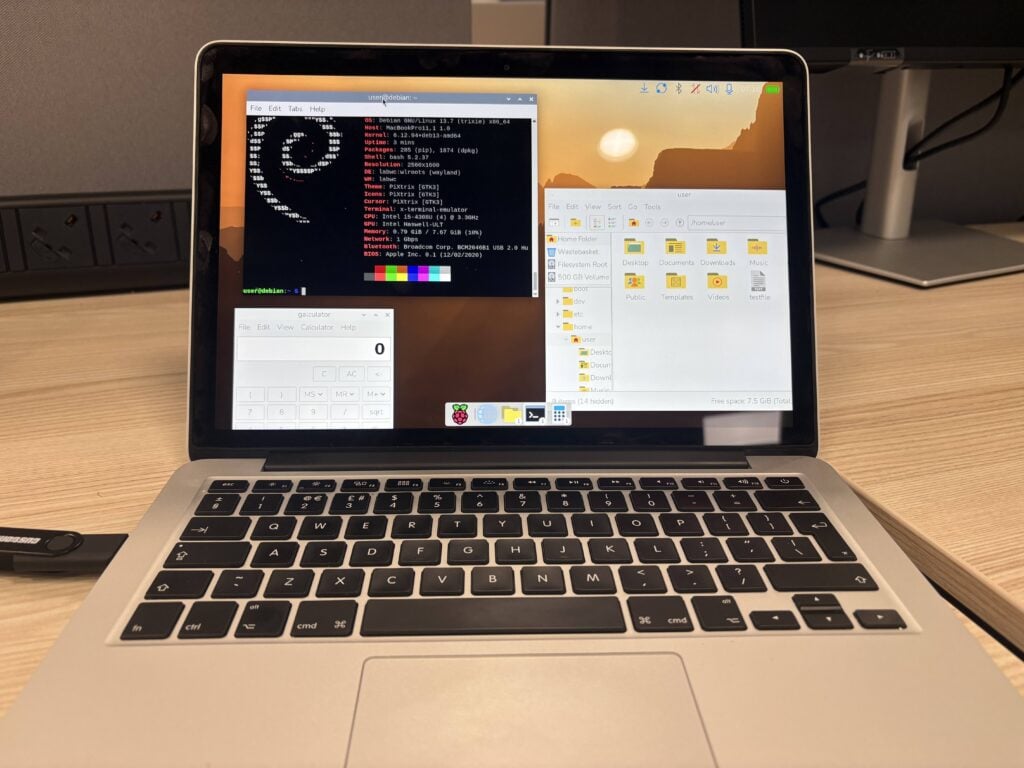
By providing a lightweight, highly optimized, Debian-based desktop environment that runs smoothly on modest legacy hardware, Raspberry Pi has effectively handed consumers a powerful tool for hardware recycling. An aging 2014 MacBook Pro or a 2020 Dell XPS laptop can be instantly repurposed into a snappy, secure, modern Linux workstation. This approach breathes new life into aging hardware, keeping perfectly good silicon out of landfills and reducing the environmental footprint of personal computing.
Unifying the Development and Management Ecosystem
For developers, educators, and hobbyists who manage mixed fleets of hardware, the inclusion of Raspberry Pi Connect on x86 machines is a game-changer. Previously, managing a remote Linux environment required setting up third-party Virtual Network Computing (VNC) servers, configuring secure shell (SSH) port forwarding, or relying on complex third-party remote desktop utilities.
By integrating Raspberry Pi Connect into the PC and Mac desktop environment, the foundation has created a unified remote management pane of glass. A user can now sit at a high-powered desktop PC, open a browser, and remotely monitor, code on, or administer both a physical Raspberry Pi 5 deployed in a robotics project and an old laptop running the desktop OS in another room—all through the exact same proprietary, secure remote connection protocol.
Conclusion
While the road to the Debian Trixie release was marked by lengthy delays and competing institutional priorities, its arrival marks a welcome return for a beloved tool. By successfully migrating the platform to a modern 64-bit architecture and embedding contemporary ecosystem features, Raspberry Pi has ensured that its iconic desktop environment remains accessible to anyone wishing to give their non-Pi hardware a second lease on life.