
The Ghost in the Machine: Why Your Modal’s "Angry Mustard" Console Warning is a Critical Accessibility Failure
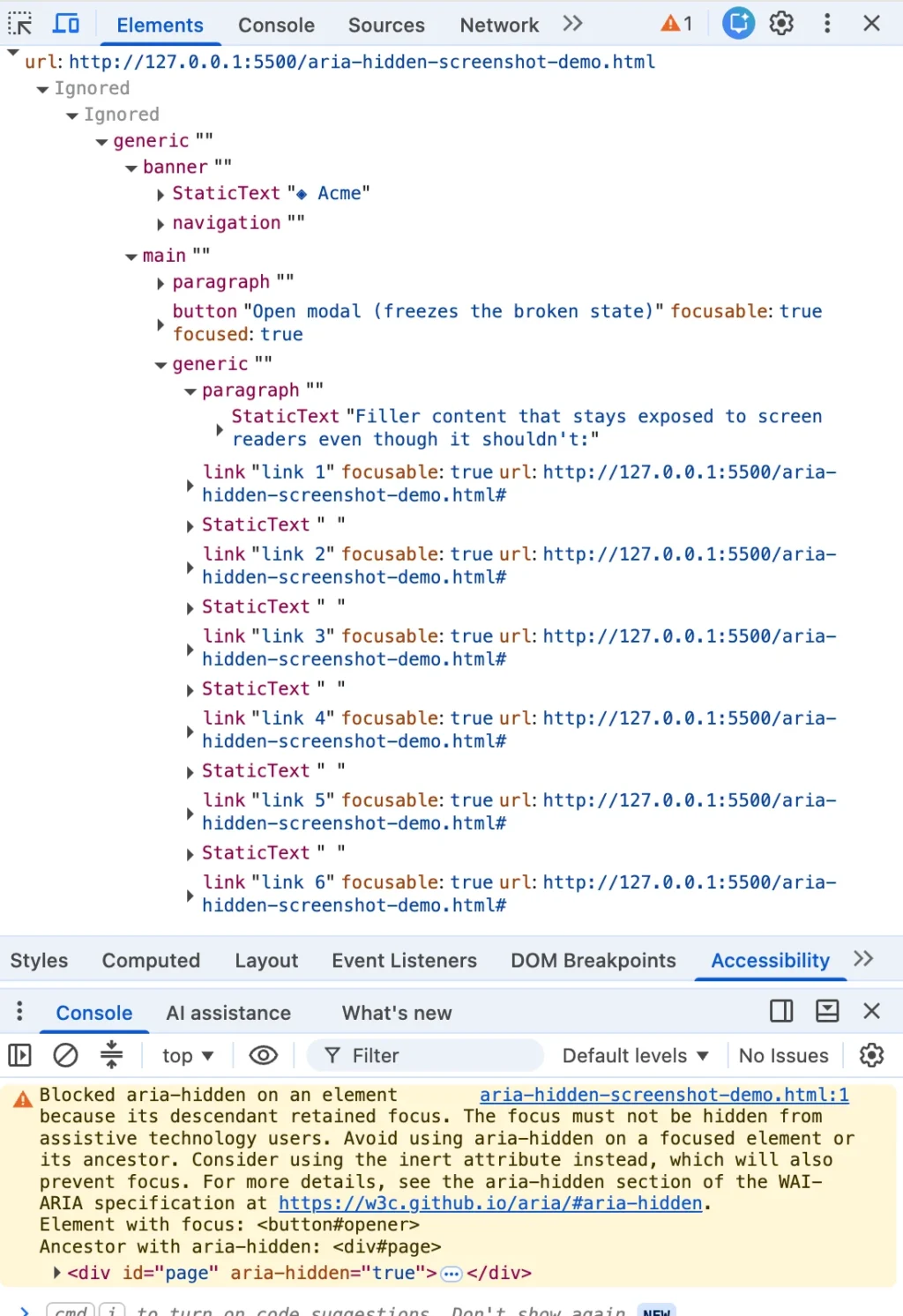
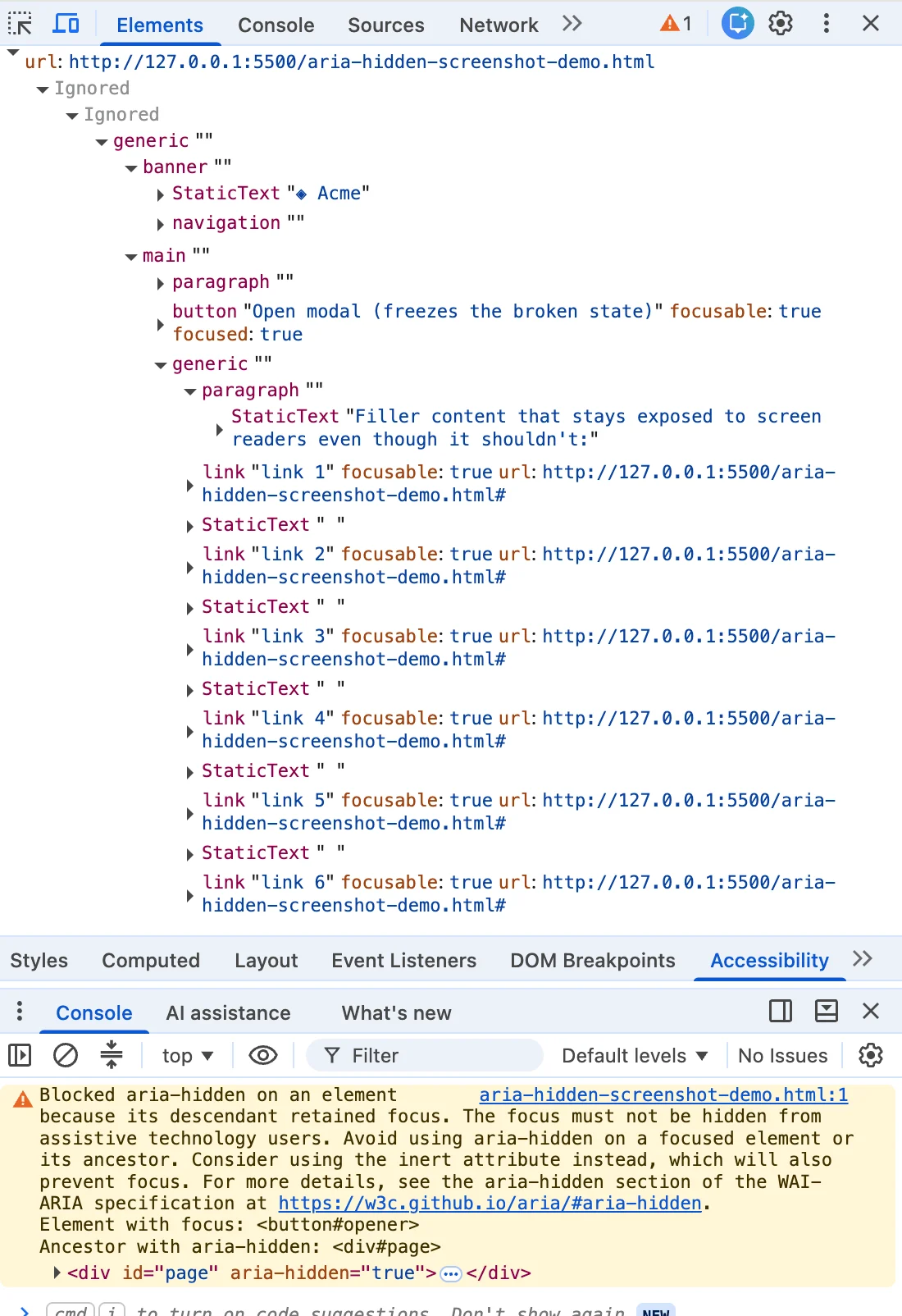
You closed a dialog box, and your browser console suddenly flared with a distinct, "angry mustard" yellow warning. You did what any seasoned developer would do: you highlighted the cryptic error string, dropped it into a search engine, and were met with a sea of results spanning Angular, Bootstrap, Ionic, and phpMyAdmin.
The top-ranking solutions were swift and decisive: use a blur() one-liner, wrap the close function in a setTimeout, or simply strip the aria-hidden attribute. They all promised the same outcome—a clean console and a successful build.
But there is a reality that those top-tier search results bury: the warning is correct. There is a real person on the other side of that screen—someone using a screen reader—whose focus is about to fall into a structural hole in your page. If you have shipped one of those "fixes," you are in enormous company, and you were failed by your search results, not your own carelessness.
The Core Conflict: When Browsers Overrule Developers
When you see a console warning, it is easy to file it away as a style-guide nitpick—something for the backlog, a "yellow" non-blocking issue to address after the release. However, this specific warning is different. By the time the message appears, the browser has already analyzed your markup, determined your implementation is flawed, and unilaterally decided to ship a different accessibility tree than the one you authored.
When you tag a container with aria-hidden="true", you are instructing the browser to remove that entire subtree from the accessibility tree. However, aria-hidden is paradoxical: it removes content from the screen reader’s view, but it does not remove that content from the browser’s focus order.
If a user hits Tab and lands on an element inside a region you’ve marked as "hidden," you create what can only be called "ghost focus." The screen reader fires a focus event for a node it has been told does not exist. It looks up the element, finds it invisible to the API, and delivers total silence. The user, standing in the middle of a digital room that the system insists is empty, has no way of knowing if the application has crashed or if they have made a navigational error.
Chronology: The Evolution of the "Loud" Console
The "loud" warning we see today in Chrome (specifically appearing in versions 131 and later) is the culmination of a long-standing struggle between web standards and implementation reality.
- 2019–2020: The roots of the issue appear in early accessibility discussions. Chromium engineers, including Aaron Leventhal, began pushing for browsers to expose focusable
aria-hiddennodes. The goal was to prevent total silence for users; if a user tabs into a hidden region, the browser would prioritize the "focus" over the "hidden" attribute to avoid a broken navigational experience. - 2024 (Summer): The first wave of explicit console warnings began to cluster in July and August. Developers using MUI, Ant Design, and Flowbite reported the warning upon opening modals.
- Late 2024 – Early 2025: The "close-time" variant of the warning appeared with the release of Chrome 131. This triggered a new flood of issues in major libraries like Bootstrap and Angular, as maintainers grappled with the fact that their teardown logic—which had worked for years—was now being flagged as a critical violation.
- 2026 and Beyond: The issue has moved from a "cosmetic" warning to a functional failure, particularly with the introduction of React 19’s updated unmounting timing. Nested components (like a
selectinside adialog) now frequently result in "focus freezes," where keyboard navigation across the entire page becomes impossible.
Supporting Data: The Four Archetypes of Failure
To solve this, one must recognize that not all modal bugs are created equal. They generally fall into four categories:

- The Close-Time Race: The most common failure. A modal begins its CSS fade-out animation. The library marks the modal
aria-hiddento hide it, but the focus remains on the close button inside the modal. Because the animation is still running, the browser sees a focused element inside a hidden container and logs the error. - The Open-Time Inversion: The inverse of the above. The modal opens, and the background is marked
aria-hiddenbefore the focus has actually moved into the new dialog. For a split second, the background is hidden, but the trigger button is still "lit" behind it. - The Composition Turf War: This occurs when a component inside a dialog (like a date picker or dropdown) tries to manage its own modal state. Both components attempt to hide the rest of the page, leading to a collision that frequently results in a locked interface.
- The User Walkout: A rare but significant edge case where a user leaves the page (e.g.,
Alt+Tab) while a modal is open. The browser’s focus bookkeeping strands thearia-hiddenstate, creating a warning even though the user has left the context entirely.
Official Responses and the "Fix" Trap
The prevalence of these bugs has sparked a debate between library maintainers and browser vendors. Some maintainers have argued that Chrome’s warning is too aggressive, while browser vendors maintain that they are simply enforcing the Web Accessibility Initiative (WAI) guidelines that developers have ignored for too long.
The danger of "quick fixes" cannot be overstated. When developers use blur(), they are essentially setting a passenger down in the middle of a highway and driving away. The console warning disappears, but the user—who was expecting their focus to return to the button that triggered the modal—is now stranded at the top of the page. This is a direct violation of WCAG 2.4.3 (Focus Order).
The industry is now coalescing around a specific, rigorous teardown contract:
- Capture: Store the active element (
document.activeElement) the moment the modal is opened. - Un-inert: Before moving focus, ensure the background is no longer
inert. - Handoff: Move the focus before triggering the hide or inert state.
- Inert the Shell: Use the
inertattribute on the modal shell itself while it fades out. This ensures it is unreachable by keyboard and invisible to assistive technology, while still allowing CSS to handle the transition.
Implications for Modern Web Development
The primary takeaway is that a clean console is not a proxy for quality. You can force your build to pass by suppressing warnings, but you do so at the cost of the user experience.
If your project allows it, the most robust solution is to migrate to the native <dialog> element and use .showModal(). The browser handles the "focus dance" natively, keeping the focus trapped within the top layer and implicitly managing the inertness of the rest of the page.
For those tied to legacy design systems or complex portal architectures, the path forward is clear: move away from aria-hidden as a primary tool for modal management. aria-hidden removes a node from the accessibility tree, but inert removes it from the browser’s interaction model entirely.
The warning isn’t noise on top of your architecture; it is your architecture speaking out loud about what happens when you aren’t looking. Stop reaching for the mute button and start auditing your teardown order. Your users—especially those who rely on assistive technology to navigate your application—will thank you for the silence you provide them by being intentional, not by being dismissive.








