
Beyond the App: Building a Future-Proof Knowledge Base with KDE Plasma
In the digital age, Personal Knowledge Management (PKM) has become a cornerstone of productivity. From researchers and students to software developers, the need to organize thoughts, references, and workflows is universal. Currently, the market is saturated with specialized applications like Obsidian, Logseq, and Notion. While these tools offer sophisticated features such as graph views and automatic backlinking, they often introduce a "walled garden" effect.
By wrapping your data in proprietary metadata, Wikilinks, or custom properties, these applications create a layer of abstraction that makes your data less portable. This article explores an alternative philosophy: reclaiming the desktop as the primary interface for knowledge management, leveraging the inherent power of the KDE Plasma desktop environment and plain Markdown files to build a system that is transparent, portable, and immune to vendor lock-in.
Main Facts: The "File-First" Philosophy
The core premise of this approach is simple: your data should be platform-agnostic. While specialized PKM apps are convenient, they often utilize non-standard syntax that requires their specific engine to render correctly. By contrast, a system built on plain Markdown files stored within your file manager—Dolphin, in the case of KDE Plasma—ensures that your knowledge base remains accessible via any text editor on any operating system, forever.
The methodology relies on four pillars:
- Dolphin as the Organizer: Using the native file manager for tagging and structural hierarchy.
- Standard Markdown: Ensuring 100% interoperability.
- KDE Plasma Integration: Utilizing native features like the information panel and file tagging.
- Minimalist Tooling: Relying on lightweight editors like Ghostwriter rather than bloated, resource-heavy PKM suites.
Chronology: Implementing the Workflow
Building a custom system requires a disciplined, step-by-step approach. Unlike "download-and-go" apps, this workflow demands an initial investment in setup.
Phase 1: Establishing the Infrastructure
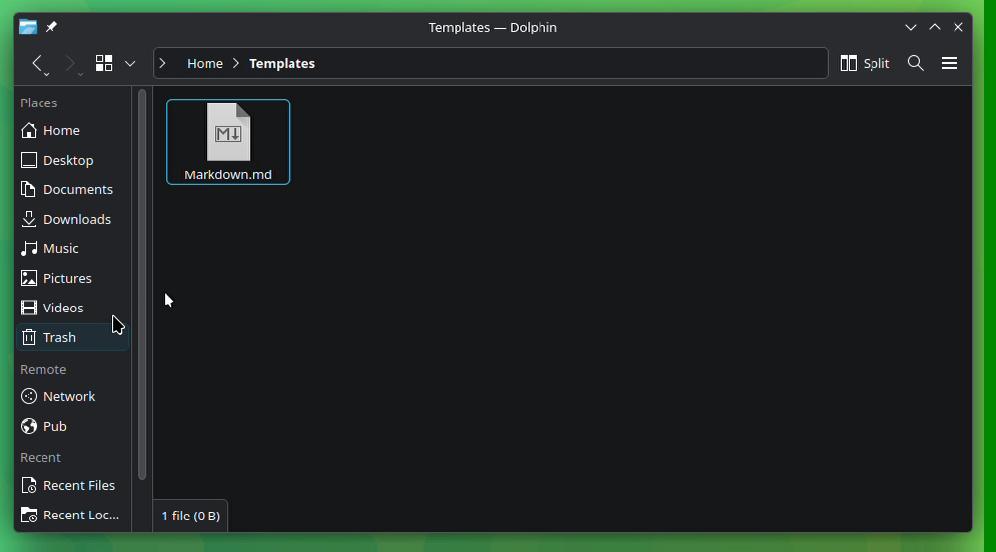
The journey begins in the ~/Templates directory. By creating boilerplate Markdown files (e.g., QuickNotes.md), users can leverage Dolphin’s "Create New" context menu. This creates a standardized starting point for every new thought, ensuring that your notes maintain a consistent schema from day one.
Phase 2: Structural Organization
Create a dedicated root folder, such as ~/Documents/MarkdownSource. Within this directory, establish a clear taxonomy of subfolders. It is highly recommended to isolate attachments—PDFs, images, and diagrams—into their own sub-directories. A crucial tip for Linux users is to avoid spaces in file names; while modern filesystems support them, they can cause significant friction when executing terminal commands or scripts.
Phase 3: Defining the Editor
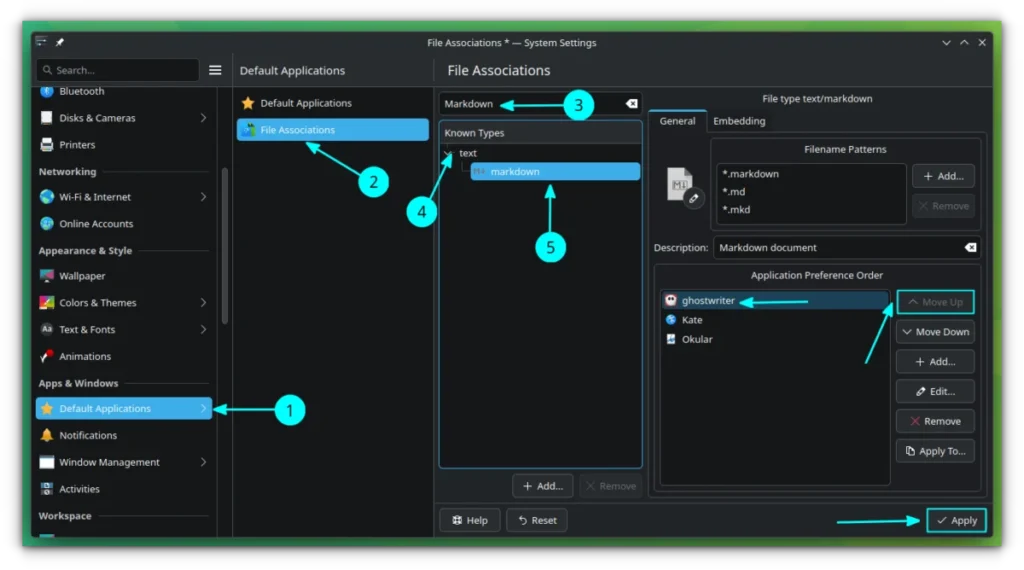
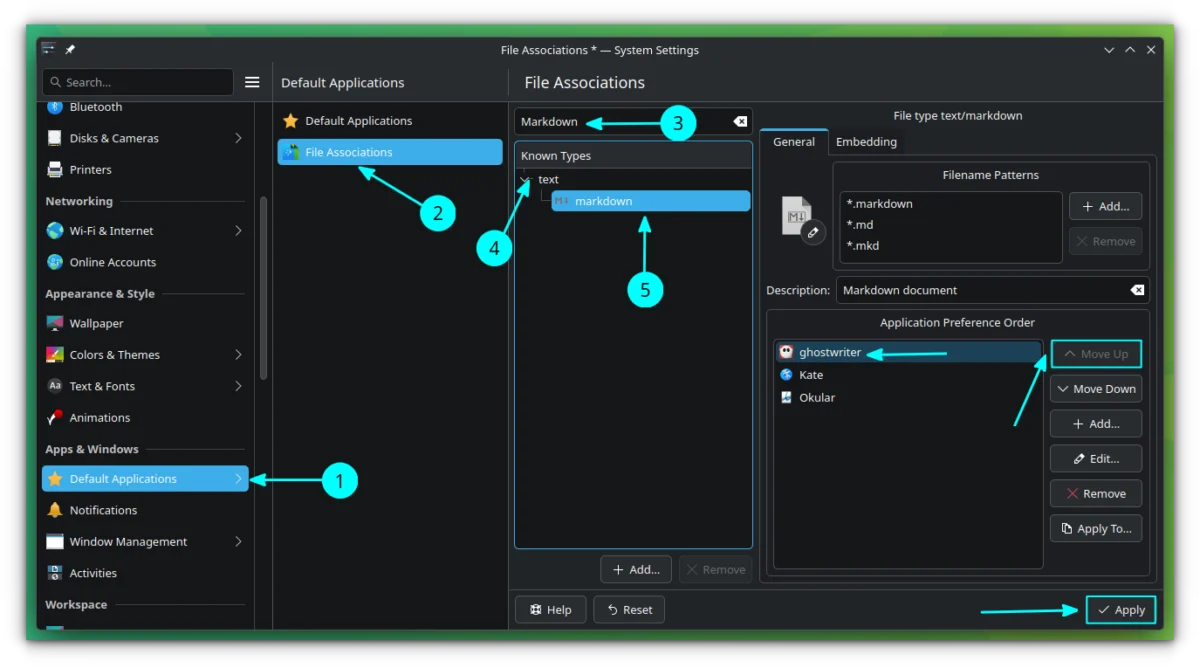
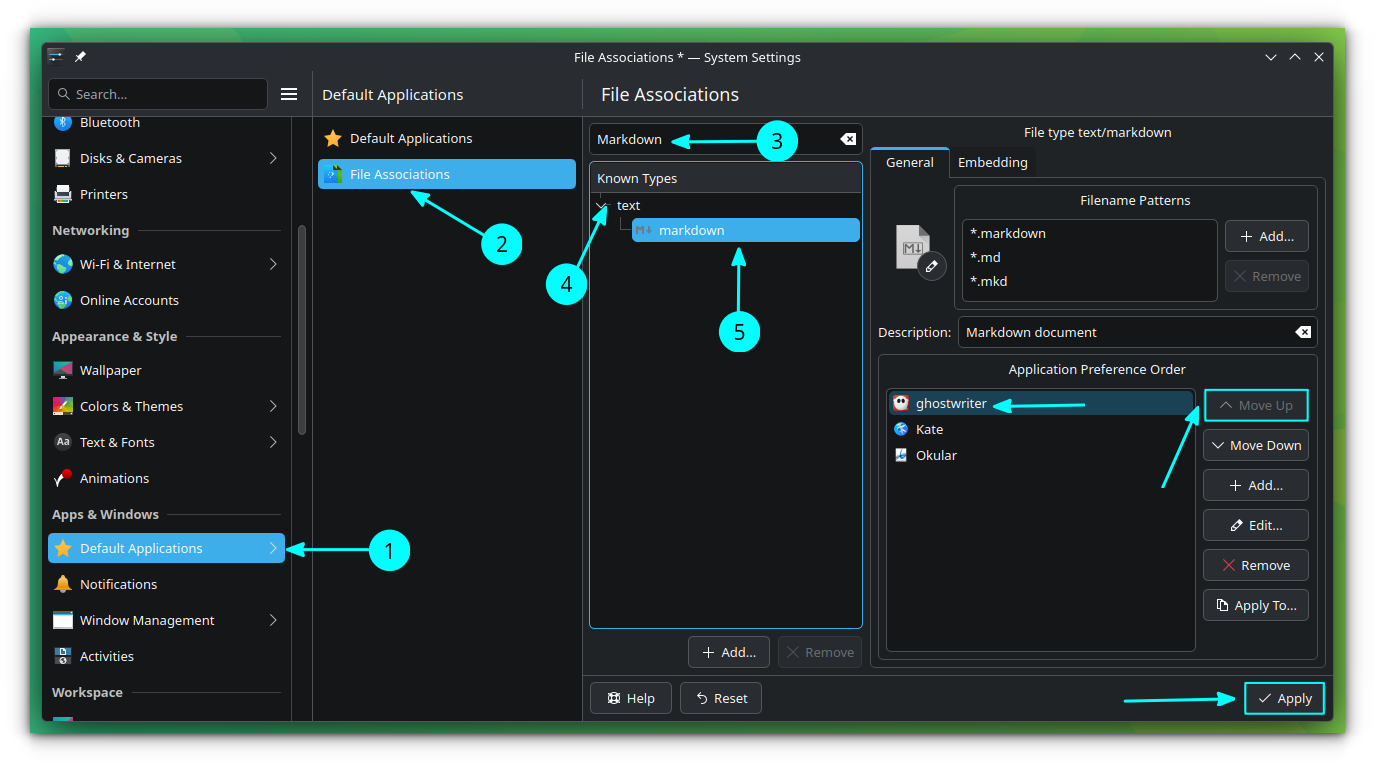
For this system to succeed, the choice of editor is critical. The editor must be a "pure" Markdown viewer/writer. Ghostwriter is a prime candidate for KDE users, offering a clean, distraction-free interface that focuses on the content rather than the container. To integrate this into the system, one must update the "File Associations" within KDE System Settings, ensuring that all .md files are handled natively by your chosen editor.
Supporting Data: Enhancing Functionality
A system is only as good as its searchability. Without the "smart" features of proprietary apps, users must rely on the operating system’s native capabilities.
Dolphin’s Tagging System
Dolphin’s integrated information panel allows users to assign tags to any file. These tags are indexed by Baloo, KDE’s powerful file-indexing service. By enabling the "Tags" field in the Information panel, you can categorize notes across different folders without needing to move them physically. Searching by tag in Dolphin becomes an effective way to surface related content across your entire library.

The Challenge of Interlinking
The most significant hurdle in a file-based system is the lack of automatic backlinking. To solve this, users must rely on relative paths. By writing a simple Bash function—such as a relpath script—users can generate the relative navigation strings required for standard Markdown links.
Example of a link: [Concept Analysis](./Physics/Quantum_Mechanics.md)
While this requires a manual step, it provides a crucial benefit: if the entire MarkdownSource folder is moved to an external drive or a different computer, every link remains functional because they are defined relative to the root directory rather than absolute system paths.
Official Responses and Expert Observations
Industry experts have long debated the "Vendor Lock-in" versus "Ease of Use" trade-off. Proponents of the Zettelkasten method, such as those within the Zettelkasten.de community, have often argued that the tool should be secondary to the note-taking process itself.
While there is no "official" vendor for this DIY workflow, the community response from the KDE developers and power users highlights a growing fatigue with "Electron-based" note apps that consume significant system resources. By utilizing native Qt-based tools like Ghostwriter, users report a significantly lower memory footprint and faster boot times for their knowledge bases, reinforcing the viability of this approach for long-term archiving.
Implications: The Trade-offs of Autonomy
Choosing to build your own PKM system is a commitment to "digital sovereignty," but it is not without its costs.
The Burden of Maintenance
In a specialized app, the software handles the graph, the backlinks, and the link updates when you rename a file. In a manual system, you are the software. If you rename a file, you must manually update the links pointing to it. This "link fragility" is the primary drawback of a manual file-system approach.
Scalability and Discipline
This workflow demands strict data hygiene. Without a plugin to auto-sort your files, the responsibility for maintaining a logical directory structure falls entirely on the user. For those who thrive on structure, this can be an advantage, as it forces the user to actively think about the categorization of their knowledge. For others, it may lead to a cluttered, unsearchable "data graveyard."
Portability and Longevity
The primary benefit is absolute longevity. Proprietary apps go out of business or change their file formats. By using plain Markdown, you are using the most resilient format in digital history. Your notes will be readable in thirty years, regardless of whether KDE Plasma still exists or if the latest version of Obsidian is compatible with your current OS.
Conclusion: Is This Path for You?
Transitioning to a KDE-based Markdown workflow is a trade-off between convenience and control. If your needs involve complex graph visualizations, embedded queries, or real-time synchronization with mobile devices, a specialized PKM application will likely offer a smoother experience.
However, if your goal is to build a knowledge base that is uniquely yours, free from the constraints of software updates and proprietary lock-in, the KDE/Markdown route is a powerful, intellectually satisfying alternative. By taking full ownership of your data, you are not just taking notes—you are curating a digital archive that will stand the test of time. As you experiment with this, you may find that the manual effort of organizing your thoughts is, in itself, a form of active learning that leads to deeper insights and better-structured knowledge.







