Building Your Own Private Digital Sanctuary: How to Create a Cross-Device "Second Brain" Using Raspberry Pi, Logseq, and Syncthing
In an era defined by relentless digital noise, information overload has become a universal tax on modern productivity. Whether returning to school, managing complex freelance projects, or simply attempting to retain the sheer volume of data encountered daily, human working memory is constantly stretched to its absolute limits.
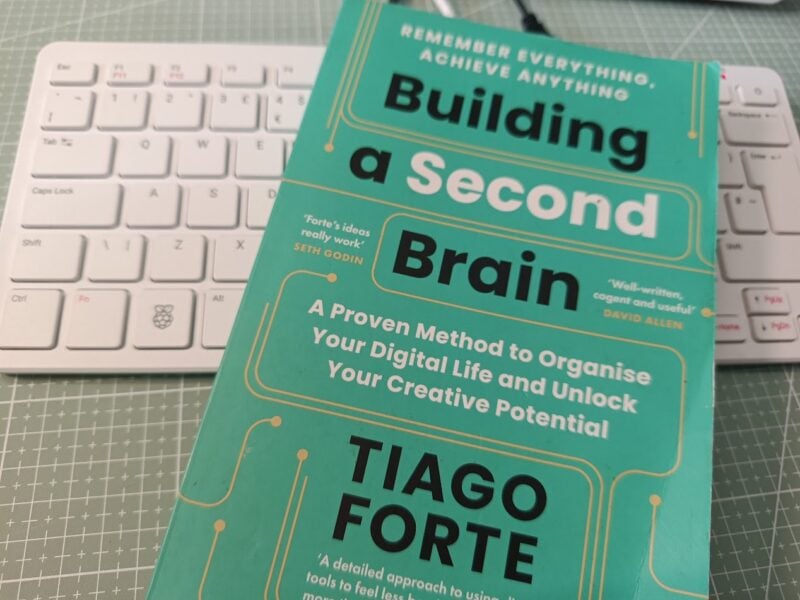
Inspired by Tiago Forte’s acclaimed framework Building a Second Brain—and echoing the timeless principles of David Allen’s Getting Things Done—makers are increasingly turning to self-hosted, privacy-first technology solutions. Rather than surrendering personal notes, ideas, and appointments to proprietary cloud servers owned by third-party corporations, tech enthusiasts are looking inward.
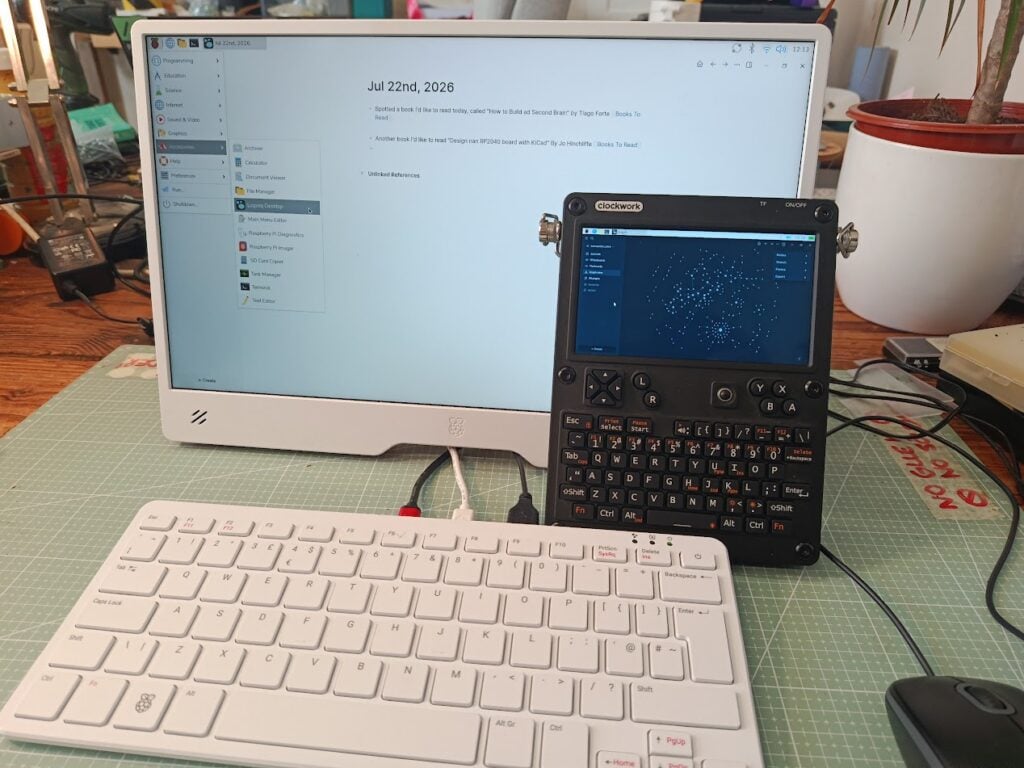
A comprehensive tutorial recently featured in Raspberry Pi Official Magazine (Issue 169) demonstrates how to construct a robust, fully encrypted Personal Knowledge Management (PKM) system using affordable hardware. By pairing a Raspberry Pi board with the open-source knowledge base Logseq and the peer-to-peer synchronization tool Syncthing, users can build an intelligent, searchable, and entirely sovereign digital archive.
Main Facts: The Anatomy of a Self-Hosted PKM
The philosophy underpinning a "Second Brain" is rooted in "ubiquitous capture"—the proactive, friction-free collection of valuable information. Traditionally, this took the form of sticky notes, index cards, or dog-eared journals. While tactile and immediate, physical notes quickly accumulate, becoming massive, unsearchable piles of paper.
Migrating to digital alternatives often introduces privacy trade-offs. Popular note-taking applications demand mandatory cloud accounts, leaving user data vulnerable to corporate data breaches, sudden subscription price hikes, or unexpected service sunsets.
To circumvent these risks, the Raspberry Pi workflow relies on two primary open-source pillars:
- Logseq: A privacy-first, local-first open-source knowledge management platform. Logseq stores notes as standard Markdown files inside a designated local directory (known as a "graph"), complete with support for asset attachments, PDF annotations, and dynamic tagging.
- Syncthing: A continuous, peer-to-peer file synchronization utility. Syncthing facilitates data transfer directly between user-owned devices without routing files through a centralized cloud server, encrypting all data end-to-end while in transit.
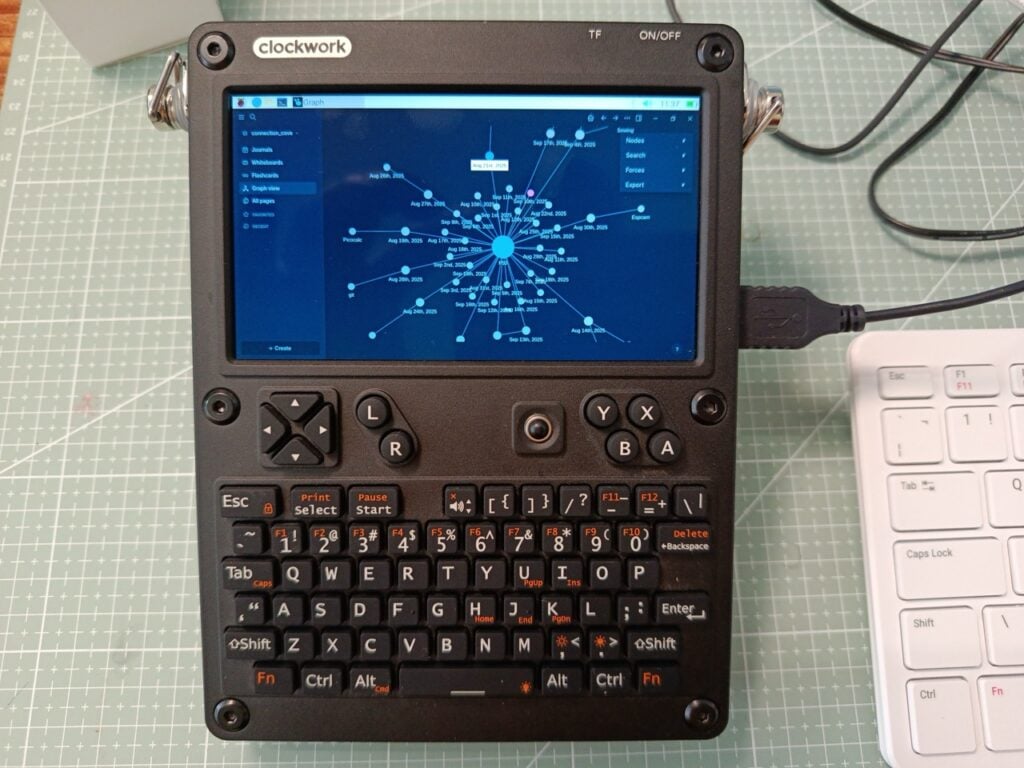
Crucially, this architecture is hardware-agnostic. While initially demonstrated on a flagship Raspberry Pi 500, the procedure translates seamlessly across the entire Raspberry Pi ecosystem—including the minimalist Raspberry Pi Zero and compact portable systems like the uConsole powered by a Raspberry Pi Compute Module 4.
Chronology: Step-by-Step Implementation Guide
Setting up a private, synchronized knowledge base requires careful configuration across terminal commands, package managers, and web management interfaces. Below is the chronological blueprint for deploying the system.
Phase 1: Installing Logseq via Snap
Because Logseq builds for Raspberry Pi OS are currently distributed via Snap, the Snap package manager must be installed first on a fresh system.
- Update System Repositories:
Open the Terminal application and execute:$ sudo apt update - Install Snapd:
$ sudo apt install snapd - Reboot the System:
$ sudo reboot - Finalize Snap Configuration:
After rebooting, reopen the terminal and initialize the snap daemon:$ sudo snap install snapd - Install Logseq:
$ sudo snap install logseq --channel=og
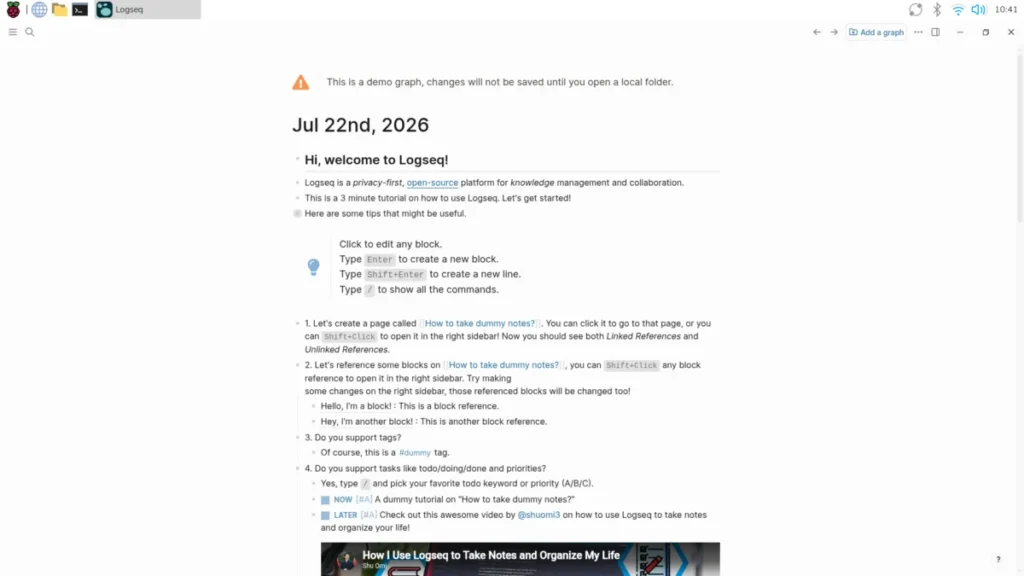
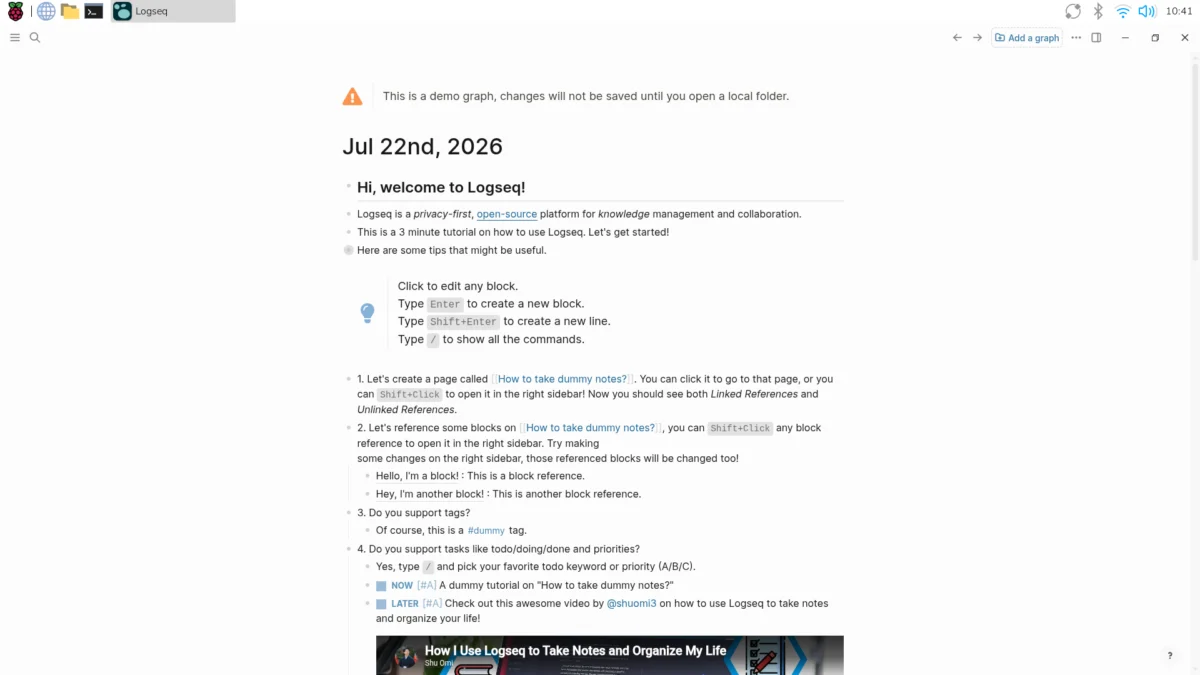
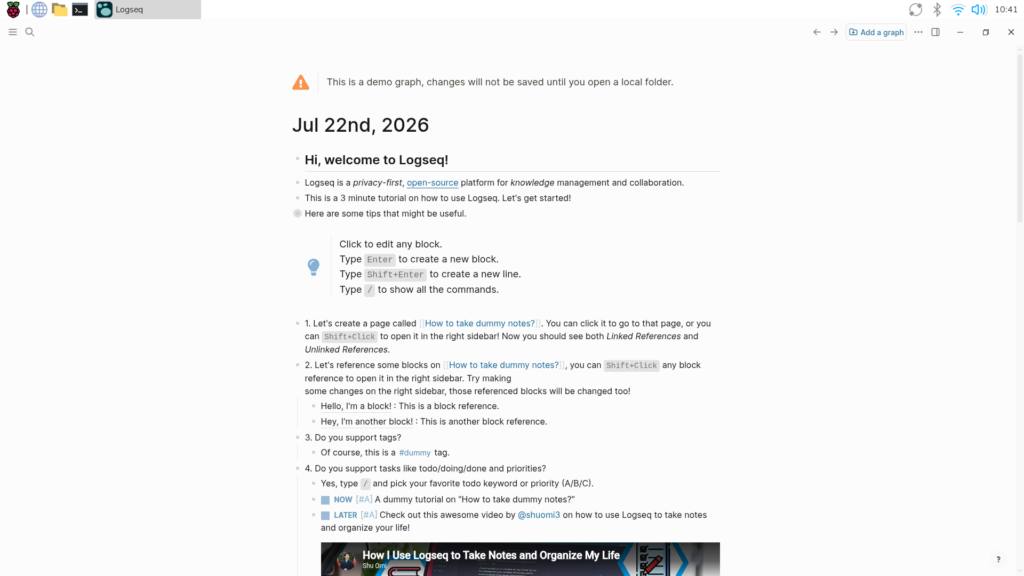
Upon completion, Logseq can be launched via the desktop application menu under Accessories > Logseq Desktop. Users are greeted by a default demo journal page introducing the interface. To begin storing data permanently, users must create a new "graph" by pointing Logseq to a local directory (e.g., ~/2nd_Brain).
Phase 2: Mastering Tagging and Information Capture
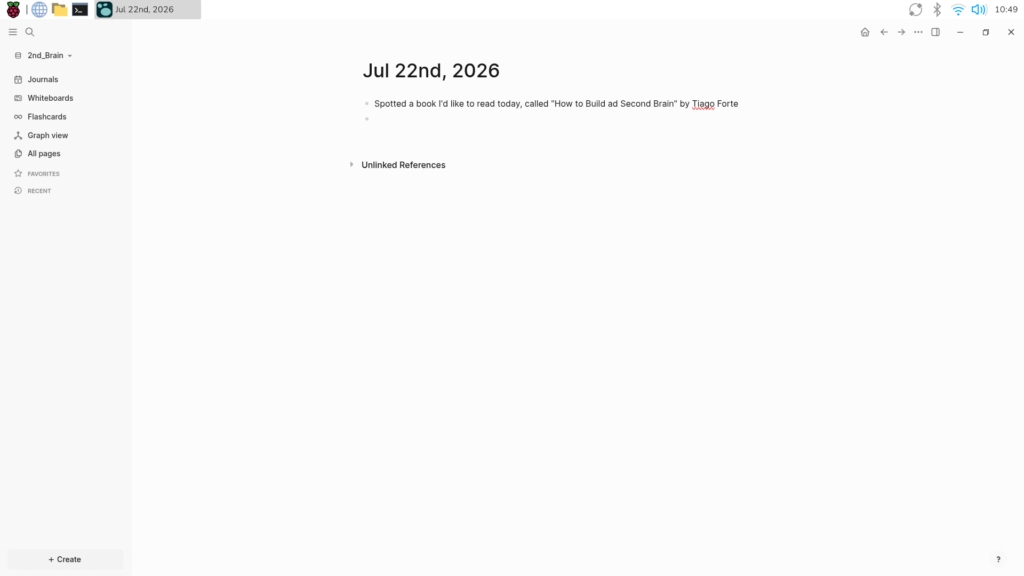
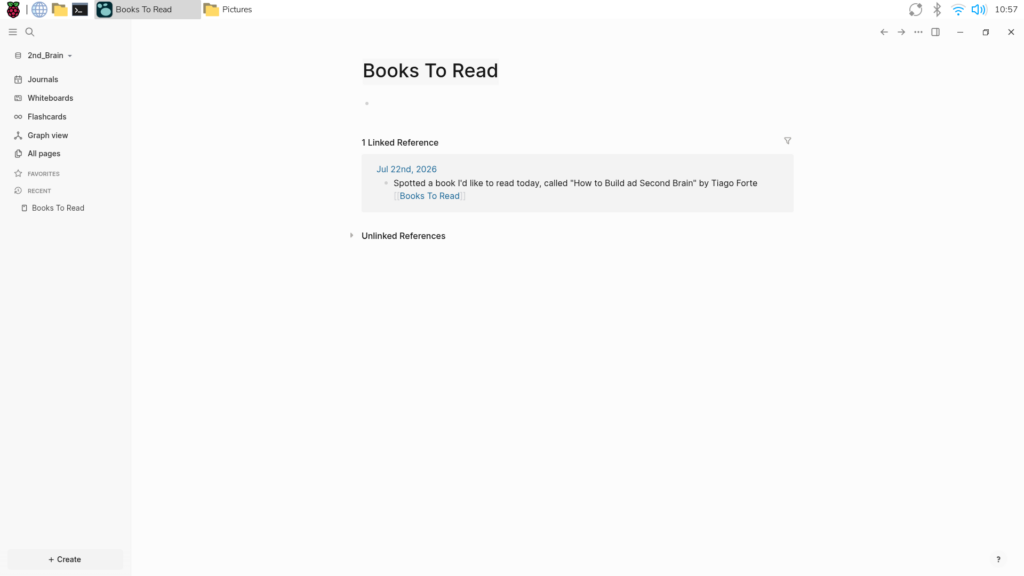
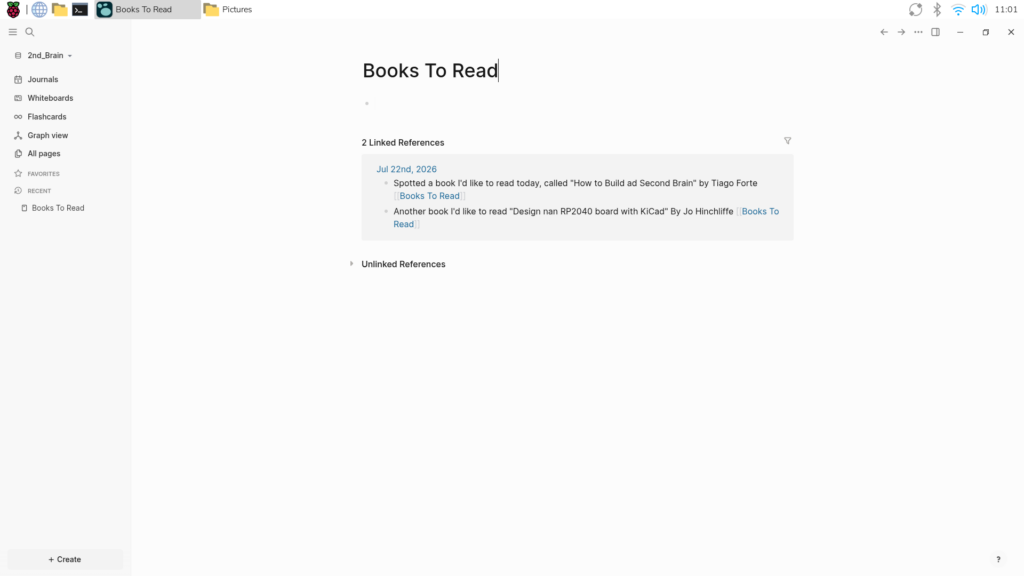
Logseq operates on daily journal entries. To make notes permanently discoverable, users employ tagging using double square brackets (e.g., [[Books To Read]]).
- Every tag automatically generates a dedicated dynamic page.
- Multiple tags can be applied to a single entry (e.g., tagging a customs tariff number with
[[Tariff]],[[Customs]], and[[Product Name]]), multiplying the pathways for future retrieval. - Rich media, PDFs, and web links can be embedded or uploaded via simple autocomplete commands (typing
/Upload an asset), ensuring all related files are auto-catalogned within the graph’s internal asset directory.
Phase 3: Deploying Syncthing for Multi-Device Sync
To bridge the second brain across multiple machines without using third-party clouds, Syncthing must be installed on each participating device.
- Update and Prepare Dependencies:
$ sudo apt update $ sudo apt upgrade $ sudo apt install apt-transport-https - Add Syncthing GPG Keys & Repository:
$ curl -s https://syncthing.net/release-key.txt | gpg --dearmor | sudo tee /usr/share/keyrings/syncthing-archive-keyring.gpg >/dev/null $ echo "deb [signed-by=/usr/share/keyrings/syncthing-archive-keyring.gpg] https://apt.syncthing.net/ syncthing stable" | sudo tee /etc/apt/sources.list.d/syncthing.list $ sudo apt update - Install Syncthing:
$ sudo apt install syncthing - Launch the Web UI:
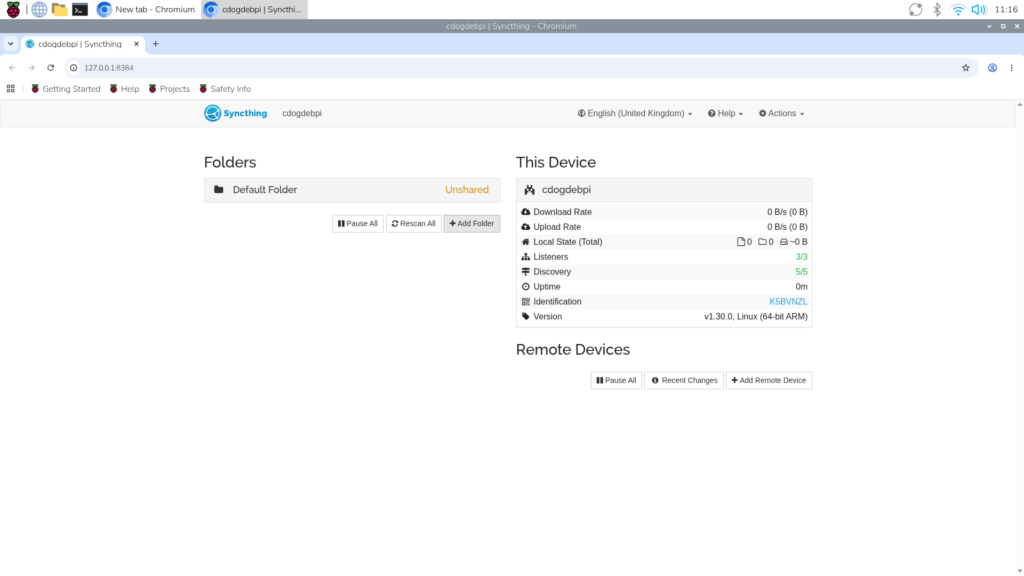
From the desktop applications menu, start the Syncthing service, then launch the Syncthing Web UI in a web browser. - Configure Folders and Devices:
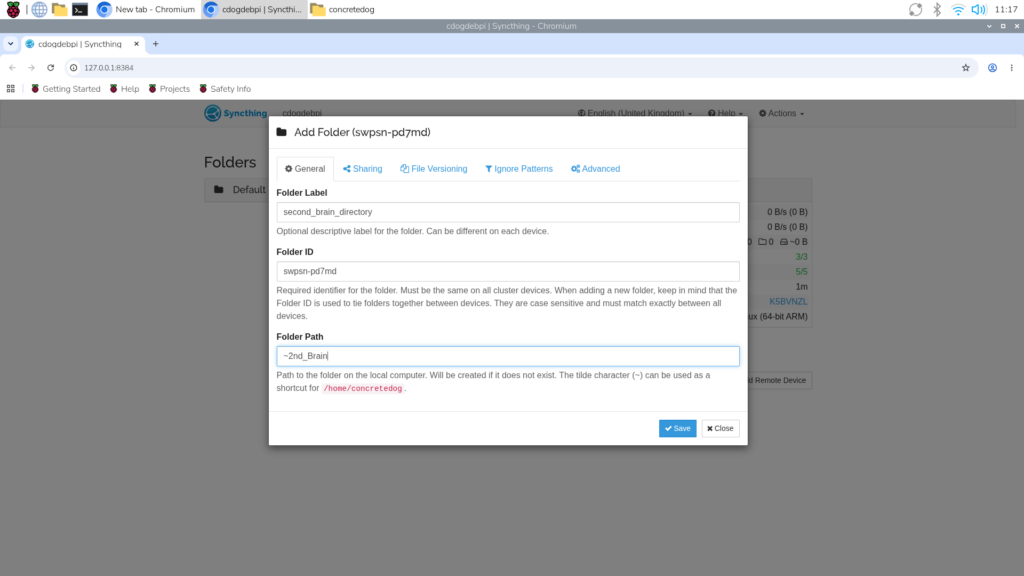
- Click Add Folder, label it (e.g.,
second_brain_directory), and map the Folder Path to your Logseq directory (e.g.,~/2nd_Brain). - On your secondary device (such as a uConsole or Pi Zero), copy its unique device ID from the Web UI.
- On your primary device, click Add Remote Device, paste the long-form ID string, and configure the sharing permissions.
- Accept the shared folder prompt on the secondary device, then open Logseq on that machine to add the synchronized folder as a new graph.
- Click Add Folder, label it (e.g.,
Supporting Data & Operational Safeguards
While peer-to-peer synchronization ensures seamless multi-device workflows, synchronization is not equivalent to a backup. If a user accidentally deletes a file or corrupts a directory on one machine, that deletion propagates instantly across all connected nodes via Syncthing.
To mitigate this risk, makers can implement an automated backup script using standard Linux utilities (rsync and cron).
Automating Local Backups
- Create a simple Bash script using the nano text editor:
$ sudo nano backup_script.sh - Insert the following code (replacing paths with your specific directories):
#!/bin/sh rsync -avh /home/pi/2nd_Brain /home/pi/backup_2nd_brain - Make the script executable:
$ sudo chmod +x backup_script.sh - Configure a periodic cronjob to automate execution:
$ crontab -e - Append a scheduling rule to run the script automatically (e.g., daily at 10:30 AM):
30 10 * * * /home/pi/backup_script.sh
By routing these backups to an always-on secondary node—such as a headless Raspberry Pi Zero W stationed in a home office—users establish an impenetrable safety net against accidental data loss.
Official Responses and Expert Perspectives
Open-source advocates and hardware developers have increasingly emphasized user sovereignty in personal data management. As commercial tech monoliths pivot aggressively toward subscription-locked, AI-driven note-taking suites that harvest user inputs for model training, the maker community’s response represents a deliberate counter-movement.
Writing in Raspberry Pi Official Magazine, project contributors stress that true productivity software should serve the user without demanding ongoing data concessions. By utilizing transparent, auditable codebases like Logseq and Syncthing running on low-power, dedicated hardware like the Raspberry Pi, users retain absolute ownership over their intellectual output. There are no invisible terms of service updates, no unexpected cloud outages, and no monetization of private journals.
Implications for Privacy, Productivity, and the Future of PKM
The deployment of a self-hosted, cross-device Second Brain carries profound implications for individual digital workflows:
- Absolute Data Sovereignty: Users maintain physical custody of their storage media. Encryption keys remain solely in the hands of the creator, insulating personal research, academic notes, and business strategies from corporate surveillance.
- Hardware Longevity and Versatility: By decoupling productivity software from high-end proprietary ecosystems, users can repurpose affordable, energy-efficient single-board computers into mission-critical productivity hubs. A Raspberry Pi consumes a fraction of the electricity required by a standard desktop workstation, making "always-on" local servers economically and ecologically viable.
- Resilience Against Platform Obsolescence: Because Logseq relies on flat Markdown files stored inside structured folders, users are never locked into a proprietary database format. Even if the underlying application were to vanish, the raw notes remain entirely readable across any standard text editor.
As educational institutions reopen and professionals navigate an increasingly complex information landscape, the union of Raspberry Pi hardware and open-source PKM software offers a blueprint for reclaiming control over our digital lives—proving that building a smarter mind doesn’t require renting space on someone else’s computer.