Mastering Your Digital Environment: How iOS 27 Elevates the Focus Experience
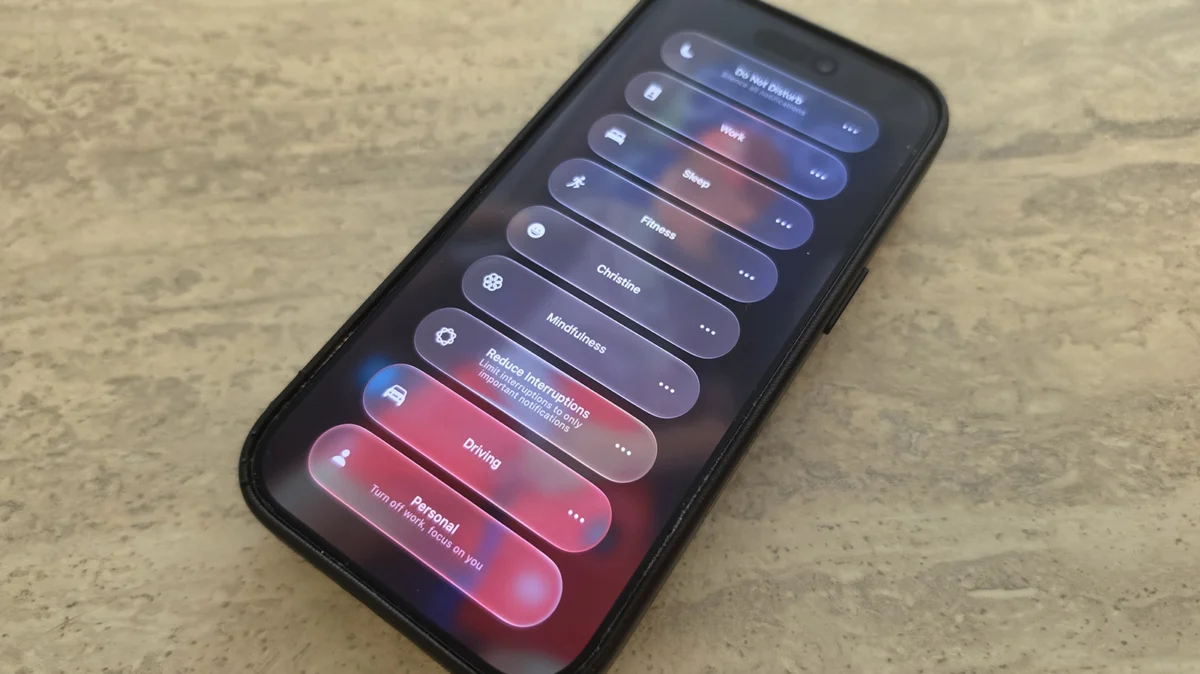
In an era defined by constant connectivity, the challenge of maintaining concentration has never been more pressing. Apple’s "Focus" feature, introduced several iterations ago, has long served as the primary firewall between users and digital overwhelm. With the launch of iOS 27, Apple has moved beyond simple notification filtering, transforming Focus into a sophisticated, context-aware engine for automation and productivity. While it may not be the flashiest update in the new OS, the refinements to Focus represent a significant maturation of how our devices understand our intent.
The Core Mechanics: A Refresher on Focus
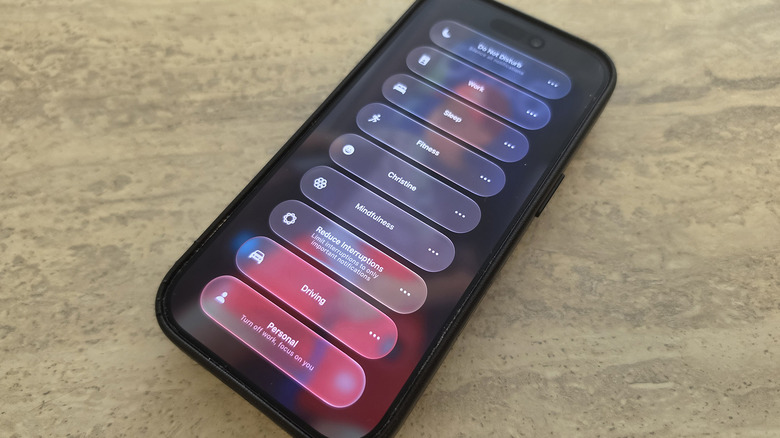
At its heart, Focus is a granular notification management system. It allows users to create distinct profiles—such as Work, Personal, Sleep, or custom configurations—to dictate which apps and people can break through the digital noise at specific times.
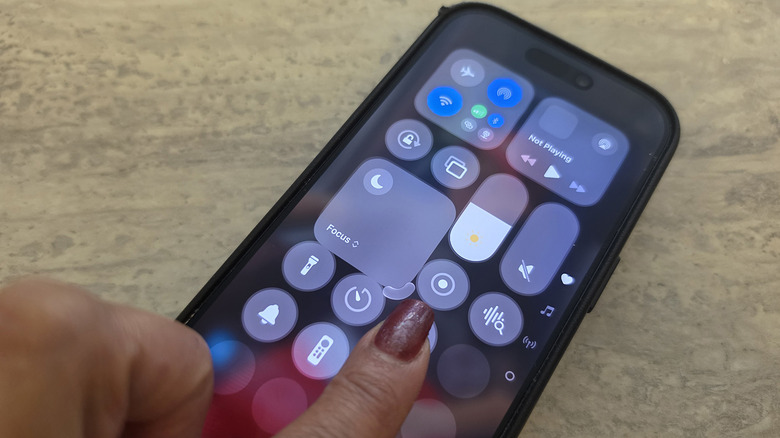
To engage these modes, users simply swipe down from the top-right corner of their iPhone to access the Control Center, tapping the Focus panel to toggle between states. Configuration is handled within the main Settings menu, where users can define "allowed" notifications and silence distractions, effectively curating a bespoke digital environment for every facet of their lives.
Notable Enhancements: Customization and Logic
The transition to iOS 27 introduces two primary categories of improvement: physical interface customization and backend logic integration.
The New Control Center Interface
One of the most immediate visual changes is the flexibility of the Focus widget within the Control Center. In previous versions, the widget was tethered to a rigid 2×1 footprint. iOS 27 breaks this constraint. By long-pressing an empty area of the Control Center to enter edit mode, users can now drag the bottom-right corner of the Focus tile to resize it.
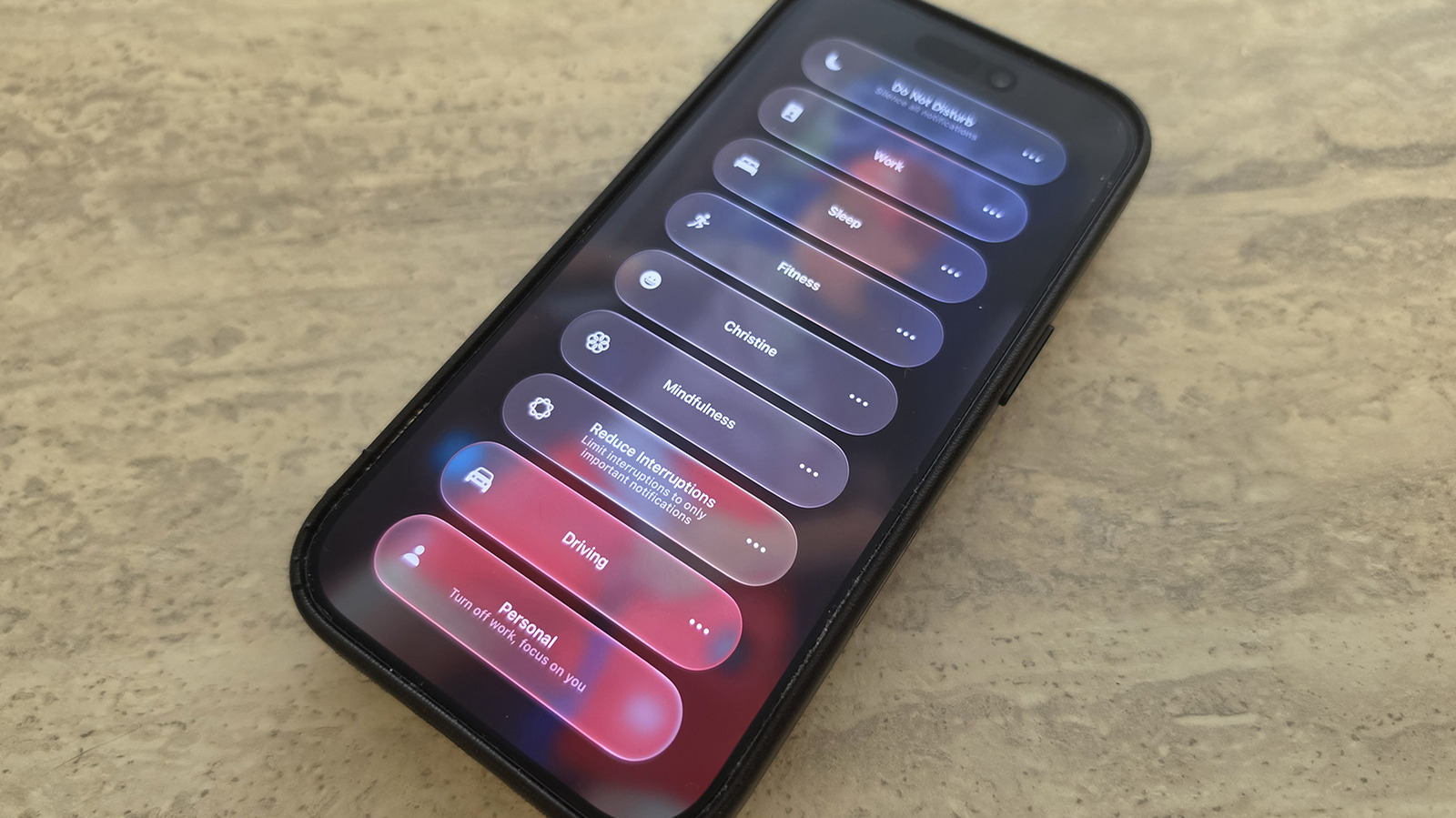
Whether you prefer a minimal 1×1 circular icon to maximize screen real estate for other controls or a sprawling 2×2 square for quick, one-tap access to your most-used modes, the interface is now entirely at your discretion. This shift toward a more modular Control Center signals Apple’s ongoing commitment to user-led UI customization.
Advanced Automation and Logical Branching
Perhaps the most significant upgrade lies in how Focus interacts with the Shortcuts app. Previously, Focus modes were often static triggers. In iOS 27, they act as dynamic variables. As noted by industry experts, Shortcut actions can now interrogate the device’s current "state" with greater precision.
The introduction of "Otherwise if" logic statements represents a quantum leap for power users. This allows for complex, conditional automation workflows. For instance, a user can create a single Shortcut that triggers a "Morning Routine" automation. Using the new logic, the phone can check the active Focus mode:
- If Sleep Focus is active: The phone might trigger a quiet, low-light smart home scene.
- If Driving Focus is active: The phone might bypass the visual routine and instead launch a curated podcast playlist.
- If neither is active: The phone defaults to a standard daily briefing.
This ability to stack conditions allows for a more granular, responsive digital ecosystem that adapts to the user’s situation rather than just reacting to a single time-based trigger.
Chronology of the Focus Evolution
To understand the significance of the iOS 27 updates, it is helpful to view the trajectory of this feature within the broader Apple ecosystem:
- The Foundation (iOS 15): Apple introduced Focus as a replacement for the rudimentary "Do Not Disturb" toggle. It provided the basic framework for status updates and home screen page hiding.
- The Integration Phase (iOS 16-25): Throughout this period, Focus became deeply integrated with Lock Screen customization, allowing users to pair specific wallpaper themes with different modes. The link between Focus and Safari tab groups was also established.
- The Automation Era (iOS 26-27): With the latest release, the focus has shifted from presentation to intelligence. By allowing Shortcuts to read and respond to Focus states with conditional logic, Apple has effectively turned the iPhone into a programmable task manager.
Supporting Data: Why Context Matters
Productivity research consistently highlights the "attention residue" caused by context switching. According to studies on human-computer interaction, it takes an average of 23 minutes for a user to regain deep focus after an interruption.
The enhancements in iOS 27 are designed to mitigate this cost. By allowing users to create hyper-specific profiles—such as a "Deep Work" mode that allows only Slack notifications from a supervisor while muting all other social and personal channels—users can protect their cognitive bandwidth. Furthermore, the ability to automate the launch of specific apps (e.g., opening a workout app when switching to Fitness mode) reduces the "friction of initiation," the psychological barrier that often prevents people from starting a task.
Official Stance and Philosophy
Apple has maintained a consistent philosophy regarding Focus: it is not about disconnecting, but about intentionality. In recent developer documentation, the company emphasized that "Focus is a bridge between the user’s intent and the device’s capability."
By leveraging the improvements in Siri’s AI integration within iOS 27, Apple is making it easier for non-technical users to build these sophisticated automations. Using natural language, a user can now tell Siri, "Create a shortcut that plays my morning podcast when I switch to Driving mode," and the OS will automatically bridge the gap between the trigger (the Focus mode) and the action (the media playback).
Implications for the Future
The implications of these changes are far-reaching. We are moving toward a future where our devices function as "anticipatory" assistants. As these logic gates become more complex, the potential for true ambient computing increases.
Privacy and Local Processing
A critical aspect of this evolution is Apple’s focus on on-device processing. Because these Focus-based automations rely on the state of the local device, the "intelligence" required to make these decisions stays on the phone. This aligns with Apple’s broader stance on privacy, ensuring that your daily routine, location habits, and work patterns are not being transmitted to cloud servers to facilitate these triggers.
The Developer Ecosystem
For developers, these changes provide a new API surface to hook into. We can expect to see more third-party apps offering "Focus-aware" features. Imagine a project management app that automatically shifts its view to a "Project-Only" dashboard the moment you toggle on your "Work" Focus, or a weather app that warns you of travel delays specifically when it detects you have entered "Driving" mode.
Conclusion: Why You Should Adopt These Changes
While the temptation to ignore "minor" OS updates is strong, the refinements to Focus in iOS 27 are too impactful to overlook. They represent the difference between a phone that simply sends notifications and a phone that actively facilitates your workflow.
If you have not yet explored the updated Focus settings, start by auditing your current modes. Can you trim your allowed notifications further? Can you replace a manual task with a logic-based Shortcut? By investing just thirty minutes into configuring these new tools, you are essentially purchasing back hours of cognitive clarity.
Focus is, without hyperbole, one of Apple’s most powerful productivity assets. In iOS 27, it has evolved from a simple filter into a sophisticated command center, putting the user firmly back in control of their digital attention. Whether you are a student, a professional, or simply someone trying to reclaim their downtime, the path to a more intentional digital life is now easier to navigate than ever.