The Security Dilemma: Should Your 2FA Codes Live in Your Password Manager or an Authenticator App?
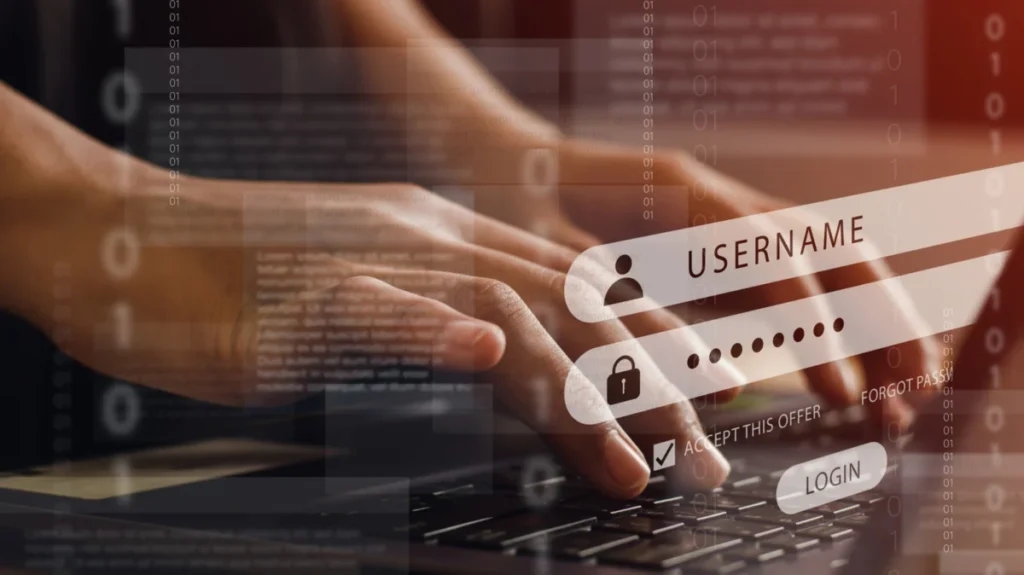

In the modern digital landscape, the phrase "strong password" is no longer the final word in account security. As cyber threats evolve—ranging from sophisticated phishing campaigns to brute-force credential stuffing—two-factor authentication (2FA) has emerged as the industry-standard "second lock" for our digital lives. However, a quiet debate has emerged among security enthusiasts and everyday users alike: where exactly should you store those ephemeral, six-digit time-based one-time password (TOTP) codes?
The convenience of modern technology often pulls us toward centralization. Why reach for your phone to check an authenticator app when your password manager can autofill the code for you? Yet, cybersecurity experts frequently warn that efficiency is often the enemy of high-level security. Balancing convenience with "maximum isolation" is the central challenge for users today.
The Core Mechanics of Two-Factor Authentication
To understand the debate, one must first understand the purpose of 2FA. The fundamental security principle behind two-factor authentication is "something you know" (your password) combined with "something you have" (a device, a hardware key, or an authenticator app). If an attacker manages to compromise your password through a data breach or a phishing link, they remain locked out of your account because they lack the second factor.
Historically, this was achieved via SMS-based codes. However, as "SIM-swapping" and other interception techniques have rendered SMS-based 2FA less secure, the industry has pivoted toward TOTP codes—those changing numbers generated by algorithms shared between a server and a local device.
The Case for Consolidation: Password Managers
Modern password managers, such as 1Password, Bitwarden, and Dashlane, have evolved far beyond mere databases for text strings. They now act as comprehensive digital vaults capable of generating and storing 2FA "seeds."

The Convenience Factor
The primary allure of storing 2FA codes in a password manager is the frictionless user experience. When you navigate to a login page, the manager identifies the URL, fills in your username and password, and simultaneously copies or autofills your 2FA code. This eliminates the "device hop"—the need to pick up a smartphone, unlock it, open an authenticator app, read the code, and type it into your desktop browser before the 30-second window expires.
Synchronization and Recovery
For power users who juggle multiple machines—work laptops, personal tablets, and mobile phones—password managers offer seamless synchronization. Because the vault is encrypted and synced via the cloud, your 2FA capabilities move with you across every device. Furthermore, if you lose your phone or it suffers hardware failure, you aren’t locked out of your accounts. Your 2FA seeds are backed up alongside your passwords, allowing for a much smoother recovery process compared to losing a standalone authenticator app.
The Case for Isolation: Dedicated Authenticator Apps
On the other side of the spectrum are standalone applications like Google Authenticator, Authy, or Microsoft Authenticator. These apps operate on a philosophy of "security through separation."
Physical Barriers as a Defense
The primary advantage of a standalone authenticator app is that it creates a physical and logical air gap. Even if a sophisticated piece of malware infects your computer and manages to scrape your browser’s memory to steal your password manager’s master password, the 2FA code remains safe on a separate, unlinked physical device (your smartphone).
By requiring an attacker to compromise two distinct platforms—your computer and your phone—you significantly raise the bar for unauthorized access. This "defense-in-depth" strategy is a cornerstone of enterprise security and remains the gold standard for high-security environments.

The Risks of Convergence
The fundamental risk of the "all-in-one" approach is the single point of failure. If you store both your password and your 2FA code in a single encrypted vault, you have essentially collapsed two factors of authentication into one.
While these vaults are heavily encrypted, they are not invincible. If an attacker gains access to your master password or exploits a vulnerability in the password manager’s software, they gain "keys to the kingdom." A compromised vault means a compromised account, period. Furthermore, if your browser is compromised by a malicious extension or a keylogger, the automated autofill feature could inadvertently hand over both your password and your 2FA code to a malicious actor in a single, automated sweep.
A Chronology of Authentication Evolution
- The SMS Era (2010–2015): 2FA becomes mainstream, dominated by SMS delivery. The focus is on accessibility, but security is low due to phone carrier vulnerabilities.
- The TOTP Revolution (2015–2020): Security professionals push for Time-based One-Time Passwords (TOTP). Dedicated apps become the primary method for generating these codes, improving security by removing carrier dependence.
- The Integration Wave (2020–Present): Password managers introduce built-in 2FA support. The market shifts toward "all-in-one" convenience, sparking the current debate regarding the trade-off between user experience and security.
- The Hardware Key Movement: Parallel to software solutions, hardware security keys (like YubiKeys) gain traction as the most secure, phishing-resistant method of authentication, though they remain less convenient than app-based solutions.
Supporting Data: Understanding the Threat Landscape
According to reports from major cybersecurity firms, credential stuffing attacks—where attackers use leaked password databases to gain access to other accounts—have reached an all-time high. The effectiveness of 2FA in these scenarios is indisputable: studies by Google and Microsoft have suggested that enabling any form of 2FA can block over 99% of automated account takeover attacks.
However, the "convenience gap" remains the biggest hurdle to widespread 2FA adoption. Data suggests that when 2FA is difficult to use, users are more likely to disable it or choose weaker security settings. Therefore, the "correct" choice for an average user often involves finding a middle ground that keeps them protected without making their digital life unusable.
Expert Consensus: The Hybrid Model
Security experts rarely recommend an "all or nothing" approach. Instead, the consensus has shifted toward a Hybrid Model. This strategy acknowledges that not all accounts carry the same level of risk.
Categorizing Your Accounts
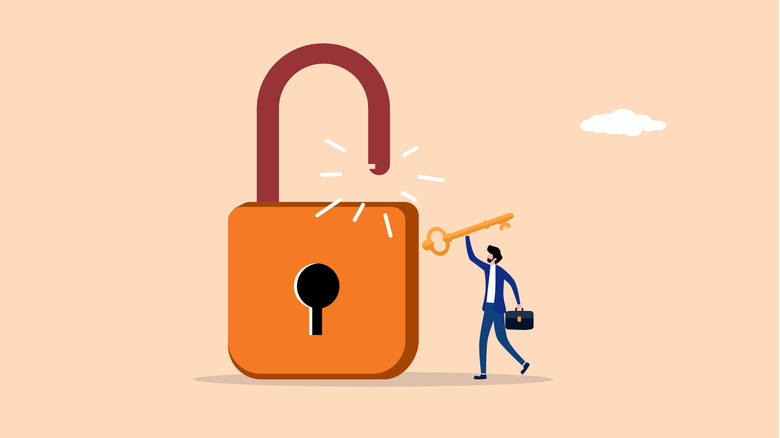
- Tier 1 (High Criticality): This includes your primary email account, your banking portal, your cryptocurrency wallets, and your password manager’s master account. These should never be stored in a password manager. They require the maximum isolation provided by a hardware security key or a standalone, phone-based authenticator app that is not synced to the cloud.
- Tier 2 (Medium Criticality): This includes social media, e-commerce accounts, and subscription services (Netflix, Spotify, etc.). These are suitable for storage within a reputable password manager. The convenience of autofill here saves significant time and reduces the "security fatigue" that might otherwise lead you to skip 2FA entirely for these services.
Implications for the Future
As we look toward the future, the industry is moving away from passwords and TOTP codes entirely in favor of "Passkeys"—a FIDO-based standard that uses public-key cryptography to authenticate users. Passkeys are inherently phishing-resistant and effectively eliminate the need for manual code entry.
Until Passkeys become the universal standard, the choice between password managers and authenticator apps will remain a personal calculation. The key takeaway for any user is to avoid complacency.
If you are using a password manager for your 2FA, ensure that you have enabled robust security features:
- Use a long, unique master password.
- Enable hardware-backed 2FA for the password manager itself.
- Regularly audit your vault.
Ultimately, the best security tool is the one that you actually use consistently. Whether you choose the absolute isolation of a hardware key or the seamless convenience of a password manager, the most dangerous position is to have no 2FA at all. By adopting a tiered approach to your digital security, you can enjoy the benefits of modern convenience while keeping your most sensitive data shielded from harm.