High-Speed Desktop Storage: A Deep Dive into the Orico 8848U4 USB4 NVMe DAS
In the modern landscape of creative production, data management is the invisible bottleneck. As video resolutions climb to 8K and file sizes balloon into the hundreds of gigabytes, the traditional paradigm of network-attached storage (NAS) often fails to deliver the latency-free performance required for real-time editing. Enter the Direct-Attached Storage (DAS) unit—a bridge between the internal speed of a motherboard and the convenience of external storage.
Recently, I had the opportunity to put the Orico 8848U4, a 4-bay USB4 NVMe SSD enclosure, through its paces. Unlike a NAS, which serves data over a local network, a DAS is essentially an extension of your computer’s internal architecture. This review explores the utility, performance, and Linux-based compatibility of this high-speed storage solution.
Main Facts: The Evolution of Desktop Storage
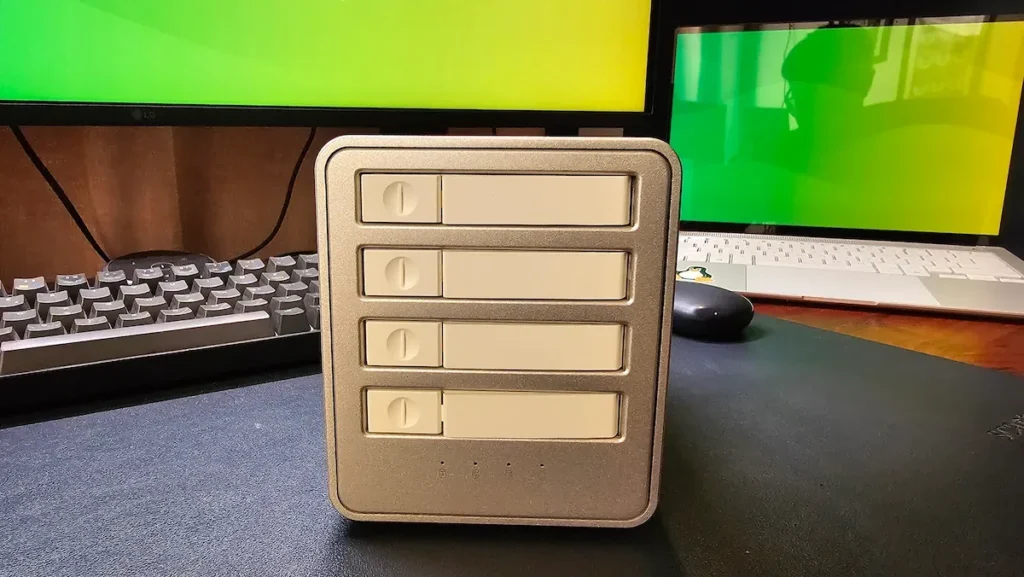
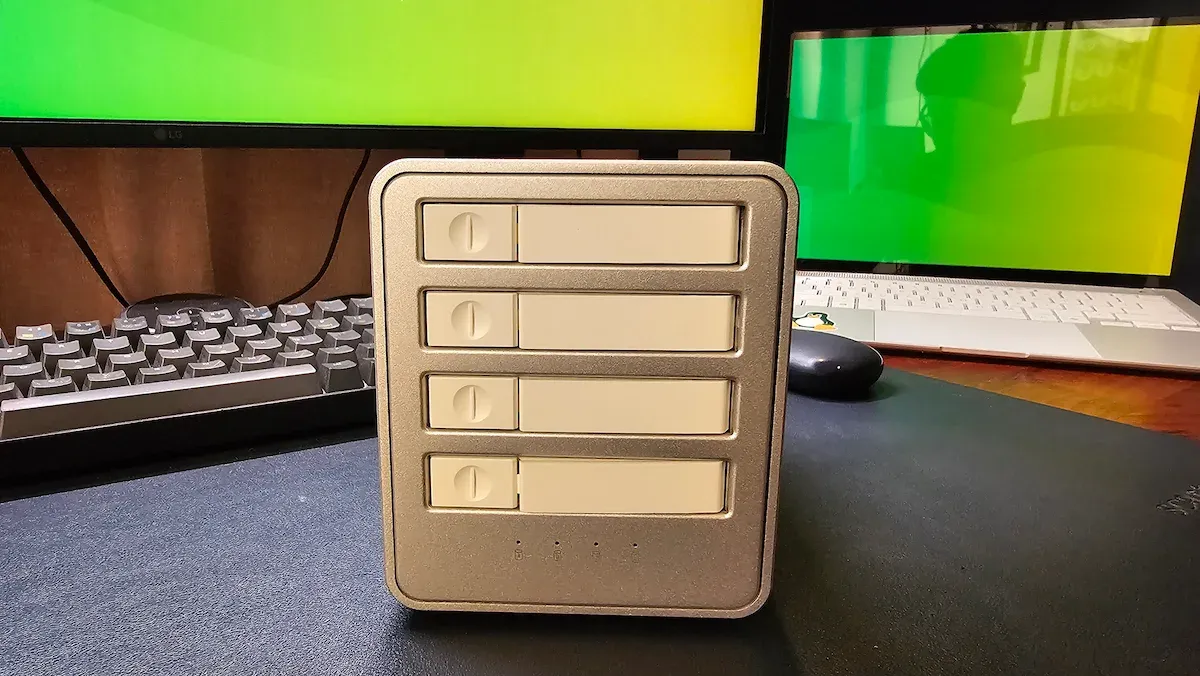
The Orico 8848U4 is a specialized piece of hardware designed for users who prioritize raw throughput over network versatility. It is a "diskless" enclosure, meaning the user is responsible for populating the four available M.2 NVMe slots.
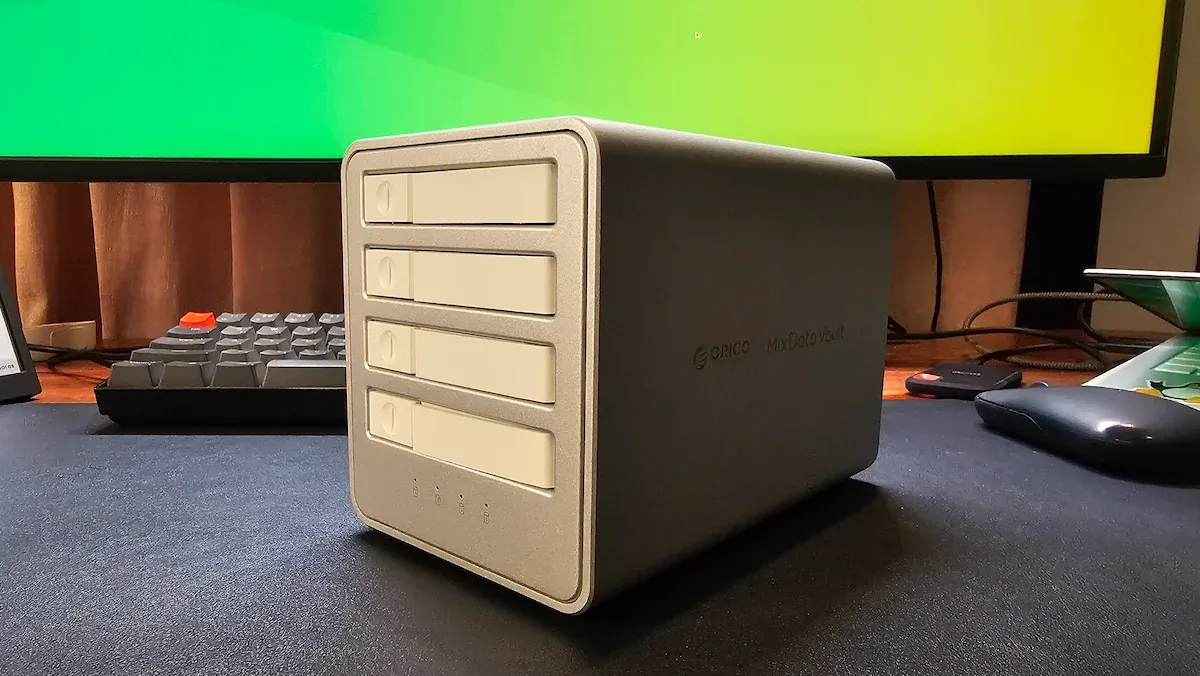
Crucially, this device eschews the complexity of integrated RAID controllers found in older SATA-based DAS units. By doing so, it provides a clean, transparent PCIe tunnel to the host computer. For the user, this means the operating system sees four distinct, high-performance NVMe drives rather than a single abstracted volume. This architectural choice is deliberate: it aims to deliver maximum performance in a compact, aesthetically pleasing form factor that rivals the industrial design of modern high-end workstations.
Chronology of Experience: From Unboxing to Benchmarking
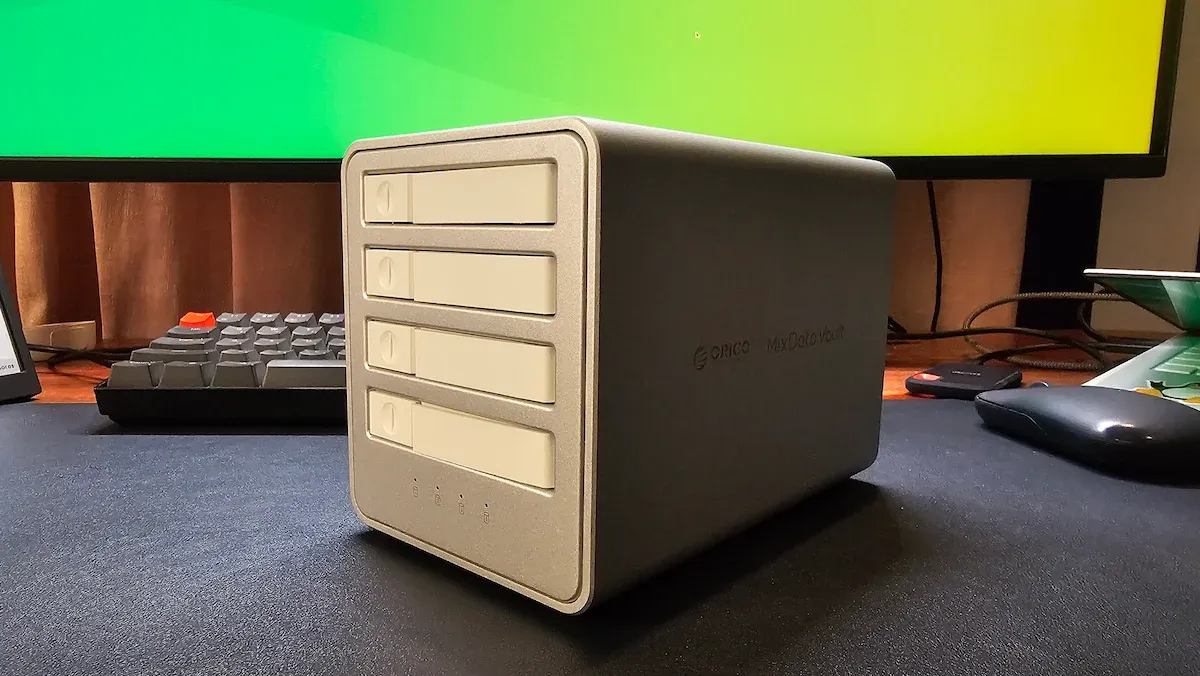
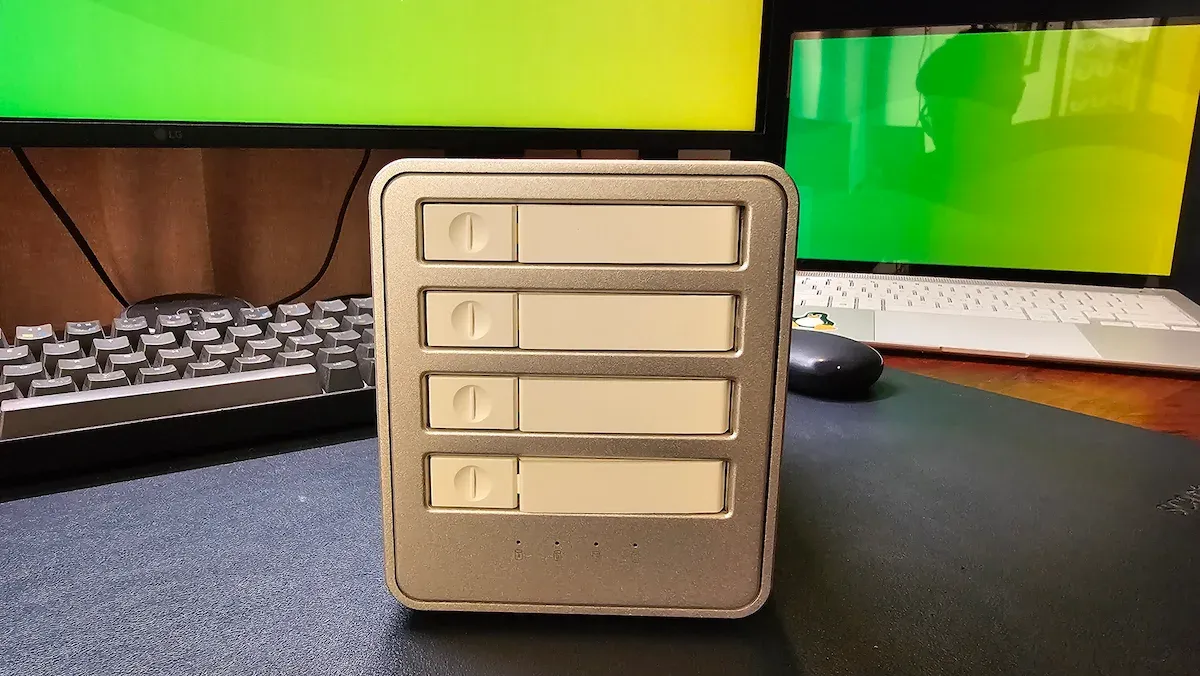
My journey with the 8848U4 began with the physical installation. The device arrives in a CNC-machined aluminum chassis that feels remarkably sturdy. Despite the prevalence of plastic peripherals in the current market, Orico’s decision to utilize a metallic body serves a dual purpose: aesthetic cohesion with high-end hardware and thermal dissipation.
The Installation Process:

- Physical Setup: The front-panel slider allows for tool-free (or near tool-free) access to the drive bays. I installed a single 500GB Crucial P3 Plus NVMe SSD to test the baseline performance.
- Connection: Using the provided USB4 cable, I connected the unit to a Linux-based workstation.
- Recognition: The OS instantly recognized the device. Notably, the drive appeared as a native NVMe controller, confirming that the USB4 interface was successfully tunneling PCIe traffic.
- Benchmarking: I performed a series of tests using
fioandhdparmto determine the difference between native NVMe performance and filesystem-level overhead.
Supporting Data: Understanding the Throughput
The marketing materials for the 8848U4 highlight a "40Gbps" speed. It is essential to clarify that this is an aggregate number. USB4 utilizes PCIe 3.0 x4 tunneling, which provides a total usable bandwidth of approximately 3,500 MB/s. When split across four drives, each bay receives roughly 800–900 MB/s.
Performance Benchmarks (ext4 Filesystem)
The following data reflects the sustained performance of the unit under an ext4 filesystem, which provided the most consistent results during my testing.
| Test | Result |
|---|---|
| Sequential Read | 729 MB/s |
| Sequential Write | 669 MB/s |
| Random 4K Read | 71 MiB/s (18.2k IOPS) |
| Random 4K Write | 103 MiB/s (26.3k IOPS) |
| Raw Device Read (hdparm) | 763 MB/s |
The FUSE Overhead: NTFS vs. ext4
One of the most revealing aspects of my testing was the performance discrepancy between filesystems. When using NTFS on Linux—which relies on the ntfs-3g FUSE driver—write performance plummeted. Sequential writes dropped to 231 MB/s, and random 4K writes fell to a sluggish 2.3 MB/s.
It is vital to emphasize that this is not a hardware failure. It is a software limitation inherent to how Linux handles the NTFS driver. For cross-platform compatibility, I strongly recommend formatting to exFAT, which avoids the FUSE overhead while remaining readable on Windows, macOS, and Linux.
Official Specifications and Build Insights
The Orico 8848U4 is built for performance, not for redundancy. Below are the core technical specifications:
- Model: 8848U4 USB4
- Capacity: Up to 32TB total (8TB per bay)
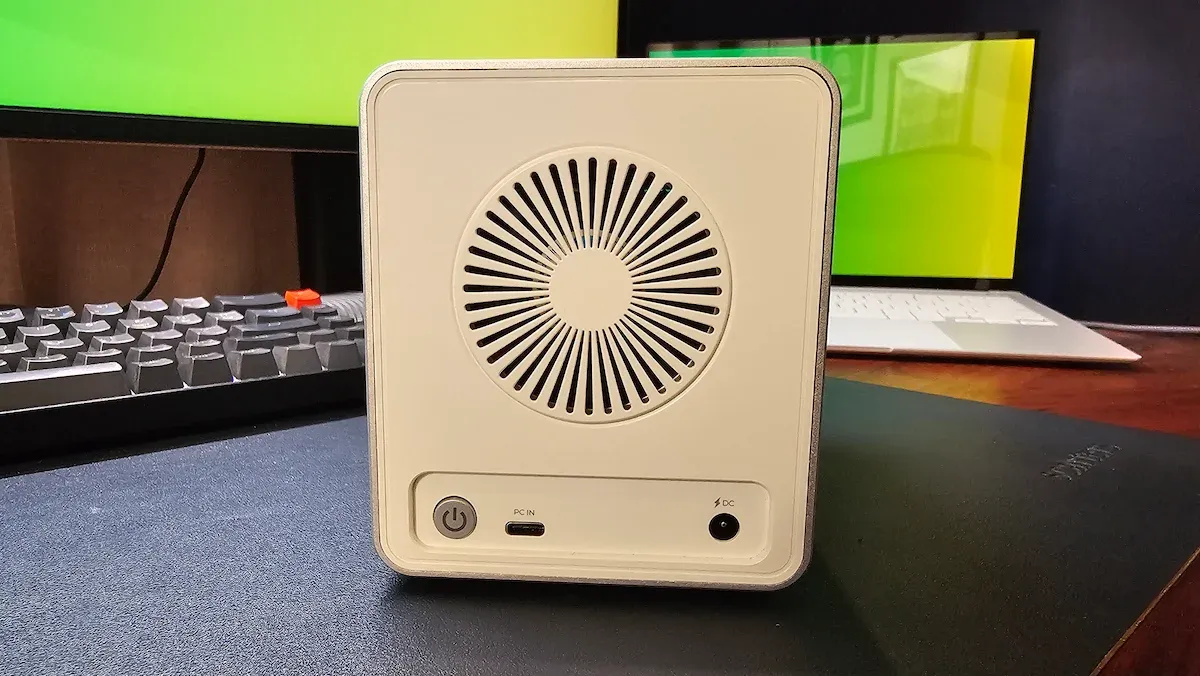
- Cooling: Aluminum body with an integrated active cooling fan.
- Power: External 12V/3A adapter.
- Dimensions: 167 x 101 x 119.5 mm.
The cooling system deserves mention. Orico claims a noise floor of under 30dB, and in practice, the device is virtually silent. While I would have appreciated a user-controllable fan speed toggle, the thermal performance remained stable throughout the stress tests, suggesting the passive heat dissipation of the aluminum chassis is sufficient for most workloads.
Implications for the Creative Professional
Who is this device actually for? It is not a general-purpose backup solution for the casual user. Instead, the 8848U4 is a precision tool for video editors, data scientists, and creative professionals.
The "Local Storage" Advantage
For a video editor, the latency of a NAS—even a high-speed 10GbE network—can be a source of frustration when scrubbing through high-bitrate 4K or 8K footage. Because the Orico DAS behaves as a local PCIe device, the latency is effectively zero. It allows for a "plug-and-play" experience where you can carry your entire project library on your desk, unplug it, and move it to a different workstation without needing to reconfigure network mounts or permissions.
The Trade-offs
There are two major implications for potential buyers to consider:
- The "No Passthrough" Limitation: The enclosure does not feature a daisy-chaining port. If you are using a laptop with a limited number of Thunderbolt/USB4 ports, connecting this device will consume your only high-speed lane. This necessitates a careful look at your existing I/O ecosystem.
- No RAID Support: If your priority is data redundancy (i.e., you are terrified of a drive failure), this is not the right device. It offers speed and capacity, not protection. Users requiring redundancy must implement software RAID (such as
mdadmon Linux or ZFS pools) or look elsewhere.
Final Assessment: Is It Worth It?
For the Linux enthusiast or the professional creative, the Orico 8848U4 is a stellar example of "doing one thing and doing it well." It provides the speed of an internal NVMe drive with the capacity of a multi-bay array.
While the $219 price tag for a diskless enclosure might seem steep, it is a reflection of the USB4 controller and the high-quality industrial design. If you have a drawer full of spare NVMe drives or a massive project file that is currently choking your internal SSD, this enclosure offers a clear, performant path to expanding your digital workspace.
In a world where we are increasingly moving toward network-centric storage, the Orico 8848U4 is a refreshing reminder that sometimes, the fastest way to move data is simply to plug it in.