Vocalinux 0.14 Beta: Advancing Localized Speech-to-Text for the Linux Ecosystem
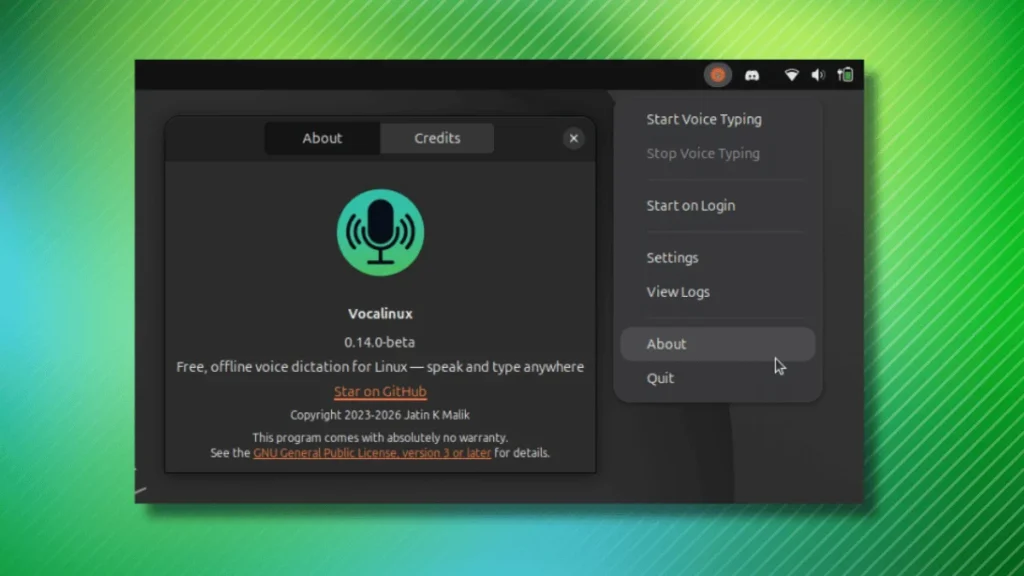
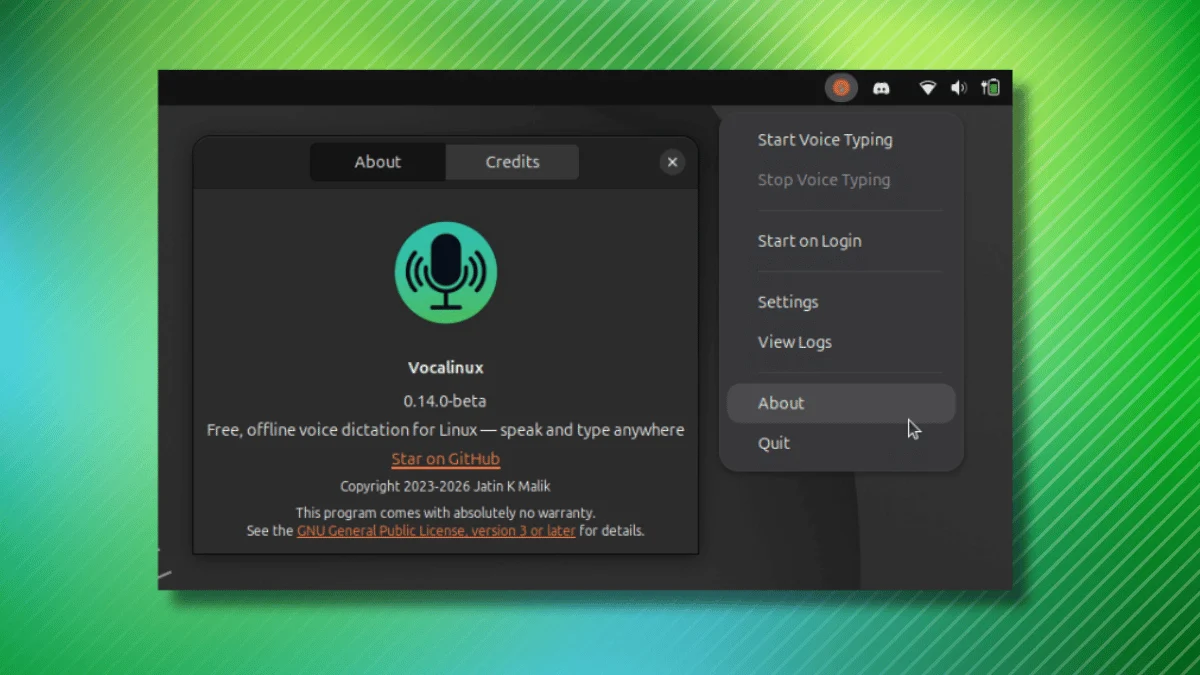
The landscape of open-source voice recognition is undergoing a quiet revolution. As privacy concerns regarding cloud-based AI services reach a fever pitch, developers are increasingly turning their attention toward local, high-performance transcription tools. Standing at the forefront of this movement is Vocalinux, a free and open-source application designed to bring powerful, private speech-to-text (STT) capabilities to the Linux desktop.
With the recent launch of the 0.14 beta, Vocalinux has signaled a significant leap forward in usability, hardware compatibility, and flexibility. By integrating sophisticated engine support and refining the user experience, the project aims to become the definitive choice for Linux power users who require reliable, offline dictation across their entire operating environment.
Main Facts: What is Vocalinux?
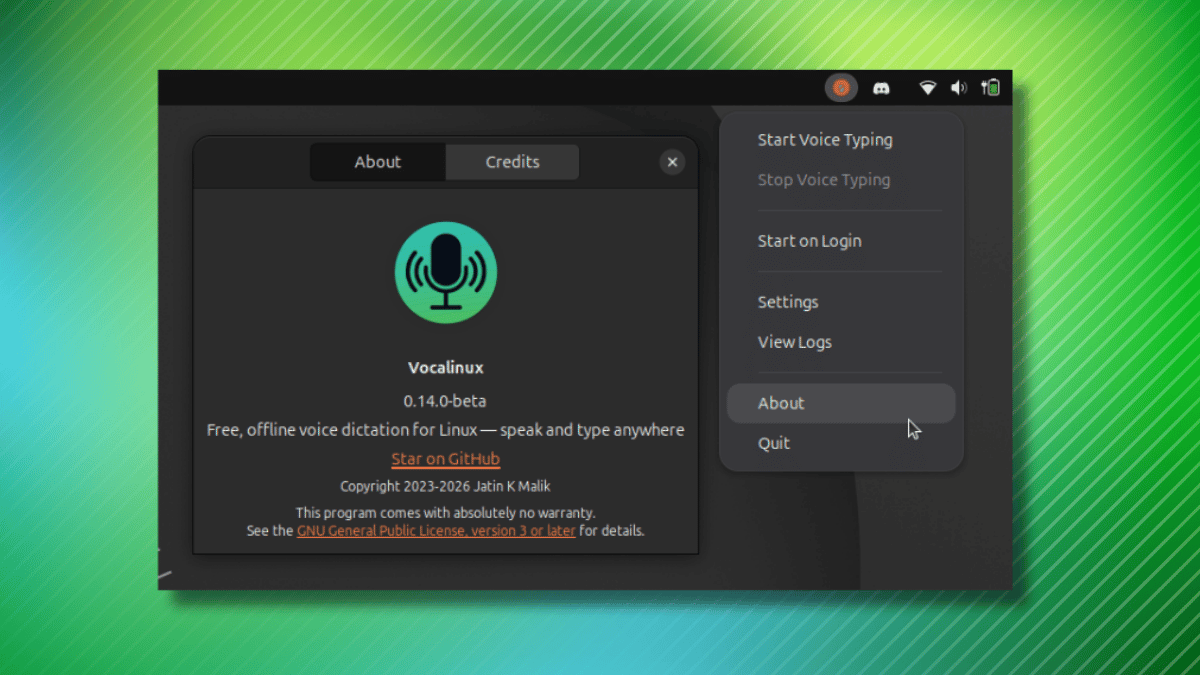
Vocalinux is a GPL-3.0 licensed utility that functions as a background service, sitting unobtrusively in the system tray. Its core value proposition is simple yet ambitious: it enables users to dictate text into virtually any application—whether that is a terminal emulator, a web browser, a professional IDE, or a word processor—without ever transmitting sensitive audio data to external servers.
Unlike monolithic AI tools that demand heavy internet bandwidth or invasive data collection, Vocalinux runs entirely on the user’s local hardware. This ensures that personal or professional conversations remain private, secure, and under the user’s absolute control.
The application’s architecture is modular, allowing users to select from a variety of speech recognition engines based on their hardware constraints and accuracy requirements:
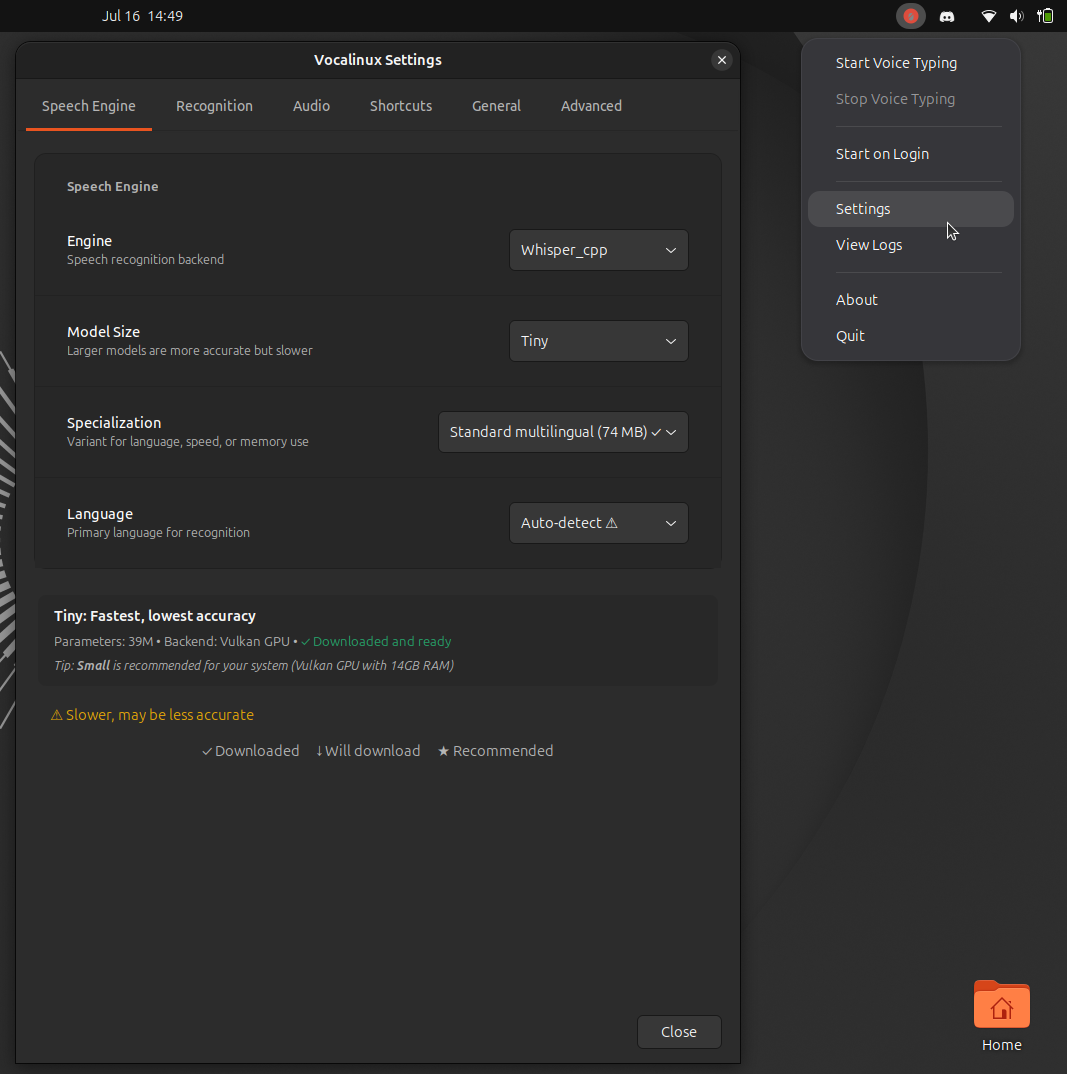
- whisper.cpp: The default engine, optimized for efficient local performance.
- Whisper (PyTorch/NVIDIA): A high-performance option for users with dedicated GPU resources.
- VOSK: A lightweight alternative designed for low-power or older hardware.
- Remote API: A flexible bridge for users who wish to offload processing to a dedicated home server or network appliance.
Chronology of Development
The path to the 0.14 beta release has been one of steady iteration. Vocalinux was conceived as a response to the lack of high-quality, "plug-and-play" dictation software for Linux, a space long dominated by proprietary Windows or macOS solutions.
- Early Development: The initial project stages focused on the fundamental integration of
whisper.cppinto a system-wide daemon, allowing for basic text injection. - Infrastructure Maturity: Developers shifted focus toward standardizing the API calls that allow the software to communicate with diverse Linux display servers, specifically tackling the complexities of X11 and Wayland.
- The 0.14 Beta Milestone: Released in July 2026, this version represents a shift from "proof of concept" to "usability-focused software." It introduces the requested keyboard customization features and optimizations for hybrid CPU architectures, marking the first time the software has felt truly robust for daily use.
Technical Enhancements in the 0.14 Beta
The 0.14 beta release is not merely a bug-fix update; it represents a fundamental overhaul of how users interact with the software.
Enhanced Input Customization
Previously, users were locked into rigid, hardcoded toggle bindings for recording audio. The 0.14 release introduces a dedicated Settings menu that allows for granular control over keyboard shortcuts. Users can now craft complex combinations involving Ctrl, Alt, Shift, and Super keys, paired with any alphanumeric character. This flexibility is crucial for power users who need to trigger dictation without conflicting with the shortcuts native to their primary productivity tools.

Wayland and CPU Optimization
One of the most persistent hurdles for Linux input-automation tools is the shift toward the Wayland display protocol. With the 0.14 update, text injection is once again stable on GNOME’s Wayland session, provided a standard XKB engine is configured.
Furthermore, the developers have addressed performance concerns for laptop users. Historically, whisper.cpp would aggressively consume every available CPU thread, leading to thermal throttling and system sluggishness on hybrid Intel and AMD laptops. The new release optimizes thread utilization, ensuring that speech processing is efficient without compromising the responsiveness of the rest of the system.
Remote API Expansion
For those who prefer to offload the heavy lifting of transcription to a dedicated machine, the Remote API engine has been significantly upgraded. It now supports FunASR and SenseVoice models via OpenAI-compatible endpoints. This allows users to leverage state-of-the-art transcription models while maintaining the Vocalinux interface as their primary front-end.
Supporting Data and Practical Evaluation
While the feature list is impressive, real-world testing of beta software often reveals the friction inherent in early development. A hands-on evaluation across two popular distributions—Fedora Workstation and Ubuntu—yielded mixed results.
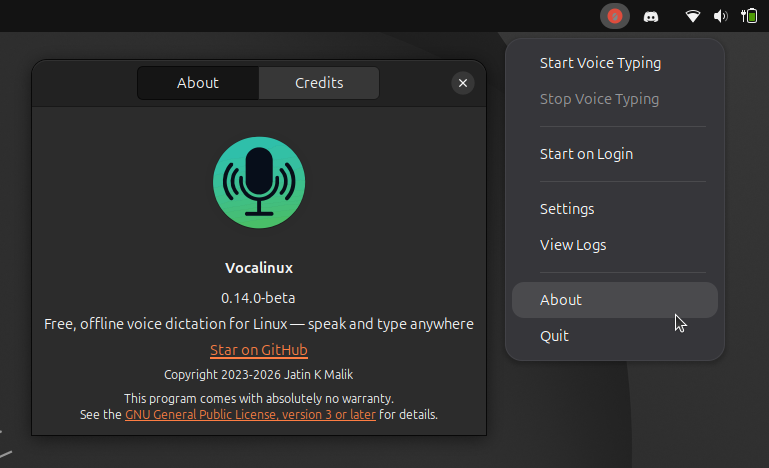
On both platforms, initial installation attempts via the standard app launcher resulted in the application failing to initialize. While this is not uncommon for beta-stage software, it underscores the need for a more polished installation wizard. Once troubleshooting protocols were applied on Ubuntu, the application became functional, though it remained susceptible to occasional unresponsiveness.
The "DIY" Reality
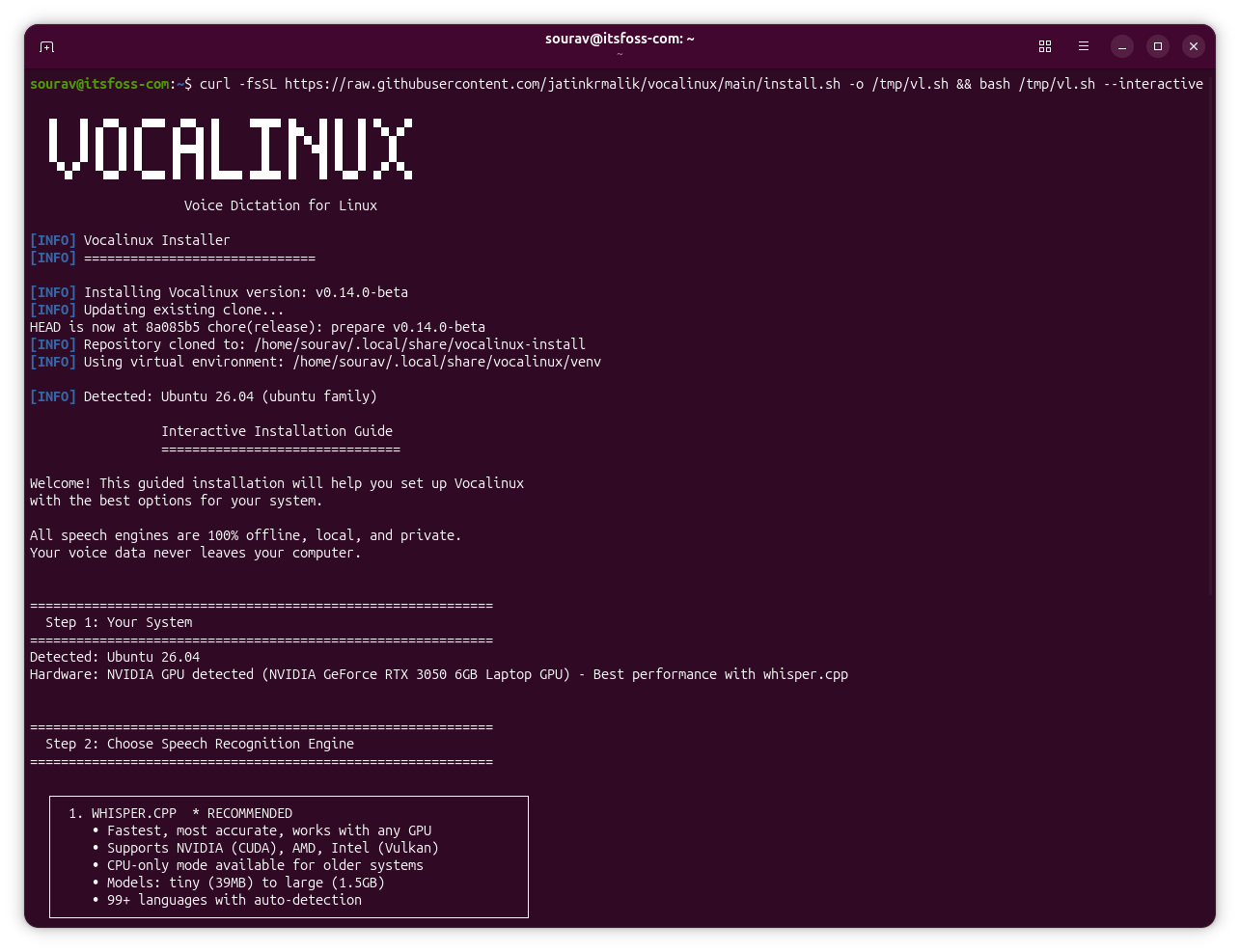
It is important for prospective users to note that Vocalinux is currently a developer-centric tool. The provided installation script—curl -fsSL https://raw.githubusercontent.com/jatinkrmalik/vocalinux/main/install.sh -o /tmp/vl.sh && bash /tmp/vl.sh --interactive—is an effective way to get started, but it requires manual intervention on non-Debian-based distributions. Users on systems like Fedora may find themselves needing to manually install missing system-level dependencies.
For those hesitant to commit to a full installation, the project website offers a browser-based demo that utilizes the same SpeechRecognition logic. While this demo relies on web-based processing, it provides a valuable sandbox to test the accuracy of the underlying engines before installing the software locally.
Implications for the Linux Community
The success of a project like Vocalinux carries significant weight for the broader Linux ecosystem.
Privacy as a Default
As big tech companies double down on cloud-based AI, integrating dictation into the OS, users are increasingly concerned about where their voice data goes. By providing an open-source, local-first alternative, Vocalinux empowers the privacy-conscious user. It proves that one does not need to sacrifice personal data to achieve the convenience of voice-to-text.
Closing the Gap
Linux has often trailed behind Windows and macOS in the realm of accessibility and voice-assisted productivity. Tools like Vocalinux are essential for closing this gap. By offering a unified interface that works across IDEs, terminals, and browsers, it lowers the barrier to entry for users who may have physical disabilities or simply prefer a hands-free workflow.
The Challenge of Sustainability
The primary challenge facing Vocalinux is long-term sustainability. Maintaining compatibility with the rapidly evolving Linux desktop—specifically the transition from X11 to Wayland and the varying hardware architectures of modern laptops—requires constant, dedicated development. As the software moves toward a stable 1.0 release, the project will likely need to expand its contributor base to ensure that it remains stable and feature-rich.
Getting Started: A User’s Guide
For those interested in contributing to the testing phase or simply wishing to integrate Vocalinux into their workflow, the project maintains an active GitHub repository.
Steps to begin:
- Review the Requirements: Ensure your system has the necessary build tools and dependencies.
- Run the Installer: Utilize the provided interactive script, keeping in mind that it is currently optimized for Debian-based environments.
- Consult the Documentation: If you are unsure which engine to choose, the project’s comparison guide is an excellent resource for balancing accuracy, latency, and resource usage.
- Feedback: As this is a beta release, reporting bugs on the GitHub issues page is the most effective way to help the developers refine the software for a future stable release.
Conclusion
Vocalinux 0.14 represents a bold step forward in the democratization of AI-driven tools on Linux. While the current beta iteration exhibits the typical "rough edges" associated with pre-release software, the underlying technology is both sound and necessary.
By prioritizing local processing, providing modular engine support, and actively listening to user requests for customization, the Vocalinux team has created a tool that has the potential to become a cornerstone of the Linux desktop experience. As the project matures, it stands as a testament to the power of open-source collaboration in building the future of computing—one where privacy and performance are not mutually exclusive, but rather the foundation of every interaction.