Beyond the CAD Model: How Extrudio is Revolutionizing 3D Print Visualization
In the world of additive manufacturing, the gap between a digital design and the physical reality of a finished part is often vast. Designers spend countless hours perfecting geometry in CAD software, only to be surprised by the aesthetic imperfections—layer lines, stair-stepping, and surface artifacts—that inevitably appear once the print finishes. While traditional rendering software excels at showcasing pristine, polished models, it often fails to capture the "soul" of 3D printing.
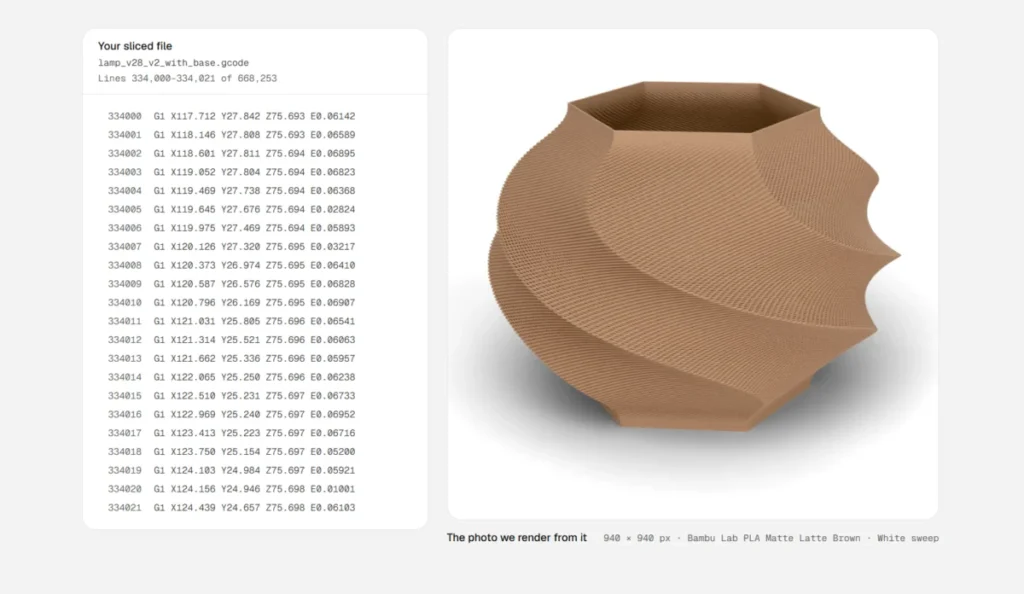
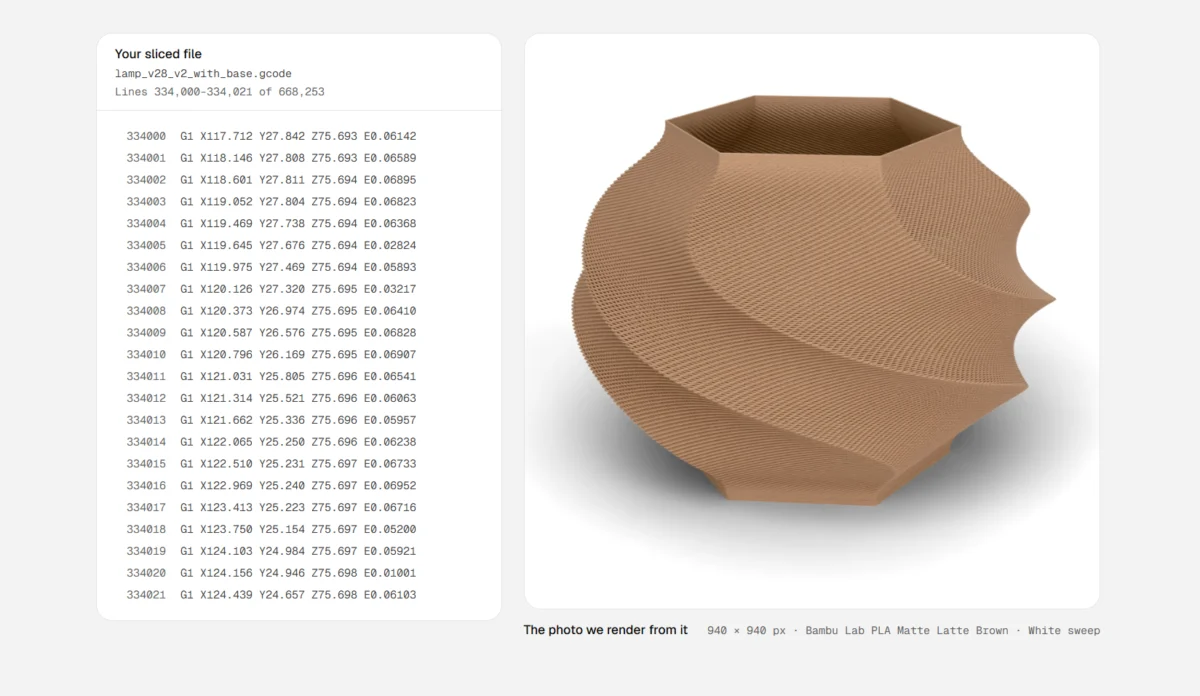
Enter Extrudio, a novel visualization tool that bridges this divide by pivoting away from geometry-based rendering in favor of a G-Code-driven approach. By simulating the actual toolpaths of a 3D printer, Extrudio allows creators to generate hyper-realistic previews of their parts without waiting for the physical print to finish.
Main Facts: The Paradigm Shift in Rendering
The core innovation of Extrudio lies in its methodology. Traditional rendering engines—like those built into SolidWorks, Fusion 360, or Blender—work by interpreting mathematical surfaces (NURBS or mesh geometry). They calculate how light bounces off these perfect, smooth surfaces. However, a 3D printer does not print "surfaces"; it prints a sequence of movements, extruding molten plastic along a calculated path defined by G-Code.
Extrudio bypasses the STL file entirely. Instead, it reads the G-Code—the exact set of instructions the printer follows—and recreates the object by virtually "sweeping" a bead of plastic through 3D space.
Key Features:
- Artifact Replication: The software captures the visual reality of Fused Deposition Modeling (FDM), including visible layer lines, Z-seam placement, and the characteristic "stair-stepping" effect on curved geometries.
- Material and Environmental Context: Users can place their "printed" objects into various virtual environments, such as professional studio backdrops, home kitchens, or workshops, allowing for contextual product photography.
- Time-Efficiency: It eliminates the need for test prints. Designers can visualize color changes, infill patterns, and print orientation variations in seconds, rather than hours.
Chronology: The Evolution of 3D Print Visualization
The history of 3D visualization is a story of increasing fidelity. In the early 2010s, "rendering" a 3D print meant taking a screenshot of a CAD model and perhaps applying a "plastic" material finish. These images were often misleading, leading customers to expect smooth, injection-molded quality from parts that would inevitably be textured.
The Timeline of Improvement:
- The "Clean Geometry" Era (2010–2015): Rendering was exclusively about showcasing the design. The imperfections of 3D printing were considered "noise" to be hidden or smoothed away through post-processing.
- The Rise of Realistic Shaders (2015–2020): Community-driven plugins for Blender began allowing users to add "bump maps" to simulate layer lines, but these were largely aesthetic overlays, not physically accurate representations of the toolpath.
- The G-Code Era (2023–Present): With the introduction of tools like Extrudio, the industry is moving toward "Simulated Reality." By using the machine’s own language—G-Code—to drive the visual output, software is finally beginning to honor the realities of the manufacturing process.
Supporting Data: Why "Ugly" is Better
Data suggests that transparency in manufacturing leads to higher customer satisfaction. For those selling 3D printed parts on platforms like Etsy or specialized e-commerce sites, "over-promising" with a perfect CAD render can lead to returns and negative reviews when the customer receives a part with visible layer lines.
Comparative Metrics:
- CAD-based Renders: Typically show a 0% deviation from the original CAD file, which is physically impossible in FDM printing.
- Physical Prototype Photography: The gold standard, but requires 3–12 hours of print time per iteration, plus setup for photography.
- Extrudio Renders: Provide approximately 85–90% visual accuracy compared to a finished print, with a generation time of under 60 seconds.
The data indicates that while professional photography remains the benchmark for high-end manufacturing, tools like Extrudio occupy a vital "middle ground" for rapid prototyping, iteration, and pre-sales marketing.
Official Perspectives and Industry Response
The reception from the 3D printing community has been largely enthusiastic, though tempered with a healthy dose of professional skepticism. Designers who frequent forums like Hackaday and r/3Dprinting have long clamored for tools that don’t just "pretty up" their work, but accurately reflect the limitations and unique aesthetics of their hardware.
Designer Feedback
"I’ve spent years explaining to clients why a print looks different than my SolidWorks render," says one independent product designer. "Extrudio is a game-changer because it sets expectations immediately. If the client sees the layer lines in the render, they know exactly what they are paying for."
The "Purist" Argument
On the other side of the debate, traditional photographers argue that no software can perfectly replicate the nuances of light refraction on PLA or the subtle scarring left by support structures. They contend that while Extrudio is excellent for workflow, it should not replace the final photoshoot for high-value commercial products.
Implications: The Future of Digital Product Sales
The implications of this technology extend far beyond the desktop. As the "creator economy" continues to grow, the ability to rapidly iterate and market physical goods is becoming a prerequisite for success.
1. Reducing Waste in Iteration
One of the most significant implications is sustainability. By allowing designers to preview the visual outcome of their print settings (such as layer height or wall thickness) before committing to a physical run, Extrudio could significantly reduce the amount of failed prints and wasted filament produced during the design-optimization phase.
2. Democratizing Product Marketing
Historically, professional product photography was an expensive barrier to entry. A small Etsy seller might have had to print a prototype, spend an hour lighting it, and then realize the print quality wasn’t up to par. Now, they can "photograph" the part virtually, tweak the settings until the render looks appealing, and only then proceed to print the final inventory.
3. The Shift to "Digital Twins"
Extrudio represents a step toward the concept of a "Digital Twin" for 3D printing. If a render can be perfectly synced with the machine’s output, we move closer to a world where a digital preview is a legally binding representation of the physical product.
Conclusion: A Tool for the Modern Maker
As additive manufacturing becomes more accessible, the tools we use to visualize our creations must evolve to match the medium. Extrudio is not merely a rendering program; it is a bridge between the precision of the digital world and the tactile reality of the physical one.
While it is unlikely to fully replace the camera and the lightbox, it has undoubtedly carved out a space as an essential utility for the modern designer. By embracing the artifacts of the printing process rather than hiding them, Extrudio allows makers to communicate the reality of their craft, setting a new standard for honesty and efficiency in digital fabrication.
As we look toward the future, one wonders what other aspects of the printing process will be simulated next. Will we soon see tools that simulate the warping of ABS or the potential for print failures based on ambient temperature? For now, the ability to see our G-Code come to life before the first drop of plastic hits the bed is a massive leap forward for the entire 3D printing ecosystem. Whether you are a hobbyist looking to spice up your project photos or a professional seeking to streamline your workflow, the G-Code-driven future of visualization has arrived.