Revolutionizing the Developer Workflow: A Deep Dive into Android’s ADB Wi-Fi 2.0

In the high-stakes world of mobile application development, time is the most precious currency. For years, the Android development ecosystem has relied on the Android Debug Bridge (ADB) to bridge the gap between powerful integrated development environments (IDEs) like Android Studio and the physical hardware testing environment. While wireless debugging has existed as a convenience feature, it has long been plagued by connection instability, latency issues, and cumbersome setup procedures.
Recognizing these friction points, Google’s Android Studio team—led by Product Manager Steven Jenkins, Senior Software Engineer Sherif Eid, and Staff Software Engineer Fabien Sanglard—has officially unveiled ADB Wi-Fi 2.0. This major overhaul represents a fundamental re-architecture of the wireless debugging stack, promising a future where developers can untether their workstations without sacrificing the reliability of a wired connection.
The Core Transformation: Rebuilding the Stack
The transition to ADB Wi-Fi 2.0 is not merely a superficial update or a series of software patches; it is a ground-up reconstruction of the three primary pillars that facilitate Android communication: the ADB server, the adbd daemon, and the Android Studio IDE integration.
The ADB Server
At the heart of the architecture lies the ADB server, which acts as the orchestrator for all device communications. Historically, the server struggled with network handshakes, often failing to maintain persistent connections when local Wi-Fi networks fluctuated or when device IP addresses rotated. The new server stack implements more robust socket management, ensuring that once a connection is established, it remains resilient against the minor packet losses common in office or home Wi-Fi environments.
The adbd Daemon
The adbd daemon, which resides on the target device, has been optimized to prioritize debugging traffic. By refining how the daemon listens for connection requests and handles authentication, the team has successfully reduced the "time-to-connect." This is particularly critical for developers working with large APKs, where even a slight delay in the initial handshake can disrupt the development flow.

Android Studio Integration
The final piece of the puzzle is the user interface within Android Studio. By streamlining the pairing process, the team has removed the "guesswork" associated with port discovery and pairing codes. The new implementation leverages a more intuitive QR-code-based pairing system that minimizes manual configuration, allowing developers to jump straight into their code.
A Chronology of Connectivity: From Wired Roots to Wireless Freedom
To understand the magnitude of this update, one must look at the evolution of Android debugging.
The Era of the Cable (2008–2016): During the early years of Android, a physical USB connection was non-negotiable. While reliable, the constant plugging and unplugging of devices often led to hardware fatigue, damaged USB ports on expensive test devices, and a cluttered workspace.
The Advent of Wireless (2017–2022): Android eventually introduced wireless debugging, but it was initially hidden behind complex terminal commands. Developers had to manually connect via USB first, find the device’s IP address, and issue commands to switch the port to TCP/IP mode. It was a breakthrough in concept but a failure in daily usability.
The Refinement Phase (2023–2025): Google began integrating wireless pairing directly into Android Studio, using QR codes to simplify the process. While this solved the manual IP-hunting problem, the underlying network protocols remained fragile. Connections would frequently drop, requiring a restart of the server or a physical reconnection.

The 2.0 Revolution (Present): With the introduction of ADB Wi-Fi 2.0, the focus has shifted from "making it work" to "making it professional." By optimizing the underlying network stack, the Android team has essentially eliminated the reliability gap between physical cables and wireless signals.
Quantifying Success: Supporting Data and Metrics
The claims surrounding ADB Wi-Fi 2.0 are backed by rigorous internal testing at Google. The development team focused on two key performance indicators: the success rate of auto-connections and the speed of the handshake process.
According to data released alongside the announcement, auto-connection success rates have improved by 32%. This metric is vital for developers who frequently switch between multiple test devices or move their workstations between different network environments. No longer must a developer manually troubleshoot why a device failed to show up in the "Available Devices" dropdown; the system is now intelligent enough to re-establish the link automatically.
Furthermore, the team observed a 66% increase in connection speeds for 90% of connections. In practical terms, this means that the moment a developer hits the "Run" button in Android Studio, the latency before the APK begins to deploy to the device has been slashed by more than half. For a developer performing hundreds of small code changes and deployments throughout a standard workday, this optimization translates into hours of reclaimed productivity over the course of a month.
Official Perspectives: The Philosophy of Developer Experience
In their recent presentation at the Android Makers by Droidcon 2026 conference, the engineering team emphasized that the primary motivation behind this update was direct developer feedback.

"We listened to the community," noted Sherif Eid. "The recurring theme wasn’t that developers didn’t want to use wireless debugging; it was that they couldn’t afford the downtime associated with its unreliability. Our goal was to make the wireless experience feel as solid and predictable as a USB connection."
Fabien Sanglard added that the complexity of the modern development environment—which now spans across mobile phones, tablets, Wear OS devices, and smart TVs—required a more flexible architecture. "When you are debugging a wearable device strapped to a wrist or a TV mounted on a wall, a USB cable is a physical hindrance. Wireless isn’t a luxury anymore; it’s a technical requirement for modern form factors."
Implications for the Future of Android Development
The introduction of ADB Wi-Fi 2.0 has significant implications for how apps are built and tested.
1. Increased Testing Frequency
When the friction of starting a debugging session is reduced, developers are more likely to run frequent tests. This "fast-feedback loop" is essential for modern software development methodologies, such as TDD (Test-Driven Development) and CI/CD pipelines, where incremental testing is the standard.
2. Multi-Device Farm Efficiency
For developers managing a "device farm"—a collection of various Android devices used for compatibility testing—the ability to connect and manage multiple units wirelessly over a local area network (LAN) significantly simplifies the physical setup. Teams can now keep a rack of devices connected to power, with the Android Studio instance managing them wirelessly from a central hub.

3. Better Wear OS and TV Development
Hardware with restricted or difficult-to-access USB ports, such as smartwatches and Android TVs, will see the greatest benefit. Developers working on these platforms can now iterate on their UI and backend logic without the risk of damaging delicate charging pins or dealing with proprietary adapters.
Getting Started: A Seamless Transition
The team has ensured that upgrading to the new system is straightforward. Developers simply need to ensure they are running the latest version of Android Studio.
- Verify Network Compatibility: Ensure both the development workstation and the target device are connected to the same Wi-Fi network.
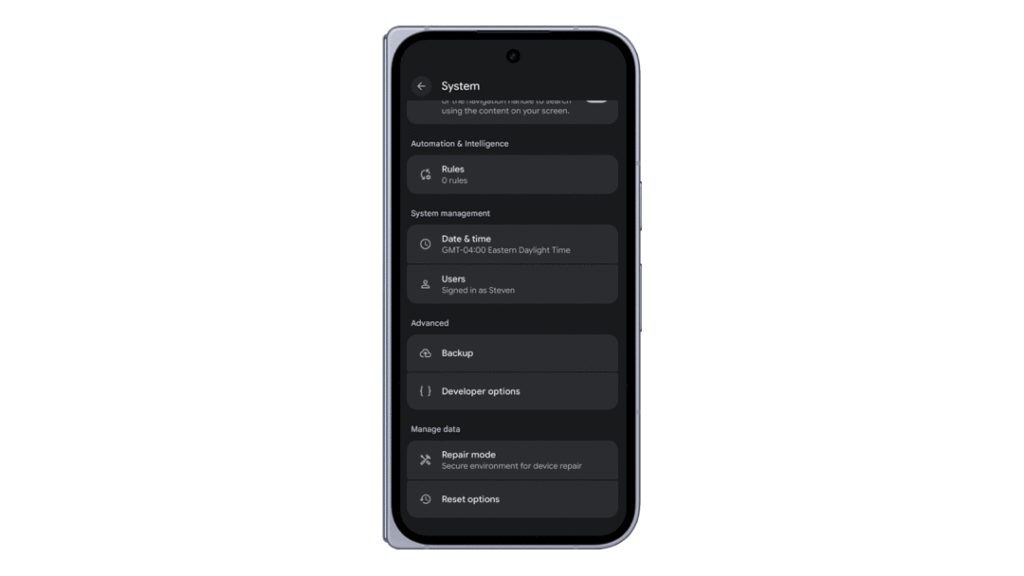
- Enable Developer Options: Navigate to the device’s system settings to ensure Developer Options and Wireless Debugging are toggled on.
- Pairing: Within the "Device Manager" in Android Studio, select the "Pair using Wi-Fi" option. A QR code will appear, which the device’s scanner will recognize instantly.
- Execution: Once paired, the device will remain in the recognized list for future sessions, even after a reboot of the development machine.
As the ecosystem continues to evolve, Google has encouraged the community to remain active in the feedback loop. For those encountering edge cases, the Android developer portal offers comprehensive documentation and a centralized bug reporting system.
In conclusion, ADB Wi-Fi 2.0 is a testament to the fact that even the most fundamental tools in a developer’s arsenal can benefit from modern engineering rigor. By solving the persistent problem of wireless instability, Google has not only improved a feature—it has empowered a global community of developers to create better, more polished applications with significantly less frustration. The era of the "tethered" developer is drawing to a close, replaced by a faster, cleaner, and more reliable wireless future.