The PHP Renaissance: WordPress 7.0 Simplifies Block Development
For seven and a half years, the WordPress ecosystem has been defined by a distinct technological divide. On one side stood the "Classic" PHP developers, keepers of the traditional theme architecture; on the other, the "Modern" JavaScript developers, fluent in React, NPM, and complex build pipelines. With the release of WordPress 7.0, this chasm has finally been bridged.
WordPress has introduced a streamlined, PHP-only method for registering custom blocks. By leveraging a new autoRegister flag, developers can now bring custom functionality into the block editor without ever touching a line of JavaScript or configuring a Webpack build. But does this radical simplification signal the death of the JavaScript-based block, or is it merely a pragmatic bridge for a legacy-heavy ecosystem?
The Evolution of the Block: A Brief Chronology
To understand the significance of this update, one must look at the trajectory of the block editor, codenamed "Gutenberg."

- 2018 (WordPress 5.0): The block editor is introduced. Developers are forced to embrace a dual-registration system: defining a block in PHP for the server-side rendering and in JavaScript (specifically React) for the client-side editor experience.
- 2020–2023: The "Block Theme" era begins. The focus shifts toward Full Site Editing (FSE). However, the barrier to entry remains high. Small agencies and solo freelancers find themselves priced out of the transition to block themes due to the steep learning curve of modern JavaScript tooling.
- 2026 (WordPress 7.0): The introduction of PHP-only block registration. For the first time, core functionality allows the
render_callbackand block registration to exist entirely within thefunctions.phpfile or a plugin file, with WordPress automatically generating the necessary client-side bridge.
The Mechanics: How it Works
The core of this new functionality is the autoRegister flag within the supports array of the register_block_type function. When set to true, WordPress intelligently interprets the PHP registration to generate the required interface elements, such as text inputs or toggles, directly in the editor’s sidebar.
For a developer, the code is remarkably clean. A simple "Hello World" block now requires only a handful of lines:
register_block_type('my-plugin/hello-world', [
    'title' => 'Hello World',
    'render_callback' => function()
        return sprintf('<div %s>Hello World!</div>', get_block_wrapper_attributes());
    ,
    'supports' => ['autoRegister' => true],
]);
This snippet does what used to require an entire folder structure, a block.json file, and a compiled JavaScript file. WordPress handles the heavy lifting, ensuring the block appears in the inserter and functions correctly within the editor’s REST API-powered preview system.

Implications for the Developer Community
The implications of this shift are profound, particularly for the vast majority of the WordPress user base that relies on "Classic" development patterns.
1. Lowering the Barrier to Entry
For years, the mandate to "learn React" acted as a gatekeeper. Junior developers and those specializing in PHP-heavy enterprise development were effectively excluded from the modern block ecosystem. By removing the dependency on build pipelines, WordPress is effectively democratizing block development once again.
2. The Legacy Migration Path
The most immediate impact is the "killer use case" of this feature: the migration of legacy themes. Agencies that have been hesitant to switch to block themes—fearing the cost of rewriting custom widgets, shortcodes, and complex PHP template parts—now have a path of least resistance. You can wrap a legacy PHP function in a render_callback, and within hours, a decade-old site can gain modern block-editing capabilities.

3. A New Workflow for Simple Content
Not every block needs to be a high-performance interactive application. Many custom blocks simply display dynamic data, such as author bios, category-specific post lists, or legacy custom post type outputs. PHP-only blocks are the perfect vehicle for these content-driven elements.
The Trade-offs: Recognizing the Limitations
It would be a mistake to suggest that PHP-only blocks are a total replacement for the JavaScript-based approach. The architectural reality of the WordPress editor creates significant limitations that developers must account for.
The "Stale Data" Problem
Because PHP-only blocks communicate via the REST API and do not tap into the client-side JavaScript state, they lack "freshness." If a user updates a post title in the editor, a PHP-rendered block may not reflect that change until the post is saved and the editor is reloaded. This makes PHP-only blocks unsuitable for real-time, interactive UI elements like live-editing dashboards or complex form builders.

The Contextual Void
PHP-only blocks operate in a stateless environment. Unlike standard theme templates that exist within "The Loop," these blocks struggle to identify the "current post" context automatically. While workarounds—such as passing post IDs through hidden attributes—exist, they are fragile and depend on browser-side triggers that may not always fire correctly.
Interface Constraints
Currently, PHP-only blocks are limited to simple attribute types: strings, numbers, and booleans. There is no native support for complex objects, galleries, or rich-text editors. While this covers 80% of use cases, the remaining 20%—the high-end, interactive experiences—will always require the power of React and the full Block API.
Strategic Recommendations for Implementation
For developers looking to integrate this feature into their workflows, there are several "best practices" that have emerged in the initial months of WordPress 7.0:

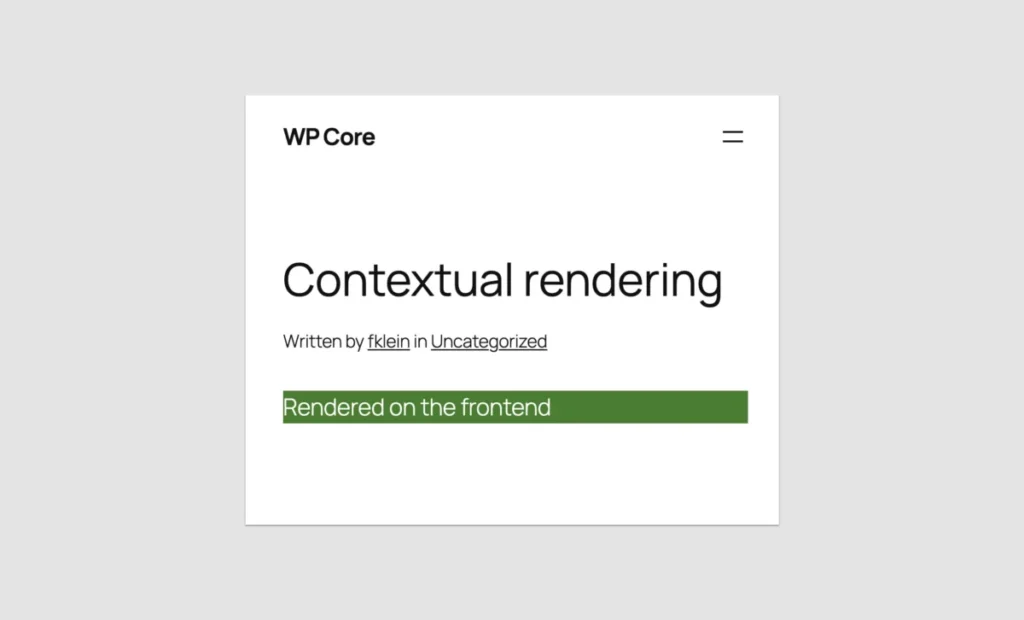
- Use the "Iframed" Editor: To ensure that your block looks the same in the editor as it does on the front end, ensure your site uses the iframed editor. This prevents theme CSS from "leaking" into your block preview and causing styling conflicts.
- Strategic Placeholders: If a block is too complex to render accurately in the editor, use a placeholder image or a simplified static representation. This is a standard practice in Core that improves user experience by preventing the "broken preview" aesthetic.
- Adopt BEM Naming: Even with simple PHP blocks, use the Block, Element, Modifier (BEM) naming convention. Since the block is rendered via PHP, your custom CSS classes should be scoped to the block’s unique namespace to avoid collisions with WordPress Core or third-party plugin styles.
- Selective Alignment: Use the
supportsarray to define exactly which alignments (wide,full,left,right) are allowed. This maintains design integrity by preventing users from forcing non-responsive layouts on blocks not designed for them.
The Future of WordPress Architecture
The move toward PHP-only blocks is an admission that the initial vision of an "all-JavaScript" WordPress ecosystem was overly optimistic for the average user. By embracing a hybrid approach, WordPress is signaling a new phase of maturity.
Official documentation from the WordPress Core team suggests that while there are no immediate plans to expand the capability of PHP-only blocks to match the depth of JavaScript, they will continue to refine the API to make the migration path from legacy code even smoother. The community is already clamoring for better support for custom metadata and more robust post-context awareness.
Conclusion: A Worthy Wait?
Was the seven-year wait for a simpler way to build blocks worth it?

If you are a developer tasked with building a high-performance, interactive page builder from scratch, you were never the target audience for this feature. The JavaScript-based Block API remains the gold standard for that work.
However, for the vast majority of the web—the small businesses, the content creators, and the legacy sites—the answer is a resounding "yes." WordPress 7.0 has provided a lifeline to the thousands of developers who were left behind by the move to React. By enabling them to build blocks with the tools they have spent years mastering, WordPress has ensured that its ecosystem remains inclusive, adaptable, and—above all—practical.
The era of "React or nothing" is over. We have entered the era of "the right tool for the job." Whether that tool is a complex React application or a simple, efficient PHP function, the WordPress developer is now better equipped than ever to shape the future of the web.