Navigating the RAID Landscape: A Comprehensive Guide to Data Redundancy, Capacity, and Risk Management
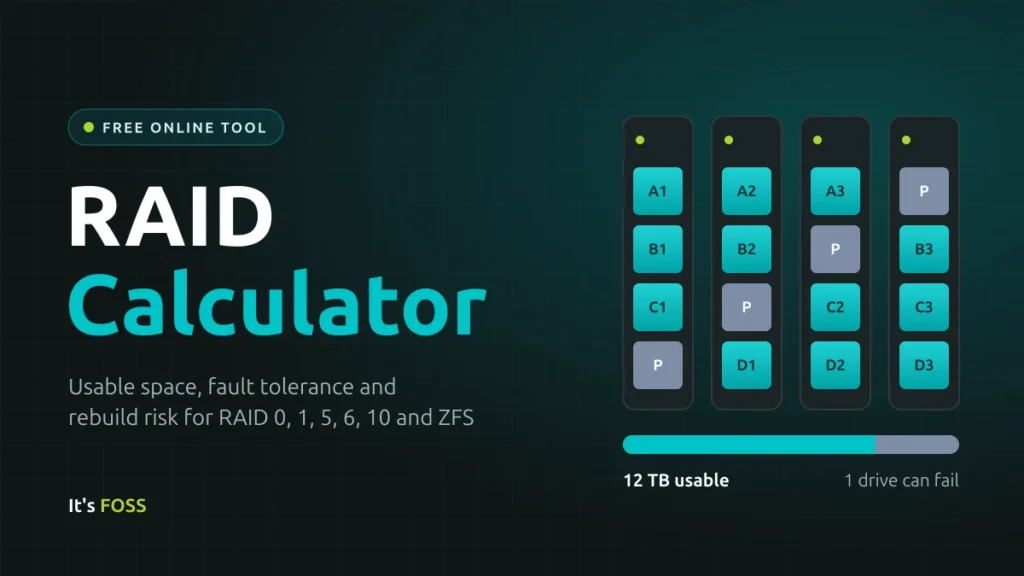
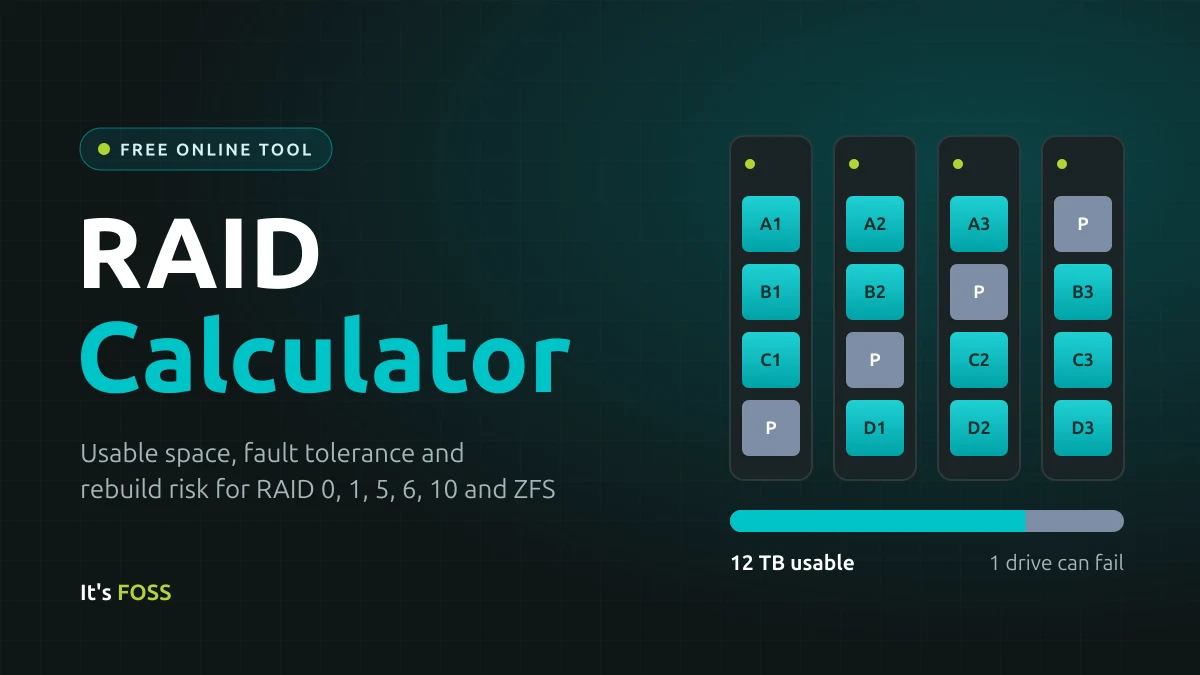
In the modern era of data-driven decision-making, the storage of digital assets—whether for enterprise servers or home media archives—has become a cornerstone of information technology. For IT administrators and enthusiasts alike, Redundant Array of Independent Disks (RAID) remains the primary method for balancing performance, capacity, and fault tolerance. However, the complexity of configuring these arrays often leaves users confused about how much space they will actually have, how to estimate failure risks, and why their operating systems report storage capacities differently than expected.
This guide explores the mechanics of RAID, the nuances of rebuild risks, and the critical distinction between data redundancy and data backups.
The Core Mechanics of RAID: Understanding Usable Capacity
At its most fundamental level, RAID allows users to combine multiple physical hard drives into a single logical unit. The primary goal is to ensure that if a drive fails, the data remains accessible or recoverable. To calculate the usable capacity of a given configuration, we utilize the variables N (number of drives) and S (the size of the smallest drive in the array).
Capacity Calculation Matrix
The following table outlines the mathematical framework for the most common RAID configurations:
| Layout | Minimum Drives | Usable Capacity Formula | Failure Tolerance |
|---|---|---|---|
| RAID 0 | 2 | N × S | 0 |
| RAID 1 | 2 | S | N – 1 |
| RAID 5 | 3 | (N – 1) × S | 1 |
| RAID 6 | 4 | (N – 2) × S | 2 |
| RAID 10 | 4 | (N / 2) × S | 1 (up to N/2) |
| RAIDZ1 | 3 | (N – 1) × S | 1 |
| RAIDZ2 | 4 | (N – 2) × S | 2 |
| RAIDZ3 | 5 | (N – 3) × S | 3 |
It is critical to note that in RAID 10 (Striped Mirrors), the system can technically survive more than one drive failure, but only if the failed drives do not belong to the same mirror pair. If both drives in a single mirror set fail, the entire array suffers a catastrophic loss of data.
The Rebuild Risk: Why Parity Matters
The most dangerous moment in an array’s lifecycle is the "rebuild" or "resilver" process. When a drive fails, the array controller must read every single bit of data from the remaining healthy drives to reconstruct the missing information. During this process, the stress placed on the surviving drives is immense.
The Mathematics of Failure
The calculator assesses risk based on the Unrecoverable Read Error (URE) rating of the drives. A URE represents the statistical probability that a drive will encounter a "bad sector" that cannot be read during a high-intensity operation.
Consider a scenario with four 8 TB drives in a RAID 5 configuration. A rebuild requires the system to process 24 TB of data—approximately 1.9 x 10¹⁴ bits.
- Consumer Drives: Typically rated at 1 error per 10¹⁴ bits. The statistical probability of hitting at least one unreadable sector during a rebuild is roughly 85%.
- NAS/Enterprise Drives: Often rated at 1 error per 10¹⁵ bits. In this case, the risk drops significantly to approximately 17%.
Because these figures represent worst-case scenarios from manufacturer spec sheets, they serve as a warning: as drive capacities continue to climb, RAID 5 is becoming increasingly insufficient for large-scale storage. This is why the industry has shifted toward RAID 6 or RAIDZ2, which utilize dual-parity. With a second parity drive, an unreadable sector encountered during a rebuild does not result in total array failure, providing a vital safety net.
Defining the Technical Vocabulary
To effectively manage a storage array, users must understand the core technologies at play:
Striping and Mirroring
- Striping (RAID 0): Data is split into fragments and written simultaneously across multiple drives. While this offers the highest performance, it provides zero redundancy. If one drive dies, the entire array is lost.
- Mirroring (RAID 1): Data is written to two drives simultaneously. This is the simplest form of redundancy but results in 50% storage efficiency.
Parity
Parity is a mathematical construct that allows a system to deduce missing data from surviving drives. By performing a sum-like calculation on the data, the system can recreate a failed drive’s contents without needing a full mirror.
- Single Parity (RAID 5/RAIDZ1): Allows for one drive failure.
- Double Parity (RAID 6/RAIDZ2): Allows for two drive failures.
- Triple Parity (RAIDZ3): Offers high-level protection, allowing for three simultaneous drive failures.
ZFS vs. Traditional RAID
Traditional hardware RAID or Linux software RAID (mdadm) operate at the block level. They are often "blind" to silent data corruption, known as bit rot. ZFS, conversely, acts as both a filesystem and a RAID manager. It uses checksums for every block of data, allowing it to detect and automatically repair corruption from a redundant copy. While ZFS requires more system memory (RAM), its ability to protect data integrity makes it the gold standard for modern NAS systems like TrueNAS.
Implications for System Administrators and Home Users
Whether you are using Synology, QNAP, UGREEN, or building a custom TrueNAS server, the underlying logic of RAID remains consistent. However, users should be aware of the "hidden" factors that impact their storage experience:
- Filesystem Overhead: Beyond RAID parity, filesystems (especially ZFS) reserve a portion of space for metadata and "slop" space. Expect to see roughly 3% less capacity than the raw math suggests.
- Binary vs. Decimal Units: Storage manufacturers market drives in decimal gigabytes (1,000 bytes), while operating systems calculate capacity in binary tebibytes (1,024 bytes). This leads to the common phenomenon where a 12 TB array appears to be only 10.9 TiB in your file explorer.
- Performance Expectations: RAID calculators provide insights into capacity and redundancy, but not speed. Real-world performance is dictated by the controller’s throughput, the drive’s RPM, and the nature of the workload (random vs. sequential I/O).
Frequently Asked Questions
Is RAID a substitute for a backup?
Absolutely not. RAID protects against physical hardware failure, not against human error, ransomware, fire, or theft. If you accidentally delete a file, RAID will faithfully "delete" it from all drives in the array. The industry standard remains the 3-2-1 rule: three copies of data, on two different media types, with one copy stored off-site.
Can I mix different drive sizes?
Standard RAID configurations treat all drives as if they are the size of the smallest drive in the set. If you mix a 4 TB drive into an array of 8 TB drives, the system will effectively ignore the extra 4 TB on the larger drives. While some proprietary systems like Synology’s SHR (Synology Hybrid RAID) allow for more flexibility, it is generally best practice to use drives of identical capacity and model to ensure predictable performance and rebuild times.
Should I choose RAID 5 or RAID 6?
For any array using drives 8 TB or larger, RAID 6 is strongly recommended. The time required to rebuild an 8 TB+ drive is significant, increasing the window of exposure for a second drive failure. The cost of one extra drive for double parity is a small price to pay for significantly higher data safety.
How is power consumption estimated?
Power draw is calculated based on the average load of the drives in an active state. Yearly estimates assume 24/7 operation. However, real-world power draw will vary based on CPU usage, fans, and power supply efficiency. Users should treat these figures as "ballpark" estimates rather than precise electrical audits.
Why does my RAID array feel slow?
If you are experiencing performance bottlenecks, the issue is likely not the RAID level itself, but the controller or the drive type. Parity-based RAID (5, 6, Z1, Z2) carries a "write penalty" because the system must calculate parity for every write operation. If performance is a priority, consider RAID 10, which offers the high speeds of striping with the redundancy of mirrors, albeit at the cost of half your total raw capacity.
Conclusion
Understanding RAID is an essential exercise in risk management. By carefully selecting a layout that aligns with your capacity needs and tolerance for downtime, you can build a storage infrastructure that is both resilient and cost-effective. Whether you choose the performance-heavy path of RAID 10 or the capacity-optimized protection of RAIDZ2, the key is to prioritize data integrity and always, without exception, maintain a secondary, off-site backup. As data storage demands continue to grow, the tools and calculators discussed here serve as the foundation for ensuring that your digital life remains secure and accessible.