Meet "Tiny Engineer": The Open-Source Desktop Robot That Gives a Physical Body to Your AI Coding Agent
By Tech & Innovation Desk
Published: September 2026
In the rapidly evolving landscape of software development, artificial intelligence has shifted from a novel autocomplete tool to a fully autonomous coding agent capable of writing, debugging, and executing entire projects. However, monitoring these autonomous systems has historically remained a tedious, passive chore. Developers typically find themselves staring blankly at Integrated Development Environments (IDEs), log outputs, or terminal windows, waiting to see if an agent has successfully completed a task or run into a critical error.
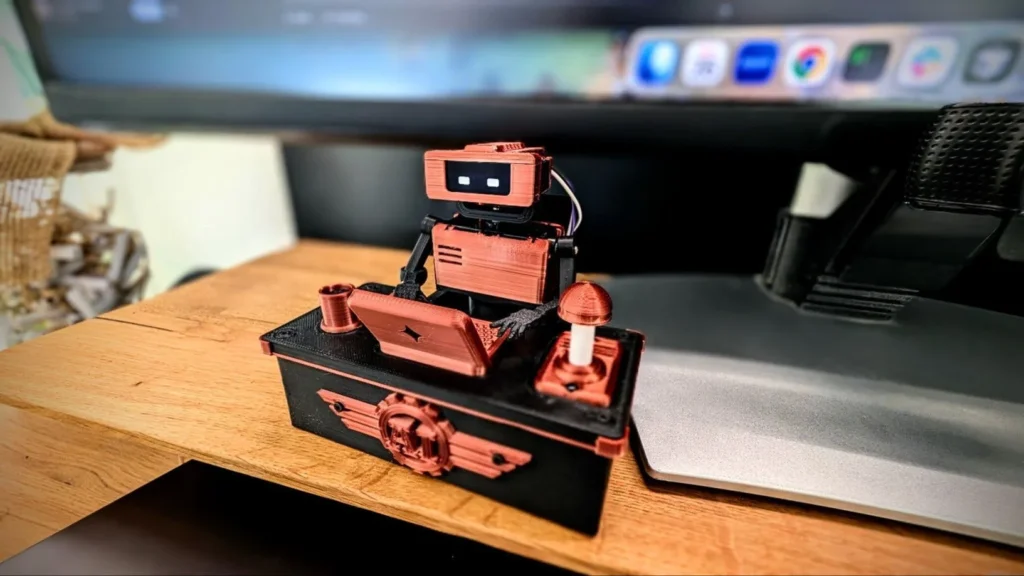
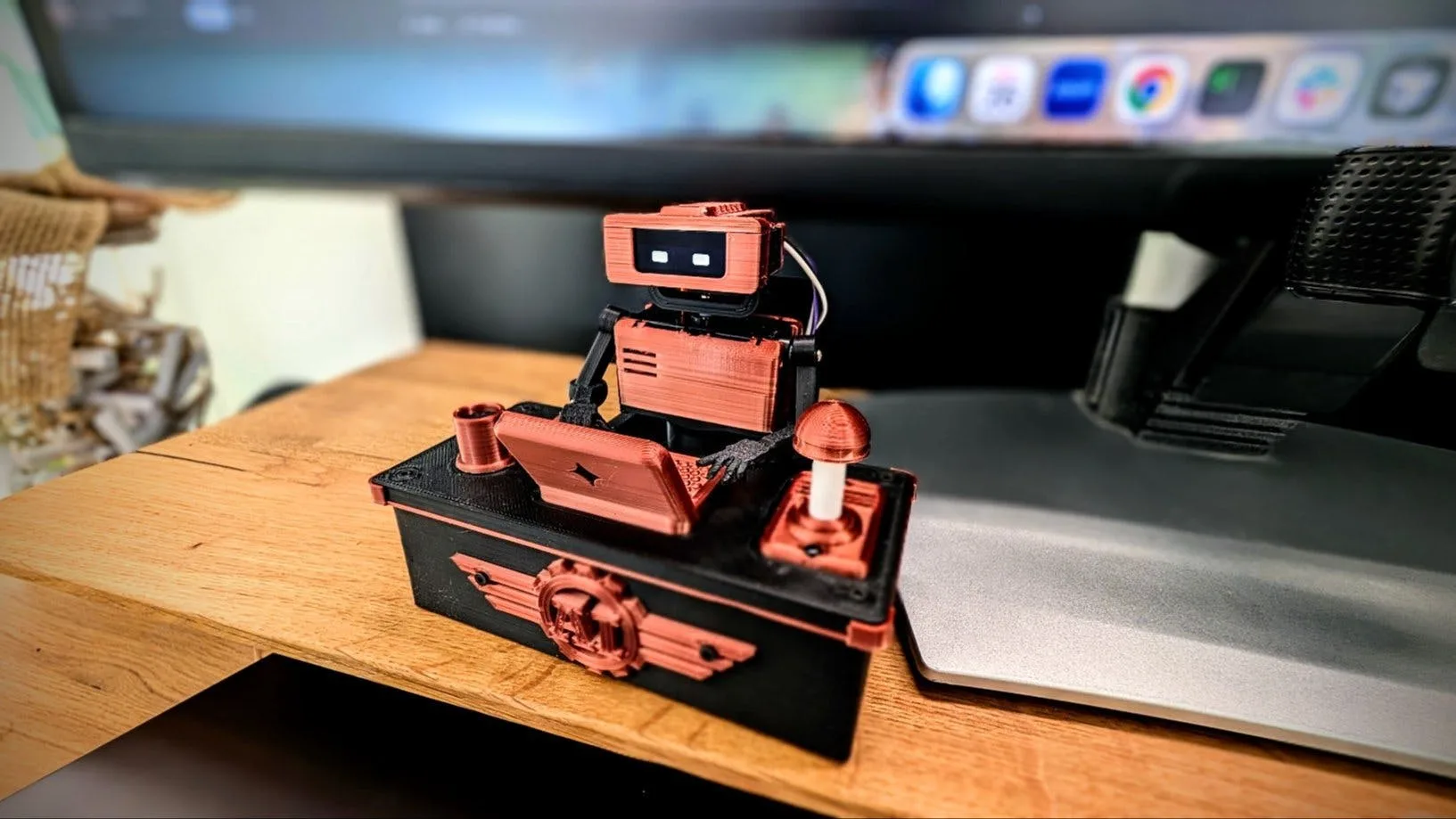
Enter Tiny Engineer, an ingenious open-source, 3D-printable desktop companion designed by creator Krzysztof Jamroz. This charming hardware project bridges the gap between digital software execution and the physical world. Instead of forcing developers to constantly monitor static on-screen code blocks, Tiny Engineer physically acts out what the AI is doing in real time. If the agent is reading documentation, the robot tilts its head. If it is deep in thought, it pauses and gestures. When it finally completes a coding task, it physically rings a bell.
By turning abstract data streams into tangible, physical movements, Tiny Engineer transforms software engineering supervision into an engaging, delightful desktop experience.
Main Facts
- Project Concept: Tiny Engineer is an open-source, 3D-printable desktop robotic companion that physically mirrors the real-time activities of AI coding agents.
- Creator: Developed by engineer and maker Krzysztof Jamroz.
- Core Functionality: Translates AI workflow states (such as reading, thinking, coding, and task completion) into dynamic physical gestures, head movements, and audio notifications.
- Connectivity: Integrates via a local REST API over a standard 2.4 GHz Wi-Fi network, allowing seamless communication between software agents and local hardware.
- Brain and Logic: Powered by a Waveshare ESP32-C3-Zero microcontroller board running custom firmware compiled through PlatformIO.
- Actuation: Utilizes a PCA9685 PWM controller to drive five PowerHD HD-1370A micro-servos managing the robot’s head, neck, hands, and body posture.
- Visual and Audio Feedback: Features a compact 0.91-inch SSD1306 OLED display (128×32 pixels) to render expressive facial expressions and status text, paired with a MAX98357A amplifier and an 8Ω, 1W speaker for audio cues.
- Accessibility: All 3D printing files (STL), wiring diagrams, and source code are openly available via the official GitHub repository.
Chronology of the Project’s Development
The journey from a conceptual spark to a fully realized physical desktop companion highlights the iterative nature of modern open-source hardware development.
Phase 1: The Problem of Passive Monitoring
As autonomous AI coding assistants became central to daily programming workflows, Krzysztof Jamroz identified a subtle psychological friction point: developers spent hours context-switching between their primary workspace and background terminal windows just to check if an AI agent was still processing or had hit a snag. The initial idea was born out of a desire for ambient awareness—a way to monitor machine activity out of the corner of one’s eye without disrupting deep focus.
Phase 2: Prototyping Hardware and Architecture
Jamroz began mapping out a lightweight, cost-effective hardware stack that could sit comfortably on a crowded desk without becoming intrusive. The core criteria demanded low power consumption, wireless connectivity, and enough servo channels to convey expressive body language. Selecting the ESP32-C3 architecture provided an affordable, Wi-Fi-enabled microcontroller capable of handling local REST API calls, while a PCA9685 breakout board solved the challenge of driving multiple micro-servos simultaneously.

Phase 3: Firmware Development and Animation Mapping
Writing the firmware required breaking down abstract software lifecycles into discrete physical states. Jamroz mapped common developer-agent interactions into distinct animation profiles:
- Reading: Quick, side-to-side head movements mimicking data intake.
- Thinking: Slow, deliberate pauses with localized OLED status indicators.
- Typing: Rhythmic hand and body gestures simulating active code generation.
- Completion (Ring): An celebratory physical motion paired with an audio notification chime.
Phase 4: Open-Source Release and Community Adoption
Upon finalizing the 3D-printable CAD models and stabilizing the PlatformIO firmware, Jamroz published the complete project documentation to GitHub. By making the architecture modular and extensible, the release invited global makers, developers, and hardware enthusiasts to download the files, tweak the code, and adapt the REST API integration to suit their preferred AI tools.
Supporting Data & Technical Specifications
Building a Tiny Engineer robot requires a specific set of hardware components, precise power budgeting, and an understanding of its network architecture. Below is a comprehensive breakdown of the bill of materials and technical requirements.
Hardware Component Breakdown
| Component | Specification / Model | Purpose |
|---|---|---|
| Microcontroller | Waveshare ESP32-C3-Zero | Handles Wi-Fi connectivity, REST API processing, and core logic. |
| Servo Motors (x5) | PowerHD HD-1370A | Controls articulation across the head, neck, hands, and main body. |
| PWM Controller | PCA9685 Board | Expands the microcontroller’s control channels to drive all 5 servos smoothly. |
| Display | 0.91-inch SSD1306 OLED (128×32) | Renders dynamic facial expressions, operational states, and system messages. |
| Audio Amplifier | MAX98357A | Drives sound generation for chimes, alerts, and notifications. |
| Speaker | 8Ω, 1W Speaker | Outputs the physical notification ring when tasks are finalized. |
| Power Supply | 5V, Minimum 2A Output | Ensures stable, uninterrupted voltage under peak multi-servo movement loads. |
Network and Development Parameters
- Wireless Protocol: 2.4 GHz Wi-Fi network (standard for IoT device compatibility).
- Communication Layer: Local REST API listening for incoming JSON payloads triggered by the AI agent’s status shifts.
- Firmware Toolchain: Compiled and flashed using PlatformIO.
- Serial Debugging: Configured at 115200 baud to monitor system logs and error handling during initial setup and testing.
Official Responses and Developer Insights
While formal corporate press releases are absent—as Tiny Engineer is a grassroots, independent open-source maker project—the philosophy driving the initiative is clearly articulated in Jamroz’s design documentation and repository guidelines.
In discussions surrounding the project’s release, Jamroz emphasized that the heart of Tiny Engineer lies in its extreme customizability. Rather than locking users into a rigid, closed ecosystem, the project was intentionally engineered to be hacked, modified, and expanded.
"Print it, wire it, modify the CAD, change the animations, or connect a different agent," notes the project’s documentation.
This philosophy encourages developers not just to replicate the hardware verbatim, but to treat the desktop robot as a blank canvas. Whether a user wants to swap out the micro-servos for higher-torque alternatives, redesign the 3D-printed outer shell to resemble a sci-fi character, or rewrite the REST API bridge to support local Large Language Models (LLMs) running via Ollama or custom Python scripts, the architecture remains entirely open to adaptation.

Furthermore, community responses across developer forums and maker spaces have highlighted a growing appetite for "ambient computing"—technology that communicates ambient status through physical forms rather than blinding desktop notifications or intrusive popup windows.
Implications for the Future of AI Development and Desk Ecosystems
The introduction of projects like Tiny Engineer points toward a broader, fascinating shift in how humans interact with autonomous software. As AI agents take on increasingly complex, long-running tasks—such as refactoring legacy codebases, running automated test suites, or scraping web data over several hours—the nature of human oversight must evolve.
1. Reducing Cognitive Fatigue through Ambient Physicality
Staring at a flashing command prompt or an updating progress bar induces visual and mental fatigue. By offloading monitoring duties to an expressive physical object in the peripheral field of view, developers can maintain deep focus on conceptual problem-solving. A sudden shift in the robot’s posture or a cheerful chime acts as an intuitive, low-stress notification system.
2. The Gamification and Humanization of AI Workflows
Giving a physical form to abstract code generation humanizes the development process. When an AI agent "thinks," seeing a tiny desktop robot pause, tilt its head, and display a concentrated face bridges the psychological gap between human developer and artificial assistant. It fosters a collaborative team dynamic, even when working entirely solo.
3. Expanding the Maker-AI Intersection
Tiny Engineer serves as a prime example of the convergence between generative software and physical maker culture. Historically, 3D printing and microcontroller projects focused on home automation, robotics competitions, or artistic displays. By integrating directly with modern developer tooling (such as IDE-integrated AI coding assistants), this project opens up an entirely new category of hardware peripherals tailored specifically for software engineers.
Looking Ahead
As autonomous AI frameworks continue to mature, the demand for creative, non-intrusive monitoring solutions will only grow. Projects like Krzysztof Jamroz’s Tiny Engineer prove that the future of coding is not confined entirely behind glass screens; sometimes, the best way to understand an artificial intelligence is to watch it roll up its sleeves, tilt its head, and get to work on your desktop.